2019 KIA K900 trailer
[x] Cancel search: trailerPage 10 of 580
15
Introduction
Fuel Additives
Kia recommends that you use good
quality gasolines treated with deter-
gent additives such as TOP TIER
Detergent Gasoline, which help pre-
vent deposit formation in the engine.
These gasolines will help the engine
run cleaner and enhance performance
of the Emission Control System. For
more information on TOP TIER
Detergent Gasoline, please go to the
website (www.toptiergas.com)
For customers who do not use TOP
TIER Detergent Gasoline regularly,
and have problems starting or the
engine does not run smoothly, addi-
tives that can be purchased separate-
ly may be added to the gasoline.
If TOP TIER Detergent Gasoline is not
available, one bottle of additive should
be added to the fuel tank at every
7,500miles or every engine oil change
is recommended. Additives are avail-
able from your authorized K900 Kia
dealer along with information on how
to use them. Do not mix other addi-
tives.
Operation in foreign countries
If you are going to drive your vehicle
in another country, be sure to:
Observe all regulations regardingregistration and insurance.
Determine that acceptable fuel is available. No special break-in period is need-
ed. By following a few simple precau-
tions for the first 600 miles (1,000
km) you may add to the perform-
ance, economy and life of your vehi-
cle.
Do not race the engine.
While driving, keep your engine
speed (rpm, or revolutions per
minute) between 2,000 rpm and
4,000 rpm.
Do not maintain a single speed for long periods of time, either fast or
slow. Varying engine speed is
needed to properly break-in the
engine.
Avoid hard stops, except in emer- gencies, to allow the brakes to seat
properly.
Don't tow a trailer during the first 1,200 miles (2,000 km) of opera-
tion.
VEHICLE BREAK-IN
PROCESS
Page 299 of 580
Driving your vehicle
34
5
Also, the EPB is applied automatical-
ly if the Auto Hold button is on when
the engine is turned off. However, if
you pull up the EPB switch after the
engine is turned off, the EPB will not
be Applied.
✽ ✽
NOTICE
On a steep incline or when pulling a
trailer, if the vehicle does not remain
at a standstill, do as follows:
1. Apply the EPB.
2. Pull up the EPB switch for more
than 3 seconds.
Do not operate the parking brake/
EPB while the vehicle is moving
except in an emergency situation.
✽ ✽NOTICE
A click or electric brake motor
whine sound may be heard while
operating or releasing the EPB.
These conditions are normal and
indicate that the EPB is functioning
properly.
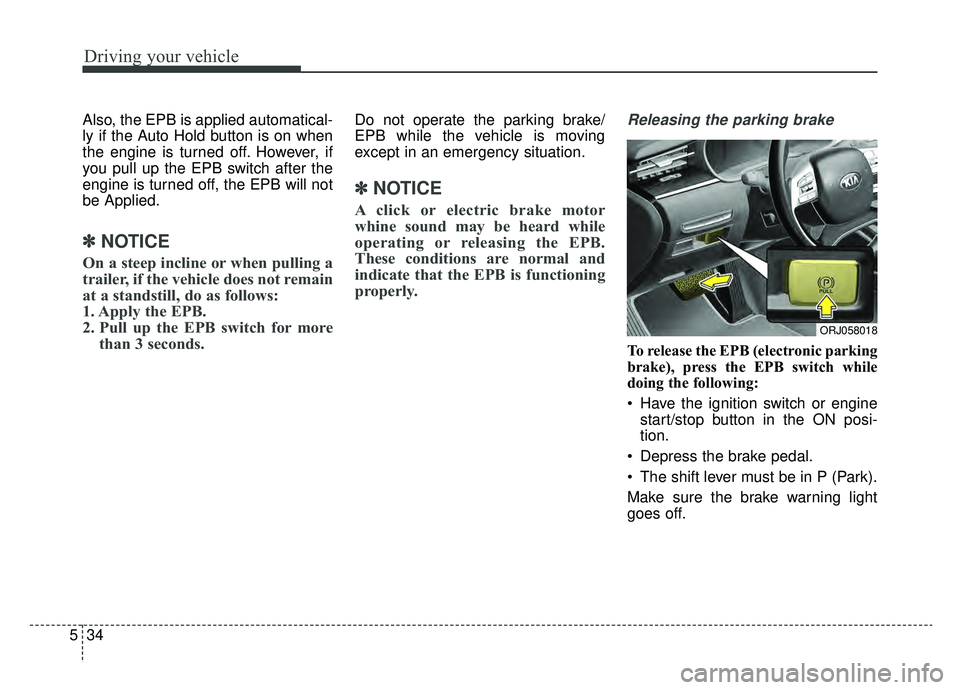
Releasing the parking brake
To release the EPB (electronic parking
brake), press the EPB switch while
doing the following:
Have the ignition switch or engine
start/stop button in the ON posi-
tion.
Depress the brake pedal.
The shift lever must be in P (Park).
Make sure the brake warning light
goes off.
ORJ058018
Page 327 of 580
Driving your vehicle
62
5
Limitations of the system
The Forward Collision avoidance
assist (FCA) system is designed to
monitor the vehicle or pedestrian
ahead in the roadway through radar
signals and camera recognition to
warn the driver that a collision is
imminent, and if necessary, apply
emergency braking.
In certain situations, the radar sen-
sor or the camera may not be able to
detect the vehicle or pedestrian
ahead. In these cases, the FCA sys-
tem may not operate normally. The
driver must pay careful attention in
the following situations where the
FCA operation may be limited.
Detecting vehicles
The sensor may be limited when:
The radar sensor or camera is
blocked with a foreign object or
debris
The camera lens is contaminated due to tinted, filmed or coated
windshield, damaged glass, or
stuck of foreign matter (sticker,
bug, etc.) on the glass
Inclement weather such as heavy rain or snow obscures the field of
view of the radar sensor or camera
There is interference by electro- magnetic waves
Something in the path of travel deflects the radar waves.
The radar/camera sensor recogni- tion is limited
The vehicle in front is too small to be detected (for example a motor
cycle, a bicycle etc.)
The vehicle in front is an oversize vehicle or trailer that is too big to
be detected by the camera recog-
nition system (for example a tractor
trailer, etc.)(Continued)
The FCA system cannotdetect any cross traffic
cyclists that are approaching.
In these cases, you must
maintain a safe braking dis-
tance, and if necessary,
depress the brake pedal to
reduce the driving speed in
order to maintain a safe dis-
tance.
Page 349 of 580
Driving your vehicle
84
5
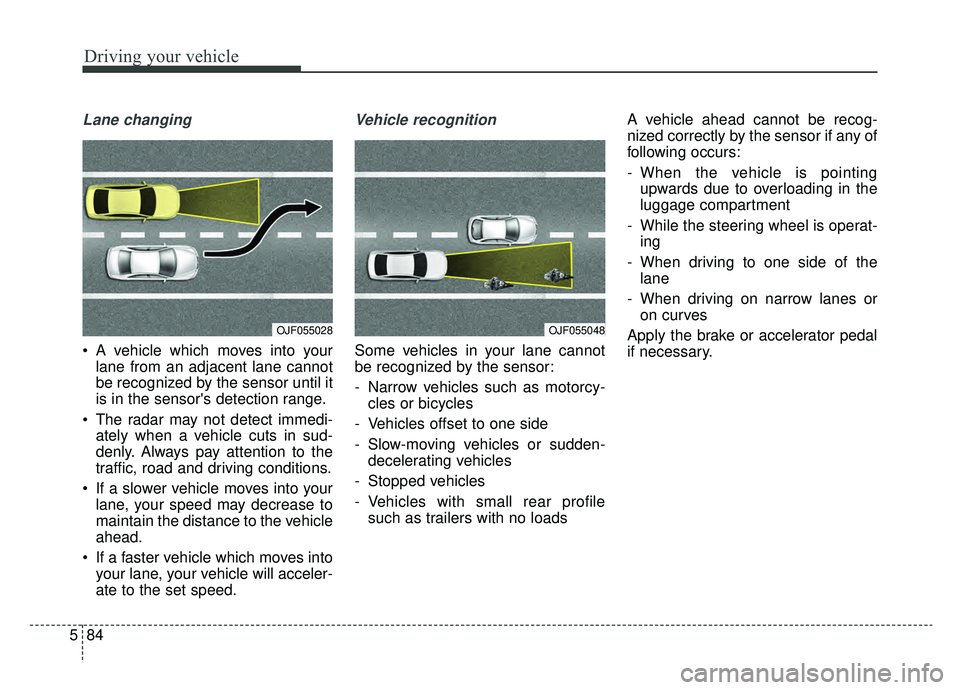
Lane changing
A vehicle which moves into your
lane from an adjacent lane cannot
be recognized by the sensor until it
is in the sensor's detection range.
The radar may not detect immedi- ately when a vehicle cuts in sud-
denly. Always pay attention to the
traffic, road and driving conditions.
If a slower vehicle moves into your lane, your speed may decrease to
maintain the distance to the vehicle
ahead.
If a faster vehicle which moves into your lane, your vehicle will acceler-
ate to the set speed.
Vehicle recognition
Some vehicles in your lane cannot
be recognized by the sensor:
- Narrow vehicles such as motorcy-cles or bicycles
- Vehicles offset to one side
- Slow-moving vehicles or sudden- decelerating vehicles
- Stopped vehicles
- Vehicles with small rear profile such as trailers with no loads A vehicle ahead cannot be recog-
nized correctly by the sensor if any of
following occurs:
- When the vehicle is pointing
upwards due to overloading in the
luggage compartment
- While the steering wheel is operat- ing
- When driving to one side of the lane
- When driving on narrow lanes or on curves
Apply the brake or accelerator pedal
if necessary.
OJF055028OJF055048
Page 367 of 580
Driving your vehicle
102
5
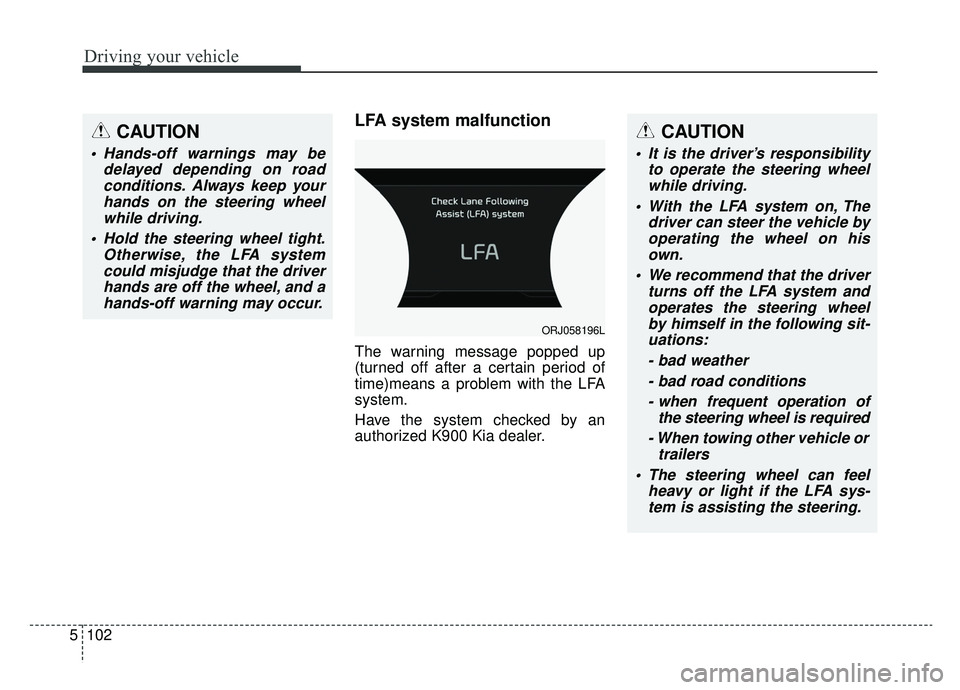
LFA system malfunction
The warning message popped up
(turned off after a certain period of
time)means a problem with the LFA
system.
Have the system checked by an
authorized K900 Kia dealer.
CAUTION
Hands-off warnings may be
delayed depending on roadconditions. Always keep yourhands on the steering wheelwhile driving.
Hold the steering wheel tight. Otherwise, the LFA systemcould misjudge that the driverhands are off the wheel, and ahands-off warning may occur.
CAUTION
It is the driver’s responsibility to operate the steering wheelwhile driving.
With the LFA system on, The driver can steer the vehicle byoperating the wheel on hisown.
We recommend that the driver turns off the LFA system andoperates the steering wheelby himself in the following sit-uations:
- bad weather- bad road conditions- when frequent operation of the steering wheel is required
- When towing other vehicle or trailers
The steering wheel can feel heavy or light if the LFA sys-tem is assisting the steering.
ORJ058196L
Page 375 of 580
Driving your vehicle
110
5
✽ ✽
NOTICE
• Even though the steering is assist-
ed by the system, the driver may
control the steering.
• The steering wheel may feel heav- ier when the steering wheel is
assisted by the system than when it
is not.
The system will be canceled when:
You change lanes with the turn sig-
nal.
- Using the turn signal to changelanes.
- If you change lanes without the turn signal on, the steering wheel
might be controlled.
LKA system can transit to steering assist mode when the car is near
to middle of the lane after system
on or the lane was changed. LKA
system can not assist steering if
the vehicle follows lane marker too
close continuously before transi-
tion to steering assist mode.
The control of ESC (Electronic Stability Control) or VSM (Vehicle
Stability Management) is activated.
The steering will not be assisted when your drive fast on a sharp
curve.
WARNING
The LKA system is a supple-mental system only. It is the
responsibility of the driver to
safely steer the vehicle and to
maintain it in its lane.
Even though the steering is assisted by the system, the
driver may control the steer-
ing wheel.
Turn off the LKA system and drive without using the sys-
tem in the following situa-
tions:
- In bad weather
- In bad road condition
- When the steering wheelneeds to be controlled by the
driver frequently.
- When towing a vehicle or trailer.
The steering wheel may feel heavier when the steering
wheel is assisted by the sys-
tem than when it is not.
Page 389 of 580
Driving your vehicle
124
5
If any of these conditions occur, the
light on the BCW switch and the sys-
tem will turn off automatically.
Turn off the BCW, BCA and RCCW
system (if equipped) when a trailer or
carrier is installed.
- Press the BCW/BCA button (the
indicator on the button extinguish)
- Deactivate the RCCW system by deselecting
"AVN →Settings →Vehicle →
Driving Assist → Blind-spot safety
→ Rear Cross-Traffic Collision
Warning" (if equipped)
If you use BCW, BCA and RCCW
system, remove a trailer or carrier.
When the BCW canceled warning
message is displayed in the cluster,
check to make sure that the rear
bumper is free from any dirt or snow
in the areas where the sensor is
located. Remove any dirt, snow, or
foreign material that could interfere
with the radar sensors. After any dirt or debris is removed,
the BCA should operate normally
after about 10 minutes of driving the
vehicle.
If the system still does not operate
normally have your vehicle inspected
by an authorized K900 Kia dealer.
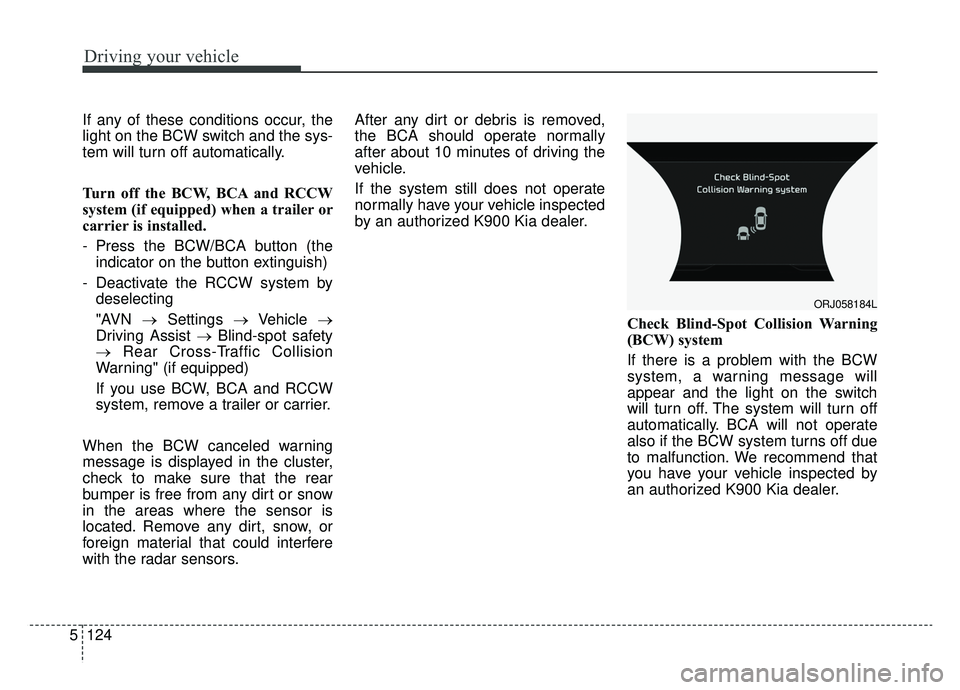
Check Blind-Spot Collision Warning
(BCW) system
If there is a problem with the BCW
system, a warning message will
appear and the light on the switch
will turn off. The system will turn off
automatically. BCA will not operate
also if the BCW system turns off due
to malfunction. We recommend that
you have your vehicle inspected by
an authorized K900 Kia dealer.
ORJ058184L
Page 390 of 580
5125
Driving your vehicle
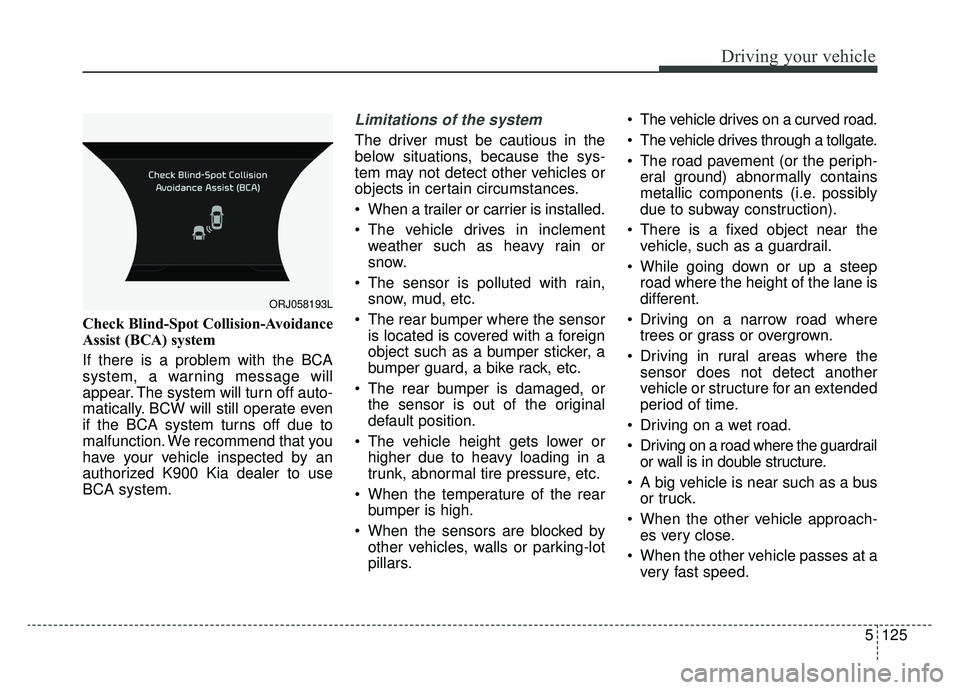
Check Blind-Spot Collision-Avoidance
Assist (BCA) system
If there is a problem with the BCA
system, a warning message will
appear. The system will turn off auto-
matically. BCW will still operate even
if the BCA system turns off due to
malfunction. We recommend that you
have your vehicle inspected by an
authorized K900 Kia dealer to use
BCA system.
Limitations of the system
The driver must be cautious in the
below situations, because the sys-
tem may not detect other vehicles or
objects in certain circumstances.
When a trailer or carrier is installed.
The vehicle drives in inclementweather such as heavy rain or
snow.
The sensor is polluted with rain, snow, mud, etc.
The rear bumper where the sensor is located is covered with a foreign
object such as a bumper sticker, a
bumper guard, a bike rack, etc.
The rear bumper is damaged, or the sensor is out of the original
default position.
The vehicle height gets lower or higher due to heavy loading in a
trunk, abnormal tire pressure, etc.
When the temperature of the rear bumper is high.
When the sensors are blocked by other vehicles, walls or parking-lot
pillars. The vehicle drives on a curved road.
The vehicle drives through a tollgate.
The road pavement (or the periph-
eral ground) abnormally contains
metallic components (i.e. possibly
due to subway construction).
There is a fixed object near the vehicle, such as a guardrail.
While going down or up a steep road where the height of the lane is
different.
Driving on a narrow road where trees or grass or overgrown.
Driving in rural areas where the sensor does not detect another
vehicle or structure for an extended
period of time.
Driving on a wet road.
Driving on a road where the guardrail or wall is in double structure.
A big vehicle is near such as a bus or truck.
When the other vehicle approach- es very close.
When the other vehicle passes at a very fast speed.
ORJ058193L