Page 372 of 580
5107
Driving your vehicle
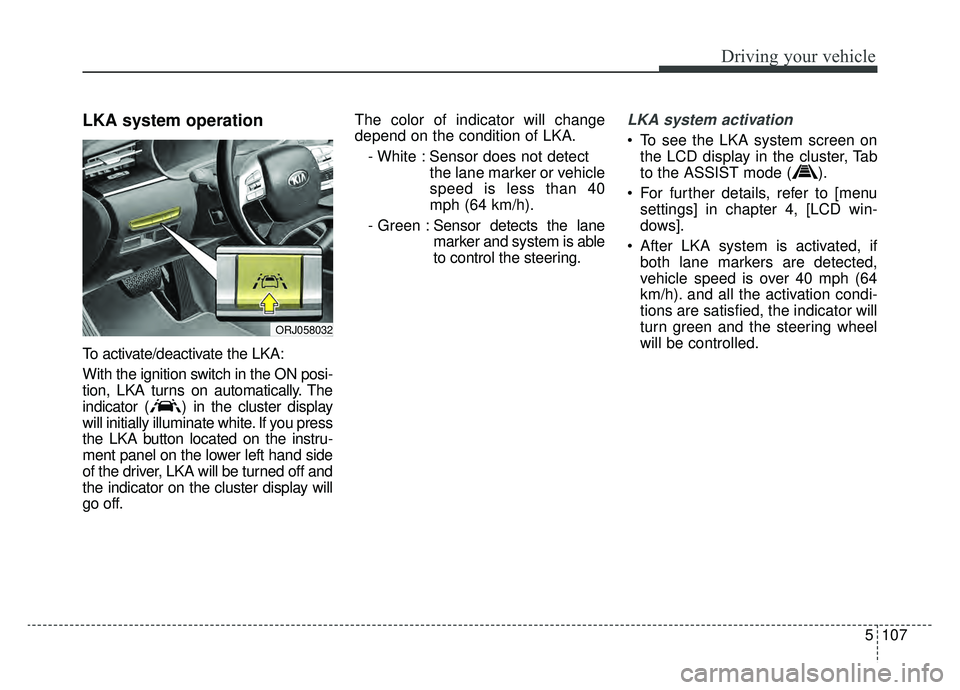
LKA system operation
To activate/deactivate the LKA:
With the ignition switch in the ON posi-
tion, LKA turns on automatically. The
indicator ( ) in the cluster display
will initially illuminate white. If you press
the LKA button located on the instru-
ment panel on the lower left hand side
of the driver, LKA will be turned off and
the indicator on the cluster display will
go off.The color of indicator will change
depend on the condition of LKA.
- White : Sensor does not detect the lane marker or vehicle
speed is less than 40
mph (64 km/h).
- Green : Sensor detects the lane
marker and system is able
to control the steering.
LKA system activation
To see the LKA system screen on
the LCD display in the cluster, Tab
to the ASSIST mode ( ).
For further details, refer to [menu settings] in chapter 4, [LCD win-
dows].
After LKA system is activated, if both lane markers are detected,
vehicle speed is over 40 mph (64
km/h). and all the activation condi-
tions are satisfied, the indicator will
turn green and the steering wheel
will be controlled.
ORJ058032
Page 373 of 580
Driving your vehicle
108
5
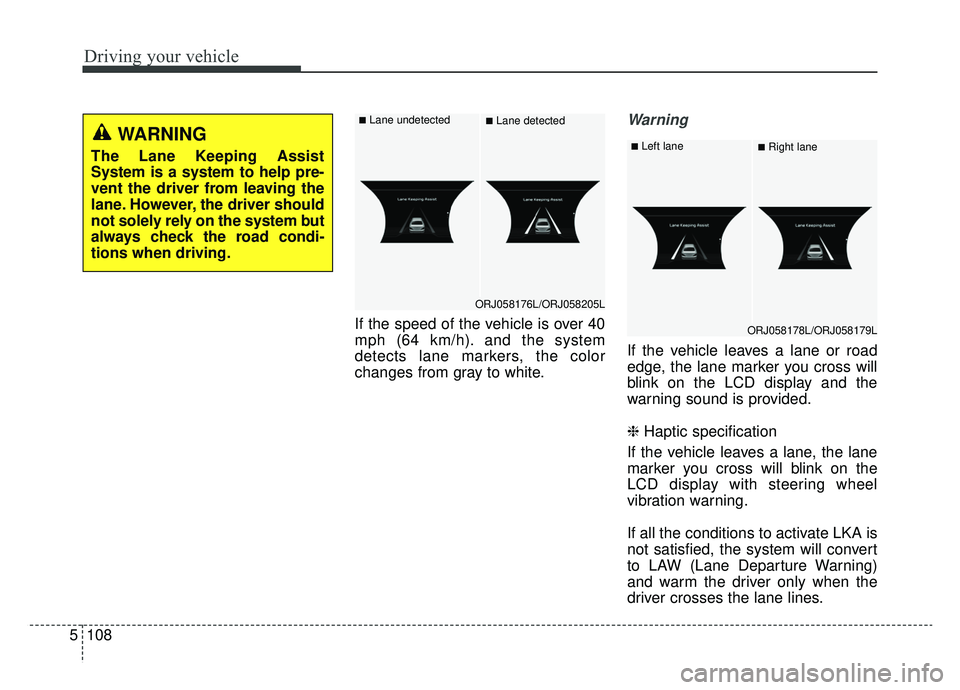
If the speed of the vehicle is over 40
mph (64 km/h). and the system
detects lane markers, the color
changes from gray to white.
Warning
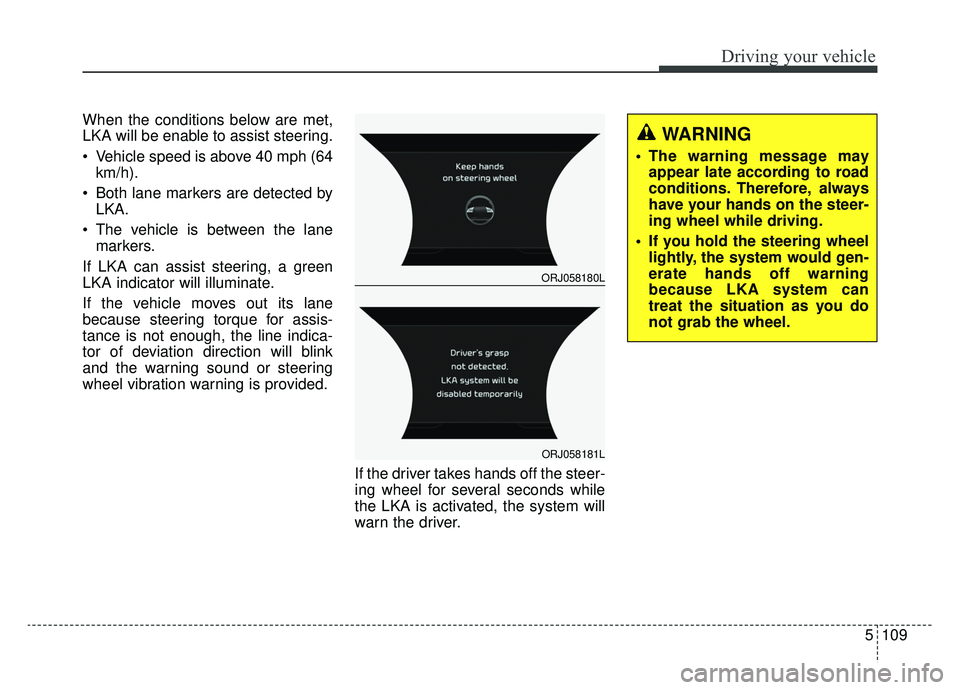
If the vehicle leaves a lane or road
edge, the lane marker you cross will
blink on the LCD display and the
warning sound is provided.
❈ Haptic specification
If the vehicle leaves a lane, the lane
marker you cross will blink on the
LCD display with steering wheel
vibration warning.
If all the conditions to activate LKA is
not satisfied, the system will convert
to LAW (Lane Departure Warning)
and warm the driver only when the
driver crosses the lane lines.
ORJ058176L/ORJ058205L
■Lane undetected■Lane detected
ORJ058178L/ORJ058179L
■Left lane■Right laneWARNING
The Lane Keeping Assist
System is a system to help pre-
vent the driver from leaving the
lane. However, the driver should
not solely rely on the system but
always check the road condi-
tions when driving.
Page 374 of 580
5109
Driving your vehicle
When the conditions below are met,
LKA will be enable to assist steering.
Vehicle speed is above 40 mph (64km/h).
Both lane markers are detected by LKA.
The vehicle is between the lane markers.
If LKA can assist steering, a green
LKA indicator will illuminate.
If the vehicle moves out its lane
because steering torque for assis-
tance is not enough, the line indica-
tor of deviation direction will blink
and the warning sound or steering
wheel vibration warning is provided.
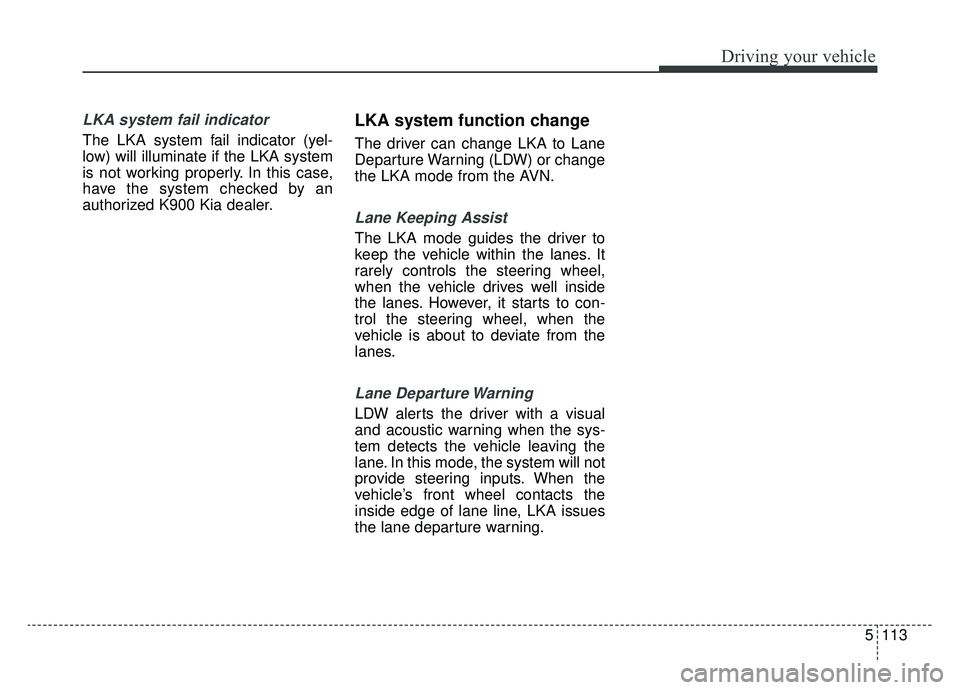
If the driver takes hands off the steer-
ing wheel for several seconds while
the LKA is activated, the system will
warn the driver.
WARNING
The warning message mayappear late according to road
conditions. Therefore, always
have your hands on the steer-
ing wheel while driving.
If you hold the steering wheel lightly, the system would gen-
erate hands off warning
because LKA system can
treat the situation as you do
not grab the wheel.
ORJ058180L
ORJ058181L
Page 375 of 580
Driving your vehicle
110
5
✽ ✽
NOTICE
• Even though the steering is assist-
ed by the system, the driver may
control the steering.
• The steering wheel may feel heav- ier when the steering wheel is
assisted by the system than when it
is not.
The system will be canceled when:
You change lanes with the turn sig-
nal.
- Using the turn signal to changelanes.
- If you change lanes without the turn signal on, the steering wheel
might be controlled.
LKA system can transit to steering assist mode when the car is near
to middle of the lane after system
on or the lane was changed. LKA
system can not assist steering if
the vehicle follows lane marker too
close continuously before transi-
tion to steering assist mode.
The control of ESC (Electronic Stability Control) or VSM (Vehicle
Stability Management) is activated.
The steering will not be assisted when your drive fast on a sharp
curve.
WARNING
The LKA system is a supple-mental system only. It is the
responsibility of the driver to
safely steer the vehicle and to
maintain it in its lane.
Even though the steering is assisted by the system, the
driver may control the steer-
ing wheel.
Turn off the LKA system and drive without using the sys-
tem in the following situa-
tions:
- In bad weather
- In bad road condition
- When the steering wheelneeds to be controlled by the
driver frequently.
- When towing a vehicle or trailer.
The steering wheel may feel heavier when the steering
wheel is assisted by the sys-
tem than when it is not.
Page 376 of 580
5111
Driving your vehicle
The steering will not be assistedwhen vehicle speed is below 40
mph (64 km/h) and over 110 mph
(177 km/h).
The steering will not be assisted when you change lanes fast.
The steering will not be assisted when you brake suddenly.
The steering will not be assisted when the lane is very wide or nar-
row.
There are more than two lane markers such as a construction
area.
Radius of a curve is too small.
When you turn steering wheel sud- denly, the LKA system will be dis-
abled temporarily.
Driving on a steep slope or hill.DRIVER’S ATTENTION
The driver must be cautious in the
below situations may not work
properly when recognition of the
lane marker is poor or limited :
� � When lane and road condition is
poor
• It is difficult to distinguish the lane marker from road when the lane
marker is covered with dust or
sand.
• It is difficult to distinguish the color of the lane marker from
road.
• There is something looks like a lane marker.
• The lane marker is indistinct or damaged.
• The number of lanes increases/ decreases or the lane lines are
crossing (Driving through a toll
plaza/toll gate, merged/divided
lane).
• There are more than two lane markers.
• The lane marker is very thick or thin. (Continued)(Continued)
• The lane marker is not visible due
to snow, rain, stain, a puddle or
other factors.
• A shadow is on the lane marker because of a median strip,
guardrail, noise barriers and others.
• When the lane markers are com- plicated or a structure substitutes
for the lines such as a construc-
tion area.
• There are crosswalk signs or other symbols on the road.
• The lane suddenly disappears such as at the intersection.
• The lane marker in a tunnel is cov- ered with dirt or oil and etc.
• The lane is very wide or narrow.
� � When external condition is inter-
vened
• The brightness of outside changes suddenly when entering/existing a
tunnel or passing under a bridge.
• The headlamps are not on at night or in a tunnel, or light level is low. (Continued)
Page 378 of 580
5113
Driving your vehicle
LKA system fail indicator
The LKA system fail indicator (yel-
low) will illuminate if the LKA system
is not working properly. In this case,
have the system checked by an
authorized K900 Kia dealer.
LKA system function change
The driver can change LKA to Lane
Departure Warning (LDW) or change
the LKA mode from the AVN.
Lane Keeping Assist
The LKA mode guides the driver to
keep the vehicle within the lanes. It
rarely controls the steering wheel,
when the vehicle drives well inside
the lanes. However, it starts to con-
trol the steering wheel, when the
vehicle is about to deviate from the
lanes.
Lane Departure Warning
LDW alerts the driver with a visual
and acoustic warning when the sys-
tem detects the vehicle leaving the
lane. In this mode, the system will not
provide steering inputs. When the
vehicle’s front wheel contacts the
inside edge of lane line, LKA issues
the lane departure warning.
Page 386 of 580
5121
Driving your vehicle
Blind-Spot Collision-AvoidanceAssist (BCA) system
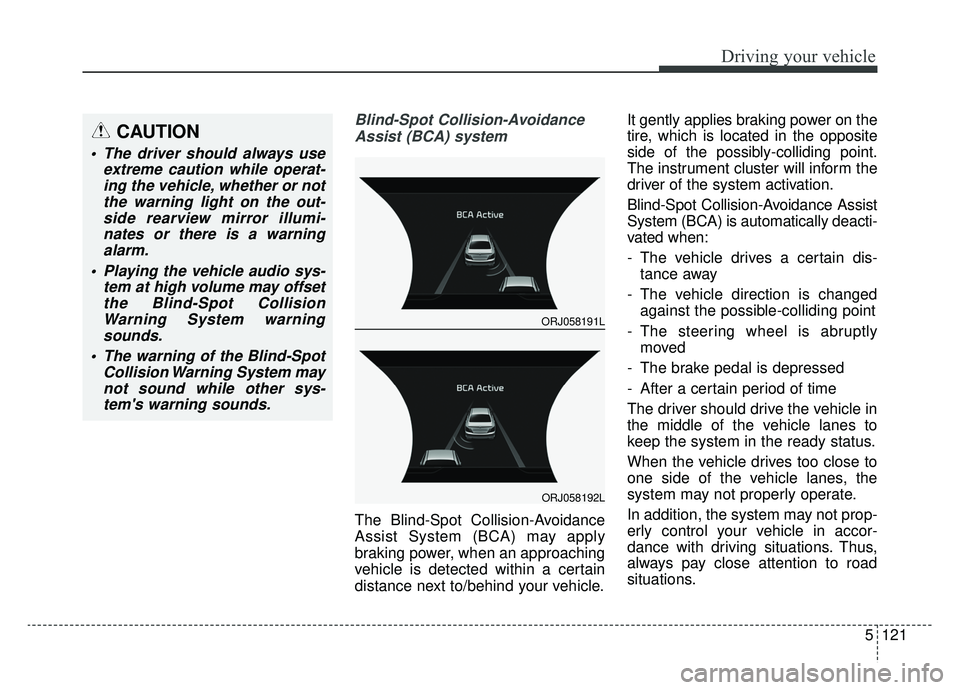
The Blind-Spot Collision-Avoidance
Assist System (BCA) may apply
braking power, when an approaching
vehicle is detected within a certain
distance next to/behind your vehicle. It gently applies braking power on the
tire, which is located in the opposite
side of the possibly-colliding point.
The instrument cluster will inform the
driver of the system activation.
Blind-Spot Collision-Avoidance Assist
System (BCA) is automatically deacti-
vated when:
- The vehicle drives a certain dis-
tance away
- The vehicle direction is changed against the possible-colliding point
- The steering wheel is abruptly moved
- The brake pedal is depressed
- After a certain period of time
The driver should drive the vehicle in
the middle of the vehicle lanes to
keep the system in the ready status.
When the vehicle drives too close to
one side of the vehicle lanes, the
system may not properly operate.
In addition, the system may not prop-
erly control your vehicle in accor-
dance with driving situations. Thus,
always pay close attention to road
situations.
CAUTION
The driver should always use extreme caution while operat-ing the vehicle, whether or notthe warning light on the out-side rearview mirror illumi-nates or there is a warningalarm.
Playing the vehicle audio sys- tem at high volume may offsetthe Blind-Spot CollisionWarning System warningsounds.
The warning of the Blind-Spot Collision Warning System maynot sound while other sys-tem's warning sounds.
ORJ058191L
ORJ058192L
Page 387 of 580
Driving your vehicle
122
5
Detecting Sensor (Camera and
Radar)Front camera
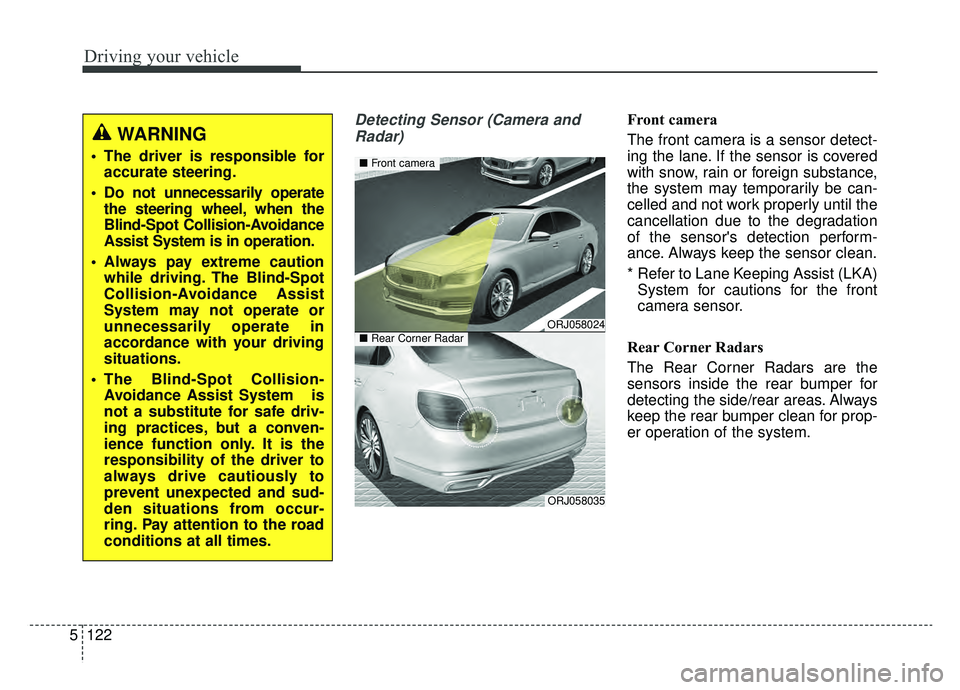
The front camera is a sensor detect-
ing the lane. If the sensor is covered
with snow, rain or foreign substance,
the system may temporarily be can-
celled and not work properly until the
cancellation due to the degradation
of the sensor's detection perform-
ance. Always keep the sensor clean.
* Refer to Lane Keeping Assist (LKA) System for cautions for the front
camera sensor.
Rear Corner Radars
The Rear Corner Radars are the
sensors inside the rear bumper for
detecting the side/rear areas. Always
keep the rear bumper clean for prop-
er operation of the system.
WARNING
The driver is responsible for accurate steering.
Do not unnecessarily operate the steering wheel, when the
Blind-Spot Collision-Avoidance
Assist System is in operation.
Always pay extreme caution while driving. The Blind-Spot
Collision-Avoidance Assist
System may not operate or
unnecessarily operate in
accordance with your driving
situations.
The Blind-Spot Collision- Avoidance Assist System is
not a substitute for safe driv-
ing practices, but a conven-
ience function only. It is the
responsibility of the driver to
always drive cautiously to
prevent unexpected and sud-
den situations from occur-
ring. Pay attention to the road
conditions at all times.
ORJ058024
ORJ058035
■ Front camera
■Rear Corner Radar