Page 114 of 550
429
Features of your vehicle
✽ ✽NOTICE
• The Smart Trunk function will not
work if any of the following
occurs:
- The smart key is close to a radiotransmitter such as a radio sta-
tion or an airport which can
interfere with normal operation
of the transmitter.
- The smart key is near a mobile two way radio system or a cellu-
lar phone.
- Another vehicle's smart key is being operated close to your
vehicle.
• The detecting range may decrease or increase when :
- One side of the vehicle is raisedto replace a tire or to inspect the
vehicle.
- The vehicle is parked on a slope or unpaved road, etc.
BDm CAN (ENG) 4.qxp 7/4/2018 10:04 AM Page 29
Page 157 of 550
Features of your vehicle
72
4
Forward Collision Warning (FCW, if
equipped)
- Choose the sensitivity of the for-ward collision warning.
(Late/Normal/Early)
❈ For more details, refer to “Forward
Collision-Avoidance Assist(FCA)”
in chapter 5.
Blind Spot Collision Warning Sound (if equipped)
- If this item is checked, the blindspot collision warning sound
function will be activated.
❈ For more details, refer to “Blind-spot
Collision Warning” in chapter 5. Door
Automatically Lock :
- Enable on Speed : All doors willbe automatically locked when the
vehicle speed exceeds 15 km/h
(9.3 mph).
- Enable on Shift : All doors will be automatically locked if the intelli-
gent variable transmission shift
lever is shifted from the P (Park)
position to the R (Reverse), N
(Neutral), or D (Drive) position.
Automatically Unlock : - Disable : The auto door unlockoperation will be canceled.
- On key out : All doors will be auto- matically unlocked when the
Engine Star/Stop Button or igni-
tion switch is set to the OFF posi-
tion.
- On Shift to P : All doors will be automatically unlocked if the
intelligent variable transmission
shift lever is shifted to the P
(Park) position. Smart trunk (if equipped)
- If this item is checked, the smarttrunk function will be activated.
❈ For more details, refer to “Smart
trunk” in this chapter.
Two Press Unlock (if equipped) - If this item checked, the two pressunlock function will be activated.
(Only the driver’s door will unlock
when unlock button is pressed
once and all doors will unlock
when the same button is pressed
again within 4 seconds.)
Horn Feedback (if equipped) - Off:
The Horn feedback operation will
be deactivated.
- On:
After locking the door by pressing
the lock button on the transmitter, if
you press the lock button again
within 4 seconds, the warning
sound will operate once to indicate
that all doors are locked.
BDm CAN (ENG) 4.qxp 7/4/2018 10:06 AM Page 72
Page 160 of 550
475
Features of your vehicle
Warning messages (if equipped)
Warning messages appear on the
LCD to warn the driver. It is located in
the center of the instrument cluster.
The warning message may appear
differently depending on the type of
instrument cluster and some may not
show the warning message at all.
The warning message is shown in
either symbol, symbol and text, or
text type only. You can choose the
preferred language by selecting the
User setting menu in LCD mode.Door, hood, trunk open
This warning is displayed indicat-
ing which door, or the hood, or the
trunk is open. Sunroof Open (if equipped)
This warning is displayed if you
turn off the engine when the sun-
roof is open.
OBD048124OBD048123
BDm CAN (ENG) 4.qxp 7/4/2018 10:07 AM Page 75
Page 172 of 550

487
Features of your vehicle
This warning light remains on after
blinking for approximately 60 seconds
or repeats blinking on and off at the
intervals of approximately 3 seconds:
When there is a malfunction withthe TPMS.
In this case, have your vehicle
inspected by an authorized Kia
dealer as soon as possible.
❈ For more details, refer to “Tire
Pressure Monitoring System
(TPMS)” in chapter 6.
The TPMS cannot alert you to severe
and sudden tire damage caused by
external factors.
If you notice any vehicle instability,
immediately take your foot off the
accelerator pedal, apply the brakes
gradually with light force, and slowly
move to a safe position off the road.Door Ajar WarningLight (if equipped)
This warning light illuminates:
When a door is not closed securely.
Trunk Open WarningLight (if equipped)
This warning light illuminates:
When the trunk is not closed secure-
ly.
WARNING
- Low tire pressure
Significantly low tire pressure makes the vehicle unstable
and can contribute to loss of
vehicle control and increased
braking distances.
Continued driving or low pres- sure tires will cause the tires to
overheat and fail.
BDm CAN (ENG) 4.qxp 7/4/2018 10:07 AM Page 87
Page 196 of 550
4111
Features of your vehicle
(2) : DOOR mode
- The map lamp and room lampcome on when a door is opened.
The lamps go out after approxi-
mately 30 seconds.
- The map lamp and room lamp come on for approximately 30 sec-
onds when doors are unlocked
with a transmitter or smart key as
long as the doors are not opened.
- The map lamp and room lamp will stay on for approximately 20 min-
utes if a door is opened with the
ignition switch in the ACC or
LOCK/OFF position.
- The map lamp and room lamp will stay on continuously if the door is
opened with the ignition switch in
the ON position.
- The map lamp and room lamp will go out immediately if the ignition
switch is changed to the ON posi-
tion or all doors are locked.
- To turn off the DOOR mode, press the DOOR button (2) once again
(not pressed).✽ ✽ NOTICE
The DOOR mode and ROOM mode
can not be selected at the same time.
Front Room Lamp:
(3): Press this switch to turn the front and rear room lamps
on.
(4): Press this switch to turn the front and rear room lamps
off.
(3): Press this switch to turn the front and rear room lamps on
and off.
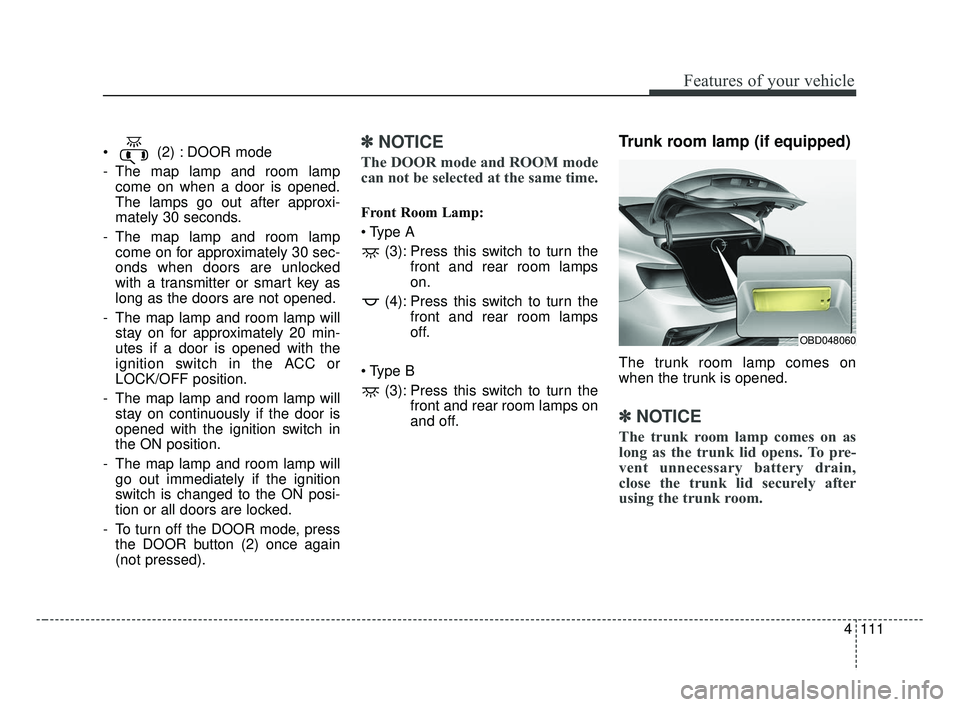
Trunk room lamp (if equipped)
The trunk room lamp comes on
when the trunk is opened.
✽ ✽NOTICE
The trunk room lamp comes on as
long as the trunk lid opens. To pre-
vent unnecessary battery drain,
close the trunk lid securely after
using the trunk room.
OBD048060
BDm CAN (ENG) 4.qxp 7/4/2018 10:08 AM Page 111
Page 198 of 550

4113
Features of your vehicle
WELCOME SYSTEM (IF EQUIPPED)
Headlight (Headlamp) escort
function
The headlights (and/or taillights)
remain on for approximately 5 min-
utes after the ignition key is removed
or turned to the ACC or LOCK posi-
tion. However, if the driver’s door is
opened and closed, the headlights
are turned off after 15 seconds.
The headlights can be turned off by
pressing the lock button on the trans-
mitter or smart key twice or turning
off the light switch from the headlight
or Auto light position.
Interior light
When the interior light switch is in the
DOOR position and all doors (and
trunk) are locked and closed, the
room lamp will come on for 30 sec-
onds if any of the following occurs:
Without smart key system- When the door unlock button ispressed on the transmitter.
With the smart key system - When the door unlock button ispressed on the smart key.
- When the button of the outside door handle is pressed.
At this time, if you press the door lock
button, the lamps will turn off imme-
diately.
Pocket light (if equipped)
When all the doors (and tailgate) are
locked and closed, the door handle
lamp will come on for about 15 sec-
onds if any of the below is per-
formed.
With the smart key system - When the vehicle is approachedwith the smart key in possession.
OBD048013
BDm CAN (ENG) 4.qxp 7/4/2018 10:08 AM Page 113
Page 250 of 550

Driving your vehicle
45
Be sure the exhaust system does
not leak.
The exhaust system should be
checked whenever the vehicle is
raised to change the oil or for any
other purpose. If you hear a change in
the sound of the exhaust or if you drive
over something that strikes the under-
neath side of the vehicle, have the
exhaust system checked as soon as
possible by an authorized Kia dealer.
WARNING- Engineexhaust
Do not inhale exhaust fumes or
leave your engine running in a
enclosed area for a prolonged
time. Exhaust fumes contain
carbon monoxide, a colorless,
odorless gas that can cause
unconsciousness and death by
asphyxiation.
WARNING- Open trunk
Do not drive with the trunk open.
Poisonous exhaust gases can
enter the passenger compart-
ment. If you must drive with the
trunk open proceed as follows:
1. Close all windows.
2. Open side vents.
3. Set the air intake control at “Fresh”, the air flow control
at “Floor” or “Face” and the
fan at the highest speed.
BDm CAN (ENG) 5.QXP 7/4/2018 10:12 AM Page 4
Page 340 of 550
Driving your vehicle
94
5
A vehicle ahead cannot be recog-
nized correctly by the sensor if any of
following occurs:
- When the vehicle is pointing
upwards due to overloading in the
trunk(tailgate)
- While making turns by steering
- When driving to one side of the lane
- When driving on narrow lanes or on curves
Adjust your vehicle speed by
depressing the brake pedal accord-
ing to the road condition ahead and
driving condition. When vehicles are at a standstill
and the vehicle in front of you
changes to the next lane, be care-
ful when your vehicle starts to
move because it may not immedi-
ately recognize the stopped vehicle
in front of you.
In this case, you must maintain a
safe braking distance, and if neces-
sary, depress the brake pedal to
reduce your driving speed in order to
maintain a safe distance. Always look out for pedestrians
when your vehicle is maintaining a
distance with the vehicle ahead.
OYG056048OYG056049
BDm CAN (ENG) 5.QXP 7/4/2018 10:16 AM Page 94