2019 KIA FORTE instrument cluster
[x] Cancel search: instrument clusterPage 288 of 550

Driving your vehicle
42
5
✽ ✽
NOTICE
• When operating the vehicle on a
dynamometer, ensure that the
ESC is turned off (ESC OFF light
illuminated). If the ESC is left on,
it may prevent the vehicle speed
from increasing, and result in false
diagnosis.
• Turning the ESC off does not affect ABS or brake system opera-
tion.
Vehicle stability management
(VSM)
This system provides further
enhancements to vehicle stability
and steering responses when a vehi-
cle is driving on a slippery road or a
vehicle detects changes in coeffi-
cient of friction between right wheels
and left wheels when braking.
VSM operation
When the VSM is in operation, ESC
indicator light ( ) blinks.
When the vehicle stability manage-
ment is operating properly, you can
feel a slight pulsation in the vehicle
and/or abnormal steering responses
(EPS- Electronic Power Steering).
This is only the effect of brake and
EPS control and indicates nothing
unusual.
The VSM does not operate when:
Driving on a sloping road such as a
gradient or incline
Driving in reverse
ESC OFF indicator light ( ) remains on the instrument cluster
EPS indicator light remains on the instrument cluster
WARNING- Tire/
Wheel size
When replacing tires and wheels,
make sure they are the same size
as the original tires and wheels
installed. Driving with varying
tire or wheel sizes may diminish
any supplemental safety benefits
of the VSM system.
BDm CAN (ENG) 5.QXP 7/4/2018 10:13 AM Page 42
Page 293 of 550

547
Driving your vehicle
The warning light illumi-
nates on the LCD display,
when you cancel the FCA
system. The driver can
monitor the FCA ON/OFF status on
the LCD display. Also, the warning
light illuminates when the ESC
(Electronic Stability Control) is
turned off. When the warning light
remains ON with the FCA activated,
have the system checked by an
authorized Kia dealer.
The driver can select the initial warn-
ing activation time in the User
Settings in the instrument cluster
LCD display. The options for the ini-
tial Forward Collision Warning
include the following:
selected, the initial
Forward Collision Warning
is activated earlier than
normal. This setting maxi-
mizes the amount of dis-
tance between the vehicle
ahead before the initial
warning occurs. If the
‘EARLY’ condition feels too
sensitive, change it into
‘NORMAL’. When the vehi-
cle ahead suddenly stops,
the warning may seem to
activate later even if the
‘EARLY’ condition was
selected.
selected, the initial
Forward Collision
Warning is activated nor-
mally. Compared to
EARLY mode, this set-
ting allows for a smaller
amount of distance
between the vehicle
ahead before the initial
warning occurs.
selected, the initial Forward
Collision Warning is activat-
ed later than normal. This
setting reduces the amount
of distance between the
vehicle ahead before the
initial warning occurs.
Select this condition only
when traffic is light, and you
are driving slowly.
BDm CAN (ENG) 5.QXP 7/4/2018 10:13 AM Page 47
Page 306 of 550

Driving your vehicle
60
5
The warning light illumi-
nates on the LCD display,
when you cancel the FCA
system. The driver can
monitor the FCA ON/OFF status on
the LCD display. Also, the warning
light illuminates when the ESC
(Electronic Stability Control) is
turned off. When the warning light
remains ON with the FCA activated,
have the system checked by a pro-
fessional workshop. Kia recom-
mends to visit an authorised Kia
dealer/service partner.
The driver can select the initial warn-
ing activation time in the User
Settings in the instrument cluster
LCD display. The options for the ini-
tial Forward Collision Warning
include the following:
selected, the initial
Forward Collision Warning
is activated earlier than
normal. This setting maxi-
mizes the amount of dis-
tance between the vehicle
or pedestrian ahead before
the initial warning occurs. If
the ‘EARLY’ condition feels
too sensitive, change it into
‘NORMAL’. When the vehi-
cle ahead suddenly stops,
the warning may seem to
activate later even if the
‘EARLY’ condition was
selected.
selected, the initial
Forward Collision
Warning is activated nor-
mally. Compared to
EARLY mode, this set-
ting allows for a shorter
amount of distance
between the vehicle or
pedestrian ahead before
the initial warning
occurs.
selected, the initial Forward
Collision Warning is activat-
ed later than normal. This
setting reduces the amount
of distance between the
vehicle or pedestrian ahead
before the initial warning
occurs. Select this condition
only when traffic is light,
and you are driving slowly.
BDm CAN (ENG) 5.QXP 7/4/2018 10:14 AM Page 60
Page 320 of 550

Driving your vehicle
74
5
To set cruise control speed:
1. Press the CRUISE button on the
steering wheel to turn the system
on. The CRUISE indicator light in
the instrument cluster will illumi-
nate.
2. Accelerate to the desired speed, which must be more than 30 km/h
(20 mph). 3. Move the lever down (to SET-),
and release it at the desired
speed. The SET speed on the
LCD screen will appear. Release
the accelerator at the same time.
The desired speed will automati-
cally be maintained.
On a steep grade, the vehicle mayslow down slightly when driving uphillor speed up slightly while going down-hill.
To increase cruise control set
speed:
Follow either of these procedures:
Move the lever up (to RES+) and hold it. Your vehicle SET speed will
increase by 10 km/h (5 mph).
Release the lever at the speed you
want.
Move the lever up (to RES+) and release it immediately. The cruising
speed will increase by 1 km/h (1.0
mph) each time the lever is operat-
ed in this manner.
OBD058083L
OBD058084L
OBD058086L
BDm CAN (ENG) 5.QXP 7/4/2018 10:15 AM Page 74
Page 324 of 550

Driving your vehicle
78
5
(Continued)
- Parking lot
- Lanes beside guard rail on aroad
- Slippery road with rain, ice, or snow
- Abrupt curved road
- Steep hills
- Windy roads
- Off roads
- Rods under construction
- Rumble strip
- When driving near crash barriers
- When driving on a sharp curve
- When the vehicle sensing ability decreases due to
vehicle modification result-
ing level difference of the
vehicle's front and rear
- When driving in heavy traffic or when traffic conditions
make it difficult to drive at a
constant speed
(Continued)(Continued)- Limited visibility (rain, snow,smog, etc.)
Pay particular attention to the driving conditions whenever
using the smart cruise control
system.
Be careful when driving downhill using the SCC.
Cruise function should not be used when the vehicle is
being towed to prevent any
damage.
Always set the vehicle speed under the speed limit in your
country.
Always pay continuous atten- tion to road and driving condi-
tions even when the smart
cruise control system is being
operated.
The smart cruise control sys- tem cannot recognize a
stopped vehicle, pedestrians or
an oncoming vehicle. Always
look ahead cautiously to pre-
vent unexpected and sudden
situations from occurring.WARNING
If the smart cruise control sys-tem is left on, (cruise indicator
in the instrument cluster illumi-
nated) the smart cruise control
can be activated unintentional-
ly. Keep the smart cruise con-
trol system off (cruise indicator
off) when the smart cruise con-
trol system is not in use to
avoid setting a speed which
the driver is not aware of.
Use the smart cruise control system only when traveling
on open highways in good
weather.
Do not use the smart cruise control when it may not be
safe to keep the car at a con-
stant speed. For instance.
- Highway interchange andtollgate
- Road surrounded by multiple steel constructions (subway
construction, steel tunnel, etc)
(Continued)
BDm CAN (ENG) 5.QXP 7/4/2018 10:15 AM Page 78
Page 325 of 550
579
Driving your vehicle
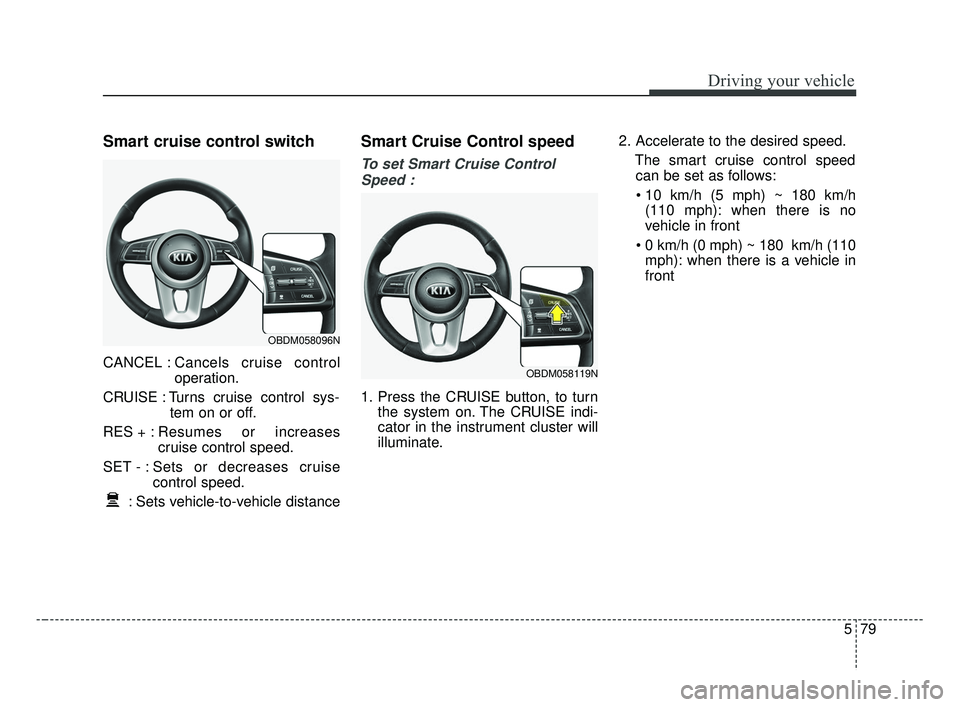
Smart cruise control switch
CANCEL :Cancels cruise control
operation.
CRUISE : Turns cruise control sys- tem on or off.
RES + : Resumes or increases
cruise control speed.
SET - : Sets or decreases cruise control speed.
: Sets vehicle-to-vehicle distance
Smart Cruise Control speed
To set Smart Cruise Control Speed :
1. Press the CRUISE button, to turn the system on. The CRUISE indi-
cator in the instrument cluster will
illuminate. 2. Accelerate to the desired speed.
The smart cruise control speedcan be set as follows:
(110 mph): when there is no
vehicle in front
mph): when there is a vehicle in
front
OBDM058119N
OBDM058096N
BDm CAN (ENG) 5.QXP 7/4/2018 10:15 AM Page 79
Page 330 of 550
Driving your vehicle
84
5
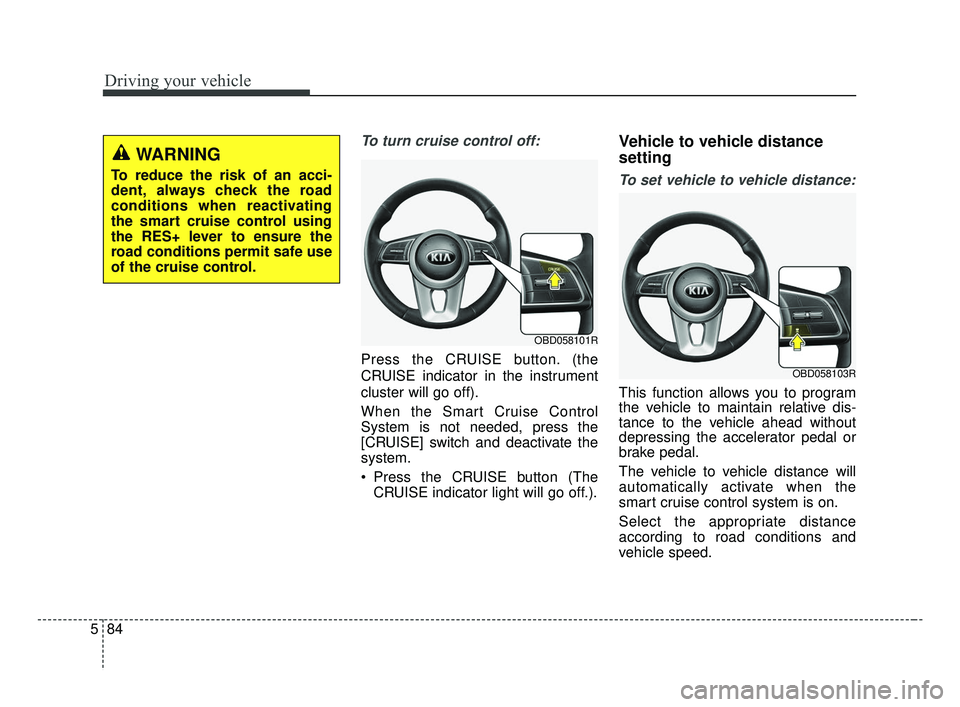
To turn cruise control off:
Press the CRUISE button. (the
CRUISE indicator in the instrument
cluster will go off).
When the Smart Cruise Control
System is not needed, press the
[CRUISE] switch and deactivate the
system.
Press the CRUISE button (The
CRUISE indicator light will go off.).
Vehicle to vehicle distance
setting
To set vehicle to vehicle distance:
This function allows you to program
the vehicle to maintain relative dis-
tance to the vehicle ahead without
depressing the accelerator pedal or
brake pedal.
The vehicle to vehicle distance will
automatically activate when the
smart cruise control system is on.
Select the appropriate distance
according to road conditions and
vehicle speed.
OBD058101R
OBD058103R
WARNING
To reduce the risk of an acci-
dent, always check the road
conditions when reactivating
the smart cruise control using
the RES+ lever to ensure the
road conditions permit safe use
of the cruise control.
BDm CAN (ENG) 5.QXP 7/4/2018 10:15 AM Page 84
Page 359 of 550
5113
Driving your vehicle
(Continued)
• When you replace the windshieldglass, front view camera or sys-
tem, take your vehicle to an
authorized Kia dealer and have
the system checked to need a cali-
bration.
• The system is designed to detect lane markers using a front view
camera. If the lane markers are
hard to detect, then the system
may be limited. Always be cau-
tious when using the system.
• When the lane markers are hard to detect, please refer to “Driver’s
Attention”.
• Do not remove or damage the related parts of LKA.
• Do not place objects on the dash- board that reflects light such as
mirrors, white paper, etc. This
may prevent the system from
functioning. (Continued)(Continued)
• You may not hear warning sound
of LKA because of the excessive
audio sound.
• If you continue to drive with your hands off the steering wheel, the
LKA system will stop controlling
the steering wheel after the hands
off alarm. Afterwards, if you drive
with your hands on the steering
wheel, the control will be activated
again.
• If the vehicle speed is high, steer- ing torque for assistance will not
be enough to keep your vehicle
within the lane. If so, the vehicle
may move out of its lane. Obey
speed limit when using LKA.
• If you attach objects to the steer- ing wheel, the system may not
assist steering.
• If you attach objects to the steer- ing wheel, hands off alarm may
not work properly.LKA operation
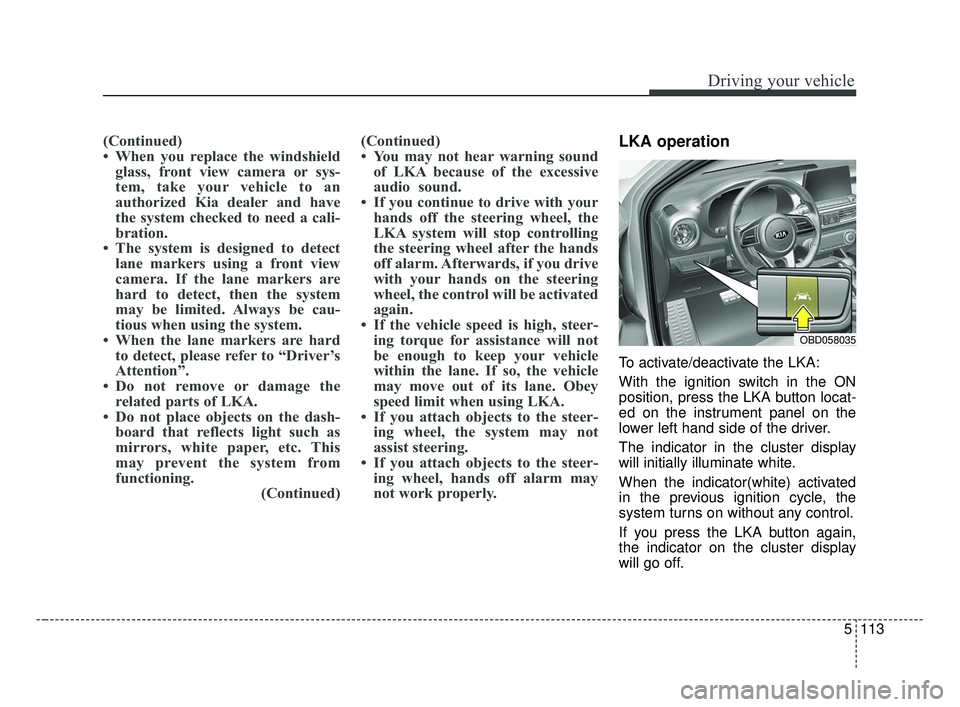
To activate/deactivate the LKA:
With the ignition switch in the ON
position, press the LKA button locat-
ed on the instrument panel on the
lower left hand side of the driver.
The indicator in the cluster display
will initially illuminate white.
When the indicator(white) activated
in the previous ignition cycle, the
system turns on without any control.
If you press the LKA button again,
the indicator on the cluster display
will go off.
OBD058035
BDm CAN (ENG) 5.QXP 7/4/2018 10:17 AM Page 113