2019 KIA FORTE charging
[x] Cancel search: chargingPage 236 of 550
4151
Features of your vehicle
Wireless smart phone charging
1. Remove any object on the smartphone charging pad including the
smart key. If there is any foreign
object on the pad other than a
smart phone, the wireless charging
function may not operate properly.
2. Place the smart phone on the cen- ter of the wireless charging pad.
3. The indicator light will change to orange once the wireless charging
begins. After the charging is com-
plete, the orange light will change
to green.
4. You can choose to turn the wireless charging function to either ON or
OFF by selecting the USM on the
instrument cluster. (Please refer to
“Instrument Cluster” for details).
If the wireless charging does not
work, gently move your smart phone
around the pad until the charging indi-
cator light turns yellow. Depending on
the smart phone, the charging indica-
tor light may not turn green even after
the charging is complete. If the wireless charging is not func-
tioning properly, the orange light will
blink and flash for ten seconds then
turn off. In such cases, remove the
smart phone from the pad and
replace it on the pad again, or double
check the charging status.
If you leave the smart phone on the
charging pad when the vehicle igni-
tion is in OFF, the vehicle will alert
you through warning messages and
sound (applicable for vehicles with
voice guidance function) after the
‘Good bye’ function on the instru-
ment cluster ends.WARNING - Distracted
driving
Driving while distracted can
result in a loss of vehicle con-
trol that may lead to an acci-
dent, severe personal injury,
and death. The driver’s primary
responsibility is in the safe and
legal operation of a vehicle, and
use of any handheld devices,
other equipment, or vehicle sys-
tems which take the driver’s
eyes, attention and focus away
from the safe operation of a
vehicle or which are not permis-
sible by law should never be
used during operation of the
vehicle.
BDm CAN (ENG) 4.qxp 7/4/2018 10:10 AM Page 151
Page 237 of 550

Features of your vehicle
152
4
✽ ✽
NOTICE
• When the internal temperature of
the wireless charging system rises
above a set temperature, the wire-
less charging will cease to func-
tion. After the internal tempera-
ture drops below the threshold,
the wireless charging function will
resume.
• If there is any metallic object between the smart phone and the
wireless charging pad, immediate-
ly remove the smart phone.
Remove the metallic object after it
has completely cooled down.
• The wireless charging may not function properly when there is a
heavy accessory cover on the
smart phone.
• The wireless charging will stop when using the wireless smart key
search function; preventing radio
wave disruption.
• The wireless charging will stop when the smart key is moved out
of the vehicle with the ignition in
ON. (Continued)(Continued)
• The wireless charging will stop
when any of the doors are opened
(applicable for vehicles equipped
with smart keys).
• The wireless charging will stop when the vehicle is turned OFF.
• The wireless charging will stop when the smart phone is not in
complete contact with the wireless
charging pad.
• Items equipped with magnetic components such as: credit cards,
telephone cards, bankbooks,
transportation tickets etc, may
become damaged during wireless
charging.
• Place the smart phone on the cen- ter of the charge pad for best
results. The smart phone may not
charge when placed near the rim
of the charging pad. If the smart
phone is not charging, it may heat
up excessively.
• For smart phones without built-in wireless charging system, an
appropriate accessory has to be
equipped in order to use the vehi-
cle's wireless charging system. (Continued)(Continued)
• Smart phones of some manufac-
turers may display messages on
weak current. This is due to the
particular characteristic of the
smart phone and does not imply a
malfunction of the wireless charg-
ing system.
• The indicator light of some manu- facturers’ smart phones may still
be yellow after the smart phone is
fully charged. This is due to the
particular characteristic of the
smart phone and not a malfunc-
tion of the wireless charging sys-
tem.
• When any smart phone without wireless charging capabilities or a
metallic object is placed on the
charging pad, a small noise may
be heard. This sound is due to the
vehicle discerning compatibility of
the object placed on the charging
pad. It does not affect your vehicle
or the smart phone in any way.
BDm CAN (ENG) 4.qxp 7/4/2018 10:10 AM Page 152
Page 425 of 550

Battery . . . . . . . . . . . . . . . . . . . . . . . . . . . . . . . . . . . 7-\
37
• For best battery service . . . . . . . . . . . . . . . . . . . . . . . 7-37
• Recharging the battery . . . . . . . . . . . . . . . . . . . . . . . . 7-38
• Reset items . . . . . . . . . . . . . . . . . . . . . . . . . . . . . . . . . . 7-39\
Tires and wheels . . . . . . . . . . . . . . . . . . . . . . . . . . . 7-40
• Tire care . . . . . . . . . . . . . . . . . . . . . . . . . . . . . . . . . . . . \
7-40
• Recommended cold tire inflation pressures . . . . . . . 7-40
• Tire pressure . . . . . . . . . . . . . . . . . . . . . . . . . . . . . . . . 7-41
• Checking tire inflation pressure. . . . . . . . . . . . . . . . . 7-41
• Tire rotation . . . . . . . . . . . . . . . . . . . . . . . . . . . . . . . . . 7-42
• Wheel alignment and tire balance . . . . . . . . . . . . . . . 7-43
• Tire replacement . . . . . . . . . . . . . . . . . . . . . . . . . . . . . 7-44
• Wheel replacement . . . . . . . . . . . . . . . . . . . . . . . . . . . 7-45
• Tire traction . . . . . . . . . . . . . . . . . . . . . . . . . . . . . . . . . 7-45
• Tire maintenance . . . . . . . . . . . . . . . . . . . . . . . . . . . . . 7-45
• Tire sidewall labeling . . . . . . . . . . . . . . . . . . . . . . . . . 7-45
• All season tires . . . . . . . . . . . . . . . . . . . . . . . . . . . . . . . 7-52
• Summer tires . . . . . . . . . . . . . . . . . . . . . . . . . . . . . . . . 7-52
• Snow tires . . . . . . . . . . . . . . . . . . . . . . . . . . . . . . . . . . . 7-\
52
• Radial-ply tires . . . . . . . . . . . . . . . . . . . . . . . . . . . . . . 7-53
• Low aspect ratio tire . . . . . . . . . . . . . . . . . . . . . . . . . . 7-54
Fuses . . . . . . . . . . . . . . . . . . . . . . . . . . . . . . . . . . . . \
7-55
• Inner panel fuse replacement . . . . . . . . . . . . . . . . . . . 7-57
• Engine compartment fuse replacement. . . . . . . . . . . 7-58
• Fuse/relay panel description. . . . . . . . . . . . . . . . . . . . 7-61
Light bulbs . . . . . . . . . . . . . . . . . . . . . . . . . . . . . . . 7-71
• Bulb replacement precaution . . . . . . . . . . . . . . . . . . 7-71
• Light bulb position (Front). . . . . . . . . . . . . . . . . . . . . 7-73
• Light bulb position (Rear) . . . . . . . . . . . . . . . . . . . . . 7-74
• Light bulb position (Side) . . . . . . . . . . . . . . . . . . . . . . 7-75
• Headlamp (Low beam) bulb replacement(Headlamp Type A,B) . . . . . . . . . . . . . . . . . . . . . . . . 7-75
• Headlamp (High beam) bulb replacement (Headlamp Type A,B) . . . . . . . . . . . . . . . . . . . . . . . . 7-77
• Side marker bulb replacement (Headlamp Type A,B) . . . . . . . . . . . . . . . . . . . . . . . . 7-78
• Position lamp / Day time running lamp (LED type) replacement (Headlamp Type B) . . . . . . . . . . . . . . . 7-79
• Headlamp (LED type) replacement (Headlamp Type C) . . . . . . . . . . . . . . . . . . . . . . . . . . 7-79
• Front turn signal lamp bulb replacement . . . . . . . . . 7-79
• Front fog lamp bulb replacement . . . . . . . . . . . . . . . 7-80
• Side repeater lamp (LED type) bulb replacement . . 7-80
• Side repeater lamp (Bulb type) bulb replacement . . 7-80
• Stop and tail lamp/side marker (Bulb type) bulb replacement (Rear combination lamp Type A) . . . 7-81
• Tail lamp (inside) (Bulb type) bulb replacement (Rear combination lamp Type A) . . . . . . . . . . . . . . 7-82
• Stop and tail lamp (LED type) bulb replacement (Rear combination lamp Type B) . . . . . . . . . . . . . . 7-83
7
BDm CAN (ENG) 7.qxp 7/4/2018 10:23 AM Page 2
Page 460 of 550
737
Maintenance
BATTERY
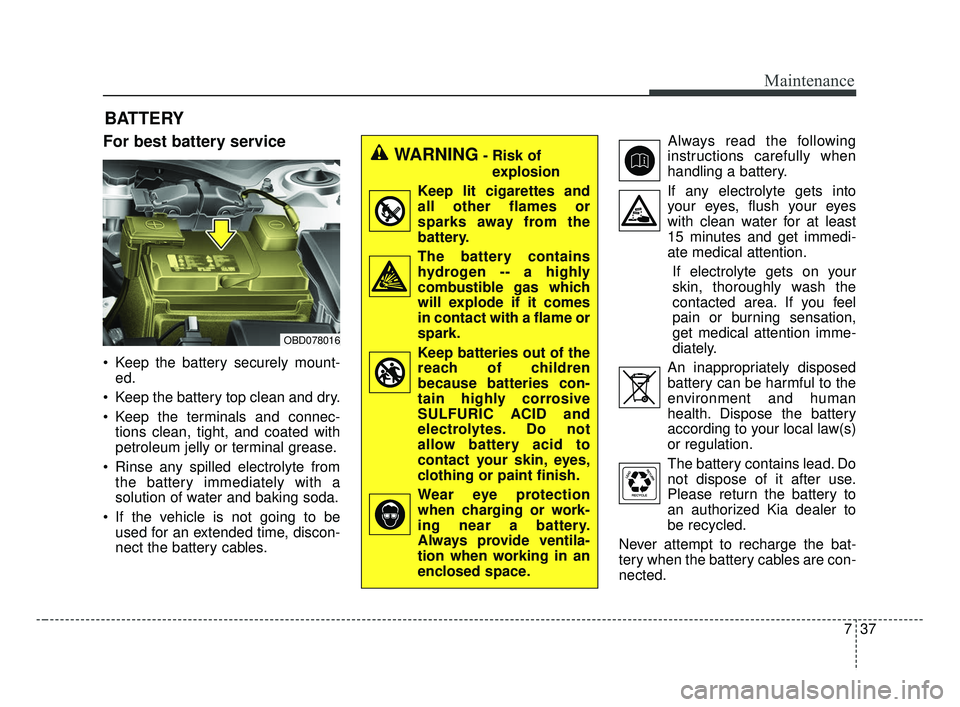
For best battery service
Keep the battery securely mount-ed.
Keep the battery top clean and dry.
Keep the terminals and connec- tions clean, tight, and coated with
petroleum jelly or terminal grease.
Rinse any spilled electrolyte from the battery immediately with a
solution of water and baking soda.
If the vehicle is not going to be used for an extended time, discon-
nect the battery cables. Always read the following
instructions carefully when
handling a battery.
If any electrolyte gets into your eyes, flush your eyes
with clean water for at least
15 minutes and get immedi-
ate medical attention.
If electrolyte gets on your
skin, thoroughly wash the
contacted area. If you feel
pain or burning sensation,
get medical attention imme-
diately.
An inappropriately disposed battery can be harmful to the
environment and human
health. Dispose the battery
according to your local law(s)
or regulation.
The battery contains lead. Do
not dispose of it after use.
Please return the battery to
an authorized Kia dealer to
be recycled.
Never attempt to recharge the bat-
tery when the battery cables are con-
nected.
WARNING- Risk of explosion
Keep lit cigarettes and
all other flames or
sparks away from the
battery.
The battery contains hydrogen -- a highly
combustible gas which
will explode if it comes
in contact with a flame or
spark.
Keep batteries out of the reach of children
because batteries con-
tain highly corrosive
SULFURIC ACID and
electrolytes. Do not
allow battery acid to
contact your skin, eyes,
clothing or paint finish.
Wear eye protection when charging or work-
ing near a battery.
Always provide ventila-
tion when working in an
enclosed space.
OBD078016
BDm CAN (ENG) 7.qxp 7/4/2018 10:25 AM Page 37
Page 461 of 550

Maintenance
38
7
✽ ✽
NOTICE
If you connect unauthorized elec-
tronic devices to the battery, the bat-
tery may be discharged. Never use
unauthorized devices.
Recharging the battery
Your vehicle has a maintenance-free,
calcium-based battery.
If the battery becomes discharged
in a short time (because, for exam-
ple, the headlamps or interior
lamps were left on while the vehi-
cle was not in use), recharge it by
slow charging (trickle) for 10 hours.
If the battery gradually discharges because of high electric load while
the vehicle is being used, recharge
it at 20-30A for two hours.WARNING- Risk of elec-
trocution
Never touch the electrical igni-
tion system while the vehicle is
running. This system works
with high voltage which can
shock you.
WARNING- Recharging Battery
Never attempt to recharge the
battery when the battery cables
are connected.
WARNING- Battery lead compound
Battery posts, terminals, and
related accessories contain
lead and lead compounds.
Wash hands after handling.
BDm CAN (ENG) 7.qxp 7/4/2018 10:25 AM Page 38
Page 462 of 550

739
Maintenance
When recharging the battery,
observe the following precautions:
The battery must be removed fromthe vehicle and placed in an area
with good ventilation.
Do not allow cigarettes, sparks, or flame near the battery.
Watch the battery during charging, and stop or reduce the charging
rate if the battery cells begin
gassing (boiling) violently or if the
temperature of the electrolyte of
any cell exceeds 49°C (120°F).
Wear eye protection when check- ing the battery during charging.
Disconnect the battery charger in the following order.
1. Turn off the battery charger main switch.
2. Unhook the negative clamp from the negative battery terminal.
3. Unhook the positive clamp from the positive battery terminal. Before performing maintenance or
recharging the battery, turn off all
accessories and stop the engine.
The negative battery cable must be removed first and installed last
when the battery is disconnected.Reset items
The following should be reset after
the battery has been discharged or
the battery has been disconnected.
Auto up/down window (See chapter 4)
Sunroof (See chapter 4)
Trip computer (See chapter 4)
Climate control system (See chapter 4)
Driver position memory system (See chapter 3)
Audio (See chapter 4)
BDm CAN (ENG) 7.qxp 7/4/2018 10:25 AM Page 39
Page 537 of 550

Index
2I
Air bag warning label . . . . . . . . . . . . . . . . . . . . . . . . . . 3-69
Air bag warning light . . . . . . . . . . . . . . . . . . . . . . . . . . 3-46
Air bags. . . . . . . . . . . . . . . . . . . . . . . . . . . . . . . . . . . . \
. 3-43Air bag warning label. . . . . . . . . . . . . . . . . . . . . . . . 3-69
Air bag warning light . . . . . . . . . . . . . . . . . . . . . . . . 3-46
Curtain air bag . . . . . . . . . . . . . . . . . . . . . . . . . . . . . 3-62
Driver's and passenger's front air bag . . . . . . . . . . . 3-58
Inflation conditions . . . . . . . . . . . . . . . . . . . . . . . . . 3-64
Non-inflation conditions . . . . . . . . . . . . . . . . . . . . . 3-66
Occupant detection system. . . . . . . . . . . . . . . . . . . . 3-50
Operation . . . . . . . . . . . . . . . . . . . . . . . . . . . . . . . . . 3-44
Side air bag. . . . . . . . . . . . . . . . . . . . . . . . . . . . . . . . 3-60
SRS Care . . . . . . . . . . . . . . . . . . . . . . . . . . . . . . . . . 3-68
SRS components and functions . . . . . . . . . . . . . . . . 3-47
Air cleaner . . . . . . . . . . . . . . . . . . . . . . . . . . . . . . . . . . 7-29\
Filter replacement. . . . . . . . . . . . . . . . . . . . . . . . . . . 7-29
Air conditioning system lubricants. . . . . . . . . . . . . . . . . 8-5
Air ventilation seat . . . . . . . . . . . . . . . . . . . . . . . . . . . 4-146
Antenna . . . . . . . . . . . . . . . . . . . . . . . . . . . . . . . . . . . . \
4-155
Anti-lock Brake System (ABS) . . . . . . . . . . . . . . . . . . 5-36
Appearance care . . . . . . . . . . . . . . . . . . . . . . . . . . . . . . 7-91 Exterior care . . . . . . . . . . . . . . . . . . . . . . . . . . . . . . . 7-91
Interior care . . . . . . . . . . . . . . . . . . . . . . . . . . . . . . . 7-96
Armed stage . . . . . . . . . . . . . . . . . . . . . . . . . . . . . . . . . 4-16
Armrest (rear) . . . . . . . . . . . . . . . . . . . . . . . . . . . . . . . . 3-15 Audio system . . . . . . . . . . . . . . . . . . . . . . . . . . . . . . . 4-155
Antenna . . . . . . . . . . . . . . . . . . . . . . . . . . . . . . . . . 4-155
AUX, USB port . . . . . . . . . . . . . . . . . . . . . . . . . . . 4-156
How vehicle audio works. . . . . . . . . . . . . . . . . . . . 4-156
Auto defogging system . . . . . . . . . . . . . . . . . . . . . . . . 4-140
Auto light . . . . . . . . . . . . . . . . . . . . . . . . . . . . . . . . . . 4-10\
1
Automatic climate control system . . . . . . . . . . . . . . . 4-125 Automatic heating and air conditioning. . . . . . . . . 4-126
Checking the amount of air conditioner refrigerant and compressor lubricant . . . . . . . . . . . . . . . . . . . . . . 4-135
Climate control air filter. . . . . . . . . . . . . . . . . . . . . 4-135
Manual heating and air conditioning . . . . . . . . . . . 4-127
System operation . . . . . . . . . . . . . . . . . . . . . . . . . . 4-133
Automatic heating and air conditioning . . . . . . . . . . . 4-127
AUX, USB port . . . . . . . . . . . . . . . . . . . . . . . . . . . . . 4-156
Back up lamp bulb replacement . . . . . . . . . . . . . . . . . . 7-84
Battery. . . . . . . . . . . . . . . . . . . . . . . . . . . . . . . . . . . . \
. . 7-37 For best battery service . . . . . . . . . . . . . . . . . . . . . . 7-37
Recharging the battery . . . . . . . . . . . . . . . . . . . . . . . 7-38
Reset items . . . . . . . . . . . . . . . . . . . . . . . . . . . . . . . . 7-39
Battery replacement . . . . . . . . . . . . . . . . . . . . . . . . . . . 4-12
Battery saver function. . . . . . . . . . . . . . . . . . . . . . . . . 4-100
Before driving . . . . . . . . . . . . . . . . . . . . . . . . . . . . . . . . . 5-5
A
B
BDm CAN (ENG) Index.qxp 6/30/2018 2:03 PM Page 2
Page 543 of 550

Index
8I
Floor mat anchor(s) . . . . . . . . . . . . . . . . . . . . . . . . 4-154
Power outlet . . . . . . . . . . . . . . . . . . . . . . . . . . . . . . 4-148
Seat warmer . . . . . . . . . . . . . . . . . . . . . . . . . . . . . . 4-144
Sliding armrest . . . . . . . . . . . . . . . . . . . . . . . . . . . . 4-147
Sunvisor . . . . . . . . . . . . . . . . . . . . . . . . . . . . . . . . . 4-146
USB charger . . . . . . . . . . . . . . . . . . . . . . . . . . . . . . 4-149
Wireless smart phone charging system . . . . . . . . . 4-150
Interior light . . . . . . . . . . . . . . . . . . . . . . . . . . . . . . . . 4-110 Glove box lamp . . . . . . . . . . . . . . . . . . . . . . . . . . . 4-112
Map lamp . . . . . . . . . . . . . . . . . . . . . . . . . . . . . . . . 4-110
Room lamp . . . . . . . . . . . . . . . . . . . . . . . . . . . . . . . 4-110
Trunk room lamp . . . . . . . . . . . . . . . . . . . . . . . . . . 4-111
Vanity mirror lamp . . . . . . . . . . . . . . . . . . . . . . . . . 4-112
Interior light . . . . . . . . . . . . . . . . . . . . . . . . . . . . . . . . 4-113
Jack and tools . . . . . . . . . . . . . . . . . . . . . . . . . . . . . . . . 6-14
Jump starting. . . . . . . . . . . . . . . . . . . . . . . . . . . . . . . . . . 6-5
Key operations . . . . . . . . . . . . . . . . . . . . . . . . . . . . . . . . 4-4
Key positions . . . . . . . . . . . . . . . . . . . . . . . . . . . . . . . . . 5-7 Ignition switch position . . . . . . . . . . . . . . . . . . . . . . . 5-7
Illuminated ignition switch . . . . . . . . . . . . . . . . . . . . 5-7
Starting the engine . . . . . . . . . . . . . . . . . . . . . . . . . . . 5-9 Keys . . . . . . . . . . . . . . . . . . . . . . . . . . . . . . . . . . . . \
. . . . 4-4
Key operations . . . . . . . . . . . . . . . . . . . . . . . . . . . . . . 4-4
Record your key number . . . . . . . . . . . . . . . . . . . . . . 4-4
Label Air bag warning label. . . . . . . . . . . . . . . . . . . . . . . . 3-69
Tire sidewall labeling . . . . . . . . . . . . . . . . . . . . . . . . 7-45
Tire specification and pressure label . . . . . . . . . . . . . 8-9
Vehicle certification label. . . . . . . . . . . . . . . . . . . . . . 8-9
Lane Keeping Assist (LKA) System . . . . . . . . . . . . . 5-112 Driver's attention . . . . . . . . . . . . . . . . . . . . . . . . . . 5-118
LKA system function change . . . . . . . . . . . . . . . . . 5-120
LKA system malfunction . . . . . . . . . . . . . . . . . . . . 5-119
LKA system operation . . . . . . . . . . . . . . . . . . . . . . 5-113
LCD modes . . . . . . . . . . . . . . . . . . . . . . . . . . . . . . . . . . 4-69\
LCD windows . . . . . . . . . . . . . . . . . . . . . . . . . . . . . . . . 4-63
License plate lamp bulb replacement . . . . . . . . . . . . . . 7-85
Light bulb position (front) . . . . . . . . . . . . . . . . . . . . . . 7-73
Light bulb position (rear) . . . . . . . . . . . . . . . . . . . . . . . 7-74
Light bulb position (side) . . . . . . . . . . . . . . . . . . . . . . . 7-75
Light bulbs . . . . . . . . . . . . . . . . . . . . . . . . . . . . . . . . . . 7-71\
Back up lamp bulb replacement. . . . . . . . . . . . . . . . 7-84
Bulb replacement precaution . . . . . . . . . . . . . . . . . . 7-71
Front fog lamp bulb replacement . . . . . . . . . . . . . . . 7-80
Front turn signal lamp bulb replacement . . . . . . . . . 7-79
Glove box lamp replacement . . . . . . . . . . . . . . . . . . 7-89
J
K
L
BDm CAN (ENG) Index.qxp 6/30/2018 2:03 PM Page 8