Page 96 of 626
Manual Operation Override
This system offers a full complement of manual override
features. The AUTO symbol in the front ATC display will
be turned off when the system is being used in the manual
mode.
Operating Tips
NOTE:Refer to the chart at the end of this section for
suggested control settings for various weather conditions.
Summer Operation
The engine cooling system must be protected with a
high-quality antifreeze coolant to provide proper corrosion
protection and to protect against engine overheating. OAT
coolant (conforming to MS.90032) is recommended.
Winter Operation
To ensure the best possible heater and defroster perfor-
mance, make sure the engine cooling system is functioning
properly and the proper amount, type, and concentration
of coolant is used. Use of the Air Recirculation mode
during Winter months is not recommended, because it may
cause window fogging.
Vacation/Storage
Before you store your vehicle, or keep it out of service (i.e.,
vacation) for two weeks or more, run the air conditioning
system at idle for about five minutes, in fresh air with the
blower setting on high. This will ensure adequate system
lubrication to minimize the possibility of compressor dam-
age when the system is started again.
Window Fogging
Vehicle windows tend to fog on the inside in mild, rainy,
and/or humid weather. To clear the windows, select De-
frost or Mix mode and increase the front blower speed. Do
not use the Recirculation mode without A/C for long
periods, as fogging may occur.
Page 108 of 626
HOOD
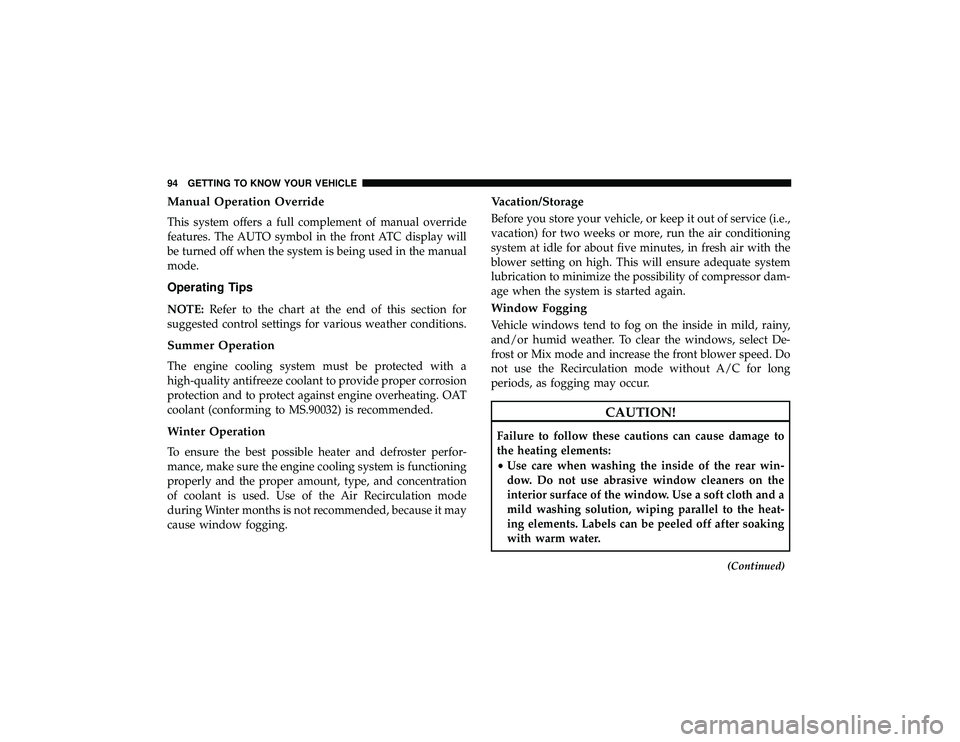
To Open The Hood
To open the hood, two latches must be released.
1. Pull the release lever located below the instrument paneland in front of the driver’s door.
2. Reach under the hood, move safety latch to the left and lift the hood.
To Close The Hood
1. Hold up the hood with one hand and with the otherhand remove the support rod from its seat and reinsert
it into the locking tab.
2. Lower the hood to approximately 12 inches (30 cm) from the engine compartment and drop it. Make sure that the
hood is completely closed.
Safety Latch Location
106 GETTING TO KNOW YOUR VEHICLE
Page 131 of 626
WARNING!(Continued)
•Close the lid when not in use and while driving the
vehicle.
• If this outlet is mishandled, it may cause an electric
shock and failure.
CAUTION!
•Many accessories that can be plugged in draw power
from the vehicle’s battery, even when not in use (i.e.,
cellular phones, etc.). Eventually, if plugged in long
enough, the vehicle’s battery will discharge suffi-
ciently to degrade battery life and/or prevent the
engine from starting.
• Accessories that draw higher power (i.e., coolers,
vacuum cleaners, lights, etc.) will degrade the battery
even more quickly. Only use these intermittently and
with greater caution.
• After the use of high power draw accessories, or long
periods of the vehicle not being started (with acces-
sories still plugged in), the vehicle must be driven a
sufficient length of time to allow the generator to
recharge the vehicle’s battery.
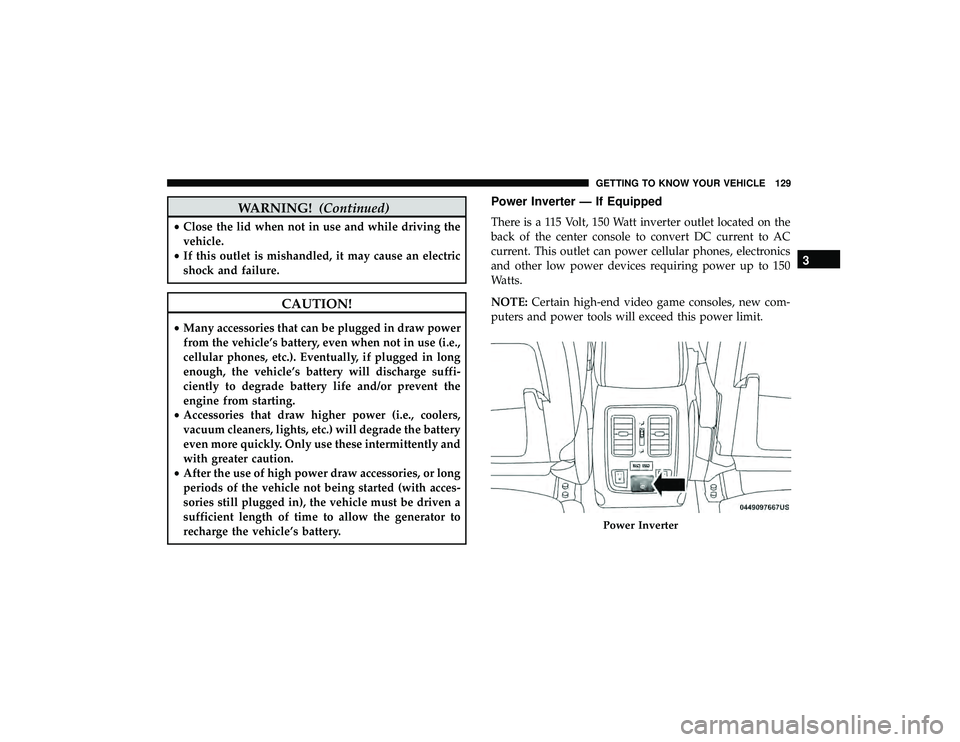
Power Inverter — If Equipped
There is a 115 Volt, 150 Watt inverter outlet located on the
back of the center console to convert DC current to AC
current. This outlet can power cellular phones, electronics
and other low power devices requiring power up to 150
Watts.
NOTE: Certain high-end video game consoles, new com-
puters and power tools will exceed this power limit.
Page 137 of 626
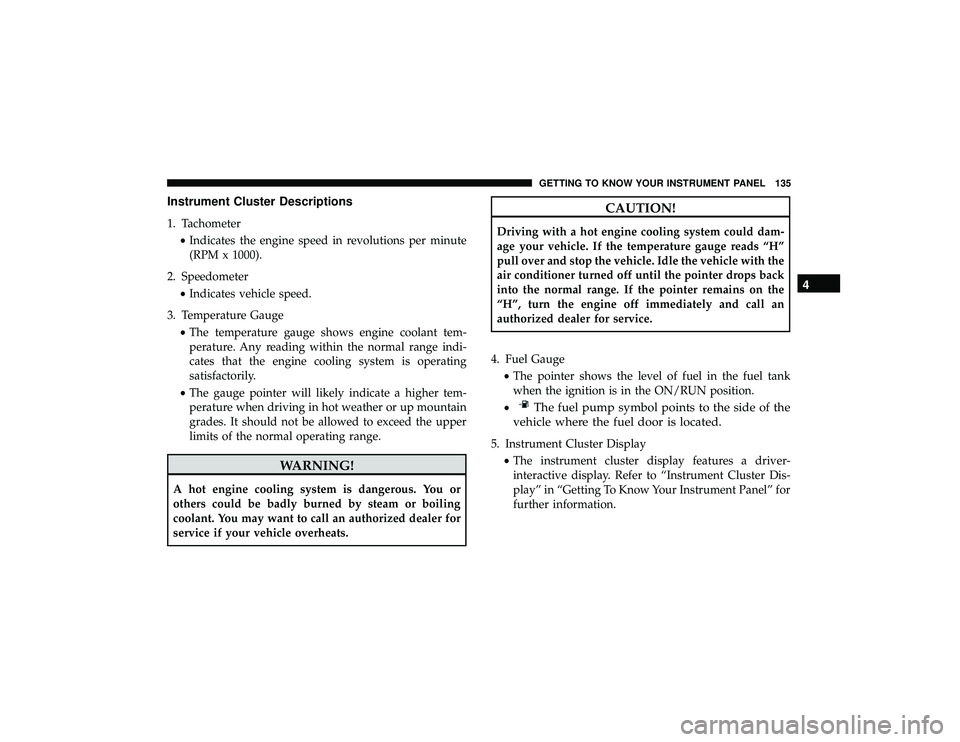
Instrument Cluster Descriptions
1. Tachometer•Indicates the engine speed in revolutions per minute
(RPM x 1000).
2. Speedometer •Indicates vehicle speed.
3. Temperature Gauge •The temperature gauge shows engine coolant tem-
perature. Any reading within the normal range indi-
cates that the engine cooling system is operating
satisfactorily.
• The gauge pointer will likely indicate a higher tem-
perature when driving in hot weather or up mountain
grades. It should not be allowed to exceed the upper
limits of the normal operating range.
CAUTION!
Driving with a hot engine cooling system could dam-
age your vehicle. If the temperature gauge reads “H”
pull over and stop the vehicle. Idle the vehicle with the
air conditioner turned off until the pointer drops back
into the normal range. If the pointer remains on the
“H”, turn the engine off immediately and call an
authorized dealer for service.
4. Fuel Gauge •The pointer shows the level of fuel in the fuel tank
when the ignition is in the ON/RUN position.
•
Page 140 of 626
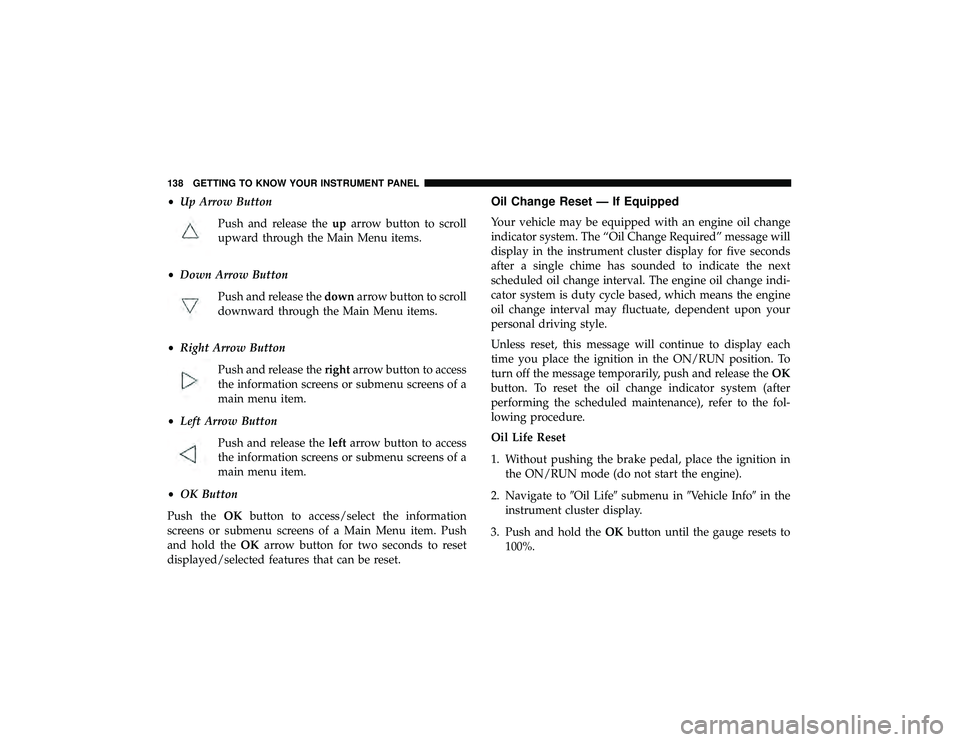
•Up Arrow Button
Push and release the uparrow button to scroll
upward through the Main Menu items.
• Down Arrow Button
Push and release the downarrow button to scroll
downward through the Main Menu items.
• Right Arrow Button
Push and release the rightarrow button to access
the information screens or submenu screens of a
main menu item.
• Left Arrow Button
Push and release the leftarrow button to access
the information screens or submenu screens of a
main menu item.
• OK Button
Push the OKbutton to access/select the information
screens or submenu screens of a Main Menu item. Push
and hold the OKarrow button for two seconds to reset
displayed/selected features that can be reset.Oil Change Reset — If Equipped
Your vehicle may be equipped with an engine oil change
indicator system. The “Oil Change Required” message will
display in the instrument cluster display for five seconds
after a single chime has sounded to indicate the next
scheduled oil change interval. The engine oil change indi-
cator system is duty cycle based, which means the engine
oil change interval may fluctuate, dependent upon your
personal driving style.
Unless reset, this message will continue to display each
time you place the ignition in the ON/RUN position. To
turn off the message temporarily, push and release the OK
button. To reset the oil change indicator system (after
performing the scheduled maintenance), refer to the fol-
lowing procedure.
Oil Life Reset
1. Without pushing the brake pedal, place the ignition in the ON/RUN mode (do not start the engine).
2. Navigate to �Oil Life�submenu in �Vehicle Info� in the
instrument cluster display.
3. Push and hold the OKbutton until the gauge resets to
100%.
Page 141 of 626

Secondary Method For Oil Change Reset Procedure
1. Without pushing the brake pedal, place the ignition inthe ON/RUN position (do not start the engine).
2. Fully press the accelerator pedal, slowly, three times within ten seconds.
3. Without pushing the brake pedal, place the ignition in the OFF/LOCK position.
NOTE: If the indicator message illuminates when you
start the vehicle, the oil change indicator system did not
reset. If necessary, repeat this procedure.
Instrument Cluster Display Messages
Includes the following, but not limited to:
• Front Seatbelts Unbuckled
• Driver Seat Belt Unbuckled
• Passenger Seat Belt Unbuckled
• Traction Control Off
• Washer Fluid Low
• Oil Pressure Low
• Oil Change Due •
Fuel Low
• Service Anti-lock Brake System
• Service Electronic Throttle Control
• Service Power Steering
• Cruise Control Off
• Cruise Control Ready
• ACC Driver Override
• Cruise Control Set To XXX MPH
• Tire Pressure Screen With Low Tire(s) “Inflate Tire to
XX”
• Service Tire Pressure System
• Speed Warning Set To XXX MPH
• Speed Warning Exceeded
• Parking Brake Engaged
• Brake Fluid Low
• Service Electronic Braking System
• Engine Temperature Hot
• Lights On
4
GETTING TO KNOW YOUR INSTRUMENT PANEL 139
Page 143 of 626
•Vehicle Cannot Be Lowered Door Open
• Air Suspension Temporarily Disabled
• Battery Low Start Engine To Change Ride Height
For further information on the color warning and indicator
lights in the instrument cluster, refer to “Warning Lights
And Messages” in “Getting To Know Your Instrument
Panel”.
Instrument Cluster Display Menu Items
The instrument cluster display can be used to view the
main menu items for several features. Use the upand
down arrow buttons to scroll through the driver interactive
display menu options until the desired menu is reached.
NOTE: Depending on the vehicle’s options, feature set-
tings may vary.
Speedometer
Push and release the upordown arrow button until the
main gauge menu icon is displayed in the instrument
cluster display. Push and release the leftorright arrow
button to select the analog or digital type speedometer
display. Push and release the OKbutton to toggle units
(mph or km/h) of the speedometer.
Accessibility — If Equipped
Accessibility is a feature of the DVD/Blu-ray system that
announces a function prior to performing the action. For
further information refer to “Uconnect Settings” in “Mul-
timedia.”
Vehicle Info
Push and release the upordown arrow button until the
Vehicle Info menu icon is displayed in the instrument
cluster display. Push and release the leftorright arrow
button to scroll through the information submenus and
push and release the OKbutton to select or reset the
resettable submenus.
Page 148 of 626

•Trip Info (show/hide)
• Stop/Start
• Audio (show/hide)
• Messages
• Screen Setup
The menu with (show/hide) means user can press OK
button to choose show or hide this menu on the instrument
cluster display.
Battery Saver On/Battery Saver Mode Message —
Electrical Load Reduction Actions (If Equipped)
This vehicle is equipped with an Intelligent Battery Sensor
(IBS) to perform additional monitoring of the electrical
system and status of the vehicle battery.
In cases when the IBS detects charging system failure, or
the vehicle battery conditions are deteriorating, electrical
load reduction actions will take place to extend the driving
time and distance of the vehicle. This is done by reducing
power to or turning off non-essential electrical loads. Load reduction is only active when the engine is running.
It will display a message if there is a risk of battery
depletion to the point where the vehicle may stall due to
lack of electrical supply, or will not restart after the current
drive cycle.
When load reduction is activated, the message “Battery
Saver On” or “Battery Saver Mode” will appear in the
instrument cluster display.
These messages indicate the vehicle battery has a low state
of charge and continues to lose electrical charge at a rate
that the charging system cannot sustain.
NOTE:
•
The charging system is independent from load reduc-
tion. The charging system performs a diagnostic on the
charging system continuously.
• If the Battery Charge Warning Light is on it may indicate
a problem with the charging system. Refer to “Battery
Charge Warning Light” in “Warning Lights And Mes-
sages” located in ”Getting To Know Your Instrument
Panel” for further information.
146 GETTING TO KNOW YOUR INSTRUMENT PANEL