Page 139 of 491
3-59
Convenient features of your vehicle
3
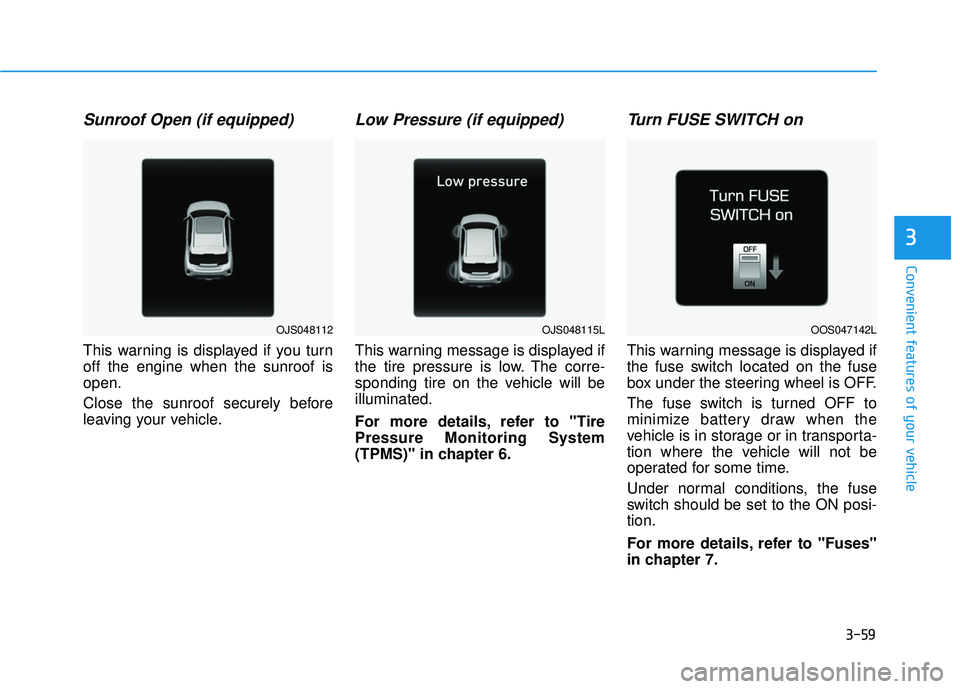
Sunroof Open (if equipped)
This warning is displayed if you turn
off the engine when the sunroof is
open.
Close the sunroof securely before
leaving your vehicle.
Low Pressure (if equipped)
This warning message is displayed if
the tire pressure is low. The corre-
sponding tire on the vehicle will be
illuminated.
For more details, refer to "Tire
Pressure Monitoring System
(TPMS)" in chapter 6.
Turn FUSE SWITCH on
This warning message is displayed if
the fuse switch located on the fuse
box under the steering wheel is OFF.
The fuse switch is turned OFF to
minimize battery draw when the
vehicle is in storage or in transporta-
tion where the vehicle will not be
operated for some time.
Under normal conditions, the fuse
switch should be set to the ON posi-
tion.
For more details, refer to "Fuses"
in chapter 7.
OOS047142LOJS048112OJS048115L
Page 140 of 491
3-60
Convenient features of your vehicle
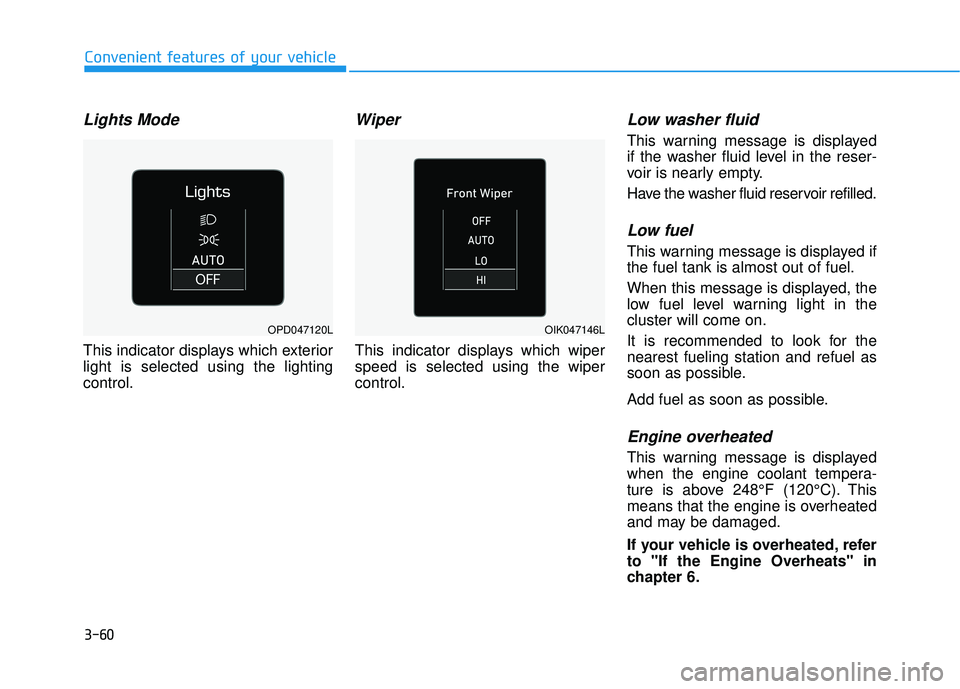
Lights Mode
This indicator displays which exterior
light is selected using the lighting
control.
Wiper
This indicator displays which wiper
speed is selected using the wiper
control.
Low washer fluid
This warning message is displayed
if the washer fluid level in the reser-
voir is nearly empty.
Have the washer fluid reservoir refilled.
Low fuel
This warning message is displayed if
the fuel tank is almost out of fuel.
When this message is displayed, the
low fuel level warning light in the
cluster will come on.
It is recommended to look for the
nearest fueling station and refuel as
soon as possible.
Add fuel as soon as possible.
Engine overheated
This warning message is displayed
when the engine coolant tempera-
ture is above 248°F (120°C). This
means that the engine is overheated
and may be damaged.
If your vehicle is overheated, refer
to "If the Engine Overheats" in
chapter 6.
OPD047120LOIK047146L
Page 148 of 491
3-68
Convenient features of your vehicle
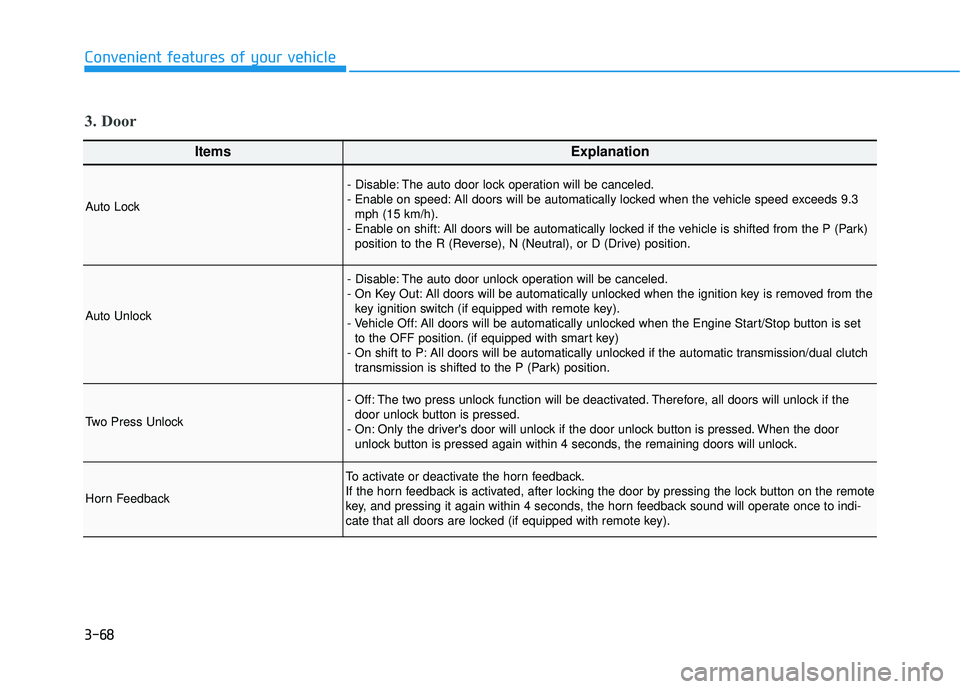
ItemsExplanation
Auto Lock
- Disable: The auto door lock operation will be canceled.
- Enable on speed: All doors will be automatically locked when the vehicle speed exceeds 9.3mph (15 km/h).
- Enable on shift: All doors will be automatically locked if the vehicle is shifted from the P (Park) position to the R (Reverse), N (Neutral), or D (Drive) position.
Auto Unlock
- Disable: The auto door unlock operation will be canceled.
- On Key Out: All doors will be automatically unlocked when the ignition key is removed from thekey ignition switch (if equipped with remote key).
- Vehicle Off: All doors will be automatically unlocked when the Engine Start/Stop button is set to the OFF position. (if equipped with smart key)
- On shift to P: All doors will be automatically unlocked if the automatic transmission/dual clutch transmission is shifted to the P (Park) position.
Two Press Unlock
- Off: The two press unlock function will be deactivated. Therefore, all doors will unlock if thedoor unlock button is pressed.
- On: Only the driver's door will unlock if the door unlock button is pressed. When the door unlock button is pressed again within 4 seconds, the remaining doors will unlock.
Horn Feedback
To activate or deactivate the horn feedback.
If the horn feedback is activated, after locking the door by pressing the lock button on the remote
key, and pressing it again within 4 seconds, the horn feedback sound will operate once to indi-
cate that all doors are locked (if equipped with remote key).
3. Door
Page 152 of 491
3-72
Convenient features of your vehicle
ItemsExplanation
Fuel Economy Reset
- Off: The average fuel economy will not reset automatically whenever refueling.
- After ignition: When the engine has been OFF for 4 hours or longer the average fuel economywill reset automatically.
- After refueling: The average fuel economy will reset automatically after adding 1.6 gallons (6 liters) of fuel or more and after driving speed exceeds 1 mph (1 km/h).
For more details, refer to "Trip Computer" in this chapter.
Fuel Economy UnitTo select the fuel economy unit.
- US gallon / UK gallon
Temperature UnitTo select the temperature unit.
- °C / °F
Tire Pressure UnitTo select the tire pressure unit.
- psi / kPa / bar
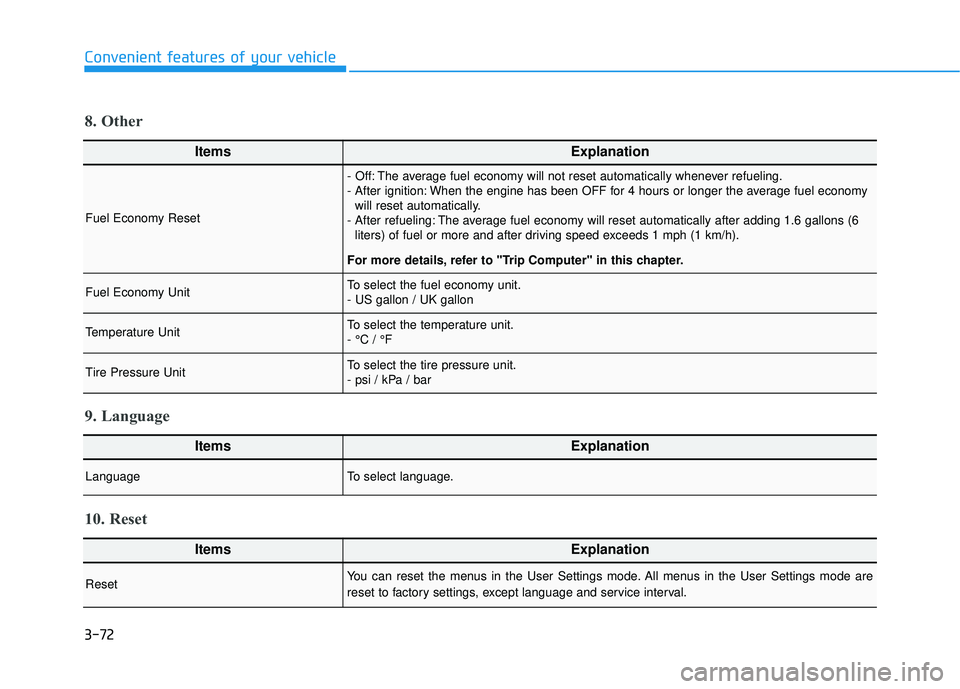
8. Other
ItemsExplanation
LanguageTo select language.
9. Language
ItemsExplanation
ResetYou can reset the menus in the User Settings mode. All menus in the User Settings mode are
reset to factory settings, except language and service interval.
10. Reset
Page 154 of 491
3-74
Convenient features of your vehicle
Average fuel economy/Instant fuel economy
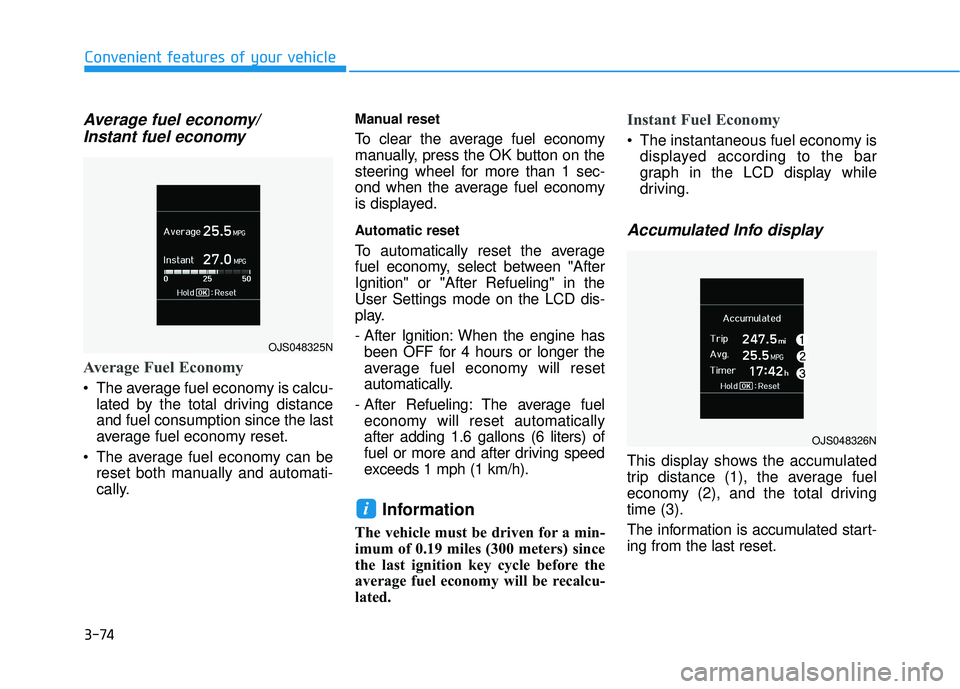
Average Fuel Economy
The average fuel economy is calcu-
lated by the total driving distance
and fuel consumption since the last
average fuel economy reset.
The average fuel economy can be reset both manually and automati-
cally.
Manual reset
To clear the average fuel economy
manually, press the OK button on the
steering wheel for more than 1 sec-
ond when the average fuel economy
is displayed.
Automatic reset
To automatically reset the average
fuel economy, select between "After
Ignition" or "After Refueling" in the
User Settings mode on the LCD dis-
play.
- After Ignition: When the engine hasbeen OFF for 4 hours or longer the
average fuel economy will reset
automatically.
- After Refueling: The average fuel economy will reset automatically
after adding 1.6 gallons (6 liters) of
fuel or more and after driving speed
exceeds 1 mph (1 km/h).
Information
The vehicle must be driven for a min-
imum of 0.19 miles (300 meters) since
the last ignition key cycle before the
average fuel economy will be recalcu-
lated.
Instant Fuel Economy
The instantaneous fuel economy is displayed according to the bar
graph in the LCD display while
driving.
Accumulated Info display
This display shows the accumulated
trip distance (1), the average fuel
economy (2), and the total driving
time (3).
The information is accumulated start-
ing from the last reset.
i
OJS048325N
OJS048326N
Page 155 of 491
3-75
Convenient features of your vehicle
3
To reset the information, press and
hold the OK button when viewing the
Accumulated driving info. The trip
distance, the average fuel economy,
and total driving time will reset simul-
taneously.
The accumulated driving information
will continue to be counted while the
engine is still running (for example,
when the vehicle is in traffic or
stopped at a stop light).
Information
The vehicle must be driven for a min-
imum of 0.19 miles (300 meters) since
the last ignition key cycle before the
average fuel economy will be recalcu-
lated.
Drive Info display
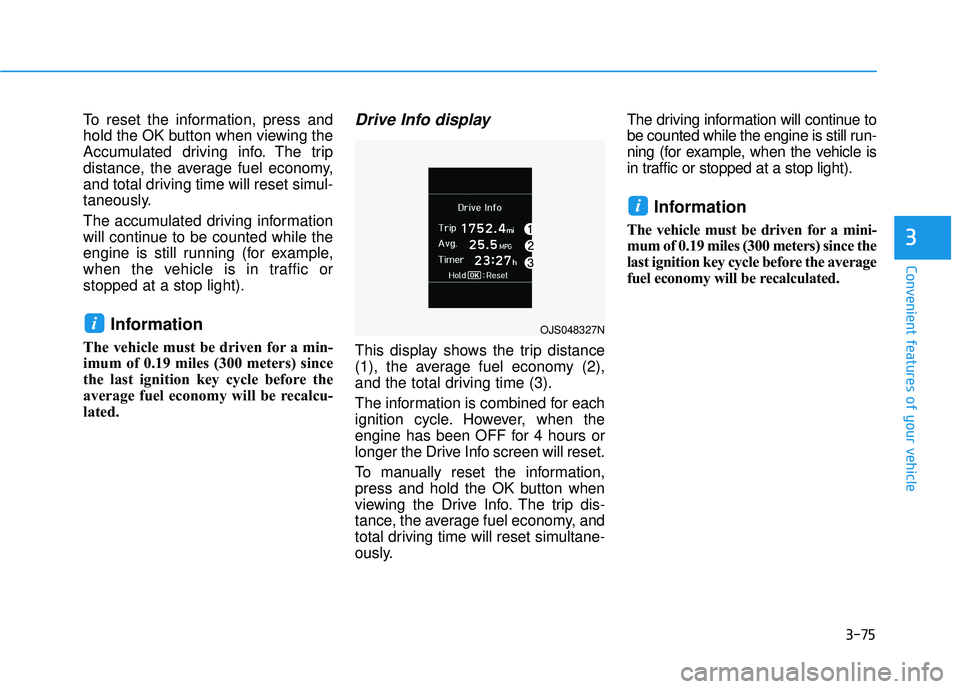
This display shows the trip distance
(1), the average fuel economy (2),
and the total driving time (3).
The information is combined for each
ignition cycle. However, when the
engine has been OFF for 4 hours or
longer the Drive Info screen will reset.
To manually reset the information,
press and hold the OK button when
viewing the Drive Info. The trip dis-
tance, the average fuel economy, and
total driving time will reset simultane-
ously.The driving information will continue to
be counted while the engine is still run-
ning (for example, when the vehicle is
in traffic or stopped at a stop light).
Information
The vehicle must be driven for a mini-
mum of 0.19 miles (300 meters) since the
last ignition key cycle before the average
fuel economy will be recalculated.
i
iOJS048327N
Page 158 of 491
3-78
Convenient features of your vehicle
Head Up Display ON/OFF
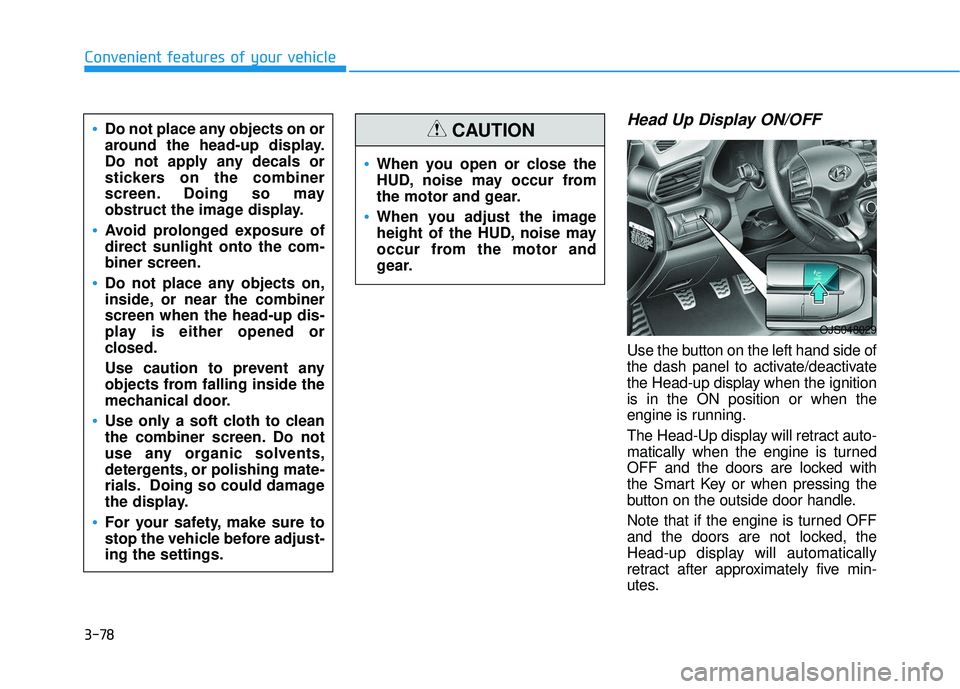
Use the button on the left hand side of
the dash panel to activate/deactivate
the Head-up display when the ignition
is in the ON position or when the
engine is running.
The Head-Up display will retract auto-
matically when the engine is turned
OFF and the doors are locked with
the Smart Key or when pressing the
button on the outside door handle.
Note that if the engine is turned OFF
and the doors are not locked, the
Head-up display will automatically
retract after approximately five min-
utes.
When you open or close the
HUD, noise may occur from
the motor and gear.
When you adjust the image
height of the HUD, noise may
occur from the motor and
gear.
CAUTIONDo not place any objects on or
around the head-up display.
Do not apply any decals or
stickers on the combiner
screen. Doing so may
obstruct the image display.
Avoid prolonged exposure of
direct sunlight onto the com-
biner screen.
Do not place any objects on,
inside, or near the combiner
screen when the head-up dis-
play is either opened or
closed.
Use caution to prevent any
objects from falling inside the
mechanical door.
Use only a soft cloth to clean
the combiner screen. Do not
use any organic solvents,
detergents, or polishing mate-
rials. Doing so could damage
the display.
For your safety, make sure to
stop the vehicle before adjust-
ing the settings.
OJS048029
Page 159 of 491
3-79
Convenient features of your vehicle
3
Head Up Display Information
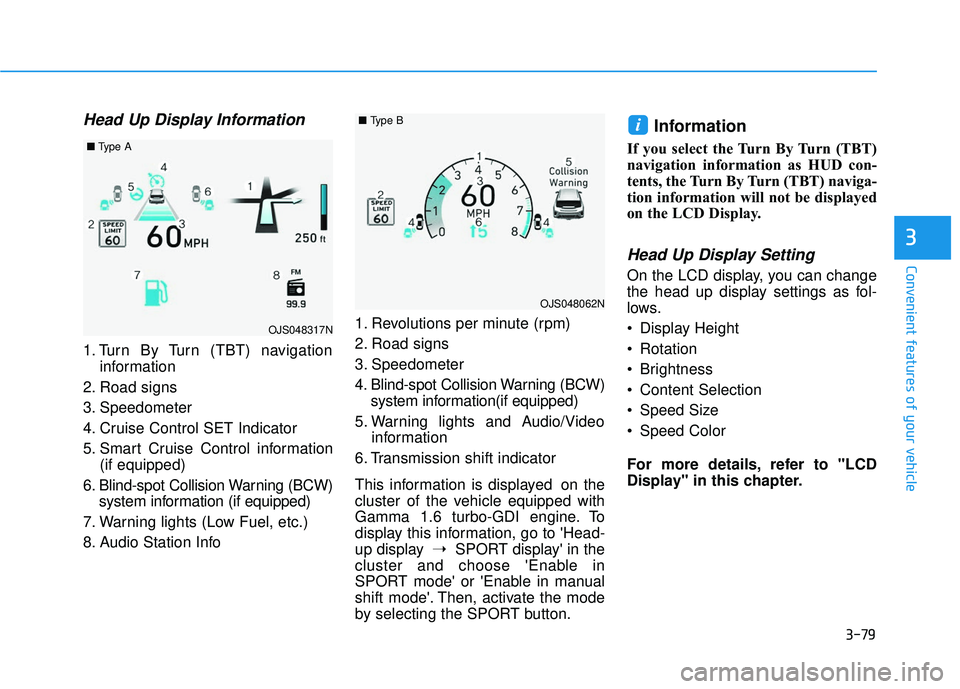
1. Turn By Turn (TBT) navigationinformation
2. Road signs
3. Speedometer
4. Cruise Control SET Indicator
5. Smart Cruise Control information (if equipped)
6. Blind-spot Collision Warning (BCW) system information (if equipped)
7. Warning lights (Low Fuel, etc.)
8. Audio Station Info 1. Revolutions per minute (rpm)
2. Road signs
3. Speedometer
4. Blind-spot Collision Warning (BCW)
system information(if equipped)
5. Warning lights and Audio/Video information
6. Transmission shift indicator
This information is displayed on the
cluster of the vehicle equipped with
Gamma 1.6 turbo-GDI engine. To
display this information, go to 'Head-
up display ➝SPORT display' in the
cluster and choose 'Enable in
SPORT mode' or 'Enable in manual
shift mode'. Then, activate the mode
by selecting the SPORT button.
Information
If you select the Turn By Turn (TBT)
navigation information as HUD con-
tents, the Turn By Turn (TBT) naviga-
tion information will not be displayed
on the LCD Display.
Head Up Display Setting
On the LCD display, you can change
the head up display settings as fol-
lows.
Display Height
Rotation
Brightness
Content Selection
Speed Size
Speed Color
For more details, refer to "LCD
Display" in this chapter.
i
OJS048317N
■ Type A
OJS048062N
■Type B