2019 Hyundai Tucson Front drive
[x] Cancel search: Front drivePage 88 of 546

2-70
Safety system of your vehicle
In an angled collision, the force of
impact may direct the occupants in a
direction where the air bags would
not be able to provide any additional
benefit, and thus the sensors may
not deploy any air bags.Just before impact, drivers often
brake heavily. Such heavy braking
lowers the front portion of the vehicle
causing it to "ride" under a vehicle
with a higher ground clearance. Air
bags may not inflate in this "under-
ride" situation because deceleration
forces that are detected by sensors
may be significantly reduced by such
"underride" collisions.Front air bags may not inflate in
rollover accidents because air bag
deployment could not provide protec-
tion to the occupants.
However, side and curtain air bags
may inflate when the vehicle is rolled
over by a side impact collision.
OTL035069OTLE038064OTL035068
Page 93 of 546
Light .....................................................................3-107
Exterior Lights ...............................................................3-107
Welcome System ...........................................................3-115
Interior Lights ................................................................3-116
Wipers and Washers..........................................3-120
Windshield Wipers ........................................................3-120
Front Windshield Washers ..........................................3-122
Rear Window Wiper and Washer Switch ................3-123
Driver Assist System .........................................3-124
Rear View Monitor .......................................................3-124
Surround View Monitor ...............................................3-125
Manual Climate Control System.......................3-127
Heating and Air Conditioning .....................................3-128
System Operation .........................................................3-133
System Maintenance....................................................3-135
Automatic Climate Control System ..................3-137
Automatic Heating and Air Conditioning.................3-138
Manual Heating and Air Conditioning......................3-139
System Operation .........................................................3-146
System Maintenance....................................................3-148
Windshield Defrosting And Defogging ...........3-150
Manual Climate Control System ................................3-150
Automatic Climate Control System ...........................3-151
Defogging logic..............................................................3-152
Auto Defogging System ..............................................3-153
Rear Window Defroster ..............................................3-154
Climate Control Additional Features ...............3-156
Cluster ionizer ................................................................3-156
Automatic Ventilation ...................................................3-156
Sunroof Inside Air Recirculation ...............................3-156
Storage Compartment .......................................3-157
Center Console Storage ..............................................3-157
Glove Box ........................................................................3-157
Sunglass Holder.............................................................3-158
3
Page 100 of 546
3-9
Convenient features of your vehicle
3
Unlocking Your Vehicle
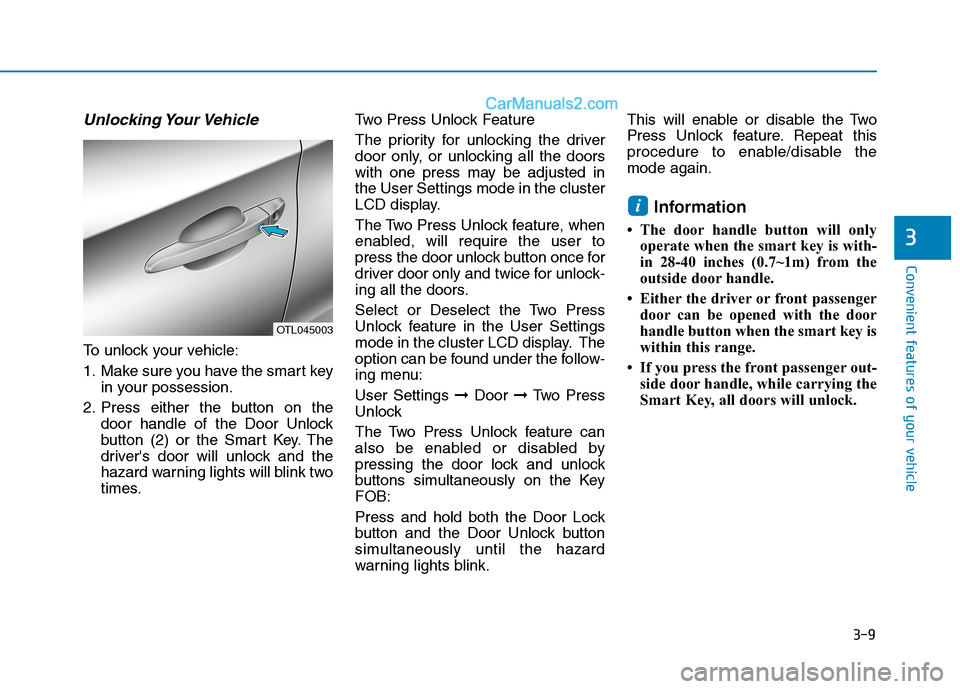
To unlock your vehicle:
1. Make sure you have the smart key
in your possession.
2. Press either the button on the
door handle of the Door Unlock
button (2) or the Smart Key. The
driver's door will unlock and the
hazard warning lights will blink two
times.Two Press Unlock Feature
The priority for unlocking the driver
door only, or unlocking all the doors
with one press may be adjusted in
the User Settings mode in the cluster
LCD display.
The Two Press Unlock feature, when
enabled, will require the user to
press the door unlock button once for
driver door only and twice for unlock-
ing all the doors.
Select or Deselect the Two Press
Unlock feature in the User Settings
mode in the cluster LCD display. The
option can be found under the follow-
ing menu:
User Settings ➞Door ➞Two Press
Unlock
The Two Press Unlock feature can
also be enabled or disabled by
pressing the door lock and unlock
buttons simultaneously on the Key
FOB:
Press and hold both the Door Lock
button and the Door Unlock button
simultaneously until the hazard
warning lights blink.This will enable or disable the Two
Press Unlock feature. Repeat this
procedure to enable/disable the
mode again.
Information
• The door handle button will only
operate when the smart key is with-
in 28-40 inches (0.7~1m) from the
outside door handle.
• Either the driver or front passenger
door can be opened with the door
handle button when the smart key is
within this range.
• If you press the front passenger out-
side door handle, while carrying the
Smart Key, all doors will unlock.
i
OTL045003
Page 106 of 546
3-15
Convenient features of your vehicle
3
D DO
OO
OR
R
L
LO
OC
CK
KS
S
Operating Door Locks from
Outside the Vehicle
Mechanical key
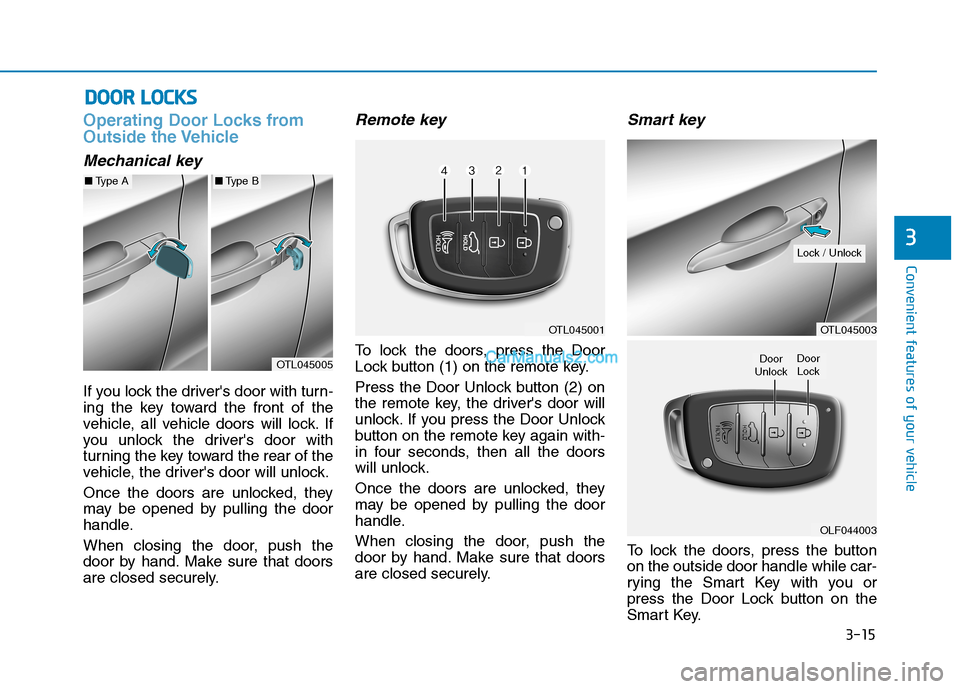
If you lock the driver's door with turn-
ing the key toward the front of the
vehicle, all vehicle doors will lock. If
you unlock the driver's door with
turning the key toward the rear of the
vehicle, the driver's door will unlock.
Once the doors are unlocked, they
may be opened by pulling the door
handle.
When closing the door, push the
door by hand. Make sure that doors
are closed securely.
Remote key
To lock the doors, press the Door
Lock button (1) on the remote key.
Press the Door Unlock button (2) on
the remote key, the driver's door will
unlock. If you press the Door Unlock
button on the remote key again with-
in four seconds, then all the doors
will unlock.
Once the doors are unlocked, they
may be opened by pulling the door
handle.
When closing the door, push the
door by hand. Make sure that doors
are closed securely.
Smart key
To lock the doors, press the button
on the outside door handle while car-
rying the Smart Key with you or
press the Door Lock button on the
Smart Key.
OTL045005
■Type A■Type B
OTL045001OTL045003
OLF044003
Door
UnlockDoor
Lock
Lock / Unlock
Page 107 of 546
3-16
Convenient features of your vehicle
Press the button on the driver's out-
side door handle while carrying the
Smart Key with you or press the
Door Unlock button on the Smart
Key, the driver's door will unlock. If
you press the button on the front
passenger's outside door, all doors
will unlock.
Once the doors are unlocked, they
may be opened by pulling the door
handle.
When closing the door, push the
door by hand. Make sure that doors
are closed securely.
Information
• In cold and wet climates, door lock
and door mechanisms may not work
properly due to freezing conditions.
• If the door is locked/unlocked multi-
ple times in rapid succession with
either the vehicle key or door lock
switch, the system may stop operat-
ing temporarily in order to protect
the circuit and prevent damage to
system components.
• Two press unlock setting can be
changed in the User Settings mode
on the cluster.
Operating Door Locks from
Inside the Vehicle
With the door lock button
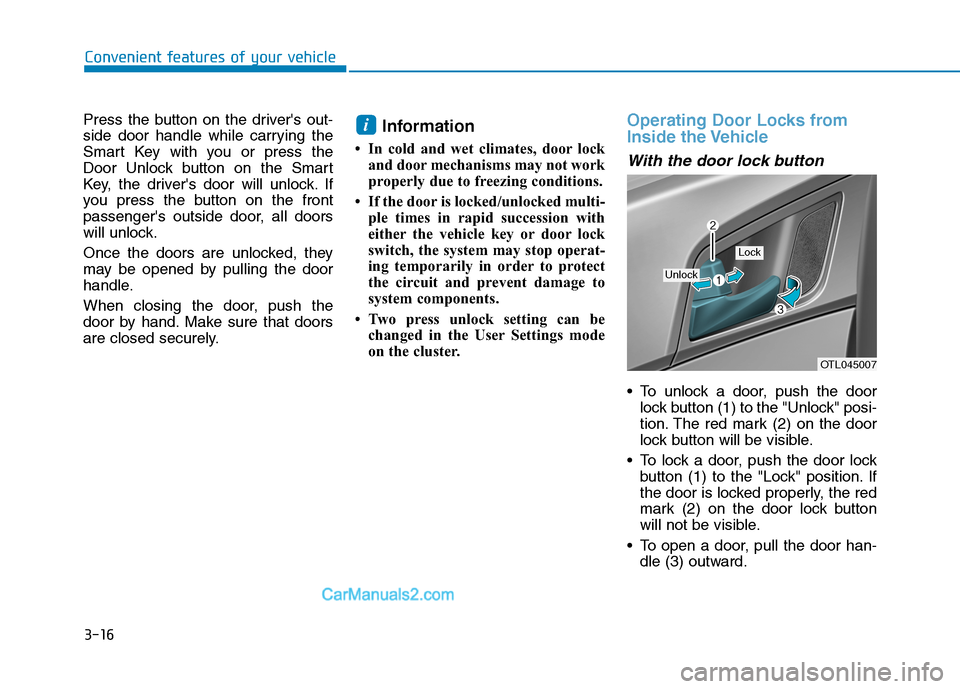
To unlock a door, push the door
lock button (1) to the "Unlock" posi-
tion. The red mark (2) on the door
lock button will be visible.
To lock a door, push the door lock
button (1) to the "Lock" position. If
the door is locked properly, the red
mark (2) on the door lock button
will not be visible.
To open a door, pull the door han-
dle (3) outward.
i
OTL045007
Unlock
Lock
Page 108 of 546
3-17
Convenient features of your vehicle
3
If the inner door handle of the driv-
er door or front passenger door is
pulled when the door lock button is
in the lock position, the button is
unlocked and the door will open.
The front doors cannot be locked if
the key is in the ignition switch and
any front door is open.
The doors cannot be locked if the
smart key is in the vehicle and any
door is open.
Information
If a power door lock ever fails to func-
tion while you are in the vehicle try
one or more of the following tech-
niques to exit:
• Operate the door unlock feature
repeatedly (both electronic and
manual) while simultaneously
pulling on the door handle.
• Operate the other door locks and
handles, front and rear.
• Lower a front window and use the
mechanical key to unlock the door
from outside.
With the central door lock
switch
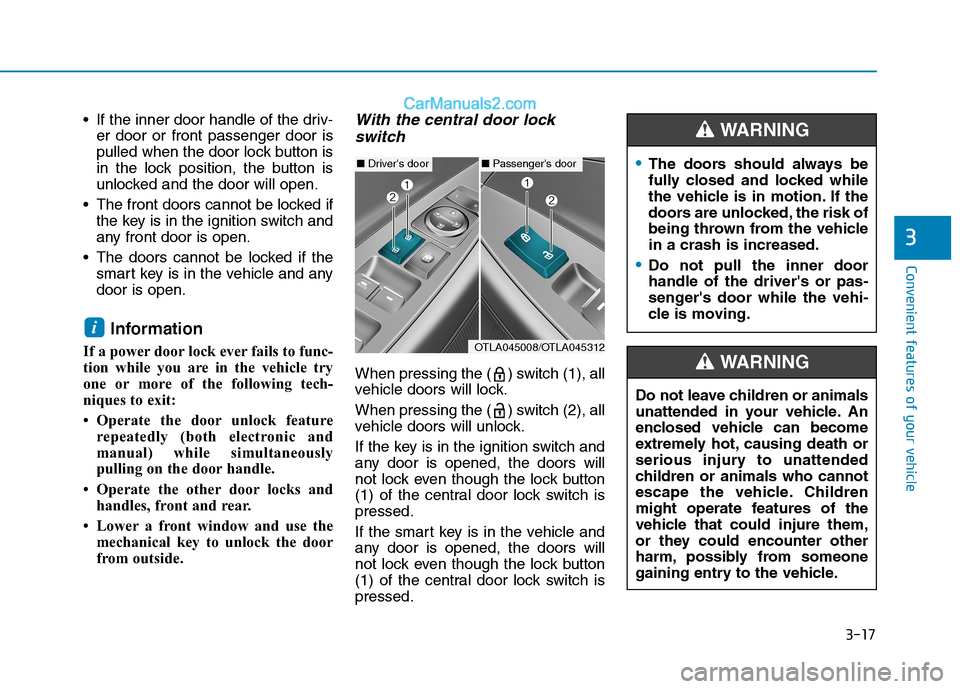
When pressing the ( ) switch (1), all
vehicle doors will lock.
When pressing the ( ) switch (2), all
vehicle doors will unlock.
If the key is in the ignition switch and
any door is opened, the doors will
not lock even though the lock button
(1) of the central door lock switch is
pressed.
If the smart key is in the vehicle and
any door is opened, the doors will
not lock even though the lock button
(1) of the central door lock switch is
pressed.
i
■Driver's door■Passenger's door
OTLA045008/OTLA045312
The doors should always be
fully closed and locked while
the vehicle is in motion. If the
doors are unlocked, the risk of
being thrown from the vehicle
in a crash is increased.
Do not pull the inner door
handle of the driver's or pas-
senger's door while the vehi-
cle is moving.
WARNING
Do not leave children or animals
unattended in your vehicle. An
enclosed vehicle can become
extremely hot, causing death or
serious injury to unattended
children or animals who cannot
escape the vehicle. Children
might operate features of the
vehicle that could injure them,
or they could encounter other
harm, possibly from someone
gaining entry to the vehicle.
WARNING
Page 130 of 546
3-39
Convenient features of your vehicle
3
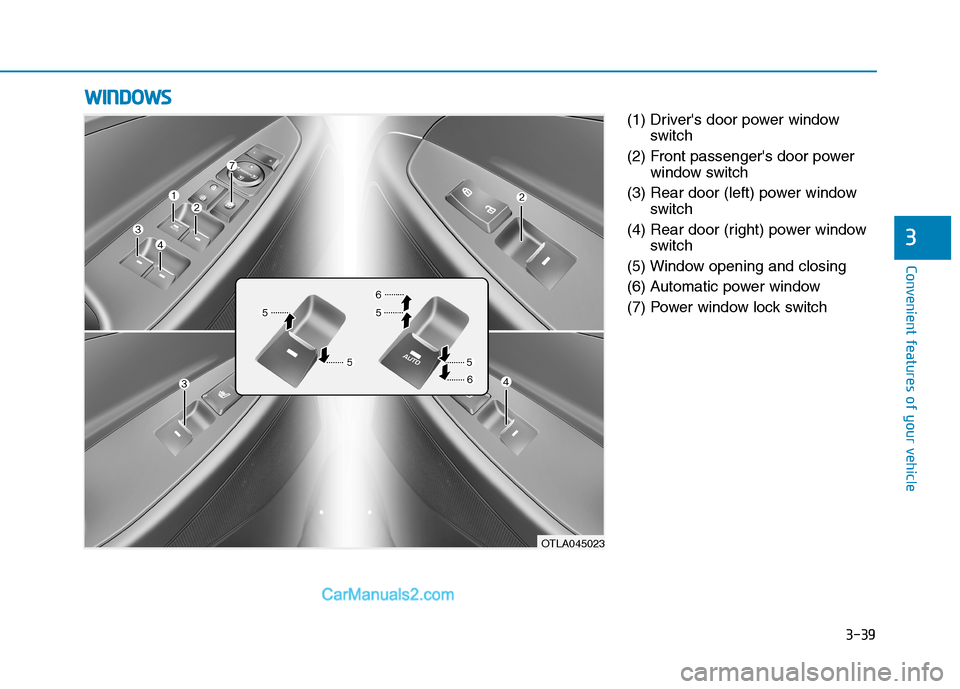
(1) Driver's door power window
switch
(2) Front passenger's door power
window switch
(3) Rear door (left) power window
switch
(4) Rear door (right) power window
switch
(5) Window opening and closing
(6) Automatic power window
(7) Power window lock switch
W WI
IN
ND
DO
OW
WS
S
OTLA045023
Page 131 of 546
3-40
Convenient features of your vehicle
Power Windows
The ignition switch must be in the ON
position to be able to raise or lower
the windows. Each door has a Power
Window switch to control that door’s
window. The driver has a Power
Window Lock switch which can block
the operation of passenger windows.
The power windows will operate for
approximately 30 seconds after the
ignition switch is placed in the ACC
or LOCK/OFF position. However, if
the front doors are opened, the
Power Windows cannot be operated
even within the 30 second period.
Information
• In cold and wet climates, power win-
dows may not work properly due to
freezing conditions.
• While driving with the rear win-
dows down or with the sunroof (if
equipped) opened (or partially
opened), your vehicle may demon-
strate a wind buffeting or pulsation
noise. This noise is normal and can
be reduced or eliminated by taking
the following actions. If the noise
occurs with one or both of the rear
windows down, partially lower both
front windows approximately 1 inch
(2.5 cm). If you experience the noise
with the sunroof open, slightly close
the sunroof.
Window opening and closing
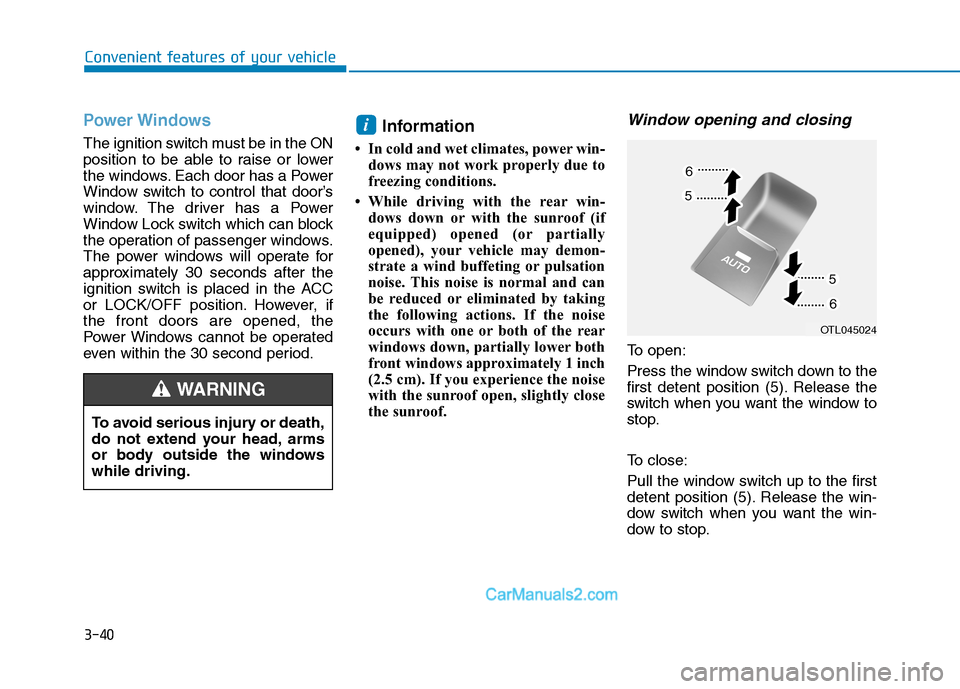
To open:
Press the window switch down to the
first detent position (5). Release the
switch when you want the window to
stop.
To close:
Pull the window switch up to the first
detent position (5). Release the win-
dow switch when you want the win-
dow to stop.
i
To avoid serious injury or death,
do not extend your head, arms
or body outside the windows
while driving.
WARNING
OTL045024