Page 162 of 546
3-71
Convenient features of your vehicle
3
Information
If the icy road warning light appears
while driving, you should drive more
attentively and safely refraining from
over-speeding, rapid acceleration,
sudden braking or sharp turning, etc.
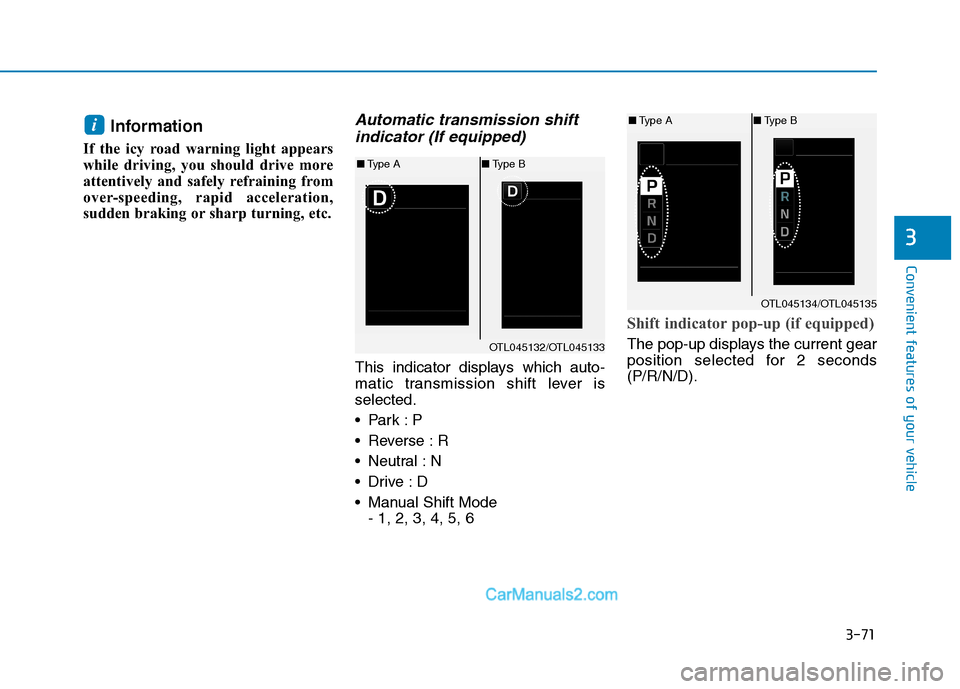
Automatic transmission shift
indicator (If equipped)
This indicator displays which auto-
matic transmission shift lever is
selected.
Reverse : R
Neutral : N
Manual Shift Mode
- 1, 2, 3, 4, 5, 6
Shift indicator pop-up (if equipped)
The pop-up displays the current gear
position selected for 2 seconds
(P/R/N/D).
i
OTL045132/OTL045133
■Type A■Type B
OTL045134/OTL045135
■Type A■Type B
Page 165 of 546
3-74
Convenient features of your vehicle
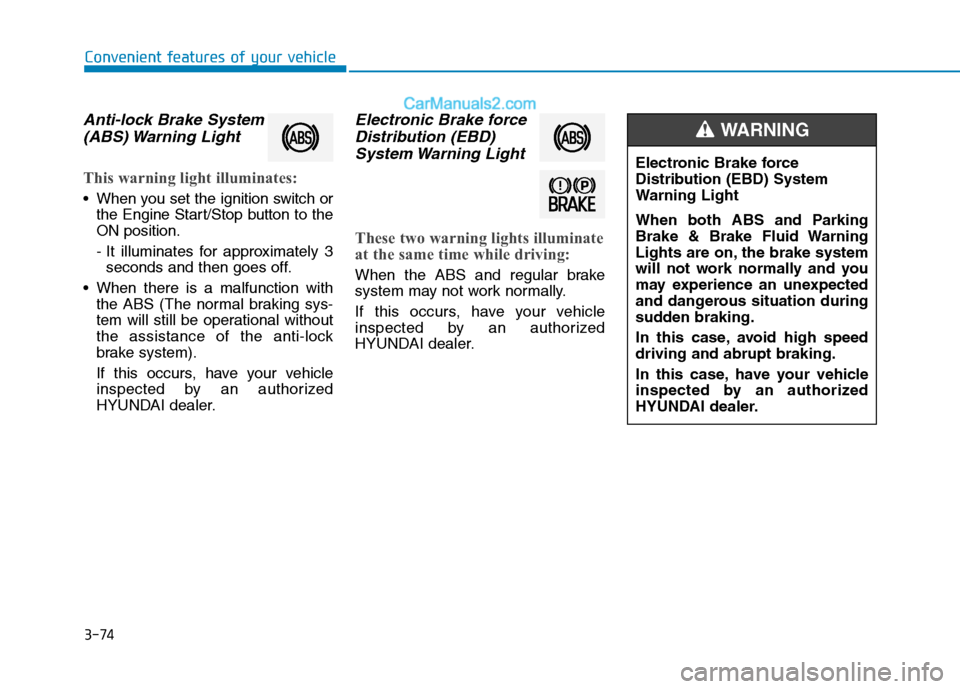
Anti-lock Brake System
(ABS) Warning Light
This warning light illuminates:
When you set the ignition switch or
the Engine Start/Stop button to the
ON position.
- It illuminates for approximately 3
seconds and then goes off.
When there is a malfunction with
the ABS (The normal braking sys-
tem will still be operational without
the assistance of the anti-lock
brake system).
If this occurs, have your vehicle
inspected by an authorized
HYUNDAI dealer.
Electronic Brake force
Distribution (EBD)
System Warning Light
These two warning lights illuminate
at the same time while driving:
When the ABS and regular brake
system may not work normally.
If this occurs, have your vehicle
inspected by an authorized
HYUNDAI dealer.
Electronic Brake force
Distribution (EBD) System
Warning Light
When both ABS and Parking
Brake & Brake Fluid Warning
Lights are on, the brake system
will not work normally and you
may experience an unexpected
and dangerous situation during
sudden braking.
In this case, avoid high speed
driving and abrupt braking.
In this case, have your vehicle
inspected by an authorized
HYUNDAI dealer.
WARNING
Page 166 of 546
3-75
Convenient features of your vehicle
3
Information - Electronic
Brake force Distribution (EBD)
System Warning Light
When the ABS Warning Light is on or
both ABS and Parking Brake & Brake
Fluid Warning Lights are on, the
speedometer, odometer, or tripmeter
may not work. Also, the EPS Warning
Light may illuminate and the steering
effort may increase or decrease.
In this case, have your vehicle inspect-
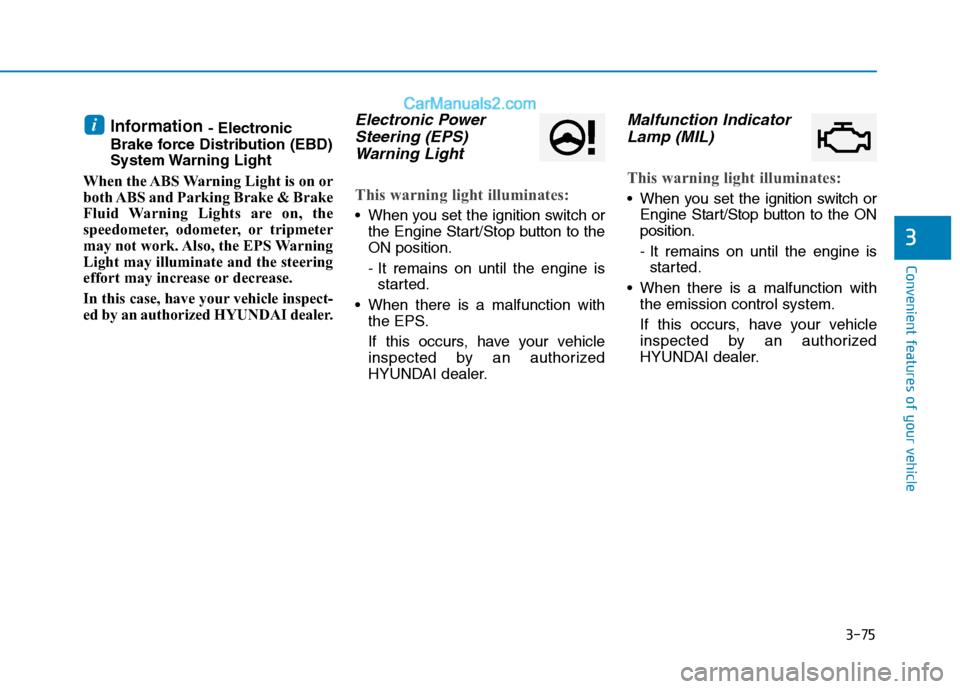
ed by an authorized HYUNDAI dealer.Electronic Power
Steering (EPS)
Warning Light
This warning light illuminates:
When you set the ignition switch or
the Engine Start/Stop button to the
ON position.
- It remains on until the engine is
started.
When there is a malfunction with
the EPS.
If this occurs, have your vehicle
inspected by an authorized
HYUNDAI dealer.
Malfunction Indicator
Lamp (MIL)
This warning light illuminates:
When you set the ignition switch or
Engine Start/Stop button to the ON
position.
- It remains on until the engine is
started.
When there is a malfunction with
the emission control system.
If this occurs, have your vehicle
inspected by an authorized
HYUNDAI dealer.
i
Page 184 of 546
3-93
Convenient features of your vehicle
3
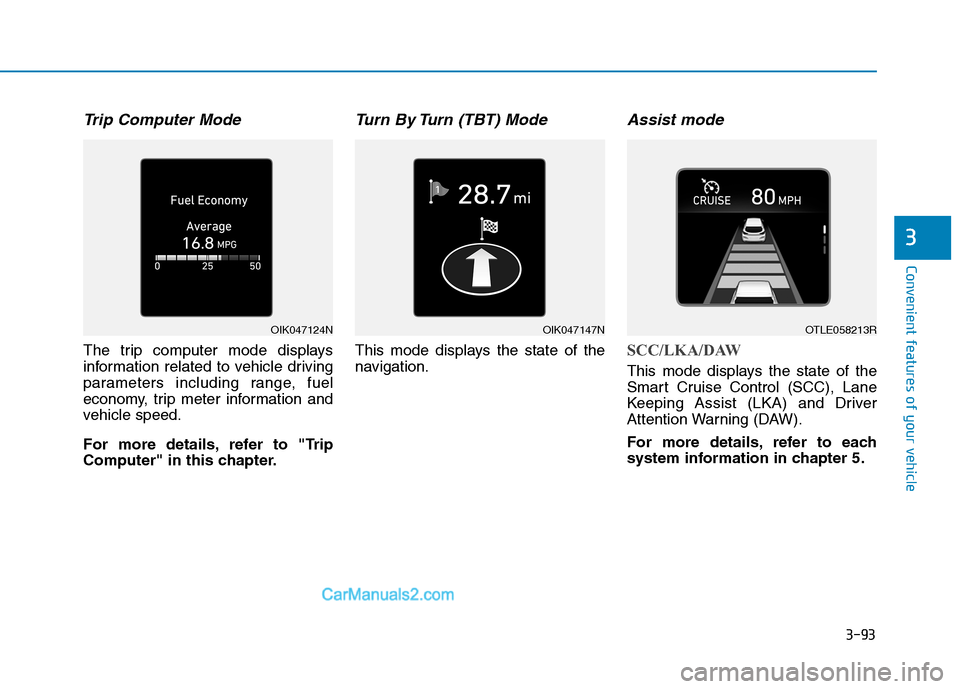
Trip Computer Mode
The trip computer mode displays
information related to vehicle driving
parameters including range, fuel
economy, trip meter information and
vehicle speed.
For more details, refer to "Trip
Computer" in this chapter.
Turn By Turn (TBT) Mode
This mode displays the state of the
navigation.
Assist mode
SCC/LKA/DAW
This mode displays the state of the
Smart Cruise Control (SCC), Lane
Keeping Assist (LKA) and Driver
Attention Warning (DAW).
For more details, refer to each
system information in chapter 5.
OIK047124NOIK047147NOTLE058213R
Page 188 of 546
3-97
Convenient features of your vehicle
3
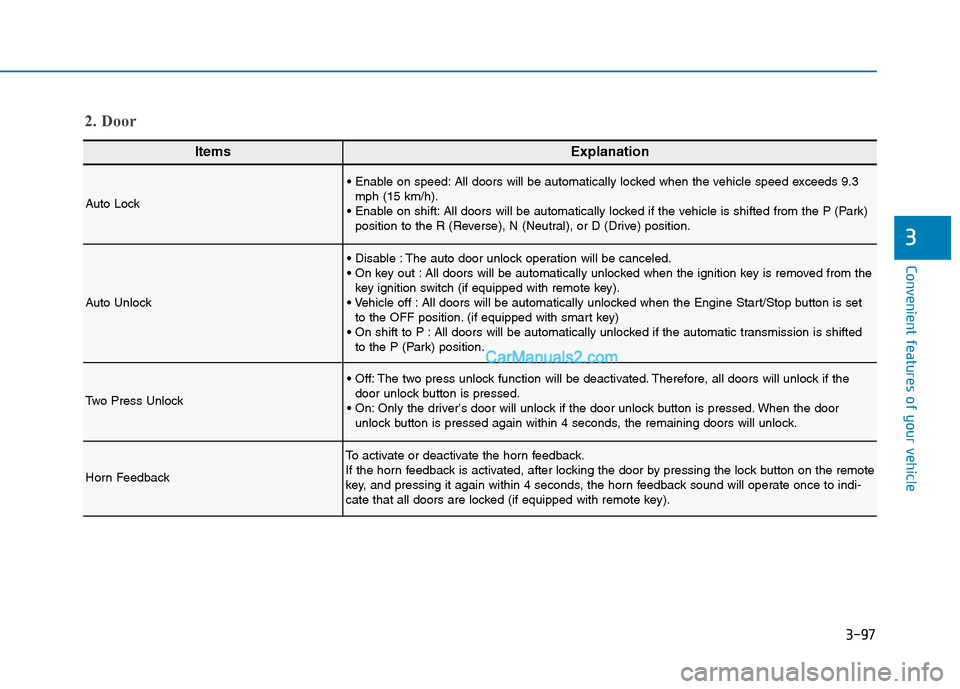
ItemsExplanation
Auto Lock
All doors will be automatically locked when the vehicle speed exceeds 9.3
mph (15 km/h).
All doors will be automatically locked if the vehicle is shifted from the P (Park)
position to the R (Reverse), N (Neutral), or D (Drive) position.
Auto Unlock
The auto door unlock operation will be canceled.
All doors will be automatically unlocked when the ignition key is removed from the
key ignition switch (if equipped with remote key).
All doors will be automatically unlocked when the Engine Start/Stop button is set
to the OFF position. (if equipped with smart key)
All doors will be automatically unlocked if the automatic transmission is shifted
to the P (Park) position.
Two Press Unlock
The two press unlock function will be deactivated. Therefore, all doors will unlock if the
door unlock button is pressed.
Only the driver's door will unlock if the door unlock button is pressed. When the door
unlock button is pressed again within 4 seconds, the remaining doors will unlock.
Horn Feedback
To activate or deactivate the horn feedback.
If the horn feedback is activated, after locking the door by pressing the lock button on the remote
key, and pressing it again within 4 seconds, the horn feedback sound will operate once to indi-
cate that all doors are locked (if equipped with remote key).
2. Door
Page 193 of 546
3-102
Convenient features of your vehicle
ItemsExplanation
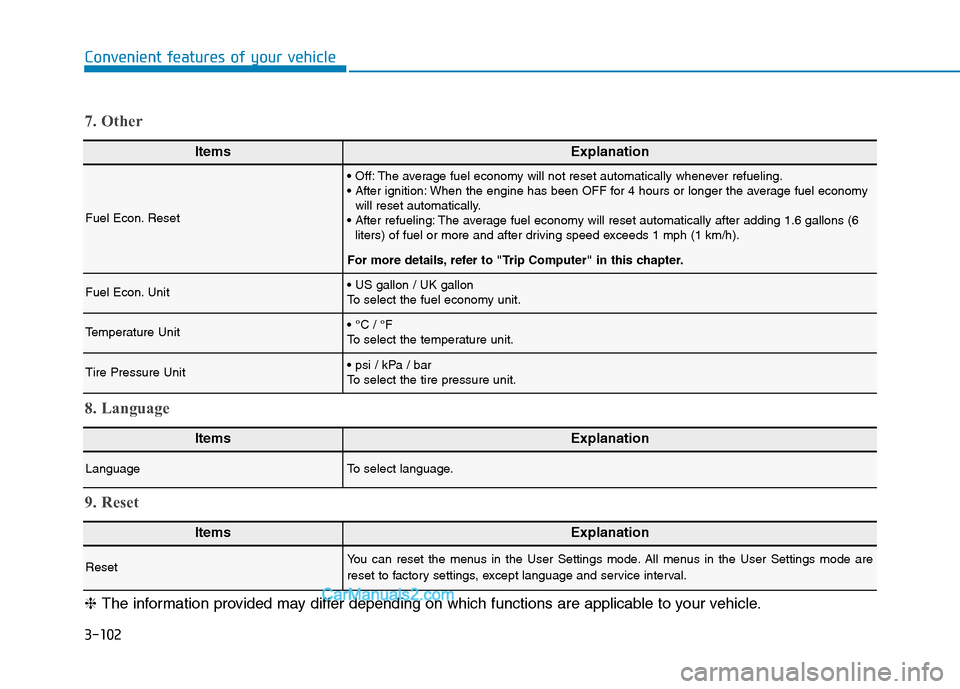
Fuel Econ. Reset
The average fuel economy will not reset automatically whenever refueling.
When the engine has been OFF for 4 hours or longer the average fuel economy
will reset automatically.
The average fuel economy will reset automatically after adding 1.6 gallons (6
liters) of fuel or more and after driving speed exceeds 1 mph (1 km/h).
For more details, refer to "Trip Computer" in this chapter.
Fuel Econ. Unit
To select the fuel economy unit.
Temperature Unit
To select the temperature unit.
Tire Pressure Unit
To select the tire pressure unit.
7. Other
ItemsExplanation
LanguageTo select language.
8. Language
ItemsExplanation
ResetYou can reset the menus in the User Settings mode. All menus in the User Settings mode are
reset to factory settings, except language and service interval.
9. Reset
❈The information provided may differ depending on which functions are applicable to your vehicle.
Page 194 of 546
3-103
Convenient features of your vehicle
3
The trip computer is a microcomput-
er-controlled driver information sys-
tem that displays information related
to driving.
Information
Some driving information stored in the
trip computer (for example Average
Vehicle Speed) resets if the battery is
disconnected.
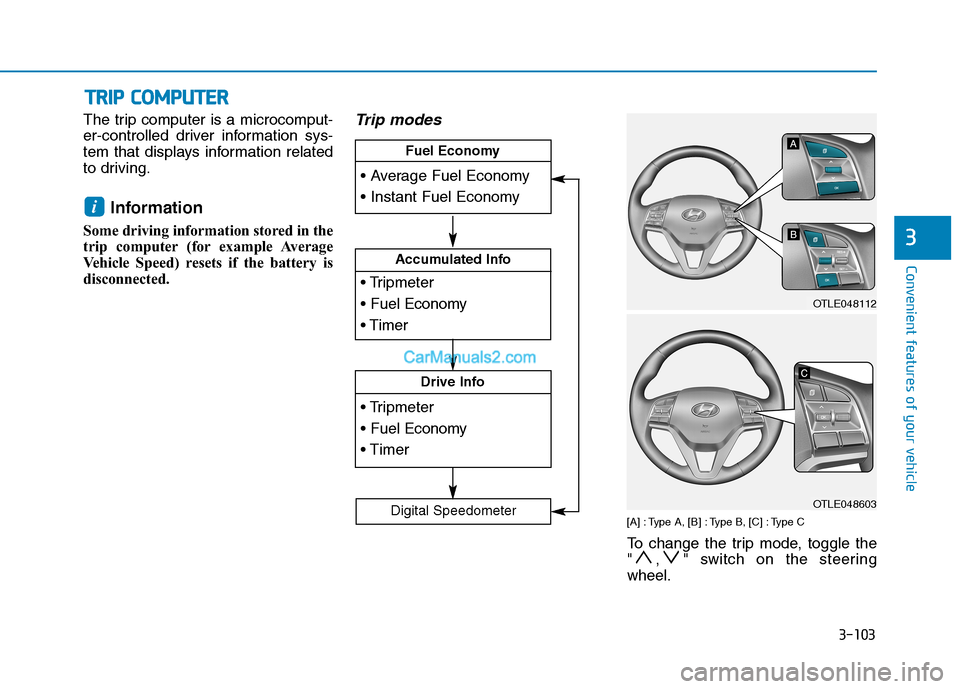
Trip modes
[A] : Type A, [B] : Type B, [C] : Type C
To change the trip mode, toggle the
" , " switch on the steering
wheel.
i
T TR
RI
IP
P
C
CO
OM
MP
PU
UT
TE
ER
R
Accumulated Info
Drive Info
Fuel Economy
Digital Speedometer
OTLE048112
OTLE048603
Page 195 of 546
3-104
Convenient features of your vehicle
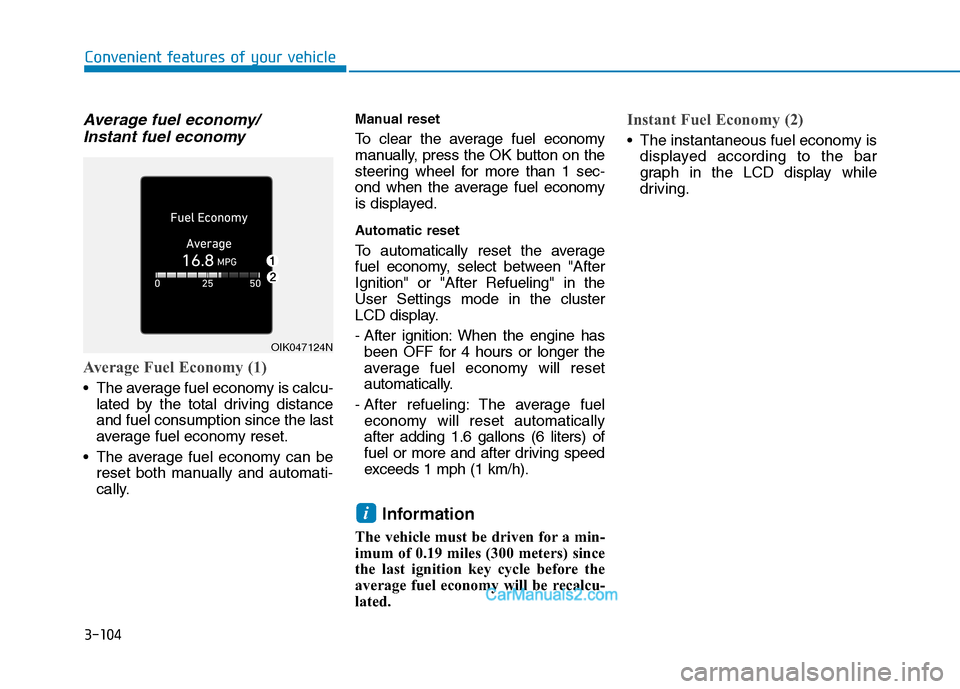
Average fuel economy/
Instant fuel economy
Average Fuel Economy (1)
The average fuel economy is calcu-
lated by the total driving distance
and fuel consumption since the last
average fuel economy reset.
The average fuel economy can be
reset both manually and automati-
cally.
Manual reset
To clear the average fuel economy
manually, press the OK button on the
steering wheel for more than 1 sec-
ond when the average fuel economy
is displayed.
Automatic reset
To automatically reset the average
fuel economy, select between "After
Ignition" or "After Refueling" in the
User Settings mode in the cluster
LCD display.
- After ignition: When the engine has
been OFF for 4 hours or longer the
average fuel economy will reset
automatically.
- After refueling: The average fuel
economy will reset automatically
after adding 1.6 gallons (6 liters) of
fuel or more and after driving speed
exceeds 1 mph (1 km/h).
Information
The vehicle must be driven for a min-
imum of 0.19 miles (300 meters) since
the last ignition key cycle before the
average fuel economy will be recalcu-
lated.
Instant Fuel Economy (2)
The instantaneous fuel economy is
displayed according to the bar
graph in the LCD display while
driving.
i
OIK047124N