2019 Hyundai Tucson Lock Indicator
[x] Cancel search: Lock IndicatorPage 270 of 546
5-4
Driving your vehicle
Before Entering the Vehicle
• Be sure all windows, outside mir-
ror(s), and outside lights are clean
and unobstructed.
Remove frost, snow, or ice.
Visually check the tires for uneven
wear and damage.
Check under the vehicle for any
sign of leaks.
Be sure there are no obstacles
behind you if you intend to back up.
Before Starting
Make sure the hood, the liftgate,
and the doors are securely closed
and locked.
Adjust the position of the seat and
steering wheel.
Adjust the inside and outside
rearview mirrors.
Verify all the lights work.
Fasten your seatbelt. Check that all
passengers have fastened their
seatbelts.
Check the gauges and indicators in
the instrument panel and the mes-
sages on the instrument display
when the ignition switch is in the
ON position.
Check that any items you are car-
rying are stored properly or fas-
tened down securely. CALIFORNIA PROPOSITION 65
WARNING
Engine exhaust and a wide vari-
ety of automobile components
including components found in
the interior furnishings in a
vehicle, contain or emit harmful
chemicals known to the State of
California to cause cancer and
birth defects and reproductive
harm. In addition, certain fluids
contained in vehicles and cer-
tain products of components
contain or emit chemicals
known to the State of California
to cause cancer and birth
defects or other reproductive
harm.WARNING
B BE
EF
FO
OR
RE
E
D
DR
RI
IV
VI
IN
NG
G
Page 281 of 546
5-15
Driving your vehicle
5
Transmission ranges
The indicator in the instrument clus-
ter displays the shift lever position
when the ignition switch is in the ON
position.
P (Park)
Always come to a complete stop
before shifting into P (Park).
To shift from P (Park), you must
depress firmly on the brake pedal.
Make sure your foot is off the accel-
erator pedal.
If you have done all of the above and
still cannot shift the lever out of P
(Park), see "Shift-Lock Release" in
this section.
The shift lever must be in P (Park)
before turning the engine off. To reduce the risk of serious
injury or death:
ALWAYS check the surround-
ing areas near your vehicle for
people, especially children,
before shifting a vehicle into
D (Drive) or R (Reverse).
Before leaving the driver's
seat, always make sure the
shift lever is in the P (Park)
position, then set the parking
brake, and place the ignition
switch in the LOCK/OFF posi-
tion. Unexpected and sudden
vehicle movement can occur
if these precautions are not
followed.
Do not use engine braking
(shifting from a high gear to
lower gear) rapidly on slip-
pery roads. The vehicle may
slip causing an accident.
WARNING
Shifting into P (Park) while the
vehicle is in motion may
cause you to lose control of
the vehicle.
After the vehicle has stopped,
always make sure the shift
lever is in P (Park), apply the
parking brake, and turn the
engine off.
Do not use the P (Park) posi-
tion in place of the parking
brake.
WARNING
Page 302 of 546
5-36
Driving your vehicle
ESC operation
ESC ON condition
When the ignition switch is in the ON
position, the ESC and the ESC OFF
indicator lights illuminate for approxi-
mately three seconds. After both
lights go off, the ESC is enabled.
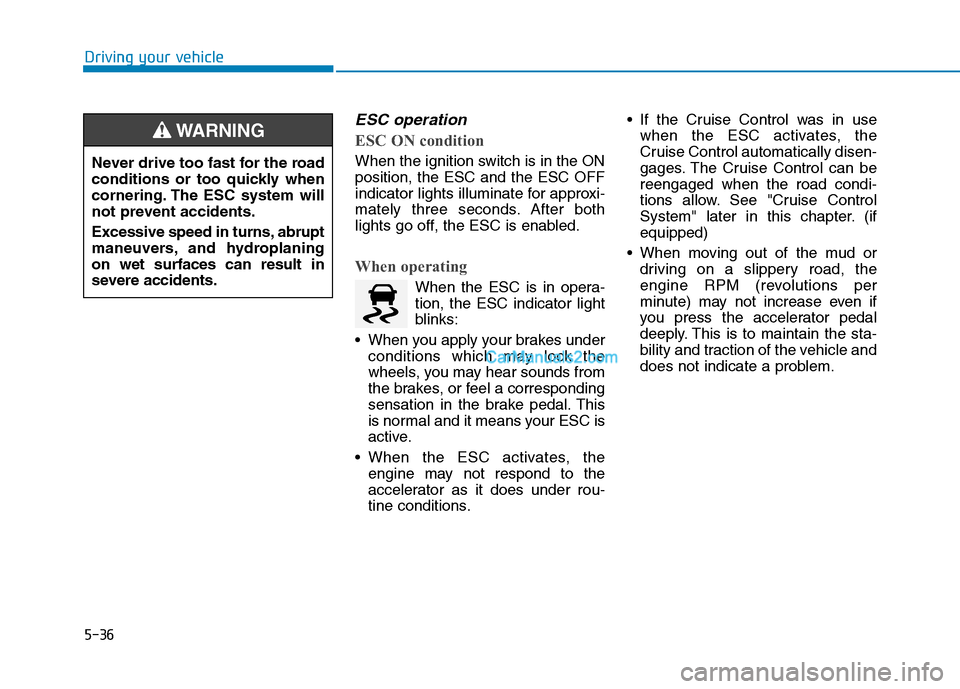
When operating
When the ESC is in opera-
tion, the ESC indicator light
blinks:
When you apply your brakes under
conditions which may lock the
wheels, you may hear sounds from
the brakes, or feel a corresponding
sensation in the brake pedal. This
is normal and it means your ESC is
active.
When the ESC activates, the
engine may not respond to the
accelerator as it does under rou-
tine conditions. If the Cruise Control was in use
when the ESC activates, the
Cruise Control automatically disen-
gages. The Cruise Control can be
reengaged when the road condi-
tions allow. See "Cruise Control
System" later in this chapter. (if
equipped)
When moving out of the mud or
driving on a slippery road, the
engine RPM (revolutions per
minute) may not increase even if
you press the accelerator pedal
deeply. This is to maintain the sta-
bility and traction of the vehicle and
does not indicate a problem. Never drive too fast for the road
conditions or too quickly when
cornering. The ESC system will
not prevent accidents.
Excessive speed in turns, abrupt
maneuvers, and hydroplaning
on wet surfaces can result in
severe accidents.
WARNING
Page 303 of 546
5-37
Driving your vehicle
5
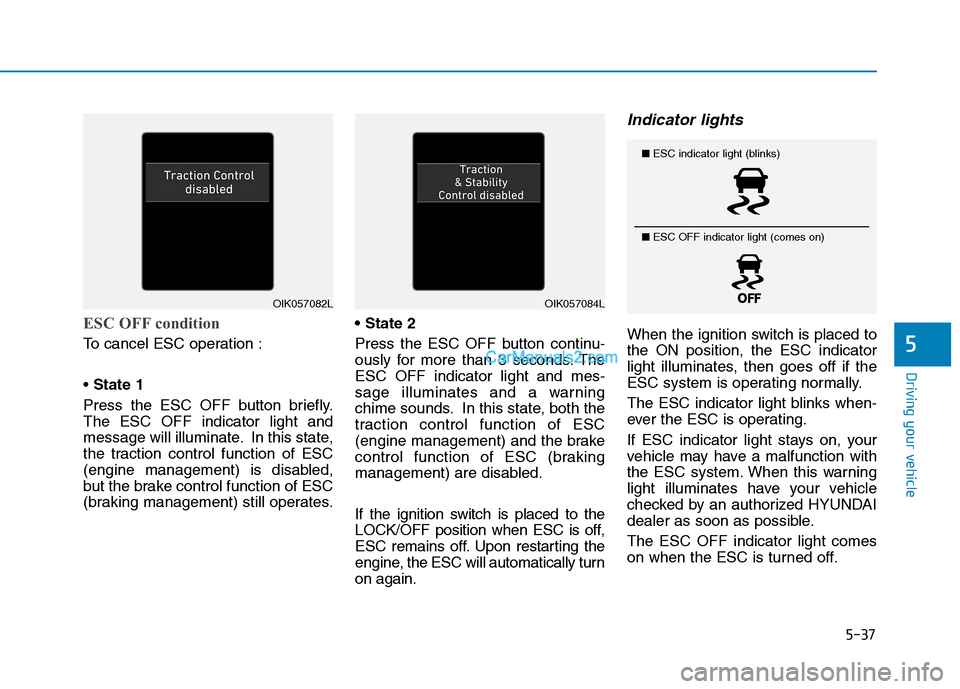
ESC OFF condition
To cancel ESC operation :
State 1
Press the ESC OFF button briefly.
The ESC OFF indicator light and
message will illuminate. In this state,
the traction control function of ESC
(engine management) is disabled,
but the brake control function of ESC
(braking management) still operates.
Press the ESC OFF button continu-
ously for more than 3 seconds. The
ESC OFF indicator light and mes-
sage illuminates and a warning
chime sounds. In this state, both the
traction control function of ESC
(engine management) and the brake
control function of ESC (braking
management) are disabled.
If the ignition switch is placed to the
LOCK/OFF position when ESC is off,
ESC remains off. Upon restarting the
engine, the ESC will automatically turn
on again.
Indicator lights
When the ignition switch is placed to
the ON position, the ESC indicator
light illuminates, then goes off if the
ESC system is operating normally.
The ESC indicator light blinks when-
ever the ESC is operating.
If ESC indicator light stays on, your
vehicle may have a malfunction with
the ESC system. When this warning
light illuminates have your vehicle
checked by an authorized HYUNDAI
dealer as soon as possible.
The ESC OFF indicator light comes
on when the ESC is turned off.
OIK057082LOIK057084L
■ESC indicator light (blinks)
■ ESC OFF indicator light (comes on)
Page 311 of 546
5-45
Driving your vehicle
5
AWD operation
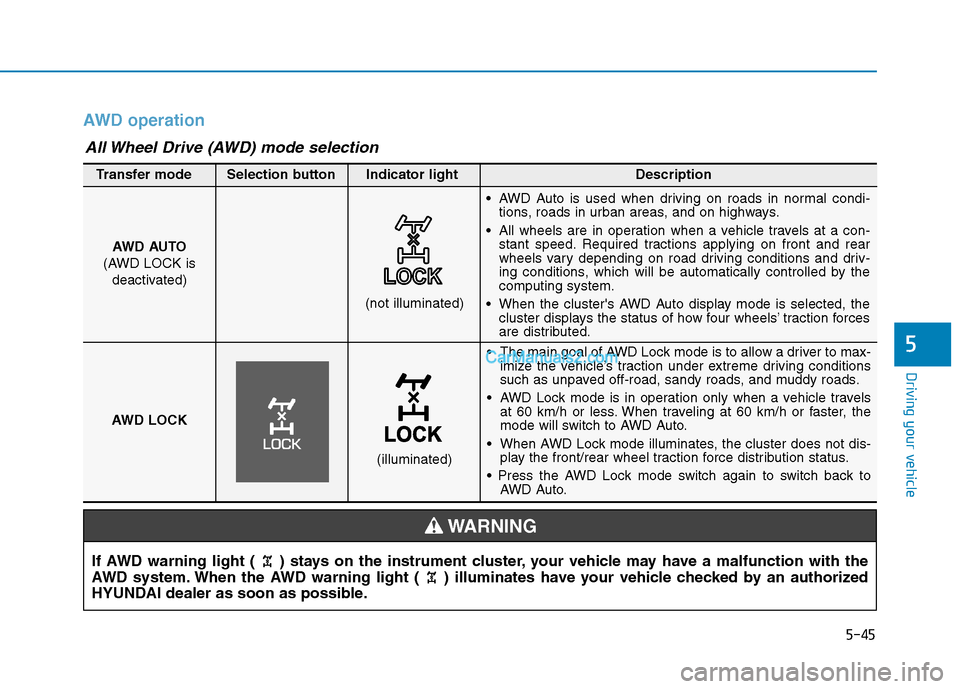
If AWD warning light ( ) stays on the instrument cluster, your vehicle may have a malfunction with the
AWD system. When the AWD warning light ( ) illuminates have your vehicle checked by an authorized
HYUNDAI dealer as soon as possible.
WARNING
The main goal of AWD Lock mode is to allow a driver to max-
imize the vehicle’s traction under extreme driving conditions
such as unpaved off-road, sandy roads, and muddy roads.
AWD Lock mode is in operation only when a vehicle travels
at 60 km/h or less. When traveling at 60 km/h or faster, the
mode will switch to AWD Auto.
When AWD Lock mode illuminates, the cluster does not dis-
play the front/rear wheel traction force distribution status.
AWD Auto. AWD AUTO
(AWD LOCK is
deactivated)
(not illuminated)
Transfer mode Selection button Indicator light Description
AWD Auto is used when driving on roads in normal condi-
tions, roads in urban areas, and on highways.
All wheels are in operation when a vehicle travels at a con-
stant speed. Required tractions applying on front and rear
wheels vary depending on road driving conditions and driv-
ing conditions, which will be automatically controlled by the
computing system.
When the cluster's AWD Auto display mode is selected, the
cluster displays the status of how four wheels’ traction forces
are distributed.
AWD LOCK
(illuminated)
All Wheel Drive (AWD) mode selection
Page 312 of 546
5-46
Driving your vehicle
Maintain AWD Auto mode when
driving on roads in normal con-
ditions.
When driving under normal road
conditions (especially when cor-
nering) in AWD Lock mode, a
driver may find minor mechani-
cal vibration or noise, which is
extremely normal phenomenon,
not a malfunction. When AWD
Lock mode is released, such
noise or vibration will be imme-
diately gone.When driving on normal roads,
deactivate the AWD LOCK mode
by pushing the AWD LOCK button
(AWD LOCK indicator light goes
off). Driving on normal roads with
the AWD LOCK mode, especially,
when cornering may cause
mechanical noise or vibration. The
noise and vibration will disappear
when the AWD LOCK mode is
deactivated. Prolong driving with
the noise and vibration may dam-
age some parts of the power train.
Information
When the AWD LOCK mode is deac-
tivated, a sensation may be felt as the
driving power is delivered entirely to
the front wheels.
For safe AWD operation
Before driving
Make sure all passengers are
wearing seat belts.
Sit upright and closer to the steer-
ing wheel than usual. Adjust the
steering wheel to a position com-
fortable for you to drive.
Driving on snow-covered or icy
roads
Start off slowly by applying the
accelerator pedal gently.
Use snow tires or tire chains.
Keep sufficient distance between
your vehicle and the vehicle in front
of you.
Apply engine braking during decel-
eration by switching the gear shift
lever to Manual Shift Mode and
manually selecting a lower gear.
Avoid speeding, rapid acceleration,
sudden brake applications, and
sharp turns to prevent skids.
i
NOTICENOTICE
Page 324 of 546
5-58
Driving your vehicle
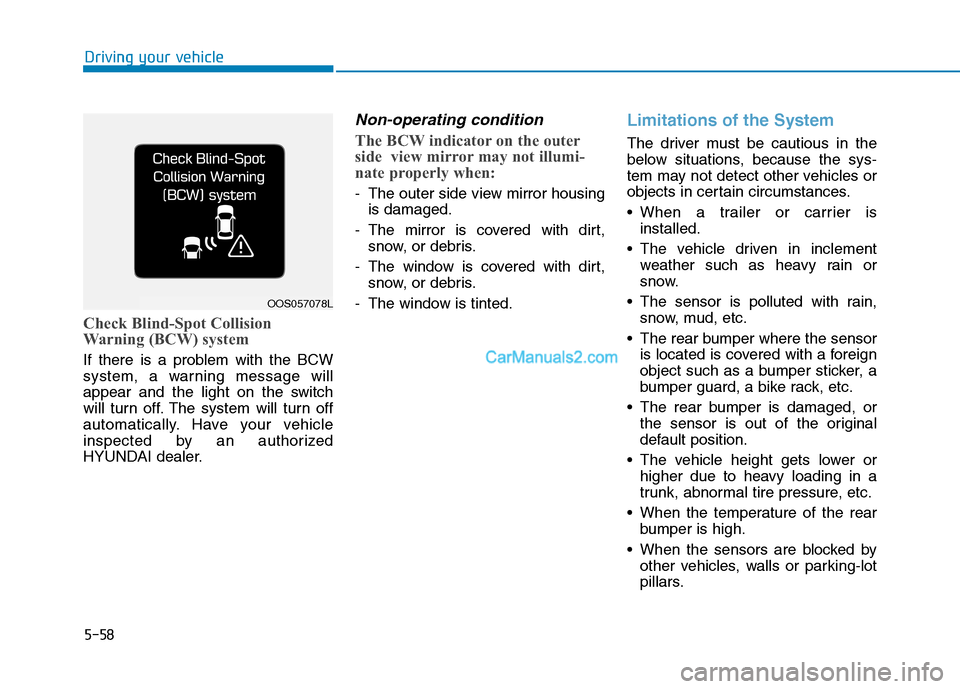
Check Blind-Spot Collision
Warning (BCW) system
If there is a problem with the BCW
system, a warning message will
appear and the light on the switch
will turn off. The system will turn off
automatically. Have your vehicle
inspected by an authorized
HYUNDAI dealer.
Non-operating condition
The BCW indicator on the outer
side view mirror may not illumi-
nate properly when:
- The outer side view mirror housing
is damaged.
- The mirror is covered with dirt,
snow, or debris.
- The window is covered with dirt,
snow, or debris.
- The window is tinted.
Limitations of the System
The driver must be cautious in the
below situations, because the sys-
tem may not detect other vehicles or
objects in certain circumstances.
When a trailer or carrier is
installed.
The vehicle driven in inclement
weather such as heavy rain or
snow.
The sensor is polluted with rain,
snow, mud, etc.
The rear bumper where the sensor
is located is covered with a foreign
object such as a bumper sticker, a
bumper guard, a bike rack, etc.
The rear bumper is damaged, or
the sensor is out of the original
default position.
The vehicle height gets lower or
higher due to heavy loading in a
trunk, abnormal tire pressure, etc.
When the temperature of the rear
bumper is high.
When the sensors are blocked by
other vehicles, walls or parking-lot
pillars.
OOS057078L
Page 374 of 546

5-108
Driving your vehicle
To temporarily accelerate with
the Smart Cruise Control on
If you want to speed up temporarily
when the Smart Cruise Control is on,
depress the accelerator pedal.
Increased speed will not interfere
with Smart Cruise Control operation
or change the set speed.
To return to the set speed, take your
foot off the accelerator pedal.
If you push the toggle switch down
(SET-) at increased speed, the cruis-
ing speed will be set again pedal.
Smart Cruise Control set speed
will be temporarily canceled
when:
Canceled manually
Depressing the brake pedal.
Pushing the CANCEL button locat-
ed on the steering wheel.
The Smart Cruise Control turns off
temporarily when the Set Speed and
Vehicle-to-Vehicle Distance indicator
on the LCD display turns off.
The cruise indicator is illuminated
continuously.
Canceled automatically
The driver's door is opened.
The vehicle is shifted to N
(Neutral), R (Reverse) or P (Park).
The EPB (Electronic Parking
Brake) is applied.
The vehicle speed is over 120 mph
(190 km/h).
The vehicle stops on a steep incline.
The ESC (Electronic Stability
Control), TCS (Traction Control
System) or ABS is operating.
The ESC is turned off.
The sensor or the cover is dirty or
blocked with foreign matter.
The vehicle is stopped for a certain
period of time.
The vehicle stops and goes repeat-
edly for a long period of time.
The accelerator pedal is continu-
ously depressed for a long period
of time.
The engine performance is abnor-
mal.
Engine rpm is in the red zone. Be careful when accelerating
temporarily, because the speed
is not controlled automatically
at this time even if there is a
vehicle in front of you.
CAUTIONOTL055103