2019 Hyundai Tucson door lock
[x] Cancel search: door lockPage 129 of 685
3-37
Convenient features of your vehicle
3
PANORAMA SUNROOF (IF EQUIPPED)
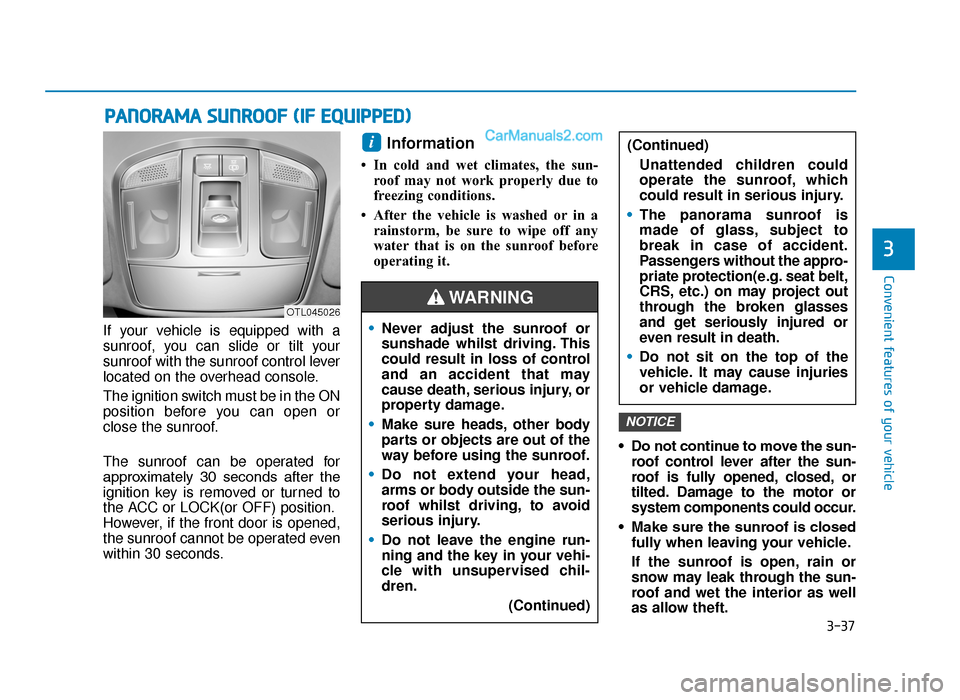
If your vehicle is equipped with a
sunroof, you can slide or tilt your
sunroof with the sunroof control lever
located on the overhead console.
The ignition switch must be in the ON
position before you can open or
close the sunroof.
The sunroof can be operated for
approximately 30 seconds after the
ignition key is removed or turned to
the ACC or LOCK(or OFF) position.
However, if the front door is opened,
the sunroof cannot be operated even
within 30 seconds.
Information
• In cold and wet climates, the sun-roof may not work properly due to
freezing conditions.
• After the vehicle is washed or in a rainstorm, be sure to wipe off any
water that is on the sunroof before
operating it.
• Do not continue to move the sun-roof control lever after the sun-
roof is fully opened, closed, or
tilted. Damage to the motor or
system components could occur.
• Make sure the sunroof is closed fully when leaving your vehicle.
If the sunroof is open, rain or
snow may leak through the sun-
roof and wet the interior as well
as allow theft.
NOTICE
i
OTL045026
•Never adjust the sunroof or
sunshade whilst driving. This
could result in loss of control
and an accident that may
cause death, serious injury, or
property damage.
• Make sure heads, other body
parts or objects are out of the
way before using the sunroof.
• Do not extend your head,
arms or body outside the sun-
roof whilst driving, to avoid
serious injury.
• Do not leave the engine run-
ning and the key in your vehi-
cle with unsupervised chil-
dren.
(Continued)
(Continued)Unattended children could
operate the sunroof, which
could result in serious injury.
• The panorama sunroof is
made of glass, subject to
break in case of accident.
Passengers without the appro-
priate protection(e.g. seat belt,
CRS, etc.) on may project out
through the broken glasses
and get seriously injured or
even result in death.
• Do not sit on the top of the
vehicle. It may cause injuries
or vehicle damage.
WARNING
TLe UK 3a(~109).qxp 6/12/2018 2:23 PM Page 37
Page 136 of 685
3-44
Fuel filler door
Opening the fuel filler door
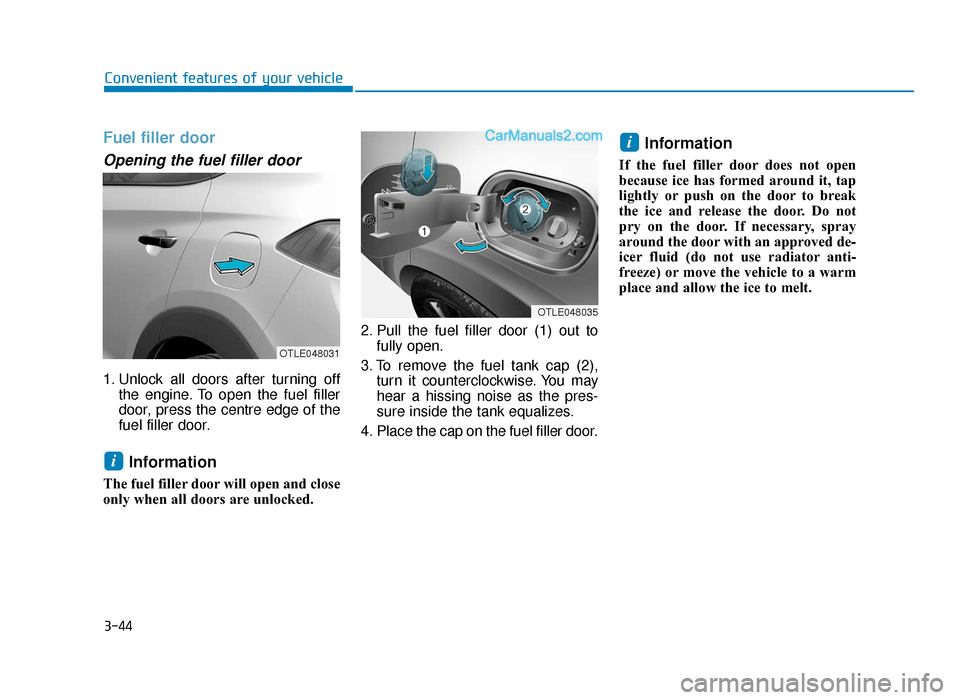
1. Unlock all doors after turning offthe engine. To open the fuel filler
door, press the centre edge of the
fuel filler door.
Information
The fuel filler door will open and close
only when all doors are unlocked. 2. Pull the fuel filler door (1) out to
fully open.
3. To remove the fuel tank cap (2), turn it counterclockwise. You may
hear a hissing noise as the pres-
sure inside the tank equalizes.
4. Place the cap on the fuel filler door.
Information
If the fuel filler door does not open
because ice has formed around it, tap
lightly or push on the door to break
the ice and release the door. Do not
pry on the door. If necessary, spray
around the door with an approved de-
icer fluid (do not use radiator anti-
freeze) or move the vehicle to a warm
place and allow the ice to melt.
i
i
Convenient features of your vehicle
OTLE048031
OTLE048035
TLe UK 3a(~109).qxp 6/12/2018 2:24 PM Page 44
Page 137 of 685
3-45
Convenient features of your vehicle
Closing the fuel filler door
1. To install the fuel tank cap, turn itclockwise until it “clicks” one time.
2. To close the fuel filler door, press the edge of the fuel filler door.
Make sure it is securely closed.
3
Petrol is highly flammable and
explosive. Failure to follow
these guidelines may result in
SERIOUS INJURY or DEATH:
•Read and follow all warnings
posted at the gas station.
• Before refuelling, note the
location of the Emergency
Petrol Shut-Off, if available, at
the gas station.
• Before touching the fuel noz-
zle, you should eliminate the
potential build-up of static
electricity by touching a metal
part of the vehicle, a safe dis-
tance away from the fuel filler
neck, nozzle, or other gas
source, with your bare hand.
(Continued)
WARNING
(Continued)
•Do not use mobile phones
whilst refuelling. Electric cur-
rent and/or electronic interfer-
ence from mobile phones can
potentially ignite fuel vapours
and cause a fire.
• Do not get back into a vehicle
once you have begun refu-
elling. You can generate a
build-up of static electricity by
touching, rubbing or sliding
against any item or fabric
capable of producing static
electricity. Static electricity
discharge can ignite fuel
vapours causing a fire. If you
must re-enter the vehicle, you
should once again eliminate
potentially dangerous static
electricity discharge by touch-
ing a metal part of the vehicle,
away from the fuel filler neck,
nozzle or other petrol source,
with your bare hand.
(Continued)(Continued)
•
When refuelling, always move
the shift lever to the P (Park)
position (for automatic
transaxle/
dual clutch trans-
mission) or first gear or R
(Reverse, for manual
transaxle), set the parking
brake, and place the ignition
switch to the LOCK/OFF posi-
tion. Sparks produced by elec-
trical components related to
the engine can ignite fuel
vapours causing a fire.
• When using an approved
portable fuel container, be
sure to place the container on
the ground prior to refuelling.
Static electricity discharge
from the container can ignite
fuel vapours causing a fire.
Once refuelling has begun,
contact between your bare
hand and the vehicle should
be maintained until the filling
is complete.
(Continued)
TLe UK 3a(~109).qxp 6/12/2018 2:24 PM Page 45
Page 139 of 685
3-47
Convenient features of your vehicle
Non-power tailgate (if equipped)
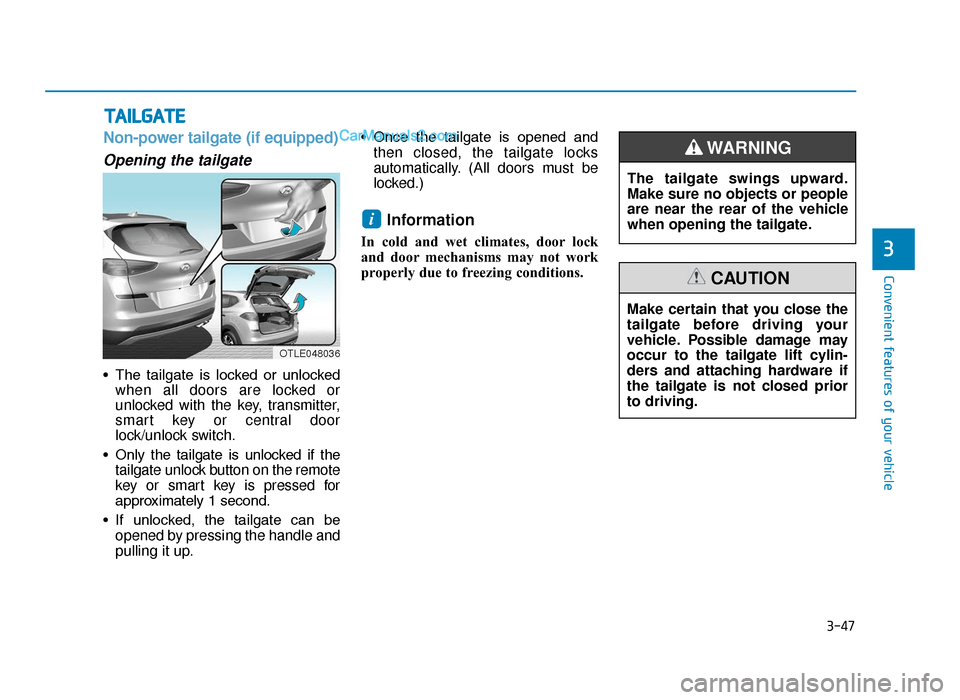
Opening the tailgate
• The tailgate is locked or unlockedwhen all doors are locked or
unlocked with the key, transmitter,
smart key or central door
lock/unlock switch.
• Only the tailgate is unlocked if the tailgate unlock button on the remote
key or smart key is pressed for
approximately 1 second.
• If unlocked, the tailgate can be opened by pressing the handle and
pulling it up. • Once the tailgate is opened and
then closed, the tailgate locks
automatically. (All doors must be
locked.)
Information
In cold and wet climates, door lock
and door mechanisms may not work
properly due to freezing conditions.
i
TAILGATE
3
OTLE048036
The tailgate swings upward.
Make sure no objects or people
are near the rear of the vehicle
when opening the tailgate.
WARNING
Make certain that you close the
tailgate before driving your
vehicle. Possible damage may
occur to the tailgate lift cylin-
ders and attaching hardware if
the tailgate is not closed prior
to driving.
CAUTION
TLe UK 3a(~109).qxp 6/12/2018 2:24 PM Page 47
Page 148 of 685
3-56
Smart tailgate (if equipped)
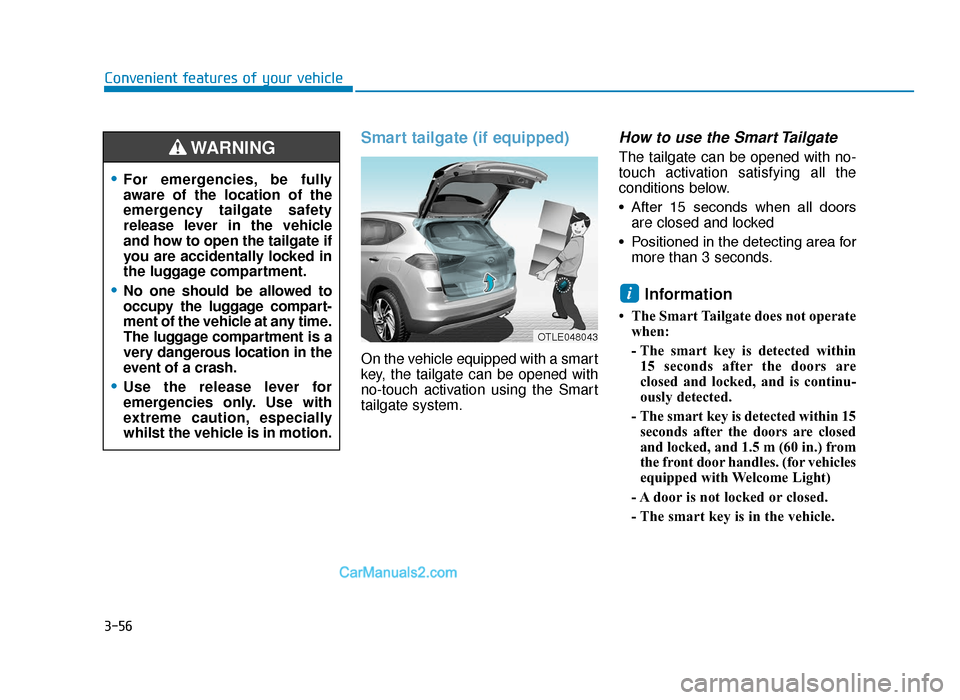
On the vehicle equipped with a smart
key, the tailgate can be opened with
no-touch activation using the Smart
tailgate system.
How to use the Smart Tailgate
The tailgate can be opened with no-
touch activation satisfying all the
conditions below.
• After 15 seconds when all doorsare closed and locked
• Positioned in the detecting area for more than 3 seconds.
Information
• The Smart Tailgate does not operatewhen:
- The smart key is detected within15 seconds after the doors are
closed and locked, and is continu-
ously detected.
- The smart key is detected within 15 seconds after the doors are closed
and locked, and 1.5 m (60 in.) from
the front door handles. (for vehicles
equipped with Welcome Light)
- A door is not locked or closed.
- The smart key is in the vehicle.
i
Convenient features of your vehicle
•For emergencies, be fully
aware of the location of the
emergency tailgate safety
release lever in the vehicle
and how to open the tailgate if
you are accidentally locked in
the luggage compartment.
•No one should be allowed to
occupy the luggage compart-
ment of the vehicle at any time.
The luggage compartment is a
very dangerous location in the
event of a crash.
•Use the release lever for
emergencies only. Use with
extreme caution, especially
whilst the vehicle is in motion.
WARNING
OTLE048043
TLe UK 3a(~109).qxp 6/12/2018 2:25 PM Page 56
Page 150 of 685
3-58
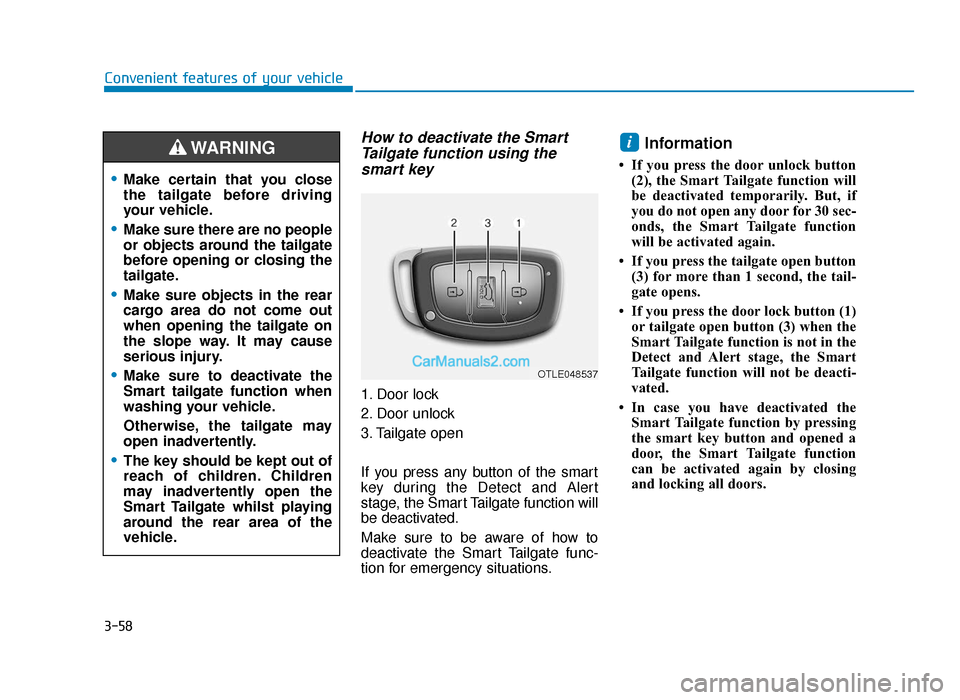
How to deactivate the SmartTailgate function using thesmart key
1. Door lock
2. Door unlock
3. Tailgate open
If you press any button of the smart
key during the Detect and Alert
stage, the Smart Tailgate function will
be deactivated.
Make sure to be aware of how to
deactivate the Smart Tailgate func-
tion for emergency situations.
Information
• If you press the door unlock button
(2), the Smart Tailgate function will
be deactivated temporarily. But, if
you do not open any door for 30 sec-
onds, the Smart Tailgate function
will be activated again.
• If you press the tailgate open button (3) for more than 1 second, the tail-
gate opens.
• If you press the door lock button (1) or tailgate open button (3) when the
Smart Tailgate function is not in the
Detect and Alert stage, the Smart
Tailgate function will not be deacti-
vated.
• In case you have deactivated the Smart Tailgate function by pressing
the smart key button and opened a
door, the Smart Tailgate function
can be activated again by closing
and locking all doors.
i
Convenient features of your vehicle
•Make certain that you close
the tailgate before driving
your vehicle.
•Make sure there are no people
or objects around the tailgate
before opening or closing the
tailgate.
•Make sure objects in the rear
cargo area do not come out
when opening the tailgate on
the slope way. It may cause
serious injury.
•Make sure to deactivate the
Smart tailgate function when
washing your vehicle.
Otherwise, the tailgate may
open inadvertently.
•The key should be kept out of
reach of children. Children
may inadvertently open the
Smart Tailgate whilst playing
around the rear area of the
vehicle.
WARNING
OTLE048537
TLe UK 3a(~109).qxp 6/12/2018 2:25 PM Page 58
Page 164 of 685
3-72
Convenient features of your vehicle
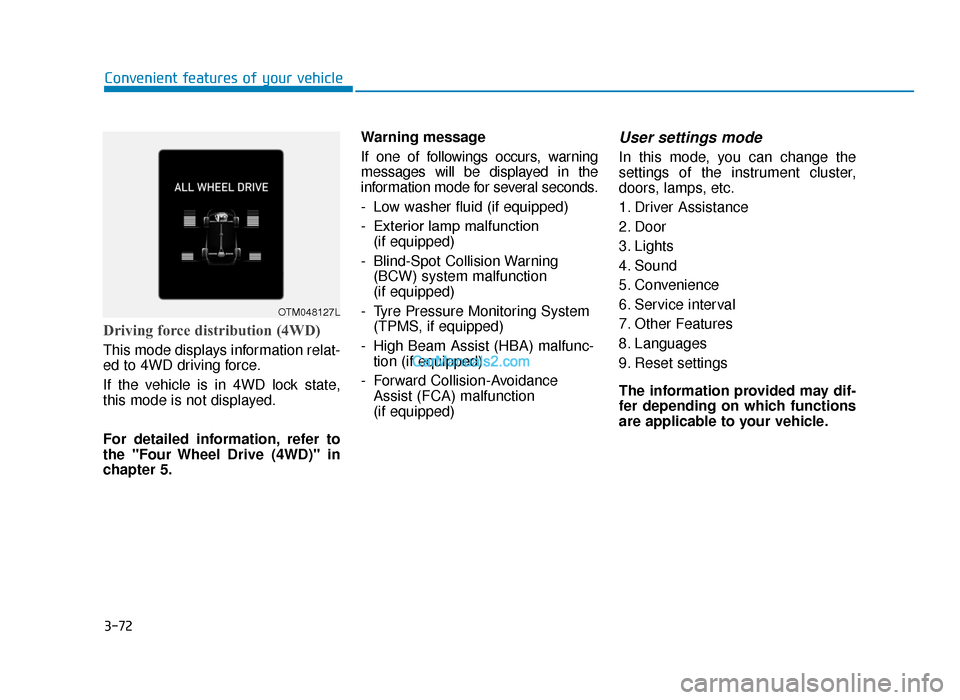
Driving force distribution (4WD)
This mode displays information relat-
ed to 4WD driving force.
If the vehicle is in 4WD lock state,
this mode is not displayed.
For detailed information, refer to
the "Four Wheel Drive (4WD)" in
chapter 5.Warning message
If one of followings occurs, warning
messages will be displayed in the
information mode for several seconds.
- Low washer fluid (if equipped)
- Exterior lamp malfunction
(if equipped)
- Blind-Spot Collision Warning (BCW) system malfunction
(if equipped)
- Tyre Pressure Monitoring System (TPMS, if equipped)
- High Beam Assist (HBA) malfunc- tion (if equipped)
- Forward Collision-Avoidance Assist (FCA) malfunction
(if equipped)
User settings mode
In this mode, you can change the
settings of the instrument cluster,
doors, lamps, etc.
1. Driver Assistance
2. Door
3. Lights
4. Sound
5. Convenience
6. Service interval
7. Other Features
8. Languages
9. Reset settings
The information provided may dif-
fer depending on which functions
are applicable to your vehicle.
OTM048127L
TLe UK 3a(~109).qxp 6/12/2018 2:27 PM Page 72
Page 166 of 685
3-74
Convenient features of your vehicle
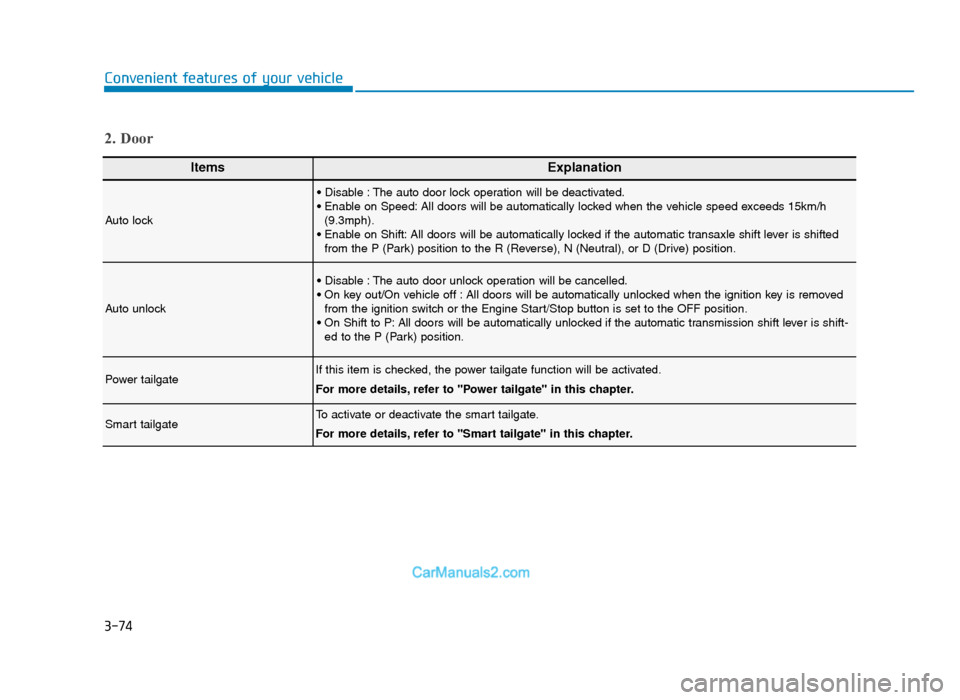
ItemsExplanation
Auto lock
• Disable : The auto door lock operation will be deactivated.
• Enable on Speed: All doors will be automatically locked when the vehicle speed exceeds 15km/h(9.3mph).
• Enable on Shift: All doors will be automatically locked if the automatic transaxle shift lever is shifted from the P (Park) position to the R (Reverse), N (Neutral), or D (Drive) position.
Auto unlock
• Disable : The auto door unlock operation will be cancelled.
• On key out/On vehicle off : All doors will be automatically unlocked when the ignition key is removedfrom the ignition switch or the Engine Start/Stop button is set to the OFF position.
• On Shift to P: All doors will be automatically unlocked if the automatic transmission shift lever is shift- ed to the P (Park) position.
Power tailgateIf this item is checked, the power tailgate function will be activated.
For more details, refer to "Power tailgate" in this chapter.
Smart tailgateTo activate or deactivate the smart tailgate.
For more details, refer to "Smart tailgate" in this chapter.
2. Door
TLe UK 3a(~109).qxp 6/12/2018 2:27 PM Page 74