2019 HYUNDAI SONATA HYBRID power steering
[x] Cancel search: power steeringPage 64 of 546

1-4
Your vehicle at a glanceI
I NN TTEERR IIOO RR OO VVEERR VV IIEE WW
OLF017003N
1. Door lock/unlock button ....................3-10
2. Driver position memory system ........3-14
3. Side view mirror control switch ..........3-29
4. Central door lock switch ....................3-10
5. Power window switches ....................3-31
6. Power window lock switch ................3-34
7. Hood release lever ............................3-39
8. Instrument panel illumination
control switch ....................................3-56
9. Blind spot detection system button* ....5-45
10. Lane keeping assist system button* ..5-54
11. Fuel filler door opener button ..........3-46
12. Trunk release button ........................3-40
13. ESC OFF button ..............................5-34
14. Fuse box ..........................................7-52
15. Steering wheel ................................3-16
16. Steering wheel tilt/telescope lever ......3-17
17. Seat ..................................................2-4
18. Brake pedal ....................................5-19
19. Accelerator pedal
* : if equipped
The actual shape may differ from the illustration.
Page 65 of 546
IINN SSTT RR UU MM EENN TT PP AA NN EELL OO VVEERR VV IIEE WW
1-5
Your vehicle at a glance
1
OLFP017004N
■Type A
■Type B
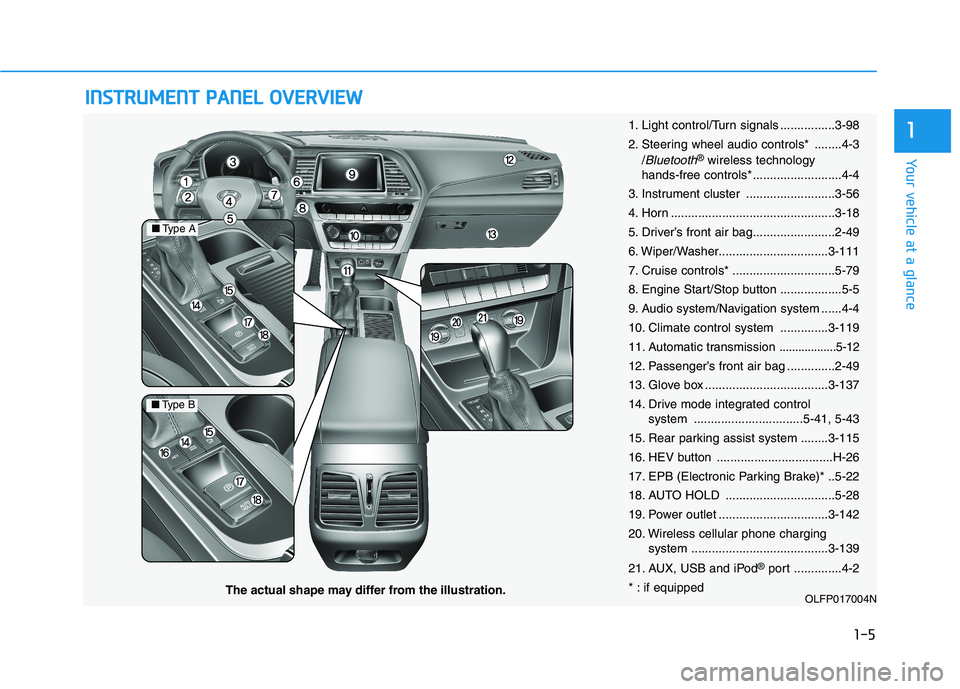
The actual shape may differ from the illustration. 1. Light control/Turn signals ................3-98
2. Steering wheel audio controls* ........4-3
/
Bluetooth®wireless technology
hands-free controls* ..........................4-4
3. Instrument cluster ..........................3-56
4. Horn ................................................3-18
5. Driver’s front air bag........................2-49
6. Wiper/Washer................................3-111
7. Cruise controls* ..............................5-79
8. Engine Start/Stop button ..................5-5
9. Audio system/Navigation system ......4-4
10. Climate control system ..............3-119
11. Automatic transmission
..................5-12
12. Passenger’s front air bag ..............2-49
13. Glove box ....................................3-137
14. Drive mode integrated control system ................................5-41, 5-43
15. Rear parking assist system ........3-115
16. HEV button ..................................H-26
17. EPB (Electronic Parking Brake)* ..5-22
18. AUTO HOLD ................................5-28
19. Power outlet ................................3-142
20. Wireless cellular phone charging system ........................................3-139
21. AUX, USB and iPod ®
port ..............4-2
* : if equipped
Page 74 of 546
2-8
Seat belts must be snug against your
hips and chest to work properly.
When the seatback is reclined, the
shoulder belt is not as effective
because it will not be snug against
your chest. Instead, it will be in front
of you. During an accident, you could
be thrown into the seat belt, causing
neck or other injuries.
The more the seatback is reclined,
the greater chance the passenger’ships will slide under the lap belt or
the passenger’s neck will strike theshoulder belt.
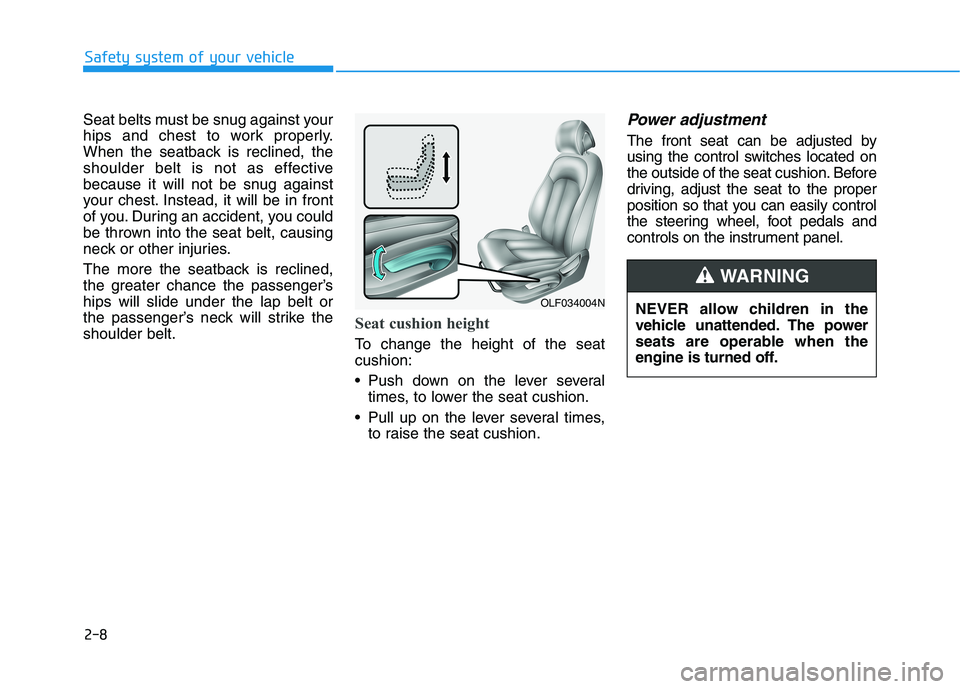
Seat cushion height
To change the height of the seat cushion:
Push down on the lever several
times, to lower the seat cushion.
Pull up on the lever several times, to raise the seat cushion.
Power adjustment
The front seat can be adjusted by
using the control switches located on
the outside of the seat cushion. Before
driving, adjust the seat to the proper
position so that you can easily control
the steering wheel, foot pedals and
controls on the instrument panel.
Safety system of your vehicle
OLF034004N NEVER allow children in the
vehicle unattended. The power
seats are operable when the
engine is turned off.
WARNING
Page 137 of 546
Convenient features of your vehicle
Accessing your vehicle .........................................3-3Smart Key ............................................................................3-3
Immobilizer System ...........................................................3-8
Door locks ...............................................................3-9 Operating Door Locks from Outside the Vehicle ......3-9
Operating Door Locks from Inside the Vehicle .......3-10
Auto Door Lock/Unlock Features ...............................3-12
Child-Protector Rear Door locks ................................3-12
Theft-alarm system.............................................3-13
Driver position memory system .........................3-14 Storing Positions into Memory ....................................3-14
Easy Access Function ....................................................3-15
Steering wheel......................................................3-16 Electric Power Steering (EPS) .....................................3-16
Tilt Steering / Telescope Steering ..............................3-17
Heated Steering Wheel ..................................................3-18
Horn ....................................................................................3-18
Mirrors ...................................................................3-19 Inside Rearview Mirror ..................................................3-19
Side View Mirrors ...........................................................3-27
Reverse Parking Aid Function......................................3-30
Windows ................................................................3-31 Power Windows ...............................................................3-32 Panoramic sunroof ..............................................3-35
Sunshade ...........................................................................3-36
Sliding the sunroof .........................................................3-36
Tilting the sunroof ..........................................................3-37
Closing the sunroof ........................................................3-37
Resetting the sunroof ....................................................3-38
Exterior features .................................................3-39 Hood ...................................................................................3-39
Trunk ..................................................................................3-40
Smart Trunk ......................................................................3-43
Fuel Filler Door (Hybrid) ...............................................3-46
Fuel Filler Door (Plug-in hybrid).................................3-50
Instrument cluster................................................3-54 Instrument cluster control ............................................3-56
Gauges ...............................................................................3-57
Warning and indicator lights ........................................3-61
Warning messages ..........................................................3-75
LCD display ...........................................................3-85 LCD display control.........................................................3-85
Trip computer .......................................................3-93 Trip modes ........................................................................3-93
3
Page 152 of 546
3-16
Convenient features of your vehicleS
S TT EEEERR IINN GG WW HHEEEELL
Electric Power Steering (EPS)
The system assists you with steering
the vehicle. If the engine is turned off
or if the power steering system
becomes inoperative, you may still
steer the vehicle, but it will require
increased steering effort.
Should you notice any change in the
effort required to steer during normal
vehicle operation, have the system
checked by an authorized HYUNDAI
dealer. Information
The following symptoms may occur
during normal vehicle operation:
The steering effort may be high immediately after placing the engine
Start/Stop button is in the ON posi-
tion.
This happens as the system per-
forms the EPS system diagnostics.
When the diagnostics are complet-
ed, the steering wheel will return to
its normal condition.
A click noise may be heard from the EPS relay after the engine Start/Stop
button is in the ON/OFF position.
Motor noise may be heard when the vehicle is at a stop or at a low driving
speed.
If the outside ambient temperature is low, when you operate the steer-
ing wheel a noise from the electric
power steering may occur. As the
temperature increases, the noise will
disappear.
i
If the Electric Power Steering System does not operate nor-
mally, the warning light ( ) willilluminate on the instrument
cluster. You may steer the vehi-
cle, but it will require increased
steering efforts. Take your vehi-
cle to an authorized HYUNDAI
dealer and have the system
checked as soon as possible.
CAUTION
Page 205 of 546
3-69
Convenient features of your vehicle
3
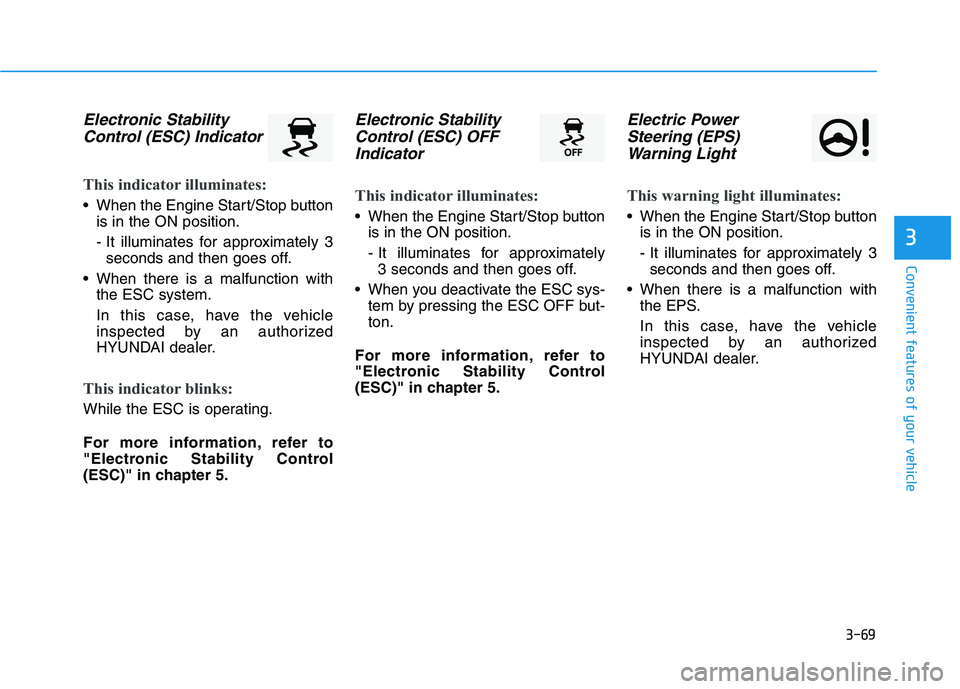
Electronic StabilityControl (ESC) Indicator
This indicator illuminates:
When the Engine Start/Stop button is in the ON position.
- It illuminates for approximately 3seconds and then goes off.
When there is a malfunction with the ESC system.
In this case, have the vehicle
inspected by an authorized
HYUNDAI dealer.
This indicator blinks:
While the ESC is operating.
For more information, refer to
"Electronic Stability Control
(ESC)" in chapter 5.
Electronic Stability
Control (ESC) OFF
Indicator
This indicator illuminates:
When the Engine Start/Stop button is in the ON position.
- It illuminates for approximately 3 seconds and then goes off.
When you deactivate the ESC sys- tem by pressing the ESC OFF but- ton.
For more information, refer to
"Electronic Stability Control
(ESC)" in chapter 5.
Electric Power Steering (EPS)
Warning Light
This warning light illuminates:
When the Engine Start/Stop button is in the ON position.
- It illuminates for approximately 3seconds and then goes off.
When there is a malfunction with the EPS.
In this case, have the vehicle
inspected by an authorized
HYUNDAI dealer.
Page 230 of 546
3-94
Convenient features of your vehicle
Fuel economy
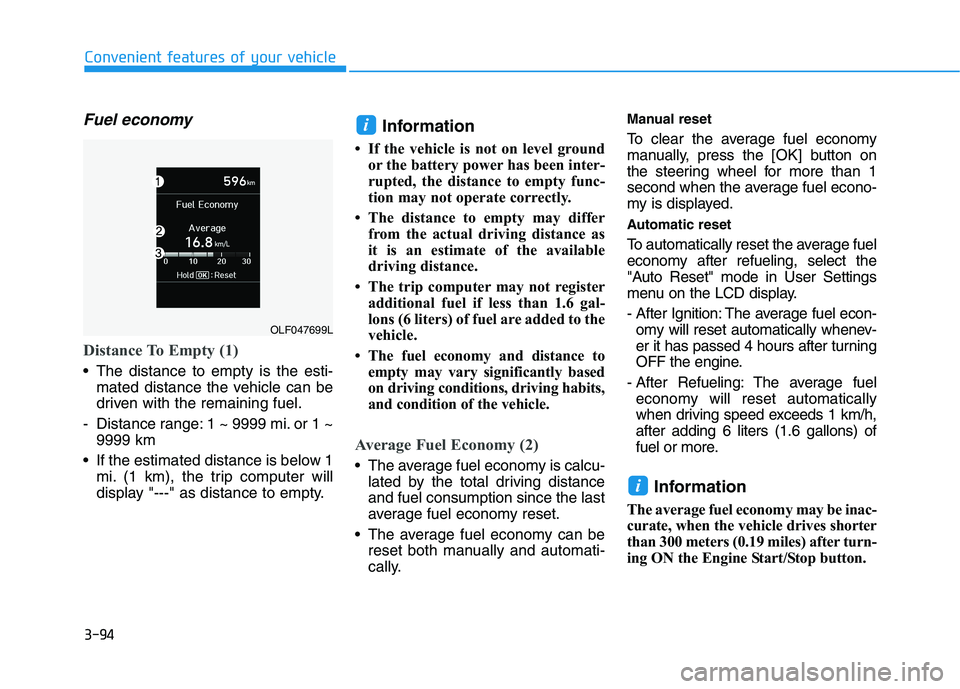
Distance To Empty (1)
The distance to empty is the esti-mated distance the vehicle can be
driven with the remaining fuel.
- Distance range: 1 ~ 9999 mi. or 1 ~ 9999 km
If the estimated distance is below 1 mi. (1 km), the trip computer will
display "---" as distance to empty. Information
If the vehicle is not on level ground or the battery power has been inter-
rupted, the distance to empty func-
tion may not operate correctly.
The distance to empty may differ from the actual driving distance as
it is an estimate of the available
driving distance.
The trip computer may not register additional fuel if less than 1.6 gal-
lons (6 liters) of fuel are added to the
vehicle.
The fuel economy and distance to empty may vary significantly based
on driving conditions, driving habits,
and condition of the vehicle.
Average Fuel Economy (2)
The average fuel economy is calcu-lated by the total driving distance and fuel consumption since the last
average fuel economy reset.
The average fuel economy can be reset both manually and automati-
cally. Manual reset
To clear the average fuel economy
manually, press the
[OK] button on
the steering wheel for more than 1
second when the average fuel econo-
my is displayed.
Automatic reset
To automatically reset the average fuel
economy after refueling, select the
"Auto Reset" mode in User Settings
menu on the LCD display.
- After Ignition: The average fuel econ- omy will reset automatically whenev-
er it has passed 4 hours after turning
OFF the engine.
- After Refueling: The average fuel economy will reset automatically
when driving speed exceeds 1 km/h,after adding 6 liters (1.6 gallons) of
fuel or more.
Information
The average fuel economy may be inac-
curate, when the vehicle drives shorter
than 300 meters (0.19 miles) after turn-
ing ON the Engine Start/Stop button.
i
i
OLF047699L
Page 296 of 546
5-6
Driving your vehicle
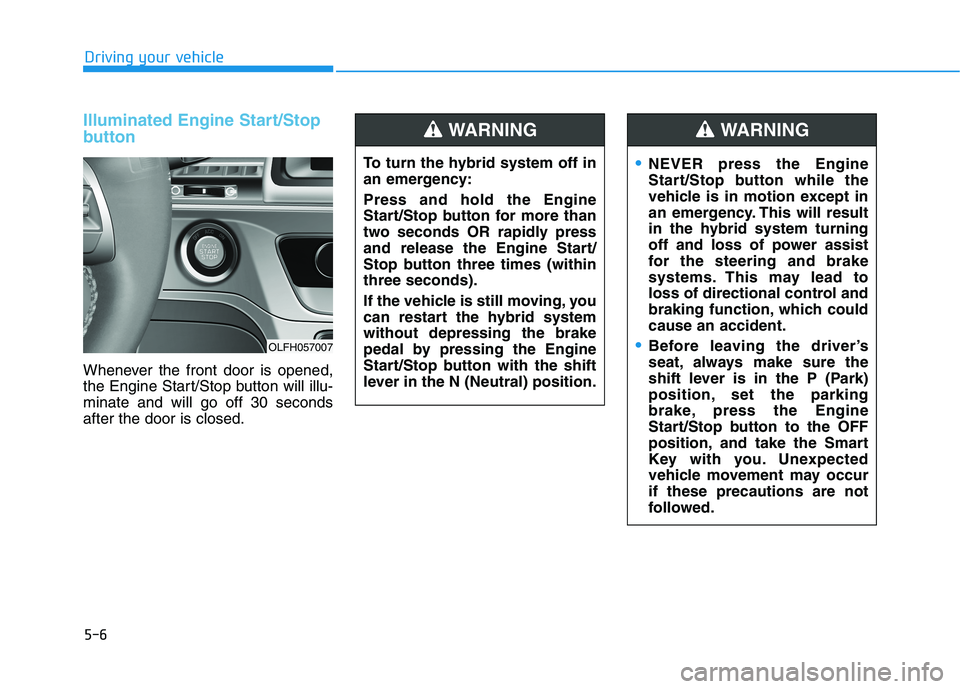
Illuminated Engine Start/Stop
button
Whenever the front door is opened,
the Engine Start/Stop button will illu-minate and will go off 30 secondsafter the door is closed.
OLFH057007To turn the hybrid system off in
an emergency: Press and hold the Engine
Start/Stop button for more than
two seconds OR rapidly press
and release the Engine Start/
Stop button three times (withinthree seconds).
If the vehicle is still moving, you
can restart the hybrid systemwithout depressing the brake
pedal by pressing the Engine
Start/Stop button with the shift
lever in the N (Neutral) position.
WARNING
NEVER press the Engine
Start/Stop button while the
vehicle is in motion except in
an emergency. This will result
in the hybrid system turning
off and loss of power assist
for the steering and brake
systems. This may lead to
loss of directional control and
braking function, which couldcause an accident.
Before leaving the driver’s
seat, always make sure the
shift lever is in the P (Park)
position, set the parking
brake, press the Engine
Start/Stop button to the OFF
position, and take the Smart
Key with you. Unexpected
vehicle movement may occurif these precautions are not
followed.
WARNING