Page 293 of 570
Driving your vehicle
Before driving . . . . . . . . . . . . . . . . . . . . . . . . . . . . . . 5-4
• Before entering vehicle . . . . . . . . . . . . . . . . . . . . . . . . . 5-4
. . . . . . . . . . . . . . . . . . . . . . . . . . 5-4
. . . . . . . . . . . . . . . . . . . . . . . . . . . . . . . . 5-5
Key positions . . . . . . . . . . . . . . . . . . . . . . . . . . . . . . . 5-7
. . . . . . . . . . . . . . . . . . . . . . 5-7
. . . . . . . . . . . . . . . . . . . . . . . . . 5-7
. . . . . . . . . . . . . . . . . . . . . . . . . . . . 5-9
Engine start/stop button . . . . . . . . . . . . . . . . . . . . 5-10
. . . . . . . . . . . . . 5-10
. . . . . . . . . . . . . . . . . . . . . . . . . . . 5-13
Automatic transaxle . . . . . . . . . . . . . . . . . . . . . . . . 5-15
. . . . . . . . . . . . . . . . . . 5-15
. . . . . . . . . . . . . . . . . . . . . . . . 5-20
All Wheel Drive (AWD) . . . . . . . . . . . . . . . . . . . . . 5-22
. . . . . . . . . . . . . . . . . . . . . . 5-22
. . . 5-23
. . . . . . . . . . . . . . . 5-24
. . . . . . . . . . . . . . . . . 5-27
Drive mode integrated control system . . . . . . . . . 5-29
Brake system . . . . . . . . . . . . . . . . . . . . . . . . . . . . . . 5-31
. . . . . . . . . . . . . . . . . . . . . . . . . . . . . . . . 5-31
. . . . . . . . . . . . . . . . . . . . 5-32 . . . . . . . . . . . . . . . . . . . . . . . . . . . . . . . 5-33
. . . . . . . . . . . . . . . . 5-35
. . . . . . . . . . . . . . . . . . . . . . . . . . . 5-40
. . . . . . . . . . . . . . . . . . . . . . . . . . . . . . . . . . . 5-\
41
. . . . . . . . . . . . . . . . . 5-44
. . . . . . . . . . . . . . 5-46
. . . . . . . . . . . . 5-50
. . . . . . . . . . . . . . . . . 5-51
. . . . . . . . . . . . . . . . . 5-53
Automatic emergency braking (AEB) . . . . . . . . . 5-56
Cruise control system. . . . . . . . . . . . . . . . . . . . . . . 5-67
Advanced smart cruise control system. . . . . . . . . 5-72
Blind spot detection system (BSD) . . . . . . . . . . . . 5-88
LCA (Lane Change Assist) . . . . . . . . . . . . . . . . . . . 5-89
Lane departure warning system (LDWS) . . . . . . 5-96
Active ECO system. . . . . . . . . . . . . . . . . . . . . . . . 5-100
Economical operation . . . . . . . . . . . . . . . . . . . . . 5-101
5
Page 339 of 570
547
Driving your vehicle
ESC operation
ESC ON condition
When the ignition switch is in the ON
position, the ESC and the ESC OFF
indicator lights illuminate for approxi-
mately three seconds and goes off,
then the ESC is turned on.
If this light stays on, your vehicle may
have a malfunction with the ESC
system. Have your vehicle checked
by an authorized HYUNDAI dealer
as soon as possible.When operating
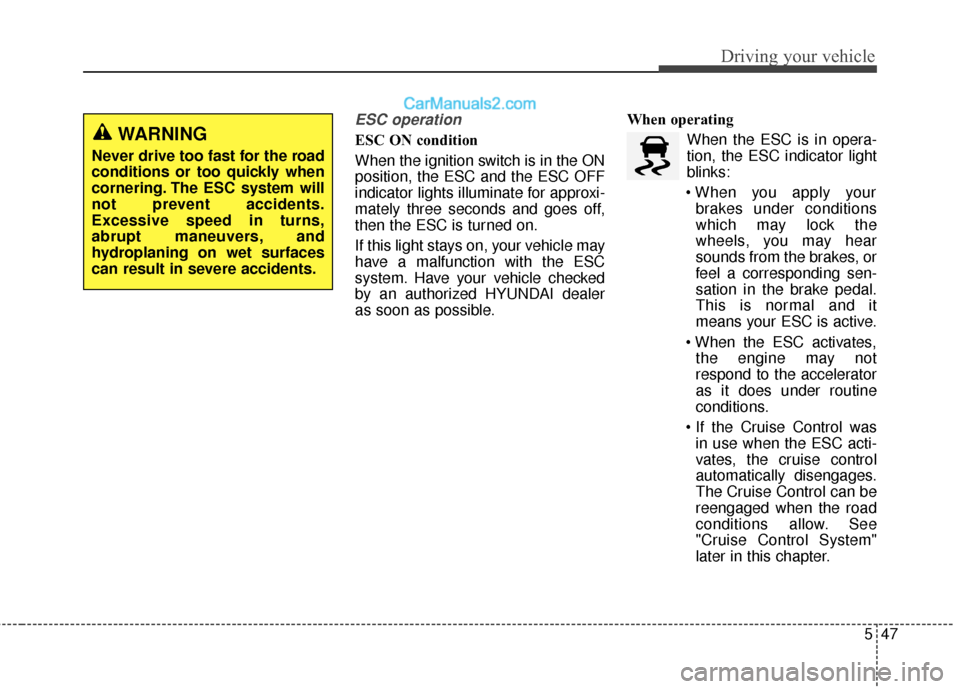
When the ESC is in opera-
tion, the ESC indicator light
blinks:
brakes under conditions
which may lock the
wheels, you may hear
sounds from the brakes, or
feel a corresponding sen-
sation in the brake pedal.
This is normal and it
means your ESC is active.
the engine may not
respond to the accelerator
as it does under routine
conditions.
in use when the ESC acti-
vates, the cruise control
automatically disengages.
The Cruise Control can be
reengaged when the road
conditions allow. See
"Cruise Control System"
later in this chapter.WARNING
Never drive too fast for the road
conditions or too quickly when
cornering. The ESC system will
not prevent accidents.
Excessive speed in turns,
abrupt maneuvers, and
hydroplaning on wet surfaces
can result in severe accidents.
Page 359 of 570
567
Driving your vehicle
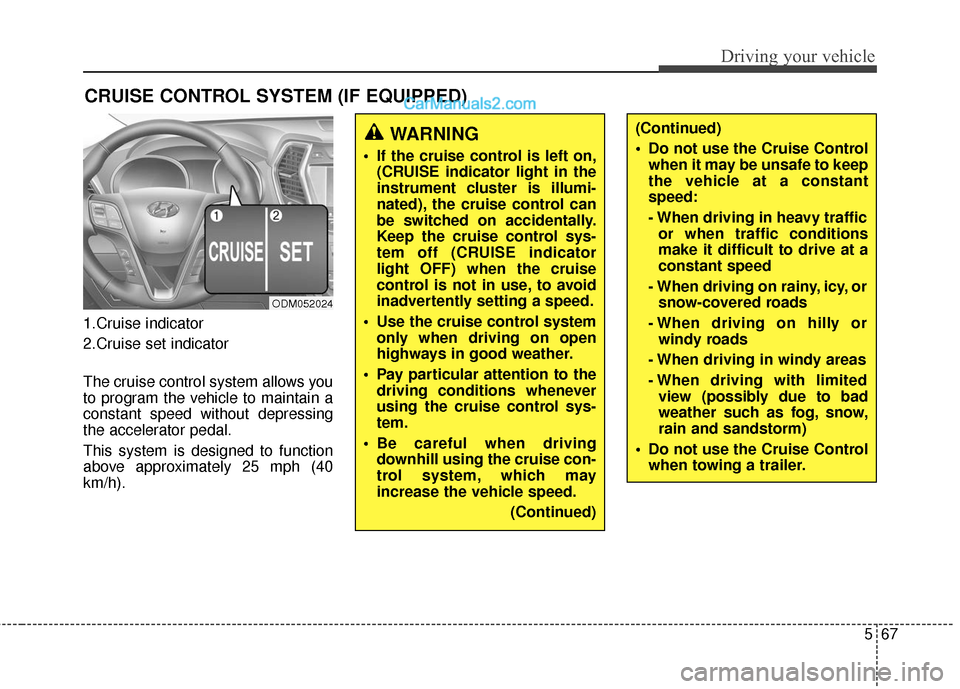
1.Cruise indicator
2.Cruise set indicator
The cruise control system allows you
to program the vehicle to maintain a
constant speed without depressing
the accelerator pedal.
This system is designed to function
above approximately 25 mph (40
km/h).
CRUISE CONTROL SYSTEM (IF EQUIPPED)
ODM052024
WARNING
If the cruise control is left on,(CRUISE indicator light in the
instrument cluster is illumi-
nated), the cruise control can
be switched on accidentally.
Keep the cruise control sys-
tem off (CRUISE indicator
light OFF) when the cruise
control is not in use, to avoid
inadvertently setting a speed.
Use the cruise control system only when driving on open
highways in good weather.
Pay particular attention to the driving conditions whenever
using the cruise control sys-
tem.
Be careful when driving downhill using the cruise con-
trol system, which may
increase the vehicle speed.
(Continued)
(Continued)
Do not use the Cruise Controlwhen it may be unsafe to keep
the vehicle at a constant
speed:
- When driving in heavy trafficor when traffic conditions
make it difficult to drive at a
constant speed
- When driving on rainy, icy, or snow-covered roads
- When driving on hilly or windy roads
- When driving in windy areas
- When driving with limited view (possibly due to bad
weather such as fog, snow,
rain and sandstorm)
Do not use the Cruise Control when towing a trailer.
Page 360 of 570
Driving your vehicle
68
5
✽
✽
NOTICE
• During normal cruise control
operation, when the SET switch is
activated or reactivated after
applying the brakes, the cruise
control will energize after approx-
imately 3 seconds. This delay is
normal.
• To activate cruise control, depress the brake pedal at least once after
turning the ignition switch to the
ON position or starting the engine.
This is to check if the brake switch
which is important part to cancel
cruise control is in normal condi-
tion.
Cruise control switch
CRUISE : Turns cruise control sys-
tem on or off.
CANCEL: Cancels cruise control
operation.
RES+: Resumes or increases cruise control speed.
SET-: Sets or decreases cruise con- trol speed.
To set cruise control speed:
1. Press the CRUISE button on thesteering wheel to turn the system
on. The CRUISE indicator light in
the instrument cluster will illumi-
nate.
2. Accelerate to the desired speed, which must be more than 25 mph
(40 km/h).
ODMEDR2016ODM052025
Page 361 of 570
569
Driving your vehicle
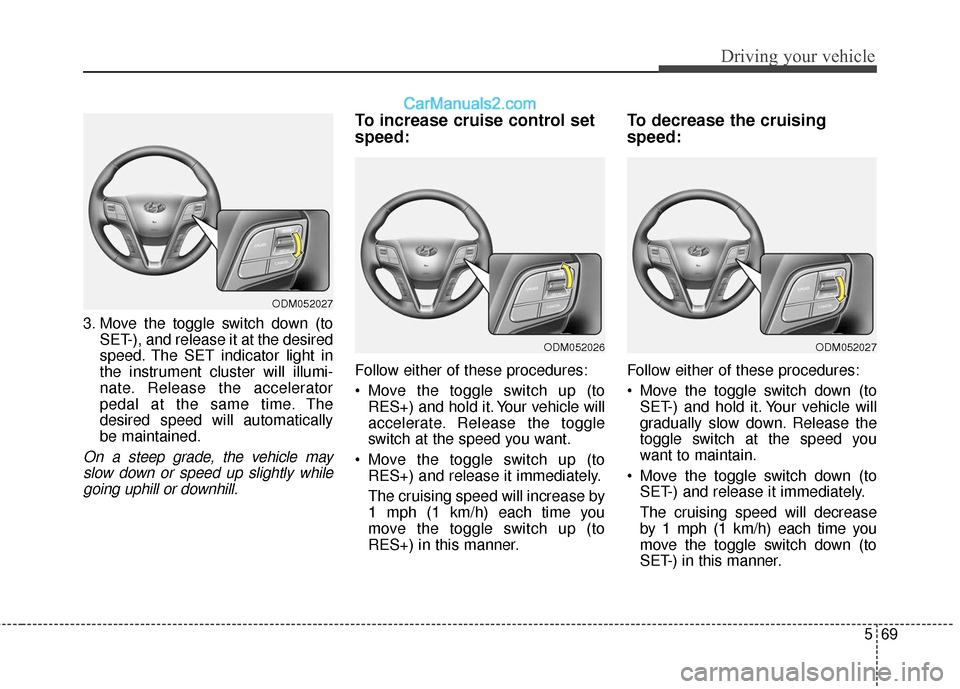
3. Move the toggle switch down (toSET-), and release it at the desired
speed. The SET indicator light in
the instrument cluster will illumi-
nate. Release the accelerator
pedal at the same time. The
desired speed will automatically
be maintained.
On a steep grade, the vehicle mayslow down or speed up slightly whilegoing uphill or downhill.
To increase cruise control set
speed:
Follow either of these procedures:
Move the toggle switch up (to RES+) and hold it. Your vehicle will
accelerate. Release the toggle
switch at the speed you want.
Move the toggle switch up (to RES+) and release it immediately.
The cruising speed will increase by
1 mph (1 km/h) each time you
move the toggle switch up (to
RES+) in this manner.
To decrease the cruising
speed:
Follow either of these procedures:
Move the toggle switch down (toSET-) and hold it. Your vehicle will
gradually slow down. Release the
toggle switch at the speed you
want to maintain.
Move the toggle switch down (to SET-) and release it immediately.
The cruising speed will decrease
by 1 mph (1 km/h) each time you
move the toggle switch down (to
SET-) in this manner.
ODM052027
ODM052026ODM052027
Page 362 of 570
Driving your vehicle
70
5
To temporarily accelerate with
the cruise control on:
If you want to speed up temporarily
when the cruise control is on,
depress the accelerator pedal.
Increased speed will not interfere
with cruise control operation or
change the set speed.
To return to the set speed, take your
foot off the accelerator pedal.
To cancel cruise control, do
one of the following:
Depress the brake pedal.
Shift into N (Neutral) with an auto-
matic transaxle.
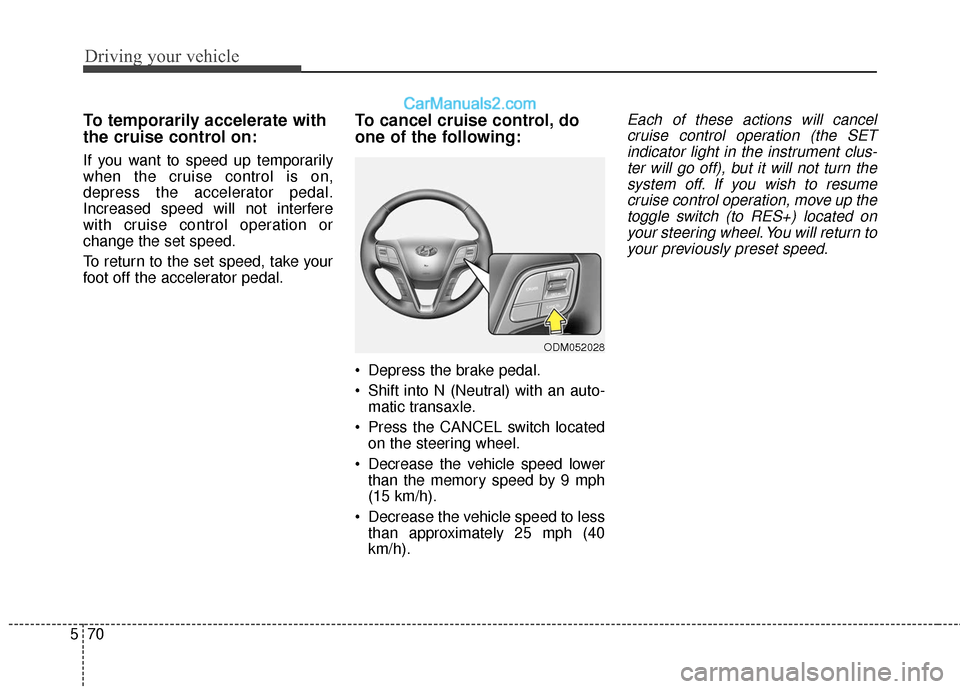
Press the CANCEL switch located on the steering wheel.
Decrease the vehicle speed lower than the memory speed by 9 mph
(15 km/h).
Decrease the vehicle speed to less than approximately 25 mph (40
km/h).
Each of these actions will cancelcruise control operation (the SETindicator light in the instrument clus-ter will go off), but it will not turn thesystem off. If you wish to resumecruise control operation, move up thetoggle switch (to RES+) located onyour steering wheel. You will return toyour previously preset speed.
ODM052028
Page 363 of 570
571
Driving your vehicle
To resume cruising speed at
more than approximately 25
mph (40 km/h):
If any method other than the
CRUISE button was used to cancel
cruising speed and the system is still
activated, the most recent set speed
will automatically resume when you
move the toggle switch up (to RES+).
It will not resume, however, if the
vehicle speed has dropped below
approximately 25 mph (40 km/h).
✽ ✽NOTICE
Always check the road conditions
when you move the toggle switch up
(to RES+) to resume the speed.
To turn cruise control off, do
one of the following:
Press the CRUISE button (the
CRUISE indicator light in the
instrument cluster will go off).
Turn the ignition off.
Both of these actions cancel cruise control operation. If you want toresume cruise control operation,repeat the steps provided in "To setcruise control speed" on the previouspage.
ODM052026
ODM052025
Page 364 of 570
Driving your vehicle
72
5
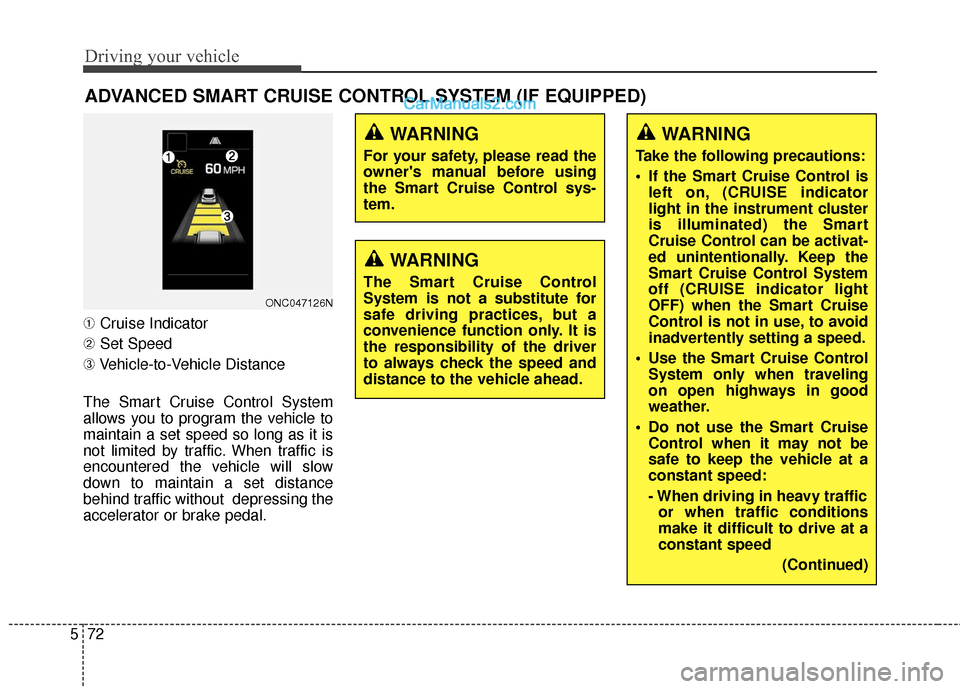
➀ Cruise Indicator
➁ Set Speed
➂ Vehicle-to-Vehicle Distance
The Smart Cruise Control System
allows you to program the vehicle to
maintain a set speed so long as it is
not limited by traffic. When traffic is
encountered the vehicle will slow
down to maintain a set distance
behind traffic without depressing the
accelerator or brake pedal.
ADVANCED SMART CRUISE CONTROL SYSTEM (IF EQUIPPED)
ONC047126N
WARNING
For your safety, please read the
owner's manual before using
the Smart Cruise Control sys-
tem.
WARNING
The Smart Cruise Control
System is not a substitute for
safe driving practices, but a
convenience function only. It is
the responsibility of the driver
to always check the speed and
distance to the vehicle ahead.
WARNING
Take the following precautions:
If the Smart Cruise Control is left on, (CRUISE indicator
light in the instrument cluster
is illuminated) the Smart
Cruise Control can be activat-
ed unintentionally. Keep the
Smart Cruise Control System
off (CRUISE indicator light
OFF) when the Smart Cruise
Control is not in use, to avoid
inadvertently setting a speed.
Use the Smart Cruise Control System only when traveling
on open highways in good
weather.
Do not use the Smart Cruise Control when it may not be
safe to keep the vehicle at a
constant speed:
- When driving in heavy trafficor when traffic conditions
make it difficult to drive at a
constant speed
(Continued)