2019 Hyundai Kona instrument cluster
[x] Cancel search: instrument clusterPage 144 of 526
3-62
Convenient features of your vehicle
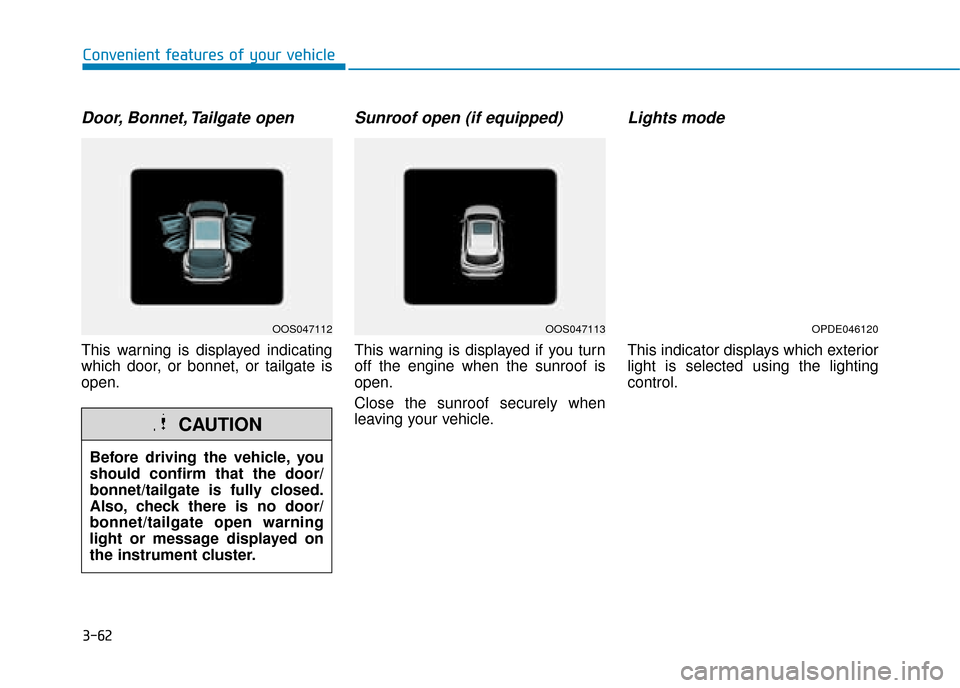
Door, Bonnet, Tailgate open
This warning is displayed indicating
which door, or bonnet, or tailgate is
open.
Sunroof open (if equipped)
This warning is displayed if you turn
off the engine when the sunroof is
open.
Close the sunroof securely when
leaving your vehicle.
Lights mode
This indicator displays which exterior
light is selected using the lighting
control.
Before driving the vehicle, you
should confirm that the door/
bonnet/tailgate is fully closed.
Also, check there is no door/
bonnet/tailgate open warning
light or message displayed on
the instrument cluster.
CAUTION
OOS047112OOS047113OPDE046120
Page 152 of 526

3-70
Convenient features of your vehicle
User settings mode
In this mode, you can change the
settings of the instrument cluster,
doors, lamps, etc.
1. Head-up display (if equipped)
2. Driver assistance
3. Door
4. Lights
5. Sound
6. Convenience
7. Service interval
8. Other features
9. Languages
10. Reset
The information provided may dif-
fer depending on which functions
are applicable to your vehicle.
1. Head up display (if equipped)
Display height- Adjust the height of the HUDimage on the display.
Rotation - Adjust the angle of the image. Brightness
- Adjust the intensity of the HUDillumination.
Content select - Tu r n b y Tu r n
- Traffic information
- Cruise control
- Lane keeping assist (LKA) sys-tem
- Blind-spot Collision Warning (BCW) system
Speedometer size - Choose the speedometer fontsize of the HUD. (Large, Medium,
Small)
Speedometer colour - Choose the speedometer fontcolour of the HUD. (White,
Orange, Green) 2. Driver assistance
DAW (Driver Attention Warning)
- High sensitivity/Normal sensitivity/Off
To adjust the sensitivity of the Driver
Attention Warning (DAW).
For more information, refer to the
"Driver Attention Warning (DAW)
system " in chapter 5.
Lane Safety - Lane Departure Warning
- Standard LKA
- Active LKA
To adjust the Lane Keeping Assist
(LKA) function.
For more information, refer to the
"Lane Keeping Assist (LKA) sys-
tem " in chapter 5.
FCA (Forward Collision-Avoidance Assist)
To activate or deactivate the Forward
Collision-Avoidance Assist (FCA).
For more information, refer to the
"Forward Collision-Avoidance
Assist (FCA) system" in chapter 5.
Page 164 of 526
3-82
Convenient features of your vehicle
H
HE
EA
A D
D
U
U P
P
D
D I
IS
S P
P L
LA
A Y
Y
(
( H
H U
U D
D)
)
(
( I
IF
F
E
E Q
Q U
UI
IP
P P
PE
ED
D )
)
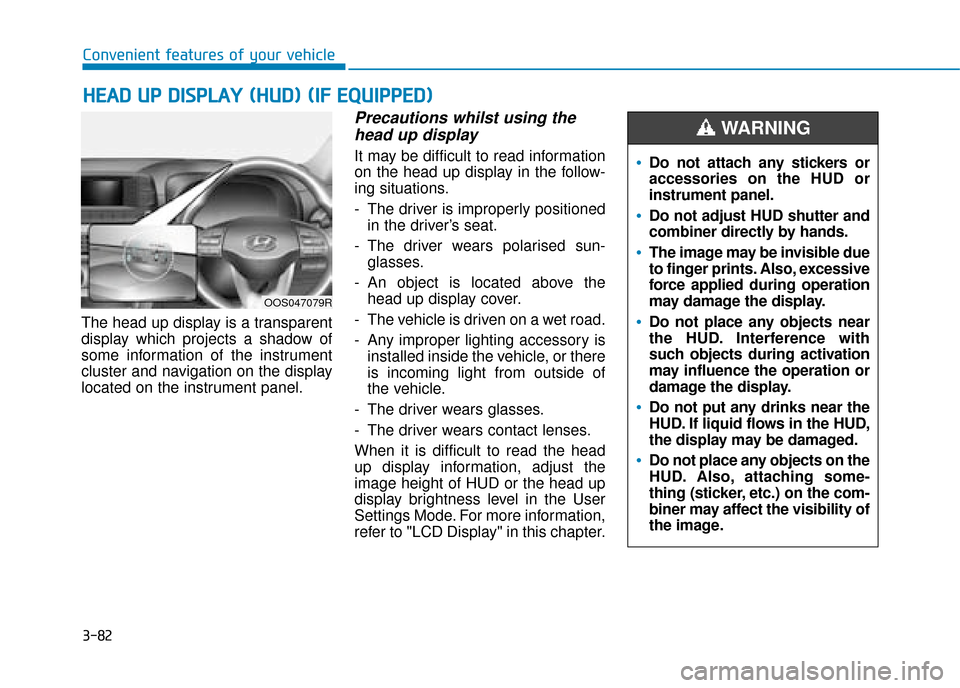
The head up display is a transparent
display which projects a shadow of
some information of the instrument
cluster and navigation on the display
located on the instrument panel.
Precautions whilst using the
head up display
It may be difficult to read information
on the head up display in the follow-
ing situations.
- The driver is improperly positioned
in the driver’s seat.
- The driver wears polarised sun- glasses.
- An object is located above the head up display cover.
- The vehicle is driven on a wet road.
- Any improper lighting accessory is installed inside the vehicle, or there
is incoming light from outside of
the vehicle.
- The driver wears glasses.
- The driver wears contact lenses.
When it is difficult to read the head
up display information, adjust the
image height of HUD or the head up
display brightness level in the User
Settings Mode. For more information,
refer to "LCD Display" in this chapter.
OOS047079R
Do not attach any stickers or
accessories on the HUD or
instrument panel.
Do not adjust HUD shutter and
combiner directly by hands.
The image may be invisible due
to finger prints. Also, excessive
force applied during operation
may damage the display.
Do not place any objects near
the HUD. Interference with
such objects during activation
may influence the operation or
damage the display.
Do not put any drinks near the
HUD. If liquid flows in the HUD,
the display may be damaged.
Do not place any objects on the
HUD. Also, attaching some-
thing (sticker, etc.) on the com-
biner may affect the visibility of
the image.
WARNING
Page 217 of 526
3-135
Convenient features of your vehicle
3
Some electronic devices cancause electronic interference
when plugged into a vehicle’s
power outlet. These devices may
cause excessive audio static
and malfunctions in other elec-
tronic systems or devices used
in your vehicle.
Push the plug in as far as it will go. If good contact is not made,
the plug may overheat and the
fuse may open.
Plug in battery equipped electrical/ electronic devices with reverse
current protection. The current
from the battery may flow into the
vehicle's electrical/electronic sys-
tem and cause system malfunc-
tion.Wireless mobile phone charg-
ing system (if equipped)
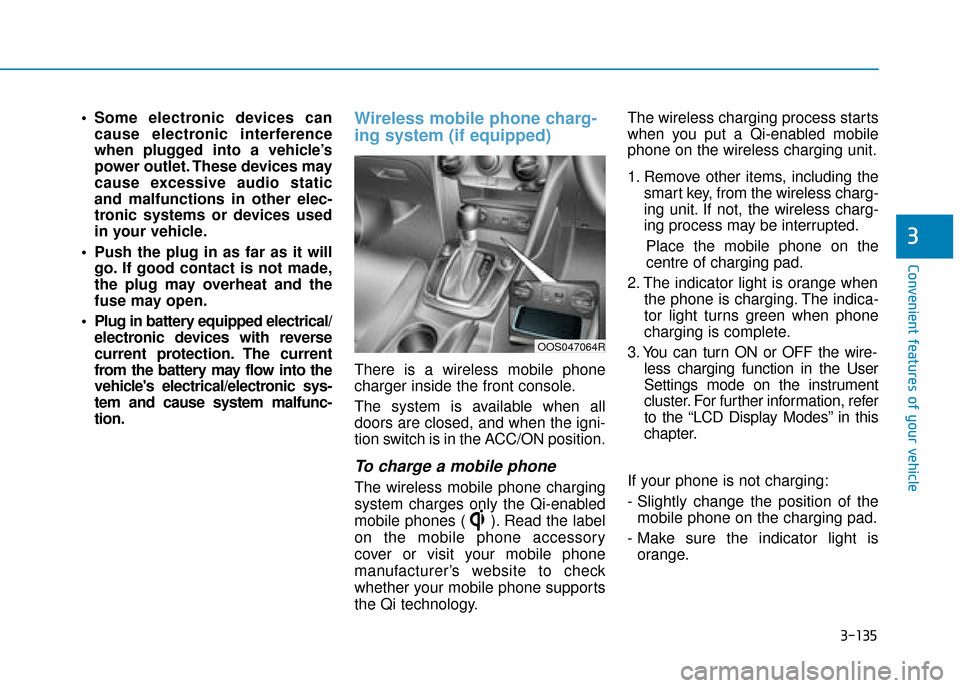
There is a wireless mobile phone
charger inside the front console.
The system is available when all
doors are closed, and when the igni-
tion switch is in the ACC/ON position.
To charge a mobile phone
The wireless mobile phone charging
system charges only the Qi-enabled
mobile phones ( ). Read the label
on the mobile phone accessory
cover or visit your mobile phone
manufacturer’s website to check
whether your mobile phone supports
the Qi technology. The wireless charging process starts
when you put a Qi-enabled mobile
phone on the wireless charging unit.
1. Remove other items, including the
smart key, from the wireless charg-
ing unit. If not, the wireless charg-
ing process may be interrupted.
Place the mobile phone on the
centre of charging pad.
2. The indicator light is orange when the phone is charging. The indica-
tor light turns green when phone
charging is complete.
3. You can turn ON or OFF the wire- less charging function in the User
Settings mode on the instrument
cluster. For further information, refer
to the “LCD Display Modes” in this
chapter.
If your phone is not charging:
- Slightly change the position of the mobile phone on the charging pad.
- Make sure the indicator light is orange.
OOS047064R
Page 280 of 526
5-25
Driving your vehicle
5
Always come to a complete stopbefore shifting into D (Drive) or
R (Reverse).
Do not put the shift lever in N (Neutral) whilst driving.
DCT warning messages
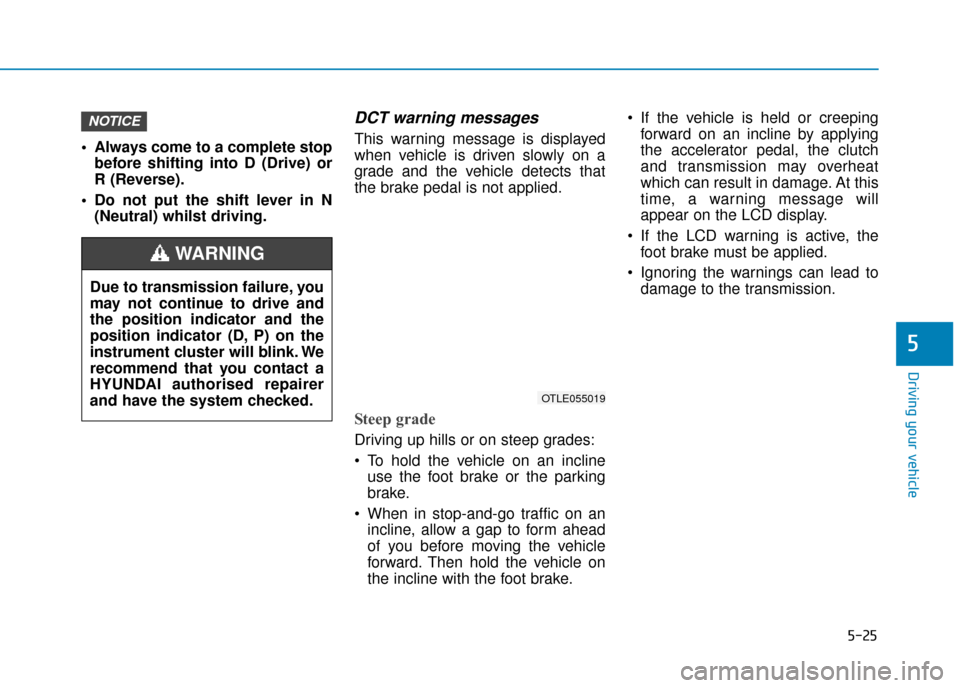
This warning message is displayed
when vehicle is driven slowly on a
grade and the vehicle detects that
the brake pedal is not applied.
Steep grade
Driving up hills or on steep grades:
To hold the vehicle on an inclineuse the foot brake or the parking
brake.
When in stop-and-go traffic on an incline, allow a gap to form ahead
of you before moving the vehicle
forward. Then hold the vehicle on
the incline with the foot brake. If the vehicle is held or creeping
forward on an incline by applying
the accelerator pedal, the clutch
and transmission may overheat
which can result in damage. At this
time, a warning message will
appear on the LCD display.
If the LCD warning is active, the foot brake must be applied.
Ignoring the warnings can lead to damage to the transmission.
NOTICE
OTLE055019
Due to transmission failure, you
may not continue to drive and
the position indicator and the
position indicator (D, P) on the
instrument cluster will blink. We
recommend that you contact a
HYUNDAI authorised repairer
and have the system checked.
WARNING
Page 302 of 526
5-47
Driving your vehicle
5
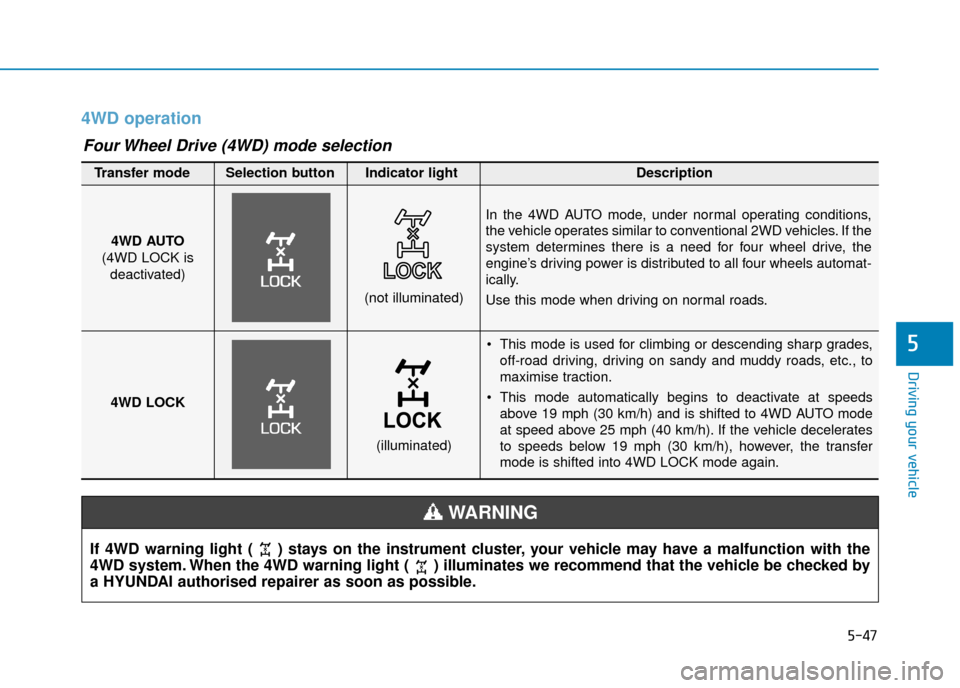
4WD operation
This mode is used for climbing or descending sharp grades,off-road driving, driving on sandy and muddy roads, etc., to
maximise traction.
This mode automatically begins to deactivate at speeds above 19 mph (30 km/h) and is shifted to 4WD AUTO mode
at speed above 25 mph (40 km/h). If the vehicle decelerates
to speeds below 19 mph (30 km/h), however, the transfer
mode is shifted into 4WD LOCK mode again.
4WD AUTO
(4WD LOCK is deactivated)
(not illuminated)
Transfer mode Selection button Indicator light Description
In the 4WD AUTO mode, under normal operating conditions,
the vehicle operates similar to conventional 2WD vehicles. If the
system determines there is a need for four wheel drive, the
engine’s driving power is distributed to all four wheels automat-
ically.
Use this mode when driving on normal roads.
4WD LOCK
(illuminated)
Four Wheel Drive (4WD) mode selection
If 4WD warning light ( ) stays on the instrument cluster, your vehicle may have a malfunction with the
4WD system. When the 4WD warning light ( ) illuminates we recommend that the vehicle be checked by
a HYUNDAI authorised repairer as soon as possible.
WARNING
Page 307 of 526
5-52
The ISG system is to reduce the fuel
consumption by automatically shut-
ting down the engine, when the vehi-
cle is at a standstill (i.e. red stop light,
stop sign, and traffic jam).
The engine is automatically started
upon satisfying the starting condi-
tions.
The ISG system is always active,
when the engine is running.
Information
When the engine is automatically
started by the ISG system, some warn-
ing lights (i.e. ABS, ESC, ESC OFF,
EPS, and parking brake warning
light) may illuminate for a few sec-
onds due to the low battery voltage.
However, it does not indicate a mal-
function with the ISG system.
To activate the ISG system
Prerequisite for activation
The ISG system operates in the fol-
lowing situations.
- The driver's seatbelt is fastened.
- The driver's door and the bonnetare closed.
- The brake vacuum pressure is adequate.
- The battery is sufficiently charged.
- The outside temperature is between -20 °C and 35 °C (-4 °F and 95 °F).
- The engine coolant temperature is not too low.
- The system is not in the diagnostic mode.
- The steering wheel is not steered excessively. (for dual clutch trans-
mission vehicle)
- The vehicle is driven on a steep incline. (for dual clutch transmis-
sion vehicle)
Information
• The ISG system is not activated,when the prerequisites to activate
the ISG system are unsatisfied. In
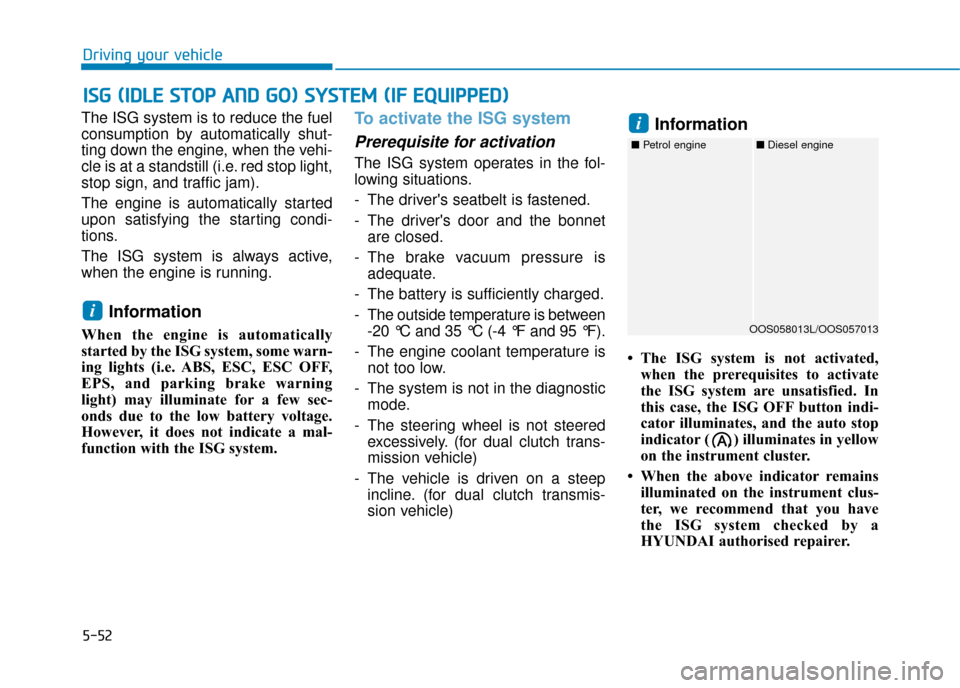
this case, the ISG OFF button indi-
cator illuminates, and the auto stop
indicator ( ) illuminates in yellow
on the instrument cluster.
• When the above indicator remains illuminated on the instrument clus-
ter, we recommend that you have
the ISG system checked by a
HYUNDAI authorised repairer.
i
i
I
IS
S G
G
(
( I
ID
D L
LE
E
S
S T
T O
O P
P
A
A N
N D
D
G
G O
O )
)
S
S Y
Y S
ST
T E
EM
M
(
( I
IF
F
E
E Q
Q U
UI
IP
P P
PE
ED
D )
)
Driving your vehicle
OOS058013L/OOS057013
■ Petrol engine ■Diesel engine
Page 308 of 526
5-53
Driving your vehicle
Auto stop
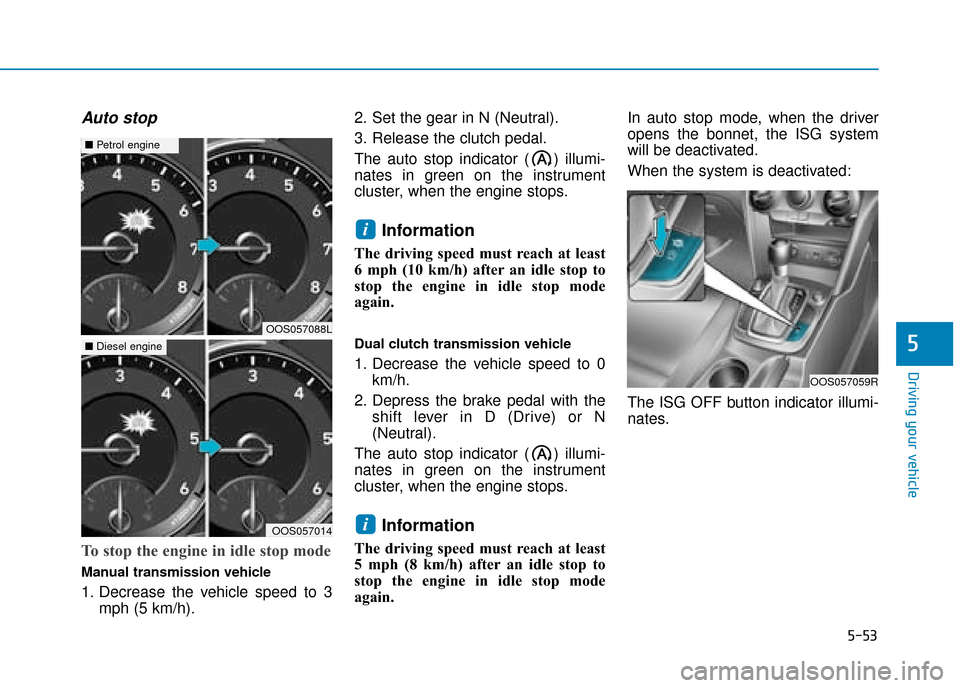
To stop the engine in idle stop mode
Manual transmission vehicle
1. Decrease the vehicle speed to 3mph (5 km/h). 2. Set the gear in N (Neutral).
3. Release the clutch pedal.
The auto stop indicator ( ) illumi-
nates in green on the instrument
cluster, when the engine stops.
Information
The driving speed must reach at least
6 mph (10 km/h) after an idle stop to
stop the engine in idle stop mode
again.
Dual clutch transmission vehicle
1. Decrease the vehicle speed to 0
km/h.
2. Depress the brake pedal with the shift lever in D (Drive) or N
(Neutral).
The auto stop indicator ( ) illumi-
nates in green on the instrument
cluster, when the engine stops.
Information
The driving speed must reach at least
5 mph (8 km/h) after an idle stop to
stop the engine in idle stop mode
again. In auto stop mode, when the driver
opens the bonnet, the ISG system
will be deactivated.
When the system is deactivated:
The ISG OFF button indicator illumi-
nates.
i
i
5
OOS057059R
OOS057088L
■
Petrol engine
OOS057014
■Diesel engine