2019 Hyundai Ioniq Electric navigation system
[x] Cancel search: navigation systemPage 104 of 555
3-19
Convenient features of your vehicle
3
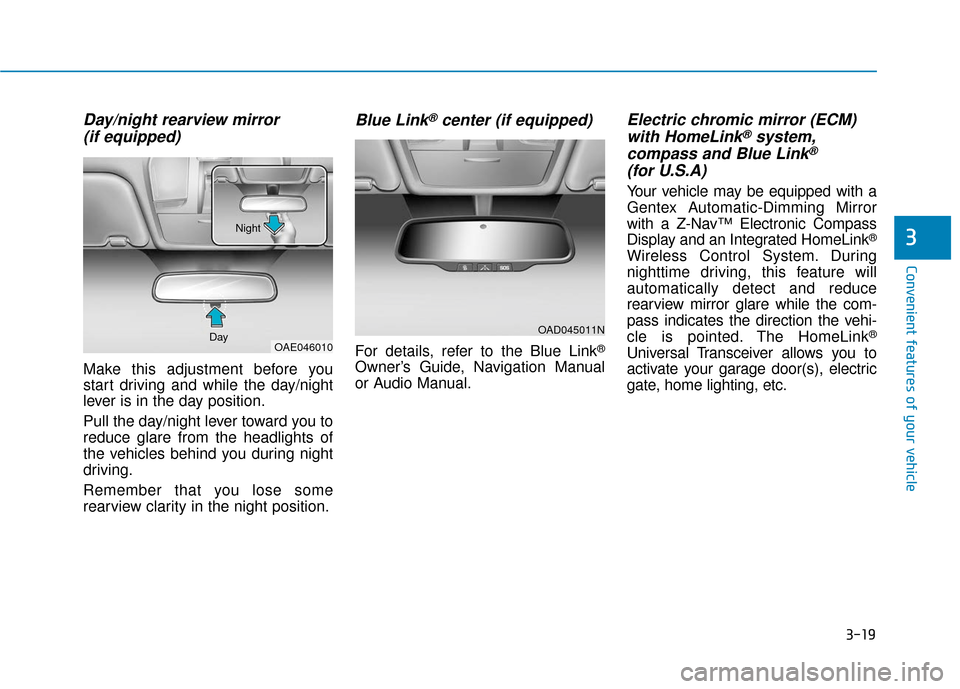
Day/night rearview mirror (if equipped)
Make this adjustment before you
start driving and while the day/night
lever is in the day position.
Pull the day/night lever toward you to
reduce glare from the headlights of
the vehicles behind you during night
driving.
Remember that you lose some
rearview clarity in the night position.
Blue Link®center (if equipped)
For details, refer to the Blue Link®
Owner’s Guide, Navigation Manual
or Audio Manual.
Electric chromic mirror (ECM)with HomeLink®system,
compass and Blue Link®
(for U.S.A)
Your vehicle may be equipped with a
Gentex Automatic-Dimming Mirror
with a Z-Nav™ Electronic Compass
Display and an Integrated HomeLink
®
Wireless Control System. During
nighttime driving, this feature will
automatically detect and reduce
rearview mirror glare while the com-
pass indicates the direction the vehi-
cle is pointed. The HomeLink
®
Universal Transceiver allows you to
activate your garage door(s), electric
gate, home lighting, etc.
OAD045011N
OAE046010
Day Night
Page 166 of 555
3-81
Convenient features of your vehicle
3
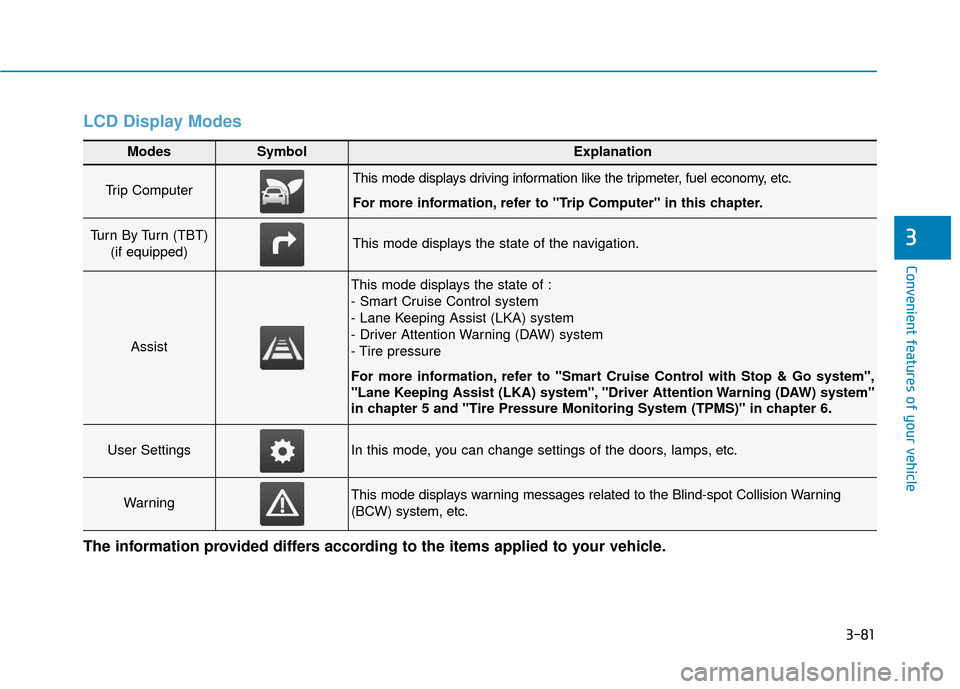
LCD Display Modes
Modes SymbolExplanation
Trip Computer This mode displays driving information like the tripmeter, fuel economy, etc.
For more information, refer to "Trip Computer" in this chapter.
Turn By Turn (TBT) (if equipped)This mode displays the state of the navigation.
Assist
This mode displays the state of :
- Smart Cruise Control system
- Lane Keeping Assist (LKA) system
- Driver Attention Warning (DAW) system
- Tire pressure
For more information, refer to "Smart Cruise Control with Stop & Go system",
"Lane Keeping Assist (LKA) system", "Driver Attention Warning (DAW) system"
in chapter 5 and "Tire Pressure Monitoring System (TPMS)" in chapter 6.
User SettingsIn this mode, you can change settings of the doors, lamps, etc.
WarningThis mode displays warning messages related to the Blind-spot Collision Warning
(BCW) system, etc.
The information provided differs according to the items applied to your vehicle.
Page 220 of 555
![Hyundai Ioniq Electric 2019 Owners Manual 3-135
Convenient features of your vehicle
3
ClockVehicles with Audio system
Select the [SETUP]button on the
audio system ➟ Select [Date/Time].
Set time : Set the time displayed on the audio screen.](/manual-img/35/14897/w960_14897-219.png "Hyundai Ioniq Electric 2019 Owners Manual 3-135
Convenient features of your vehicle
3
ClockVehicles with Audio system
Select the [SETUP]button on the
audio system ➟ Select [Date/Time].
Set time : Set the time displayed on the audio screen.")
3-135
Convenient features of your vehicle
3
ClockVehicles with Audio system
Select the [SETUP]button on the
audio system ➟ Select [Date/Time].
Set time : Set the time displayed on the audio screen.
Time format : Choose between 12- hour and 24-hour time formats.
Vehicles with Navigation system
Select the Settings menu on the
Navigation system ➟Select
[Date/Time].
GPS time : Displays time according to the received GNSS time.
24-hour : Switches to 12 hour or 24 hour.
Clothes Hanger (if equipped)
These hangers are not designed to
hold large or heavy items.
OAEE046434
Do not adjust the clock while
driving, you may lose your
steering control and cause an
accident that results in severe
personal injury or death.
WARNING
Page 224 of 555
Multimedia System
Multimedia System.................................................4-2
AUX, USB and iPod®port ...............................................4-2
Antenna ........................................................................\
.......4-2
Steering Wheel Audio Controls ......................................4-3
Bluetooth®Wireless Technology Hands-Free ...........4-4
Audio (Display Audio) / Video /
Navigation System (AVN).................................................4-5
How Vehicle Audio Works ...............................................4-5
Features of Your Vehicle.................................................4-7
Audio (with Touch Screen) .................................4-10
Feature of Your Audio ...................................................4-11
Radio........................................................................\
...........4-16
SiriusXM ........................................................................\
....4-18
Media........................................................................\
..........4-19
Phone ........................................................................\
.........4-32
Setup ........................................................................\
..........4-41
Declaration of Conformity ..................................4-44
FCC ....................................................................\
.................4-44
4
Page 228 of 555
Detailed information for the
Bluetooth®Wireless Technology
hands-free is described later in this
chapter or in the Car Multimedia
User's Manual.
Audio (Display Audio) / Video /
Navigation System (AVN)
(if equipped)
Detailed information for the AVN sys-
tem is described in the Car
Multimedia User's Manual.
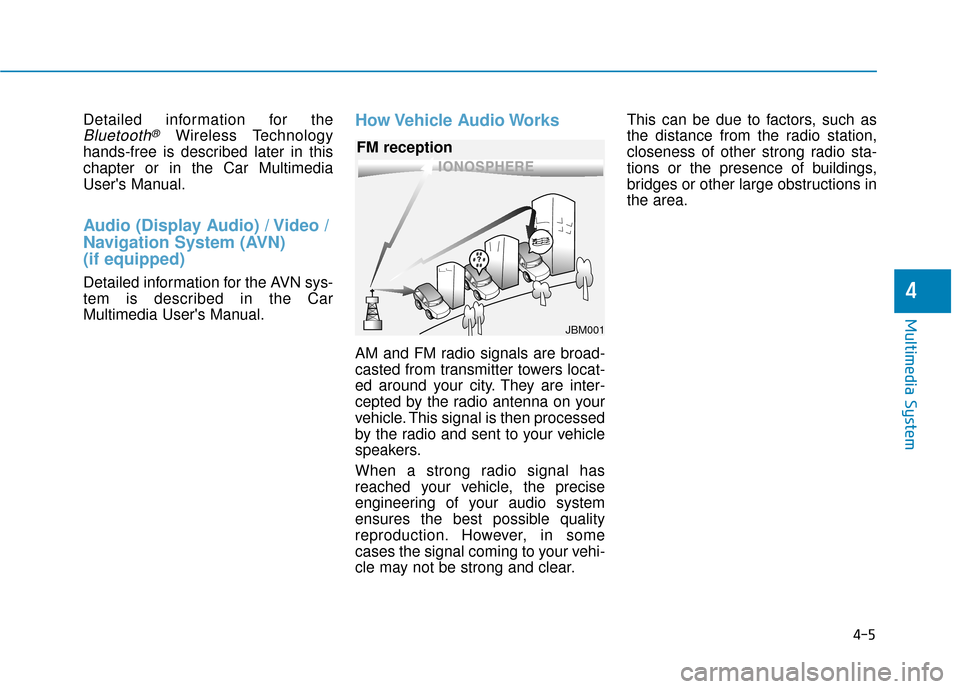
How Vehicle Audio Works
AM and FM radio signals are broad-
casted from transmitter towers locat-
ed around your city. They are inter-
cepted by the radio antenna on your
vehicle. This signal is then processed
by the radio and sent to your vehicle
speakers.
When a strong radio signal has
reached your vehicle, the precise
engineering of your audio system
ensures the best possible quality
reproduction. However, in some
cases the signal coming to your vehi-
cle may not be strong and clear. This can be due to factors, such as
the distance from the radio station,
closeness of other strong radio sta-
tions or the presence of buildings,
bridges or other large obstructions in
the area.
4-5
Multimedia System
4
JBM001
FM reception
Page 543 of 555

I-2
Air bag warning labels ....................................................2-70
Air bags ........................................................................\
...2-47Additional safety precautions .....................................2-69
Air bag collision sensors ............................................2-63
Air bag inflation conditions .......................................2-65
Air bag non-inflation conditions ................................2-66
Air bag warning labels ...............................................2-70
Curtain air bags ..........................................................2-51
Do not install a child restraint on the front passenger seat..........................................................2-62
Driver's air bag ...........................................................2-49
Driver's knee airbag....................................................2-49
How does the air bags system operate? .....................2-53
Occupant classification system (OCS) .......................2-58
Passenger's front air bag.............................................2-49
Side air bags ...............................................................2-50
SRS Care ....................................................................2-68\
SRS components and functions..................................2-53
SRS warning light ......................................................2-53
What to expect after an air bag inflates .....................2-57
Why didn't my air bag go off in a collision ...............2-63
Air conditioning refrigerant label .................................3-124
Air conditioning system specification ..............................8-5
Air conditioning system ................................................3-112
Alarm system ..................................................................3-13
Antenna ........................................................................\
.....4-2 Anti-lock Brake System (ABS) ......................................5-27
Appearance care..............................................................7-65
Exterior care ...............................................................7-65
Interior care ................................................................7-70
Armrest ........................................................................\
...2-15
Audio/Video/Navigation system (AVN system)...............4-5
Auto defogging system .................................................3-126
Auto hold ........................................................................\
5-23
Auto light position ..........................................................3-95
Automatic climate control system ................................3-112 Air conditioning .......................................................3-120
Air conditioning refrigerant label.............................3-119
Air intake control......................................................3-118
Automatic heating and air conditioning ...................3-113
Driver only ...............................................................3-120
EV mode ...................................................................3-121\
Fan speed control......................................................3-119
HEAT button.............................................................3-120
Manual heating and air conditioning........................3-114
Mode selection..........................................................\
3-115
OFF mode.................................................................3-121
System maintenance .................................................3-123
Temperature control..................................................3-117
Automatic ventilation ...................................................3-128
Aux, USB and iPod ..........................................................4-2
Index
A
Page 550 of 555
I-9
Headlamp position......................................................3-96
Headlamp delay function .........................................3-101
Dynamic Bending Light (DBL) ...............................3-102
Daytime Running Light (DRL) ..................................3-95
Battery saver function ..............................................3-101
Auto light position......................................................3-95
Light bulbs ......................................................................7-\
55
Lubricants and capacities..................................................8-6
Luggage room lamp ......................................................3-104
Maintenance Maintenance services ...................................................7-4
Explanation of scheduled maintenance items ............7-11
Maintenance under severe usage conditions ..............7-15
Normal maintenance service ........................................7-8
Owner maintenance ......................................................7-5
Scheduled maintenance services ..................................7-7
Tire maintenance ........................................................7-31
Maintenance services ........................................................7-4
Mirrors ........................................................................\
....3-18 Blue Link
®center .......................................................3-19
Day/night rearview mirror..........................................3-19
Electric Chromic Mirror (ECM) with HomeLink
®
system, compass and Blue Link®...........................3-19
Folding/Unfolding the side view mirror ....................3-36
Inside rearview mirror ................................................3-18 Reverse parking aid function .....................................3-37
Side view mirror control ............................................3-35
Side view mirrors .......................................................3-34
Mobile phone holder .....................................................3-133
Monitor (Rear view) .....................................................3-105
Moonroof, see sunroof ....................................................3-42
Motor compartment ...................................................1-6, 7-3
Motor compartment panel fuse replacement ..................7-44
Motor number ...................................................................8-8
Multi box.......................................................................3\
-130
Multi fuse ........................................................................\
7-45
Multimedia system............................................................4-2 Antenna ........................................................................\
4-2
Audio/Video/Navigation system (AVN system) ..........4-5
Aux, USB and iPod ......................................................4-2
Bluetooth
®Wireless Technology hands-free................4-4
Steering wheel audio control........................................4-3
Occupant classification system (OCS) ...........................2-58
Odometer........................................................................\
.3-55
Outside temperature gauge .............................................3-55
Owner maintenance ..........................................................7-5
I
Index
M
O