2019 HONDA RIDGELINE coolant temperature
[x] Cancel search: coolant temperaturePage 94 of 624

92
uuIndicators uMulti-Information Display Warn ing and Information Messages
Instrument Panel
MessageConditionExplanation
●Appears when there is a problem with the sensor on the
battery.●Have your vehicle checked by a dealer.
2Checking the Battery P. 556
●Appears along with the battery charging system
indicator when the battery is not charging.●Turn off the climate control system*/heating and cooling
system* and rear defogger to reduce electricity
consumption.
2 If the Charging System Indicator Comes On P. 587
●Appears when the scheduled maintenance is due soon.●Consequently, Maintenance Due Now and
Maintenance Past Due follow.2Maintenance Minder Messages on the Multi-
Information Display P. 524
●Appears when the engine coolant temperature gets
abnormally high.
2Overheating P. 585
* Not available on all models
Page 105 of 624

103
Instrument Panel
Gauges and Multi-Information Display
Gauges
Gauges include the speedometer, tachometer, fuel gauge, and related indicators.
They are displayed when the power mode is in ON.
Displays your driving speed in mph (U.S.) or km/h (Canada).
Shows the number of engine revolutions per minute.
Displays the amount of fuel left in the fuel tank.
Displays the temperature of the engine coolant.
■Speedometer
■Tachometer
■Fuel Gauge
■Temperature Gauge
1Speedometer
Press and hold the RESET button until you hear a
beep when the blank appears on the multi-
information display.
The speedometer reading as well as the displayed
measurements will switch between mph and km/h.
The display change message will switch for a few
seconds.
1 Fuel Gauge
NOTICE
You should refuel when the reading approaches .
Running out of fuel can cause the engine to misfire,
damaging the cata lytic converter.
The actual amount of remain ing fuel may differ from
the fuel gauge reading.E
1 Temperature Gauge
NOTICE
Driving with the temperat ure gauge pointer in the
upper zone can cause serious engine damage. Pull
safely to the side of th e road and allow engine
temperature to return to normal. 2 Overheating P. 585
Page 198 of 624
uuHeating and Cooling System*uUsing Vents, Heating and A/C
196
Controls
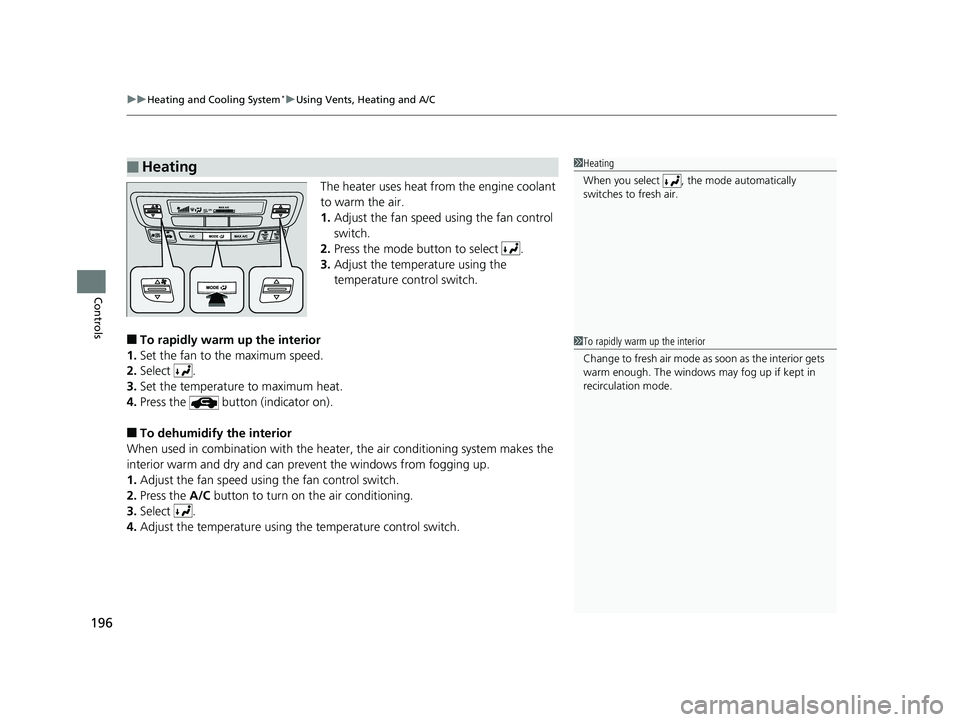
The heater uses heat from the engine coolant
to warm the air.
1. Adjust the fan speed using the fan control
switch.
2. Press the mode button to select .
3. Adjust the temperature using the
temperature control switch.
■To rapidly warm up the interior
1. Set the fan to the maximum speed.
2. Select .
3. Set the temperature to maximum heat.
4. Press the button (indicator on).
■To dehumidify the interior
When used in combination with the heater , the air conditioning system makes the
interior warm and dry and can pr event the windows from fogging up.
1. Adjust the fan speed using the fan control switch.
2. Press the A/C button to turn on the air conditioning.
3. Select .
4. Adjust the temperature using the temperature control switch.
■Heating1Heating
When you select , th e mode automatically
switches to fresh air.
1 To rapidly warm up the interior
Change to fresh air mode as soon as the interior gets
warm enough. The windows may fog up if kept in
recirculation mode.
Page 311 of 624

309
uuGeneral Information on the Audio System uHonda App License Agreement
Continued
Features
E. Information Collection and Storage
1. Information Collection, Us e, Transmission and Storage of Data. Consent to Use of Data: You agree that HONDA and PROVIDERS may
collect and use your information gathered in any manner as part of product support services related to the SOFTWARE or related services.
HONDA may share such information with third parties, including, without limitation, PR OVIDERS, third party software and services
suppliers, their affiliates and/or their designated agents, solely to improve their products or to provide services or technolo gies to you.
HONDA, third party software and syst ems suppliers, their affiliates and/or their de signated agent may disclose this information to others,
but not in a form that pe rsonally identifies you.
2. Information Storage. Depending on the type of multimedia system you have in your VEHICLE, certain information may be stored fo r ease
of use of the SOFTWARE including, without limitation, search hi story, location history in certain applications, previous and saved
destinations, map locations within certain applicat ions, and device numbers and contact information.
(a) Vehicle Health Information. Your VEHICL E may remotely transmit information regardi ng the status and health of your VEHICLE
(“VEHICLE INFORMATION”) to HONDA without notification to you. VEHICLE INFORMATION may contain VEHICLE maintenance and
malfunction status that is derived from VEHICLE diagnostic data and includes, but is not limited to, status of powered doors and windows,
battery life data, battery charging data, VE HICLE speed, coolant temperature, air comp ressor revolution, output power, warning codes,
diagnostic trouble codes, fuel injection volume, and engine rota tions per minute. VEHICLE HEALTH INFORMATION may be used by HON DA
for research and development, to deliver HONDA SERVICES and informat ion to you, and to contact you, and is retained only for a period
of time necessary to fulfill these goals.
(b) VEHICLE Geolocation Data (non-navigation/map based). If you opt-in to geolocation-based SERVICES, your vehicle’s geolocatio n data
(latitude and longitude) will be automatically sent from your VEHICLE to HONDA and PROVIDERS.
(c) You understand that the inputting or uploading of information to your VEHICLE’s multimedia system or the SOFTWARE or SERVIC ES is
at your own risk and that HONDA is not responsible for unauthori zed access to or use of any personal or other information. All information
uploaded to the SOFTWARE and SERVICES may be stored on your VEHICLES’s multimedia system and you understand that the security and
safety of your VEHICLE’s multimedia system is your sole responsibility.
Page 527 of 624

525
uuMaintenance MinderTMuTo Use Maintenance MinderTM
Continued
Maintenance
■Maintenance Service Items1Maintenance Service Items
•Independent of the maintenance message in the
multi-information display, replace the brake fluid
every 3 years.
•Adjust the valves during services A, B, 1, 2, or 3 if
they are noisy.
Maintenance Minder MessageSystem Message
Indicator
Sub Items
Main
Item
*1: If the message
Maintenance Due Now does not appear more than 12 months after the display
is reset, change the engine oil every year.
# : See information on maintenance and emissions warranty in the first column on page 609.
*2: If you drive in dusty conditions, replace the air cleaner element every 15,000 miles (24,000 km).
*3: If you drive primarily in urban areas that have high concentrations of soot in the air from industry and
from diesel-powered vehicles, replace every 15,000 miles (24,000 km).
CODEMaintenance Main Items
A
●Replace engine oil*1
B●Replace engine oil*1 and oil filter●Inspect front and rear brakes●Check parking brake adjustment●Inspect tie rod ends, steering gearbox, and boots●Inspect suspension components●Inspect driveshaft boots●Inspect brake hoses and li nes (Including ABS/VSA)●Inspect all fluid levels and condition of fluids●Inspect exhaust system#
●Inspect fuel lines and connections#
*4: If you drive regularly in very high temperatures (over 110°F, 43°C), in very low temperatures (under
-20°F, -29°C), or towing a trailer, replace every 60,000 miles (U.S.) / 100,000 km (Canada).
*5: Driving in mountainous areas at very low vehicle speeds or trailer towing results in higher level of mechanical (Shear) stress to fluid. This requires differential fluid changes more frequently than
recommended by the Maintenance Minder. If you regularly drive your vehicle under these conditions,
have the differential fluid changed at 7,500 miles (12,000 km), then every 15,000 miles (24,000 km).
CODEMaintenance Sub Items
1
●Rotate tires
2●Replace air cleaner element*2
●Replace dust and pollen filter*3
●Inspect drive belt
3
●Replace transmission fl uid and transfer fluid*
4●Replace spark plugs●Replace timing belt and inspect water pump*4
●Inspect valve clearance
5
●Replace engine coolant
6●Replace rear differential fluid*, *5
* Not available on all models
Page 537 of 624

535
uuMaintenance Under the Hood uEngine Coolant
Continued
Maintenance
Engine Coolant
This coolant is premixed with 50% an tifreeze and 50% water. Do not add any
straight antifreeze or water.
We recommend you check the engine coolant level every time you refuel. Check the
reserve tank first. If it is completely empty, also check the coolant level in the
radiator. Add the engine coolant accordingly.
1.Remove the engine compartment cover.
2 Engine Compartment Cover P. 529
2.Check the amount of coolant in the reserve
tank.
3. If the coolant level is below the MIN mark,
add the specified coolant until it reaches
the MAX mark.
4. Inspect the cooling system for leaks.
Specified coolant: Ho nda Long Life Antifreeze/Coolant Type 2
■Reserve Tank
1Engine Coolant
NOTICE
Genuine Honda engine coolan t is a 50/50 mixture of
antifreeze and water that can withstand freezing at
temperatures as low as a bout -31°F (-35°C). If your
vehicle is consistently subjected to temperatures
below this, the concentration of antifreeze in the
coolant should be increased. Consult a dealer for
details.
If Honda antifreeze /coolant is not available, you may
use another major brand non- silicate coolant as a
temporary replacement. Check that it is a high quality
coolant recommended for aluminum engines.
Continued use of any non-Honda coolant can result
in corrosion, causing the cooling system to
malfunction or fail. Have the cooling system flushed
and refilled with Honda anti freeze/coolant as soon as
possible.
Do not add rust inhibitors or other additives to your
vehicle’s cooling system. They may not be compatible
with the coolant or with the engine components.
MAX
MIN
Page 588 of 624

uuOverheating uHow to Handle Overheating
586
Handling the Unexpected
■Next thing to do
1.Check that the cooling fan is operating and
stop the engine once the temperature
gauge needle goes down.
u If the cooling fan is not operating,
immediately stop the engine.
2. Once the engine has cooled down, inspect
the coolant level an d check the cooling
system components for leaks.
u If the coolant level in the reserve tank is
low, remove the engine compartment
cover then add coolant until it reaches
the MAX mark.
2Engine Compartment Cover P. 529
uIf there is no coolan t in the reserve tank,
check that the radiator is cool. Cover the
radiator cap with a heavy cloth and open
the cap. If necessary, add coolant up to
the base of the filler neck, and put the
cap back on.
■Last thing to do
Once the engine has cooled sufficiently, restart it and check the temperature gauge.
If the temperature gauge needle has gone do wn, resume driving. If it has not gone
down, contact a dealer for repairs.
1 How to Handle Overheating
If the coolant is leaking, contact a dealer for repairs.
Use water as an emergency/temporary measure only.
Have a dealer flush the system with proper antifreeze
as soon as possible.
3WARNING
Removing the radiator cap while the
engine is hot can cause the coolant to spray
out, seriously scalding you.
Always let the engine and radiator cool
down before removing the radiator cap.
Reserve Tank
MAXMIN
Page 615 of 624

Index
613
Index
Index
A
ABS (Anti-lock Brake System).................. 492
AC Power Outlet ...................................... 184
Accessories and Modifications ................ 565
Accessory Power Sockets ......................... 177
Adaptive Cruise Control (ACC) ................ 457
Indicator ................................................... 85
Additives
Coolant .................................................. 535
Engine Oil ............................................... 530
Washer ................................................... 538
Adjusting Armrest .................................................. 170
Front Seats.............................................. 163
Head Restraints ............................... 168, 169
Mirrors.................................................... 161
Rear Seats ............................................... 166
Steering Wheel ....................................... 160
Temperature ........................................... 106
Agile Handling Assist ............................... 480
Air Conditioning System (Climate Control System) ....................... 188
Changing the Mode................................ 189
Defrosting the Windshield and Windows .............................................. 189
Dust and Pollen Filter .............................. 558
Recirculation/Fresh Air Mode................... 189
Sensor .................................................... 194
Synchronized Mode ................................ 191
Using Automatic Climate Control............ 188 Air Conditioning System
(Heating and Cooling System) ............... 195
Cooling ................................................... 197
Defrosting the Windshield and Windows ............................................... 198
Heating ................................................... 196
Air Pressure ....................................... 548, 603
Airbags ........................................................ 42
Advanced Airbags ..................................... 48
After a Collision ......................................... 46
Airbag Care ............................................... 54
Front Airbags (SRS) .................................... 45
Indicator .............................................. 52, 77
Passenger Airbag Off Indicator .................. 53
Sensors ...................................................... 42
Side Airbags .............................................. 49
Side Curtain Airbags .................................. 51
All-wheel drive (AWD) Indicator ............... 83
AM/FM Radio .................................... 214, 250
Android Auto ............................................ 290
Anti-lock Brake System (ABS) .................. 492
Indicator .................................................... 77
Apple CarPlay ........................................... 287
Armrest ..................................................... 170
Audio Remote Controls ............................ 205
Audio System ............................................ 200
Adjusting the Sound ........................ 212, 243
Audio/Information Screen ................ 208, 226
Auxiliary Input Jack .................................. 203
Changing the Home Screen Icon Layout ................................................... 230 Closing Apps ........................................... 240
Display Setup .................................. 213, 244
Error Messages ........................................ 295
General Information ................................ 299
Home Screen........................................... 233
Limitations for Manual Operation ............ 245
MP3/WMA/AAC ...................... 219, 262, 274
Playing a CD............................................ 262
Reactivating ............................................ 204
Recommended CDs ................................. 300
Remote Controls ..................................... 205
Security Code .......................................... 204
Selecting an Audio Source ....................... 245
Status Area ............................................. 239
Theft Protection ...................................... 204
USB Flash Drives ...................................... 302
USB Port.................................................. 201
Wallpaper Setup.............................. 210, 231
Audio/Information Screen ............... 208, 226
Authorized Manuals ................................ 611
Auto Door Locking/Unlocking ................. 124
Customize ............................................... 341
Auto High-Beam ....................................... 151
Auto high-beam Indicator ......................... 81
Automatic Intermittent Wipers ............... 155
Automatic Lighting .................................. 147