Page 440 of 624
uuWhen Driving uStarting the Engine
438
Driving
■To stop the engine1Remote Engine Start*
While the engine is running, the vehicle will
automatically preconditi on inside the vehicle.
When it is warm outside:
•The heating and cooling system*/climate control
system* is activated in recirculation mode.
•The seat ventilation* is activated.
When it is cold outside:
•The defroster is activated at a moderately warm
temperature.
•The rear defogger and door mirror heaters* are
activated.
•The seat heaters* and heated steering wheel* are
activated. 2Heated Steering Wheel
* P. 180
2 Front Seat Heaters and Seat
Ventilation
* P. 182, 183
Press and hold the
button for one second.Go within the range, and try again.
Some exterior lights will not flash when the remote is out of
the keyless access system range.
The engine will not stop.
Some exterior lights flash once if the engine stops
successfully.
* Not available on all models
Page 442 of 624

440
uuWhen Driving uPrecautions While Driving
Driving
Precautions While Driving
Utility vehicles have a significantly higher rollover rate than other types of vehicles.
To prevent rollovers or loss of control:
• Take corners at slower speeds than yo u would with a passenger vehicle.
• Avoid sharp turns and abrupt maneuvers whenever possible.
• Do not modify your vehicle in any way that you would raise the center of gravity.
• Do not carry heavy cargo on the roof.
Never carry more than 165 lbs (75 kg) of cargo on the roof rack (Honda accessory).
Avoid driving in deep water and on flooded roads. This can damage the engine,
driveline, or cause elec trical component failure.
If there is a strong impact with something under the vehicle, stop in a safe location.
Check the underside of the vehicle for damage or any fluid leaks.
■Driving Guidelines for Your Utility Vehicle
■In Rain
■Other Precautions
1 Precautions While Driving
NOTICE
Do not change the shift lever while pressing the
accelerator pedal. You could damage the
transmission.
NOTICE
If you repeatedly turn the steering wheel at an
extremely low speed, or hold the steering wheel in
the full left or right position for a while, the system
heats up. The system goes into a protective mode,
and limits its performa nce. The steering wheel
becomes harder and harder to operate. Once the
system cools down, the EPS system is restored.
Repeated operation under these conditions can
eventually damage the system.
If the power mode is set to ACCESSORY while
driving, the engine will shut down and all steering
and brake power assist functi ons will stop, making it
difficult to control the vehicle.
Do not put the shift lever in
( N, as you will lose
engine braking (and acce leration) performance.
During the first 600 miles (1,000 km) of operation,
avoid sudden acceleration or full throttle operation so
as not to damage the engine or powertrain.
Avoid hard braking for the first 200 miles (300 km).
You should also follow this when the brake pads are
replaced.
Page 449 of 624
447
uuWhen Driving uCruise Control*
Continued
Driving
Cruise Control*
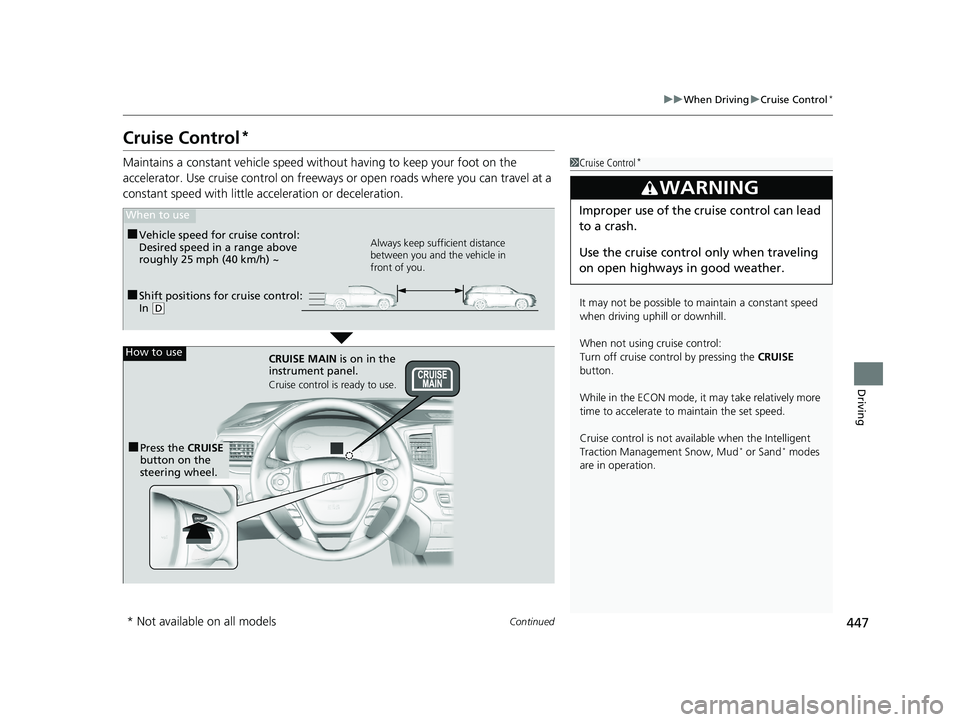
Maintains a constant vehicle speed without having to keep your foot on the
accelerator. Use cruise control on freeways or open road s where you can travel at a
constant speed with little ac celeration or deceleration.1Cruise Control*
It may not be possible to maintain a constant speed
when driving uphill or downhill.
When not using cruise control:
Turn off cruise control by pressing the CRUISE
button.
While in the ECON mode, it may take relatively more
time to accelerate to maintain the set speed.
Cruise control is not available when the Intelligent
Traction Management Snow, Mud
* or Sand* modes
are in operation.
3WARNING
Improper use of the cruise control can lead
to a crash.
Use the cruise control only when traveling
on open highways in good weather.
■Shift positions for cruise control:
In ( D
When to use
Always keep sufficient distance
between you and the vehicle in
front of you.■Vehicle speed for cruise control:
Desired speed in a range above
roughly 25 mph (40 km/h) ~
How to use
CRUISE MAIN is on in the
instrument panel.
Cruise control is ready to use.
■Press the CRUISE
button on the
steering wheel.
* Not available on all models
Page 451 of 624
449
uuWhen Driving uCruise Control*
Driving
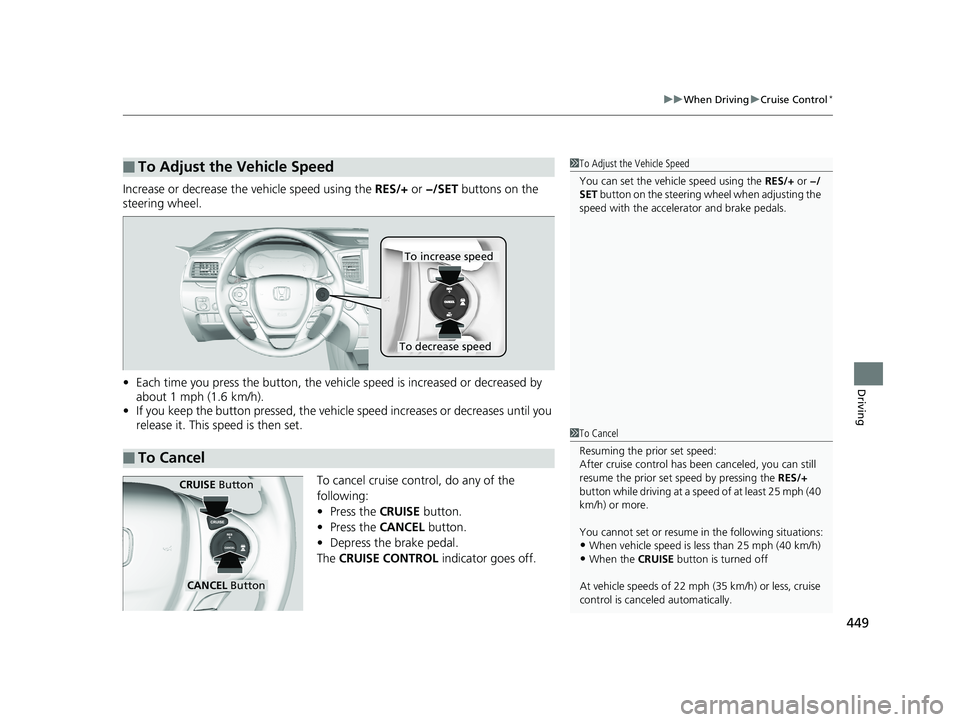
Increase or decrease the vehicle speed using the RES/+ or −/SET buttons on the
steering wheel.
• Each time you press the button, the vehicl e speed is increased or decreased by
about 1 mph (1.6 km/h).
• If you keep the button pressed, the vehicl e speed increases or decreases until you
release it. This speed is then set.
To cancel cruise control, do any of the
following:
• Press the CRUISE button.
• Press the CANCEL button.
• Depress the brake pedal.
The CRUISE CONTROL indicator goes off.
■To Adjust the Vehicle Speed1To Adjust the Vehicle Speed
You can set the vehicle speed using the RES/+ or −/
SET button on the steering wheel when adjusting the
speed with the accelera tor and brake pedals.
■To Cancel
To decrease speed
To increase speed
1To Cancel
Resuming the prior set speed:
After cruise control has be en canceled, you can still
resume the prior set speed by pressing the RES/+
button while driving at a speed of at least 25 mph (40
km/h) or more.
You cannot set or resume in the following situations:
•When vehicle speed is less than 25 mph (40 km/h)
•When the CRUISE button is turned off
At vehicle speeds of 22 m ph (35 km/h) or less, cruise
control is canceled automatically.
CRUISE Button
CANCEL Button
Page 454 of 624
452
uuWhen Driving uRoad Departure Mitigation (RDM) System*
Driving
Road Departure Mitigation (RDM) System*
Alerts and helps to assist you when the system detects a possibility of your vehicle
unintentionally crossing over detected la ne markings and/or leaving the roadway
altogether.
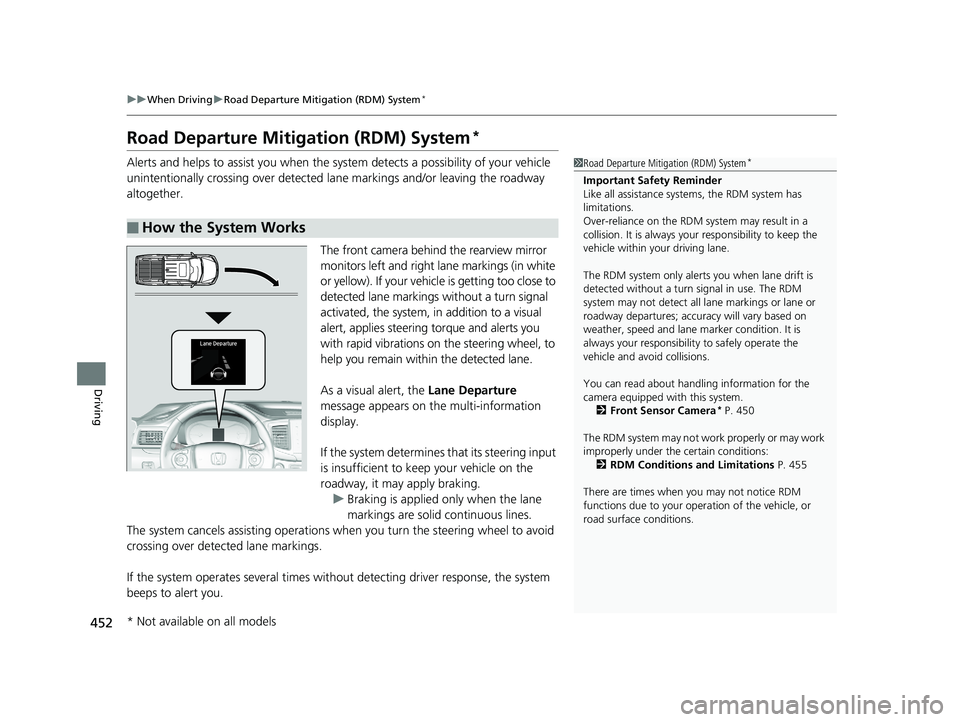
The front camera behind the rearview mirror
monitors left and right lane markings (in white
or yellow). If your vehicle is getting too close to
detected lane markings without a turn signal
activated, the system, in addition to a visual
alert, applies steering torque and alerts you
with rapid vibrations on the steering wheel, to
help you remain within the detected lane.
As a visual alert, the Lane Departure
message appears on the multi-information
display.
If the system determines that its steering input
is insufficient to keep your vehicle on the
roadway, it may apply braking. u Braking is applied only when the lane
markings are solid continuous lines.
The system cancels assisting operations when you turn th e steering wheel to avoid
crossing over detected lane markings.
If the system operates several times without detecting driver response, the system
beeps to alert you.
■How the System Works
1 Road Departure Mitigation (RDM) System*
Important Safety Reminder
Like all assistance systems, the RDM system has
limitations.
Over-reliance on the RDM system may result in a
collision. It is always your responsibility to keep the
vehicle within your driving lane.
The RDM system only alerts you when lane drift is
detected without a turn signal in use. The RDM
system may not detect all la ne markings or lane or
roadway departures; accu racy will vary based on
weather, speed and lane marker condition. It is
always your responsibilit y to safely operate the
vehicle and avoid collisions.
You can read about handling information for the
camera equipped with this system.
2 Front Sensor Camera
* P. 450
The RDM system may not wo rk properly or may work
improperly under the certain conditions: 2 RDM Conditions and Limitations P. 455
There are times when you may not notice RDM
functions due to your opera tion of the vehicle, or
road surface conditions.
* Not available on all models
Page 456 of 624
uuWhen Driving uRoad Departure Mitigation (RDM) System*
454
Driving
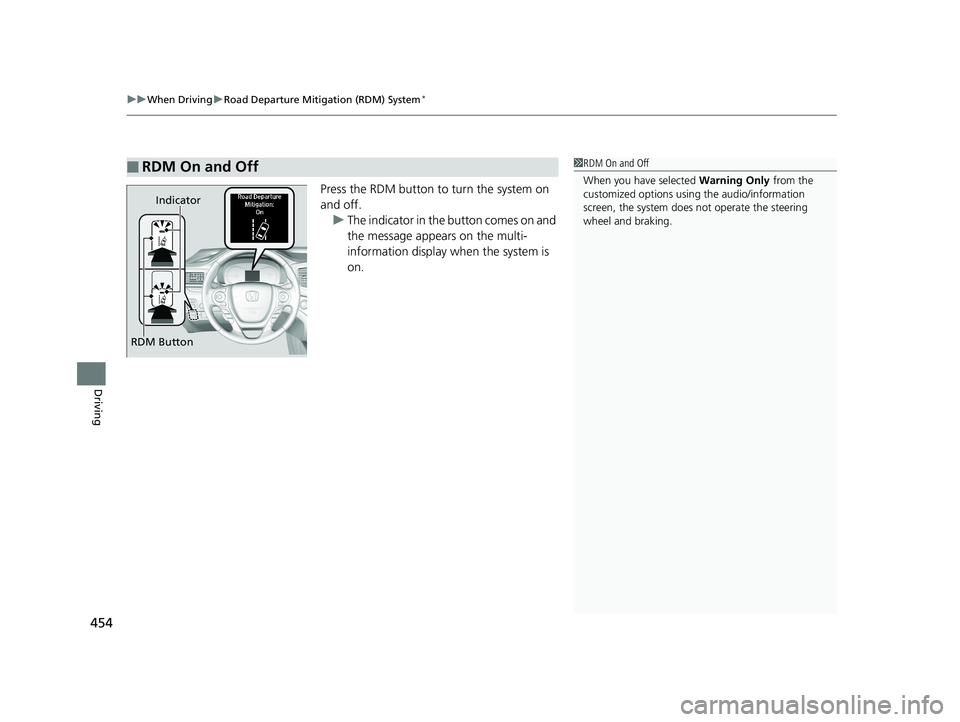
Press the RDM button to turn the system on
and off.
u The indicator in the button comes on and
the message appears on the multi-
information display when the system is
on.
■RDM On and Off1RDM On and Off
When you have selected Warning Only from the
customized options using the audio/information
screen, the system does not operate the steering
wheel and braking.
RDM Button Indicator
Page 460 of 624
uuWhen Driving uAdaptive Cruise Control (ACC)*
458
Driving
■How to activate the system1Adaptive Cruise Control (ACC)*
When the MAIN button is pressed, both ACC and
the Lane Keeping Assist System (LKAS) are either
turned on or off.
ACC may not work properly under certai n conditions.
2 ACC Conditions and Limitations P. 462
When not using ACC: Turn off adaptive cruise by
pressing the MAIN button. This also will turn off the
Lane Keeping Assist System (LKAS).
Do not use ACC under the following conditions:
•On roads with heavy traf fic or while driving in
continuous stop and go traffic.
•On roads with sharp turns.
•On roads with steep downhill sections, as the set
vehicle speed can be exceeded by coasting. In such
cases, ACC will not apply the brakes to maintain
the set speed.
•On roads with toll collection facilities or other
objects between lanes of traffic, or in parking
areas, or faci lities with driv e through access.
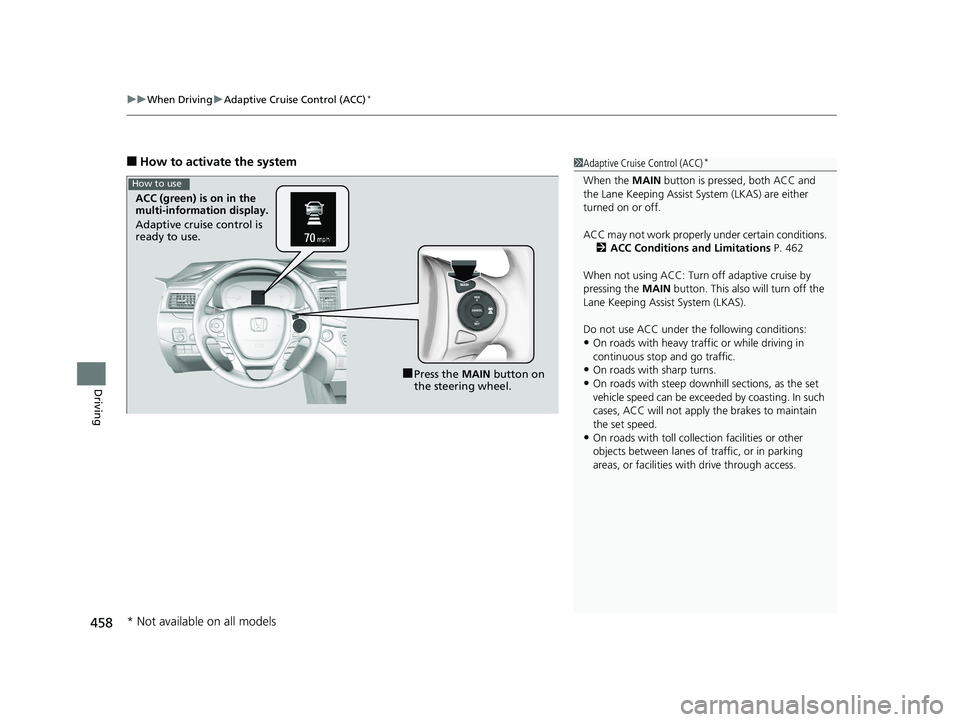
■Press the MAIN button on
the steering wheel.
ACC (green) is on in the
multi-information display.
Adaptive cruise control is
ready to use.
How to use
* Not available on all models
Page 466 of 624
uuWhen Driving uAdaptive Cruise Control (ACC)*
464
Driving
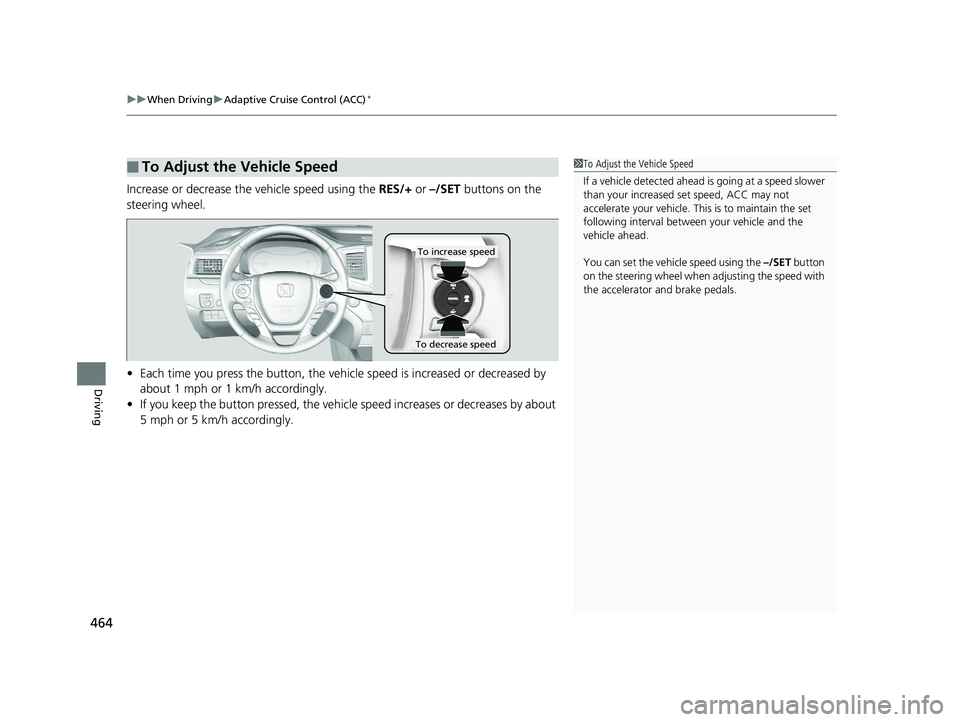
Increase or decrease the vehicle speed using the RES/+ or –/SET buttons on the
steering wheel.
• Each time you press the button, the vehicl e speed is increased or decreased by
about 1 mph or 1 km/h accordingly.
• If you keep the button pressed, the vehicl e speed increases or decreases by about
5 mph or 5 km/h accordingly.
■To Adjust the Vehicle Speed1 To Adjust the Vehicle Speed
If a vehicle detected ahead is going at a speed slower
than your increased set speed, ACC may not
accelerate your vehicle. This is to maintain the set
following interval between your vehicle and the
vehicle ahead.
You can set the vehicle speed using the –/SET button
on the steering wheel when adjusting the speed with
the accelerator and brake pedals.
To increase speed
To decrease speed