2019 HONDA ODYSSEY connect a phone
[x] Cancel search: connect a phonePage 514 of 767
uuBluetooth ® HandsFreeLink ®u HFL Menus
512
Features
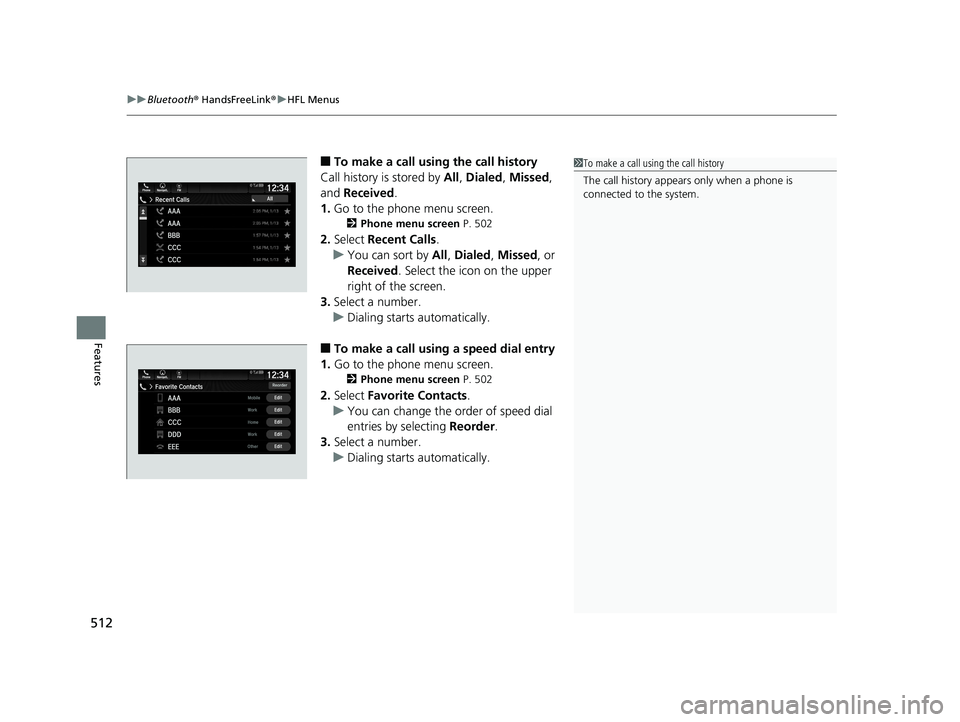
■To make a call using the call history
Call history is stored by All, Dialed , Missed ,
and Received .
1. Go to the phone menu screen.
2 Phone menu screen P. 502
2.Select Recent Calls.
u You can sort by All, Dialed , Missed , or
Received . Select the icon on the upper
right of the screen.
3. Select a number.
u Dialing starts automatically.
■To make a call using a speed dial entry
1. Go to the phone menu screen.
2 Phone menu screen P. 502
2.Select Favorite Contacts .
u You can change the order of speed dial
entries by selecting Reorder.
3. Select a number.
u Dialing starts automatically.
1To make a call using the call history
The call history appear s only when a phone is
connected to the system.
19 ODYSSEY-31THR6120.book 512 ページ 2018年12月6日 木曜日 午後4時35分
Page 518 of 767
uuBluetooth ® HandsFreeLink ®u HFL Menus
516
Features
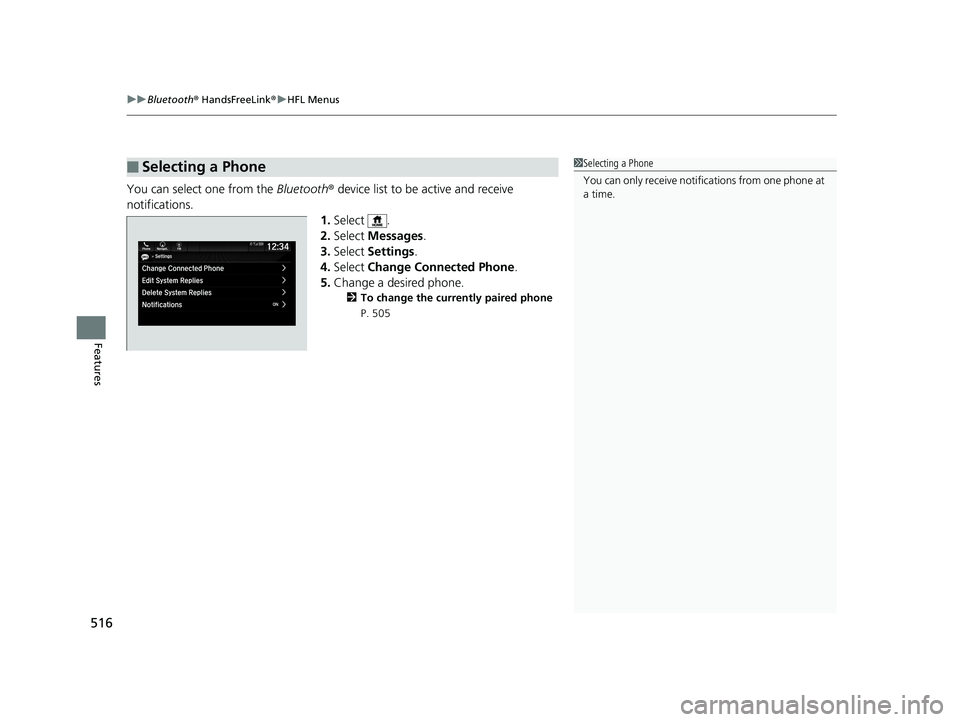
You can select one from the Bluetooth® device list to be active and receive
notifications. 1.Select .
2. Select Messages .
3. Select Settings .
4. Select Change Connected Phone .
5. Change a desired phone.
2 To change the currently paired phone
P. 505
■Selecting a Phone1 Selecting a Phone
You can only receive notifications from one phone at
a time.
19 ODYSSEY-31THR6120.book 516 ページ 2018年12月6日 木曜日 午後4時35分
Page 520 of 767
uuBluetooth ® HandsFreeLink ®u HFL Menus
518
Features
■Read or Stop reading a message
1. Go to the text message screen.
2. Select Play.
u The system starts reading the message
aloud.
3. Select Pause to stop reading.
Select Play again to start reading the
message.
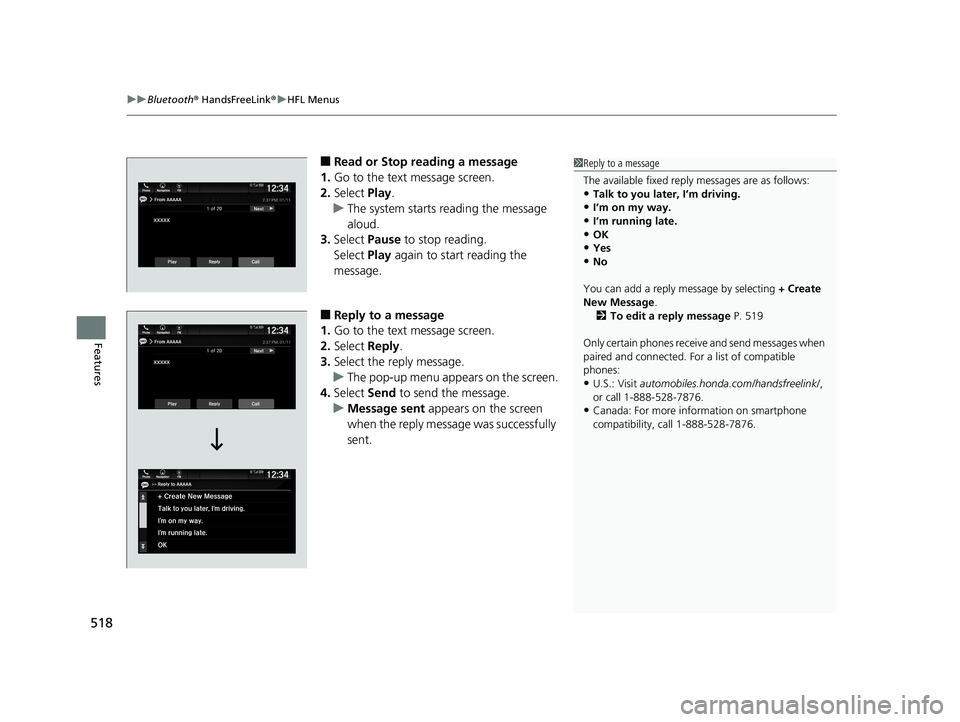
■Reply to a message
1. Go to the text message screen.
2. Select Reply.
3. Select the reply message.
u The pop-up menu appears on the screen.
4. Select Send to send the message.
u Message sent appears on the screen
when the reply message was successfully
sent.
1 Reply to a message
The available fixed reply messages are as follows:
•Talk to you later, I’m driving.
•I’m on my way.
•I’m running late.•OK
•Yes
•No
You can add a reply message by selecting + Create
New Message .
2 To edit a reply message P. 519
Only certain phones receiv e and send messages when
paired and connected. For a list of compatible
phones:
•U.S.: Visit automobiles.honda.com /handsfreelink/,
or call 1-888-528-7876.
•Canada: For more info rmation on smartphone
compatibility, call 1-888-528-7876.
19 ODYSSEY-31THR6120.book 518 ページ 2018年12月6日 木曜日 午後4時35分
Page 523 of 767
Continued521
uuBluetooth ® HandsFreeLink ®u HFL Menus
Features
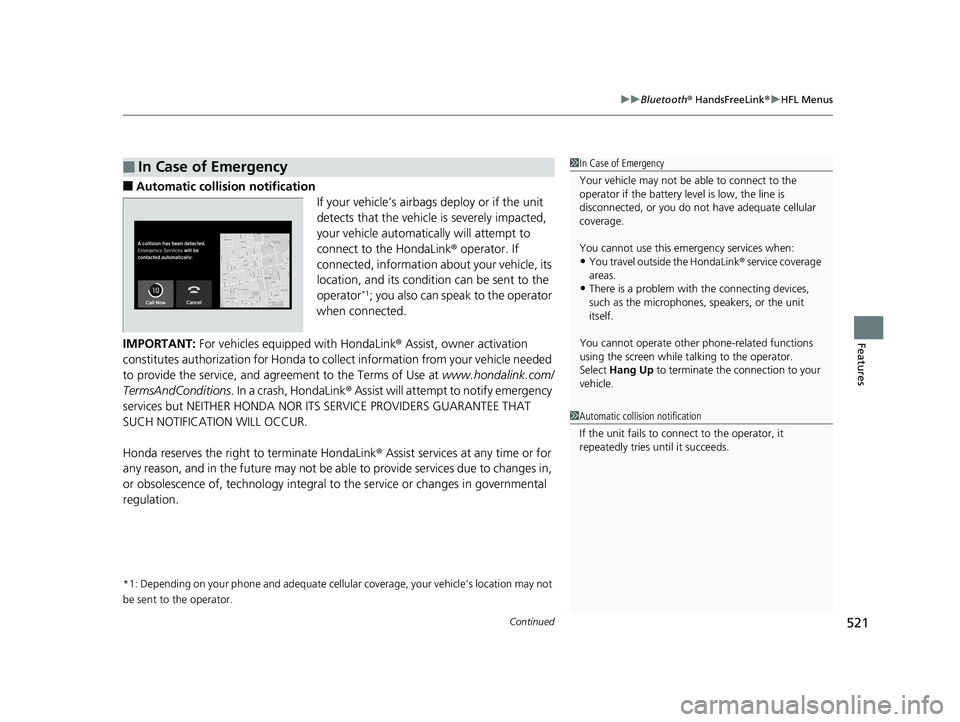
■Automatic collis ion notification
If your vehicle’s airbags deploy or if the unit
detects that the vehicle is severely impacted,
your vehicle automatically will attempt to
connect to the HondaLink ® operator. If
connected, information about your vehicle, its
location, and its condition can be sent to the
operator
*1; you also can speak to the operator
when connected.
IMPORTANT: For vehicles equipped with HondaLink ® Assist, owner activation
constitutes authorization for Honda to collect information from your vehicle needed
to provide the service, and agreement to the Terms of Use at www.hondalink.com/
TermsAndConditions . In a crash, HondaLink ® Assist will attempt to notify emergency
services but NEITHER HONDA NOR I TS SERVICE PROVIDERS GUARANTEE THAT
SUCH NOTIFICATION WILL OCCUR.
Honda reserves the right to terminate HondaLink ® Assist services at any time or for
any reason, and in the future may not be ab le to provide services due to changes in,
or obsolescence of, technology integral to the service or changes in governmental
regulation.
*1: Depending on your phone and adequate cellular coverage, your vehicle’s location may not
be sent to the operator.
■In Case of Emergency1 In Case of Emergency
Your vehicle may not be able to connect to the
operator if the battery level is low, the line is
disconnected, or you do not have adequate cellular
coverage.
You cannot use this emergency services when:
•You travel outside the HondaLink ® service coverage
areas.
•There is a problem with the connecting devices,
such as the microphones, speakers, or the unit
itself.
You cannot operate othe r phone-related functions
using the screen while talking to the operator.
Select Hang Up to terminate the connection to your
vehicle.
1 Automatic collision notification
If the unit fails to connect to the operator, it
repeatedly tries until it succeeds.
19 ODYSSEY-31THR6120.book 521 ページ 2018年12月6日 木曜日 午後4時35分
Page 524 of 767
uuBluetooth ® HandsFreeLink ®u HFL Menus
522
Features
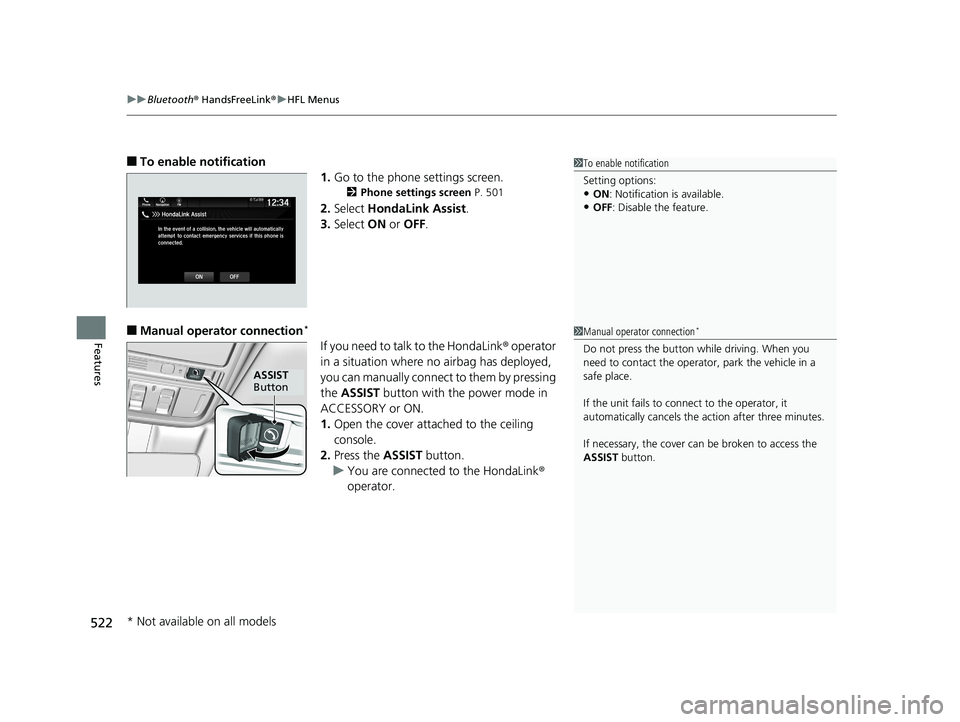
■To enable notification
1.Go to the phone settings screen.
2 Phone settings screen P. 501
2.Select HondaLink Assist .
3. Select ON or OFF .
■Manual operator connection*
If you need to talk to the HondaLink ® operator
in a situation where no airbag has deployed,
you can manually connect to them by pressing
the ASSIST button with the power mode in
ACCESSORY or ON.
1. Open the cover attached to the ceiling
console.
2. Press the ASSIST button.
u You are connected to the HondaLink ®
operator.
1 To enable notification
Setting options:
•ON : Notification is available.
•OFF: Disable the feature.
1Manual operator connection*
Do not press the button while driving. When you
need to contact the operato r, park the vehicle in a
safe place.
If the unit fails to connect to the operator, it
automatically cancels the action after three minutes.
If necessary, the cover can be broken to access the
ASSIST button.
ASSIST
Button
* Not available on all models
19 ODYSSEY-31THR6120.book 522 ページ 2018年12月6日 木曜日 午後4時35分
Page 762 of 767
760
Index
Wear Indicators ....................................... 680
Winter ..................................................... 683
Tools .......................................................... 700
Towing a Trailer ........................................ 532
Equipment and Accessories...................... 533
Load Limits .............................................. 532
Towing Your Vehicle ................................ 537
Emergency............................................... 731
TPMS (Tire Pressure Monitoring System)
Indicator ............................................ 92, 722
Transmission .............................................. 546
Automatic ............................................... 545
Fluid ........................................................ 657
Gear Position Indicator............................... 87
Number ................................................... 742
Transmission System Indicator ............................................ 88, 723
Trip Computer ........................................... 124
Trip Meter ................................................. 125
Troubleshooting ....................................... 699
Blown Fuse .............................. 724, 726, 729
Brake Pedal Vibrates .................................. 30
Buzzer Sounds When Opening Door .......... 31
Emergency Towing .................................. 731
Engine Won’t Start .................................. 710
Noise When Braking .................................. 31
Overheating............................................. 715
Puncture/Flat Tire ..................................... 701
Sliding Door Won’t Open................... 30, 157
Warning Indicators ............................ 84, 718 Tucking away the One-Motion Third Row
Stowing Magic Seat ®.............................. 222
Turn Signals .............................................. 189
Indicators (Instrument Panel) ..................... 92
U
Units .......................................................... 128
Unlocking the Doors ................................ 147
Unlocking the Front Doors from the
Inside ....................................................... 154
USB Flash Drives ....................... 279, 338, 375
USB Ports ................................................... 261
Using the Smart Entry with Push Button Start System ..................................................... 147
V
Vacuum ..................................................... 245
Vanity Mirrors ............................................... 7
Vehicle Customization ............................. 133
Vehicle Identification Number ................ 742
Vehicle Stability Assist (VSA ®).................. 591
Off Button............................................... 592
Off Indicator.............................................. 91
System Indicator ........................................ 91
Ventilation ................................................ 248
Viscosity (Oil) .................................... 650, 741
Voice Control Operation .......................... 315
Audio Commands ................................... 317
Phone Commands ................................... 317 Voice Portal Screen ................................. 316
Voice Recognition ................................... 315
VSA ® (Vehicle Stability Assist) ................. 591
W
Wallpaper......................................... 270, 290
Warning and Information Messages ...... 102
Warning Indicator On/Blinking ............... 718
Warning Labels .......................................... 81
Warnings .................................................. 126
Warranties (Warranty Manual provided separately) .............................................. 748
Watts ........................................................ 740
Wear Indicators (Tire) .............................. 680
Wheel Nut Wrench (Jack Handle) ........... 704
Wi-Fi Connection ..................................... 354
Window Washers ..................................... 197
Adding/Refilling Fluid .............................. 659
Switch .................................................... 197
Windows (Opening and Closing) ............ 182
Windshield ............................................... 197
Cleaning ......................................... 690, 694
Defrosting....................................... 249, 253
Washer Fluid ........................................... 659
Wiper Blades........................................... 671
Wipers and Washers ............................... 197
Winter Tires Snow Tires .............................................. 683
Tire Chains.............................................. 683
19 ODYSSEY-31THR6120.book 760 ページ 2018年12月6日 木曜日 午後4時35分