Page 110 of 767
108
uuIndicators uDriver Information Interface Wa rning and Information Messages
Instrument Panel
MessageConditionExplanation
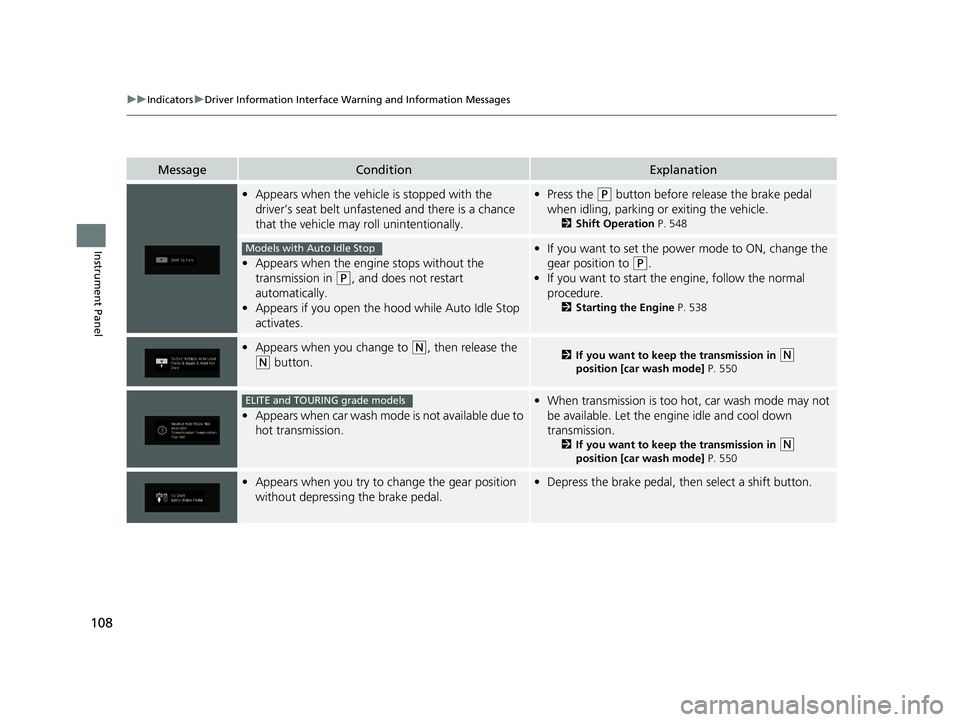
•Appears when the vehicle is stopped with the
driver’s seat belt unfastened and there is a chance
that the vehicle may roll unintentionally.•Press the (P button before release the brake pedal
when idling, parking or exiting the vehicle.
2 Shift Operation P. 548
•Appears when the engine stops without the
transmission in
(P, and does not restart
automatically.
• Appears if you open the hood while Auto Idle Stop
activates.
•If you want to set the power mode to ON, change the
gear position to
(P.
• If you want to start the engine, follow the normal
procedure.
2 Starting the Engine P. 538
•Appears when you change to (N, then release the
(N button.2 If you want to keep the transmission in (N
position [car wash mode] P. 550
•Appears when car wash mode is not available due to
hot transmission.
•When transmission is too hot, car wash mode may not
be available. Let the engine idle and cool down
transmission.
2 If you want to keep the transmission in (N
position [car wash mode] P. 550
•Appears when you try to change the gear position
without depressing the brake pedal.• Depress the brake pedal, then select a shift button.
Models with Auto Idle Stop
ELITE and TOURING grade models
19 ODYSSEY-31THR6120.book 108 ページ 2018年12月6日 木曜日 午後4時35分
Page 113 of 767
111
uuIndicators uDriver Information Interface Wa rning and Information Messages
Continued
Instrument Panel
MessageConditionExplanation
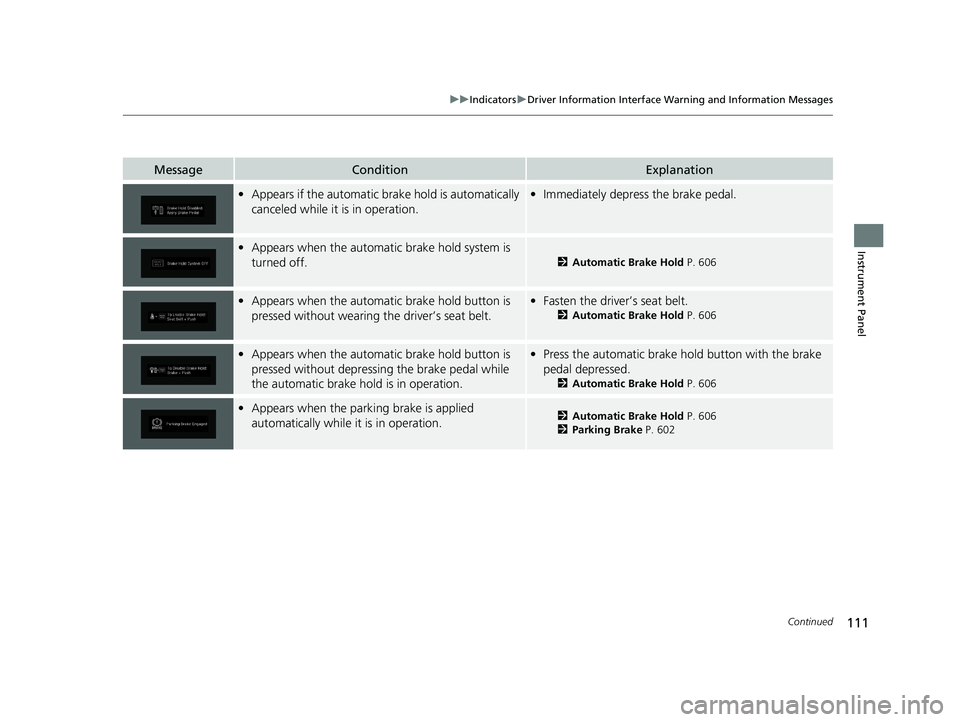
•Appears if the automatic brake hold is automatically
canceled while it is in operation.•Immediately depress the brake pedal.
•Appears when the automati c brake hold system is
turned off.
2 Automatic Brake Hold P. 606
•Appears when the automati c brake hold button is
pressed without wearing the driver’s seat belt.• Fasten the driver’s seat belt.
2 Automatic Brake Hold P. 606
•Appears when the automati c brake hold button is
pressed without depressing the brake pedal while
the automatic brake hold is in operation.• Press the automatic brake hold button with the brake
pedal depressed.
2 Automatic Brake Hold P. 606
•Appears when the park ing brake is applied
automatically while it is in operation.2 Automatic Brake Hold P. 606
2 Parking Brake P. 602
19 ODYSSEY-31THR6120.book 111 ページ 2018年12月6日 木曜日 午後4時35分
Page 114 of 767

112
uuIndicators uDriver Information Interface Wa rning and Information Messages
Instrument Panel
MessageConditionExplanation
•Appears when you pull the electric parking brake
switch without depressing the brake pedal.•Depress the brake pedal to release the parking brake.
2 Parking Brake P. 602
•Appears as soon as a prob lem is detected in the
smart entry system.
• Appears constantly - Have your vehicle checked by a
dealer.
• Appears as soon as a proble m is detected in the push
button starting system.• Appears constantly - Have your vehicle checked by a
dealer.
• Appears if there is a prob lem with the Auto high-
beam.
• Manually operate the headlight switch.
• If you are driving with th e high-beam headlights when
this happens, the headlights are changed to low beams.
• Appears when the Auto high -beam is in operation,
or the headlight switch is turned in AUTO, but the
temperature inside the came ra is too high. The Auto
high-beam cancels automatically.
• Use the climate control sy stem to cool down the
camera.
• Goes off - The camera has been cooled down. Turning
the headlight switch to AUTO can resume the system.
2Front Sensor Camera* P. 564
•Appears when the area around the camera is
blocked by dirt, mud, etc. Stop your vehicle in a safe
place, and wipe it off with a soft cloth.
• May appear when driving in bad weather (rain,
snow, fog, etc.)
•Have your vehicle checked by a dealer if the message
comes back on after you cl eaned the area around the
camera.
Models with smart entry system
Models with Auto high-beam
Models with Auto high-beam
Models with Auto high-beam
* Not available on all models
19 ODYSSEY-31THR6120.book 112 ページ 2018年12月6日 木曜日 午後4時35分
Page 174 of 767
172
uuOpening and Closing the Sliding Doors uOpening/Closing the Power Sliding Doors*
Controls
Opening/Closing the Power Sliding Doors*
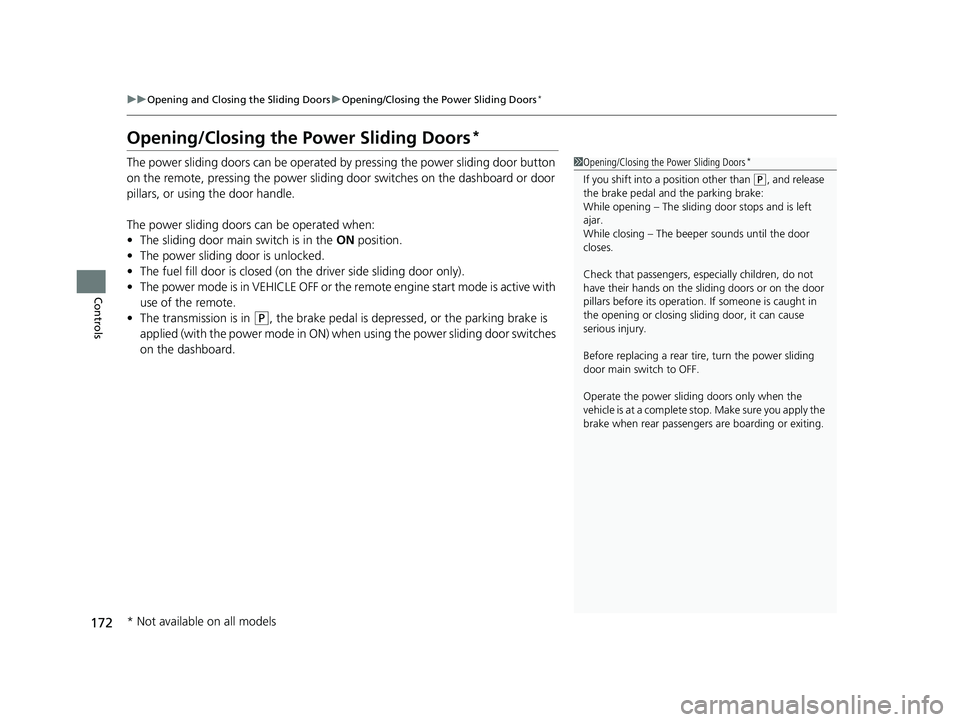
The power sliding doors can be operated by pressing the power sliding door button
on the remote, pressing the power sliding door switches on the dashboard or door
pillars, or using the door handle.
The power sliding doors can be operated when:
• The sliding door main switch is in the ON position.
• The power sliding door is unlocked.
• The fuel fill door is closed (on the driver side sliding door only).
• The power mode is in VEHICLE OFF or the re mote engine start mode is active with
use of the remote.
• The transmission is in
(P, the brake pedal is depressed, or the parking brake is
applied (with the power mode in ON) when using the power sliding door switches
on the dashboard.
1 Opening/Closing the Power Sliding Doors*
If you shift into a position other than (P, and release
the brake pedal and the parking brake:
While opening – The sliding door stops and is left
ajar.
While closing – The beeper sounds until the door
closes.
Check that passengers, es pecially children, do not
have their hands on the sliding doors or on the door
pillars before its operation. If someone is caught in
the opening or closing sliding door, it can cause
serious injury.
Before replacing a rear ti re, turn the power sliding
door main switch to OFF.
Operate the power slidi ng doors only when the
vehicle is at a complete stop. Make sure you apply the
brake when rear passengers are boarding or exiting.
* Not available on all models
19 ODYSSEY-31THR6120.book 172 ページ 2018年12月6日 木曜日 午後4時35分
Page 178 of 767
uuOpening and Closing the Sliding Doors uOpening/Closing the Power Sliding Doors*
176
Controls
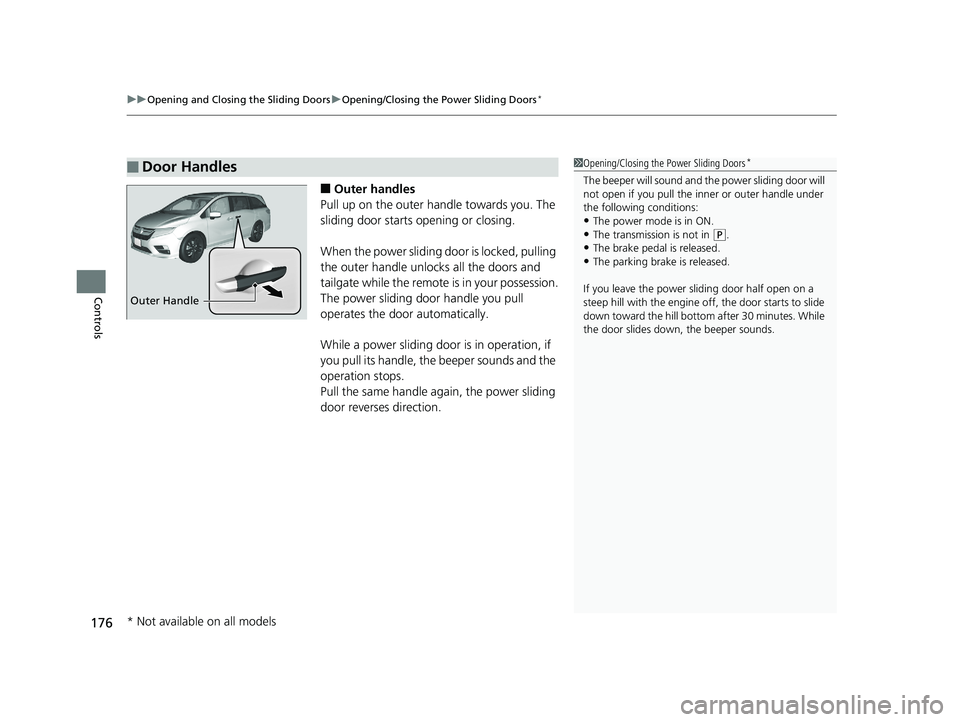
■Outer handles
Pull up on the outer handle towards you. The
sliding door starts opening or closing.
When the power sliding door is locked, pulling
the outer handle unlocks all the doors and
tailgate while the remote is in your possession.
The power sliding door handle you pull
operates the door automatically.
While a power sliding door is in operation, if
you pull its handle, the beeper sounds and the
operation stops.
Pull the same handle ag ain, the power sliding
door reverses direction.
■Door Handles1 Opening/Closing the Power Sliding Doors*
The beeper will sound and th e power sliding door will
not open if you pull the inner or outer handle under
the following conditions:
•The power mode is in ON. •The transmission is not in ( P.
•The brake pedal is released.
•The parking brake is released.
If you leave the power sliding door half open on a
steep hill with the engine off, the door starts to slide
down toward the hill bottom after 30 minutes. While
the door slides down, the beeper sounds.
Outer Handle
* Not available on all models
19 ODYSSEY-31THR6120.book 176 ページ 2018年12月6日 木曜日 午後4時35分
Page 195 of 767
193
uuOperating the Switches Around the Steering Wheel uDaytime Running Lights
Controls
Daytime Running Lights
When the conditions listed below are me t, the daytime running lights come on:
• The power mode is in ON.
• The headlight switch is off.
• The parking brake is released.
The lights remain on even if you set th e parking brake. Setting the power mode to
VEHICLE OFF will turn off the daytime running lights.
The daytime running lights go off once the headlight switch is turned on, or when
the headlight switch is in AUTO
* and it is getting dark outside.
The high beam headlights return to the original brightness once the headlight
switch is turned on.
1 Daytime Running Lights
The parking lights serve as daytime running lights.
The high beam headlights come on slightly dimmer
than normal to serve as daytime running lights.
Models with fog lights
Models without fog lights
Models without fog lights
* Not available on all models
19 ODYSSEY-31THR6120.book 193 ページ 2018年12月6日 木曜日 午後4時35分
Page 206 of 767
uuOperating the Switches Around the Steering Wheel uDriving Position Memory System*
204
Controls
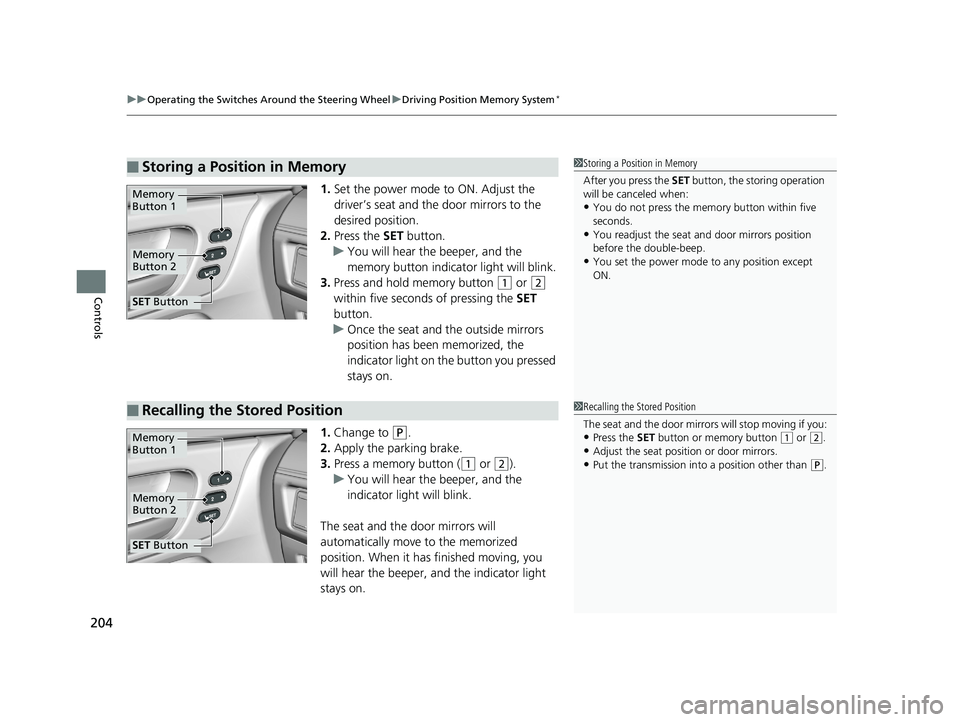
1. Set the power mode to ON. Adjust the
driver’s seat and th e door mirrors to the
desired position.
2. Press the SET button.
u You will hear the beeper, and the
memory button indicator light will blink.
3. Press and hold memory button
(1 or (2
within five seconds of pressing the SET
button.
u Once the seat and the outside mirrors
position has been memorized, the
indicator light on the button you pressed
stays on.
1. Change to
(P.
2. Apply the parking brake.
3. Press a memory button (
(1 or (2).
u You will hear the beeper, and the
indicator light will blink.
The seat and the door mirrors will
automatically move to the memorized
position. When it has finished moving, you
will hear the beeper, and the indicator light
stays on.
■Storing a Position in Memory1 Storing a Position in Memory
After you press the SET button, the storing operation
will be canceled when:
•You do not press the memory button within five
seconds.
•You readjust the seat and door mirrors position
before the double-beep.
•You set the power mode to any position except
ON.
Memory
Button 1
Memory
Button 2
SET Button
■Recalling the Stored Position1Recalling the Stored Position
The seat and the door mirrors will stop moving if you:
•Press the SET button or memory button (1 or (2.
•Adjust the seat position or door mirrors.
•Put the transmission into a position other than (P.
Memory
Button 1
Memory
Button 2
SET Button
19 ODYSSEY-31THR6120.book 204 ページ 2018年12月6日 木曜日 午後4時35分
Page 248 of 767
uuInterior Lights/Interior Convenience Items uInterior Convenience Items
246
Controls
■To operate:
1. Set the parking brake.
2. Set the power mode to ACCESSORY.
2. Start the engine.
3. Press the button to turn on the system.1To operate:
The vacuum automatica lly shuts off and the PWR
SAVE indicator comes on if the system detects that
running the vacuum is over discharging the battery.
After seven minutes of operation:
The beeper sounds intermittently.
When eight minutes elapse:
The beeper sounds once and the PWR SAVE
indicator comes on. The va cuum automatically shuts
off.
To continue vacuumin g, start the engine.
Operate the engine only when there is sufficient
ventilation.
Without engine running
With engine running
Without engine running
With engine running
19 ODYSSEY-31THR6120.book 246 ページ 2018年12月6日 木曜日 午後4時35分