Page 112 of 767

110
uuIndicators uDriver Information Interface Wa rning and Information Messages
Instrument Panel
MessageConditionExplanation
•Appears when you press and hold (N button for
more than two seconds.• Disappears when you set the gear position to other
than
(N.
2 If you want to keep the transmission in (N
position [car wash mode] P. 550
•Appears if there is a problem with the cooling
system.•Drive slowly to prevent ov erheating and have your
vehicle checked by a deal er as soon as possible.
•Appears if there is a problem with the automatic
lighting control system.
•Appears while driving - Manually turn the lights on,
and have your vehicle checked by a dealer.
• Appears if there is a problem with the headlights.
•Appears while driving - The headlights may not be
on. When conditions allow you to drive safety, have
your vehicle checked by a d ealer as soon as possible.
•Appears if there is a proble m with the parking sensor
system.
• Check if the area around the sensor(s) is covered with
mud, ice, snow, etc. If the indicator(s) stays on or the
beeper does not stop even after you clean the area,
have the system checked by a dealer.
• Appears if there are obstacles around the sensors.
•Check for obstacles near your vehicle to make sure it is
safe to park.
Models with LED headlights
Models with LED headlights
Models with parking sensor system
Models with parking sensor system
19 ODYSSEY-31THR6120.book 110 ページ 2018年12月6日 木曜日 午後4時35分
Page 162 of 767
uuOpening and Closing the Tailgate uPrecautions for Openi ng/Closing the Tailgate
160
Controls
The power tailgate can be operated by pressing the power tailgate button on the
remote transmitter, pressing the power tail gate button in the driver side control
panel, pressing the button on the tailgate, or by raising and lowering your foot
under the center of the rear bumper for hands free access (if equipped).
The power tailgate can be opened/c losed when the transmission is in
(P.
1Precautions for Opening/Closing the Tailgate
NOTICE
Do not push or pull on the power tailgate when it is
being automatically opened or closed.
Forcibly opening or closing the power tailgate while
in operation can deform the tailgate frame.
When operating the power tailgate, make sure there
is enough space around your ve hicle. People near the
tailgate may be se riously hurt if the tailgate hits or
closes on their heads. Be especially cautious if
children are around.
The power tailgate may not open or close under the
following conditions:
•You start the engine while the tailgate is
automatically openi ng or closing.
•The vehicle is parked on a steep hill.•The vehicle is swayed in a strong wind.
•The tailgate or the roof is covered with snow or ice.
3WARNING
Closing a power tailgate while anyone is in
the path of the tailgate can cause serious
injury.
Make sure everyone is clear before closing
the power tailgate.
Models with power tailgate
Models with power tailgate
Models with power tailgate
19 ODYSSEY-31THR6120.book 160 ページ 2018年12月6日 木曜日 午後4時35分
Page 178 of 767
uuOpening and Closing the Sliding Doors uOpening/Closing the Power Sliding Doors*
176
Controls
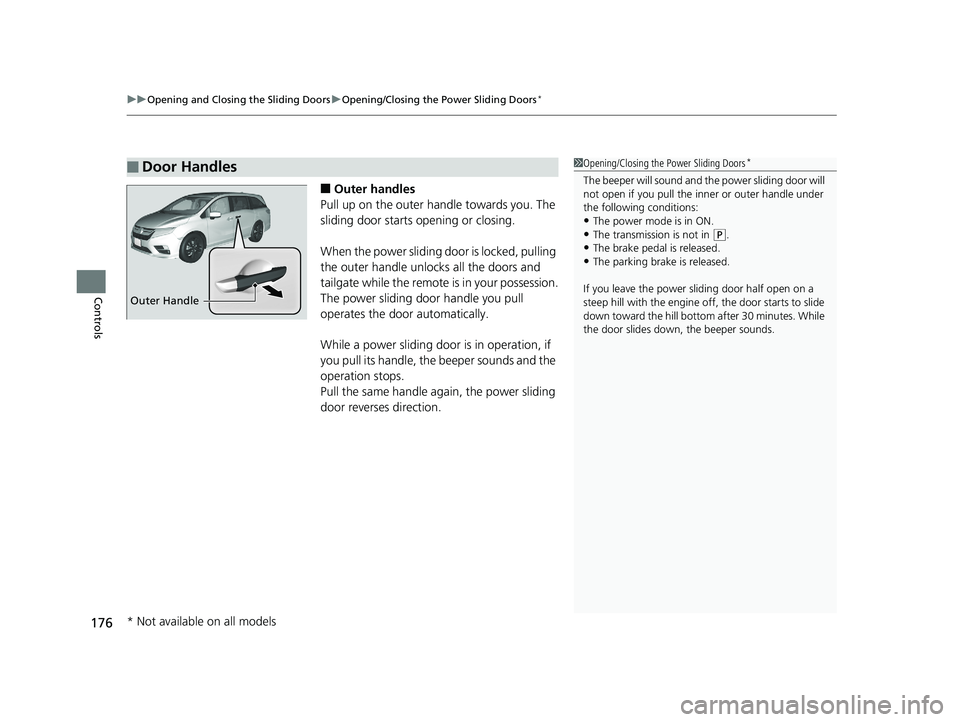
■Outer handles
Pull up on the outer handle towards you. The
sliding door starts opening or closing.
When the power sliding door is locked, pulling
the outer handle unlocks all the doors and
tailgate while the remote is in your possession.
The power sliding door handle you pull
operates the door automatically.
While a power sliding door is in operation, if
you pull its handle, the beeper sounds and the
operation stops.
Pull the same handle ag ain, the power sliding
door reverses direction.
■Door Handles1 Opening/Closing the Power Sliding Doors*
The beeper will sound and th e power sliding door will
not open if you pull the inner or outer handle under
the following conditions:
•The power mode is in ON. •The transmission is not in ( P.
•The brake pedal is released.
•The parking brake is released.
If you leave the power sliding door half open on a
steep hill with the engine off, the door starts to slide
down toward the hill bottom after 30 minutes. While
the door slides down, the beeper sounds.
Outer Handle
* Not available on all models
19 ODYSSEY-31THR6120.book 176 ページ 2018年12月6日 木曜日 午後4時35分
Page 189 of 767
Continued187
uuOperating the Switches Around the Steering Wheel uENGINE START/STOP Button
Controls
If you leave the vehicle for 30 to 60 minutes with the transmission in (P and the
power mode in ACCESSORY, the vehicle automa tically goes into the mode similar to
VEHICLE OFF (LOCK) to avoid draining the battery.
When in this mode:
The steering wheel does not lock.
You cannot lock or unlock doors with th e remote transmitter or the smart entry
system.
Press the ENGINE START/STOP button to switch the mode to VEHICLE OFF (LOCK).
■Automatic Power Off1ENGINE START/STOP Button
If the power mode does not change from VEHICLE
OFF to ACCESSORY, press the ENGINE START/STOP
button while moving the st eering wheel left and
right. The steering wheel will unlock, allowing the
mode to change.
Do not leave the power mode in ACCESSORY or ON
when you get out.
Canadian models
Canadian models
19 ODYSSEY-31THR6120.book 187 ページ 2018年12月6日 木曜日 午後4時35分
Page 205 of 767
203
uuOperating the Switches Around the Steering Wheel uDriving Position Memory System*
Continued
Controls
Driving Position Memory System*
You can store two driver’s seat positions (except for power lumbar) and outside
mirror positions with the driv ing position memory system.
When you unlock and open the driver’s door with a remote, the seat and outside
mirrors adjust automatically to one of the two preset positions.
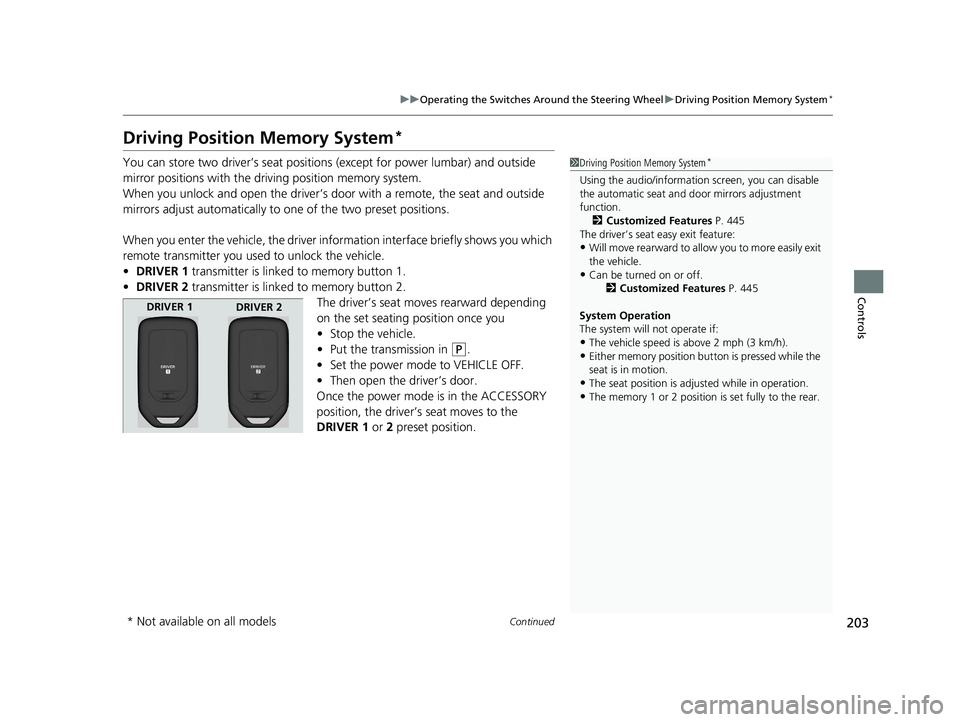
When you enter the vehicle, the driver information interface briefly shows you which
remote transmitter you used to unlock the vehicle.
• DRIVER 1 transmitter is linked to memory button 1.
• DRIVER 2 transmitter is linked to memory button 2.
The driver’s seat moves rearward depending
on the set seating position once you
•Stop the vehicle.
• Put the transmission in
(P.
• Set the power mode to VEHICLE OFF.
• Then open the driver’s door.
Once the power mode is in the ACCESSORY
position, the driver’s seat moves to the
DRIVER 1 or 2 preset position.
1 Driving Position Memory System*
Using the audio/informati on screen, you can disable
the automatic seat and d oor mirrors adjustment
function.
2 Customized Features P. 445
The driver’s seat easy exit feature:
•Will move rearward to allow you to more easily exit
the vehicle.
•Can be turned on or off. 2Customized Features P. 445
System Operation
The system will not operate if:
•The vehicle speed is above 2 mph (3 km/h).
•Either memory position button is pressed while the
seat is in motion.
•The seat position is adju sted while in operation.
•The memory 1 or 2 position is set fully to the rear.
DRIVER 1
DRIVER 2
* Not available on all models
19 ODYSSEY-31THR6120.book 203 ページ 2018年12月6日 木曜日 午後4時35分
Page 206 of 767
uuOperating the Switches Around the Steering Wheel uDriving Position Memory System*
204
Controls
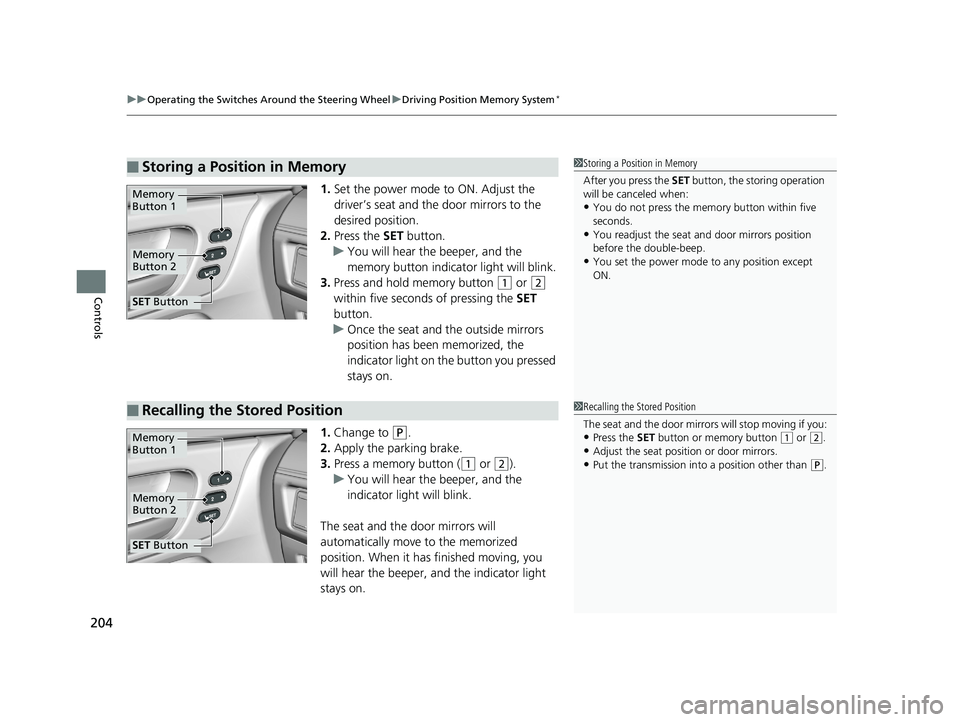
1. Set the power mode to ON. Adjust the
driver’s seat and th e door mirrors to the
desired position.
2. Press the SET button.
u You will hear the beeper, and the
memory button indicator light will blink.
3. Press and hold memory button
(1 or (2
within five seconds of pressing the SET
button.
u Once the seat and the outside mirrors
position has been memorized, the
indicator light on the button you pressed
stays on.
1. Change to
(P.
2. Apply the parking brake.
3. Press a memory button (
(1 or (2).
u You will hear the beeper, and the
indicator light will blink.
The seat and the door mirrors will
automatically move to the memorized
position. When it has finished moving, you
will hear the beeper, and the indicator light
stays on.
■Storing a Position in Memory1 Storing a Position in Memory
After you press the SET button, the storing operation
will be canceled when:
•You do not press the memory button within five
seconds.
•You readjust the seat and door mirrors position
before the double-beep.
•You set the power mode to any position except
ON.
Memory
Button 1
Memory
Button 2
SET Button
■Recalling the Stored Position1Recalling the Stored Position
The seat and the door mirrors will stop moving if you:
•Press the SET button or memory button (1 or (2.
•Adjust the seat position or door mirrors.
•Put the transmission into a position other than (P.
Memory
Button 1
Memory
Button 2
SET Button
19 ODYSSEY-31THR6120.book 204 ページ 2018年12月6日 木曜日 午後4時35分
Page 208 of 767

206
Controls
Adjusting the Mirrors
Interior Rearview Mirror
Adjust the angle of the rearview mirror when you are sitting in the correct driving
position.
Flip the tab to switch the position.
The night position will help to reduce the glare
from headlights behind you when driving
after dark.
When you are driving after dark, the
automatic dimming rearview mirror reduces
the glare from headlights behind you. Press
the auto button to turn this function on and
off. When activated, the auto indicator comes
on.
■Rearview Mirror with Day and Night Positions*
1Adjusting the Mirrors
Keep the inside and out side mirrors clean and
adjusted for best visibility.
Adjust the mirrors befo re you start driving.
2 Front Seats P. 209
Tab
Daytime
Position Night PositionUp
Down
■Automatic Dimming Rearview Mirror*1Automatic Dimming Rearview Mirror*
The auto dimming function cancels when the
transmission is in
(R.Sensor
Auto Button
* Not available on all models
19 ODYSSEY-31THR6120.book 206 ページ 2018年12月6日 木曜日 午後4時35分
Page 210 of 767
208
uuAdjusting the Mirrors uPower Door Mirrors
Controls
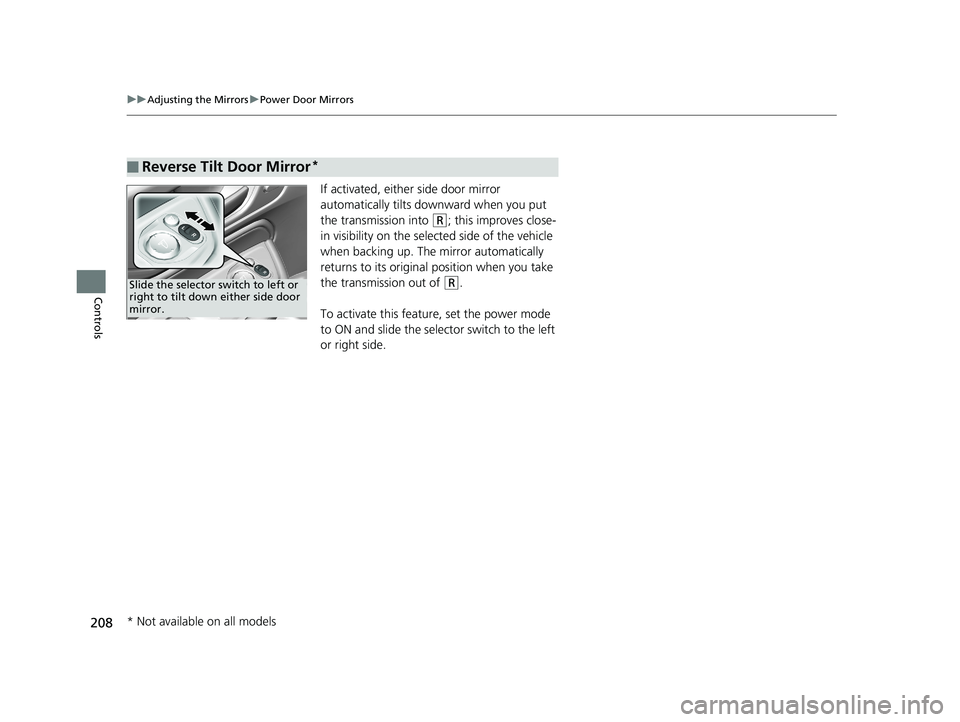
If activated, either side door mirror
automatically tilts do wnward when you put
the transmission into
(R; this improves close-
in visibility on the selected side of the vehicle
when backing up. The mirror automatically
returns to its original position when you take
the transmission out of
(R.
To activate this feature, set the power mode
to ON and slide the selector switch to the left
or right side.
■Reverse Tilt Door Mirror*
Slide the selector switch to left or
right to tilt down either side door
mirror.
* Not available on all models
19 ODYSSEY-31THR6120.book 208 ページ 2018年12月6日 木曜日 午後4時35分