2019 HONDA INSIGHT phone
[x] Cancel search: phonePage 435 of 675

Continued433
uuBluetooth ® HandsFreeLink ®u HFL Menus
Features
1. Press the button.
2. Select Messages.
u Select a phone if necessary.
3. Select a message.
u The text message is displayed.
■Displaying Messages1Displaying Messages
The (blue) icon appears next to an unread
message.
If you delete a message on the phone, the message
will also be dele ted from the system. If you send a
message from the system, the message goes to your
phone’s outbox.
To see the previous or next message, select Prev
or Next on the message screen.
Message List
Text Message
19 INSIGHT HMIN-31TXM6000.book 433 ページ 2018年4月20日 金曜日 午後4時22分
Page 436 of 675

uuBluetooth ® HandsFreeLink ®u HFL Menus
434
Features
■Read or Stop reading a message
1. Go to the text message screen.
2. Select Play.
u The system starts reading the message
aloud.
3. Select Stop to stop reading.
Select Play again to start reading the
message.
■Reply to a message
1. Go to the text message screen.
2. Select Reply.
3. Select the reply message.
u The pop-up menu appears on the screen.
4. Select Send to send the message.
u Message sent. appears on the screen
when the reply message was successfully
sent.
1 Reply to a message
The available reply messages are as follows:
•Talk to you later, I’m driving.
•I’m on my way.•I’m running late.
•OK
•Yes•No
The default reply messages are displayed only in
English. If you want to use reply messages in
languages other than Englis h, please edit them.
2 To edit a reply message P. 435
You can add a reply message by selecting + Create
New Message .
2 To edit a reply message P. 435
Only certain phones receiv e and send messages when
paired and connected. For a list of compatible
phones:
•U.S.: Visit automobiles.honda.com /handsfreelink/,
or call 1-888-528-7876.
•Canada: For more info rmation on smartphone
compatibility, call 1-888-528-7876.
19 INSIGHT HMIN-31TXM6000.book 434 ページ 2018年4月20日 金曜日 午後4時22分
Page 439 of 675

437
uuBluetooth ® HandsFreeLink ®u HondaLink ® Assist*
Continued
Features
HondaLink ® Assist*
■Automatic collis ion notification
If your vehicle’s airbags deploy or if the unit
detects that the vehicle is severely impacted,
your vehicle automatically will attempt to
connect to the HondaLink ® operator. If
connected, information about your vehicle, its
location, and its condition can be sent to the
operator
*1; you also can speak to the operator
when connected.
IMPORTANT: For vehicles equipped with HondaLink ® Assist, owner activation
constitutes authorization for Honda to collect information from your vehicle needed
to provide the service, and agreement to the Terms of Use at www.hondalink.com/
TermsAndConditions . In a crash, HondaLink ® Assist will attempt to notify emergency
services but NEITHER HONDA NOR I TS SERVICE PROVIDERS GUARANTEE THAT
SUCH NOTIFICATION WILL OCCUR.
Honda reserves the right to terminate HondaLink ® Assist services at any time or for
any reason, and in the future may not be ab le to provide services due to changes in,
or obsolescence of, technology integral to the service or changes in governmental
regulation.
*1: Depending on your phone and adequate cellular coverage, your vehicle’s location may not
be sent to the operator.
■In Case of Emergency
1 HondaLink ® Assist*
HondaLink ® Assist also provides services you can
operate from the Intern et or your smartphone.
To subscribe to HondaLink ® Assist, or to get more
information about all of its features, contact an
Honda dealer, or visit hondalink.honda.com
1In Case of Emergency
Your vehicle may not be able to connect to the
operator if the battery level is low, the line is
disconnected, or you do not have adequate cellular
coverage.
You cannot use this emergency services when:
•You travel outside the HondaLink ® service coverage
areas.
•There is a problem with the connecting devices,
such as the microphones, speakers, or the unit
itself.
•HondaLink Assist is not enabled.
2 To enable notification P. 438
You cannot operate othe r phone-related functions
using the screen while talking to the operator.
Only the operator can terminate the connection to
your vehicle.
1 Automatic collision notification
If the unit fails to connect to the operator, it
repeatedly tries until it succeeds.
* Not available on all models
19 INSIGHT HMIN-31TXM6000.book 437 ページ 2018年4月20日 金曜日 午後4時22分
Page 440 of 675

uuBluetooth ® HandsFreeLink ®u HondaLink ® Assist*
438
Features
■To enable notification
1.Go to the phone settings screen.
2 Phone settings screen P. 417
2.Select HondaLink Assist .
3. Select Enable or Cancel .
1To enable notification
Setting options:
•Enable: Notification is available.
•Cancel : Disable the feature.
19 INSIGHT HMIN-31TXM6000.book 438 ページ 2018年4月20日 金曜日 午後4時22分
Page 663 of 675

661
Information
Authorized Manuals
■Service Express
For electronic copies of service publications, you can purchase a subscription to
Service Express. Visit www.techinfo.honda.com for pricing and options.
■For U.S. Owners
Manuals can be purchased from Helm Incorporated. You can order a manual by
phone at 1(800) 782-4356 (credit ca rd orders only), or online at www.helminc.com.
■For Canadian Owners
Please contact a dealer to order any manuals that you may require.
19 INSIGHT HMIN-31TXM6000.book 661 ページ 2018年4月20日 金曜日 午後4時22分
Page 664 of 675

662
Information
Customer Service Information
Honda dealership personnel are trained professionals who should be able to deal
with any problems you may encounter with your vehicle. If, however, you are faced
with a problem that they cannot resolv e to your satisfaction, contact Honda
Customer Services.
U.S. Owners
American Honda Motor Co., Inc.
Honda Automobile Customer Services
Mail Stop 100-5E-8A
1919 Torrance Blvd.
Torrance, CA 90501-2746
Tel: 1 (800) 999-1009 Canadian Owners
Honda Canada Inc.
Customer Relations
180 Honda Boulevard
Markham, ON
L6C 0H9
Tel: 1-888-9-HONDA-9
Fax: 1-877-939-0909
E-mail: [email protected]
In Puerto Rico an d the U.S. Virgin
Islands
Bella International
P.O. Box 190816
San Juan, PR 00919-0816
Tel: 1 (787) 620-75461 Customer Service Information
When you call or write, please give us the following
information:
•Vehicle Identification Number
2Vehicle Identification Number (VIN),
Engine Number, Motor Number, and
Transmission Number P. 654
•Date of purchase•Odometer reading of your vehicle
•Your name, address, and telephone number
•A detailed description of the problem•Name of the dealer who sold the vehicle to you
19 INSIGHT HMIN-31TXM6000.book 662 ページ 2018年4月20日 金曜日 午後4時22分
Page 665 of 675
663
uuCustomer Service Information u
Information
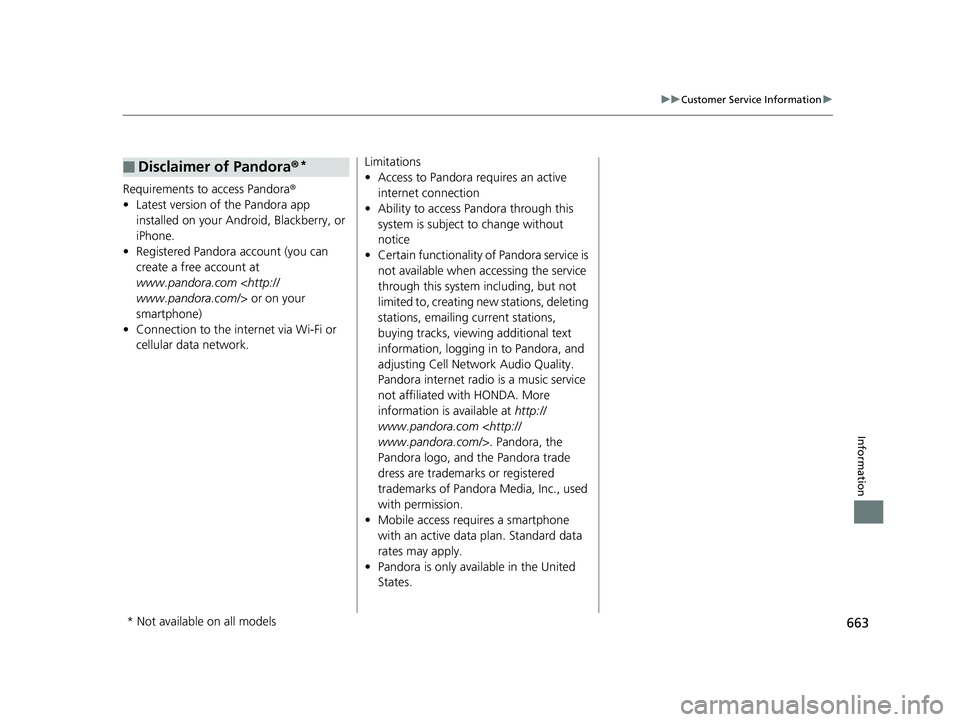
Requirements to access Pandora®
• Latest version of the Pandora app
installed on your Android, Blackberry, or
iPhone.
• Registered Pandora account (you can
create a free account at
www.pandora.com
smartphone)
• Connection to the in ternet via Wi-Fi or
cellular data network.
■Disclaimer of Pandora ®*Limitations
•Access to Pandora requires an active
internet connection
• Ability to access Pandora through this
system is subject to change without
notice
• Certain functionality of Pandora service is
not available when accessing the service
through this system including, but not
limited to, creating new stations, deleting
stations, emailing current stations,
buying tracks, viewing additional text
information, logging in to Pandora, and
adjusting Cell Network Audio Quality.
Pandora internet radio is a music service
not affiliated with HONDA. More
information is available at http://
www.pandora.com
Pandora logo, and the Pandora trade
dress are trademarks or registered
trademarks of Pandora Media, Inc., used
with permission.
• Mobile access requires a smartphone
with an active data plan. Standard data
rates may apply.
• Pandora is only available in the United
States.
* Not available on all models
19 INSIGHT HMIN-31TXM6000.book 663 ページ 2018年4月20日 金曜日 午後4時22分
Page 669 of 675

667
Index
Engine Coolant ....................................... 569
Windshield Washer ................................. 574
FM/AM Radio ................................... 248, 290
Fog Lights ................................................. 196
Indicator ................................................... 94
Folding Down the Rear Seat ................... 210
Foot Brake ................................................ 535
Front Airbags (SRS) .................................... 54
Front Seat Heaters ................................... 223
Front Seats Adjusting ................................................ 207
Front Sensor Camera ............................... 528
Fuel ..................................................... 31, 546
Economy................................................. 549
Gauge .................................................... 128
Instant Fuel Economy .............................. 136
Low Fuel Indicator..................................... 90
Range ..................................................... 136
Recommendation.................................... 546
Refueling ................................................ 546
Fuel Economy and CO
2 Emissions ............ 549
Fuel Fill Cap ........................................ 31, 547
Fuel Fill Door ...................................... 31, 547
Unable to Unlock .................................... 649
Fuses ......................................................... 642
Inspecting and Changing ........................ 647
Locations ........................................ 642, 646
G
Gasoline (Fuel) Economy ................................................. 549
Gauge ..................................................... 128
Information ............................................. 546
Instant Fuel Economy ............................... 136
Low Fuel Indicator ..................................... 90
Refueling ................................................. 546
Gauges ...................................................... 128
Gear Position Indicator .............................. 88
Glass (care) ........................................ 595, 598
Glove Box .................................................. 217
H
Handling the Unexpected ........................ 603
HandsFreeLink ® (HFL) ....................... 389, 414
Automatic Import of Cellular
Phonebook and Call History ........... 404, 423
Automatic Transferring ............................ 422
Caller’s ID Information ............................. 401
Displaying Messages ................................ 433
Favorite Contacts ..................................... 424
HFL Buttons ..................................... 389, 414
HFL Menus ...................................... 391, 417
HFL Status Display ........................... 390, 416
In Case of Emergency ...................... 317, 437
Limitations for Manual Operation .... 390, 416
Making a Call .................................. 408, 426
Options During a Call ...................... 413, 429
Phone Setup .................................... 395, 419 Receiving a Call ............................... 412, 429
Receiving a Text Message ........................ 431
Ring Tone........................................ 401, 422
Selecting a Phone .................................... 432
Speed Dial ............................................... 405
To Clear the System ................................ 403
To Set Up a Text Message Options .......... 430
Hazard Warning Button .............................. 4
HD Radio
TM............................................... 293
Head Restraints ........................................ 212
Headlights ................................................. 193
Auto High-Beam ..................................... 197
Automatic Operation............................... 194
Dimming ......................................... 193, 196
Operating................................................ 193
Heaters (Seat) ................................... 223, 224
HFL (HandsFreeLink ®)....................... 389, 414
High Beam Indicator .................................. 94
High Voltage Battery ............................... 477
High Voltage Battery Charge Level Gauge ...................................................... 129
Hill Start Assist System ............................. 453
HomeLink ® Universal Transceiver ............ 386
Honda App License Agreement .............. 339
Honda Sensing
TM................................ 32, 480
HondaLink ®............................................... 313
Hybrid Vehicle SPORT HYBRID i-MMD (intelligent Multi
Mode Drive) .............................................. 9
19 INSIGHT HMIN-31TXM6000.book 667 ページ 2018年4月20日 金曜日 午後4時22分