2019 GMC SIERRA DENALI service
[x] Cancel search: servicePage 298 of 472
GMC Sierra/Sierra Denali Owner Manual (GMNA-Localizing-U.S./Canada/
Mexico-1500-11698638) - 2019 - crc - 5/16/18
Driving and Operating 297Create a Trailer Profile
1. Touch Create Profile on the
pop-up or touch + New Trailer
in the Trailering App.
2. Create a name for the trailer.
3. Select the hitch type.
A checklist profile will be
created based on the type
selected.
4. Select the trailer type.
A pop-up will indicate the setup is
complete. Touch DONE to complete
the process or touch ADVANCED
SETUP to set up the Tow/Haul
Mode reminder, Trailer Tire
Pressure Monitoring System,
if equipped, or maintenance
reminders.
Advanced Setup
Tow/Haul Mode Reminder
To turn the Tow/Haul Mode
Reminder setting on, touch Yes. To
turn it off, touch No. Trailer Tire Pressure Setup
If the Trailer Tire Pressure
Monitoring System (TTPMS) is
detected, touch Yes to set up the
sensors or touch No to skip this
step and go to the Maintenance
Reminders step.
If the vehicle is not equipped with
TTPMS, the app will advance
directly to the Maintenance
Reminders screen. Follow the
on-screen instructions.
A trailer must be electrically
connected to the vehicle before
starting the sensor-to-vehicle learn
process.
After selecting Start from the Learn
Sensors screen, use the Tool
Method or the Manual Method
(described below) to learn each tire
sensor, during which the current tire
number will be highlighted.
Each sensor has a minimum of
two minutes to learn, shown by a
timer. After a sensor is learned, a
checkmark appears next to the tire,
the vehicle horn will sound, the vehicle ’ s brake lamps will flash, and
all working trailer lamps will flash.
It then moves to the next sensor.
To cancel the process touch Stop.
The recommended tire pressure
must be entered for the trailer tires.
This allows the vehicle to alert when
the tire pressure is high or low.
TTPMS must learn the location of
the installed tire sensors to show
correct air pressure and
temperature for each tire. To set up,
use one of the following options or
see a tire or trailer dealer for
service. The learning process must
be repeated when the trailer tires
are rotated or replaced. See “ Editing
a Trailer Profile ” later in this section
for tire pressure sensor relearn
information.
Tool Method: A TTPMS activation
tool can be purchased separately to
learn the sensor locations.
Manual Method: Without the tool,
the air pressure can be increased or
decreased in each tire for
10 seconds. Do not exceed the
maximum inflation pressure found
Page 301 of 472
GMC Sierra/Sierra Denali Owner Manual (GMNA-Localizing-U.S./Canada/
Mexico-1500-11698638) - 2019 - crc - 5/16/18
300 Driving and Operating 5. The reverse lights turn on for
about two seconds.
6. Steps 2 – 5 repeat for
approximately one minute and
45 seconds, or until the test
deactivates.
Touch Stop to stop the test. The test
will automatically end after
one minute and 45 seconds.
The sequence also deactivates
when any of the following occur:
.
The ignition is turned off.
.
The transmission is shifted out
of P (Park).
.
The brake pedal is pressed.
.
The turn signal is activated.
.
The hazard warning lights are
activated. Trailer
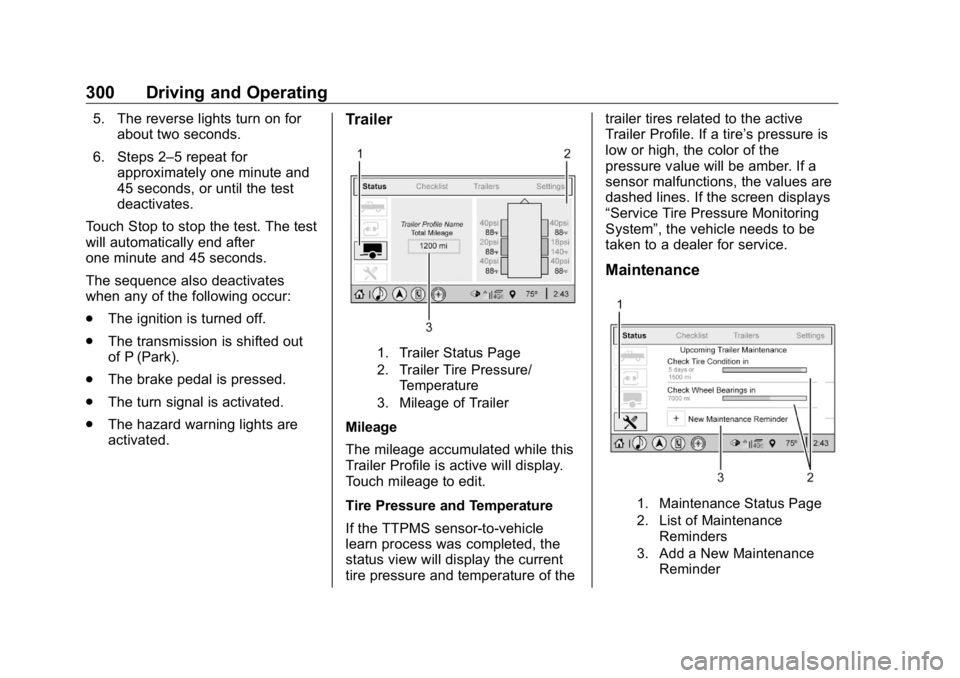
1. Trailer Status Page
2. Trailer Tire Pressure/
Temperature
3. Mileage of Trailer
Mileage
The mileage accumulated while this
Trailer Profile is active will display.
Touch mileage to edit.
Tire Pressure and Temperature
If the TTPMS sensor-to-vehicle
learn process was completed, the
status view will display the current
tire pressure and temperature of the trailer tires related to the active
Trailer Profile. If a tire ’ s pressure is
low or high, the color of the
pressure value will be amber. If a
sensor malfunctions, the values are
dashed lines. If the screen displays
“ Service Tire Pressure Monitoring
System ” , the vehicle needs to be
taken to a dealer for service.
Maintenance
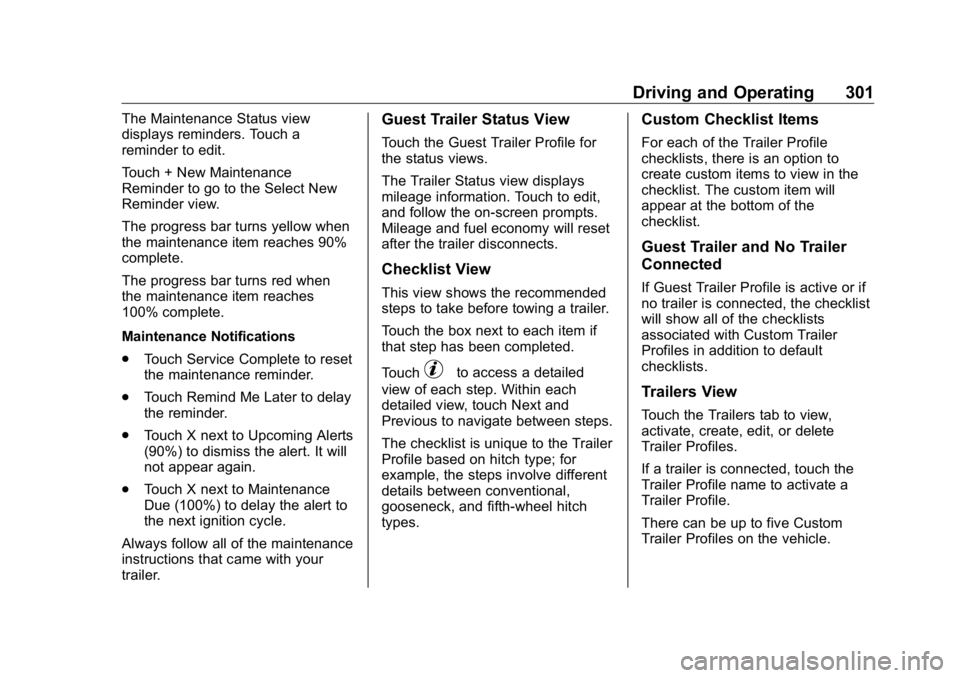
1. Maintenance Status Page
2. List of Maintenance
Reminders
3. Add a New Maintenance
Reminder
Page 302 of 472
GMC Sierra/Sierra Denali Owner Manual (GMNA-Localizing-U.S./Canada/
Mexico-1500-11698638) - 2019 - crc - 5/16/18
Driving and Operating 301The Maintenance Status view
displays reminders. Touch a
reminder to edit.
Touch + New Maintenance
Reminder to go to the Select New
Reminder view.
The progress bar turns yellow when
the maintenance item reaches 90%
complete.
The progress bar turns red when
the maintenance item reaches
100% complete.
Maintenance Notifications
.
Touch Service Complete to reset
the maintenance reminder.
.
Touch Remind Me Later to delay
the reminder.
.
Touch X next to Upcoming Alerts
(90%) to dismiss the alert. It will
not appear again.
.
Touch X next to Maintenance
Due (100%) to delay the alert to
the next ignition cycle.
Always follow all of the maintenance
instructions that came with your
trailer. Guest Trailer Status View Touch the Guest Trailer Profile for
the status views.
The Trailer Status view displays
mileage information. Touch to edit,
and follow the on-screen prompts.
Mileage and fuel economy will reset
after the trailer disconnects.
Checklist View This view shows the recommended
steps to take before towing a trailer.
Touch the box next to each item if
that step has been completed.
Touch
p to access a detailed
view of each step. Within each
detailed view, touch Next and
Previous to navigate between steps.
The checklist is unique to the Trailer
Profile based on hitch type; for
example, the steps involve different
details between conventional,
gooseneck, and fifth-wheel hitch
types. Custom Checklist Items For each of the Trailer Profile
checklists, there is an option to
create custom items to view in the
checklist. The custom item will
appear at the bottom of the
checklist.
Guest Trailer and No Trailer
Connected If Guest Trailer Profile is active or if
no trailer is connected, the checklist
will show all of the checklists
associated with Custom Trailer
Profiles in addition to default
checklists.
Trailers View Touch the Trailers tab to view,
activate, create, edit, or delete
Trailer Profiles.
If a trailer is connected, touch the
Trailer Profile name to activate a
Trailer Profile.
There can be up to five Custom
Trailer Profiles on the vehicle.
Page 306 of 472
GMC Sierra/Sierra Denali Owner Manual (GMNA-Localizing-U.S./Canada/
Mexico-1500-11698638) - 2019 - crc - 5/16/18
Driving and Operating 305.
Maintenance Alerts
.
Security Alert
.
Tow/Haul Mode Reminder
Trailer Detection Alert The Trailer Detection Alert setting
will be on by default. Turn it off to
disable the Trailer Detection pop-up
from displaying when a trailer is
connected. The Guest Trailer Profile
will become the active Trailer
Profile, unless another Trailer Profile
is selected manually through the
Trailering App. If this setting is
disabled while a Custom Trailer
Profile is active, that Trailer Profile
will remain the active profile until the
trailer is disconnected.
Maintenance Alerts Touch Maintenance Alerts to view
the Maintenance Alerts settings
page. These alerts are based on the
Trailer Profile, so the settings for
each Trailer Profile must be turned
on or off. Touch a profile to view
more information or adjust the
setting for that profile. The setting will be on by default for
each profile. All Maintenance Alerts
for that active Trailer Profile will be
received.
Turn a setting off to not receive any
of the Maintenance Alerts when that
Trailer Profile is active.
Security Alert A security alert can be set if a trailer
is connected and the alert is
enabled. When the trailer is
disconnected and the vehicle is off,
an alarm will sound.
Touch Security Alert in Settings to
view the Security Alert settings
page. These alerts are based on the
Trailer Profile, so the settings for
each Trailer Profile must be turned
on or off. Touch a profile to view
more information or adjust the
setting for that profile.
This setting will be off by default for
each Trailer Profile, including the
Guest Trailer Profile.
A smartphone will receive a
notification that the trailer related to
the selected Trailer Profile is disconnected from the vehicle, if the
setting is on for the active Trailer
Profile, the vehicle has an OnStar or
connected service plan and the
smartphone number has been
added to the account for this
notification.
If the setting is turned off for a given
Trailer Profile, the smartphone will
not receive this security notification
even if the Trailer Profile is active.
Tow/Haul Mode Reminder This is a reminder to turn on the
Tow/Haul Mode when towing a
trailer. See Tow/Haul Mode 0 234 .
Touch Tow/Haul Mode Reminder in
Settings to view the Tow/Haul Mode
Reminder settings page. These
alerts are based on the Trailer
Profile, so the settings for each
Trailer Profile must be turned on or
off. Touch a profile to view more
information or to adjust the setting
for that profile.
This setting will default to OFF for
each Trailer Profile, including the
Guest Trailer Profile.
Page 307 of 472
GMC Sierra/Sierra Denali Owner Manual (GMNA-Localizing-U.S./Canada/
Mexico-1500-11698638) - 2019 - crc - 5/16/18
306 Driving and Operating If Tow/Haul Mode is off and this
setting is on for a Trailer Profile,
each time the ignition is turned on a
reminder will appear to turn on Tow/
Haul Mode when the Trailer Profile
is active.
If Tow/Haul Mode is on and this
setting is on for a Trailer Profile, the
reminder will not appear when the
Trailer Profile is active.
Conversions and
Add-Ons Add-On Electrical
Equipment
{ WarningThe Data Link Connector
(DLC) is used for vehicle service
and Emission Inspection/
Maintenance testing. See
Malfunction Indicator Lamp
(Check Engine Light) 0 149 .
A device connected to the DLC —
such as an aftermarket fleet or
driver-behavior tracking device —
may interfere with vehicle
systems. This could affect vehicle
operation and cause a crash.
Such devices may also access
information stored in the vehicle ’ s
systems. CautionSome electrical equipment can
damage the vehicle or cause
components to not work and
would not be covered by the
vehicle warranty. Always check
with your dealer before adding
electrical equipment.
Add-on equipment can drain the
vehicle's 12-volt battery, even if the
vehicle is not operating.
The vehicle has an airbag system.
Before attempting to add anything
electrical to the vehicle, see
Servicing the Airbag-Equipped
Vehicle 0 96 and Adding Equipment
to the Airbag-Equipped Vehicle
0 97 .
For information on wiring auxiliary
switches, see www.gmupfitter.com
or contact your dealer.
Page 312 of 472

GMC Sierra/Sierra Denali Owner Manual (GMNA-Localizing-U.S./Canada/
Mexico-1500-11698638) - 2019 - crc - 5/15/18
Vehicle Care 311
Vehicle Care General Information General Information . . . . . . . . . . 312
California Proposition
65 Warning . . . . . . . . . . . . . . . . . 313
California Perchlorate
Materials Requirements . . . . . 313
Accessories and
Modifications . . . . . . . . . . . . . . . . 313
Vehicle Checks Doing Your Own
Service Work . . . . . . . . . . . . . . . 314
Hood . . . . . . . . . . . . . . . . . . . . . . . . . 314
Engine Compartment
Overview . . . . . . . . . . . . . . . . . . . . 316
Engine Oil . . . . . . . . . . . . . . . . . . . . 321
Engine Oil Life System . . . . . . . 323
Automatic Transmission
Fluid . . . . . . . . . . . . . . . . . . . . . . . . 325
Engine Air Filter Life
System . . . . . . . . . . . . . . . . . . . . . . 325
Engine Air Cleaner/Filter . . . . . . 326
Cooling System . . . . . . . . . . . . . . 327
Engine Overheating . . . . . . . . . . 331
Overheated Engine Protection
Operating Mode . . . . . . . . . . . . . 333
Engine Fan . . . . . . . . . . . . . . . . . . . 333 Washer Fluid . . . . . . . . . . . . . . . . . 334
Brakes . . . . . . . . . . . . . . . . . . . . . . . 335
Brake Pad Life System . . . . . . . 335
Brake Fluid . . . . . . . . . . . . . . . . . . . 336
Battery - North America . . . . . . 337
Four-Wheel Drive . . . . . . . . . . . . . 340
Front Axle . . . . . . . . . . . . . . . . . . . . 340
Rear Axle . . . . . . . . . . . . . . . . . . . . 341
Noise Control System . . . . . . . . 342
Starter Switch Check . . . . . . . . . 343
Ignition Transmission Lock
Check . . . . . . . . . . . . . . . . . . . . . . . 343
Park Brake and P (Park)
Mechanism Check . . . . . . . . . . 343
Wiper Blade Replacement . . . . 344
Windshield Replacement . . . . . 345
Gas Strut(s) . . . . . . . . . . . . . . . . . . 345
Headlamp Aiming Headlamp Aiming . . . . . . . . . . . . 346
Bulb Replacement Bulb Replacement . . . . . . . . . . . . 346
Halogen Bulbs . . . . . . . . . . . . . . . . 346
LED Lighting . . . . . . . . . . . . . . . . . 347
Headlamps, Front Turn Signal,
Sidemarker, and Parking
Lamps . . . . . . . . . . . . . . . . . . . . . . 347
Taillamps, Turn Signal,
Stoplamps, and Back-Up
Lamps . . . . . . . . . . . . . . . . . . . . . . 347 Center High-Mounted
Stoplamp (CHMSL) and
Cargo Lamp . . . . . . . . . . . . . . . . . 348
License Plate Lamp . . . . . . . . . . 349
Electrical System Electrical System Overload . . . 349
Fuses and Circuit Breakers . . . 350
Engine Compartment Fuse
Block . . . . . . . . . . . . . . . . . . . . . . . . 350
Instrument Panel Fuse Block
(Right) . . . . . . . . . . . . . . . . . . . . . . 354
Instrument Panel Fuse
Block (Left) . . . . . . . . . . . . . . . . . 356
Wheels and Tires Tires . . . . . . . . . . . . . . . . . . . . . . . . . . 358
All-Season Tires . . . . . . . . . . . . . . 359
Winter Tires . . . . . . . . . . . . . . . . . . 359
Low-Profile Tires . . . . . . . . . . . . . 360
All-Terrain Tires . . . . . . . . . . . . . . . 360
Tire Sidewall Labeling . . . . . . . . 360
Tire Designations . . . . . . . . . . . . . 363
Tire Terminology and
Definitions . . . . . . . . . . . . . . . . . . 364
Tire Pressure . . . . . . . . . . . . . . . . . 367
Tire Pressure for High-Speed
Operation . . . . . . . . . . . . . . . . . . . 368
Tire Pressure Monitor
System . . . . . . . . . . . . . . . . . . . . . . 369
Page 313 of 472
GMC Sierra/Sierra Denali Owner Manual (GMNA-Localizing-U.S./Canada/
Mexico-1500-11698638) - 2019 - crc - 5/15/18
312 Vehicle Care Tire Pressure Monitor
Operation . . . . . . . . . . . . . . . . . . . 370
Tire Inspection . . . . . . . . . . . . . . . . 375
Tire Rotation . . . . . . . . . . . . . . . . . 376
When It Is Time for New
Tires . . . . . . . . . . . . . . . . . . . . . . . . 377
Buying New Tires . . . . . . . . . . . . . 378
Different Size Tires and
Wheels . . . . . . . . . . . . . . . . . . . . . . 379
Uniform Tire Quality
Grading . . . . . . . . . . . . . . . . . . . . . 380
Wheel Alignment and Tire
Balance . . . . . . . . . . . . . . . . . . . . . 381
Wheel Replacement . . . . . . . . . . 381
Tire Chains . . . . . . . . . . . . . . . . . . . 382
If a Tire Goes Flat . . . . . . . . . . . . 383
Tire Changing . . . . . . . . . . . . . . . . 385
Full-Size Spare Tire . . . . . . . . . . 394
Jump Starting Jump Starting - North
America . . . . . . . . . . . . . . . . . . . . . 395
Towing the Vehicle Towing the Vehicle . . . . . . . . . . . 398
Recreational Vehicle
Towing . . . . . . . . . . . . . . . . . . . . . . 399
Appearance Care
Exterior Care . . . . . . . . . . . . . . . . . 403
Interior Care . . . . . . . . . . . . . . . . . . 408 Floor Mats . . . . . . . . . . . . . . . . . . . . 411
General Information For service and parts needs, visit
your dealer. You will receive
genuine GM parts and GM-trained
and supported service people.
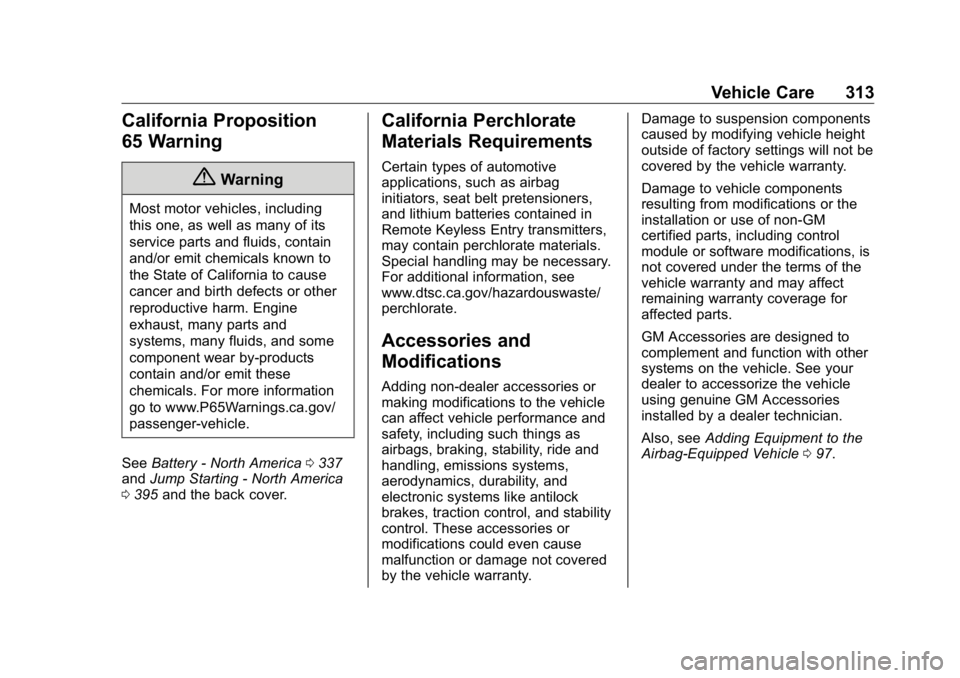
Genuine GM parts have one of
these marks:
Page 314 of 472
GMC Sierra/Sierra Denali Owner Manual (GMNA-Localizing-U.S./Canada/
Mexico-1500-11698638) - 2019 - crc - 5/15/18
Vehicle Care 313
California Proposition
65 Warning
{ WarningMost motor vehicles, including
this one, as well as many of its
service parts and fluids, contain
and/or emit chemicals known to
the State of California to cause
cancer and birth defects or other
reproductive harm. Engine
exhaust, many parts and
systems, many fluids, and some
component wear by-products
contain and/or emit these
chemicals. For more information
go to www.P65Warnings.ca.gov/
passenger-vehicle.
See Battery - North America 0 337
and Jump Starting - North America
0 395 and the back cover. California Perchlorate
Materials Requirements Certain types of automotive
applications, such as airbag
initiators, seat belt pretensioners,
and lithium batteries contained in
Remote Keyless Entry transmitters,
may contain perchlorate materials.
Special handling may be necessary.
For additional information, see
www.dtsc.ca.gov/hazardouswaste/
perchlorate.
Accessories and
Modifications Adding non-dealer accessories or
making modifications to the vehicle
can affect vehicle performance and
safety, including such things as
airbags, braking, stability, ride and
handling, emissions systems,
aerodynamics, durability, and
electronic systems like antilock
brakes, traction control, and stability
control. These accessories or
modifications could even cause
malfunction or damage not covered
by the vehicle warranty. Damage to suspension components
caused by modifying vehicle height
outside of factory settings will not be
covered by the vehicle warranty.
Damage to vehicle components
resulting from modifications or the
installation or use of non-GM
certified parts, including control
module or software modifications, is
not covered under the terms of the
vehicle warranty and may affect
remaining warranty coverage for
affected parts.
GM Accessories are designed to
complement and function with other
systems on the vehicle. See your
dealer to accessorize the vehicle
using genuine GM Accessories
installed by a dealer technician.
Also, see Adding Equipment to the
Airbag-Equipped Vehicle 0 97 .