2019 GMC SIERRA DENALI lock
[x] Cancel search: lockPage 128 of 472
GMC Sierra/Sierra Denali Owner Manual (GMNA-Localizing-U.S./Canada/
Mexico-1500-11698638) - 2019 - crc - 5/15/18
Storage 127
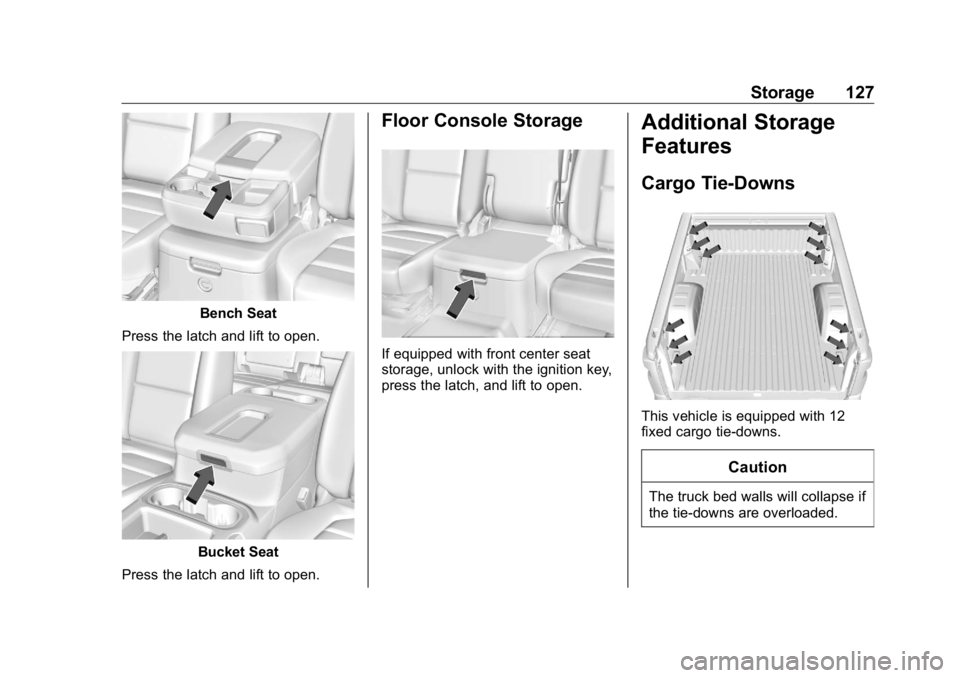
Bench Seat
Press the latch and lift to open.
Bucket Seat
Press the latch and lift to open. Floor Console Storage
If equipped with front center seat
storage, unlock with the ignition key,
press the latch, and lift to open. Additional Storage
Features Cargo Tie-Downs
This vehicle is equipped with 12
fixed cargo tie-downs.
Caution
The truck bed walls will collapse if
the tie-downs are overloaded.
Page 129 of 472
GMC Sierra/Sierra Denali Owner Manual (GMNA-Localizing-U.S./Canada/
Mexico-1500-11698638) - 2019 - crc - 5/15/18
128 Storage Any of the 12 locations inside the
truck bed can be used. The
maximum load per corner is 227 kg
(500 lb).
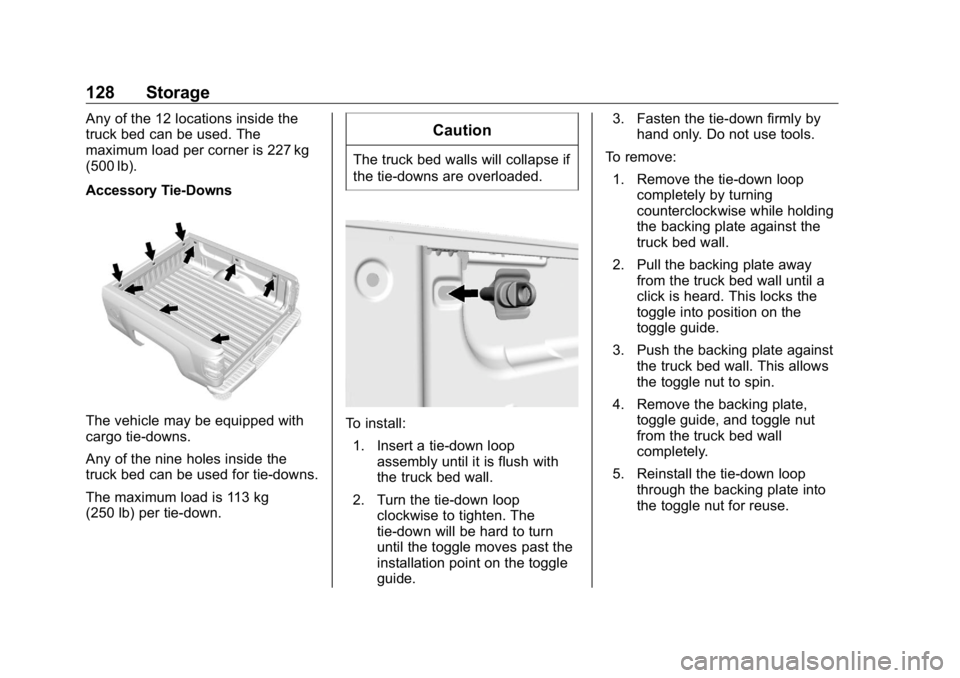
Accessory Tie-Downs
The vehicle may be equipped with
cargo tie-downs.
Any of the nine holes inside the
truck bed can be used for tie-downs.
The maximum load is 113 kg
(250 lb) per tie-down. CautionThe truck bed walls will collapse if
the tie-downs are overloaded.
To install:
1. Insert a tie-down loop
assembly until it is flush with
the truck bed wall.
2. Turn the tie-down loop
clockwise to tighten. The
tie-down will be hard to turn
until the toggle moves past the
installation point on the toggle
guide. 3. Fasten the tie-down firmly by
hand only. Do not use tools.
To remove:
1. Remove the tie-down loop
completely by turning
counterclockwise while holding
the backing plate against the
truck bed wall.
2. Pull the backing plate away
from the truck bed wall until a
click is heard. This locks the
toggle into position on the
toggle guide.
3. Push the backing plate against
the truck bed wall. This allows
the toggle nut to spin.
4. Remove the backing plate,
toggle guide, and toggle nut
from the truck bed wall
completely.
5. Reinstall the tie-down loop
through the backing plate into
the toggle nut for reuse.
Page 130 of 472
GMC Sierra/Sierra Denali Owner Manual (GMNA-Localizing-U.S./Canada/
Mexico-1500-11698638) - 2019 - crc - 5/15/18
Instruments and Controls 129
Instruments and
Controls Controls Steering Wheel Adjustment . . . 130
Steering Wheel Controls . . . . . . 131
Heated Steering Wheel . . . . . . . 131
Horn . . . . . . . . . . . . . . . . . . . . . . . . . . 131
Windshield Wiper/Washer . . . . 131
Compass . . . . . . . . . . . . . . . . . . . . . 132
Clock . . . . . . . . . . . . . . . . . . . . . . . . . 132
Power Outlets . . . . . . . . . . . . . . . . 132
Wireless Charging . . . . . . . . . . . . 135
Warning Lights, Gauges, and
Indicators Warning Lights, Gauges, and
Indicators . . . . . . . . . . . . . . . . . . . 137
Instrument Cluster . . . . . . . . . . . . 138
Speedometer . . . . . . . . . . . . . . . . . 142
Odometer . . . . . . . . . . . . . . . . . . . . . 142
Trip Odometer . . . . . . . . . . . . . . . . 142
Tachometer . . . . . . . . . . . . . . . . . . . 143
Fuel Gauge . . . . . . . . . . . . . . . . . . . 143
Engine Oil Pressure
Gauge . . . . . . . . . . . . . . . . . . . . . . 144
Engine Coolant Temperature
Gauge . . . . . . . . . . . . . . . . . . . . . . 145 Voltmeter Gauge . . . . . . . . . . . . . 146
Seat Belt Reminders . . . . . . . . . 146
Airbag Readiness Light . . . . . . . 147
Passenger Airbag Status
Indicator . . . . . . . . . . . . . . . . . . . . 148
Charging System Light . . . . . . . 148
Malfunction Indicator Lamp
(Check Engine Light) . . . . . . . . 149
Brake System Warning
Light . . . . . . . . . . . . . . . . . . . . . . . . 151
Electric Parking Brake
Light . . . . . . . . . . . . . . . . . . . . . . . . 152
Service Electric Parking Brake
Light . . . . . . . . . . . . . . . . . . . . . . . . 152
Antilock Brake System (ABS)
Warning Light . . . . . . . . . . . . . . . 152
Four-Wheel-Drive Light . . . . . . . 153
Tow/Haul Mode Light . . . . . . . . . 153
Hill Descent Control Light . . . . 153
Lane Keep Assist (LKA)
Light . . . . . . . . . . . . . . . . . . . . . . . . 153
Vehicle Ahead Indicator . . . . . . 154
Pedestrian Ahead Indicator . . . 154
Traction Off Light . . . . . . . . . . . . . 154
Traction Control System (TCS)/
Electronic Stability Control
Light . . . . . . . . . . . . . . . . . . . . . . . . 154
Electronic Stability Control
(ESC) Off Light . . . . . . . . . . . . . . 155 Engine Coolant Temperature
Warning Light . . . . . . . . . . . . . . . 155
Driver Mode Control Light . . . . 156
Tire Pressure Light . . . . . . . . . . . 156
Engine Oil Pressure Light
(Uplevel Cluster) . . . . . . . . . . . . 157
Low Fuel Warning Light . . . . . . 157
Security Light . . . . . . . . . . . . . . . . . 157
High-Beam On Light . . . . . . . . . . 157
Front Fog Lamp Light . . . . . . . . . 158
Lamps On Reminder . . . . . . . . . 158
Cruise Control Light . . . . . . . . . . 158
Door Ajar Light . . . . . . . . . . . . . . . 158
Information Displays Driver Information Center (DIC)
(Base Level) . . . . . . . . . . . . . . . . 159
Driver Information Center (DIC)
(Midlevel and Uplevel) . . . . . . 160
Head-Up Display (HUD) . . . . . . 163
Vehicle Messages Vehicle Messages . . . . . . . . . . . . 166
Engine Power Messages . . . . . 167
Vehicle Speed Messages . . . . . 167
Vehicle Personalization Vehicle Personalization . . . . . . . 167
Universal Remote System
Universal Remote System . . . . 172
Page 131 of 472
GMC Sierra/Sierra Denali Owner Manual (GMNA-Localizing-U.S./Canada/
Mexico-1500-11698638) - 2019 - crc - 5/15/18
130 Instruments and Controls Universal Remote System
Programming . . . . . . . . . . . . . . . 172
Universal Remote System
Operation . . . . . . . . . . . . . . . . . . . 175
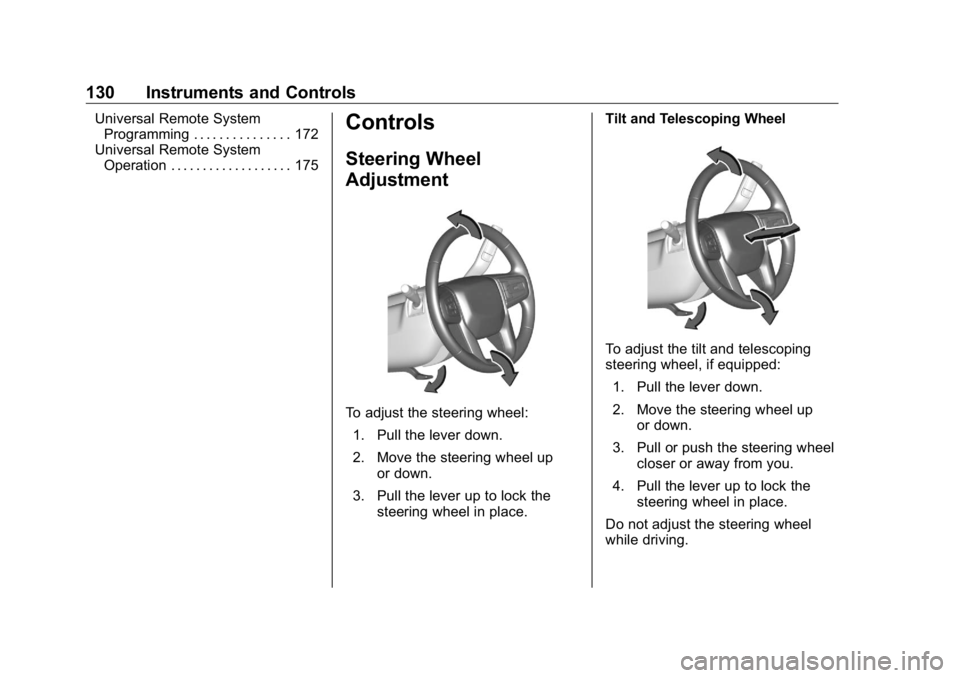
Controls Steering Wheel
Adjustment
To adjust the steering wheel:
1. Pull the lever down.
2. Move the steering wheel up
or down.
3. Pull the lever up to lock the
steering wheel in place. Tilt and Telescoping Wheel
To adjust the tilt and telescoping
steering wheel, if equipped:
1. Pull the lever down.
2. Move the steering wheel up
or down.
3. Pull or push the steering wheel
closer or away from you.
4. Pull the lever up to lock the
steering wheel in place.
Do not adjust the steering wheel
while driving.
Page 133 of 472
GMC Sierra/Sierra Denali Owner Manual (GMNA-Localizing-U.S./Canada/
Mexico-1500-11698638) - 2019 - crc - 5/15/18
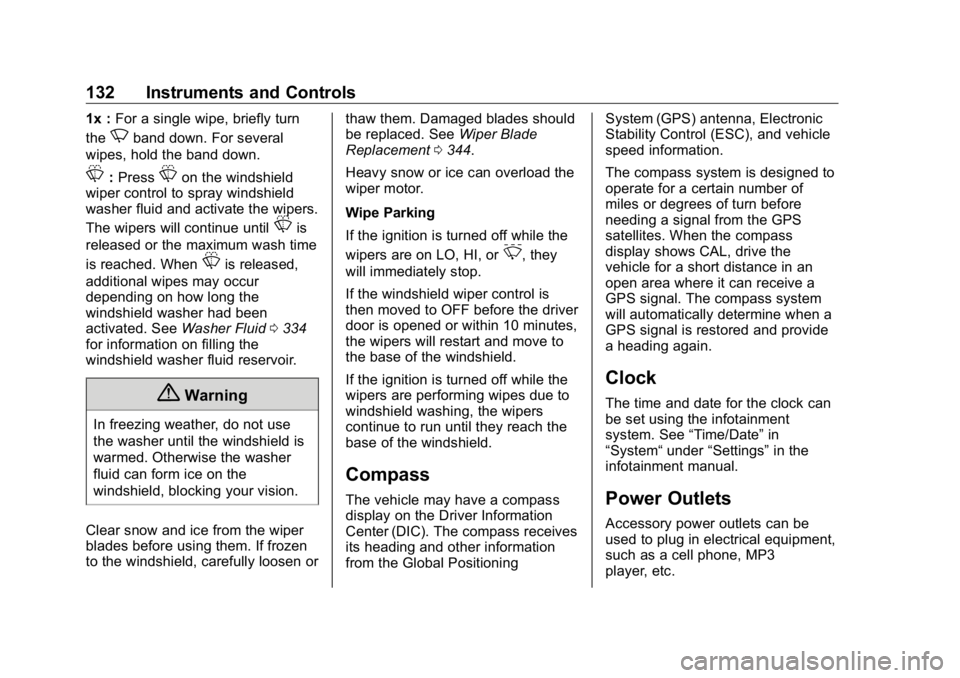
132 Instruments and Controls 1x : For a single wipe, briefly turn
the
N band down. For several
wipes, hold the band down.
L : Press
L on the windshield
wiper control to spray windshield
washer fluid and activate the wipers.
The wipers will continue until
L is
released or the maximum wash time
is reached. When
L is released,
additional wipes may occur
depending on how long the
windshield washer had been
activated. See Washer Fluid 0 334
for information on filling the
windshield washer fluid reservoir.
{ Warning
In freezing weather, do not use
the washer until the windshield is
warmed. Otherwise the washer
fluid can form ice on the
windshield, blocking your vision.
Clear snow and ice from the wiper
blades before using them. If frozen
to the windshield, carefully loosen or thaw them. Damaged blades should
be replaced. See Wiper Blade
Replacement 0 344 .
Heavy snow or ice can overload the
wiper motor.
Wipe Parking
If the ignition is turned off while the
wipers are on LO, HI, or
3 , they
will immediately stop.
If the windshield wiper control is
then moved to OFF before the driver
door is opened or within 10 minutes,
the wipers will restart and move to
the base of the windshield.
If the ignition is turned off while the
wipers are performing wipes due to
windshield washing, the wipers
continue to run until they reach the
base of the windshield.
Compass The vehicle may have a compass
display on the Driver Information
Center (DIC). The compass receives
its heading and other information
from the Global Positioning System (GPS) antenna, Electronic
Stability Control (ESC), and vehicle
speed information.
The compass system is designed to
operate for a certain number of
miles or degrees of turn before
needing a signal from the GPS
satellites. When the compass
display shows CAL, drive the
vehicle for a short distance in an
open area where it can receive a
GPS signal. The compass system
will automatically determine when a
GPS signal is restored and provide
a heading again.
Clock The time and date for the clock can
be set using the infotainment
system. See “ Time/Date ” in
“ System “ under “ Settings ” in the
infotainment manual.
Power Outlets Accessory power outlets can be
used to plug in electrical equipment,
such as a cell phone, MP3
player, etc.
Page 153 of 472
GMC Sierra/Sierra Denali Owner Manual (GMNA-Localizing-U.S./Canada/
Mexico-1500-11698638) - 2019 - crc - 5/15/18
152 Instruments and Controls
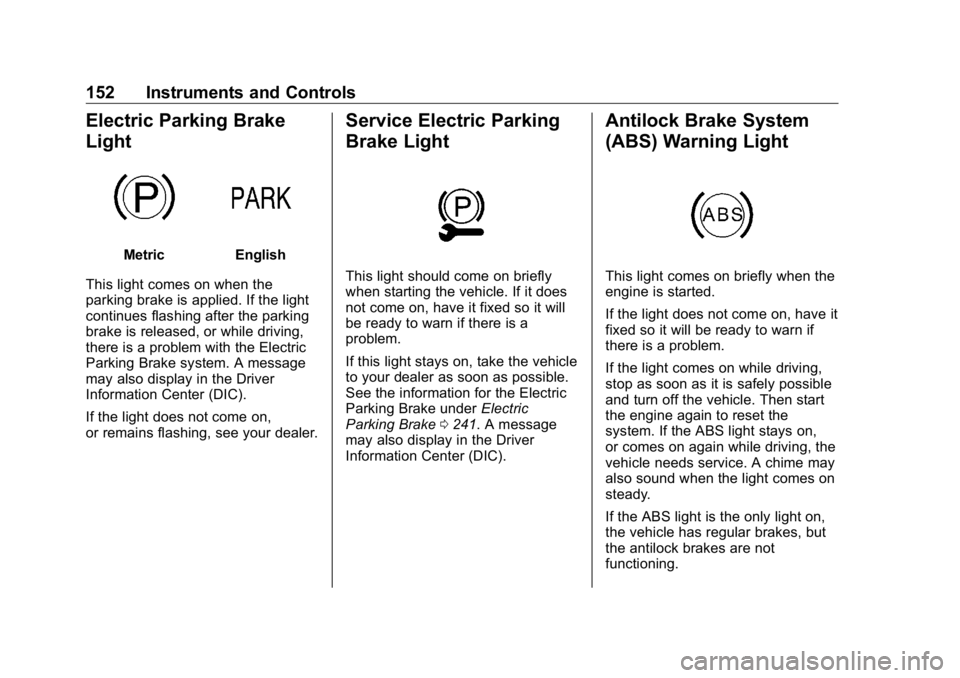
Electric Parking Brake
Light Metric English
This light comes on when the
parking brake is applied. If the light
continues flashing after the parking
brake is released, or while driving,
there is a problem with the Electric
Parking Brake system. A message
may also display in the Driver
Information Center (DIC).
If the light does not come on,
or remains flashing, see your dealer. Service Electric Parking
Brake Light
This light should come on briefly
when starting the vehicle. If it does
not come on, have it fixed so it will
be ready to warn if there is a
problem.
If this light stays on, take the vehicle
to your dealer as soon as possible.
See the information for the Electric
Parking Brake under Electric
Parking Brake 0 241 . A message
may also display in the Driver
Information Center (DIC). Antilock Brake System
(ABS) Warning Light
This light comes on briefly when the
engine is started.
If the light does not come on, have it
fixed so it will be ready to warn if
there is a problem.
If the light comes on while driving,
stop as soon as it is safely possible
and turn off the vehicle. Then start
the engine again to reset the
system. If the ABS light stays on,
or comes on again while driving, the
vehicle needs service. A chime may
also sound when the light comes on
steady.
If the ABS light is the only light on,
the vehicle has regular brakes, but
the antilock brakes are not
functioning.
Page 154 of 472
GMC Sierra/Sierra Denali Owner Manual (GMNA-Localizing-U.S./Canada/
Mexico-1500-11698638) - 2019 - crc - 5/15/18
Instruments and Controls 153If both the ABS and the brake
system warning light are on, the
vehicle's antilock brakes are not
functioning and there is a problem
with the regular brakes. See your
dealer for service.
See Brake System Warning Light
0 151 .
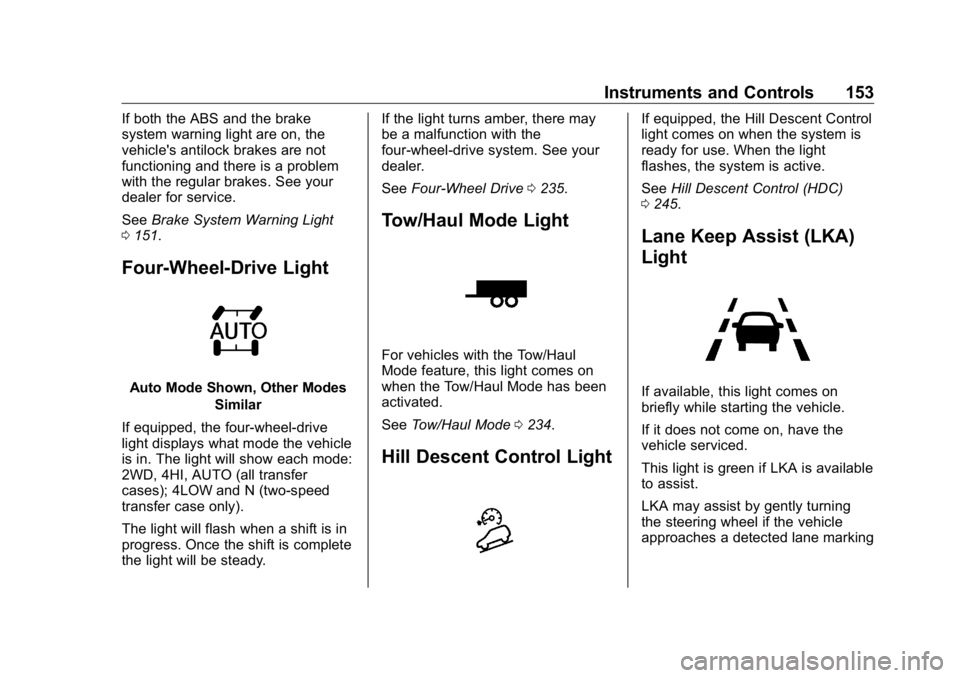
Four-Wheel-Drive Light
Auto Mode Shown, Other Modes
Similar
If equipped, the four-wheel-drive
light displays what mode the vehicle
is in. The light will show each mode:
2WD, 4HI, AUTO (all transfer
cases); 4LOW and N (two-speed
transfer case only).
The light will flash when a shift is in
progress. Once the shift is complete
the light will be steady. If the light turns amber, there may
be a malfunction with the
four-wheel-drive system. See your
dealer.
See Four-Wheel Drive 0 235 .
Tow/Haul Mode Light
For vehicles with the Tow/Haul
Mode feature, this light comes on
when the Tow/Haul Mode has been
activated.
See Tow/Haul Mode 0 234 .
Hill Descent Control Light If equipped, the Hill Descent Control
light comes on when the system is
ready for use. When the light
flashes, the system is active.
See Hill Descent Control (HDC)
0 245 .
Lane Keep Assist (LKA)
Light
If available, this light comes on
briefly while starting the vehicle.
If it does not come on, have the
vehicle serviced.
This light is green if LKA is available
to assist.
LKA may assist by gently turning
the steering wheel if the vehicle
approaches a detected lane marking
Page 170 of 472
GMC Sierra/Sierra Denali Owner Manual (GMNA-Localizing-U.S./Canada/
Mexico-1500-11698638) - 2019 - crc - 5/15/18
Instruments and Controls 169Park Assist
This allows the feature to be turned
on or off. See Assistance Systems
for Parking or Backing 0 254 .
Select Off, On, or On with Towbar.
Rear Camera Park Assist Symbols
This setting enables the Rear
Camera Park Assist Symbols. See
Assistance Systems for Parking or
Backing 0 254 .
Touch Off or On.
Rear Cross Traffic Alert
This allows the Rear Cross Traffic
Alert feature to be turned on or off.
See Assistance Systems for Parking
or Backing 0 254 .
Touch Off or On.
Comfort and Convenience
Touch and the following may
display:
.
Chime Volume
.
Reverse Tilt Mirror
.
Remote Mirror Folding Chime Volume
This determines the chime volume
level.
Touch the controls on the
infotainment display to adjust the
volume.
Reverse Tilt Mirror
This allows the feature to be turned
on or off. See Reverse Tilt Mirrors
0 59 .
Touch Off, On - Driver and
Passenger, On - Driver, or On -
Passenger.
Remote Mirror Folding
When on, the outside mirrors will
remotely fold or unfold when the
Remote Keyless Entry (RKE)
transmitter
Q or
K button is
pressed and held. See Folding
Mirrors 0 57 .
Touch Off or On. Lighting Touch and the following may
display:
.
Vehicle Locator Lights
.
Exit Lighting
Vehicle Locator Lights
This setting flashes the vehicle ’ s
headlamps when
K is pressed on
the Remote Keyless Entry (RKE)
transmitter.
Touch Off or On.
Exit Lighting
This setting specifies how long the
headlamps stay on after the vehicle
is turned off and exited.
Touch Off, 30 Seconds, 60 Seconds,
or 120 Seconds.
Power Door Locks
Touch and the following may
display:
.
Open Door Anti Lock Out
.
Auto Door Unlock
.
Delayed Door Lock