2019 GMC SIERRA DENALI warning light
[x] Cancel search: warning lightPage 269 of 472
GMC Sierra/Sierra Denali Owner Manual (GMNA-Localizing-U.S./Canada/
Mexico-1500-11698638) - 2019 - crc - 5/16/18
268 Driving and Operating How the System Works The LCA symbol lights up in the
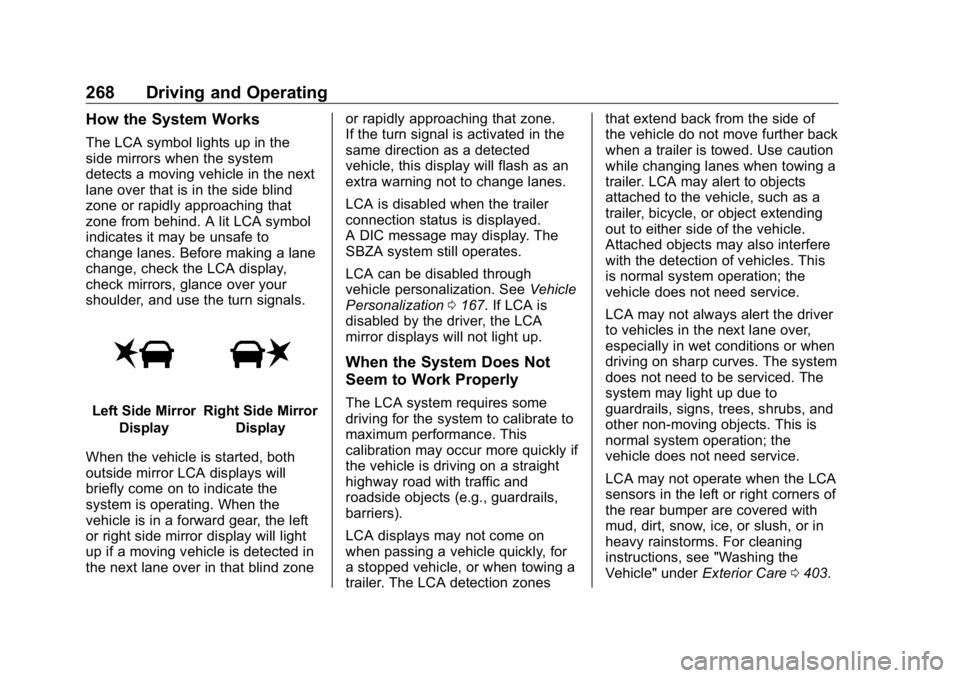
side mirrors when the system
detects a moving vehicle in the next
lane over that is in the side blind
zone or rapidly approaching that
zone from behind. A lit LCA symbol
indicates it may be unsafe to
change lanes. Before making a lane
change, check the LCA display,
check mirrors, glance over your
shoulder, and use the turn signals.
Left Side Mirror
Display Right Side Mirror
Display
When the vehicle is started, both
outside mirror LCA displays will
briefly come on to indicate the
system is operating. When the
vehicle is in a forward gear, the left
or right side mirror display will light
up if a moving vehicle is detected in
the next lane over in that blind zone or rapidly approaching that zone.
If the turn signal is activated in the
same direction as a detected
vehicle, this display will flash as an
extra warning not to change lanes.
LCA is disabled when the trailer
connection status is displayed.
A DIC message may display. The
SBZA system still operates.
LCA can be disabled through
vehicle personalization. See Vehicle
Personalization 0 167 . If LCA is
disabled by the driver, the LCA
mirror displays will not light up.
When the System Does Not
Seem to Work Properly The LCA system requires some
driving for the system to calibrate to
maximum performance. This
calibration may occur more quickly if
the vehicle is driving on a straight
highway road with traffic and
roadside objects (e.g., guardrails,
barriers).
LCA displays may not come on
when passing a vehicle quickly, for
a stopped vehicle, or when towing a
trailer. The LCA detection zones that extend back from the side of
the vehicle do not move further back
when a trailer is towed. Use caution
while changing lanes when towing a
trailer. LCA may alert to objects
attached to the vehicle, such as a
trailer, bicycle, or object extending
out to either side of the vehicle.
Attached objects may also interfere
with the detection of vehicles. This
is normal system operation; the
vehicle does not need service.
LCA may not always alert the driver
to vehicles in the next lane over,
especially in wet conditions or when
driving on sharp curves. The system
does not need to be serviced. The
system may light up due to
guardrails, signs, trees, shrubs, and
other non-moving objects. This is
normal system operation; the
vehicle does not need service.
LCA may not operate when the LCA
sensors in the left or right corners of
the rear bumper are covered with
mud, dirt, snow, ice, or slush, or in
heavy rainstorms. For cleaning
instructions, see "Washing the
Vehicle" under Exterior Care 0 403 .
Page 270 of 472
GMC Sierra/Sierra Denali Owner Manual (GMNA-Localizing-U.S./Canada/
Mexico-1500-11698638) - 2019 - crc - 5/16/18
Driving and Operating 269If the DIC still displays the system
unavailable message after cleaning
both sides of the vehicle toward the
rear corners of the vehicle, see your
dealer.
If the LCA displays do not light up
when moving vehicles are in the
side blind zone or are rapidly
approaching this zone and the
system is clean, the system may
need service. Take the vehicle to
your dealer.
Radio Frequency Information See Radio Frequency Statement
0 443 .
Lane Departure
Warning (LDW) If equipped, LDW may help avoid
crashes due to unintentional lane
departures. It may provide a
warning if the vehicle is crossing a
detected lane marking without using
a turn signal in the lane departure
direction. Since this system is part of the Lane Keep Assist (LKA)
system, read the entire LKA section
before using this feature.
Lane Keep Assist (LKA) If equipped, LKA may help avoid
crashes due to unintentional lane
departures. It may assist by gently
turning the steering wheel if the
vehicle approaches a detected lane
marking without using a turn signal
in that direction. It may also provide
a Lane Departure Warning (LDW)
system alert as the lane marking is
crossed. The LKA system will not
assist or provide an LDW alert if it
detects that you are actively
steering. Override LKA by turning
the steering wheel. LKA uses a
camera to detect lane markings
between 60 km/h (37 mph) and
180 km/h (112 mph). { WarningThe LKA system does not
continuously steer the vehicle.
It may not keep the vehicle in the
lane or give a Lane Departure
Warning (LDW) alert, even if a
lane marking is detected.
The LKA and LDW systems
may not:
.
Provide an alert or enough
steering assist to avoid a
lane departure or crash.
.
Detect lane markings under
poor weather or visibility
conditions. This can occur if
the windshield or
headlamps are blocked by
dirt, snow, or ice, if they are
not in proper condition, or if
the sun shines directly into
the camera.
.
Detect road edges.
.
Detect lanes on winding or
hilly roads.
(Continued)
Page 271 of 472
GMC Sierra/Sierra Denali Owner Manual (GMNA-Localizing-U.S./Canada/
Mexico-1500-11698638) - 2019 - crc - 5/16/18
270 Driving and Operating Warning (Continued)If LKA only detects lane markings
on one side of the road, it will
only assist or provide an LDW
alert when approaching the lane
on the side where it has detected
a lane marking. Even with LKA
and LDW, you must steer the
vehicle. Always keep your
attention on the road and
maintain proper vehicle position
within the lane, or vehicle
damage, injury, or death could
occur. Always keep the
windshield, headlamps, and
camera sensors clean and in
good repair. Do not use LKA in
bad weather conditions.
{ Warning
Using LKA while towing a trailer
or on slippery roads could cause
loss of control of the vehicle and
a crash. Turn the system off. How the System Works The LKA camera sensor is on the
windshield ahead of the rearview
mirror.
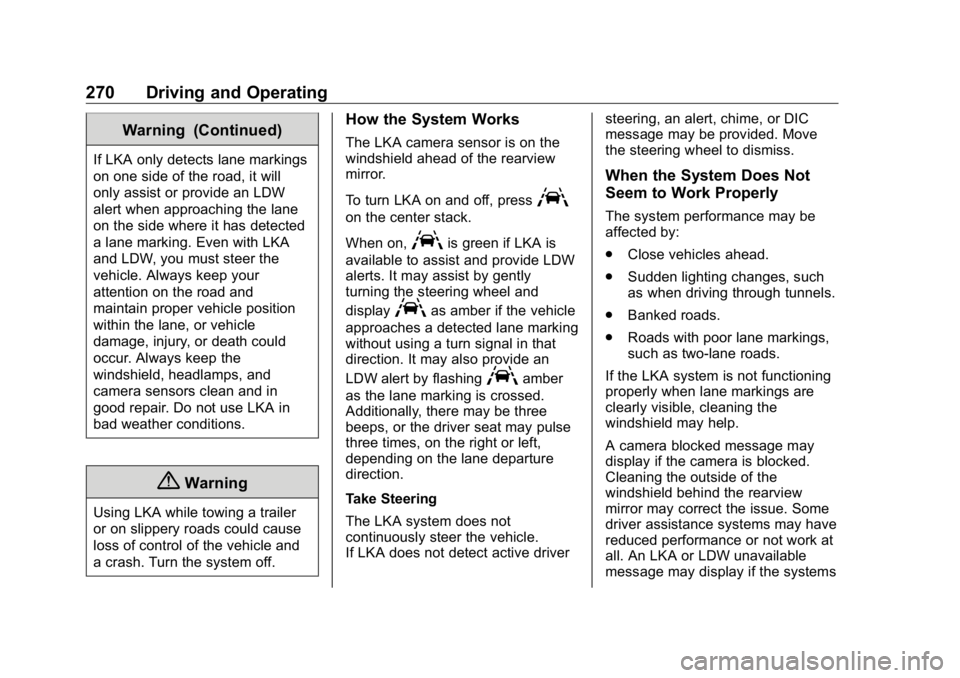
To turn LKA on and off, press
Aon the center stack.
When on,
A is green if LKA is
available to assist and provide LDW
alerts. It may assist by gently
turning the steering wheel and
display
A as amber if the vehicle
approaches a detected lane marking
without using a turn signal in that
direction. It may also provide an
LDW alert by flashing
A amber
as the lane marking is crossed.
Additionally, there may be three
beeps, or the driver seat may pulse
three times, on the right or left,
depending on the lane departure
direction.
Take Steering
The LKA system does not
continuously steer the vehicle.
If LKA does not detect active driver steering, an alert, chime, or DIC
message may be provided. Move
the steering wheel to dismiss.
When the System Does Not
Seem to Work Properly The system performance may be
affected by:
.
Close vehicles ahead.
.
Sudden lighting changes, such
as when driving through tunnels.
.
Banked roads.
.
Roads with poor lane markings,
such as two-lane roads.
If the LKA system is not functioning
properly when lane markings are
clearly visible, cleaning the
windshield may help.
A camera blocked message may
display if the camera is blocked.
Cleaning the outside of the
windshield behind the rearview
mirror may correct the issue. Some
driver assistance systems may have
reduced performance or not work at
all. An LKA or LDW unavailable
message may display if the systems
Page 291 of 472
GMC Sierra/Sierra Denali Owner Manual (GMNA-Localizing-U.S./Canada/
Mexico-1500-11698638) - 2019 - crc - 5/16/18
290 Driving and Operating Combined Weight Rating (GCWR).
See “ Weight of the Trailer ” under
Trailer Towing 0 281 .
Tow/Haul Mode is most useful when
towing a heavy trailer or carrying a
large or heavy load:
.
through rolling terrain.
.
in stop-and-go traffic.
.
in busy parking lots.
Operating the vehicle in Tow/Haul
Mode when lightly loaded or not
towing will not cause damage;
however, it is not recommended and
may result in unpleasant engine and
transmission driving characteristics
and reduced fuel economy.
Integrated Trailer Brake
Control System The vehicle may have an Integrated
Trailer Brake Control (ITBC) system
for use with electric trailer brakes or
most electric over hydraulic trailer
brake systems. These instructions
apply to both types of electric trailer
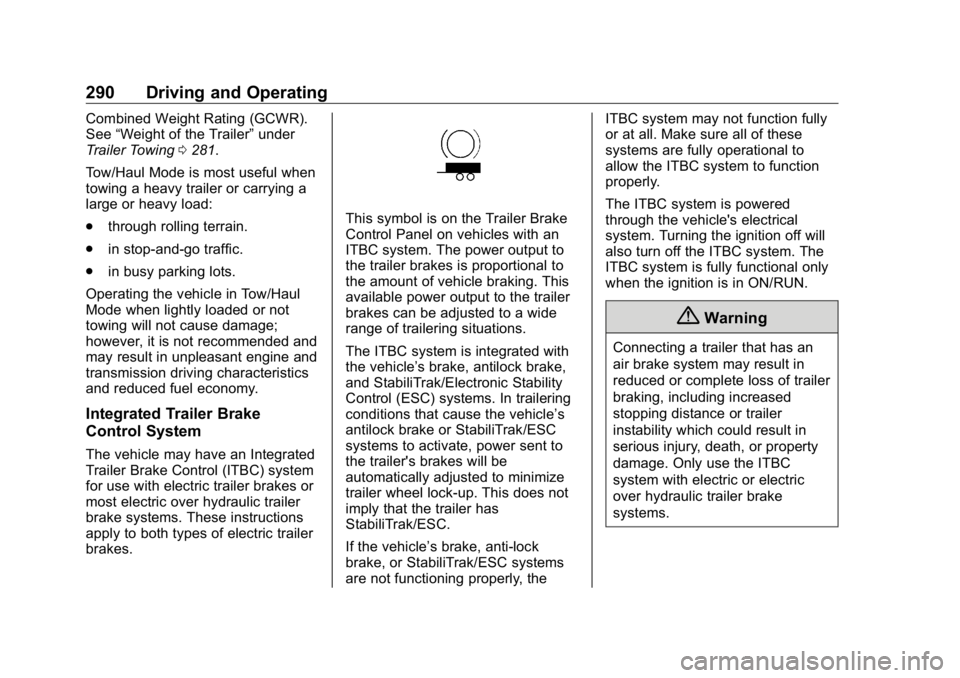
brakes. This symbol is on the Trailer Brake
Control Panel on vehicles with an
ITBC system. The power output to
the trailer brakes is proportional to
the amount of vehicle braking. This
available power output to the trailer
brakes can be adjusted to a wide
range of trailering situations.
The ITBC system is integrated with
the vehicle ’ s brake, antilock brake,
and StabiliTrak/Electronic Stability
Control (ESC) systems. In trailering
conditions that cause the vehicle ’ s
antilock brake or StabiliTrak/ESC
systems to activate, power sent to
the trailer's brakes will be
automatically adjusted to minimize
trailer wheel lock-up. This does not
imply that the trailer has
StabiliTrak/ESC.
If the vehicle ’ s brake, anti-lock
brake, or StabiliTrak/ESC systems
are not functioning properly, the ITBC system may not function fully
or at all. Make sure all of these
systems are fully operational to
allow the ITBC system to function
properly.
The ITBC system is powered
through the vehicle's electrical
system. Turning the ignition off will
also turn off the ITBC system. The
ITBC system is fully functional only
when the ignition is in ON/RUN.
{ WarningConnecting a trailer that has an
air brake system may result in
reduced or complete loss of trailer
braking, including increased
stopping distance or trailer
instability which could result in
serious injury, death, or property
damage. Only use the ITBC
system with electric or electric
over hydraulic trailer brake
systems.
Page 295 of 472
GMC Sierra/Sierra Denali Owner Manual (GMNA-Localizing-U.S./Canada/
Mexico-1500-11698638) - 2019 - crc - 5/16/18
294 Driving and Operating brakes are selectively applied at
each wheel, to help reduce
excessive trailer sway. If equipped
with the Integrated Trailer Brake
Control (ITBC) system, and the
trailer has an electric brake system,
StabiliTrak/ESC may also apply the
trailer brakes.
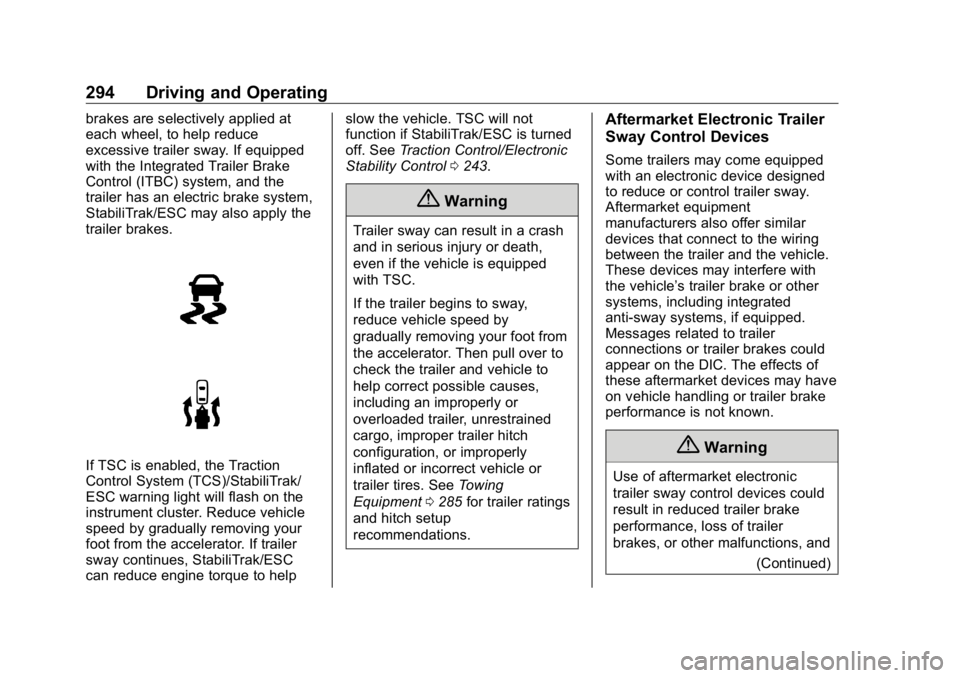
If TSC is enabled, the Traction
Control System (TCS)/StabiliTrak/
ESC warning light will flash on the
instrument cluster. Reduce vehicle
speed by gradually removing your
foot from the accelerator. If trailer
sway continues, StabiliTrak/ESC
can reduce engine torque to help slow the vehicle. TSC will not
function if StabiliTrak/ESC is turned
off. See Traction Control/Electronic
Stability Control 0 243 .
{ WarningTrailer sway can result in a crash
and in serious injury or death,
even if the vehicle is equipped
with TSC.
If the trailer begins to sway,
reduce vehicle speed by
gradually removing your foot from
the accelerator. Then pull over to
check the trailer and vehicle to
help correct possible causes,
including an improperly or
overloaded trailer, unrestrained
cargo, improper trailer hitch
configuration, or improperly
inflated or incorrect vehicle or
trailer tires. See Towing
Equipment 0 285 for trailer ratings
and hitch setup
recommendations. Aftermarket Electronic Trailer
Sway Control Devices Some trailers may come equipped
with an electronic device designed
to reduce or control trailer sway.
Aftermarket equipment
manufacturers also offer similar
devices that connect to the wiring
between the trailer and the vehicle.
These devices may interfere with
the vehicle ’ s trailer brake or other
systems, including integrated
anti-sway systems, if equipped.
Messages related to trailer
connections or trailer brakes could
appear on the DIC. The effects of
these aftermarket devices may have
on vehicle handling or trailer brake
performance is not known.
{ Warning
Use of aftermarket electronic
trailer sway control devices could
result in reduced trailer brake
performance, loss of trailer
brakes, or other malfunctions, and
(Continued)
Page 297 of 472
GMC Sierra/Sierra Denali Owner Manual (GMNA-Localizing-U.S./Canada/
Mexico-1500-11698638) - 2019 - crc - 5/16/18
296 Driving and Operating
Trailering App Trailer Light App If equipped, the Trailer Lights App is
on the Home Page of the
infotainment display.
Touch Start to cycle the trailer lights
on and off to determine if they are
working. The test follows this
sequence:
1. The running lights turn on first
and remain on throughout the
sequence.
2. The brake lights turn on for
about two seconds.
3. The left turn signal light flashes
three times.
4. The right turn signal light
flashes three times.
5. The reverse lights turn on for
about two seconds.
6. Steps 2 – 5 repeat for
approximately one minute and
45 seconds, or until the test
deactivates. Touch Stop to stop the test. The test
will automatically end after
one minute and 45 seconds.
The sequence also deactivates
when any of the following occur:
.
The ignition is turned off.
.
The transmission is shifted out
of P (Park).
.
The brake pedal pressed.
.
The turn signal is activated.
.
The hazard warning lights
activated.
Trailering App If equipped, the Trailering App is on
the Home Page of the infotainment
display.
This feature allows profiles for
connected trailers to be created to
view status, and to store and track
trailer usage information.
The Trailering App Preview will
appear when the Trailering App is
opened for the first time from the Home Page. Touch GET STARTED
in the Trailering App to go into
the app.
When a trailer is electrically
connected, there will be an option to
create a profile, use a guest profile,
or cancel. After Cancel is selected a
third time, Don ’ t Remind Me will
display and touching that will turn off
the trailer detection pop-up. To turn
the Trailer Detection Alert on, select
ON in the Settings tab.
When a trailer is electrically
connected and after a Trailer Profile
has been created, the trailer
detection pop-up will appear with a
list of all of the custom Trailer
Profiles made on the vehicle. To
load an existing Trailer Profile,
select one of the Trailer Profiles
listed, or load the Guest Trailer
Profile by selecting GUEST
TRAILER. Touching Cancel,
Accessory/No trailer, or shifting the
vehicle from P (Park), will select
Accessory/No trailer as the active
Trailer Profile and will dismiss the
pop- up.
Page 301 of 472
GMC Sierra/Sierra Denali Owner Manual (GMNA-Localizing-U.S./Canada/
Mexico-1500-11698638) - 2019 - crc - 5/16/18
300 Driving and Operating 5. The reverse lights turn on for
about two seconds.
6. Steps 2 – 5 repeat for
approximately one minute and
45 seconds, or until the test
deactivates.
Touch Stop to stop the test. The test
will automatically end after
one minute and 45 seconds.
The sequence also deactivates
when any of the following occur:
.
The ignition is turned off.
.
The transmission is shifted out
of P (Park).
.
The brake pedal is pressed.
.
The turn signal is activated.
.
The hazard warning lights are
activated. Trailer
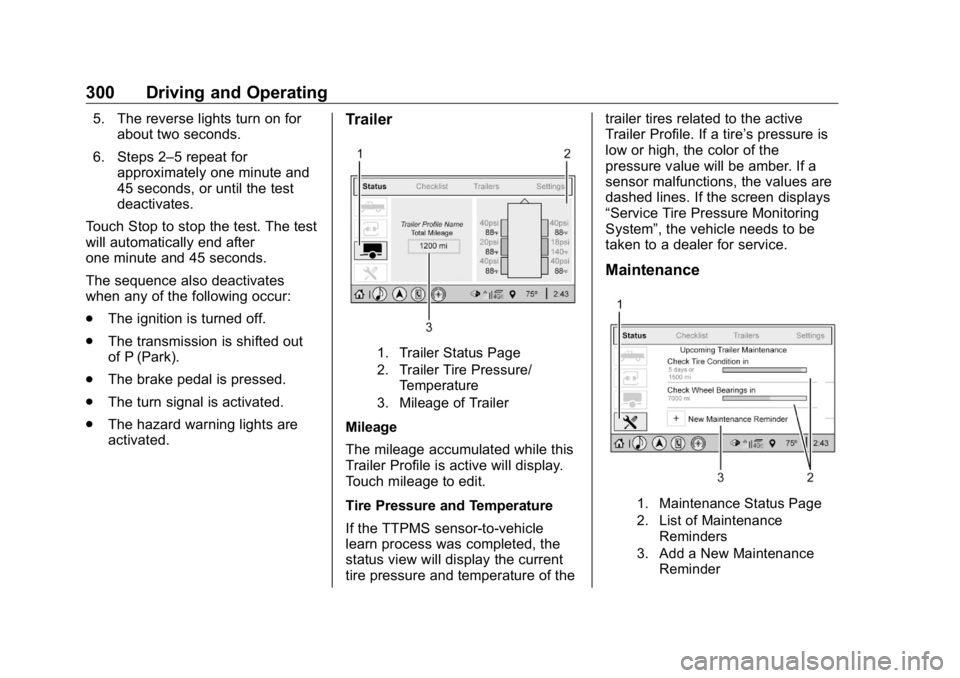
1. Trailer Status Page
2. Trailer Tire Pressure/
Temperature
3. Mileage of Trailer
Mileage
The mileage accumulated while this
Trailer Profile is active will display.
Touch mileage to edit.
Tire Pressure and Temperature
If the TTPMS sensor-to-vehicle
learn process was completed, the
status view will display the current
tire pressure and temperature of the trailer tires related to the active
Trailer Profile. If a tire ’ s pressure is
low or high, the color of the
pressure value will be amber. If a
sensor malfunctions, the values are
dashed lines. If the screen displays
“ Service Tire Pressure Monitoring
System ” , the vehicle needs to be
taken to a dealer for service.
Maintenance
1. Maintenance Status Page
2. List of Maintenance
Reminders
3. Add a New Maintenance
Reminder
Page 307 of 472
GMC Sierra/Sierra Denali Owner Manual (GMNA-Localizing-U.S./Canada/
Mexico-1500-11698638) - 2019 - crc - 5/16/18
306 Driving and Operating If Tow/Haul Mode is off and this
setting is on for a Trailer Profile,
each time the ignition is turned on a
reminder will appear to turn on Tow/
Haul Mode when the Trailer Profile
is active.
If Tow/Haul Mode is on and this
setting is on for a Trailer Profile, the
reminder will not appear when the
Trailer Profile is active.
Conversions and
Add-Ons Add-On Electrical
Equipment
{ WarningThe Data Link Connector
(DLC) is used for vehicle service
and Emission Inspection/
Maintenance testing. See
Malfunction Indicator Lamp
(Check Engine Light) 0 149 .
A device connected to the DLC —
such as an aftermarket fleet or
driver-behavior tracking device —
may interfere with vehicle
systems. This could affect vehicle
operation and cause a crash.
Such devices may also access
information stored in the vehicle ’ s
systems. CautionSome electrical equipment can
damage the vehicle or cause
components to not work and
would not be covered by the
vehicle warranty. Always check
with your dealer before adding
electrical equipment.
Add-on equipment can drain the
vehicle's 12-volt battery, even if the
vehicle is not operating.
The vehicle has an airbag system.
Before attempting to add anything
electrical to the vehicle, see
Servicing the Airbag-Equipped
Vehicle 0 96 and Adding Equipment
to the Airbag-Equipped Vehicle
0 97 .
For information on wiring auxiliary
switches, see www.gmupfitter.com
or contact your dealer.