Page 49 of 472
GMC Sierra/Sierra Denali Owner Manual (GMNA-Localizing-U.S./Canada/
Mexico-1500-11698638) - 2019 - crc - 5/15/18
48 Keys, Doors, and Windows In the case of a dead battery, the
tailgate can be opened manually.
Contact your dealer or Roadside
Assistance.
If equipped, to lock or unlock the
tailgate, use the RKE transmitter or
the key.
See Remote Keyless Entry (RKE)
System Operation (Keyless Access)
0 33 or Remote Keyless Entry
(RKE) System Operation (Key
Access) 0 41 .
The vehicle must be in P (Park).
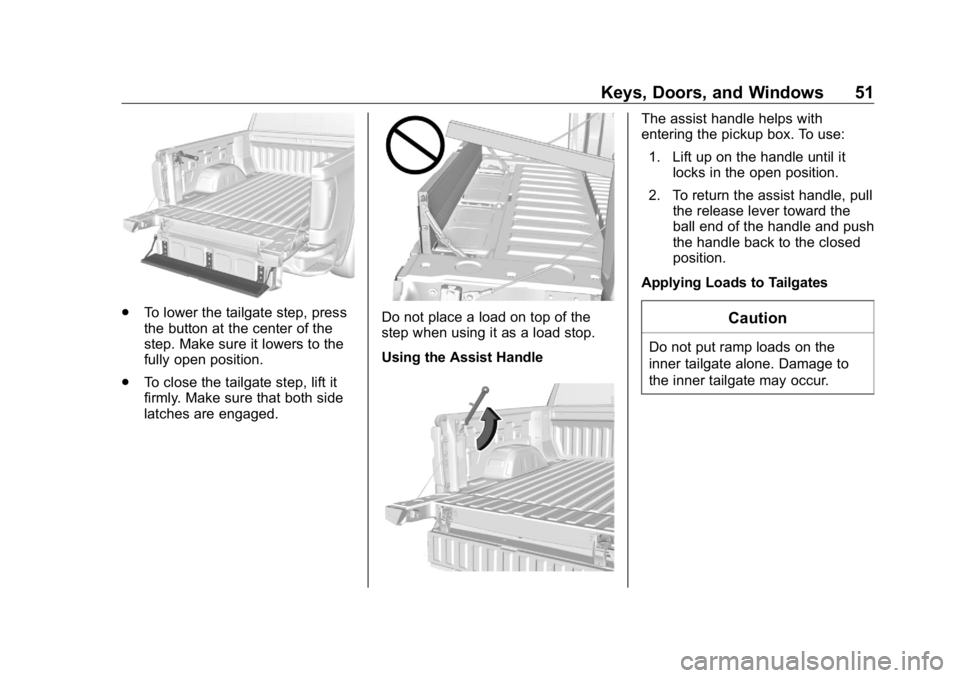
To open the tailgate:
.
Press
x twice quickly on the
RKE transmitter until the tailgate
moves. .
Press
5 on the center stack. .
Press the touch pad on the
tailgate handle after unlocking all
doors. Use the top of the tailgate
to pull against if assistance is
required. If equipped with
Keyless Access, a locked
tailgate can be opened if the
RKE transmitter is within
1 m (3 ft).
To close the tailgate, firmly push it
upward until it latches. Pull it back
to be sure it is latched securely.
MultiPro Tailgate
{ WarningMake sure there is no one in the
way of the power tailgate as it is
opening and closing, and keep
hands away from the tailgate
hinges when in use. You or others
could be injured if caught in the
path of the power tailgate or
tailgate hinges.
Page 50 of 472
GMC Sierra/Sierra Denali Owner Manual (GMNA-Localizing-U.S./Canada/
Mexico-1500-11698638) - 2019 - crc - 5/15/18
Keys, Doors, and Windows 49CautionTo avoid damage to the tailgate,
make sure the area behind the
tailgate is clear before opening it.
If equipped with this feature, the
vehicle must be in P (Park).
Switches in the inner tailgate
prevent the primary tailgate from
being opened when the inner
tailgate is not fully closed. To open the primary tailgate:
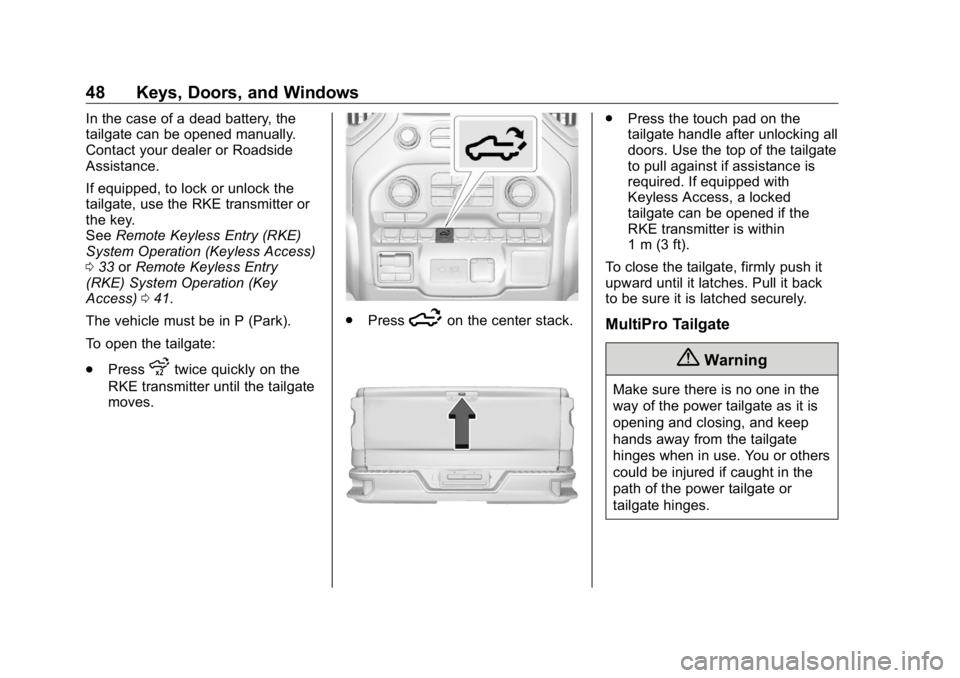
.
Press
x twice quickly on the
RKE transmitter until the tailgate
moves.
See Remote Keyless Entry
(RKE) System Operation
(Keyless Access) 0 33 or
Remote Keyless Entry (RKE)
System Operation (Key Access)
0 41 . If equipped with Keyless
Access, the tailgate can be
opened if the RKE transmitter is
within 1 m (3 ft). .
Press
5 on the center stack.
.
Press the lower touch pad on
the tailgate handle after
unlocking all doors. Use the top
of the tailgate to pull against if
assistance is required.
To close the primary tailgate, firmly
push it upward until it latches. Pull it
back to be sure it is latched
securely.
Page 51 of 472
GMC Sierra/Sierra Denali Owner Manual (GMNA-Localizing-U.S./Canada/
Mexico-1500-11698638) - 2019 - crc - 5/15/18
50 Keys, Doors, and Windows
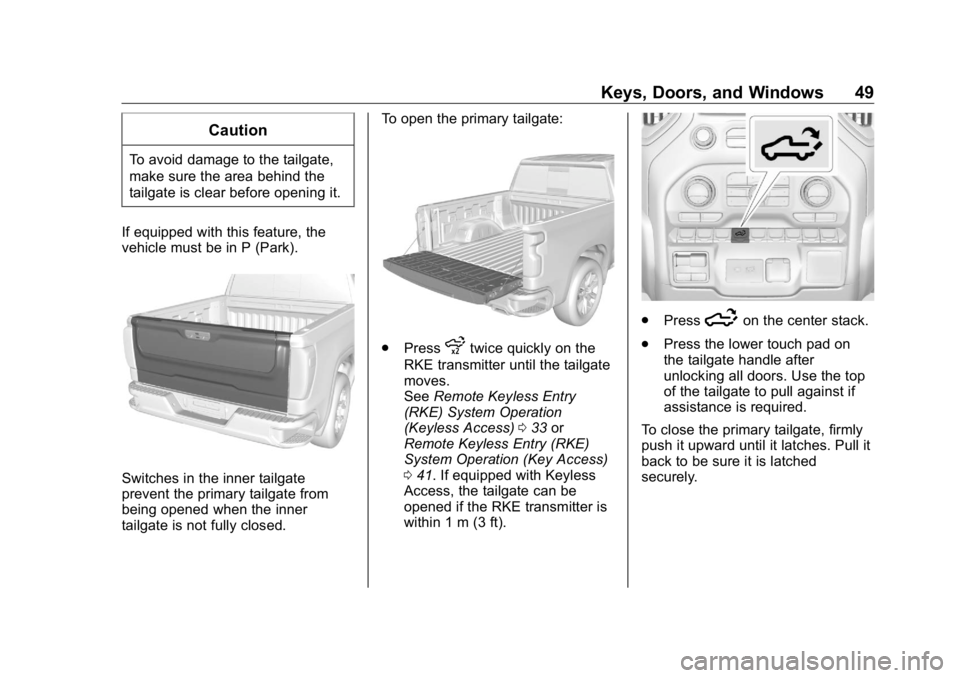
To open the inner tailgate, press the
upper touch pad on the tailgate
handle after unlocking all doors. Pull
the top of the tailgate to open. CautionDo not open the inner tailgate
with the primary tailgate open if
there is a hitch ball or trailer
attached. This may damage the
tailgate.
To close the inner tailgate with the
primary tailgate closed, firmly push
or pull it upward until it latches. Pull
it back to be sure it is latched
securely.
To close the inner tailgate with the
primary tailgate open:
.
Hold the primary tailgate and
firmly close the inner tailgate.
.
Raise the inner tailgate so it
meets the primary tailgate and
close together at the same time.
When using the tailgate step as a
load stop, the load must be secured
as the load could shift. See Cargo
Tie-Downs 0 127 . Tailgate Step
{ WarningTo avoid personal injury, keep
hands away from the hinges
when operating the tailgate step.
With the primary and inner tailgates
open, the tailgate step can be
lowered to access the pickup bed.
Using the Step
CautionWhen using the tailgate as a step,
the load rating is 170 kg (375 lb),
which includes a person and
cargo. Overloading the tailgate
step can cause damage to the
tailgate system.
Page 52 of 472
GMC Sierra/Sierra Denali Owner Manual (GMNA-Localizing-U.S./Canada/
Mexico-1500-11698638) - 2019 - crc - 5/15/18
Keys, Doors, and Windows 51
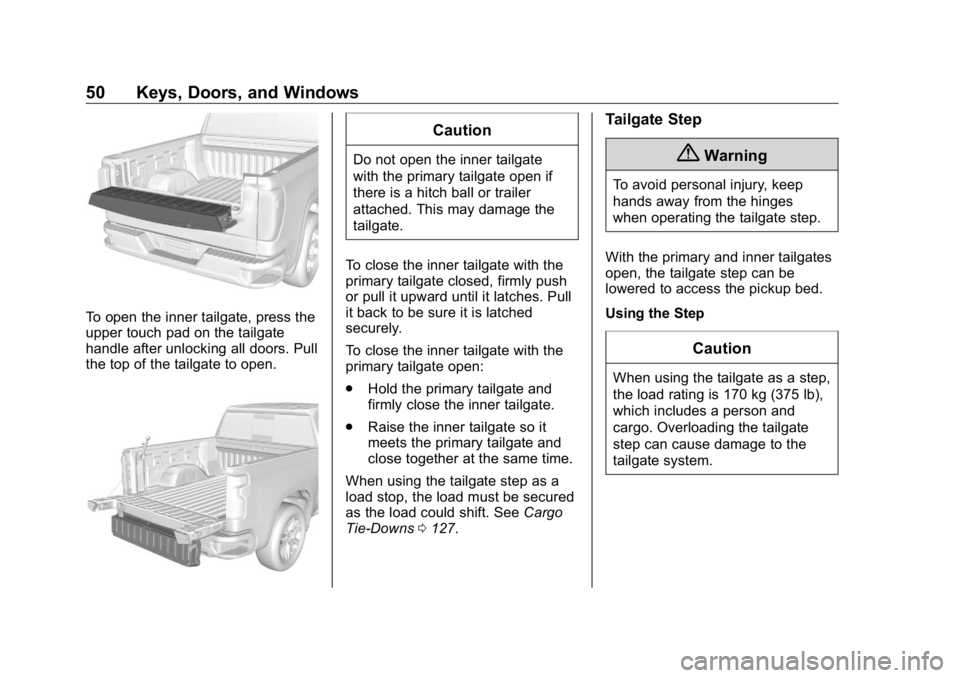
.
To lower the tailgate step, press
the button at the center of the
step. Make sure it lowers to the
fully open position.
.
To close the tailgate step, lift it
firmly. Make sure that both side
latches are engaged. Do not place a load on top of the
step when using it as a load stop.
Using the Assist Handle The assist handle helps with
entering the pickup box. To use:
1. Lift up on the handle until it
locks in the open position.
2. To return the assist handle, pull
the release lever toward the
ball end of the handle and push
the handle back to the closed
position.
Applying Loads to Tailgates
CautionDo not put ramp loads on the
inner tailgate alone. Damage to
the inner tailgate may occur.
Page 53 of 472
GMC Sierra/Sierra Denali Owner Manual (GMNA-Localizing-U.S./Canada/
Mexico-1500-11698638) - 2019 - crc - 5/15/18
52 Keys, Doors, and Windows
Preferred Method Alternate Method
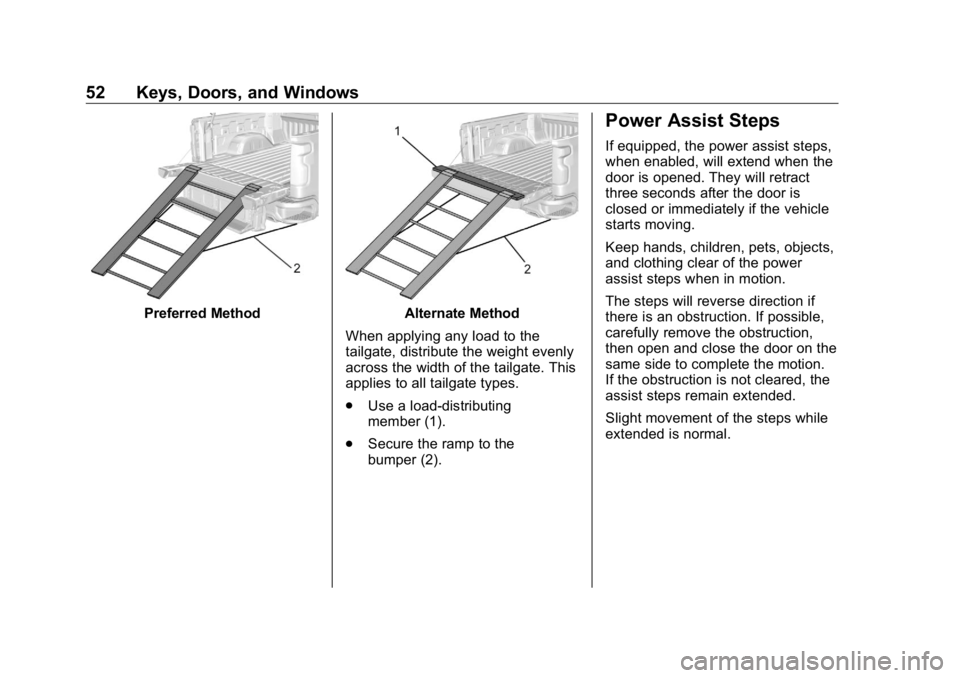
When applying any load to the
tailgate, distribute the weight evenly
across the width of the tailgate. This
applies to all tailgate types.
.
Use a load-distributing
member (1).
.
Secure the ramp to the
bumper (2). Power Assist Steps If equipped, the power assist steps,
when enabled, will extend when the
door is opened. They will retract
three seconds after the door is
closed or immediately if the vehicle
starts moving.
Keep hands, children, pets, objects,
and clothing clear of the power
assist steps when in motion.
The steps will reverse direction if
there is an obstruction. If possible,
carefully remove the obstruction,
then open and close the door on the
same side to complete the motion.
If the obstruction is not cleared, the
assist steps remain extended.
Slight movement of the steps while
extended is normal.
Page 183 of 472
GMC Sierra/Sierra Denali Owner Manual (GMNA-Localizing-U.S./Canada/
Mexico-1500-11698638) - 2019 - crc - 5/15/18
182 Lighting When the headlamps are changed
to high beam, the fog lamps also go
off. When the high-beam headlamps
are turned off, the fog lamps will
come on again.
Some localities have laws that
require the headlamps to be on with
the fog lamps.
Task Lighting
If equipped, task lighting projects
light from the outside mirrors to the
sides of the vehicle. While the vehicle is parked,
press
K to select one of the
following options:
.
Left and Right Task Lights
Illuminated
.
Left Task Light Illuminated
.
Right Task Light Illuminated
.
Left and Right Task Lights Off
If the vehicle leaves a parked
position, the lights will immediately
turn off.
If the vehicle is off, the lights will
stay on for approximately
10 minutes. Exterior Cargo Lamps
The cargo lamps provide more light
in the cargo area or on the sides of
the vehicle, if needed. The lamps
inside the pickup box, in the tailgate
handle, for the hitch, and/or the
cargo mirror lamps also turn on,
if equipped.
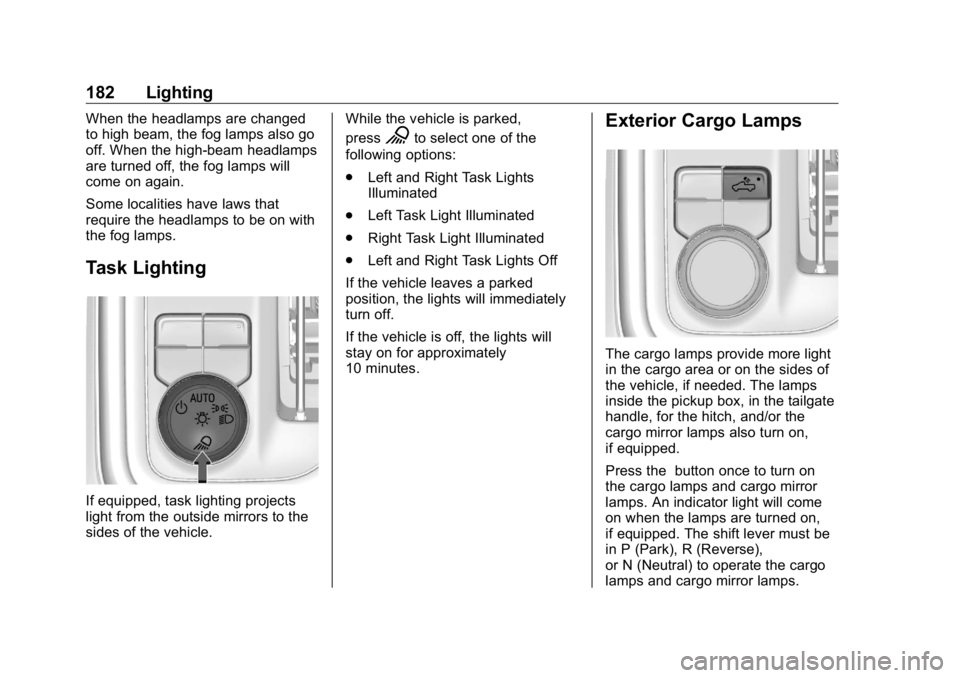
Press the button once to turn on
the cargo lamps and cargo mirror
lamps. An indicator light will come
on when the lamps are turned on,
if equipped. The shift lever must be
in P (Park), R (Reverse),
or N (Neutral) to operate the cargo
lamps and cargo mirror lamps.
Page 255 of 472
GMC Sierra/Sierra Denali Owner Manual (GMNA-Localizing-U.S./Canada/
Mexico-1500-11698638) - 2019 - crc - 5/16/18
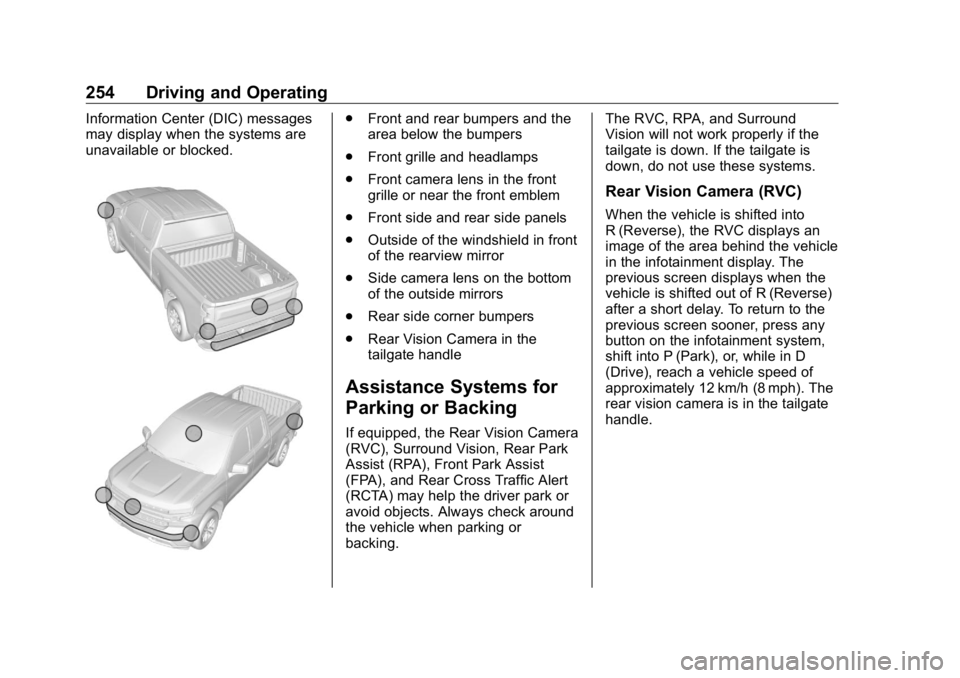
254 Driving and Operating Information Center (DIC) messages
may display when the systems are
unavailable or blocked. .
Front and rear bumpers and the
area below the bumpers
.
Front grille and headlamps
.
Front camera lens in the front
grille or near the front emblem
.
Front side and rear side panels
.
Outside of the windshield in front
of the rearview mirror
.
Side camera lens on the bottom
of the outside mirrors
.
Rear side corner bumpers
.
Rear Vision Camera in the
tailgate handle
Assistance Systems for
Parking or Backing If equipped, the Rear Vision Camera
(RVC), Surround Vision, Rear Park
Assist (RPA), Front Park Assist
(FPA), and Rear Cross Traffic Alert
(RCTA) may help the driver park or
avoid objects. Always check around
the vehicle when parking or
backing. The RVC, RPA, and Surround
Vision will not work properly if the
tailgate is down. If the tailgate is
down, do not use these systems.
Rear Vision Camera (RVC) When the vehicle is shifted into
R (Reverse), the RVC displays an
image of the area behind the vehicle
in the infotainment display. The
previous screen displays when the
vehicle is shifted out of R (Reverse)
after a short delay. To return to the
previous screen sooner, press any
button on the infotainment system,
shift into P (Park), or, while in D
(Drive), reach a vehicle speed of
approximately 12 km/h (8 mph). The
rear vision camera is in the tailgate
handle.
Page 256 of 472
GMC Sierra/Sierra Denali Owner Manual (GMNA-Localizing-U.S./Canada/
Mexico-1500-11698638) - 2019 - crc - 5/16/18
Driving and Operating 255
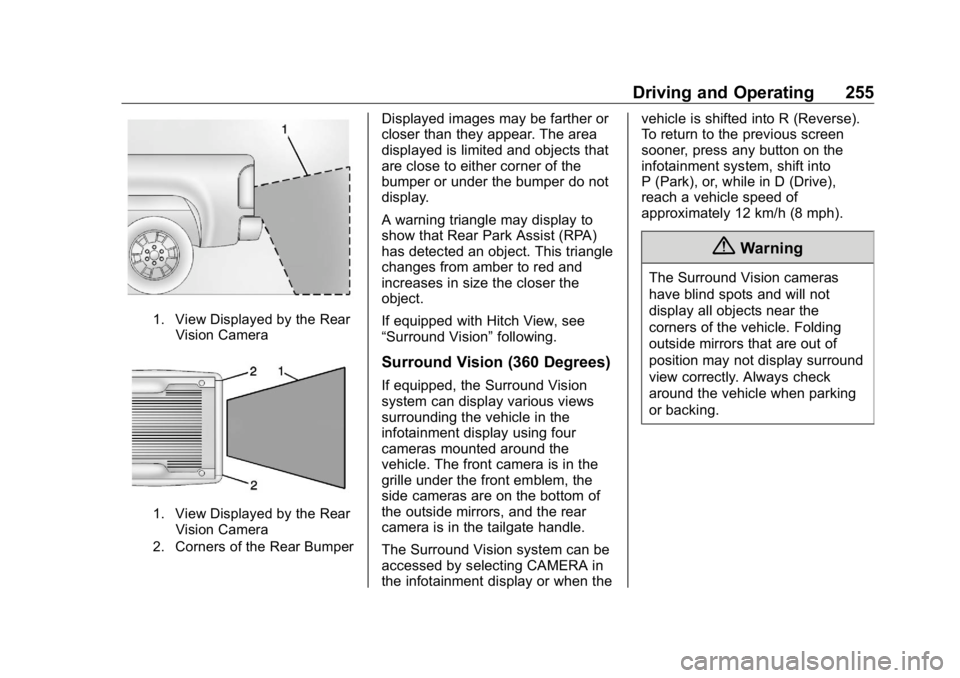
1. View Displayed by the Rear
Vision Camera
1. View Displayed by the Rear
Vision Camera
2. Corners of the Rear Bumper Displayed images may be farther or
closer than they appear. The area
displayed is limited and objects that
are close to either corner of the
bumper or under the bumper do not
display.
A warning triangle may display to
show that Rear Park Assist (RPA)
has detected an object. This triangle
changes from amber to red and
increases in size the closer the
object.
If equipped with Hitch View, see
“ Surround Vision ” following.
Surround Vision (360 Degrees) If equipped, the Surround Vision
system can display various views
surrounding the vehicle in the
infotainment display using four
cameras mounted around the
vehicle. The front camera is in the
grille under the front emblem, the
side cameras are on the bottom of
the outside mirrors, and the rear
camera is in the tailgate handle.
The Surround Vision system can be
accessed by selecting CAMERA in
the infotainment display or when the vehicle is shifted into R (Reverse).
To return to the previous screen
sooner, press any button on the
infotainment system, shift into
P (Park), or, while in D (Drive),
reach a vehicle speed of
approximately 12 km/h (8 mph).
{ WarningThe Surround Vision cameras
have blind spots and will not
display all objects near the
corners of the vehicle. Folding
outside mirrors that are out of
position may not display surround
view correctly. Always check
around the vehicle when parking
or backing.