2019 GMC SAVANA stop start
[x] Cancel search: stop startPage 187 of 373

GMC Savana Owner Manual (GMNA-Localizing-U.S./Canada-12146167) -
2019 - CRC - 11/26/18
186 Driving and Operating
Automatic
Transmission
A shift position indicator is in the
instrument cluster.
There are several different positions
for the shift lever.
See“Range Selection Mode” under
Manual Mode 0189.
P : This position locks the rear
wheels. It is the best position to use
when starting the engine because
the vehicle cannot move easily.
When parked on a hill, especially
when the vehicle has a heavy load,
you might notice an increase in the
effort to shift out of P (Park). See
“Torque Lock” underShifting Into
Park 0183.
{Warning
It is dangerous to get out of the
vehicle if the shift lever is not fully
in P (Park) with the parking brake
firmly set. The vehicle can roll.
Do not leave the vehicle when the
engine is running. If you have left
the engine running, the vehicle
can move suddenly. You or others
could be injured. To be sure the
vehicle will not move, even when
you are on fairly level ground,
always set the parking brake and
move the shift lever to P (Park).
See Shifting Into Park 0183 and
Driving Characteristics and
Towing Tips 0210.
R : Use this gear to back up.
Caution
Shifting to R (Reverse) while the
vehicle is moving forward could
damage the transmission. The
(Continued)
Caution (Continued)
repairs would not be covered by
the vehicle warranty. Shift to
R (Reverse) only after the vehicle
is stopped.
To rock the vehicle back and forth to
get out of snow, ice, or sand without
damaging the transmission, see If
the Vehicle Is Stuck 0172.
N : In this position, the engine does
not connect with the wheels.
To restart when you are already
moving, use N (Neutral) only. Also,
use N (Neutral) when the vehicle is
being towed.
{Warning
Shifting into a drive gear while the
engine is running at high speed is
dangerous. Unless your foot is
firmly on the brake pedal, the
vehicle could move very rapidly.
You could lose control and hit
(Continued)
Page 189 of 373

GMC Savana Owner Manual (GMNA-Localizing-U.S./Canada-12146167) -
2019 - CRC - 11/26/18
188 Driving and Operating
transmission constantly makes
adjustments to improve vehicle
performance according to how the
vehicle is being used, such as with
a heavy load or when the
temperature changes. During this
adaptive shift control process,
shifting might feel different as the
transmission determines the best
settings.
The shift quality of a new vehicle
may not be ideal because the
adaptive shift control process may
not have determined the best
settings for a particular shift or
condition. Shift quality will improve
with continued driving.
When temperatures are very cold,
the transmission's gear shifting
could be delayed, providing more
stable shifts until the engine warms
up. Shifts could be more noticeable
with a cold transmission. This
difference in shifting is normal.
M :This position lets drivers select
the range of gears appropriate for
current driving conditions. If the vehicle has this feature, see
“Range
Selection Mode” underManual
Mode 0189.
1 : This position reduces vehicle
speed without using the brakes.
You can use it for major/severe
downgrades where the vehicle
would otherwise accelerate due to
steepness of grade. When you shift
to 1 (First) it provides the lowest
gear appropriate to current road
speed and continues to downshift
as the vehicle slows, eventually
downshifting to 1 (First) gear. The
transmission can be held in 1 (First)
gear using Range Selection Mode
or the shift lever. See “Range
Selection Mode” underManual
Mode 0189.
Caution
Spinning the tires or holding the
vehicle in one place on a hill
using only the accelerator pedal
may damage the transmission.
The repair will not be covered by
the vehicle warranty. If the vehicle
(Continued)
Caution (Continued)
is stuck, do not spin the tires.
When stopping on a hill, use the
brakes to hold the vehicle in
place.
Normal Mode Grade Braking
This mode is enabled when the
vehicle is started, but is not enabled
in Range Selection Mode. It assists
in maintaining desired vehicle
speeds when driving on downhill
grades by using the engine and
transmission to slow the vehicle.
The first time the system activates
for each ignition key cycle.
To disable or enable Normal Mode
Grade Braking within the current
ignition key cycle, press and hold
the Tow/Haul button for
three seconds.
For other forms of grade braking,
seeTow/Haul Mode 0190 and
Cruise Control 0194.
Page 193 of 373
GMC Savana Owner Manual (GMNA-Localizing-U.S./Canada-12146167) -
2019 - CRC - 11/26/18
192 Driving and Operating
If you are towing a trailer and are
parking on a hill, seeDriving
Characteristics and Towing Tips
0 210.
Brake Assist
The Brake Assist feature is
designed to assist the driver in
stopping or decreasing vehicle
speed in emergency driving
conditions. This feature uses the
stability system hydraulic brake
control module to supplement the
power brake system under
conditions where the driver has
quickly and forcefully applied the
brake pedal in an attempt to quickly
stop or slow down the vehicle. The
stability system hydraulic brake
control module increases brake
pressure at each corner of the
vehicle until the ABS activates.
Minor brake pedal pulsation or
pedal movement during this time is
normal and the driver should
continue to apply the brake pedal as
the driving situation dictates. The
Brake Assist feature will
automatically disengage when the brake pedal is released or brake
pedal pressure is quickly
decreased.
Hill Start Assist (HSA)
If equipped, this feature will prevent
the vehicle from rolling when it
attempts to move on a moderate to
steep hill. During the transition when
the brake pedal is released and the
accelerator pedal is pressed, HSA
uses braking pressure to hold the
vehicle stationary for a few seconds
depending on the steepness of the
hill. After this transition or after the
accelerator pedal is pressed, the
brake will automatically release.
HSA only activates when the driver
door is closed. HSA will not activate
in a forward drive gear when facing
downhill, or in R (Reverse) when
facing uphill. If the brake pedal is
released and then reapplied while
HSA is activated, the brake pedal
may feel firmer with less pedal
travel.
Ride Control Systems
Traction Control/
Electronic Stability
Control
System Operation
The vehicle has a Traction Control
System (TCS) and StabiliTrak/
Electronic Stability Control (ESC),
an electronic stability control
system. These systems help limit
wheel spin and assist the driver in
maintaining control, especially on
slippery road conditions.
TCS activates if it senses any of the
drive wheels are spinning or
beginning to lose traction. When this
happens, TCS applies the brakes to
the spinning wheels and reduces
engine power to limit wheel spin.
StabiliTrak/ESC activates when the
vehicle senses a difference between
the intended path and the direction
the vehicle is actually traveling.
StabiliTrak/ESC selectively applies
braking pressure to any one of the
vehicle wheel brakes to assist the
Page 194 of 373

GMC Savana Owner Manual (GMNA-Localizing-U.S./Canada-12146167) -
2019 - CRC - 11/26/18
Driving and Operating 193
driver in keeping the vehicle on the
intended path. Trailer Sway Control
(TSC) is also on automatically when
the vehicle is started. SeeTrailer
Sway Control (TSC) 0226.
If cruise control is being used and
traction control or StabiliTrak/ESC
begins to limit wheel spin, cruise
control will disengage. Cruise
control may be turned back on when
road conditions allow.
Both systems come on
automatically when the vehicle is
started and begins to move. The
systems may be heard or felt while
they are operating or while
performing diagnostic checks. This
is normal and does not mean there
is a problem with the vehicle.
It is recommended to leave both
systems on for normal driving
conditions, but it may be necessary
to turn TCS off if the vehicle gets
stuck in sand, mud, ice, or snow.
See If the Vehicle Is Stuck 0172
and “Turning the Systems Off and
On” later in this section.
The indicator light for both systems
is in the instrument cluster. This
light will:
.
Flash when TCS is limiting
wheel spin.
. Flash when StabiliTrak/ESC is
activated.
. Turn on and stay on when either
system is not working.
If either system fails to turn on or to
activate, a message displays in the
Driver Information Center (DIC), and
dcomes on and stays on to
indicate that the system is inactive
and is not assisting the driver in
maintaining control. The vehicle is
safe to drive, but driving should be
adjusted accordingly.
If
dcomes on and stays on:
1. Stop the vehicle. 2. Turn the engine off and wait
15 seconds.
3. Start the engine.
Drive the vehicle. If
dcomes on
and stays on, the vehicle may need
more time to diagnose the problem.
If the condition persists, see your
dealer.
Turning the Systems Off
and On
Page 195 of 373
GMC Savana Owner Manual (GMNA-Localizing-U.S./Canada-12146167) -
2019 - CRC - 11/26/18
194 Driving and Operating
Caution
Do not repeatedly brake or
accelerate heavily when TCS is
off. The vehicle driveline could be
damaged.
To turn off only TCS, press and
release
g. The appropriate
message will display in the DIC. To
turn TCS on again, press and
release
g.
If TCS is limiting wheel spin when
g
is pressed, the system will not turn
off until the wheels stop spinning.
To turn off both TCS and StabiliTrak/
ESC, press and hold
guntil the
StabiliTrak/ESC OFF light
gcomes
on and stays on in the instrument
cluster, then release. The
appropriate message will display in
the DIC. To turn TCS and StabiliTrak/ESC on
again, press and release
g. The
StabiliTrak/ESC OFF light
gin the
instrument cluster turns off.
StabiliTrak/ESC will automatically
turn back on if the vehicle exceeds
32 km/h (20 mph). TCS will remain
off until
gis pressed or the ignition
is cycled off then on.
The vehicle has a Trailer Sway
Control (TSC) feature and a Hill
Start Assist (HSA) feature. See
Trailer Sway Control (TSC) 0226 or
Hill Start Assist (HSA) 0192.
Adding accessories can affect the
vehicle performance. See
Accessories and Modifications
0 230.
Locking Rear Axle
Vehicles with a locking rear axle can
give more traction on snow, mud,
ice, sand, or gravel. It works like a
standard axle most of the time, but
when traction is low, this feature will
allow the rear wheel with the most
traction to move the vehicle.
Cruise Control
{Warning
Cruise control can be dangerous
where you cannot drive safely at
a steady speed. Do not use
cruise control on winding roads or
in heavy traffic.
Cruise control can be dangerous
on slippery roads. On such roads,
fast changes in tire traction can
cause excessive wheel slip, and
you could lose control. Do not use
cruise control on slippery roads.
If equipped with cruise control, a
speed of about 40 km/h (25 mph) or
more can be maintained without
keeping your foot on the
accelerator. Cruise control does not
work at speeds below about 40 km/h
(25 mph).
If the Traction Control System (TCS)
or StabiliTrak/Electronic Stability
Control (ESC) system begins to limit
wheel spin while using cruise
control, the cruise control
Page 216 of 373

GMC Savana Owner Manual (GMNA-Localizing-U.S./Canada-12146167) -
2019 - CRC - 11/26/18
Driving and Operating 215
Pulling the Trailer from the Water
To pull the trailer from the water:1. Press and hold the brake pedal.
2. Start the engine and shift into a gear.
3. Release the parking brake.
4. Let up on the brake pedal.
5. Drive slowly until the tires are clear of the chocks.
6. Stop and have someone pick up and store the chocks.
7. Slowly pull the trailer from the water.
Caution
If the vehicle tires begin to spin
and the vehicle begins to slide
toward the water, remove your
foot from the accelerator pedal
and apply the brake pedal. Seek
help to have the vehicle towed up
the ramp.
Maintenance when Trailer
Towing
The vehicle needs service more
often when used to tow trailers. See
Maintenance Schedule 0319. It is
especially important to check the
automatic transmission fluid, engine
oil, axle lubricant, belts, cooling
system, and brake system before
and during each trip.
Check periodically that all nuts and
bolts on the trailer hitch are tight.
Engine Cooling when Trailer
Towing
The cooling system may temporarily
overheat during severe operating
conditions. See Engine Overheating
0 248.
Trailer Towing
If equipped with a diesel engine,
see the Duramax diesel
supplement.
Caution
Towing a trailer improperly can
damage the vehicle and result in
costly repairs not covered by the
vehicle warranty. To tow a trailer
correctly, follow the directions in
this section and see your dealer
for important information about
towing a trailer with the vehicle.
Trailering is different than just
driving the vehicle by itself.
Trailering means changes in
handling, acceleration, braking,
durability, and fuel economy.
Successful, safe trailering takes
correct equipment, and it has to be
used properly.
The following information has many
time-tested, important trailering tips
and safety rules. Many of these are
important for your safety and that of
your passengers. Read this section
carefully before pulling a trailer.
Page 229 of 373

GMC Savana Owner Manual (GMNA-Localizing-U.S./Canada-12146167) -
2019 - CRC - 11/26/18
228 Vehicle Care
Vehicle Care
General Information
General Information . . . . . . . . . . 229
California Proposition65 Warning . . . . . . . . . . . . . . . . . 229
California Perchlorate Materials Requirements . . . . . 230
Accessories and Modifications . . . . . . . . . . . . . . . . 230
Vehicle Checks
Doing Your OwnService Work . . . . . . . . . . . . . . . 230
Hood . . . . . . . . . . . . . . . . . . . . . . . . . 231
Engine Compartment Overview . . . . . . . . . . . . . . . . . . . . 232
Engine Oil . . . . . . . . . . . . . . . . . . . . 235
Engine Oil Life System . . . . . . . 237
Automatic Transmission Fluid (6-Speed Transmission) . . . . . 238
Automatic Transmission Fluid (8-Speed Transmission) . . . . . 241
Engine Air Cleaner/Filter . . . . . . 242
Cooling System . . . . . . . . . . . . . . 244
Engine Overheating . . . . . . . . . . 248
Engine Fan . . . . . . . . . . . . . . . . . . . 249
Power Steering Fluid . . . . . . . . . 249
Washer Fluid . . . . . . . . . . . . . . . . . 250 Brakes . . . . . . . . . . . . . . . . . . . . . . . 251
Brake Fluid . . . . . . . . . . . . . . . . . . . 252
Battery - North America . . . . . . 253
Rear Axle . . . . . . . . . . . . . . . . . . . . 254
Noise Control System . . . . . . . . 254
Starter Switch Check . . . . . . . . . 256
Automatic Transmission Shift
Lock Control Function
Check . . . . . . . . . . . . . . . . . . . . . . . 256
Ignition Transmission Lock Check . . . . . . . . . . . . . . . . . . . . . . . 256
Park Brake and P (Park) Mechanism Check . . . . . . . . . . 257
Wiper Blade Replacement . . . . 257
Windshield Replacement . . . . . 258
Gas Strut(s) . . . . . . . . . . . . . . . . . . 258
Headlamp Aiming
Headlamp Aiming . . . . . . . . . . . . 259
Bulb Replacement
Bulb Replacement . . . . . . . . . . . . 259
Halogen Bulbs . . . . . . . . . . . . . . . . 259
Front Turn Signal, Sidemarker, and Parking Lamps . . . . . . . . . 260
Taillamps . . . . . . . . . . . . . . . . . . . . . 260
Center High-Mounted Stoplamp (CHMSL) . . . . . . . . . 261
License Plate Lamp . . . . . . . . . . 262
Electrical System
Electrical System Overload . . . 263
Fuses and Circuit Breakers . . . 263
Engine Compartment Fuse
Block . . . . . . . . . . . . . . . . . . . . . . . . 264
Floor Console Fuse Block . . . . 267
Wheels and Tires
Tires . . . . . . . . . . . . . . . . . . . . . . . . . . 269
All-Season Tires . . . . . . . . . . . . . . 270
Winter Tires . . . . . . . . . . . . . . . . . . 270
Tire Sidewall Labeling . . . . . . . . 271
Tire Designations . . . . . . . . . . . . . 273
Tire Terminology and
Definitions . . . . . . . . . . . . . . . . . . 274
Tire Pressure . . . . . . . . . . . . . . . . . 277
Tire Pressure Monitor System . . . . . . . . . . . . . . . . . . . . . . 278
Tire Pressure Monitor Operation . . . . . . . . . . . . . . . . . . . 279
Tire Inspection . . . . . . . . . . . . . . . . 282
Tire Rotation . . . . . . . . . . . . . . . . . 282
Dual Tire Rotation . . . . . . . . . . . . 284
When It Is Time for New Tires . . . . . . . . . . . . . . . . . . . . . . . . 284
Buying New Tires . . . . . . . . . . . . . 285
Different Size Tires and Wheels . . . . . . . . . . . . . . . . . . . . . . 287
Uniform Tire Quality Grading . . . . . . . . . . . . . . . . . . . . . 287
Page 248 of 373
GMC Savana Owner Manual (GMNA-Localizing-U.S./Canada-12146167) -
2019 - CRC - 11/26/18
Vehicle Care 247
How to Add Coolant to the
Radiator
{Warning
Steam and scalding liquids from a
hot cooling system are under
pressure. Turning the pressure
cap, even a little, can cause them
to come out at high speed and
you could be burned. Never turn
the cap when the cooling system,
including the pressure cap, is hot.
Wait for the cooling system and
pressure cap to cool.
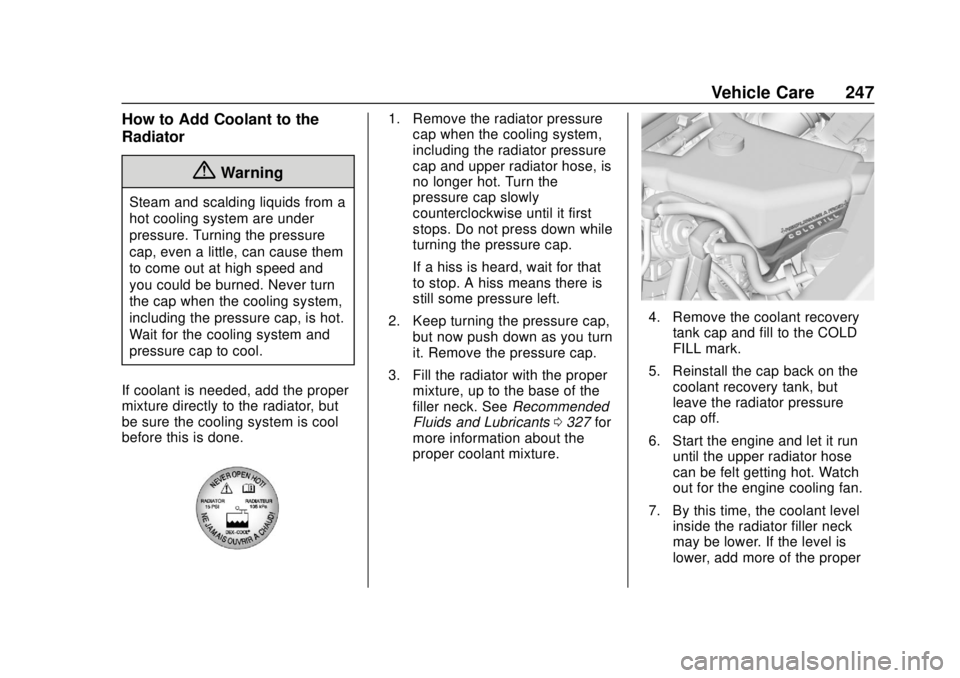
If coolant is needed, add the proper
mixture directly to the radiator, but
be sure the cooling system is cool
before this is done.
1. Remove the radiator pressure cap when the cooling system,
including the radiator pressure
cap and upper radiator hose, is
no longer hot. Turn the
pressure cap slowly
counterclockwise until it first
stops. Do not press down while
turning the pressure cap.
If a hiss is heard, wait for that
to stop. A hiss means there is
still some pressure left.
2. Keep turning the pressure cap, but now push down as you turn
it. Remove the pressure cap.
3. Fill the radiator with the proper mixture, up to the base of the
filler neck. See Recommended
Fluids and Lubricants 0327 for
more information about the
proper coolant mixture.
4. Remove the coolant recovery
tank cap and fill to the COLD
FILL mark.
5. Reinstall the cap back on the coolant recovery tank, but
leave the radiator pressure
cap off.
6. Start the engine and let it run until the upper radiator hose
can be felt getting hot. Watch
out for the engine cooling fan.
7. By this time, the coolant level inside the radiator filler neck
may be lower. If the level is
lower, add more of the proper