2019 FORD TAURUS radio controls
[x] Cancel search: radio controlsPage 369 of 515

Information
Option
View current route, next turn, time to your destination (depending on cluster
level), distance to destination (depending on cluster level), and ability to
cancel route.
If you do not have an active navigation route programed, the compass is
shown.
If you are not on a call, a call can be made by selecting: 1
Phone
Missed calls
Outgoing calls
Incoming calls
All calls
If you are on a call, the call information is displayed on the information display.
If you are receiving a call, you can accept it by selecting OK on the right-hand
steering wheel controls.
1 Depending on your vehicle options, all of these choices may not display.
Use the OK and arrow buttons on the right
side of your steering wheel to scroll
through the available modes.
The selection menu expands and different
options appear.
• Press the up and down arrows to scroll
through the modes.
• Press the right arrow to enter the mode,
use the left arrow to exit the mode.
• Press the up and down arrows to make
adjustments within the chosen mode.
• Press
OK to confirm your selection.
Note: If your vehicle is not equipped with
navigation, compass appears in the display
instead of navigation. If you press the right
arrow to go into the compass menu, you can
see the compass graphic. The compass
displays the direction in which the vehicle
is traveling, not true direction (for example,
if the vehicle is traveling west, the middle
of the compass graphic displays west; north
displays to the left of west though its true
direction is to the right of west). Using the Controls on the Steering
Wheel
Depending on your vehicle and option
package, you can use different controls on
your steering wheel to interact with the
touchscreen system in different ways.
VOL:
Control the volume of audio output.
Mute:
Mute the audio output.
Voice:
Press to start a voice session. Press
again to stop the voice prompt and
immediately begin speaking. Press and
hold to end a voice session.
SEEK NEXT:
• While in radio mode, press to seek
between memory presets.
• While in USB, Bluetooth Audio or CD
mode, press to seek between songs or
press and hold to fast seek.
SEEK PREVIOUS:
• While in radio mode, press to seek
between memory presets.
• While in USB, Bluetooth Audio or CD
mode, press to seek between songs or
press and hold to fast seek.
366
Taurus (CPH) Canada/United States of America, enUSA, Edition date: 201806, First-Printing SYNC™ 3
Page 385 of 515
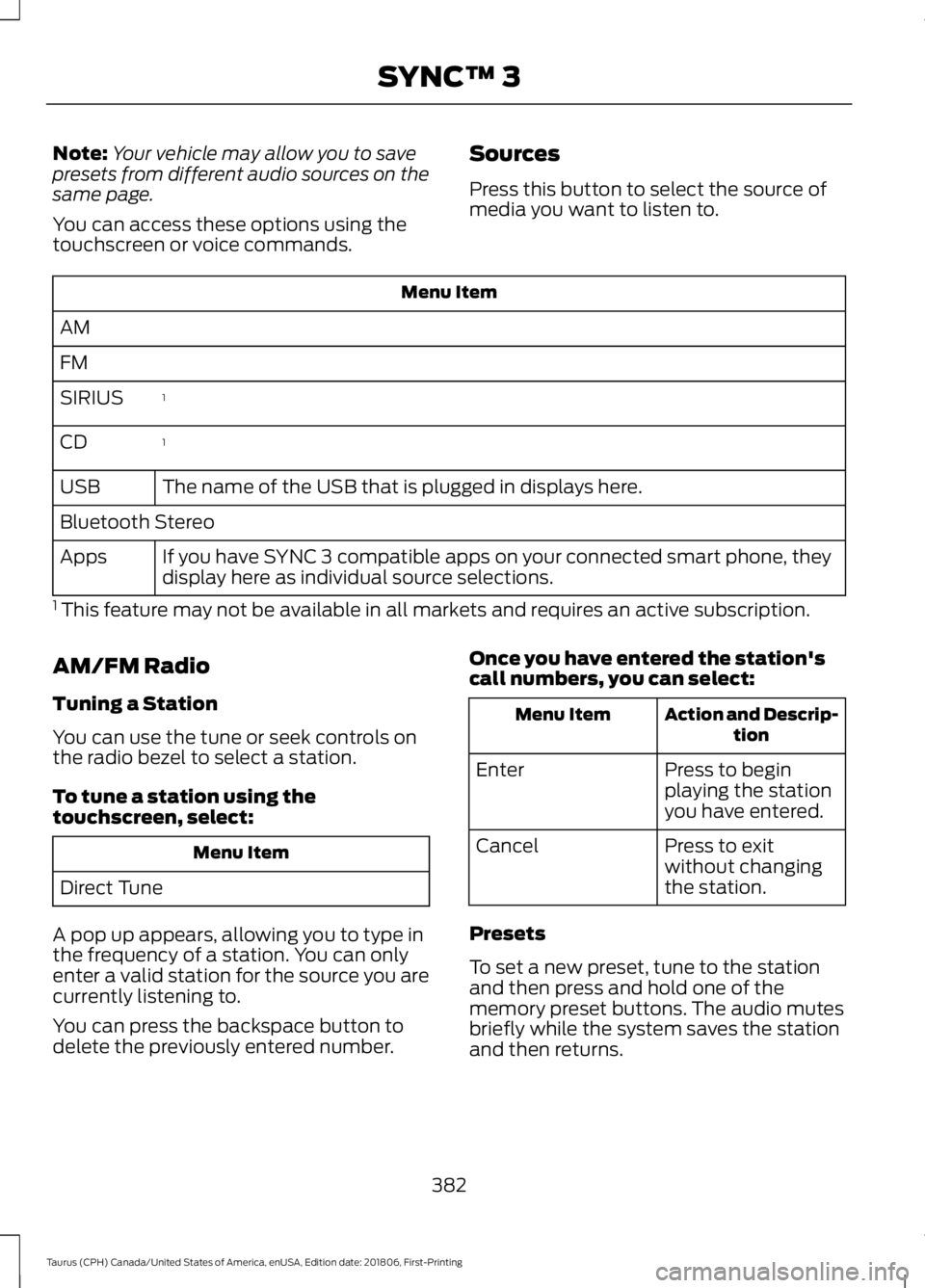
Note:
Your vehicle may allow you to save
presets from different audio sources on the
same page.
You can access these options using the
touchscreen or voice commands. Sources
Press this button to select the source of
media you want to listen to.Menu Item
AM
FM 1
SIRIUS
1
CD
The name of the USB that is plugged in displays here.
USB
Bluetooth Stereo
If you have SYNC 3 compatible apps on your connected smart phone, they
display here as individual source selections.
Apps
1 This feature may not be available in all markets and requires an active subscription.
AM/FM Radio
Tuning a Station
You can use the tune or seek controls on
the radio bezel to select a station.
To tune a station using the
touchscreen, select: Menu Item
Direct Tune
A pop up appears, allowing you to type in
the frequency of a station. You can only
enter a valid station for the source you are
currently listening to.
You can press the backspace button to
delete the previously entered number. Once you have entered the station's
call numbers, you can select: Action and Descrip-
tion
Menu Item
Press to begin
playing the station
you have entered.
Enter
Press to exit
without changing
the station.
Cancel
Presets
To set a new preset, tune to the station
and then press and hold one of the
memory preset buttons. The audio mutes
briefly while the system saves the station
and then returns.
382
Taurus (CPH) Canada/United States of America, enUSA, Edition date: 201806, First-Printing SYNC™ 3
Page 502 of 515
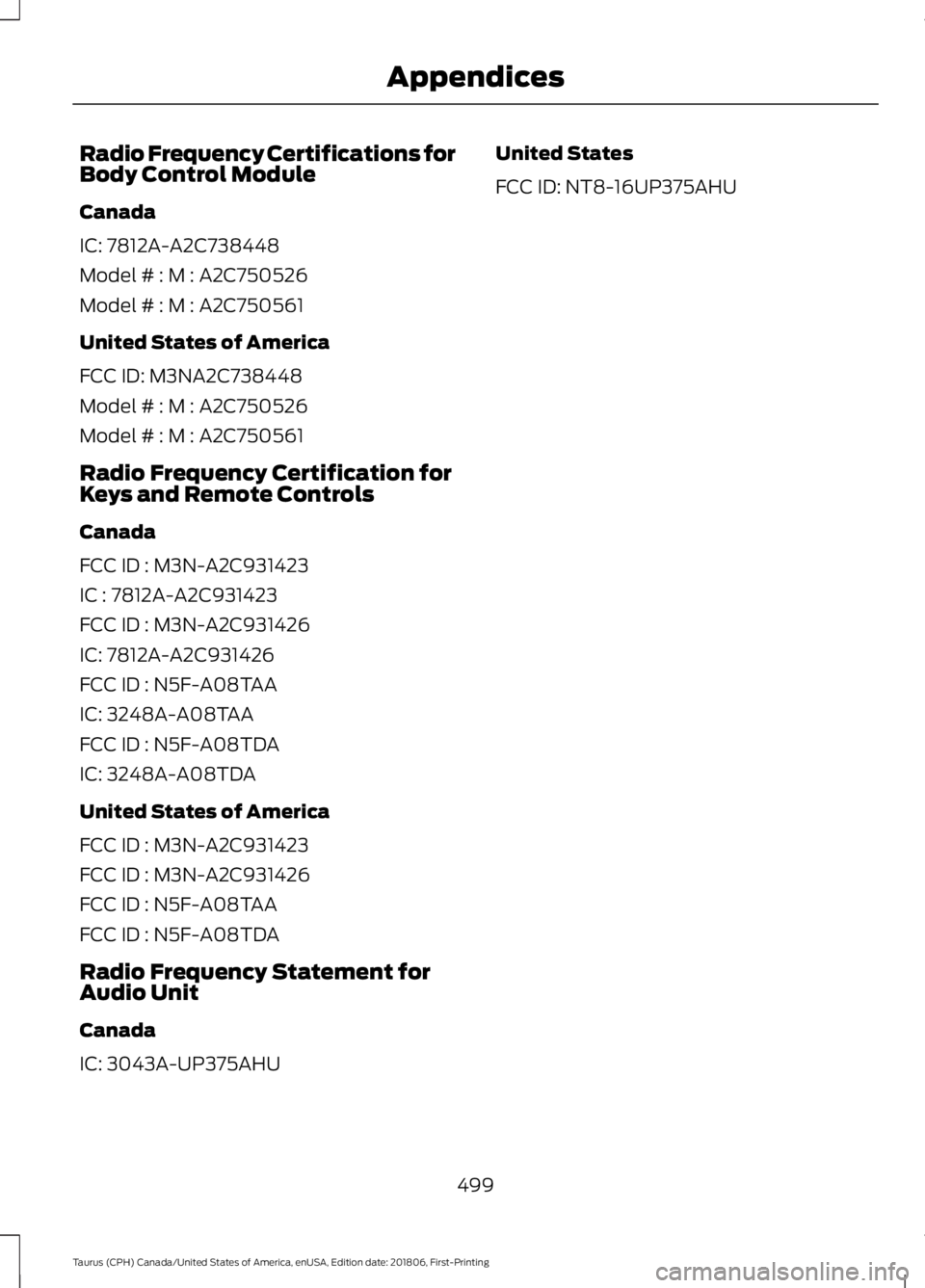
Radio Frequency Certifications for
Body Control Module
Canada
IC: 7812A-A2C738448
Model # : M : A2C750526
Model # : M : A2C750561
United States of America
FCC ID: M3NA2C738448
Model # : M : A2C750526
Model # : M : A2C750561
Radio Frequency Certification for
Keys and Remote Controls
Canada
FCC ID : M3N-A2C931423
IC : 7812A-A2C931423
FCC ID : M3N-A2C931426
IC: 7812A-A2C931426
FCC ID : N5F-A08TAA
IC: 3248A-A08TAA
FCC ID : N5F-A08TDA
IC: 3248A-A08TDA
United States of America
FCC ID : M3N-A2C931423
FCC ID : M3N-A2C931426
FCC ID : N5F-A08TAA
FCC ID : N5F-A08TDA
Radio Frequency Statement for
Audio Unit
Canada
IC: 3043A-UP375AHU
United States
FCC ID: NT8-16UP375AHU
499
Taurus (CPH) Canada/United States of America, enUSA, Edition date: 201806, First-Printing Appendices
Page 513 of 515

Stability Control............................................164
Principle of Operation....................................... 164
Starter Switch See: Ignition Switch............................................ 131
Starting a Gasoline Engine
........................132
Cold Weather Starting - Flex Fuel
Vehicles.............................................................. 133
Failure to Start..................................................... 133
Guarding Against Exhaust Fumes................134
Important Ventilating Information...............134
Stopping the Engine When Your Vehicle is Moving................................................................134
Stopping the Engine When Your Vehicle is Stationary......................................................... 133
Starting and Stopping the Engine...........131 General Information........................................... 131
Steering
............................................................194
Electric Power Steering.................................... 194
Steering Wheel
...............................................64
Storage Compartments.............................130
Sunroof See: Moonroof........................................................ 77
Sun Visors..........................................................77 Illuminated Vanity Mirror.................................... 77
Supplementary Restraints System..........37 Principle of Operation......................................... 37
Symbols Glossary
.............................................7
SYNC™ 3.........................................................361 General Information.......................................... 361
SYNC™ 3 Troubleshooting......................424
SYNC™ Applications and Services........................................................339
911 Assist............................................................... 339
SYNC™ AppLink ™
......................................341
SYNC Mobile Apps............................................. 341
SYNC™.............................................................321 General Information........................................... 321
SYNC™ Troubleshooting
..........................352
T
Technical Specifications See: Capacities and Specifications............293
The Better Business Bureau (BBB) Auto Line Program (U.S. Only)........................218
Tire Care..........................................................269 Glossary of Tire Terminology......................... 270Information About Uniform Tire Quality
Grading............................................................. 269
Information Contained on the Tire Sidewall............................................................. 271
Temperature A B C............................................ 270
Traction AA A B C.............................................. 269
Treadwear............................................................ 269
Tire Inflation When Punctured See: Tire Sealant and Inflator Kit.................263
Tire Pressure Monitoring System...........283 Changing Tires With a Tire Pressure
Monitoring System....................................... 284
Understanding Your Tire Pressure Monitoring System ...................................... 285
Tire Repair Kit See: Tire Sealant and Inflator Kit.................263
Tire Sealant and Inflator Kit
....................263
First Stage: Reinflating the Tire with Sealing
Compound and Air....................................... 265
General Information......................................... 264
Second Stage: Checking Tire Pressure........................................................... 266
Tips for Use of the Kit...................................... 264
What to do after the Tire has been Sealed................................................................ 267
What to do when a Tire Is Punctured........265
Tires See: Wheels and Tires..................................... 263
Towing a Trailer
............................................202
Load Placement................................................. 202
Towing the Vehicle on Four Wheels.........................................................206
Emergency Towing........................................... 206
Recreational Towing........................................ 206
Towing.............................................................202
Traction Control
............................................163
Principle of Operation....................................... 163
Transmission Code Designation............297
Transmission..................................................149
Transporting the Vehicle
............................214
Type Approvals............................................488
Radio Frequency Certification for Keys and
Remote Controls.......................................... 499
Radio Frequency Certifications for Blind Spot Information System.......................... 497
Radio Frequency Certifications for Body Control Module............................................. 499
510
Taurus (CPH) Canada/United States of America, enUSA, Edition date: 201806, First-Printing Index
Page 514 of 515

Radio Frequency Certifications for Cruise
Control Module............................................. 498
Radio Frequency Certifications for Mid Range Radar.................................................... 491
Radio Frequency Certifications for Passive Anti-Theft System....................................... 492
Radio Frequency Certifications for Radio Transceiver Module..................................... 495
Radio Frequency Certifications for SYNC 3........................................................................\
.. 498
Radio Frequency Certifications for Tire Pressure Monitoring Sensor(s)...............488
Radio Frequency Certifications for Wireless Charging.......................................................... 498
Radio Frequency Statement for Audio Unit.................................................................... 499
U
Under Hood Overview - 3.5L Duratec.........................................................235
Engine Shield....................................................... 236
Under Hood Overview - 3.5L Ecoboost™..................................................237
Universal Garage Door Opener................124 HomeLink Wireless Control System............124
USB Port..........................................................319
Using Adaptive Cruise Control.................177 Automatic Cancellation.................................. 180
Blocked Sensor.................................................... 181
Canceling the Set Speed................................ 180
Changing the Set Speed................................. 180
Detection Issues................................................. 180
Following a Vehicle............................................ 178
Hilly Condition Usage....................................... 180
Overriding the Set Speed................................. 179
Resuming the Set Speed................................ 180
Setting the Adaptive Cruise Speed..............178
Setting the Gap Distance................................. 179
Switching Adaptive Cruise Control Off....................................................................... 180
Switching Adaptive Cruise Control On........................................................................\
178
Switching to Normal Cruise Control............182
System Not Available........................................ 181
Using All-Wheel Drive
.................................153
Driving In Special Conditions With
All-Wheel Drive (AWD)............................... 155Operating AWD Vehicles With Mismatched
Tires.................................................................... 155
Operating AWD Vehicles With Spare Tires.................................................................... 154
Using Cruise Control....................................176 Canceling the Set Speed................................. 176
Changing the Set Speed.................................. 176
Resuming the Set Speed.................................. 177
Setting the Cruise Speed................................. 176
Switching Cruise Control Off........................... 177
Switching Cruise Control On........................... 176
Using MyKey With Remote Start Systems..........................................................53
Using Snow Chains.....................................282
Using Stability Control
...............................165
Using Summer Tires...................................282
Using SYNC™ With Your Media Player.............................................................342
Accessing Your Play Menu.............................. 347
Connecting Your Digital Media Player to the USB Port........................................................... 342
Media Menu Features...................................... 345
Media Voice Commands................................ 344
System Settings................................................. 349
What's Playing?................................................. 344
Using SYNC™ With Your Phone............326 Accessing Features Through the Phone
Menu.................................................................. 330
Accessing Your Phone Settings.................... 335
Making a Call....................................................... 329
Pairing Subsequent Cell Phones.................. 327
Pairing Your Cell Phone for the First Time ........................................................................\
..... 326
Phone Options during an Active Call.........329
Phone Voice Commands................................. 327
Receiving Calls.................................................... 329
System Settings................................................. 336
Text Messaging................................................... 333
Using Traction Control
................................163
Switching the System Off............................... 163
System Indicator Lights and Messages.......................................................... 163
Using a Switch..................................................... 163
Using the Information Display Controls............................................................. 163
Using Voice Recognition............................323 Audio Voice Commands.................................. 375
511
Taurus (CPH) Canada/United States of America, enUSA, Edition date: 201806, First-Printing Index