2019 FORD RANGER fuse
[x] Cancel search: fusePage 255 of 512

Protected Component
Fuse Rating
Fuse or Relay
Number
Not used (spare).
5A 1
4
Branded audio amplifier.
20A 1
5
Not used (spare).
10A 2
6
Not used (spare).
10A 2
7
Security horn
10A 2
8
Telematics.
10A 2
9
Not used (spare).
5A 2
10
Not used (spare).
5A 2
11
Electronic control panel.
7.5A 2
12
Climate control.
Instrument cluster.
7.5A 2
13 Steering column control module.
Data link connector.
Extended power module (for Restraints module and
Occupant module).
10A 2
14
Gateway module.
10A 2
15
Data link connector.
Not used (spare).
15A 1
16
Not used (spare).
5A 2
17
Ignition switch.
5A 2
18 Lock solenoid.
Push button start.
Extended power module (for Restraints module and
Occupant module).
7.5A 2
19
Not used (spare).
7.5A 2
20
Humidity and in-car temperature sensor.
5A 2
21
252
Ranger (TFG) Canada/United States of America, enUSA, Edition date: 201809, Fourth-Printing Fuses
Page 256 of 512

Protected Component
Fuse Rating
Fuse or Relay
Number
Not used (spare).
5A 2
22
Inverter.
10A 1
23
Door lock switch.
Central locking system.
20A 1
24
Driver door power window.
30A 1
25
Not used (spare).
30A 1
26
Not used (spare).
30A 1
27
Branded audio amplifier.
20A 1
28
Not used (spare).
30A 1
29
Not used (spare).
30A 1
30
Not used (spare).
15A 1
31
Radio transceiver module.
10A 1
32 Door entry remote.
SYNC.
Audio unit.
20A 1
33
Run/start relay.
30A 1
34
Not used (spare).
5A 1
35
Auto-dimming interior mirror.
15A 1
36
Mirror adjustment control.
Not used (spare).
20A 1
37
Power windows.
30A 3
38
1 Micro 2 fuse.
2 Micro 3 fuse.
3 PTC fuse.
253
Ranger (TFG) Canada/United States of America, enUSA, Edition date: 201809, Fourth-Printing Fuses
Page 257 of 512
CHANGING A FUSE
Fuses
WARNING: Always replace a fuse
with one that has the specified
amperage rating. Using a fuse with a
higher amperage rating can cause severe
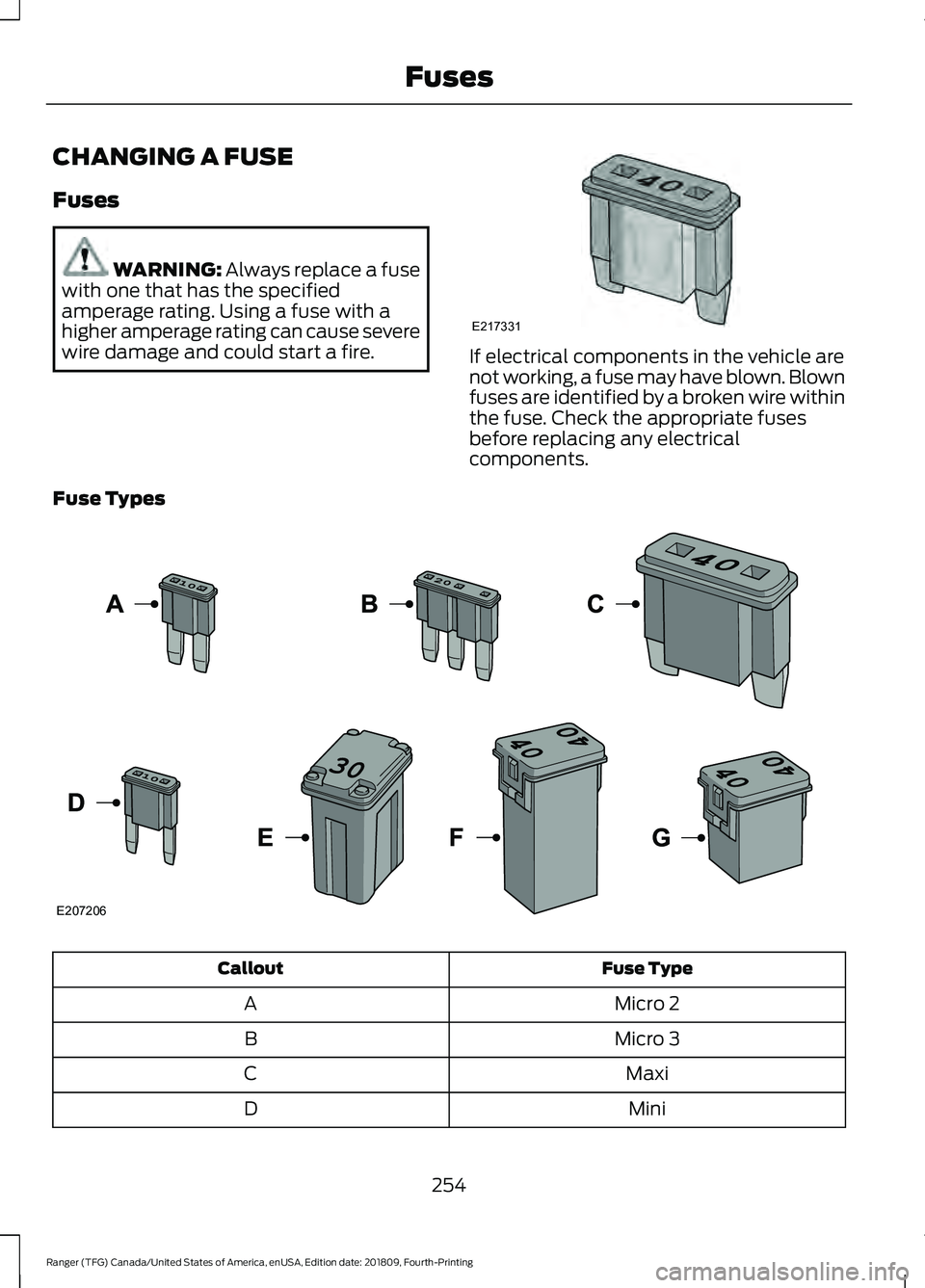
wire damage and could start a fire. If electrical components in the vehicle are
not working, a fuse may have blown. Blown
fuses are identified by a broken wire within
the fuse. Check the appropriate fuses
before replacing any electrical
components.
Fuse Types Fuse Type
Callout
Micro 2
A
Micro 3
B
Maxi
C
Mini
D
254
Ranger (TFG) Canada/United States of America, enUSA, Edition date: 201809, Fourth-Printing FusesE217331 E207206
Page 258 of 512
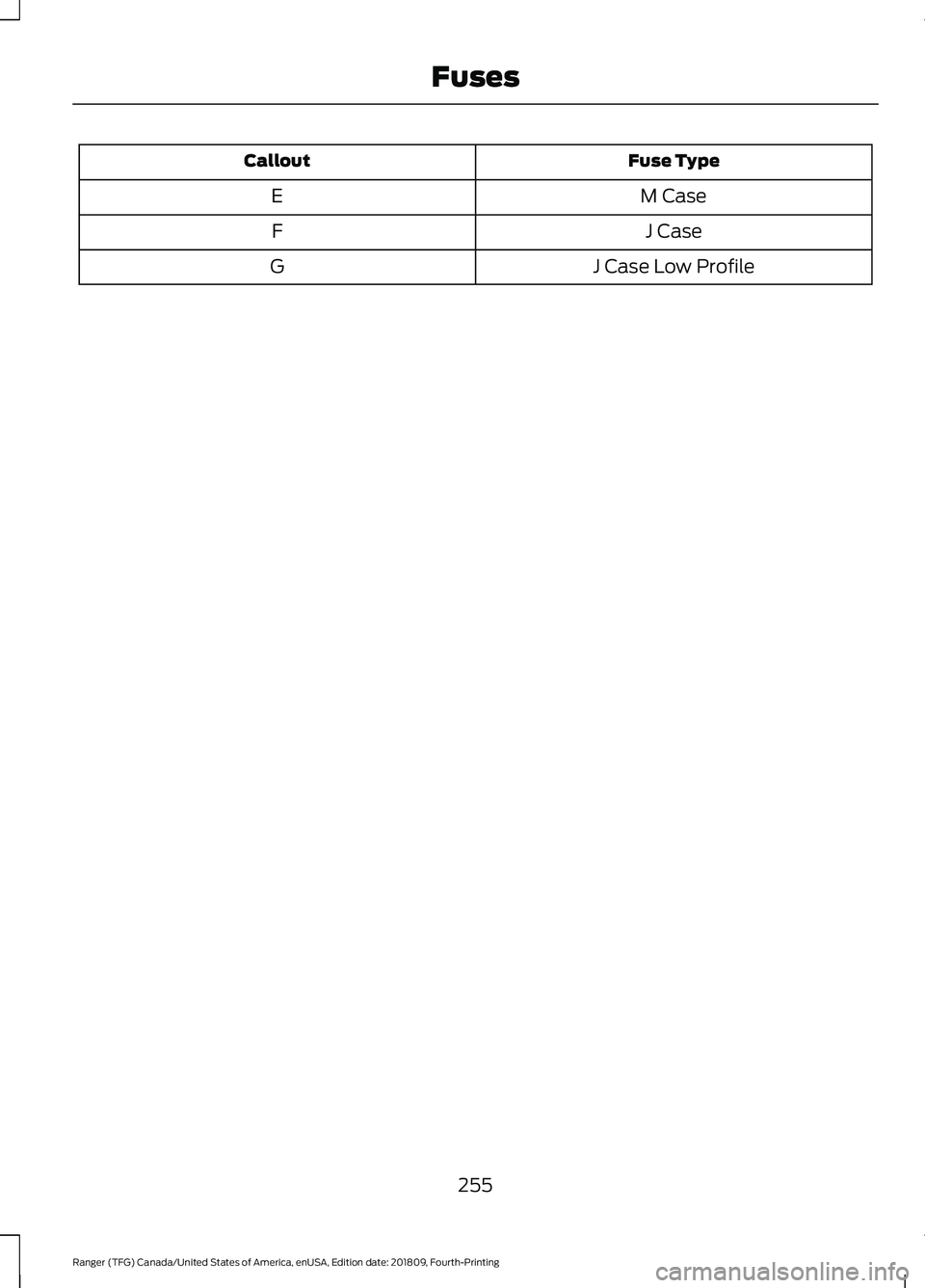
Fuse Type
Callout
M Case
E
J Case
F
J Case Low Profile
G
255
Ranger (TFG) Canada/United States of America, enUSA, Edition date: 201809, Fourth-Printing Fuses
Page 261 of 512

UNDER HOOD OVERVIEW
Engine coolant reservoir. See Engine Coolant Check (page 260).
A
Engine oil dipstick.
See Engine Oil Dipstick (page 259).
B
Engine oil filler cap.
See Engine Oil Check (page 259).
C
Brake fluid reservoir.
See Brake Fluid Check (page 262).
D
Engine compartment fuse box. See
Changing a Fuse (page 254).
E
Battery.
See Changing the 12V Battery (page 264).
F
Windshield washer fluid reservoir. See
Washer Fluid Check (page 263).
G
Air filter assembly. See
Changing the Engine Air Filter (page 272).
H
258
Ranger (TFG) Canada/United States of America, enUSA, Edition date: 201809, Fourth-Printing MaintenanceE276868
Page 263 of 512

Only use oils certified for gasoline engines
by the American Petroleum Institute (API).
An oil with this trademark symbol
conforms to the current engine and
emission system protection standards and
fuel economy requirements of the
International Lubricants Specification
Advisory Committee (ILSAC).
To top up the engine oil level do the
following:
1. Clean the area surrounding the engine
oil filler cap before you remove it.
2. Remove the engine oil filler cap. See Under Hood Overview (page 258).
Turn it counterclockwise and remove
it.
3. Add engine oil that meets our specifications. See
Capacities and
Specifications (page 320). You may
have to use a funnel to pour the engine
oil into the opening.
4. Recheck the oil level.
5. If the oil level is correct, replace the dipstick and make sure it is fully seated.
6. Replace the engine oil filler cap. Turn it clockwise until you feel a strong
resistance.
Note: Do not add oil further than the
maximum mark. Oil levels above the
maximum mark may cause engine damage.
Note: Make sure you install the oil filler cap
correctly.
Note: Soak up any spillage with an
absorbent cloth immediately.
OIL CHANGE INDICATOR
RESET
Use the information display controls on
the steering wheel to reset the oil change
indicator. From the main menu scroll to: Action and description
Message
Press the right arrow button,
then from this menu scroll
to the following message.
Settings
Press the right arrow button,
then from this menu scroll
to the following message.
Vehicle
Press the right arrow button,
then from this menu scroll
to the following message.
Oil Life
Press and hold the
OK
button until the instrument
cluster displays the
following message.
Hold OK to
Reset
Reset Successful
When the oil change indic-
ator resets the instrument
cluster displays 100%.
Remaining Life
{00}%
If the instrument cluster
displays one of the following
messages, repeat the
process.
Not Reset
Reset Cancelled
ENGINE COOLANT CHECK WARNING:
Do not dispose of
coolant in the household refuse or the
public sewage system. Use an authorized
waste disposal facility.
260
Ranger (TFG) Canada/United States of America, enUSA, Edition date: 201809, Fourth-Printing Maintenance
Page 474 of 512
export laws, rules or regulations prohibit
HERE from complying with any of its
obligations hereunder to deliver or
distribute Data, such failure shall be
excused and shall not constitute a breach
of this Agreement.
Entire Agreement. These terms and
conditions constitute the entire agreement
between Telenav (and its licensors,
including their licensors and suppliers) and
you pertaining to the subject matter hereof,
and supersedes in their entirety any and
all written or oral agreements previously
existing between us with respect to such
subject matter.
Governing Law.
The above terms and
conditions shall be governed by the laws
of the State of Illinois [insert “Netherlands”
where European HERE Data is used],
without giving effect to (i) its conflict of
laws provisions, or (ii) the United Nations
Convention for Contracts for the
International Sale of Goods, which is
explicitly excluded. You agree to submit to
the jurisdiction of the State of Illinois
[insert “The Netherlands” where European
HERE Data is used] for any and all
disputes, claims and actions arising from
or in connection with the Data provided to
you hereunder.
Government End Users.
If the Data is
being acquired by or on behalf of the
United States government or any other
entity seeking or applying rights similar to
those customarily claimed by the United
States government, this Data is a
“ commercial item ” as that term is defined
at 48 C.F.R. (“FAR”) 2.101, is licensed in
accordance with these End-User Terms,
and each copy of Data delivered or
otherwise furnished shall be marked and
embedded as appropriate with the
following “Notice of Use, ” and shall be
treated in accordance with such Notice: NOTICE OF USE
CONTRACTOR (MANUFACTURER/ SUPPLIER) NAME: HERE
CONTRACTOR (MANUFACTURER/
SUPPLIER) ADDRESS: c/o Nokia, 425
West Randolph Street, Chicago, Illinois 60606
This Data is a commercial item as
defined in FAR 2.101 and is subject to
these End-User Terms under which this Data was provided.
© 1987 – 2014 HERE – All rights reserved.
If the Contracting Officer, federal
government agency, or any federal official
refuses to use the legend provided herein,
the Contracting Officer, federal
government agency, or any federal official
must notify HERE prior to seeking
additional or alternative rights in the Data. I. US/Canada Territory A. United States Data. The End-User
Terms for any Application containing
Data for the United States shall contain
the following notices: “HERE holds a non-exclusive license
from the United States Postal
Service® to publish and sell ZIP+4®
information. ”
“©United States Postal Service®
20XX. Prices are not established,
controlled or approved by the United
States Postal Service®. The following
trademarks and registrations are
owned by the USPS: United States
Postal Service, USPS, and ZIP+4. ”
471
Ranger (TFG) Canada/United States of America, enUSA, Edition date: 201809, Fourth-Printing Appendices
Page 502 of 512

Cargo Lamps....................................................76
Car Wash See: Cleaning the Exterior............................... 273
Catalytic Converter
......................................149
On-Board Diagnostics (OBD-II)................... 150
Readiness for Inspection and Maintenance (I/M) Testing..................................................... 151
Center Console
...............................................131
Changing a Bulb..........................................268 Approach Lamp and Side Direction
Indicator........................................................... 269
Central High Mounted Brake Lamp..............271
Front Fog Lamps............................................... 269
Front Side Marker Bulb................................... 269
License Plate Lamp............................................ 271
Rear Lamps.......................................................... 270
Replacing LED Fog Lamp Bulbs................... 270
Replacing the Headlamp Bulbs .................. 268
Changing a Fuse
..........................................254
Fuses...................................................................... 254
Changing a Road Wheel...........................304 Dissimilar Spare Wheel and Tire Assembly
Information..................................................... 304
Installing a Road Wheel................................... 312
Jacking and Lifting Points............................... 310
Removing a Road Wheel.................................. 311
Spare Wheel....................................................... 309
Stowing the Flat Tire......................................... 312
Stowing the Tool Kit - SuperCrew................314
Stowing the Vehicle Jack and Tool Kit - SuperCab.......................................................... 313
Stowing the Vehicle Jack - SuperCrew........................................................ 313
Tire Change Procedure.................................... 305
Vehicle Jack......................................................... 306
Changing the 12V Battery.........................264 Remove and Reinstall the Battery..............265
Changing the Engine Air Filter.................272
Changing the Wiper Blades
.....................266
Changing the Windshield Wiper
Blades............................................................... 266
Charging the 12V Battery..........................263 Battery Management System....................... 263
Checking MyKey System Status...............59 MyKey Distance.................................................... 59
Number of Admin Keys..................................... 60
Number of MyKeys.............................................. 60
Checking the Wiper Blades.....................266 Child Restraint and Seatbelt
Maintenance.................................................39
Child Restraint Positioning
..........................31
Child Safety......................................................20 General Information............................................ 20
Child Safety Locks..........................................33 Left-Hand Side...................................................... 33
Right-Hand Side................................................... 33
Cleaning Leather Seats..............................277
Cleaning Products........................................273 Materials................................................................ 273
Cleaning the Engine....................................275
Cleaning the Exterior...................................273 Cleaning the Headlamps................................. 274
Exterior Chrome Parts...................................... 274
Exterior Plastic Parts......................................... 274
Stripes or Graphics............................................ 274
Underbody............................................................ 274
Under Hood.......................................................... 274
Cleaning the Instrument Panel and Instrument Cluster Lens
.........................276
Cleaning the Interior....................................276
Mirrors..................................................................... 276
Cleaning the Wheels..................................278
Cleaning the Windows and Wiper Blades............................................................275
Clearing All MyKeys
.......................................59
Climate............................................................386
Climate Control
...............................................111
Cold Weather Precautions.......................225
Connecting a Bluetooth Device - Vehicles Without: SYNC..........................331
Pairing a Device................................................... 331
Coolant Check See: Engine Coolant Check........................... 260
Crash Sensors and Airbag Indicator.......48
Creating a MyKey
...........................................58
Programming and Changing Configurable
Settings............................................................... 59
Cross Traffic Alert.........................................199 Blocked Sensors................................................. 201
False Alerts.......................................................... 202
Switching the System Off and On..............202
System Errors...................................................... 202
System Lights, Messages and Audible Alerts.................................................................. 201
System Limitations........................................... 202
Using the Cross Traffic Alert System.........200
499
Ranger (TFG) Canada/United States of America, enUSA, Edition date: 201809, Fourth-Printing Index