2019 FORD GT fuel
[x] Cancel search: fuelPage 242 of 321

Description
Menu Item
Select this option to remove all previous destinations.
Delete
All
Select to navigate to your set Home destination.
Home
The time it takes to travel from your current location to Home displays.
To set your Home, press:
A prompt appears asking if you would like to create a
favorite for home. Select:
Home
Enter a location into the search bar and press:
Yes
Save
Select to navigate to your set Work destination.
Work
The time it takes to travel from your current location to Work displays.
To set your Work:
A prompt appears asking if you would like to create a
favorite for work. Select:
Work
Enter a location into the search bar and press:
Yes
Save
Favorites include any location you have previously saved.
Favorites
To add Favorites:
Select this button and enter a location into the destination
bar.
Add a
Favorite
Select this option to have the system locate the address
you have entered.
Search
Select this button when the address you have entered
appears on the screen.
Save
The address saves as a favorite and you see the favorites screen. You
can now select this address from the favorites screen.
POI categories that may display (based on market and vehicle
configuration):
Point of Interest
(POI) Categories
Food
Fuel
Hotel
ATM
239
Ford GT (CGX) Canada/United States of America, enUSA, Edition date: 201810, First-Printing SYNC™ 3 (If Equipped)
Page 243 of 321

Description
Menu Item
Press to view additional categories. Once you have selected
a category, follow the menus to find what you are looking
for.
See All
Inside of these categories you can search by:
Nearby
Along Route
Near Destination
In a City
Once you have chosen your destination, press: Action and Description
Menu Item
This saves the destination to your favorites.
Save
This shows you a map of your entire route. You can then choose your
route from three different options.
Start
Uses the fastest moving roads
possible.
Fastest
Uses the shortest distance possible.
Shortest
Uses the most fuel-efficient route.
Economical Route
The time and distance for each route also displays.
On the route screen, you can choose to cancel the current navigation.
The system asks for confirmation then returns you to the map mode
screen.
Cancel
Once you have chosen your destination, press: Action and Description
Menu Item
The system uses a variety of screens and prompts to guide you to your
destination.
Start
During Route guidance, you can press the maneuver arrow icon on the
map if you want the system to repeat route guidance instructions.
When the system repeats the last guidance instruction, it updates the
distance to the next guidance instruction, since it detects that the
vehicle is moving.
240
Ford GT (CGX) Canada/United States of America, enUSA, Edition date: 201810, First-Printing SYNC™ 3 (If Equipped)
Page 244 of 321

Action and Description
Menu Item
The navigation map shows your estimated time of arrival, remaining
travel time and the distance to your destination.
SYNC 3 may not always announce vehicle arrival at the exact point
of your destination and you may have to cancel a route manually.
Navigation Menu
In map mode and during active navigation
you can access the navigation menu. During active navigation, touch the bottom
of the screen to view the menu and other
buttons.
To access the Navigation menu, press: Button
Menu
You can then select: A full screen map displays during navigation.
Full Map
Screen View
Highway exit information displays on the right hand side
of the screen during navigation.
Highway
Exit Info
Points of interest icons display for restaurants, hotels,
fuel stations and ATMs when they are present at the
exit. You can select the POI icons to receive a listing of
specific locations. You can select the POI location as a
waypoint or destination if desired.
Only available during an active route. Displays all of the
turns on the current route.
Turn List
You can choose to avoid any road on the turn list by
selecting the road from the list. A screen then appears
and you can press:
Avoid
The system calculates a new route and displays a new
turn list.
Press this button to adjust your preferences. See Settings (page 245).
Navigation
Settings
Provides your current location city and the nearest road.
Where Am I?
The following are only available on the menu during an active navigation route:
The system asks for confirmation and then returns you to the map
mode screen.
Cancel Route
241
Ford GT (CGX) Canada/United States of America, enUSA, Edition date: 201810, First-Printing SYNC™ 3 (If Equipped)
Page 316 of 321

Engine Oil Dipstick.......................................153
Engine Specifications................................200
Entertainment...............................................227 AM/FM Radio...................................................... 228
Apps....................................................................... 230
Bluetooth Stereo or USB................................ 228
Sources................................................................... 227
Supported Media Players, Formats and Metadata Information................................ 230
USB Ports............................................................. 230
Environment......................................................13
EPB See: Electric Parking Brake............................. 106
Event Data Recording See: Data Recording............................................... 7
Exterior Mirrors.................................................61 Fold-Away Exterior Mirrors................................ 61
Power Exterior Mirrors......................................... 61
F
Fastening the Seatbelts..............................26 Seatbelt Locking Modes.................................... 28
Using Seatbelts During Pregnancy................27
Flat Tire See: Changing a Road Wheel........................ 198
Flat Tire Inflation See: Tire Sealant and Inflator Kit.................. 176
Floor Mats........................................................128
Foot Pedals See: Adjusting the Pedals................................. 55
Ford Performance
............................................11
Front Passenger Sensing System............35
Fuel and Refueling
........................................90
Fuel Consumption.........................................94 Calculating Fuel Economy................................ 95
Filling the Fuel Tank............................................ 95
Fuel Filler Funnel Location
..........................91
Fuel Filter.........................................................160
Fuel Quality
......................................................90
Choosing the Right Fuel.................................... 90
Fuel Shutoff
....................................................129
Fuses.................................................................139
Fuse Specification Chart...........................139 Front Power Distribution Box......................... 139
Passenger Compartment Fuse Panel.........145
Rear Power Distribution Box 1......................... 141
Rear Power Distribution Box 2....................... 144G
Gauges...............................................................62
Engine Coolant Temperature Gauge............64
Engine Oil Pressure Gauge............................... 64
Engine Oil Temperature Gauge...................... 64
Fuel Gauge.............................................................. 63
Gauge Mode........................................................... 64
Information Display............................................. 62
Trip Computer....................................................... 63
Gearbox See: Transmission.............................................. 100
General Information on Radio Frequencies..................................................40
Intelligent Access................................................. 40
General Maintenance Information.........271 Protecting Your Investment............................ 271
Road Course Maintenance.............................. 271
Why Maintain Your Vehicle?........................... 271
Why Maintain Your Vehicle at Your Certified Ford GT Service Dealership?...................... 271
Getting Assistance Outside the U.S. and Canada..........................................................136
Getting the Services You Need................133 Away From Home............................................... 133
Global Opening..............................................60 Remote Control Front Windows..................... 61
H
Hazard Flashers
............................................129
Headlamp Adjusting See: Adjusting the Headlamps...................... 163
Heating See: Climate Control........................................... 79
Hill Start Assist.............................................108 Using Hill Start Assist....................................... 108
Hints on Controlling the Interior Climate...........................................................80
Defogging the Side Windows in Cold Weather.............................................................. 80
General Hints........................................................ 80
Quickly Cooling the Interior............................. 80
Quickly Heating the Interior............................. 80
Recommended Settings for Cooling............80
Recommended Settings for Heating...........80
Hints on Driving With Anti-Lock Brakes
............................................................105
313
Ford GT (CGX) Canada/United States of America, enUSA, Edition date: 201810, First-Printing Index
Page 317 of 321
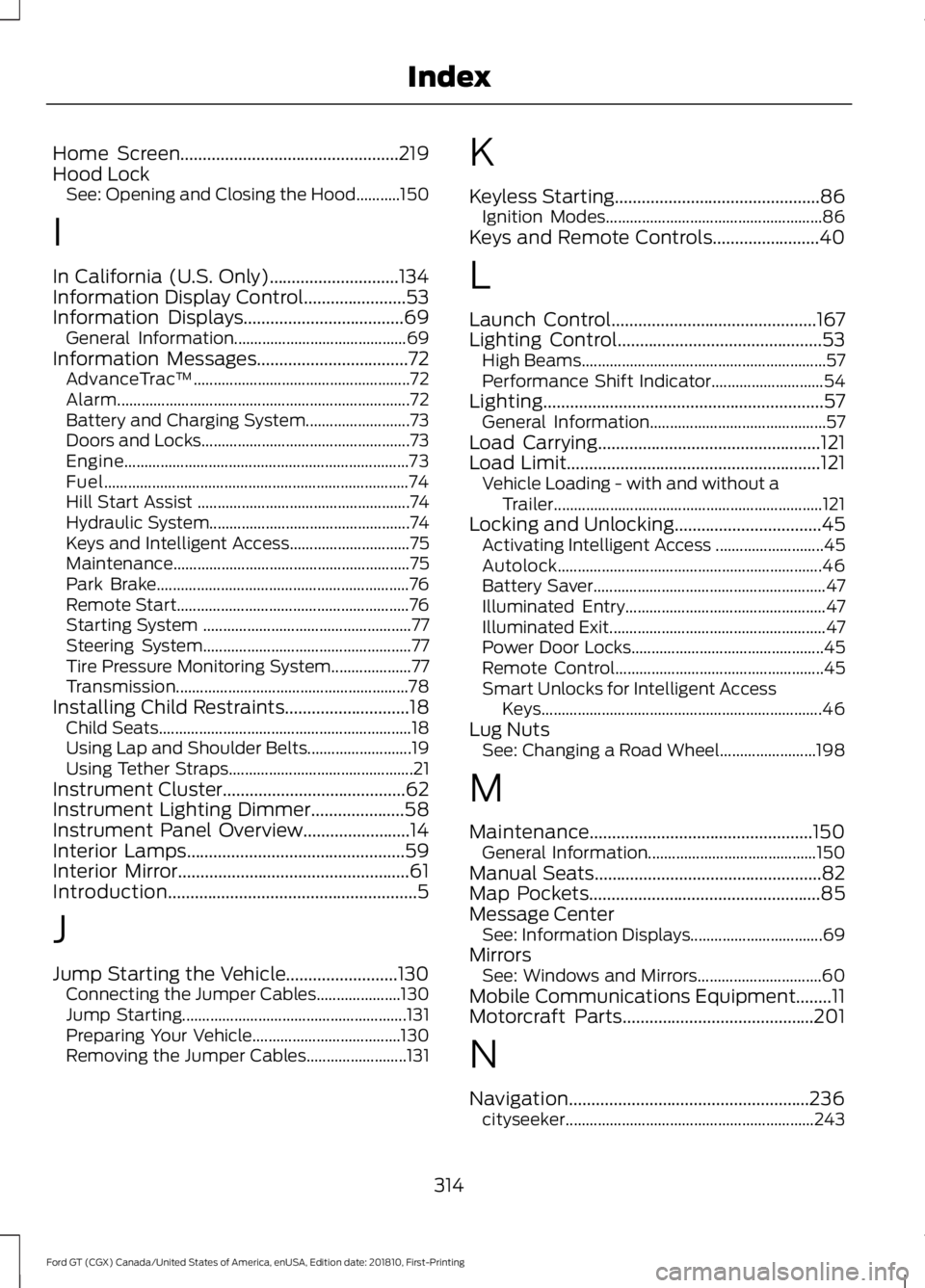
Home Screen.................................................219
Hood Lock See: Opening and Closing the Hood...........150
I
In California (U.S. Only).............................134
Information Display Control.......................53
Information Displays....................................69 General Information........................................... 69
Information Messages..................................72 AdvanceTrac ™...................................................... 72
Alarm........................................................................\
. 72
Battery and Charging System.......................... 73
Doors and Locks.................................................... 73
Engine....................................................................... 73
Fuel........................................................................\
.... 74
Hill Start Assist ..................................................... 74
Hydraulic System.................................................. 74
Keys and Intelligent Access.............................. 75
Maintenance ........................................................... 75
Park Brake............................................................... 76
Remote Start.......................................................... 76
Starting System .................................................... 77
Steering System.................................................... 77
Tire Pressure Monitoring System.................... 77
Transmission.......................................................... 78
Installing Child Restraints
............................18
Child Seats............................................................... 18
Using Lap and Shoulder Belts.......................... 19
Using Tether Straps.............................................. 21
Instrument Cluster.........................................62
Instrument Lighting Dimmer
.....................58
Instrument Panel Overview........................14
Interior Lamps.................................................59
Interior Mirror
....................................................61
Introduction........................................................5
J
Jump Starting the Vehicle.........................130 Connecting the Jumper Cables..................... 130
Jump Starting........................................................ 131
Preparing Your Vehicle..................................... 130
Removing the Jumper Cables......................... 131K
Keyless Starting
..............................................86
Ignition Modes...................................................... 86
Keys and Remote Controls........................40
L
Launch Control
..............................................167
Lighting Control..............................................53
High Beams............................................................. 57
Performance Shift Indicator............................ 54
Lighting
...............................................................57
General Information............................................ 57
Load Carrying..................................................121
Load Limit
.........................................................121
Vehicle Loading - with and without a
Trailer................................................................... 121
Locking and Unlocking.................................45 Activating Intelligent Access ........................... 45
Autolock.................................................................. 46
Battery Saver.......................................................... 47
Illuminated Entry.................................................. 47
Illuminated Exit...................................................... 47
Power Door Locks................................................ 45
Remote Control.................................................... 45
Smart Unlocks for Intelligent Access Keys...................................................................... 46
Lug Nuts See: Changing a Road Wheel........................ 198
M
Maintenance..................................................150 General Information.......................................... 150
Manual Seats
...................................................82
Map Pockets....................................................85
Message Center See: Information Displays................................. 69
Mirrors See: Windows and Mirrors............................... 60
Mobile Communications Equipment........11
Motorcraft Parts
...........................................201
N
Navigation......................................................236 cityseeker.............................................................. 243
314
Ford GT (CGX) Canada/United States of America, enUSA, Edition date: 201810, First-Printing Index
Page 318 of 321

Destination Mode..............................................
238
Map Mode............................................................. 237
Navigation Map Updates................................ 243
Navigation Menu................................................. 241
Waypoints............................................................. 242
Normal Scheduled Maintenance...........272 Normal Maintenance Intervals...................... 272
O
Oil Check See: Engine Oil Check....................................... 153
Opening and Closing the Hood...............150 Closing the Front Hood..................................... 151
Closing the Rear Hatch...................................... 151
Opening the Front Hood.................................. 150
Opening the Rear Hatch.................................... 151
Opening the Doors.........................................47
Opening the Doors from Inside....................... 47
Ordering Additional Owner's Literature.......................................................137
P
Parking Aids.....................................................112
Passive Anti-Theft System........................49 SecuriLock.............................................................. 49
PATS See: Passive Anti-Theft System..................... 49
Pedals.................................................................55
Perchlorate..........................................................9
Personal Safety System ™
..........................32
How Does the Personal Safety System
Work?................................................................... 32
Phone................................................................231 During a Phone Call.......................................... 234
Making Calls......................................................... 233
Pairing Your Cell Phone for the First Time.................................................................... 231
Phone Menu......................................................... 232
Receiving Calls.................................................... 234
Smartphone Connectivity.............................. 235
Text Messaging................................................... 235
Post-Crash Alert System............................131
Power Door Locks See: Locking and Unlocking............................. 45
Power Steering Fluid Check.....................159 Power Windows.............................................60
Accessory Delay................................................... 60
Bounce-Back......................................................... 60
One-Touch Down................................................ 60
One-Touch Up...................................................... 60
Protecting the Environment
........................13
Puncture See: Changing a Road Wheel........................ 198
R
Rear Under Hatch Storage.........................121
Rear View Camera.........................................112 Using the Rear View Camera System..........112
Rear View Camera See: Rear View Camera..................................... 112
Refueling...........................................................92 System Warnings................................................. 94
Remote Control...............................................41 Car Finder................................................................ 43
Intelligent Access Key.......................................... 41
Replacing the Battery......................................... 42
Sounding a Panic Alarm.................................... 43
Using the Key Blade............................................. 41
Repairing Minor Paint Damage................173
Replacement Parts Recommendation.........................................9
Collision Repairs.................................................... 10
Scheduled Maintenance and Mechanical Repairs................................................................... 9
Warranty on Replacement Parts.................... 10
Replacing a Lost Key or Remote Control............................................................44
Reporting Safety Defects (Canada Only)...............................................................138
Reporting Safety Defects (U.S. Only)
...............................................................137
Roadside Assistance...................................129
Vehicles Sold in the United States: Getting
Roadside Assistance.................................... 129
Vehicles Sold in the United States: Using Roadside Assistance.................................... 129
Roadside Emergencies...............................129
Running-In See: Breaking-In................................................... 127
Running Out of Fuel.......................................91 Adding Fuel From a Portable Fuel
Container............................................................ 92
315
Ford GT (CGX) Canada/United States of America, enUSA, Edition date: 201810, First-Printing Index
Page 319 of 321

Filling a Portable Fuel Container.....................
91
S
Safety Precautions........................................90
Scheduled Maintenance Record............274
Scheduled Maintenance............................271
Seatbelt Extension.........................................31
Seatbelt Reminder
........................................29
Belt-Minder™........................................................ 29
Seatbelts...........................................................26 Principle of Operation........................................ 26
Seatbelt Warning Lamp and Indicator Chime
..............................................................29
Conditions of operation..................................... 29
Seats...................................................................82
Security..............................................................49
Settings
...........................................................245
911 Assist............................................................... 250
Bluetooth............................................................... 247
Camera Settings................................................ 255
Clock....................................................................... 247
Display................................................................... 255
General.................................................................. 254
Media Player........................................................ 246
Mobile Apps......................................................... 252
Navigation............................................................ 250
Phone...................................................................... 247
Radio...................................................................... 250
Sound..................................................................... 245
Valet Mode........................................................... 256
Voice Control....................................................... 256
Wi-Fi....................................................................... 254
Side Airbags......................................................37
Sitting in the Correct Position...................82
Snow Chains See: Using Snow Chains.................................. 194
Spare Wheel See: Changing a Road Wheel........................ 198
Special Notices
................................................10
Additional Warranty Information.................... 10
Certified Ford GT Service Dealer...................... 11
New Vehicle Limited Warranty........................ 10
On Board Diagnostics Data Link Connector........................................................... 10
Special Instructions............................................. 10Special Operating Conditions Scheduled
Maintenance
...............................................273
Engine Air Filter and Cabin Air Filter
Replacement.................................................. 273
Hot Climate Oil Change Intervals................273
Operating at High Speeds and Track Days.................................................................... 273
Speed Control See: Cruise Control.............................................. 114
Stability Control...........................................109 Principle of Operation...................................... 109
Starting and Stopping the Engine...........86 General Information........................................... 86
Starting the Engine
........................................87
Failure to Start...................................................... 88
Fast Restart............................................................ 88
Guarding Against Exhaust Fumes.................89
Important Ventilating Information................89
Stopping the Engine When Your Vehicle is Moving................................................................. 88
Stopping the Engine When Your Vehicle is Stationary.......................................................... 88
Steering.............................................................115
Steering Wheel Lock
.....................................87
Steering Wheel.................................................51
Storage Compartments..............................85
Supplementary Restraints System.........33 Principle of Operation......................................... 33
Symbols Glossary.............................................5
SYNC™ 3
........................................................209
General Information......................................... 209
SYNC™ 3 Troubleshooting......................256
T
Technical Specifications See: Capacities and Specifications...........200
The Better Business Bureau (BBB) Auto Line Program (U.S. Only)........................134
Tire Care
...........................................................182
Glossary of Tire Terminology......................... 184
Information About Uniform Tire Quality Grading.............................................................. 182
Information Contained on the Tire Sidewall............................................................ 185
Temperature A B C............................................. 183
Traction AA A B C............................................... 183
Treadwear............................................................. 183
316
Ford GT (CGX) Canada/United States of America, enUSA, Edition date: 201810, First-Printing Index
Page 320 of 321

Tire Inflation When Punctured
See: Tire Sealant and Inflator Kit.................. 176
Tire Pressure Monitoring System...........194 Changing Tires With a Tire Pressure
Monitoring System........................................ 196
Understanding Your Tire Pressure Monitoring System ....................................... 196
Tire Repair Kit See: Tire Sealant and Inflator Kit.................. 176
Tire Sealant and Inflator Kit......................176 First Stage: Inflating the Tire with Sealing
Compound and Air........................................ 178
General Information........................................... 177
Second Stage: Checking Tire Pressure............................................................ 180
Tips for Use of the Kit........................................ 177
What to Do After the Tire has Been Sealed............................................................... 180
What to do When a Tire Is Punctured.........178
Tires See: Wheels and Tires....................................... 176
Towing a Trailer.............................................126
Towing Points.................................................132
Installing the Recovery Hook.......................... 132
Recovery Hook Location................................... 132
Towing the Vehicle on Four Wheels...........................................................126
Emergency Towing............................................. 126
Towing..............................................................126
Track Use
.........................................................165
Operating at High Speeds and on Track
Days.................................................................... 165
Road Course Vehicle Preparation................166
Transmission Code Designation............204
Transmission.................................................100
Transporting the Vehicle.............................131 Getting the Transmission in Neutral............132
U
Under Hood Overview.................................152
Under Seat Storage.......................................85
Unique Features
..............................................15
USB Port.........................................................208
Using Cruise Control.....................................114 Switching Cruise Control Off........................... 114
Switching Cruise Control On........................... 114
Using Launch Control..................................167 Using Snow Chains
......................................194
Using Stability Control................................110 AdvanceTrac ™ Electronic Stability Control
........................................................................\
....... 110
Stability Control.................................................... 111
Using Summer Tires....................................194
Using Voice Recognition
...........................220
Audio Voice Commands................................. 220
Climate Voice Commands............................... 221
Mobile App Voice Commands...................... 224
Navigation Voice Commands........................ 223
Phone Voice Commands................................ 222
SiriusXM Traffic and Travel Link Voice Commands...................................................... 225
Voice Settings Commands............................. 225
Utilizing the Mediation/Arbitration Program (Canada Only)
.........................135
V
Vehicle Care
...................................................168
General Information.......................................... 168
Vehicle Certification Label.......................204
Vehicle Dimensions
....................................202
Vehicle Identification Number................203
Vehicle Storage..............................................173 Battery..................................................................... 174
Body........................................................................\
. 174
Brakes...................................................................... 174
Cooling system..................................................... 174
Engine...................................................................... 174
Fuel system........................................................... 174
General.................................................................... 174
Miscellaneous ....................................................... 175
Removing Vehicle From Storage................... 175
Tires........................................................................\
.. 175
Ventilation See: Climate Control........................................... 79
VIN See: Vehicle Identification Number............203
Voice Control
....................................................52
W
Warning Lamps and Indicators................64 Anti-Lock Braking System................................ 64
Battery...................................................................... 65
Brake System......................................................... 65
317
Ford GT (CGX) Canada/United States of America, enUSA, Edition date: 201810, First-Printing Index