2019 FORD GT steering wheel
[x] Cancel search: steering wheelPage 237 of 321

To call a number in your contacts,
select:
Action and Description
Menu Item
You can then select the
name of the contact you
want to call. Any numbers
stored for that contact
display along with any
stored contact photos. You
can then select the
number that you want to
call. The system begins the
call.
Contacts
To call a number from your recent calls,
select: Action and Description
Menu Item
You can then select an
entry that you want to call.
The system begins the call.
Recent Call
List
To call a number that is not stored in
your phone, select: Action and Description
Menu Item
Select the digits of the
number you wish to call.
Phone
Keypad
The system begins the call.
Call
Pressing the backspace button deletes the
last digit you typed.
Receiving Calls
During an incoming call, an audible tone
sounds. Caller information appears in the
display if it is available. To accept the call, select: Menu Item
Accept
Note: You can also accept the call by
pressing the phone button on the steering
wheel.
To reject the call, select: Menu Item
Reject
Note: You can also reject the call by
pressing the phone button on the steering
wheel.
Ignore the call by doing nothing. SYNC 3
logs it as a missed call.
During a Phone Call
During a phone call, the contacts name
and number display on the screen along
with the call duration.
The phone status items are also visible:
• Signal Strength.
• Battery.
• 911 Assist (United States and Canada
only). See Settings (page 245).
You can select any of the following during
an active phone call:
234
Ford GT (CGX) Canada/United States of America, enUSA, Edition date: 201810, First-Printing SYNC™ 3
(If Equipped)
Page 238 of 321

Item
Immediately end a
phone call. You can
also press the
button on the
steering wheel.
End Call
Press this to access
the phone keypad.
Keypad
You can switch the
microphone off so
the caller does not
hear you.
Mute Item
Privacy Transfer the call to
the cell phone or
back to SYNC 3.
Text Messaging
Note: Downloading and sending text
messages using Bluetooth are cell
phone-dependent features.
Note: Certain features in text messaging
are speed-dependent and not available
when your vehicle is traveling at speeds over
3 mph (5 km/h).
Receiving a Text Message
When a new message arrives, an audible tone sounds and the screen displays a
pop-up with the caller name and ID, if supported by your cell phone. You can select: Action and Description
Menu Item
Have SYNC 3 read the message to you.
Hear It
View the text on the touchscreen.
View
To call the sender.
Call
You can select from 15 preset messages. Press the message
that you would like to use and confirm to send the message.
SYNC 3 confirms when the message is sent successfully.
Reply
To exit the screen.
Close
Smartphone Connectivity (If Equipped)
SYNC 3 allows you to use Apple CarPlay
and Android Auto to access your phone.
When you use Apple CarPlay or Android
Auto, you can:
• Make calls.
• Send and receive messages.
• Listen to music.
• Use your phone's voice assistant. Apple CarPlay and Android Auto disable
some SYNC 3 features.
Most Apple CarPlay and Android Auto
features use mobile data.
Apple CarPlay
Apple CarPlay requires an iPhone 5 or
newer with iOS 7.1 or newer. Updating to
the latest iOS version is recommended.
1. Plug your phone into a USB port. See
USB Port
(page 208).
235
Ford GT (CGX) Canada/United States of America, enUSA, Edition date: 201810, First-Printing SYNC™ 3
(If Equipped)
Page 247 of 321

APPS
The system enables voice, steering wheel,
and touch screen control of SYNC 3
AppLink enabled smartphone apps. Once
an app is running through AppLink, you can
control main features of the app through
voice commands and steering wheel
controls.
Note:
Available AppLink enabled apps will
vary by market.
Note: You must pair and connect your
smartphone via Bluetooth to SYNC 3 to
access AppLink.
Note: iPhone users need to connect the
phone to the USB port.
Note: For information on available apps,
supported smartphone devices and
troubleshooting tips please visit: Websites
owner.ford.com
www.syncmyride.ca
www.syncmaroute.ca
Note: Make sure you have an active account
for the app that you have downloaded.
Some apps will work automatically with no
setup. Other apps will want you to configure
your personal settings and personalize your
experience by creating stations or favorites.
We recommend you do this at home or
outside of your vehicle.
Note: We encourage you to review the
smartphone app ’s terms of service and
privacy policies because Ford is not
responsible for your app or its use of data. Note:
AppLink is a native SYNC system
feature. Accessing mobile apps through
AppLink is only possible when Android Auto
or Apple CarPlay are disabled. Some apps
may only be accessible in the car through
Applink and others only through Android
Auto or Apple CarPlay. Please refer to the
Smartphone Connectivity information to
disable Android Auto or Apple CarPlay.
Note: In order to use an app with SYNC 3,
the App needs to be running in the
background of your phone. If you shut down
the app on your phone, it shuts down the
app on SYNC 3 as well.
Note: If a SYNC 3 AppLink compatible app
is not shown in the Apps Domain, make sure
the required app is running on the mobile
device. Action and Descrip-
tion
Menu Item
SYNC 3 will search
and connect to
compatible app(s)
running on your
mobile device.
Connect Mobile
Apps
Enabling SYNC 3 Mobile Apps
In order to enable mobile apps, SYNC 3
requires user consent to send and receive
app authorization information and updates
using the data plan associated with the
connected device.
The connected device sends data to Ford
in the United States. The information is
encrypted and includes your VIN, SYNC 3
module number, odometer, usage
statistics and debugging information. We
retain this data for only as long as
necessary to provide this service,
troubleshoot, and improve products and
services and to offer you products and
services that may interest you where
allowed by law.
244
Ford GT (CGX) Canada/United States of America, enUSA, Edition date: 201810, First-Printing SYNC™ 3 (If Equipped)
Page 314 of 321

A
A/C
See: Climate Control........................................... 79
About Launch Control.................................167
About This Manual...........................................5 Ford GT Concierge Phone Numbers................5
ABS See: Brakes........................................................... 105
ABS driving hints See: Hints on Driving With Anti-Lock
Brakes................................................................ 105
Accessories....................................................270
Accessories See: Replacement Parts
Recommendation.............................................. 9
Adjusting the Headlamps.........................163 Headlamp Aim Target....................................... 163
Adjusting the Pedals.....................................55
Adjusting the Steering Wheel.....................51
Airbag Disposal...............................................39
Air Conditioning See: Climate Control........................................... 79
Air Filter See: Changing the Engine Air Filter.............164
Alarm See: Anti-Theft Alarm........................................ 50
Anti-Theft Alarm............................................50 Arming the Alarm................................................ 50
Disarming the Alarm........................................... 50
Appendices....................................................285
Apps.................................................................244 ........................................................................\
.......... 244
At a Glance........................................................14
Audible Warnings and Indicators
.............68
Headlamps On Warning Chime..................... 68
Keyless Warning Alert........................................ 68
Audio Control...................................................52 Seek, Next or Previous........................................ 52
Audio System
...............................................208
Audio Unit......................................................208
Autolamps........................................................58
Automatic Climate Control........................79 Directing the Airflow............................................ 79
Setting the Blower Motor Speed.................... 79
Setting the Temperature................................... 79
Switching Auto Mode On and Off.................. 79
Switching Recirculated Air On and Off........79 Switching the Air Conditioning On and
Off........................................................................\
. 79
Automatic Transmission
...........................100
Brake-Shift Interlock......................................... 103
If Your Vehicle Gets Stuck In Mud or Snow.................................................................. 104
Performance Shift Indicator........................... 102
SelectShift™ Automatic Transmission.................................................... 101
Understanding the Positions of Your Automatic Transmission............................ 100
Automatic Transmission Fluid Check.............................................................158
Auxiliary Power Points.................................84 DC Power Point..................................................... 84
Location................................................................... 84
B
Battery See: Changing the 12V Battery...................... 160
Bonnet Lock See: Opening and Closing the Hood...........150
Booster Seats
..................................................22
Types of Booster Seats...................................... 23
Brake Fluid Check
.........................................158
Brakes...............................................................105 General Information.......................................... 105
Breaking-In......................................................127 Cold Engine Operation...................................... 127
Hot Engine Shut down...................................... 127
C
Cabin Air Filter
..................................................81
Capacities and Specifications................205 Specifications..................................................... 205
Car Wash See: Cleaning the Exterior............................... 168
Catalytic Converter........................................97 On-Board Diagnostics (OBD-II)..................... 98
Readiness for Inspection and Maintenance (I/M) Testing..................................................... 98
Changing a Bulb
...........................................164
LED Lamps............................................................ 164
Changing a Fuse...........................................148 Fuses....................................................................... 148
311
Ford GT (CGX) Canada/United States of America, enUSA, Edition date: 201810, First-Printing Index
Page 317 of 321
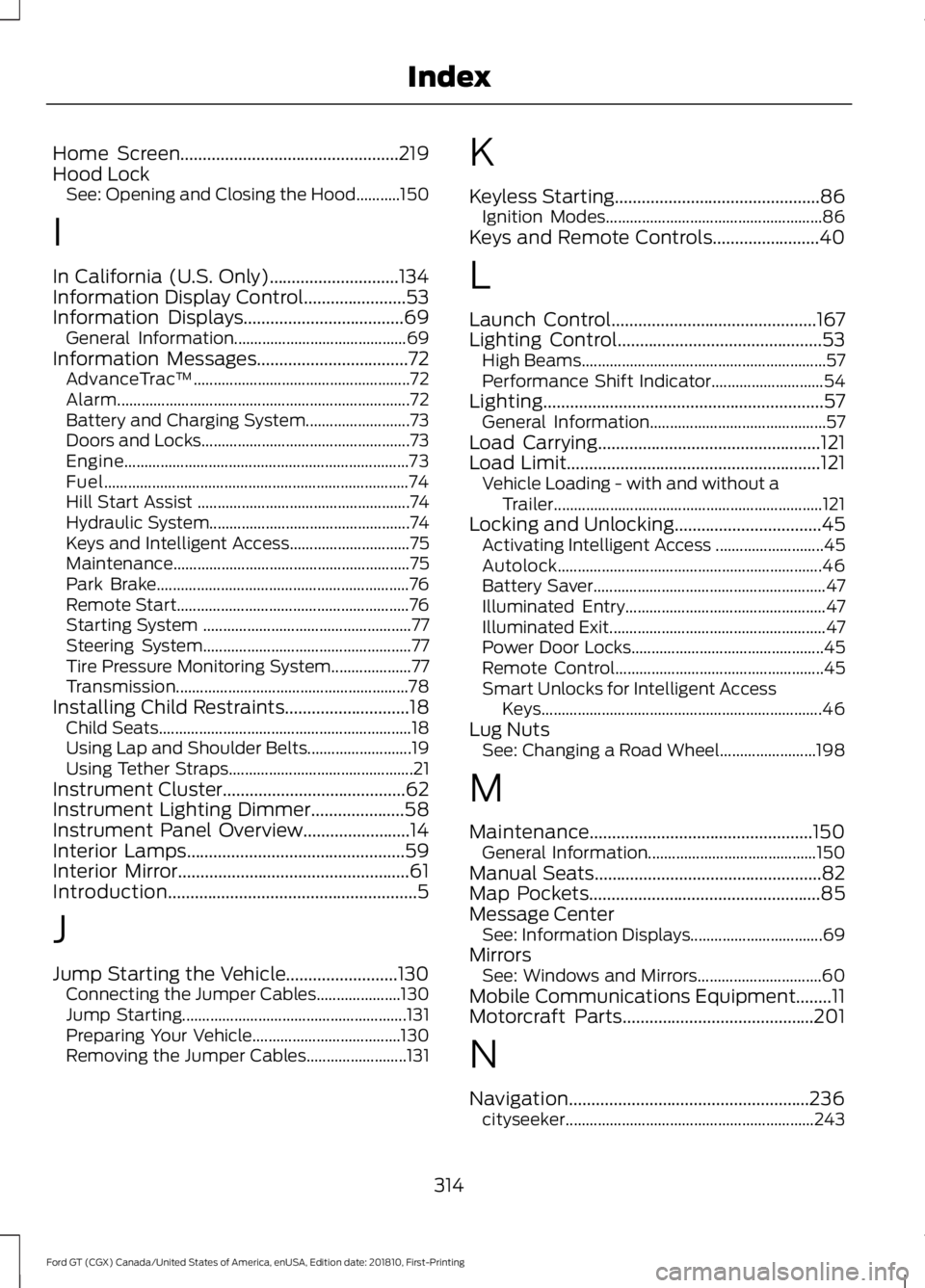
Home Screen.................................................219
Hood Lock See: Opening and Closing the Hood...........150
I
In California (U.S. Only).............................134
Information Display Control.......................53
Information Displays....................................69 General Information........................................... 69
Information Messages..................................72 AdvanceTrac ™...................................................... 72
Alarm........................................................................\
. 72
Battery and Charging System.......................... 73
Doors and Locks.................................................... 73
Engine....................................................................... 73
Fuel........................................................................\
.... 74
Hill Start Assist ..................................................... 74
Hydraulic System.................................................. 74
Keys and Intelligent Access.............................. 75
Maintenance ........................................................... 75
Park Brake............................................................... 76
Remote Start.......................................................... 76
Starting System .................................................... 77
Steering System.................................................... 77
Tire Pressure Monitoring System.................... 77
Transmission.......................................................... 78
Installing Child Restraints
............................18
Child Seats............................................................... 18
Using Lap and Shoulder Belts.......................... 19
Using Tether Straps.............................................. 21
Instrument Cluster.........................................62
Instrument Lighting Dimmer
.....................58
Instrument Panel Overview........................14
Interior Lamps.................................................59
Interior Mirror
....................................................61
Introduction........................................................5
J
Jump Starting the Vehicle.........................130 Connecting the Jumper Cables..................... 130
Jump Starting........................................................ 131
Preparing Your Vehicle..................................... 130
Removing the Jumper Cables......................... 131K
Keyless Starting
..............................................86
Ignition Modes...................................................... 86
Keys and Remote Controls........................40
L
Launch Control
..............................................167
Lighting Control..............................................53
High Beams............................................................. 57
Performance Shift Indicator............................ 54
Lighting
...............................................................57
General Information............................................ 57
Load Carrying..................................................121
Load Limit
.........................................................121
Vehicle Loading - with and without a
Trailer................................................................... 121
Locking and Unlocking.................................45 Activating Intelligent Access ........................... 45
Autolock.................................................................. 46
Battery Saver.......................................................... 47
Illuminated Entry.................................................. 47
Illuminated Exit...................................................... 47
Power Door Locks................................................ 45
Remote Control.................................................... 45
Smart Unlocks for Intelligent Access Keys...................................................................... 46
Lug Nuts See: Changing a Road Wheel........................ 198
M
Maintenance..................................................150 General Information.......................................... 150
Manual Seats
...................................................82
Map Pockets....................................................85
Message Center See: Information Displays................................. 69
Mirrors See: Windows and Mirrors............................... 60
Mobile Communications Equipment........11
Motorcraft Parts
...........................................201
N
Navigation......................................................236 cityseeker.............................................................. 243
314
Ford GT (CGX) Canada/United States of America, enUSA, Edition date: 201810, First-Printing Index
Page 318 of 321

Destination Mode..............................................
238
Map Mode............................................................. 237
Navigation Map Updates................................ 243
Navigation Menu................................................. 241
Waypoints............................................................. 242
Normal Scheduled Maintenance...........272 Normal Maintenance Intervals...................... 272
O
Oil Check See: Engine Oil Check....................................... 153
Opening and Closing the Hood...............150 Closing the Front Hood..................................... 151
Closing the Rear Hatch...................................... 151
Opening the Front Hood.................................. 150
Opening the Rear Hatch.................................... 151
Opening the Doors.........................................47
Opening the Doors from Inside....................... 47
Ordering Additional Owner's Literature.......................................................137
P
Parking Aids.....................................................112
Passive Anti-Theft System........................49 SecuriLock.............................................................. 49
PATS See: Passive Anti-Theft System..................... 49
Pedals.................................................................55
Perchlorate..........................................................9
Personal Safety System ™
..........................32
How Does the Personal Safety System
Work?................................................................... 32
Phone................................................................231 During a Phone Call.......................................... 234
Making Calls......................................................... 233
Pairing Your Cell Phone for the First Time.................................................................... 231
Phone Menu......................................................... 232
Receiving Calls.................................................... 234
Smartphone Connectivity.............................. 235
Text Messaging................................................... 235
Post-Crash Alert System............................131
Power Door Locks See: Locking and Unlocking............................. 45
Power Steering Fluid Check.....................159 Power Windows.............................................60
Accessory Delay................................................... 60
Bounce-Back......................................................... 60
One-Touch Down................................................ 60
One-Touch Up...................................................... 60
Protecting the Environment
........................13
Puncture See: Changing a Road Wheel........................ 198
R
Rear Under Hatch Storage.........................121
Rear View Camera.........................................112 Using the Rear View Camera System..........112
Rear View Camera See: Rear View Camera..................................... 112
Refueling...........................................................92 System Warnings................................................. 94
Remote Control...............................................41 Car Finder................................................................ 43
Intelligent Access Key.......................................... 41
Replacing the Battery......................................... 42
Sounding a Panic Alarm.................................... 43
Using the Key Blade............................................. 41
Repairing Minor Paint Damage................173
Replacement Parts Recommendation.........................................9
Collision Repairs.................................................... 10
Scheduled Maintenance and Mechanical Repairs................................................................... 9
Warranty on Replacement Parts.................... 10
Replacing a Lost Key or Remote Control............................................................44
Reporting Safety Defects (Canada Only)...............................................................138
Reporting Safety Defects (U.S. Only)
...............................................................137
Roadside Assistance...................................129
Vehicles Sold in the United States: Getting
Roadside Assistance.................................... 129
Vehicles Sold in the United States: Using Roadside Assistance.................................... 129
Roadside Emergencies...............................129
Running-In See: Breaking-In................................................... 127
Running Out of Fuel.......................................91 Adding Fuel From a Portable Fuel
Container............................................................ 92
315
Ford GT (CGX) Canada/United States of America, enUSA, Edition date: 201810, First-Printing Index
Page 319 of 321

Filling a Portable Fuel Container.....................
91
S
Safety Precautions........................................90
Scheduled Maintenance Record............274
Scheduled Maintenance............................271
Seatbelt Extension.........................................31
Seatbelt Reminder
........................................29
Belt-Minder™........................................................ 29
Seatbelts...........................................................26 Principle of Operation........................................ 26
Seatbelt Warning Lamp and Indicator Chime
..............................................................29
Conditions of operation..................................... 29
Seats...................................................................82
Security..............................................................49
Settings
...........................................................245
911 Assist............................................................... 250
Bluetooth............................................................... 247
Camera Settings................................................ 255
Clock....................................................................... 247
Display................................................................... 255
General.................................................................. 254
Media Player........................................................ 246
Mobile Apps......................................................... 252
Navigation............................................................ 250
Phone...................................................................... 247
Radio...................................................................... 250
Sound..................................................................... 245
Valet Mode........................................................... 256
Voice Control....................................................... 256
Wi-Fi....................................................................... 254
Side Airbags......................................................37
Sitting in the Correct Position...................82
Snow Chains See: Using Snow Chains.................................. 194
Spare Wheel See: Changing a Road Wheel........................ 198
Special Notices
................................................10
Additional Warranty Information.................... 10
Certified Ford GT Service Dealer...................... 11
New Vehicle Limited Warranty........................ 10
On Board Diagnostics Data Link Connector........................................................... 10
Special Instructions............................................. 10Special Operating Conditions Scheduled
Maintenance
...............................................273
Engine Air Filter and Cabin Air Filter
Replacement.................................................. 273
Hot Climate Oil Change Intervals................273
Operating at High Speeds and Track Days.................................................................... 273
Speed Control See: Cruise Control.............................................. 114
Stability Control...........................................109 Principle of Operation...................................... 109
Starting and Stopping the Engine...........86 General Information........................................... 86
Starting the Engine
........................................87
Failure to Start...................................................... 88
Fast Restart............................................................ 88
Guarding Against Exhaust Fumes.................89
Important Ventilating Information................89
Stopping the Engine When Your Vehicle is Moving................................................................. 88
Stopping the Engine When Your Vehicle is Stationary.......................................................... 88
Steering.............................................................115
Steering Wheel Lock
.....................................87
Steering Wheel.................................................51
Storage Compartments..............................85
Supplementary Restraints System.........33 Principle of Operation......................................... 33
Symbols Glossary.............................................5
SYNC™ 3
........................................................209
General Information......................................... 209
SYNC™ 3 Troubleshooting......................256
T
Technical Specifications See: Capacities and Specifications...........200
The Better Business Bureau (BBB) Auto Line Program (U.S. Only)........................134
Tire Care
...........................................................182
Glossary of Tire Terminology......................... 184
Information About Uniform Tire Quality Grading.............................................................. 182
Information Contained on the Tire Sidewall............................................................ 185
Temperature A B C............................................. 183
Traction AA A B C............................................... 183
Treadwear............................................................. 183
316
Ford GT (CGX) Canada/United States of America, enUSA, Edition date: 201810, First-Printing Index