2019 FORD FUSION airbag
[x] Cancel search: airbagPage 408 of 550

911 Assist May Not Work If
•
Your cellular phone or 911 Assist
hardware sustains damage in a crash.
• The vehicle's battery or the SYNC
system has no power.
• The phone(s) thrown from your vehicle
are the ones paired and connected to
the system.
911 Assist Privacy Notice
When you switch on 911 Assist, it may
disclose to emergency services that your
vehicle has been in a crash involving the
deployment of an airbag or activation of
the fuel pump shut-off. Certain versions or
updates to 911 Assist may also be capable
of electronically or verbally disclosing to
911 operators your vehicle location or other
details about your vehicle or crash to assist
911 operators to provide the most
appropriate emergency services. If you do
not want to disclose this information, do
not switch the feature on.
Safety Information WARNING: Driving while
distracted can result in loss of vehicle
control, crash and injury. We strongly
recommend that you use extreme
caution when using any device that may
take your focus off the road. Your
primary responsibility is the safe
operation of your vehicle. We
recommend against the use of any
hand-held device while driving and
encourage the use of voice-operated
systems when possible. Make sure you
are aware of all applicable local laws
that may affect the use of electronic
devices while driving. •
Do not attempt to service or repair the
system. Have an authorized dealer
check your vehicle.
• Do not operate playing devices if the
power cords or cables are broken, split
or damaged. Place cords and cables
out of the way, so they do not interfere
with the operation of pedals, seats,
compartments or safe driving abilities.
• Do not leave playing devices in your
vehicle during extreme conditions as it
could cause them damage. See your
device's user guide for further
information.
• For your safety, some SYNC 3 functions
are speed-dependent. Their use is
limited to when your vehicle is traveling
at speeds under 3 mph (5 km/h). Make
sure that you review your device's
manual before using it with SYNC 3.
Speed-restricted Features
Some features of this system may be too
difficult to use while your vehicle is moving
so they are restricted from use unless your
vehicle is stationary.
• Screens crowded with information,
such as Point of Interest reviews and
ratings, SiriusXM Traffic and Travel Link
sports scores, movie times or ski
conditions.
• Any action that requires you to use a
keyboard is restricted, such as entering
a navigation destination or editing
information.
• All lists are limited so the user can view
fewer entries (such as phone contacts
or recent phone call entries).
See the following table for more specific
examples.
405
Fusion (CC7) Canada/United States of America, enUSA, Edition date: 201805, Second-Printing SYNC™ 3
Page 481 of 550

Check Every Month
Windshield washer fluid level.
Fuel and water separator. Drain if necessary (or if indicated by the information display). Holes and slots in the tail pipe to make sure they are functional and clear of debris. Check Every Six Months
Battery connections. Clean if necessary.
Body and door drain holes for obstructions. Clean if necessary. Cooling system fluid level and coolant strength.
Door weatherstrips for wear. Lubricate if necessary.
Hinges, latches and outside locks for proper operation. Lubricate if necessary. Parking brake for proper operation.
Seatbelts and seat latches for wear and function.
Safety warning lamps (brake, ABS, airbag and seatbelt) for operation.
Washer spray and wiper operation. Clean or replace blades as necessary.
Multi-Point Inspection
In order to keep your vehicle running right,
it is important to have the systems on your
vehicle checked regularly. This can help
identify potential issues and prevent major
problems. We recommend having the
following multi-point inspection performed
at every scheduled maintenance interval
to help make sure your vehicle keeps
running great. Multi-Point Inspection
Hazard warning system operation
Accessory drive belt(s)
Horn operation
Battery performance
Radiator, cooler, heater and air conditioninghoses
Engine air filter
478
Fusion (CC7) Canada/United States of America, enUSA, Edition date: 201805, Second-Printing Scheduled Maintenance
Page 497 of 550

ELECTROMAGNETIC
COMPATIBILITY
WARNING: Do not place objects
or mount equipment on or near the
airbag cover, on the side of the seatbacks
(of the front seats), or in front seat areas
that may come into contact with a
deploying airbag. Failure to follow these
instructions may increase the risk of
personal injury in the event of a crash. WARNING:
Do not fasten antenna
cables to original vehicle wiring, fuel
pipes and brake pipes. WARNING:
Keep antenna and
power cables at least 4 in (10 cm) from
any electronic modules and airbags.
Note: We test and certify your vehicle to
meet electromagnetic compatibility
legislation (UNECE Regulation 10 or other
applicable local requirements). It is your
responsibility to make sure that any
equipment an authorized dealer installs on
your vehicle complies with applicable local
legislation and other requirements.
Note: Any radio frequency transmitter
equipment in your vehicle (such as cellular
telephones and amateur radio transmitters)
must keep to the parameters in the
following table. We do not provide special
provisions or conditions for installations or
use.
Car 494
Fusion (CC7) Canada/United States of America, enUSA, Edition date: 201805, Second-Printing AppendicesE239120
Page 507 of 550

filing, AAA, and arbitrator
’s fees and
expenses. It will not seek its attorney ’s
fees or expenses from you in any
arbitration. Fees and expenses are not
counted in determining how much a
dispute involves.
(h) Claims or disputes must be filed
within one year. To the extent permitted
by law, any claim or dispute under this
EULA to which this Section applies must
be filed within one year in small claims
court (Section c) or in arbitration (Section
d). The one-year period begins when the
claim or dispute first could be filed. If such
a claim or dispute is not filed within one
year, it is permanently barred.
(I) Severability. If the class action waiver
(Section e) is found to be illegal or
unenforceable as to all or some parts of a
dispute, then that portion of Section e will
not apply to those parts. Instead, those
parts will be severed and proceed in a court
of law, with the remaining parts proceeding
in arbitration. If any other provision of that
portion Section e is found to be illegal or
unenforceable, that provision will be
severed with the remainder of Section e
remaining in full force and effect.
Telenav Software End User License
Agreement
Please read these terms and conditions
carefully before you use the TeleNav
Software. Your use of the TeleNav
Software indicates that you accept these
terms and conditions. If you do not accept
these terms and conditions, do not break
the seal of the package, launch, or
otherwise use the TeleNav Software.
TeleNav may revise this Agreement and
the privacy policy at any time, with or
without notice to you. You agree to visit
http://www.telenav.com from time to time
to review the then current version of this
Agreement and of the privacy policy. 1. Safe and Lawful Use
You acknowledge that devoting attention
to the TeleNav Software may pose a risk
of injury or death to you and others in
situations that otherwise require your
undivided attention, and you therefore
agree to comply with the following when
using the TeleNav Software:
(a) observe all traffic laws and otherwise
drive safely;
(b) use your own personal judgment while
driving. If you feel that a route suggested
by the TeleNav Software instructs you to
perform an unsafe or illegal maneuver,
places you in an unsafe situation, or directs
you into an area that you consider to be
unsafe, do not follow such instructions;
(c) do not input destinations, or otherwise
manipulate the TeleNav Software, unless
your vehicle is stationary and parked;
(d) do not use the TeleNav Software for
any illegal, unauthorized, unintended,
unsafe, hazardous, or unlawful purposes,
or in any manner inconsistent with this
Agreement;
(e) arrange all GPS and wireless devices
and cables necessary for use of the
TeleNav Software in a secure manner in
your vehicle so that they will not interfere
with your driving and will not prevent the
operation of any safety device (such as an
airbag).
You agree to indemnify and hold TeleNav
harmless against all claims resulting from
any dangerous or otherwise inappropriate
use of the TeleNav Software in any moving
vehicle, including as a result of your failure
to comply with the directions above.
504
Fusion (CC7) Canada/United States of America, enUSA, Edition date: 201805, Second-Printing Appendices
Page 538 of 550

A
A/C
See: Climate Control........................................... 121
About This Manual...........................................7
ABS See: Brakes............................................................ 176
ABS driving hints See: Hints on Driving With Anti-Lock
Brakes................................................................. 176
Accessories.....................................................472 Exterior Style........................................................ 472
Interior Style......................................................... 472
Lifestyle.................................................................. 472
Peace of Mind...................................................... 472
Accessories See: Replacement Parts
Recommendation............................................ 14
ACC See: Using Adaptive Cruise Control............198
Active Park Assist.........................................187 Using Active Park Assist.................................. 188
Adjusting the Headlamps.........................273 Horizontal Aim Adjustment............................ 274
Vertical Aim Adjustment................................. 273
Adjusting the Steering Wheel....................73
Airbag Disposal
...............................................52
Air Conditioning See: Climate Control........................................... 121
Air Filter See: Changing the Engine Air Filter.............278
Alarm See: Anti-Theft Alarm......................................... 72
All-Wheel Drive...............................................171
Ambient Lighting
............................................83
Adjusting the Brightness................................... 84
Changing the Color............................................. 84
Switching Ambient Lighting Off..................... 84
Switching Ambient Lighting On...................... 83
Anti-Theft Alarm
.............................................72
Arming the Alarm................................................. 72
Disarming the Alarm............................................ 72
Appendices....................................................494
Apps.................................................................443 ........................................................................\
.......... 443
SiriusXM Traffic and Travel Link................... 445
At a Glance........................................................18 Audible Warnings and Indicators.............96
Headlamps On Warning Chime..................... 96
Keyless Warning Alert........................................ 96
Parking Brake On Warning Chime.................96
Audio Control
...................................................73
Seek, Next or Previous........................................ 74
Audio System
................................................345
General Information......................................... 345
Audio Unit - Vehicles With: Sony Audio System/Touchscreen Display
..............347
Accessing the Sound Settings..................... 348
Adjusting the Volume...................................... 348
Changing Radio Stations................................ 348
Ejecting the CD................................................... 348
Inserting a CD..................................................... 348
Switching the Audio Unit On and Off........348
Using Seek, Fast Forward and Reverse............................................................. 348
Audio Unit - Vehicles With: SYNC
.........349
Accessing the Clock Settings........................ 349
Accessing the Media Source Menu.............349
Accessing the Menu......................................... 349
Accessing the Phone Features..................... 349
Accessing the Sound Settings...................... 349
Adjusting the Volume...................................... 349
Changing Radio Stations................................ 350
Listening to Satellite Radio........................... 350
Listening to the Radio...................................... 350
Menu Structure.................................................... 351
Muting the Audio............................................... 350
Playing or Pausing Media............................... 350
Switching the Audio Unit On and Off........350
Using a Cell Phone............................................ 350
Using Seek, Fast Forward and Reverse.............................................................. 351
Using the Display Control............................... 350
Using the Number Block................................. 350
Audio Unit - Vehicles With: Touchscreen Display, Vehicles Without: Sony Audio
System.........................................................346
Adjusting the Volume....................................... 347
Changing Radio Stations................................ 347
Playing or Pausing Media................................ 347
Switching the Audio Unit On and Off.........347
Using Seek, Fast Forward and Reverse.............................................................. 347
535
Fusion (CC7) Canada/United States of America, enUSA, Edition date: 201805, Second-Printing Index
Page 541 of 550
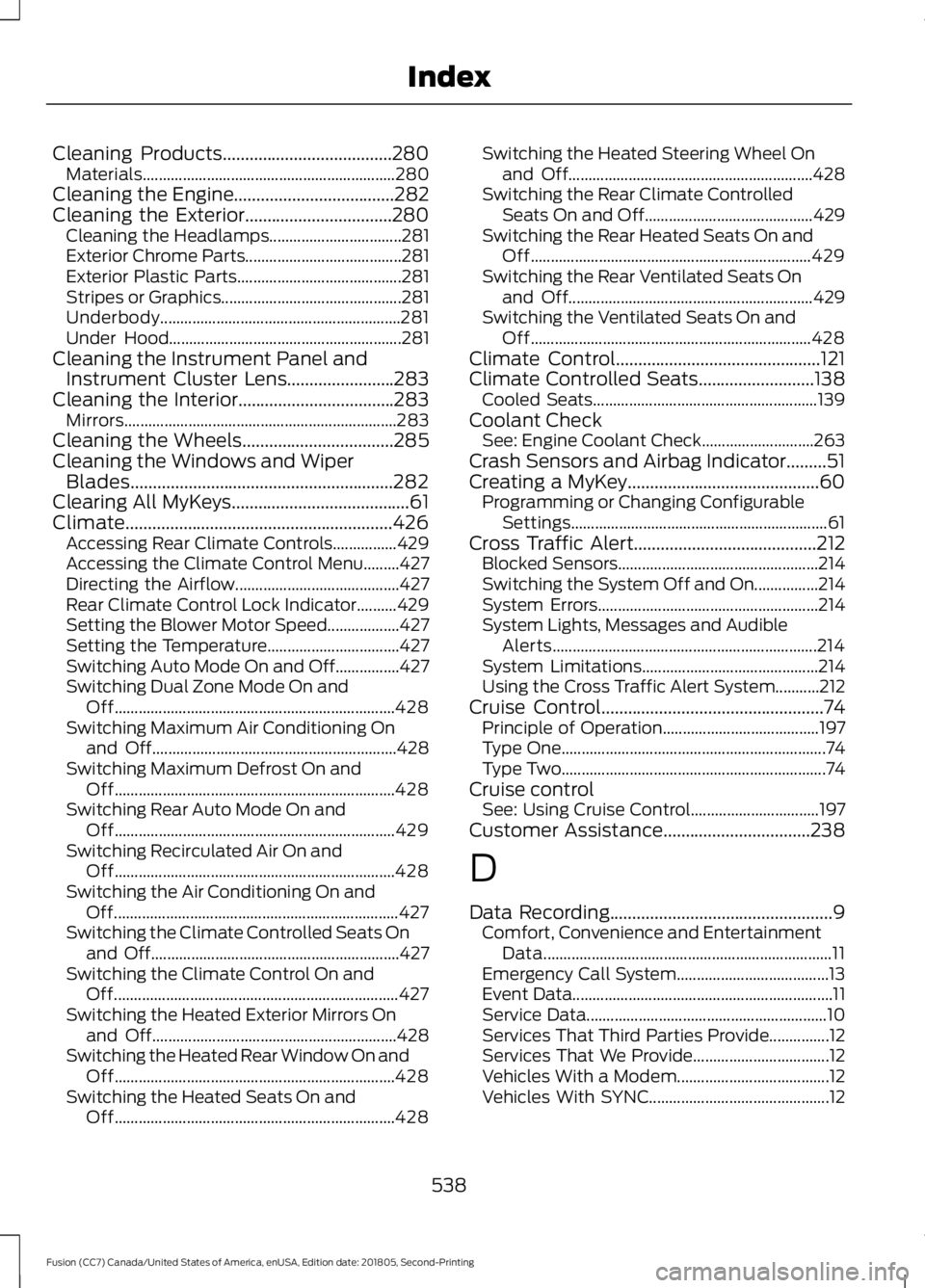
Cleaning Products......................................280
Materials............................................................... 280
Cleaning the Engine
....................................282
Cleaning the Exterior.................................280
Cleaning the Headlamps................................. 281
Exterior Chrome Parts....................................... 281
Exterior Plastic Parts......................................... 281
Stripes or Graphics............................................. 281
Underbody............................................................ 281
Under Hood.......................................................... 281
Cleaning the Instrument Panel and Instrument Cluster Lens........................283
Cleaning the Interior...................................283 Mirrors.................................................................... 283
Cleaning the Wheels
..................................285
Cleaning the Windows and Wiper Blades...........................................................282
Clearing All MyKeys
........................................61
Climate............................................................426 Accessing Rear Climate Controls................429
Accessing the Climate Control Menu.........427
Directing the Airflow......................................... 427
Rear Climate Control Lock Indicator..........429
Setting the Blower Motor Speed.................. 427
Setting the Temperature................................. 427
Switching Auto Mode On and Off................427
Switching Dual Zone Mode On and Off...................................................................... 428
Switching Maximum Air Conditioning On and Off............................................................. 428
Switching Maximum Defrost On and Off...................................................................... 428
Switching Rear Auto Mode On and Off...................................................................... 429
Switching Recirculated Air On and Off...................................................................... 428
Switching the Air Conditioning On and Off....................................................................... 427
Switching the Climate Controlled Seats On and Off.............................................................. 427
Switching the Climate Control On and Off....................................................................... 427
Switching the Heated Exterior Mirrors On and Off............................................................. 428
Switching the Heated Rear Window On and Off...................................................................... 428
Switching the Heated Seats On and Off...................................................................... 428Switching the Heated Steering Wheel On
and Off............................................................. 428
Switching the Rear Climate Controlled Seats On and Off.......................................... 429
Switching the Rear Heated Seats On and Off...................................................................... 429
Switching the Rear Ventilated Seats On and Off............................................................. 429
Switching the Ventilated Seats On and Off...................................................................... 428
Climate Control
..............................................121
Climate Controlled Seats..........................138 Cooled Seats........................................................ 139
Coolant Check See: Engine Coolant Check............................ 263
Crash Sensors and Airbag Indicator.........51
Creating a MyKey...........................................60 Programming or Changing Configurable
Settings................................................................ 61
Cross Traffic Alert.........................................212 Blocked Sensors.................................................. 214
Switching the System Off and On................214
System Errors....................................................... 214
System Lights, Messages and Audible Alerts.................................................................. 214
System Limitations............................................ 214
Using the Cross Traffic Alert System...........212
Cruise Control
..................................................74
Principle of Operation....................................... 197
Type One.................................................................. 74
Type Two.................................................................. 74
Cruise control See: Using Cruise Control................................ 197
Customer Assistance
.................................238
D
Data Recording
..................................................9
Comfort, Convenience and Entertainment
Data........................................................................\
11
Emergency Call System...................................... 13
Event Data................................................................. 11
Service Data............................................................ 10
Services That Third Parties Provide...............12
Services That We Provide.................................. 12
Vehicles With a Modem...................................... 12
Vehicles With SYNC............................................. 12
538
Fusion (CC7) Canada/United States of America, enUSA, Edition date: 201805, Second-Printing Index
Page 542 of 550

Daytime Running Lamps............................80
Type One - Conventional
(Non-Configurable)....................................... 80
Type Two - Configurable................................... 80
Digital Radio..................................................353
HD Radio Reception and Station
Troubleshooting............................................ 354
Direction Indicators
.......................................82
Doors and Locks.............................................64
Driver Alert.....................................................205 PRINCIPLE OF OPERATION.......................... 205
USING DRIVER ALERT.................................... 205
Driver and Passenger Airbags...................45 Children and Airbags.......................................... 46
Proper Driver and Front Passenger Seating Adjustment........................................................ 45
Driver and Passenger Knee Airbags
........49
Driving Aids....................................................205
Driving Hints
..................................................230
Driving Through Water...............................230
DRL See: Daytime Running Lamps........................ 80
E
Economical Driving.....................................230
Electric Parking Brake..................................177 Applying the Electric Parking Brake..............177
Automatically Releasing the Electric
Parking Brake................................................... 178
Manually Releasing the Electric Parking Brake.................................................................... 177
Releasing the Electric Parking Brake if the Vehicle Battery is Running Out of
Charge................................................................ 178
Electromagnetic Compatibility
..............494
Emission Law.................................................162
Noise Emissions Warranty, Prohibited
Tampering Acts and Maintenance..........163
Tampering With a Noise Control System............................................................... 162
End User License Agreement.................496 VEHICLE SOFTWARE END USER LICENSE
AGREEMENT (EULA) ................................ 496
Engine Block Heater
.....................................151
Using the Engine Block Heater...................... 152
Engine Coolant Check
...............................263
Adding Coolant................................................... 263Coolant Change.................................................
265
Engine Coolant Temperature Management.................................................. 266
Fail-Safe Cooling............................................... 265
Recycled Coolant............................................... 265
Severe Climates................................................. 265
Engine Emission Control............................162
Engine Immobilizer See: Passive Anti-Theft System...................... 71
Engine Oil Check...........................................261 Adding Engine Oil............................................... 261
Engine Oil Dipstick - 1.5L EcoBoost™..................................................261
Engine Oil Dipstick - 2.0L EcoBoost™/ 2.5L/2.7L EcoBoost™
..............................261
Engine Specifications - 1.5L EcoBoost™..................................................319
Drivebelt Routing................................................ 319
Engine Specifications - 2.0L EcoBoost™..................................................319
Drivebelt Routing............................................... 320
Engine Specifications - 2.5L....................320 Drivebelt Routing............................................... 320
Engine Specifications - 2.7L EcoBoost™..................................................321
Drivebelt Routing................................................ 321
Entertainment................................................417 AM/FM Radio....................................................... 418
Apps....................................................................... 426
Bluetooth Stereo or USB................................ 425
CD (If equipped)................................................ 424
HD Radio ™ Information (If
Available).......................................................... 421
SiriusXM® Satellite Radio (If Activated)......................................................... 419
Sources................................................................... 417
Supported Media Players, Formats and Metadata Information................................ 426
USB Port............................................................... 426
Environment......................................................17
EPB See: Electric Parking Brake.............................. 177
Essential Towing Checks..........................226 Before Towing a Trailer..................................... 227
Hitches................................................................... 226
Launching or Retrieving a Boat or Personal Watercraft (PWC)......................................... 227
Safety Chains...................................................... 226
539
Fusion (CC7) Canada/United States of America, enUSA, Edition date: 201805, Second-Printing Index
Page 544 of 550

Head Restraints..............................................131
Adjusting the Head Restraint......................... 132
Tilting Head Restraints .................................... 133
Heated Exterior Mirrors...............................129
Heated Rear Window..................................129
Heated Seats.................................................138
Heated Steering Wheel................................75
Heating See: Climate Control........................................... 121
Hill Start Assist
..............................................178
Switching the System On and Off................179
Using Hill Start Assist........................................ 179
Hints on Controlling the Interior Climate...........................................................127
Defogging the Side Windows in Cold Weather............................................................. 129
General Hints........................................................ 127
Quickly Cooling the Interior............................ 128
Quickly Heating the Interior............................ 128
Recommended Settings for Cooling...........129
Recommended Settings for Heating..........128
Hints on Driving With Anti-Lock Brakes.............................................................176
Home Screen
................................................409
Hood Lock See: Opening and Closing the Hood..........256
I
In California (U.S. Only)
............................239
Information Display Control.......................75
Information Displays.....................................97 General Information............................................ 97
Information Messages...............................106 Active Park............................................................ 106
Adaptive Cruise Control................................... 107
AdvanceTrac®..................................................... 107
Airbag..................................................................... 108
Alarm...................................................................... 108
All-Wheel Drive.................................................... 110
Automatic Engine Shutdown......................... 110
Auto Start-Stop.................................................. 108
Battery and Charging System.......................... 111
Blind Spot Information and Cross Traffic Alert System...................................................... 111
Doors and Locks................................................... 112
Driver Alert.............................................................. 112
Fuel........................................................................\
.... 112Hill Start Assist.....................................................
112
Keys and Intelligent Access............................. 113
Lane Keeping System........................................ 114
Maintenance.......................................................... 114
MyKey....................................................................... 115
Park Aid................................................................... 116
Park Brake.............................................................. 116
Power Steering...................................................... 117
Pre-Collision Assist............................................. 117
Remote Start......................................................... 117
Seats........................................................................\
118
Starting System .................................................. 118
Tire Pressure Monitoring System................... 118
Traction Control................................................... 119
Transmission......................................................... 119
Installing Child Restraints...........................22 Child Seats.............................................................. 22
Using Lap and Shoulder Belts......................... 22
Using Lower Anchors and Tethers for CHildren (LATCH)............................................ 27
Using Tether Straps............................................. 28
Instrument Cluster
........................................90
Instrument Lighting Dimmer......................79 Vehicles With Front Fog Lamps..................... 80
Vehicles Without Front Fog Lamps..............80
Instrument Panel
............................................18
Interior Lamps.................................................82 Front Interior Lamp............................................. 83
Rear Interior Lamps............................................. 83
Interior Luggage Compartment Release...........................................................69
Interior Mirror...................................................88 Auto-Dimming Mirror......................................... 88
Manual Dimming Mirror.................................... 88
Introduction.........................................................7
J
Jump Starting the Vehicle........................234 Connecting the Jumper Cables.................... 234
Jump Starting...................................................... 235
Preparing Your Vehicle..................................... 234
Removing the Jumper Cables....................... 235
541
Fusion (CC7) Canada/United States of America, enUSA, Edition date: 201805, Second-Printing Index