2019 FORD FUSION ECO mode
[x] Cancel search: ECO modePage 465 of 550

Cell phone issues
Possible solution
Possible cause
Issue
iPhone •Go to your cell phone's Settings.
• Go to the Bluetooth Menu.
• Press the blue circle to the right of the
device named with your vehicle make
and model to enter the next menu.
• Turn Show Notifications on.
• Disconnect then reconnect your iPhone
from the SYNC 3 system to activate this
settings update.
Your iPhone is now set up to forward
incoming text messages to SYNC 3.
Repeat these steps for every other SYNC 3
vehicle that you connect. Your iPhone will
only forward incoming text messages to
SYNC 3 if the iPhone is not unlocked in the
messaging application.
Replying to text messages using SYNC 3 is
not supported by iPhone.
Text messages from WhatsApp and Face-
book Messenger are not supported.
Your cell phone must support downloading
text messages through Bluetooth to receive
incoming text messages.
This is a cell phone-
dependent feature.
Audible text
messages do
not work on my
cell phone. Because each cell phone is different, refer
to your device's manual for the specific cell
phone you are pairing. In fact, there can be
differences between cell phones due to
brand, model, service provider and software
version.
This is a cell phone limita-
tion.
462
Fusion (CC7) Canada/United States of America, enUSA, Edition date: 201805, Second-Printing SYNC™ 3
Page 483 of 550

When to Expect the OIL CHANGE REQUIRED Message
Vehicle Use and Example
Interval
No, or moderate, load or towing
Flat to moderately hilly roads
No extended idling Severe
5,000– 7,500 mi
(8,000– 12,000 km) Moderate to heavy load or towing
Mountainous or off-road conditions
Extended idling
Extended hot or cold operation
Extreme
3,000–5,000 mi
(5,000–8,000 km) Maximum load or towing
Extreme hot or cold operation
Normal Maintenance Intervals At Every Oil Change Interval as Indicated by the Information Display
1
Change engine oil and filter. 2
Rotate the tires.
Perform a multi-point inspection (recommended).
Inspect the automatic transmission fluid level. Consult your dealer for requirements.
Inspect the brake pads, rotors, hoses and parking brake.
Inspect the engine cooling system strength and hoses.
Inspect the exhaust system and heat shields.
Inspect the rear axle and U-joints (All-Wheel Drive only).
Inspect the half-shaft boots.
Inspect the steering linkage, ball joints, suspension, tie-rod ends, driveshaft and U-joints.
480
Fusion (CC7) Canada/United States of America, enUSA, Edition date: 201805, Second-Printing Scheduled Maintenance
Page 499 of 550

Antenna Positions
Maximum output power Watt (Peak
RMS)
Frequency Band
MHz
1
50
1-30
2, 3
50
50-54
2, 3
50
68-88
2, 3
50
142-176
2, 3
50
380-512
2, 3
10
806-870
Note: After the installation of radio
frequency transmitters, check for
disturbances from and to all electrical
equipment in your vehicle, both in the
standby and transmit modes.
Check all electrical equipment:
• With the ignition ON.
• With the engine running.
• During a road test at various speeds.
Check that electromagnetic fields
generated inside your vehicle cabin by the
transmitter installed do not exceed
applicable human exposure requirements. END USER LICENSE
AGREEMENT
VEHICLE SOFTWARE END USER
LICENSE AGREEMENT (EULA)
•
You (“You” or “Your ” as applicable)
have acquired a vehicle having several
devices, including SYNC ® and various
control modules, ("DEVICES") that
include software licensed or owned by
Ford Motor Company and its affiliates
("FORD MOTOR COMPANY"). Those
software products of FORD MOTOR
COMPANY origin, as well as associated
media, printed materials, and "online"
or electronic documentation
("SOFTWARE") are protected by
international intellectual property laws
and treaties. The SOFTWARE is
licensed, not sold. All rights reserved.
• The SOFTWARE may interface with
and/or communicate with, or may be
later upgraded to interface with and/or
communicate with additional software
and/or systems provided by FORD
MOTOR COMPANY.
496
Fusion (CC7) Canada/United States of America, enUSA, Edition date: 201805, Second-Printing Appendices
Page 523 of 550

IMPLIED WARRANTIES OF
MERCHANTABILITY, FITNESS FOR A
PARTICULAR PURPOSE, TITLE, AND
NON-INFRINGEMENT. NEITHER
GRACENOTE WARRANTS THE RESULTS
THAT WILL BE OBTAINED BY YOUR USE
OF THE GRACENOTE SOFTWARE OR ANY
GRACENOTE SERVER. IN NO CASE WILL
GRACENOTE BE LIABLE FOR ANY
CONSEQUENTIAL OR INCIDENTAL
DAMAGES OR FOR ANY LOST PROFITS
OR LOST REVENUES FOR ANY REASON
WHATSOEVER. © Gracenote 2007.
Radio Frequency Statement
FCC ID: ACJ-SYNCG3-L
IC: 216B-SYNCG3-L
This device complies with Part 15 of the
FCC Rules and with RSS-210 of Industry
Canada. Operation is subject to the
following two conditions:
(1) This device may not cause harmful
interference, and
(2)
this device must accept any
interference received, including
interference that may cause undesired
operation. WARNING:
Changes or
modifications not expressively approved
by the party responsible for compliance
could void the user's authority to operate
the equipment. The term "IC:" before the
radio certification number only signifies
that Industry Canada technical
specifications were met.
The antenna used for this transmitter must
not be co-located or operating in
conjunction with any other antenna or
transmitter. Taiwan Territory
Note: In accordance with the management
approach of low-power radio wave
radiation motors:
Article 12: For approved and certified
low-power radiation motor models,
companies, firms or users must not alter
the frequency, increase the power or
change the characteristics and functions
of the original design without authorization.
Article 14: The usage of low-power
radio-frequency motors must not affect
aviation safety and interfere with legal
telecommunications. Should interference
be detected, immediately stop using the
device and only resume usage after
ensuring that there is no longer any
interference. For the legal
telecommunication and wireless
telecommunication of the telco, the
low-power radio frequency motor must be
able to tolerate legal limits of interference
from telecommunication, industrial,
scientific and radio wave equipment.
SUNA TRAFFIC CHANNEL – TERMS
AND CONDITIONS
By activating, using and/or accessing the
SUNA Traffic Channel, SUNA Predictive or
other content or material provided by
Intelematics (together,
SUNA Products
and/or Services
), you must accept
certain terms and conditions. The following
is a brief summary of the terms and
conditions that apply to you. To view the
full terms and conditions relevant to your
use of the SUNA Products and/or Services,
please consult: Website
www.sunatraffic.com.au/termsandcon- ditions/
1. Acceptance
520
Fusion (CC7) Canada/United States of America, enUSA, Edition date: 201805, Second-Printing Appendices
Page 535 of 550
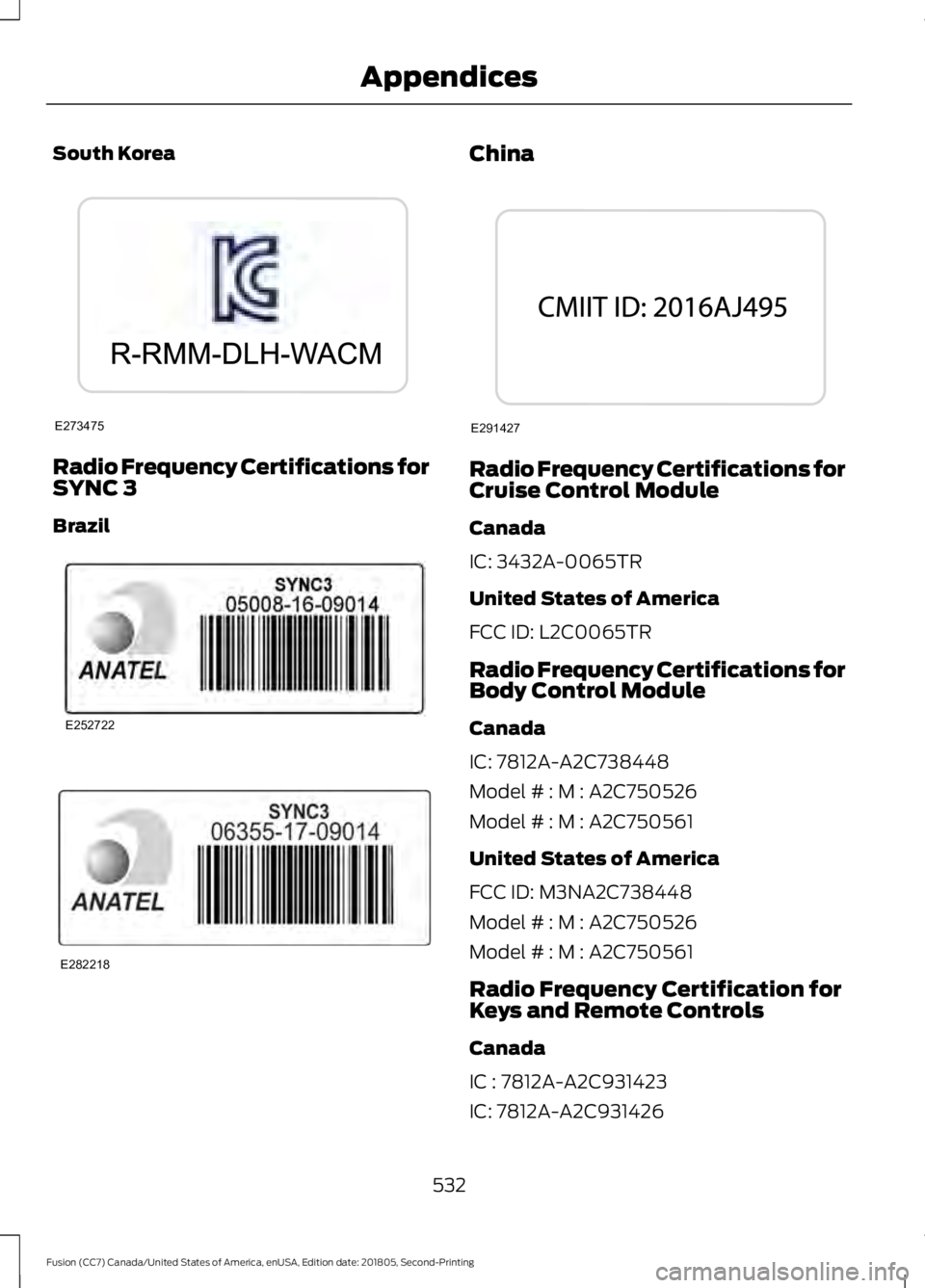
South Korea
Radio Frequency Certifications for
SYNC 3
Brazil China
Radio Frequency Certifications for
Cruise Control Module
Canada
IC: 3432A-0065TR
United States of America
FCC ID: L2C0065TR
Radio Frequency Certifications for
Body Control Module
Canada
IC: 7812A-A2C738448
Model # : M : A2C750526
Model # : M : A2C750561
United States of America
FCC ID: M3NA2C738448
Model # : M : A2C750526
Model # : M : A2C750561
Radio Frequency Certification for
Keys and Remote Controls
Canada
IC : 7812A-A2C931423
IC: 7812A-A2C931426
532
Fusion (CC7) Canada/United States of America, enUSA, Edition date: 201805, Second-Printing AppendicesE273475 E252722 E282218 E291427
Page 539 of 550

Autolamps........................................................79
Windshield Wiper Activated
Headlamps........................................................ 79
Automatic Climate Control - Vehicles With: Sony Audio System/Touchscreen
Display...........................................................124
Setting the Blower Motor Speed.................. 124
Setting the Temperature.................................. 124
Switching Auto Mode On and Off................124
Switching Defrost On and Off........................ 125
Switching Maximum Air Conditioning On and Off............................................................... 125
Switching Maximum Defrost On and Off........................................................................\
125
Switching Recirculated Air On and Off........................................................................\
125
Switching the Air Conditioning On and Off........................................................................\
124
Switching the Climate Controlled Seats On and Off............................................................... 124
Switching the Climate Control On and Off........................................................................\
124
Switching the Heated Seats On and Off........................................................................\
125
Automatic Climate Control - Vehicles With: SYNC...................................................125
Directing Air to the Footwell Air Vents................................................................... 125
Directing Air to the Instrument Panel Air Vents................................................................... 125
Setting the Blower Motor Speed.................. 125
Setting the Temperature................................. 126
Switching Auto Mode On and Off................126
Switching Defrost On and Off....................... 126
Switching Maximum Air Conditioning On and Off............................................................... 126
Switching Maximum Defrost On and Off........................................................................\
127
Switching Recirculated Air On and Off........................................................................\
127
Switching the Air Conditioning On and Off........................................................................\
126
Switching the Climate Control On and Off........................................................................\
126Automatic Climate Control - Vehicles
With: Touchscreen Display, Vehicles
Without: Sony Audio System................122
Accessing the Air Distribution
Controls............................................................. 122
Setting the Blower Motor Speed................... 122
Setting the Temperature.................................. 123
Switching Auto Mode On and Off................123
Switching Maximum Air Conditioning On and Off............................................................... 123
Switching Maximum Defrost On and Off........................................................................\
123
Switching Recirculated Air On and Off........................................................................\
124
Switching the Air Conditioning On and Off........................................................................\
123
Switching the Climate Controlled Seats On and Off............................................................... 123
Switching the Climate Control On and Off........................................................................\
123
Switching the Heated Seats On and Off........................................................................\
123
Automatic High Beam Control..................81 Automatic High Beam Indicator..................... 82
Switching the System On and Off.................. 81
Automatic Transmission
...........................166
Automatic Transmission Adaptive
Learning............................................................. 170
Brake-Shift Interlock Override....................... 169
If Your Vehicle Gets Stuck In Mud or Snow................................................................... 170
SelectShift™ Automatic Transmission................................................... 168
Understanding the Positions of Your Rotary Shift Transmission........................................ 166
Automatic Transmission Fluid Check - 1.5L EcoBoost™/2.0L EcoBoost™/
2.5L
.................................................................267
Automatic Transmission Fluid Check - 2.7L EcoBoost™
........................................267
Adding Transmission Fluid* ......................... 268
Checking the Transmission Fluid Level ........................................................................\
...... 267
Auto-Start-Stop............................................153 Disabling Auto-Start-Stop............................. 154
Enabling Auto-Start-Stop............................... 153
Autowipers........................................................76 Autowipers Settings............................................. 77
536
Fusion (CC7) Canada/United States of America, enUSA, Edition date: 201805, Second-Printing Index
Page 541 of 550
Cleaning Products......................................280
Materials............................................................... 280
Cleaning the Engine
....................................282
Cleaning the Exterior.................................280
Cleaning the Headlamps................................. 281
Exterior Chrome Parts....................................... 281
Exterior Plastic Parts......................................... 281
Stripes or Graphics............................................. 281
Underbody............................................................ 281
Under Hood.......................................................... 281
Cleaning the Instrument Panel and Instrument Cluster Lens........................283
Cleaning the Interior...................................283 Mirrors.................................................................... 283
Cleaning the Wheels
..................................285
Cleaning the Windows and Wiper Blades...........................................................282
Clearing All MyKeys
........................................61
Climate............................................................426 Accessing Rear Climate Controls................429
Accessing the Climate Control Menu.........427
Directing the Airflow......................................... 427
Rear Climate Control Lock Indicator..........429
Setting the Blower Motor Speed.................. 427
Setting the Temperature................................. 427
Switching Auto Mode On and Off................427
Switching Dual Zone Mode On and Off...................................................................... 428
Switching Maximum Air Conditioning On and Off............................................................. 428
Switching Maximum Defrost On and Off...................................................................... 428
Switching Rear Auto Mode On and Off...................................................................... 429
Switching Recirculated Air On and Off...................................................................... 428
Switching the Air Conditioning On and Off....................................................................... 427
Switching the Climate Controlled Seats On and Off.............................................................. 427
Switching the Climate Control On and Off....................................................................... 427
Switching the Heated Exterior Mirrors On and Off............................................................. 428
Switching the Heated Rear Window On and Off...................................................................... 428
Switching the Heated Seats On and Off...................................................................... 428Switching the Heated Steering Wheel On
and Off............................................................. 428
Switching the Rear Climate Controlled Seats On and Off.......................................... 429
Switching the Rear Heated Seats On and Off...................................................................... 429
Switching the Rear Ventilated Seats On and Off............................................................. 429
Switching the Ventilated Seats On and Off...................................................................... 428
Climate Control
..............................................121
Climate Controlled Seats..........................138 Cooled Seats........................................................ 139
Coolant Check See: Engine Coolant Check............................ 263
Crash Sensors and Airbag Indicator.........51
Creating a MyKey...........................................60 Programming or Changing Configurable
Settings................................................................ 61
Cross Traffic Alert.........................................212 Blocked Sensors.................................................. 214
Switching the System Off and On................214
System Errors....................................................... 214
System Lights, Messages and Audible Alerts.................................................................. 214
System Limitations............................................ 214
Using the Cross Traffic Alert System...........212
Cruise Control
..................................................74
Principle of Operation....................................... 197
Type One.................................................................. 74
Type Two.................................................................. 74
Cruise control See: Using Cruise Control................................ 197
Customer Assistance
.................................238
D
Data Recording
..................................................9
Comfort, Convenience and Entertainment
Data........................................................................\
11
Emergency Call System...................................... 13
Event Data................................................................. 11
Service Data............................................................ 10
Services That Third Parties Provide...............12
Services That We Provide.................................. 12
Vehicles With a Modem...................................... 12
Vehicles With SYNC............................................. 12
538
Fusion (CC7) Canada/United States of America, enUSA, Edition date: 201805, Second-Printing Index
Page 543 of 550
Trailer Brakes.......................................................
226
Trailer Lamps....................................................... 226
When Towing a Trailer...................................... 227
Event Data Recording See: Data Recording.............................................. 9
Export Unique Options.................................15
Exterior Mirrors................................................86 Auto-Dimming Feature...................................... 87
Blind Spot Monitor............................................... 87
Fold-Away Exterior Mirrors............................... 87
Heated Exterior Mirrors...................................... 87
Memory Mirrors..................................................... 87
Power Exterior Mirrors........................................ 86
Power-Folding Mirrors........................................ 87
Puddle Lamps ....................................................... 87
Signal Indicator Mirrors...................................... 87
F
Fastening the Seatbelts..............................36 Rear Inflatable Seatbelt.................................... 38
Seatbelt Locking Modes.................................... 37
Using Seatbelts During Pregnancy................36
Flat Tire See: Changing a Road Wheel........................ 310
Floor Mats........................................................231
Fog Lamps - Front See: Front Fog Lamps........................................ 82
Ford Credit
.........................................................13
US Only..................................................................... 13
Ford Protect
...................................................474
Ford Protect Extended Service Plan
(CANADA ONLY)........................................... 475
Ford Protect Extended Service Plans (U.S. Only).................................................................. 474
Front Fog Lamps
............................................82
Front Parking Aid..........................................184
Obstacle Distance Indicator........................... 185
Front Passenger Sensing System............46
Fuel and Refueling.......................................155
Fuel Consumption.........................................161 Advertised Capacity........................................... 161
Fuel Economy....................................................... 161
Fuel Filler Funnel Location........................156
Fuel Filter
........................................................270
Fuel Quality.....................................................155 Choosing the Right Fuel................................... 155
Fuel Shutoff
...................................................233 Fuses
................................................................245
Fuse Specification Chart..........................245
Passenger Compartment Fuse Panel.........251
Power Distribution Box.................................... 245
G
Garage Door Opener
...................................140
Garage Door Opener See: Universal Garage Door Opener...........140
Gauges...............................................................90 Engine Coolant Temperature Gauge.............91
Fuel Gauge............................................................... 91
Information Display............................................ 90
Left Information Display.................................... 92
Type 1 and 2........................................................... 90
Type 3....................................................................... 92
Gearbox See: Transmission.............................................. 166
General Information on Radio Frequencies...................................................53
Intelligent Access................................................. 53
General Maintenance Information........476 Multi-Point Inspection..................................... 478
Owner Checks and Services........................... 477
Protecting Your Investment........................... 476
Why Maintain Your Vehicle?.......................... 476
Why Maintain Your Vehicle at Your Dealership?..................................................... 476
Getting Assistance Outside the U.S. and Canada..........................................................241
Getting the Services You Need...............238 Away From Home.............................................. 238
Global Opening and Closing.....................86 Closing the Windows......................................... 86
Opening the Windows....................................... 86
H
Hazard Flashers
............................................233
Headlamp Adjusting See: Adjusting the Headlamps..................... 273
Headlamp Exit Delay
...................................80
Headlamp Removal See: Removing a Headlamp.......................... 274
Headrest See: Head Restraints.......................................... 131
540
Fusion (CC7) Canada/United States of America, enUSA, Edition date: 201805, Second-Printing Index