Page 84 of 443
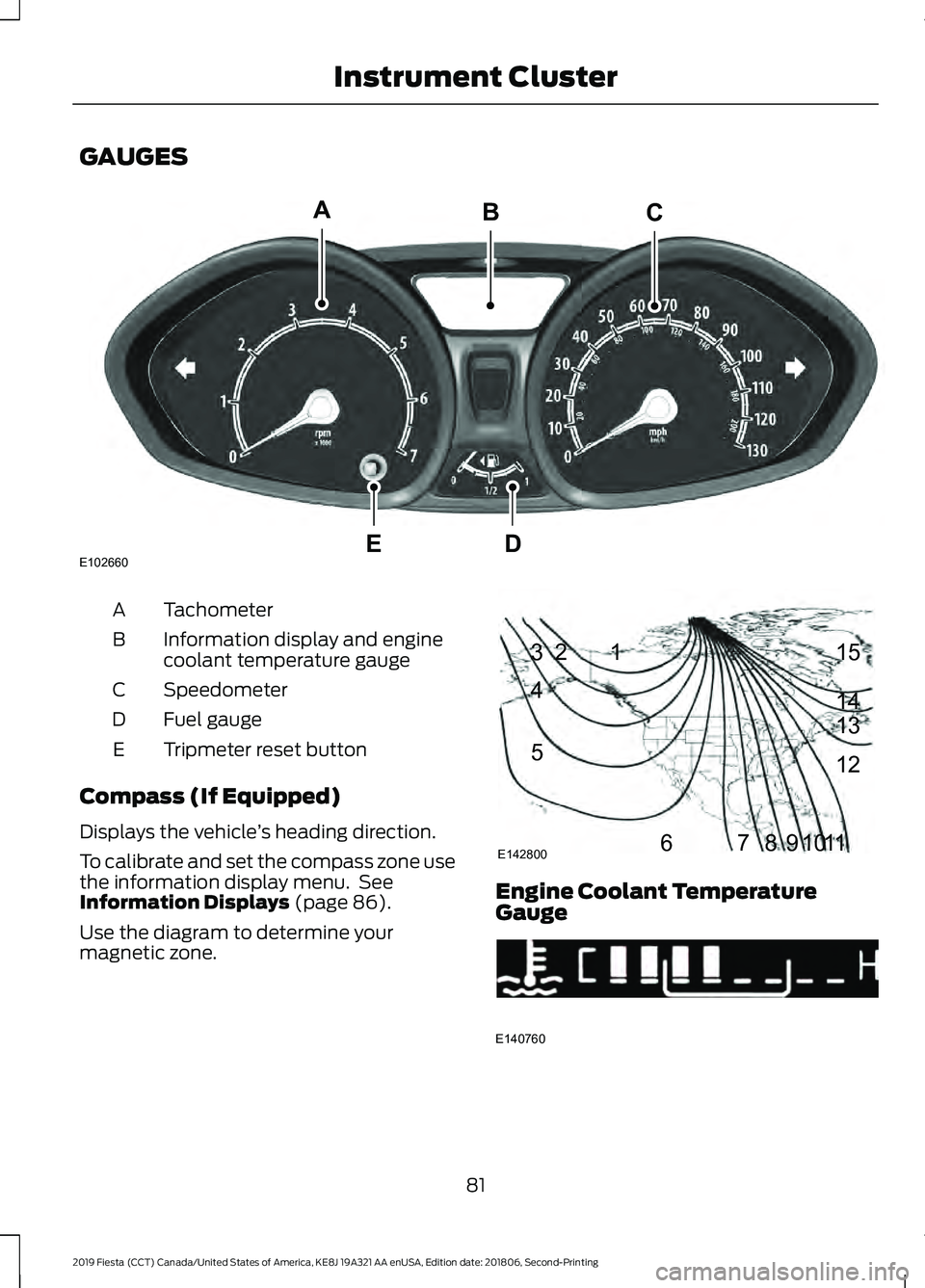
GAUGES
Tachometer
A
Information display and engine
coolant temperature gauge
B
Speedometer
C
Fuel gauge
D
Tripmeter reset button
E
Compass (If Equipped)
Displays the vehicle ’s heading direction.
To calibrate and set the compass zone use
the information display menu. See
Information Displays (page 86).
Use the diagram to determine your
magnetic zone. Engine Coolant Temperature
Gauge
81
2019 Fiesta (CCT) Canada/United States of America, KE8J 19A321 AA enUSA, Edition date: 201806, Second-Printing Instrument ClusterE102660
CA
DE
B 1
2
3
4
5
678910 1112 13 14 15
E142800 E140760
Page 222 of 443
GENERAL INFORMATION
The recommended tire inflation pressures
are on the tire information label on the
driver side B-pillar.
Check and set the tire pressure at the
ambient temperature in which you are
intending to drive your vehicle and when
the tires are cold.
Note:
Check your tire pressures regularly to
optimize fuel economy.
Only use approved wheel and tire sizes.
Using other sizes could damage your
vehicle and could make the National Type
Approval invalid.
Installation of any tires that are not the
original equipment tire size can cause the
speedometer to display incorrect vehicle
speed.
TIRE CARE
Important information for
205/40R17 low-profile tires
and wheels
If your vehicle is equipped with
205/40R17 tires, they are
low-profile tires. These tires and
wheels are designed to give your
vehicle a sport appearance. With
low-profile tires, you may notice
an increase in road noise and
faster tire wear, depending on
road conditions and driving styles.
Due to their design, low-profile
tires and wheels are more prone
to road damage from potholes,
rough or unpaved roads, car wash
rails and curb contact than
standard tires and wheels. Note:
Your vehicle ’s warranty does
not cover these types of damage.
Tires should always be kept at the
correct inflation pressures and
extra caution should be taken when
operating on rough roads to avoid
impacts that could cause wheel
and tire damage.
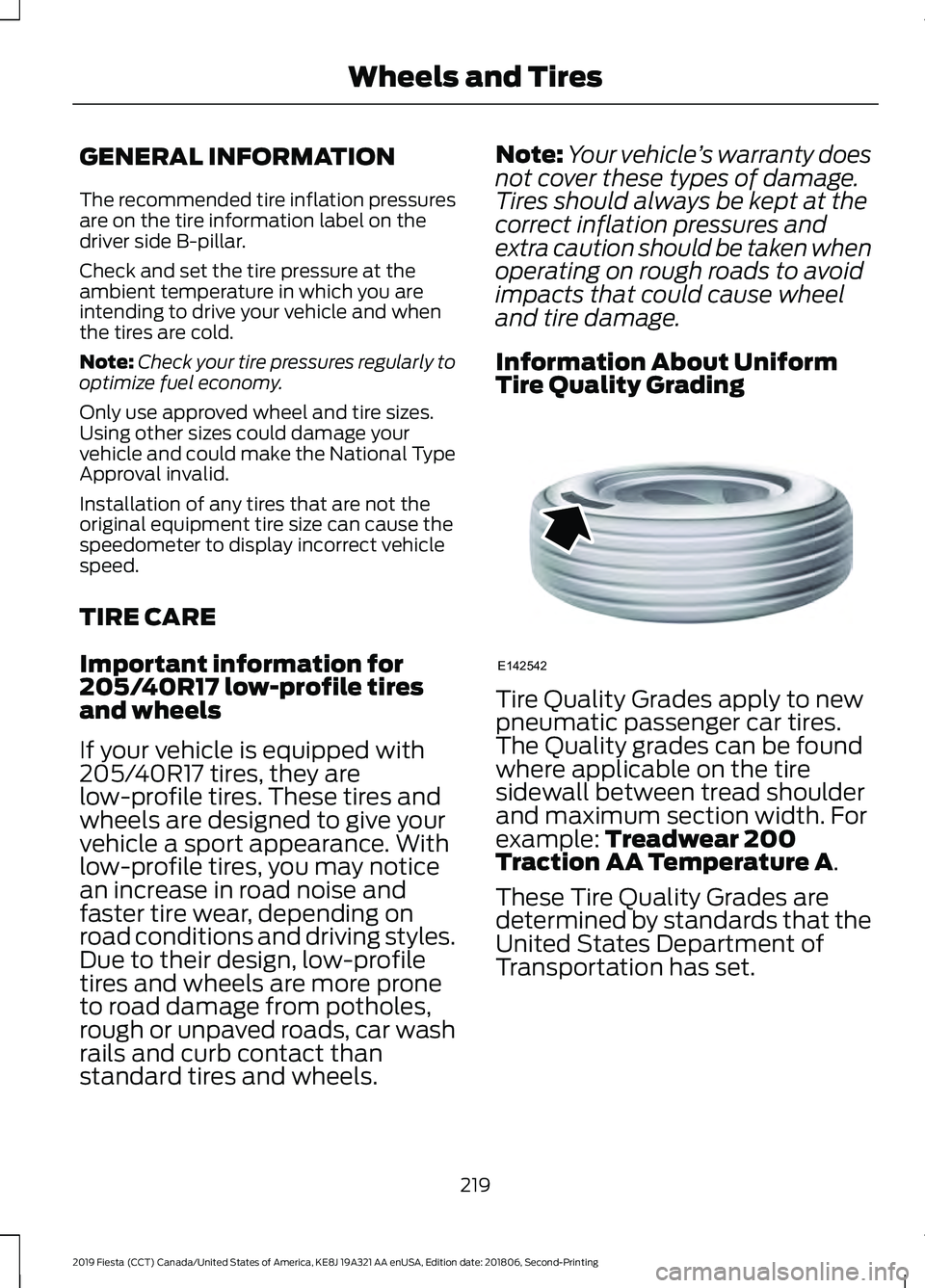
Information About Uniform
Tire Quality Grading Tire Quality Grades apply to new
pneumatic passenger car tires.
The Quality grades can be found
where applicable on the tire
sidewall between tread shoulder
and maximum section width. For
example: Treadwear 200
Traction AA Temperature A.
These Tire Quality Grades are
determined by standards that the
United States Department of
Transportation has set.
219
2019 Fiesta (CCT) Canada/United States of America, KE8J 19A321 AA enUSA, Edition date: 201806, Second-Printing Wheels and TiresE142542
Page 345 of 443
2. Follow the prompts on the
touchscreen.
3. Follow the prompts that appear on your phone to allow access to Apple
CarPlay.
After completing the setup, your phone
connects to CarPlay automatically when
plugged into a USB port.
To disable this feature from the
Settings screen, select: Menu Item
Apple CarPlay Preferences
Your device is listed if SYNC detects
Apple CarPlay. Select the name of your
device and select:
Disable
To return to SYNC 3, go to the Apple
CarPlay home screen and select the SYNC
app.
Note: Contact Apple for Apple CarPlay
support.
Android Auto
Android Auto is compatible with most
devices with Android 5.0 or newer.
1. Download the Android Auto app to your device from Google Play to
prepare your device (this may require
mobile data usage).
Note: The Android Auto App may not be
available within your current market.
2. Plug your device into a USB port. See USB Port (page 272).
3. To switch this feature on from the Settings screen, scroll left on the
screen and select: Menu Item
Android Auto Preferences
Enable Android Auto
Note: Android Auto must be switched on
after plugging in your device.
To disable this feature from the
Settings screen, select: Menu Item
Android Auto Preferences
Your device is listed if SYNC detects
Android Auto. Select the name of your
device and select:
Disable
Note: You may need to slide your Settings
screen to the left to select
Apple CarPlay
Preferences or Android Auto Preferences.
To return to SYNC 3, select the
speedometer icon in the Android Auto
menu bar at the bottom of the
touchscreen, and then touch the option to
return to SYNC.
Note: Contact Google for Android Auto
support.
NAVIGATION
Your navigation system is comprised of
two main features, destination mode and
map mode.
342
2019 Fiesta (CCT) Canada/United States of America, KE8J 19A321 AA enUSA, Edition date: 201806, Second-Printing SYNC™ 3