2019 FORD F650/750 warning
[x] Cancel search: warningPage 41 of 387
Then
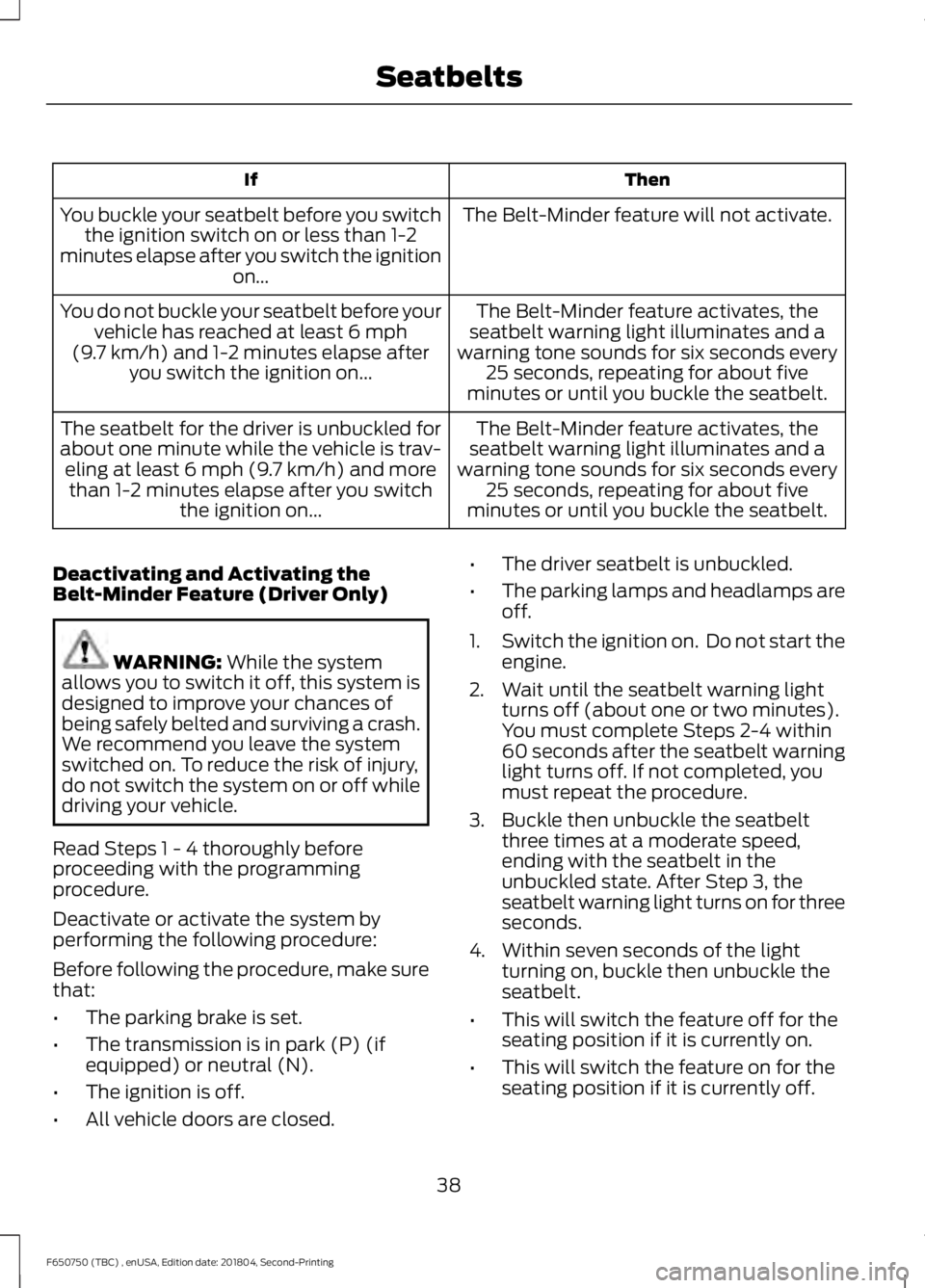
If
The Belt-Minder feature will not activate.
You buckle your seatbelt before you switch
the ignition switch on or less than 1-2
minutes elapse after you switch the ignition on...
The Belt-Minder feature activates, the
seatbelt warning light illuminates and a
warning tone sounds for six seconds every 25 seconds, repeating for about five
minutes or until you buckle the seatbelt.
You do not buckle your seatbelt before your
vehicle has reached at least 6 mph
(9.7 km/h) and 1-2 minutes elapse after
you switch the ignition on...
The Belt-Minder feature activates, the
seatbelt warning light illuminates and a
warning tone sounds for six seconds every 25 seconds, repeating for about five
minutes or until you buckle the seatbelt.
The seatbelt for the driver is unbuckled for
about one minute while the vehicle is trav- eling at least
6 mph (9.7 km/h) and more
than 1-2 minutes elapse after you switch the ignition on...
Deactivating and Activating the
Belt-Minder Feature (Driver Only) WARNING:
While the system
allows you to switch it off, this system is
designed to improve your chances of
being safely belted and surviving a crash.
We recommend you leave the system
switched on. To reduce the risk of injury,
do not switch the system on or off while
driving your vehicle.
Read Steps 1 - 4 thoroughly before
proceeding with the programming
procedure.
Deactivate or activate the system by
performing the following procedure:
Before following the procedure, make sure
that:
• The parking brake is set.
• The transmission is in park (P) (if
equipped) or neutral (N).
• The ignition is off.
• All vehicle doors are closed. •
The driver seatbelt is unbuckled.
• The parking lamps and headlamps are
off.
1. Switch the ignition on. Do not start the
engine.
2. Wait until the seatbelt warning light turns off (about one or two minutes).
You must complete Steps 2-4 within
60 seconds after the seatbelt warning
light turns off. If not completed, you
must repeat the procedure.
3. Buckle then unbuckle the seatbelt three times at a moderate speed,
ending with the seatbelt in the
unbuckled state. After Step 3, the
seatbelt warning light turns on for three
seconds.
4. Within seven seconds of the light turning on, buckle then unbuckle the
seatbelt.
• This will switch the feature off for the
seating position if it is currently on.
• This will switch the feature on for the
seating position if it is currently off.
38
F650750 (TBC) , enUSA, Edition date: 201804, Second-Printing Seatbelts
Page 42 of 387
The seatbelt warning light flashing four
times per second for three seconds
provides confirmation of disabling
Belt-Minder.
The following sequence provides
confirmation of enabling Belt-Minder:
•
The seatbelt warning light flashes four
times per second for three seconds.
• The seatbelt warning light turns off.
After receiving confirmation, the procedure
is complete.
CHILD RESTRAINT AND
SEATBELT MAINTENANCE
Inspect the vehicle seatbelts and child
safety seat systems periodically to make
sure they work properly and are not
damaged. Inspect the vehicle and child
restraint seatbelts to make sure there are
no nicks, tears or cuts. Replace if
necessary. All vehicle seatbelt assemblies,
including retractors, buckles, front seatbelt
buckle assemblies, buckle support
assemblies (slide bar-if equipped),
shoulder belt height adjusters (if
equipped), shoulder belt guide on seat
backrest (if equipped), child safety seat
LATCH and tether anchors, and attaching
hardware, should be inspected after a
crash. Read the child restraint
manufacturer's instructions for additional
inspection and maintenance information
specific to the child restraint.
We recommend that all seatbelt
assemblies in use in vehicles involved in a
crash be replaced. However, if the crash
was minor and an authorized dealer finds
that the belts do not show damage and
continue to operate properly, they do not
need to be replaced. Seatbelt assemblies
not in use during a crash should also be
inspected and replaced if either damage
or improper operation is noted. Properly care for seatbelts. See Vehicle
Care (page 229).
SEATBELT EXTENSION WARNING:
Persons who fit into
the vehicle's seatbelt should not use an
extension. Unnecessary use could result
in serious personal injury in the event of
a crash. WARNING:
Only use extensions
provided free of charge by Ford Motor
Company dealers. The dealer will provide
an extension designed specifically for
this vehicle, model year and seating
position. The use of an extension
intended for another vehicle, model year
or seating position may not offer you the
full protection of your vehicle ’s seatbelt
restraint system. WARNING:
Never use seatbelt
extensions to install child restraints. WARNING:
Do not use a seatbelt
extension with an inflatable seatbelt. WARNING:
Do not use extensions
to change the fit of the belt across the
torso, over the lap or to make the
seatbelt buckle easier to reach.
If, because of body size or driving position,
it is not possible to properly fasten the
seatbelt over your lap and shoulder, an
extension that is compatible with the
seatbelts is available free of charge from
Ford Motor Company dealers. Only Ford
seatbelt extensions made by the original
equipment seatbelts manufacturer should
be used with Ford seatbelts. Ask your
authorized dealer if your extension is
compatible with your Ford vehicle restraint
system.
39
F650750 (TBC) , enUSA, Edition date: 201804, Second-Printing Seatbelts
Page 43 of 387

GENERAL INFORMATION ON
RADIO FREQUENCIES
This device complies with Part 15 of the
FCC Rules and with Licence exempt RSS
Standards of Industry Canada. Operation
is subject to the following two conditions:
•
This device may not cause harmful
interference, and
• This device must accept any
interference received, including
interference that may cause undesired
operation. WARNING: Changes or
modifications not expressively approved
by the party responsible for compliance
could void the user's authority to operate
the equipment. The term "IC:" before the
radio certification number only signifies
that Industry Canada technical
specifications were met.
The typical operating range for your
transmitter is approximately
33 ft (10 m).
Vehicles with the remote start feature will
have a greater range. One of the following
could cause a decrease in operating range:
• Weather conditions.
• Nearby radio towers.
• Structures around the vehicle.
• Other vehicles parked next to your
vehicle.
Other short distance radio transmissions,
for example amateur radios, medical
equipment, wireless headphones, remote
controls and alarm systems can also use
the radio frequency used by your remote
control. If the frequencies are jammed, you
will not be able to use your remote control.
You can lock and unlock the doors with the
key. Note:
Make sure to lock your vehicle before
leaving it unattended.
Note: If you are in range, the remote control
will operate if you press any button
unintentionally.
Note: The remote control contains sensitive
electrical components. Exposure to moisture
or impact may cause permanent damage.
REMOTE CONTROL
(IF EQUIPPED)
Integrated Keyhead Transmitter Use the key blade to start your vehicle and
unlock or lock the driver door from outside
your vehicle. The integrated keyhead
transmitter functions as a programmed
ignition key that operates all the locks and
starts your vehicle, as well as a remote
control.
Note:
Your vehicle keys came with a
security label that provides important key
cut information. Keep the label in a safe
place for future reference.
40
F650750 (TBC) , enUSA, Edition date: 201804, Second-Printing Keys and Remote ControlsE163046 E163047
Page 49 of 387
ADJUSTING THE STEERING
WHEEL
WARNING: Do not adjust the
steering wheel when your vehicle is
moving.
Note: Make sure that you are sitting in the
correct position. See Sitting in the Correct
Position
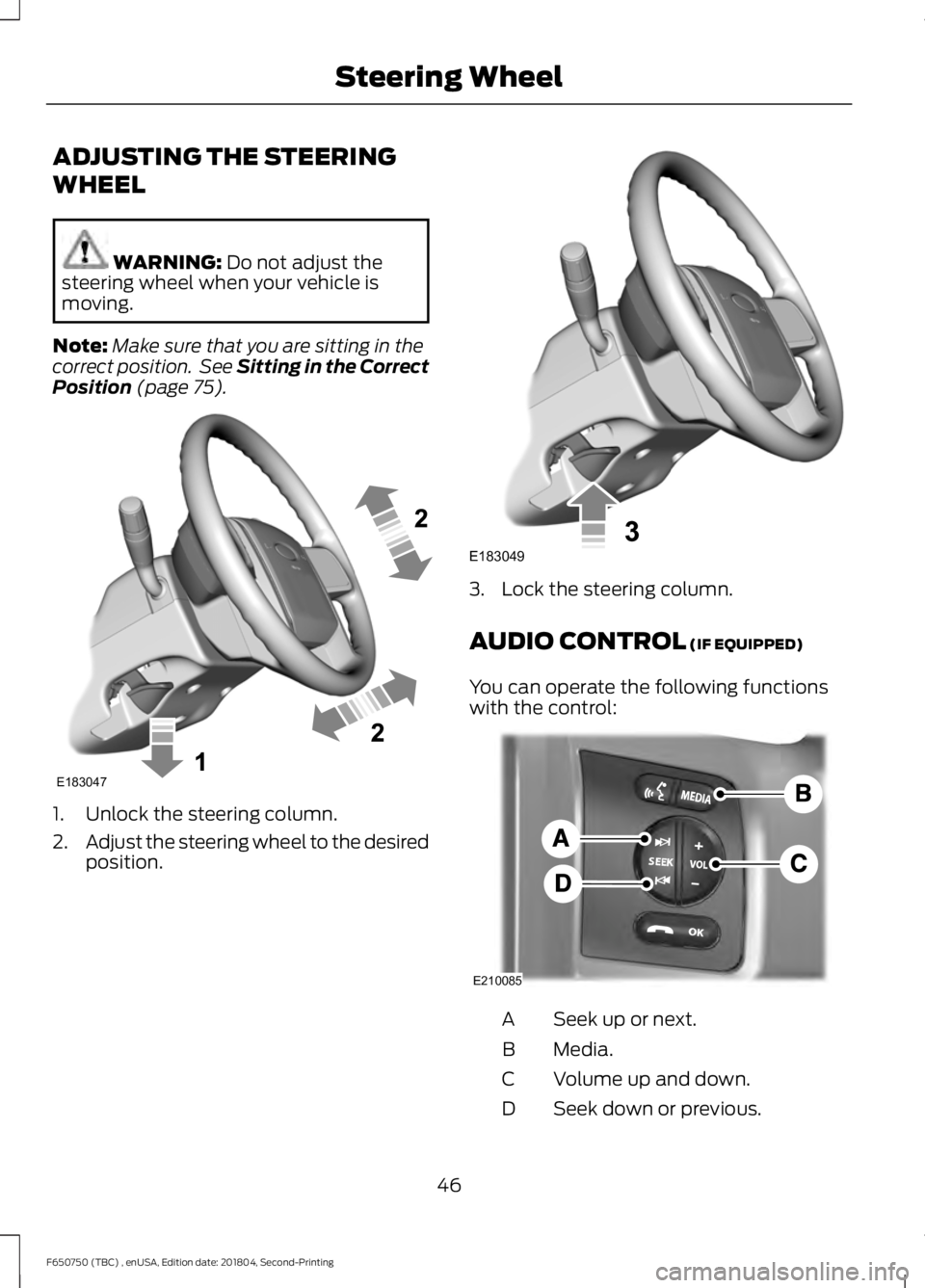
(page 75). 1. Unlock the steering column.
2.
Adjust the steering wheel to the desired
position. 3. Lock the steering column.
AUDIO CONTROL
(IF EQUIPPED)
You can operate the following functions
with the control: Seek up or next.
A
Media.
B
Volume up and down.
C
Seek down or previous.
D
46
F650750 (TBC) , enUSA, Edition date: 201804, Second-Printing Steering WheelE183047 E183049 E210085
Page 53 of 387

Flashing the Headlamp High Beam
Slightly pull the lever toward you and
release it to flash the headlamps.
INSTRUMENT LIGHTING
DIMMER
Adjust the brightness of the instrument
panel and all applicable lit components in
the vehicle during headlamp and parking
lamp operation. •
Tap the top or bottom of the control
to brighten or dim all interior lit
components incrementally.
• Press and hold at the first position the
top or bottom of the control until you
reach the desired lighting level.
• Press and hold the top of the control
to the full on position to activate the
“dome on ” feature. This turns on the
interior courtesy lights. The lights
remain on until you press the bottom
of the control.
DAYTIME RUNNING LAMPS (IF
EQUIPPED) WARNING:
The daytime running
lamps system does not activate the rear
lamps and may not provide adequate
lighting during low visibility driving
conditions. Make sure you switch the
headlamps on, as appropriate, during all
low visibility conditions. Failure to do so
may result in a crash.
The system turns the lamps on in daylight
conditions.
To switch the system on, switch the
lighting control to any position except
headlamps.
50
F650750 (TBC) , enUSA, Edition date: 201804, Second-Printing LightingE163268 E163270
Page 55 of 387
POWER WINDOWS (IF EQUIPPED)
WARNING:
Do not leave children
unattended in your vehicle and do not
let them play with the power windows.
Failure to follow this instruction could
result in personal injury. WARNING:
When closing the
power windows, verify they are free of
obstruction and make sure that children
and pets are not in the proximity of the
window openings. Note:
You may hear a pulsing noise when
just one of the windows is open. Lower the
opposite window slightly to reduce this
noise.
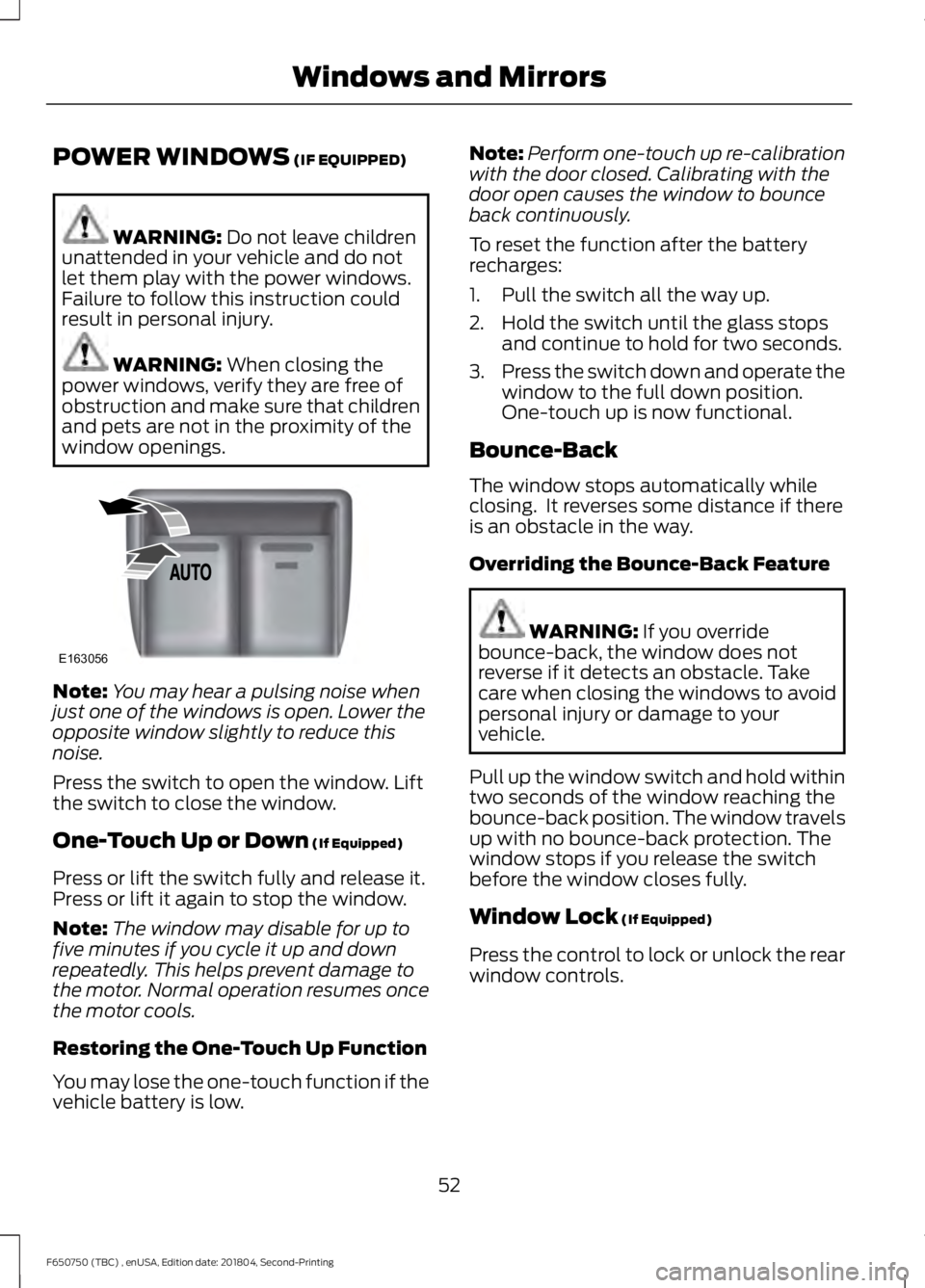
Press the switch to open the window. Lift
the switch to close the window.
One-Touch Up or Down
(If Equipped)
Press or lift the switch fully and release it.
Press or lift it again to stop the window.
Note: The window may disable for up to
five minutes if you cycle it up and down
repeatedly. This helps prevent damage to
the motor. Normal operation resumes once
the motor cools.
Restoring the One-Touch Up Function
You may lose the one-touch function if the
vehicle battery is low. Note:
Perform one-touch up re-calibration
with the door closed. Calibrating with the
door open causes the window to bounce
back continuously.
To reset the function after the battery
recharges:
1. Pull the switch all the way up.
2. Hold the switch until the glass stops and continue to hold for two seconds.
3. Press the switch down and operate the
window to the full down position.
One-touch up is now functional.
Bounce-Back
The window stops automatically while
closing. It reverses some distance if there
is an obstacle in the way.
Overriding the Bounce-Back Feature WARNING:
If you override
bounce-back, the window does not
reverse if it detects an obstacle. Take
care when closing the windows to avoid
personal injury or damage to your
vehicle.
Pull up the window switch and hold within
two seconds of the window reaching the
bounce-back position. The window travels
up with no bounce-back protection. The
window stops if you release the switch
before the window closes fully.
Window Lock
(If Equipped)
Press the control to lock or unlock the rear
window controls.
52
F650750 (TBC) , enUSA, Edition date: 201804, Second-Printing Windows and MirrorsE163056
Page 56 of 387
EXTERIOR MIRRORS
Auxiliary Convex Mirrors
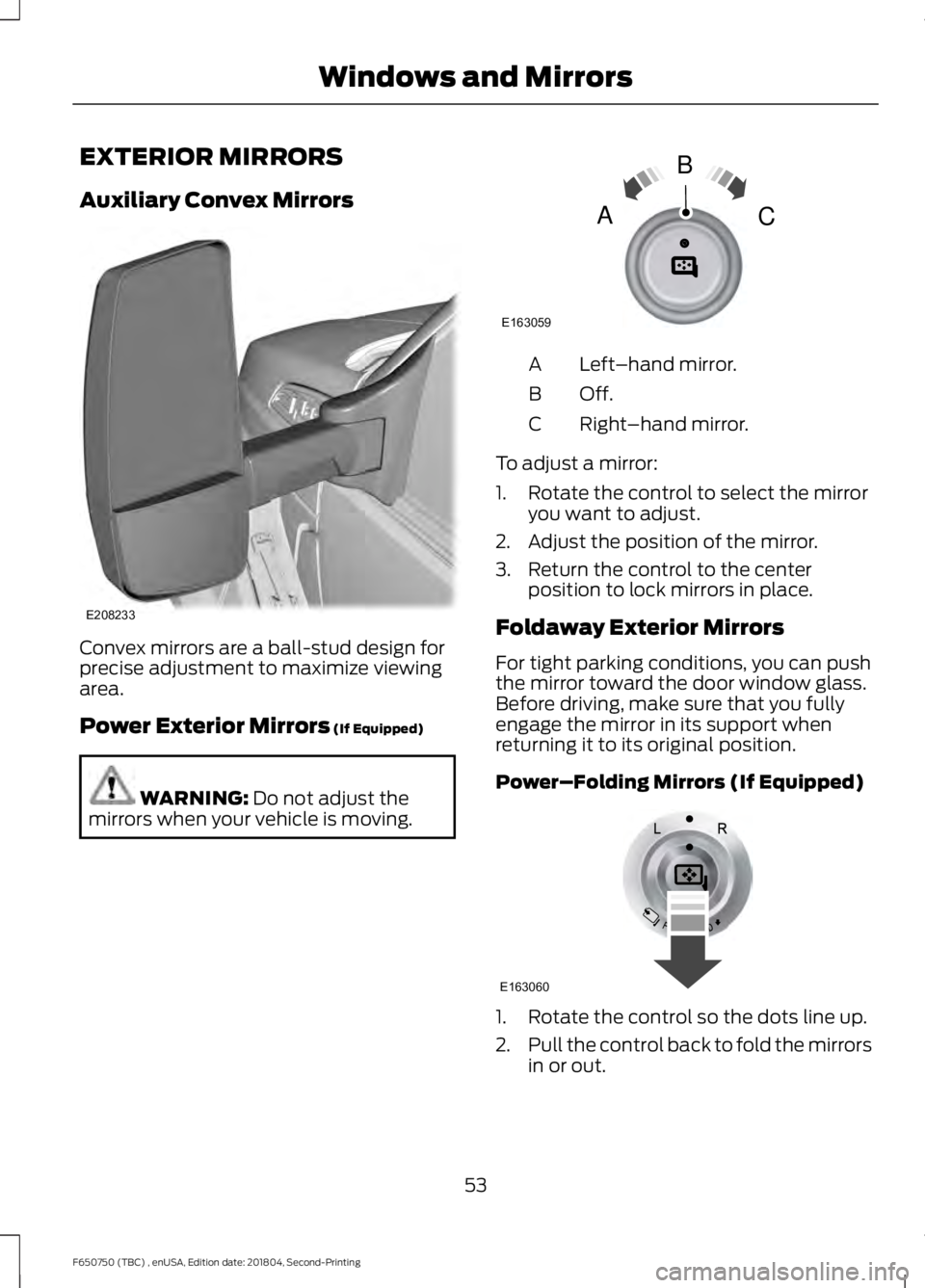
Convex mirrors are a ball-stud design for
precise adjustment to maximize viewing
area.
Power Exterior Mirrors (If Equipped)
WARNING:
Do not adjust the
mirrors when your vehicle is moving. Left
–hand mirror.
A
Off.B
Right–hand mirror.
C
To adjust a mirror:
1. Rotate the control to select the mirror you want to adjust.
2. Adjust the position of the mirror.
3. Return the control to the center position to lock mirrors in place.
Foldaway Exterior Mirrors
For tight parking conditions, you can push
the mirror toward the door window glass.
Before driving, make sure that you fully
engage the mirror in its support when
returning it to its original position.
Power–Folding Mirrors (If Equipped) 1. Rotate the control so the dots line up.
2.
Pull the control back to fold the mirrors
in or out.
53
F650750 (TBC) , enUSA, Edition date: 201804, Second-Printing Windows and MirrorsE208233 E163059
B
AC E163060
Page 58 of 387
To adjust the mirrors:
•
Press and hold the control.
• When you position the mirrors in or out,
the motors run as long as you hold the
control. The running motors allow you
to make adjustments as needed.
• After positioning the mirrors, return the
control to the center position to help
protect the motors from overheating.
INTERIOR MIRROR WARNING: Do not adjust the
mirror when your vehicle is moving.
Note: Do not clean the housing or glass of
any mirror with harsh abrasives, fuel or other
petroleum or ammonia-based cleaning
products
You can adjust the interior mirror to your
preference. Some mirrors also have a
second pivot point. This lets you move the
mirror head up or down and from side to
side.
Pull the tab below the mirror toward you
to reduce glare at night. SUN VISORS
Slide-on-rod
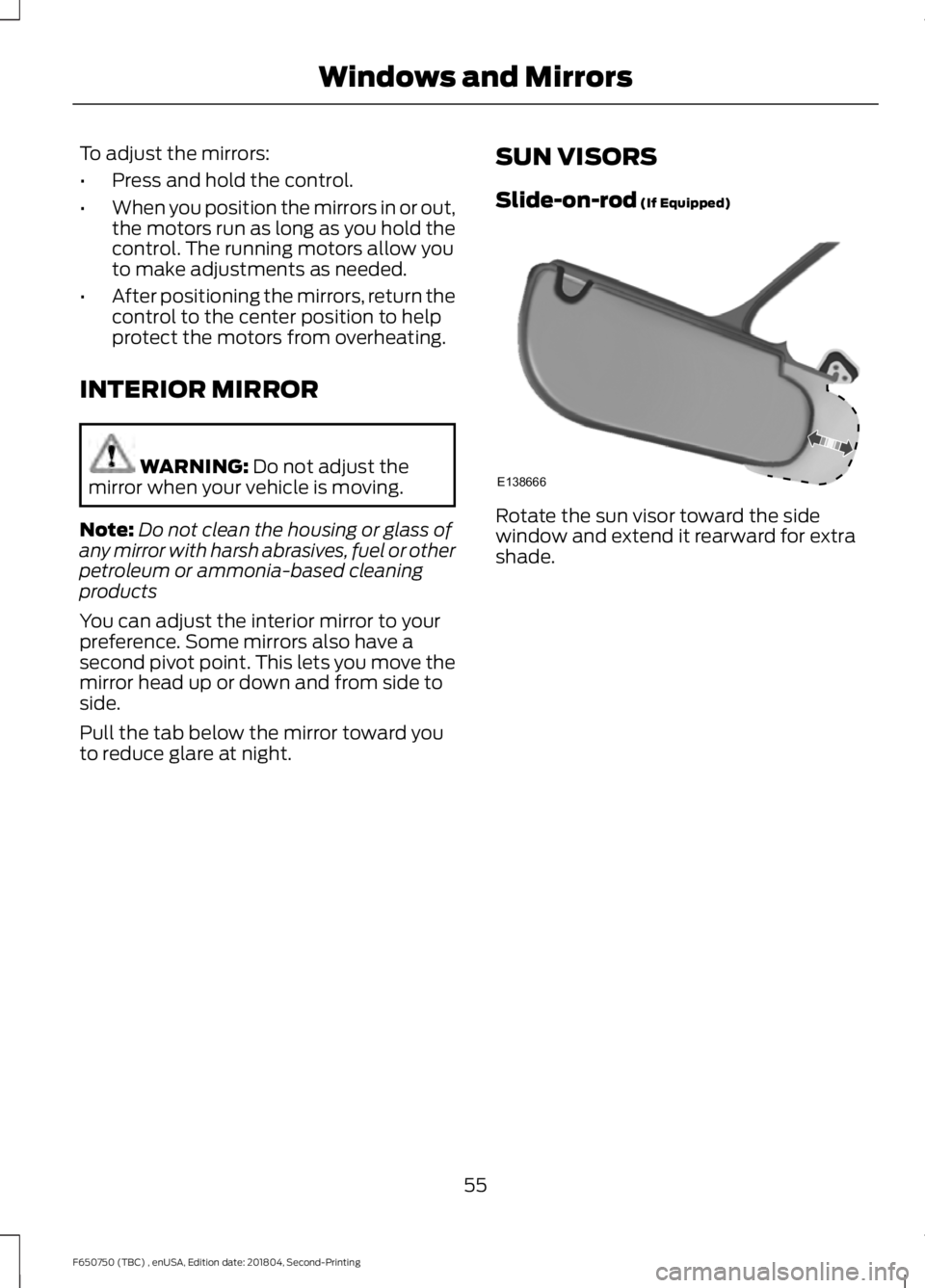
(If Equipped) Rotate the sun visor toward the side
window and extend it rearward for extra
shade.
55
F650750 (TBC) , enUSA, Edition date: 201804, Second-Printing Windows and MirrorsE138666