2019 FORD EXPEDITION snow chains
[x] Cancel search: snow chainsPage 8 of 583

Changing the Engine Air Filter
................347
Vehicle Care
General Information ..................................
349
Cleaning Products ......................................
349
Cleaning the Exterior .................................
349
Waxing .............................................................
351
Cleaning the Engine ....................................
351
Cleaning the Windows and Wiper Blades ........................................................................\
.
351
Cleaning the Interior ..................................
352
Cleaning the Instrument Panel and Instrument Cluster Lens .......................
352
Cleaning Leather Seats ............................
353
Repairing Minor Paint Damage .............
354
Cleaning the Wheels .................................
354
Vehicle Storage ...........................................
354
Wheels and Tires
General Information ...................................
357
Tire Care .........................................................
359
Using Snow Chains ....................................
373
Tire Pressure Monitoring System ..........
374
Changing a Road Wheel ..........................
380
Technical Specifications .........................
386
Capacities and Specifications
Engine Specifications ................................
387
Motorcraft Parts ..........................................
387
Vehicle Identification Number ..............
389
Vehicle Certification Label .....................
390
Transmission Code Designation ...........
390
Capacities and Specifications ................
391
Bulb Specification Chart .........................
396
Audio System
General Information ..................................
398
Audio Unit - Vehicles Without: Touchscreen Display .............................
399Audio Unit - Vehicles With: Touchscreen
Display ........................................................
402
Digital Radio .................................................
403
Satellite Radio .............................................
405
USB Port ........................................................
408
Media Hub ....................................................
408
SYNC™
General Information .................................
409
Using Voice Recognition ...........................
410
Using SYNC™ With Your Phone ............
412
SYNC™ Applications and Services ......
413
Using SYNC™ With Your Media Player ........................................................................\
.
417
SYNC™ Troubleshooting .........................
418
SYNC™ 3
General Information ..................................
426
Home Screen ...............................................
438
Using Voice Recognition ..........................
439
Entertainment .............................................
446
Climate ...........................................................
456
Phone .............................................................
458
Navigation .....................................................
464
Apps .................................................................
472
Settings ..........................................................
475
SYNC™ 3 Troubleshooting ....................
489
Accessories
Accessories ...................................................
503
Ford Protect
Ford Protect .................................................
505
Scheduled Maintenance
General Maintenance Information .......
507
Normal Scheduled Maintenance ..........
510
Special Operating Conditions Scheduled Maintenance .............................................
513
Scheduled Maintenance Record ...........
515
5
Expedition (TB8) Canada/United States of America, enUSA, Edition date: 201808, Second-Printing Table of Contents
Page 214 of 583
Note:
Driving through deep water may
damage the transmission. If the front or rear
axle is submerged in water, the axle
lubricant and power transfer unit lubricant
should be checked and changed if
necessary.
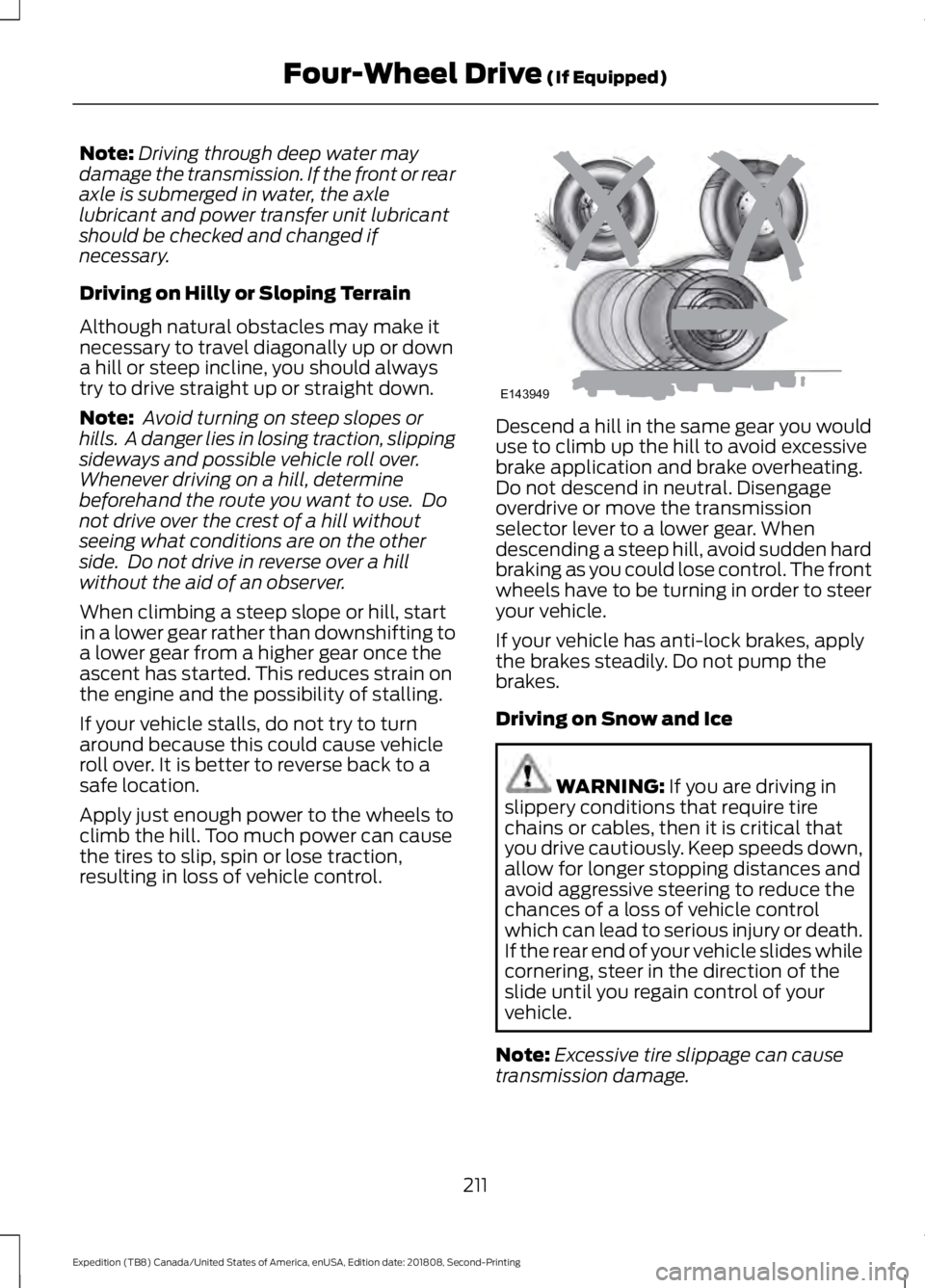
Driving on Hilly or Sloping Terrain
Although natural obstacles may make it
necessary to travel diagonally up or down
a hill or steep incline, you should always
try to drive straight up or straight down.
Note: Avoid turning on steep slopes or
hills. A danger lies in losing traction, slipping
sideways and possible vehicle roll over.
Whenever driving on a hill, determine
beforehand the route you want to use. Do
not drive over the crest of a hill without
seeing what conditions are on the other
side. Do not drive in reverse over a hill
without the aid of an observer.
When climbing a steep slope or hill, start
in a lower gear rather than downshifting to
a lower gear from a higher gear once the
ascent has started. This reduces strain on
the engine and the possibility of stalling.
If your vehicle stalls, do not try to turn
around because this could cause vehicle
roll over. It is better to reverse back to a
safe location.
Apply just enough power to the wheels to
climb the hill. Too much power can cause
the tires to slip, spin or lose traction,
resulting in loss of vehicle control. Descend a hill in the same gear you would
use to climb up the hill to avoid excessive
brake application and brake overheating.
Do not descend in neutral. Disengage
overdrive or move the transmission
selector lever to a lower gear. When
descending a steep hill, avoid sudden hard
braking as you could lose control. The front
wheels have to be turning in order to steer
your vehicle.
If your vehicle has anti-lock brakes, apply
the brakes steadily. Do not pump the
brakes.
Driving on Snow and Ice
WARNING: If you are driving in
slippery conditions that require tire
chains or cables, then it is critical that
you drive cautiously. Keep speeds down,
allow for longer stopping distances and
avoid aggressive steering to reduce the
chances of a loss of vehicle control
which can lead to serious injury or death.
If the rear end of your vehicle slides while
cornering, steer in the direction of the
slide until you regain control of your
vehicle.
Note: Excessive tire slippage can cause
transmission damage.
211
Expedition (TB8) Canada/United States of America, enUSA, Edition date: 201808, Second-Printing Four-Wheel Drive
(If Equipped)E143949
Page 376 of 583
Tire Rotation
WARNING: If the tire label
shows different tire pressures for
the front and rear tires and the
vehicle has a tire pressure
monitoring system, then you
need to update the settings for
the system sensors. Always
perform the system reset
procedure after tire rotation. If
you do not reset the system, it
may not provide a low tire
pressure warning when
necessary.
Note: If your tires show uneven
wear ask an authorized dealer to
check for and correct any wheel
misalignment, tire imbalance or
mechanical problem involved
before tire rotation.
Note: Your vehicle may be
equipped with a dissimilar spare
wheel and tire assembly. A
dissimilar spare wheel and tire
assembly is defined as a spare
wheel and tire assembly that is
different in brand, size or
appearance from the road tires and
wheels. If you have a dissimilar
spare wheel and tire assembly it is
intended for temporary use only
and should not be used in a tire
rotation.
Note: After having your tires
rotated, inflation pressure must be
checked and adjusted to the
vehicle requirements. Rotating your tires at the
recommended interval (as
indicated in the Scheduled
Maintenance chapter) will help
your tires wear more evenly,
providing better tire performance
and longer tire life.
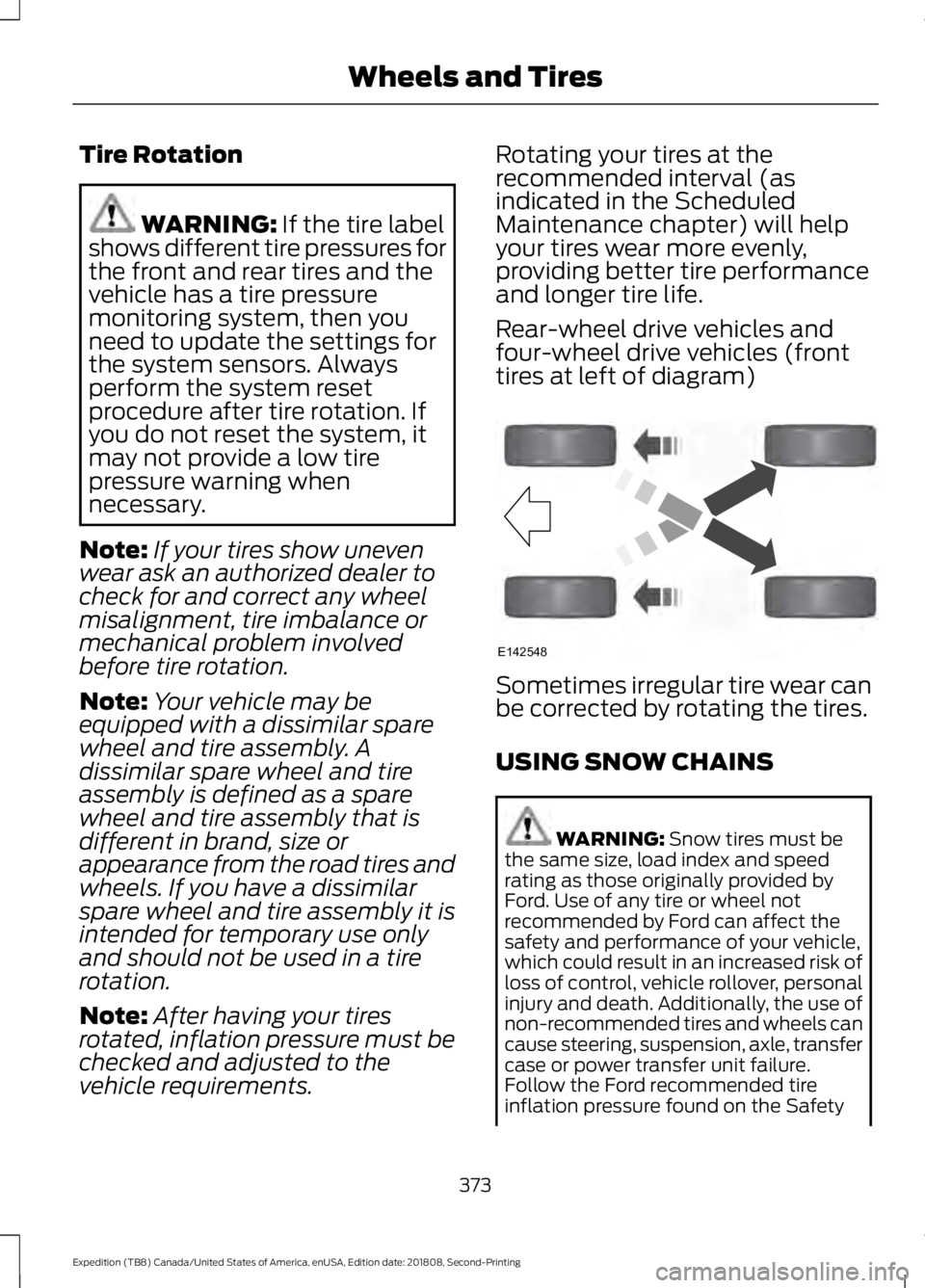
Rear-wheel drive vehicles and
four-wheel drive vehicles (front
tires at left of diagram)
Sometimes irregular tire wear can
be corrected by rotating the tires.
USING SNOW CHAINS
WARNING:
Snow tires must be
the same size, load index and speed
rating as those originally provided by
Ford. Use of any tire or wheel not
recommended by Ford can affect the
safety and performance of your vehicle,
which could result in an increased risk of
loss of control, vehicle rollover, personal
injury and death. Additionally, the use of
non-recommended tires and wheels can
cause steering, suspension, axle, transfer
case or power transfer unit failure.
Follow the Ford recommended tire
inflation pressure found on the Safety
373
Expedition (TB8) Canada/United States of America, enUSA, Edition date: 201808, Second-Printing Wheels and TiresE142548
Page 377 of 583
Compliance Certification Label (on the
door hinge pillar, door latch post or the
door edge that meets the door latch
post, next to the driver seat), or Tire
Label on the B-Pillar or the edge of the
driver door. Failure to follow the tire
pressure recommendations can cause
uneven treadwear patterns and
adversely affect the way your vehicle
handles.
Note: The suspension insulation and
bumpers will help prevent vehicle damage.
Do not remove these components from your
vehicle when using snow tires and chains.
The tires on your vehicle have all-weather
treads to provide traction in rain and snow.
However, in some climates, you may need
to use snow tires and cables. If you need
to use cables, it is recommended that steel
wheels (of the same size and
specifications) be used, as cables may chip
aluminum wheels.
Follow these guidelines when using snow
tires and chains:
• If possible, avoid fully loading your
vehicle.
• Use only cable type chains or chains
offered by Ford/Lincoln as an
accessory or equivalent. Other
conventional link type chains may
contact and cause damage to the
vehicle's wheel house and/or body.
• Do not install chains on the front tires
as this may interfere with suspension
components.
• Only certain snow cables or chains
have been approved by Ford/Lincoln
as safe for use on your vehicle with the
following tires: 265/70R17 and
275/65R18.
• You should install snow cables or
chains that have been rated as SAE
Class S. •
Install chains securely, verifying that
the chains do not touch any wiring,
brake lines, or fuel lines.
• Do not exceed 31 mph (50 km/h) or
less if recommended by the chain
manufacturer while using snow chains.
• Drive cautiously. If you hear the chains
rub or bang against your vehicle, stop
and retighten the chains. If this does
not work, remove the chains to prevent
damage to your vehicle.
• Remove the tire chains when they are
no longer needed. Do not use tire
chains on dry roads.
• Purchase chains or cables from a
manufacturer that clearly labels body
to tire dimension restrictions. The snow
chains or cables must be mounted in
pairs on the rear tires only.
If you have any questions regarding snow
chains or cables, please contact your
authorized dealer.
TIRE PRESSURE MONITORING
SYSTEM WARNING:
The tire pressure
monitoring system is not a substitute for
manually checking tire pressures. You
should periodically check tire pressures
using a pressure gauge. Failure to
correctly maintain tire pressures could
increase the risk of tire failure, loss of
control, vehicle rollover and personal
injury.
Note: You should only use tire sealants in
roadside emergencies as they could cause
damage to the tire pressure monitoring
system sensor.
Note: If the tire pressure monitoring system
sensor becomes damaged, it will not
function.
374
Expedition (TB8) Canada/United States of America, enUSA, Edition date: 201808, Second-Printing Wheels and Tires
Page 383 of 583
11.
Set all four tires to the recommended
air pressure as indicated on the
Safety Compliance Certification
Label, affixed to either the door hinge
pillar, door-latch post, or the door
edge that meets the door-latch post,
next to the driver seating position or
Tire Label located on the B-Pillar or
the edge of the driver door.
CHANGING A ROAD WHEEL WARNING: If the tire pressure
monitor sensor becomes damaged it
may not function.
Note: You should only use tire sealants in
roadside emergencies as they may cause
damage to the tire pressure monitoring
system sensor.
Note: The tire pressure monitoring system
indicator light illuminates when the spare
tire is in use. To restore the full function of
the monitoring system, all road wheels
equipped with tire pressure monitoring
sensors must be mounted on this vehicle.
If you get a flat tire when driving, do not
apply the brake heavily. Instead, gradually
decrease your speed. Hold the steering
wheel firmly and slowly move to a safe
place on the side of the road.
Have a flat serviced by an authorized
dealer in order to prevent damage to the
system sensors.
See Tire Pressure
Monitoring System (page 374). Replace
the spare tire with a road tire as soon as
possible. During repairing or replacing of
the flat tire, have the authorized dealer
inspect the system sensor for damage. Dissimilar Spare Wheel and Tire
Assembly Information WARNING:
Failure to follow these
guidelines could result in an increased
risk of loss of vehicle control, injury or
death.
If you have a dissimilar spare wheel and
tire, then it is intended for temporary use
only. This means that if you need to use it,
you should replace it as soon as possible
with a road wheel and tire assembly that
is the same size and type as the road tires
and wheels that were originally provided.
If the dissimilar spare tire or wheel is
damaged, it should be replaced rather than
repaired.
A dissimilar spare wheel and tire assembly
is defined as a spare wheel and tire
assembly that is different in brand, size or
appearance from the road tires and
wheels.
Full-size dissimilar spare
When driving with the full-size dissimilar
spare wheel and tire assembly, do not:
• Exceed
70 mph (113 km/h).
• Use more than one dissimilar spare
wheel and tire assembly at a time.
• Use snow chains on the end of the
vehicle with the dissimilar spare wheel
and tire assembly.
When driving with the full-size dissimilar
spare wheel and tire assembly, it is
recommended that you do not:
• Exceed
50 mph (80 km/h) in 4WD.
• Engage 4WD unless the vehicle is
stationary.
• Use 4WD on dry pavement.
380
Expedition (TB8) Canada/United States of America, enUSA, Edition date: 201808, Second-Printing Wheels and Tires
Page 580 of 583
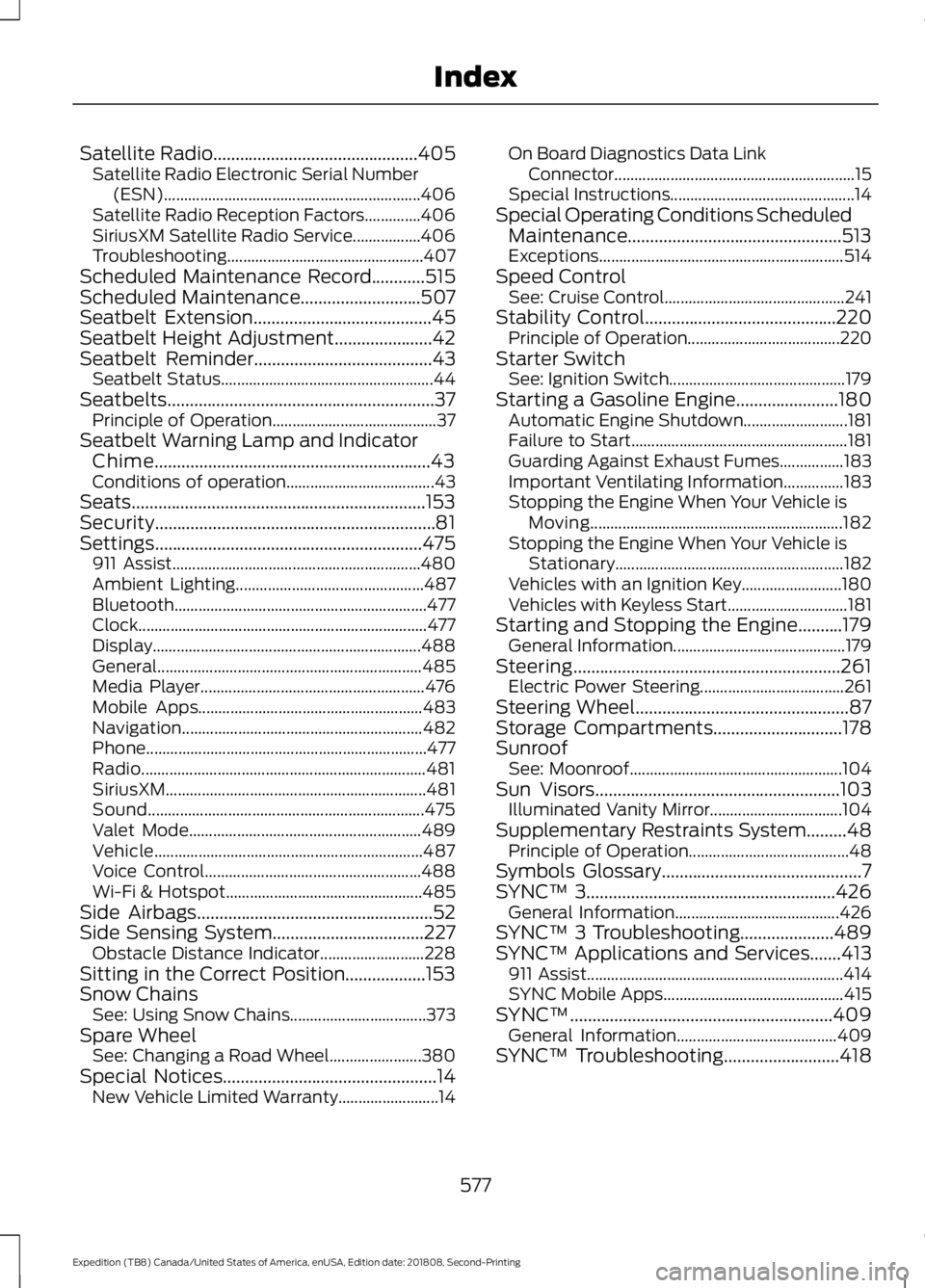
Satellite Radio..............................................405
Satellite Radio Electronic Serial Number
(ESN)................................................................ 406
Satellite Radio Reception Factors..............406
SiriusXM Satellite Radio Service.................406
Troubleshooting................................................. 407
Scheduled Maintenance Record
............515
Scheduled Maintenance...........................507
Seatbelt Extension........................................45
Seatbelt Height Adjustment
......................42
Seatbelt Reminder........................................43
Seatbelt Status..................................................... 44
Seatbelts............................................................37 Principle of Operation......................................... 37
Seatbelt Warning Lamp and Indicator Chime..............................................................43
Conditions of operation..................................... 43
Seats..................................................................153
Security...............................................................81
Settings ............................................................
475
911 Assist.............................................................. 480
Ambient Lighting............................................... 487
Bluetooth............................................................... 477
Clock........................................................................\
477
Display................................................................... 488
General.................................................................. 485
Media Player........................................................ 476
Mobile Apps........................................................ 483
Navigation............................................................ 482
Phone...................................................................... 477
Radio....................................................................... 481
SiriusXM................................................................. 481
Sound..................................................................... 475
Valet Mode.......................................................... 489
Vehicle................................................................... 487
Voice Control...................................................... 488
Wi-Fi & Hotspot................................................. 485
Side Airbags.....................................................52
Side Sensing System
..................................227
Obstacle Distance Indicator.......................... 228
Sitting in the Correct Position..................153
Snow Chains See: Using Snow Chains.................................. 373
Spare Wheel See: Changing a Road Wheel....................... 380
Special Notices
................................................14
New Vehicle Limited Warranty......................... 14On Board Diagnostics Data Link
Connector............................................................ 15
Special Instructions.............................................. 14
Special Operating Conditions Scheduled Maintenance................................................513
Exceptions............................................................. 514
Speed Control See: Cruise Control............................................. 241
Stability Control...........................................220 Principle of Operation...................................... 220
Starter Switch See: Ignition Switch............................................ 179
Starting a Gasoline Engine.......................180 Automatic Engine Shutdown.......................... 181
Failure to Start...................................................... 181
Guarding Against Exhaust Fumes................183
Important Ventilating Information...............183
Stopping the Engine When Your Vehicle is Moving............................................................... 182
Stopping the Engine When Your Vehicle is Stationary......................................................... 182
Vehicles with an Ignition Key......................... 180
Vehicles with Keyless Start.............................. 181
Starting and Stopping the Engine..........179 General Information........................................... 179
Steering............................................................261 Electric Power Steering.................................... 261
Steering Wheel................................................87
Storage Compartments
.............................178
Sunroof See: Moonroof..................................................... 104
Sun Visors
.......................................................103
Illuminated Vanity Mirror................................. 104
Supplementary Restraints System.........48 Principle of Operation........................................ 48
Symbols Glossary
.............................................7
SYNC™ 3........................................................426
General Information......................................... 426
SYNC™ 3 Troubleshooting.....................489
SYNC™ Applications and Services
.......413
911 Assist................................................................ 414
SYNC Mobile Apps............................................. 415
SYNC™...........................................................409 General Information........................................ 409
SYNC™ Troubleshooting..........................418
577
Expedition (TB8) Canada/United States of America, enUSA, Edition date: 201808, Second-Printing Index
Page 582 of 583
Switching Adaptive Cruise Control
On....................................................................... 243
Switching to Normal Cruise Control...........248
System Not Available....................................... 247
Using Cruise Control....................................241 Canceling the Set Speed................................ 242
Changing the Set Speed.................................. 241
Resuming the Set Speed................................ 242
Setting the Cruise Speed................................. 241
Switching Cruise Control Off......................... 242
Switching Cruise Control On.......................... 241
Using Four-Wheel Drive...........................206
4WD Switch Selections.................................. 206
4X4 Indicator Lights......................................... 206
Driving Off-Road With Truck and Utility Vehicles............................................................ 209
How Your Vehicle Differs From Other Vehicles............................................................ 208
Operating 4WD Vehicles With Spare or Mismatched Tires......................................... 208
Using Hill Descent Control.......................223 Hill Descent Modes........................................... 223
Using MyKey With Remote Start Systems...........................................................67
Using Power Running Boards
....................85
Automatic Power Deploy.................................. 85
Automatic Power Stow..................................... 85
Bounce-back......................................................... 86
Enabling and Disabling...................................... 85
Manual Power Deploy........................................ 85
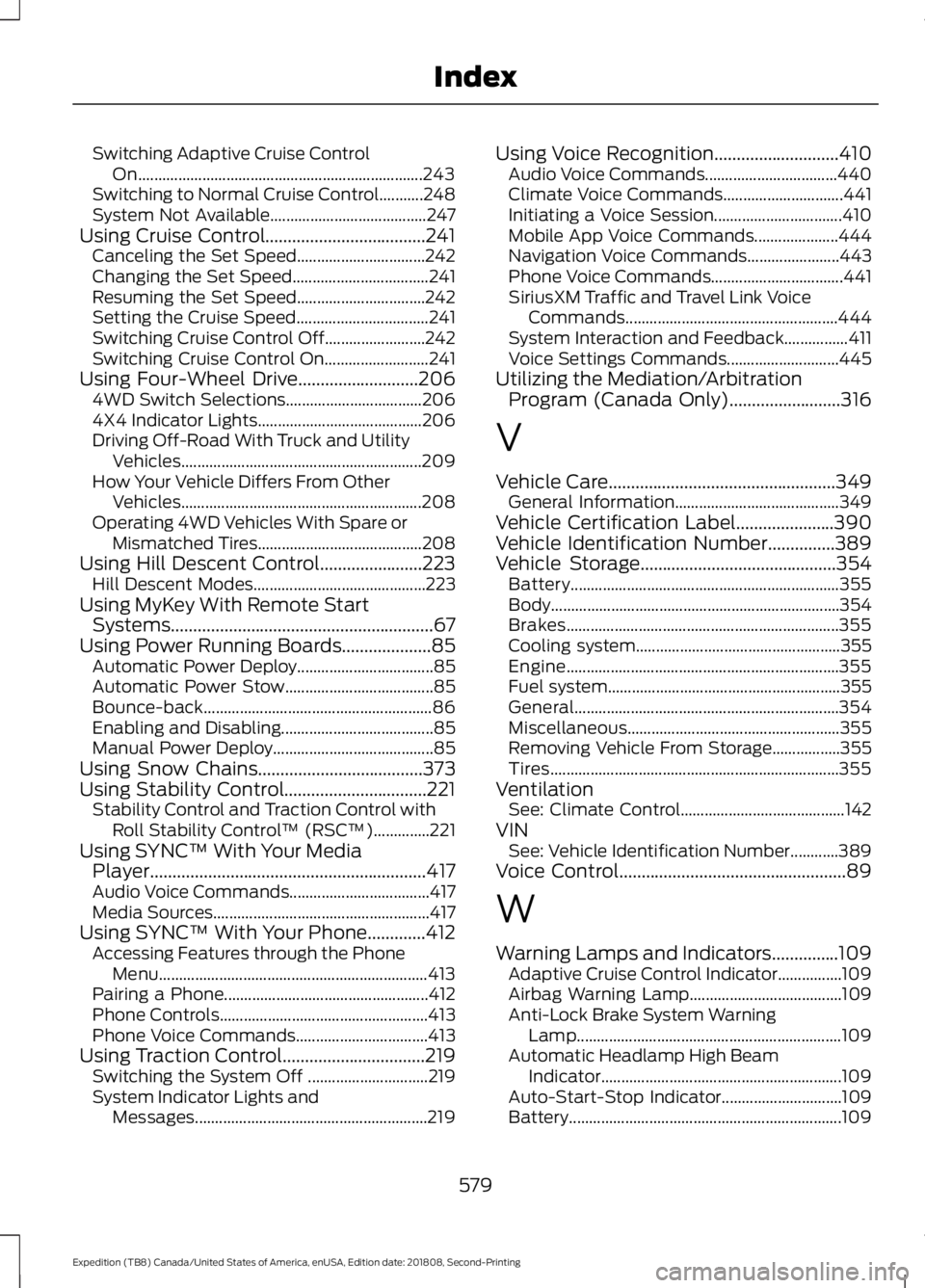
Using Snow Chains
.....................................373
Using Stability Control................................221 Stability Control and Traction Control with
Roll Stability Control ™ (RSC™)..............221
Using SYNC™ With Your Media Player
..............................................................417
Audio Voice Commands................................... 417
Media Sources...................................................... 417
Using SYNC™ With Your Phone.............412 Accessing Features through the Phone
Menu................................................................... 413
Pairing a Phone................................................... 412
Phone Controls.................................................... 413
Phone Voice Commands................................. 413
Using Traction Control................................219 Switching the System Off .............................. 219
System Indicator Lights and Messages.......................................................... 219Using Voice Recognition............................410
Audio Voice Commands................................. 440
Climate Voice Commands.............................. 441
Initiating a Voice Session................................ 410
Mobile App Voice Commands..................... 444
Navigation Voice Commands....................... 443
Phone Voice Commands................................. 441
SiriusXM Traffic and Travel Link Voice Commands..................................................... 444
System Interaction and Feedback................411
Voice Settings Commands............................ 445
Utilizing the Mediation/Arbitration Program (Canada Only).........................316
V
Vehicle Care
...................................................349
General Information......................................... 349
Vehicle Certification Label......................390
Vehicle Identification Number...............389
Vehicle Storage............................................354 Battery................................................................... 355
Body........................................................................\
354
Brakes.................................................................... 355
Cooling system................................................... 355
Engine.................................................................... 355
Fuel system.......................................................... 355
General.................................................................. 354
Miscellaneous..................................................... 355
Removing Vehicle From Storage.................355
Tires........................................................................\
355
Ventilation See: Climate Control......................................... 142
VIN See: Vehicle Identification Number............389
Voice Control
...................................................89
W
Warning Lamps and Indicators
...............109
Adaptive Cruise Control Indicator................109
Airbag Warning Lamp...................................... 109
Anti-Lock Brake System Warning Lamp.................................................................. 109
Automatic Headlamp High Beam Indicator............................................................ 109
Auto-Start-Stop Indicator.............................. 109
Battery.................................................................... 109
579
Expedition (TB8) Canada/United States of America, enUSA, Edition date: 201808, Second-Printing Index