2019 FORD EXPEDITION display
[x] Cancel search: displayPage 210 of 583
Note:
The information display may show
messages during 4WD operation. See
Information Messages (page 125).
Your 4X4 control is located in one of the
following locations:
• On the instrument panel.
• On the
DRIVE MODE selection switch.
2H - 4X2
Delivers power to the rear wheels only. The
information display momentarily shows
2H when this mode is selected. This mode
is appropriate for normal on-road driving
on dry pavement and provides the best
fuel economy.
Note: 2H may turn on or off automatically
based on Drive Mode selection. See
Drive
Control (page 266).
4A - 4X4 AUTO
Provides electronic controlled four-wheel
drive with power delivered to the front and
rear wheels, as required, for increased
traction. When you select this mode, the
information display shows 4A. The system
continuously monitors road conditions,
driver input as well as other vehicle sensors
and optimizes the system's behavior based
on drive mode selection.
Note: On vehicles with a rotary drive mode
switch, 4A should remain on in Mud/Rut and
Sand but with aggressive tuning which
provides electronically locked four-wheel
drive power to front and rear wheels, the
same as traditional 4H.
Note: 4A may turn on or off automatically
based on Drive Mode selection. See
Drive
Control (page 266). 4H - 4X4 HIGH
Provides electronically locked four-wheel
drive power to front and rear wheels. When
you select this mode, the information
display shows 4H. This mode is not
recommended for use on dry pavement.
This mode is only intended for severe
winter or off-road conditions, such as deep
snow, ice or shallow sand.
Note:
4H may turn on or off automatically
based on Drive Mode selection. In
configurations with a rotary Drive Mode
switch, 4H functionality is within the
Mud/Ruts and Sand Drive Modes even when
the indicator lamp shows 4A. See
Drive
Control (page 266).
4L - 4X4 LOW
Provides electronically locked four-wheel
drive power to both the front and rear
wheels with additional gearing for
increased torque multiplication. Intended
only for off-road applications such as deep
sand, steep grades, or pulling heavy
objects. 4L - 4X4 low does not engage
when your vehicle is moving above
3 mph
(5 km/h); this is normal and should be no
reason for concern. Refer to Shifting to or
from 4L - 4X4 low for proper operation.
Note: 4L may turn off automatically based
on Drive Mode selection. See
Drive Control
(page 266).
Shifting Between 4WD System Modes
Note: Momentarily releasing the accelerator
pedal when a shift in progress message
displays improves engagement and
disengagement performance.
Note: Do not perform this operation if the
rear wheels are slipping.
Note: Some noise may be heard as the
system shifts or engages; this is normal.
207
Expedition (TB8) Canada/United States of America, enUSA, Edition date: 201808, Second-Printing Four-Wheel Drive
(If Equipped)
Page 211 of 583
You can change between 2H to 4A or 4H
at a stop or when driving. The information
display may show a message indicating a
4X4 shift is in progress and the LED light
for the selected mode flashes. Once the
shift is complete the information display
shows the system mode selected and the
LED light for the selected mode turns solid.
Shifting To or From 4L - 4X4 LOW
Note:
4L mode is not intended for use on
dry pavement.
1. Bring the vehicle to a rolling speed of 3 mph (5 km/h) or less.
2. Place the gearshift in neutral (N).
3. Move the 4WD switch to the desired mode.
The information display shows a message
indicating a 4X4 shift is in progress. The
information display then shows the
selected system mode. If any of the
previous shift conditions are not present,
the shift does not occur and the
information display shows information
guiding you through the proper shifting
procedures. If the above conditions are not
satisfied in 30 seconds, the system reverts
back to the previous 4WD mode or drive
mode.
If Shift Delayed Pull Forward is displayed
in the information display, transfer case
gear tooth blockage is present. To alleviate
this condition, place the transmission in a
forward gear, move the vehicle forward
approximately
5 ft (2 m), and shift the
transmission back to neutral (N) to allow
the transfer case to complete the range
shift. Operating 4WD Vehicles With
Spare or Mismatched Tires
On four-wheel drive vehicles, the size of
the spare tire can affect the 4X4 system.
If there is a significant difference between
the size of the spare tire and the remaining
tires, you may have limited four-wheel
drive functionality.
When driving with the full-size dissimilar
spare wheel and tire assembly, it is
recommended that you do not:
•
Exceed
50 mph (80 km/h) with a 4WD
mode turned on.
• Turn on a 4WD mode unless the
vehicle is stationary.
• Use a 4WD mode on dry pavement.
Use of a dissimilar spare wheel and tire
assembly may lead to impairment of the
following:
• Comfort and noise.
• Winter weather driving capability.
• Wet driving capability.
• Four-wheel drive capability.
How Your Vehicle Differs From
Other Vehicles WARNING: Vehicles with a higher
center of gravity (utility and four-wheel
drive vehicles) handle differently than
vehicles with a lower center of gravity
(passenger cars). Avoid sharp turns,
excessive speed and abrupt steering in
these vehicles. Failure to drive cautiously
increases the risk of losing control of your
vehicle, vehicle rollover, personal injury
and death.
208
Expedition (TB8) Canada/United States of America, enUSA, Edition date: 201808, Second-Printing Four-Wheel Drive
(If Equipped)
Page 217 of 583
LIMITED SLIP DIFFERENTIAL
(IF EQUIPPED)
The Electronic Limited Slip Differential
(eLSD) system directs torque, enabling the
vehicle to drive over terrain and road
conditions that a conventional axle cannot.
The system is active at all times and
requires no input from the driver.
Note:
If your vehicle is not at optimal
operating conditions or a system fault is
present, a warning may be displayed in the
instrument cluster. Depending on the
warning, your vehicle may need to be
serviced. For more information regarding the
system information messages, See
Information Messages (page 125).
Locking Function
(If Equipped) The lock button engages
‘locker
mode ’.
With the locker engaged, the system
electronically locks the differential causing
both half shafts to turn at the same rate.
This increases traction during off road
events.
The locker mode may automatically
disengage based on certain conditions
such as vehicle speed. When engaged, a
telltale in the instrument cluster will
illuminate amber and the switch button
will be illuminated. When the speed is
exceeded the telltale will turn gray, the
locker will be disengaged and be in
standby mode until the speed conditions
are met. If the eLSD system is faulted and
the locker cannot engage, a warning
message will be displayed in the
instrument cluster and the switch button
will flash. Spare Tire
If your vehicle is equipped with an
Electronic Limited Slip Differential, a spare
tire of a different size than the tire
provided, should not be used. If a spare tire
is installed, a message may appear,
indicating the system has disabled
automatically or reduced function to
prevent system overheat and damage. It
is recommended to reinstall the repaired
or replaced road tire as soon as possible.
When the road tire is replaced, the system
will resume normal operation on the next
key cycle.
Trailer Towing
The Electronic Limited Slip Differential
enhances vehicle stability during trailer tow
operation. During high demand trailering
events (such as steep grades, high speeds
or with a spare tire), the system may
provide a warning in the instrument cluster
and reduce function or enter a temporarily
disabled state. To resume normal function,
stop the vehicle in a safe location and
allow the unit to adequately cool. Once
the system has reached normal operating
temperatures, system function will be
restored and the Electronic Limited Slip
Differential Restored message will be
displayed.
214
Expedition (TB8) Canada/United States of America, enUSA, Edition date: 201808, Second-Printing Rear AxleE163170
Page 221 of 583
developed sufficient torque to prevent your
vehicle from rolling down the slope. This
is an advantage when pulling away on a
slope, for example from a car park ramp,
traffic lights or when reversing uphill into
a parking space.
The system activates on any slope that
causes your vehicle to roll.
Note:
There is no warning light to indicate
the system is either on or off.
Using Hill Start Assist
1. Press the brake pedal to bring your vehicle to a complete standstill. Keep
the brake pedal pressed and shift into
first gear when facing uphill or reverse
(R) when facing downhill.
2. If the sensors detect that your vehicle is on a slope, the system activates
automatically.
3. When you remove your foot from the brake pedal, your vehicle remains on
the slope without rolling away for
about two to three seconds. This hold
time automatically extends if you are
in the process of driving off.
4. Drive off in the normal manner. The system releases the brakes
automatically.
Note: When you remove your foot from the
brake pedal and press the pedal again when
the system is active, you will experience
significantly reduced brake pedal travel. This
is normal.
Switching the System On and Off
Vehicles with Manual Transmission
You can switch this feature on or off in the
information display. The system
remembers the last setting when you start
your vehicle. Vehicles with Automatic Transmission
You cannot turn the system on or off.
When you switch the ignition on, the
system automatically turns on.
218
Expedition (TB8) Canada/United States of America, enUSA, Edition date: 201808, Second-Printing Brakes
Page 222 of 583
PRINCIPLE OF OPERATION
The traction control system helps avoid
drive wheel spin and loss of traction.
If your vehicle begins to slide, the system
applies the brakes to individual wheels
and, when needed, reduces engine power
at the same time. If the wheels spin when
accelerating on slippery or loose surfaces,
the system reduces engine power in order
to increase traction.
USING TRACTION CONTROL
WARNING: The stability and
traction control light illuminates steadily
if the system detects a failure. Make sure
you did not manually disable the traction
control system using the information
display controls or the switch. If the
stability control and traction control light
is still illuminating steadily, have the
system serviced by an authorized dealer
immediately. Operating your vehicle with
the traction control disabled could lead
to an increased risk of loss of vehicle
control, vehicle rollover, personal injury
and death.
The system automatically turns on each
time you switch the ignition on.
If your vehicle is stuck in mud or snow,
switching traction control off may be
beneficial as this allows the wheels to spin.
Note: When you switch traction control off,
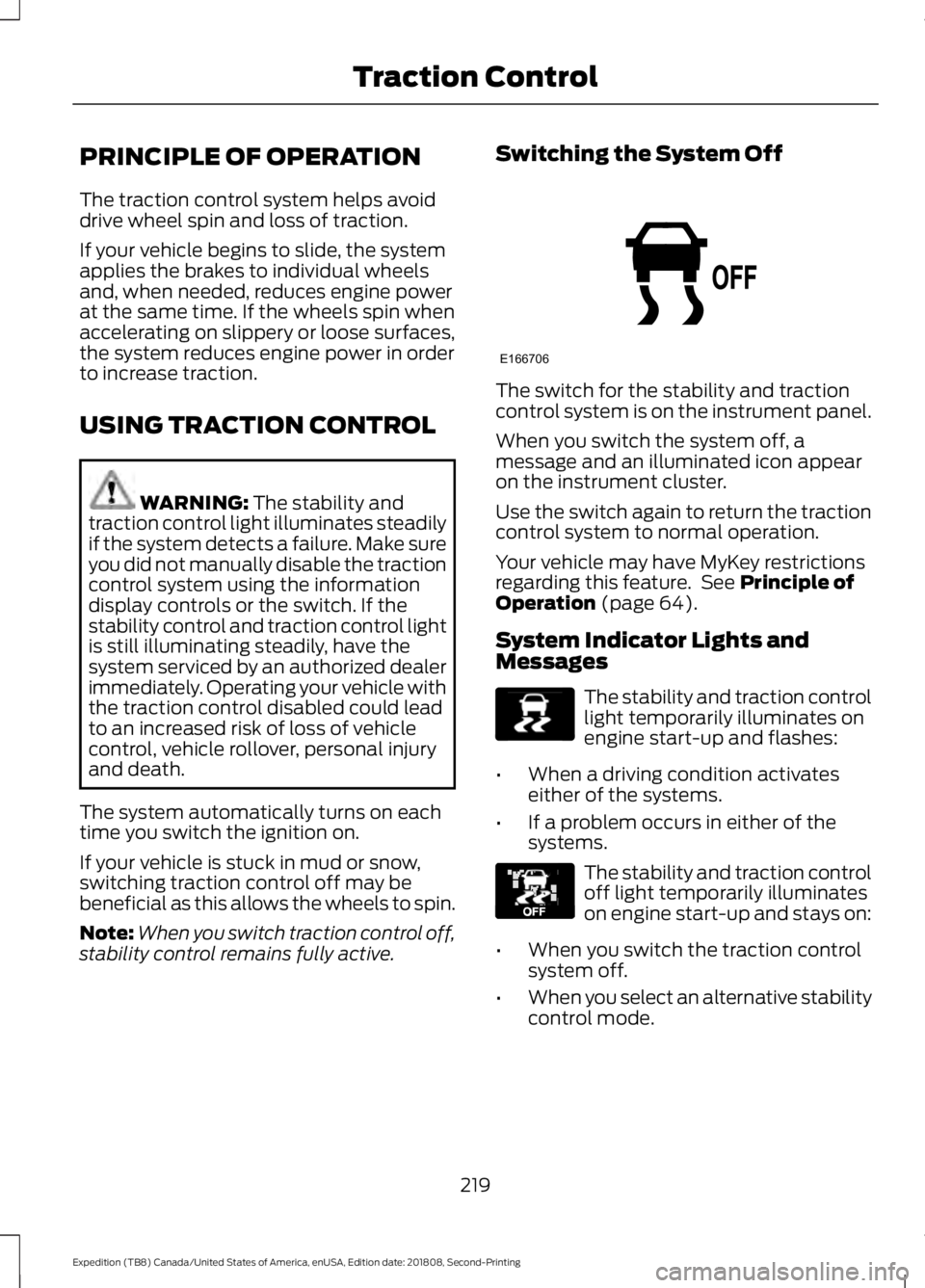
stability control remains fully active. Switching the System Off The switch for the stability and traction
control system is on the instrument panel.
When you switch the system off, a
message and an illuminated icon appear
on the instrument cluster.
Use the switch again to return the traction
control system to normal operation.
Your vehicle may have MyKey restrictions
regarding this feature. See
Principle of
Operation (page 64).
System Indicator Lights and
Messages The stability and traction control
light temporarily illuminates on
engine start-up and flashes:
• When a driving condition activates
either of the systems.
• If a problem occurs in either of the
systems. The stability and traction control
off light temporarily illuminates
on engine start-up and stays on:
• When you switch the traction control
system off.
• When you select an alternative stability
control mode.
219
Expedition (TB8) Canada/United States of America, enUSA, Edition date: 201808, Second-Printing Traction ControlE166706 E138639 E130458
Page 226 of 583
PRINCIPLE OF OPERATION
WARNING: Hill descent control
cannot control descent in all surface
conditions and circumstances, such as
ice or extremely steep grades. Hill
descent control is a driver assist system
and cannot substitute for good judgment
by the driver. Failure to do so may result
in loss of vehicle control, crash or serious
injury. WARNING:
Hill descent control
does not provide hill hold at zero miles
per hour (0 kilometers per hour). When
stopped, you must apply the parking
brake or place the vehicle in P (Park), or
it may roll away.
Hill descent control allows you to set and
maintain vehicle speed while descending
steep grades in various surface conditions.
Hill descent control can maintain vehicle
speeds on downhill grades between 2 mph
(3 km/h) and 12 mph (20 km/h). Above 20
mph (32 km/h), the system remains
armed, but you cannot use the system to
set or maintain the descent speed.
Hill descent control requires a cooling
down interval after a period of sustained
use. The amount of time that the feature
can remain active before cooling varies
with conditions. The system provides a
warning in the message center and a tone
sounds when the system is about to
disengage for cooling. At this time,
manually apply the brakes as needed to
maintain descent speed. USING HILL DESCENT
CONTROL Press and release the hill
descent button on the
instrument panel. The button
illuminates and a chime sounds when you
switch this feature on.
To increase descent speed, press the
accelerator pedal until you reach the
desired speed. To decrease descent
speed, press the brake pedal until you
reach the desired speed.
Whether accelerating or decelerating, once
you reach the desired descent speed,
remove your feet from the pedals and hill
descent control maintains the chosen
vehicle speed.
Note: You may observe noise from the ABS
pump motor during hill descent control
operation. This is a normal characteristic of
the ABS and should be no reason for
concern.
Hill Descent Modes
• At speeds between
2 mph (3 km/h)
and 20 mph (32 km/h): When you
press this button, the light flashes
indicating this feature is active. Your
vehicle maintains the speed you desire
while in this mode.
• At speeds between
20 mph (32 km/h)
and 40 mph (64 km/h): When you
press this button, the light is solid and
a message appears in the information
display indicating this feature is active.
Your vehicle does not maintain the
speed you desire and you cannot set
your descent speed.
223
Expedition (TB8) Canada/United States of America, enUSA, Edition date: 201808, Second-Printing Hill Descent Control
(If Equipped)
Page 227 of 583
•
At speeds above 40 mph (64 km/h):
When you press this button, the system
turns this feature off and no light or
message appears in the information
display. You need to switch this feature
back on to use.
Refer to Information Displays for hill
descent control messages. See
Information Messages
(page 125).
224
Expedition (TB8) Canada/United States of America, enUSA, Edition date: 201808, Second-Printing Hill Descent Control
(If Equipped)
Page 228 of 583
PRINCIPLE OF OPERATION
WARNING: To help avoid personal
injury, always use caution when in
reverse (R) and when using the sensing
system. WARNING: The system may not
detect objects with surfaces that absorb
reflection. Always drive with due care
and attention. Failure to take care may
result in a crash. WARNING:
Traffic control
systems, inclement weather, air brakes,
external motors and fans may affect the
correct operation of the sensing
system.This may cause reduced
performance or false alerts. WARNING:
The system may not
detect small or moving objects,
particularly those close to the ground.
Note: Certain add-on devices installed
around the bumper or fascia may create
false beeps. For example, large trailer
hitches, bike or surfboard racks, license plate
brackets, bumper covers or any other device
that may block the normal detection zone
of the system.
Note: Keep the sensors, located on the
bumper or fascia, free from snow, ice and
large accumulations of dirt. If the sensors
are covered, the system ’s accuracy can be
affected. Do not clean the sensors with
sharp objects.
Note: If your vehicle sustains damage to
the bumper or fascia, leaving it misaligned
or bent, the sensing zone may be altered
causing inaccurate measurement of
obstacles or false alarms. See your
authorized technician. Note:
When a trailer is connected to your
vehicle, the rear parking aid may detect the
trailer and therefore provide warnings.
Disable the rear parking aid when a trailer
is connected to prevent these warnings.
Note: The sensing system cannot be turned
off when a MyKey is present. See Principle
of Operation
(page 64).
We recommend that you take some time
to get to know the system and its
limitations by reading this section.
The sensing system warns the driver of
obstacles within a certain range of your
vehicle. The system automatically turns
on each time you switch the ignition on.
When receiving a detection warning, the
radio volume reduces to a predetermined
level. After the warning goes away, the
radio volume returns to the previous level. You can turn the system on or
off by pressing the parking aid
button. If your vehicle does not
have a parking aid button, the system can
be switched off through the information
display menu or from the pop-up message
that appears once you shift the
transmission into reverse (R). See General
Information
(page 113).
If a fault is present in the system, a warning
message appears in the information
display and does not allow you to switch
the system on. See
Information
Messages (page 125).
If a sensor is blocked and cannot function,
the system becomes disabled and a
warning message appears in the
information display. The system returns to
a normal state once the blockage is
cleared.
225
Expedition (TB8) Canada/United States of America, enUSA, Edition date: 201808, Second-Printing Parking AidsE139213