2019 FORD E-350 warning
[x] Cancel search: warningPage 248 of 329

If you do not cancel the call, and SYNC
makes a successful call, a pre-recorded
message plays for the 911 operator, and
then the occupant(s) in your vehicle is able
to talk with the operator. Be prepared to
provide your name, phone number and
location immediately, because not all 911
systems are capable of receiving this
information electronically.
911 Assist May Not Work If
•
Your cellular phone or 911 Assist
hardware sustains damage in a crash.
• The vehicle's battery or the SYNC
system has no power.
• The phone(s) thrown from your vehicle
are the ones paired and connected to
the system.
911 Assist Privacy Notice
When you turn on 911 Assist, it may
disclose to emergency services that your
vehicle has been in a crash involving the
deployment of an airbag or activation of
the fuel pump shut-off. Certain versions or
updates to 911 Assist may also be capable
of electronically or verbally disclosing to
911 operators your vehicle location or other
details about your vehicle or crash to assist
911 operators to provide the most
appropriate emergency services. If you do
not want to disclose this information, do
not turn the feature on.
Vehicle Health Report (If
Equipped, United States Only) WARNING: Always follow
scheduled maintenance instructions,
regularly inspect your vehicle, and seek
repair for any damage or problem you
suspect. Vehicle Health Report
supplements, but cannot replace, normal
maintenance and vehicle inspection.
Vehicle Health Report only monitors certain systems electronically monitored
by your vehicle and will not monitor or
report the status of any other system,
(such as brake lining wear). Failure to
perform scheduled maintenance and
regularly inspect your vehicle may result
in vehicle damage and serious injury.
Note: This feature is only available in the
United States.
Note: Your Vehicle Health Report feature
requires activation before use. Visit
www.SYNCMyRide.com to register. There
is no fee or subscription associated with
Vehicle Health Report, but you must register
to use this feature.
Note: This feature may not function
properly if you have enabled caller ID
blocking on your cellular phone. Before
running a report, review the Vehicle Health
Report Privacy Notice.
Note: In order to allow a break-in period for
your vehicle, you may not be able to create
a Vehicle Health Report until your vehicle
odometer has reached 200 miles.
Note: Cellular phone and SMS charges may
apply when making a report.
Register for Vehicle Health Report and set
your report preferences at
www.SYNCMyRide.com. After registering,
you can request a Vehicle Health Report
(inside your vehicle). Return to your
account at www.SYNCMyRide.com to view
your report. You can also choose for SYNC
to remind you automatically to run reports
at specific mileage intervals.
The system allows you to check your
vehicle's overall health in the form of a
diagnostic report card. The Vehicle Health
Report contains valuable information, for
example:
• Vehicle diagnostic information
• Scheduled maintenance
245
E-Series (TE4) Canada/United States of America, enUSA, Edition date: 201804, Second-Printing SYNC™
Page 281 of 329

Check every six months
Hinges, latches and outside locks for proper operation. Lubricate if necessary. Parking brake for proper operation.
Safety belts and seat latches for wear and function.
Safety warning lamps (brake, ABS, airbag and safety belt) for operation.
Washer spray and wiper operation. Clean or replace blades as necessary.
Multi-point Inspection
In order to keep your vehicle running right,
it is important to have the systems on your
vehicle checked regularly. This can help
identify potential issues and prevent major
problems. We recommend having the
following multi-point inspection performed
at every scheduled maintenance interval
to help make sure your vehicle keeps
running great. Multi-point inspection
Horn operation
Accessory drive belt(s)
Radiator, cooler, heater and A/C hoses
Battery performance
Suspension component for leaks ordamage
Engine air filter
Steering and linkage
Exhaust system
Tires (including spare) for wear and properpressure**
Exterior lamps and hazard warning system
operation
Windshield for cracks, chips or pits
Fluid levels *
; fill if necessary
Washer spray and wiper operation
For oil and fluid leaks
* Brake, coolant recovery reservoir, automatic transmission, power steering and window
washer.
** If your vehicle is equipped with a temporary mobility kit, check the tire sealant expiration
Use By date on the canister. Replace as needed.
278
E-Series (TE4) Canada/United States of America, enUSA, Edition date: 201804, Second-Printing Scheduled Maintenance
Page 297 of 329
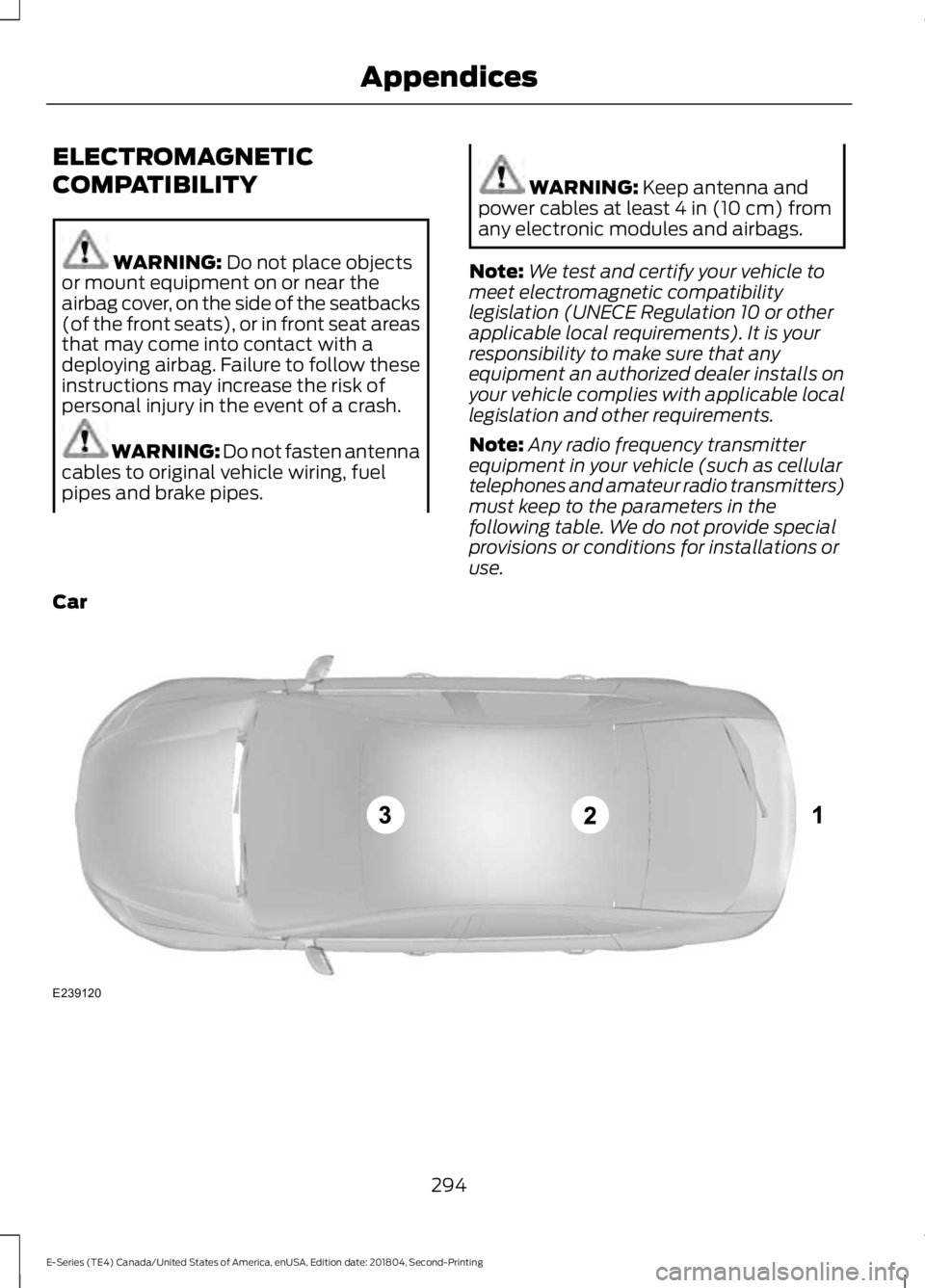
ELECTROMAGNETIC
COMPATIBILITY
WARNING: Do not place objects
or mount equipment on or near the
airbag cover, on the side of the seatbacks
(of the front seats), or in front seat areas
that may come into contact with a
deploying airbag. Failure to follow these
instructions may increase the risk of
personal injury in the event of a crash. WARNING:
Do not fasten antenna
cables to original vehicle wiring, fuel
pipes and brake pipes. WARNING:
Keep antenna and
power cables at least 4 in (10 cm) from
any electronic modules and airbags.
Note: We test and certify your vehicle to
meet electromagnetic compatibility
legislation (UNECE Regulation 10 or other
applicable local requirements). It is your
responsibility to make sure that any
equipment an authorized dealer installs on
your vehicle complies with applicable local
legislation and other requirements.
Note: Any radio frequency transmitter
equipment in your vehicle (such as cellular
telephones and amateur radio transmitters)
must keep to the parameters in the
following table. We do not provide special
provisions or conditions for installations or
use.
Car 294
E-Series (TE4) Canada/United States of America, enUSA, Edition date: 201804, Second-Printing AppendicesE239120
Page 304 of 329
![FORD E-350 2019 Owners Manual •
THERE ARE NO WARRANTIES OTHER
THAN THOSE THAT MAY EXPRESSLY
BE PROVIDED FOR YOUR NEW
VEHICLE.
Adobe
Contains Adobe® [Flash® Player] or
[AIR®] technology by Adobe Systems
Incorporated. This [Lic](/manual-img/11/40680/w960_40680-303.png "FORD E-350 2019 Owners Manual •
THERE ARE NO WARRANTIES OTHER
THAN THOSE THAT MAY EXPRESSLY
BE PROVIDED FOR YOUR NEW
VEHICLE.
Adobe
Contains Adobe® [Flash® Player] or
[AIR®] technology by Adobe Systems
Incorporated. This [Lic")
•
THERE ARE NO WARRANTIES OTHER
THAN THOSE THAT MAY EXPRESSLY
BE PROVIDED FOR YOUR NEW
VEHICLE.
Adobe
Contains Adobe® [Flash® Player] or
[AIR®] technology by Adobe Systems
Incorporated. This [Licensee Product]
contains [Adobe® Flash® Player]
[Adobe® AIR®] software under license
from Adobe Systems Incorporated,
Copyright ©1995-2009 Adobe
Macromedia Software LLC. All rights
reserved. Adobe, Flash and AIR are
trademarks of Adobe Systems
Incorporated.
End User Notice
Microsoft® Windows® Mobile for
Automotive Important Safety
Information
This system Ford SYNC contains software
that is licensed to Manufacturer FORD
MOTOR COMPANY by an affiliate of
Microsoft Corporation pursuant to a license
agreement. Any removal, reproduction,
reverse engineering or other unauthorized
use of the software from this system in
violation of the license agreement is strictly
prohibited and may subject you to legal
action.
Read and follow instructions: Before
using your Windows Automotive- based
system, read and follow all instructions
and safety information provided in this end
user manual ("User's Guide"). Not
following precautions found in this User's
Guide can lead to an accident or other
serious consequences. Keep User's Guide in vehicle: When kept
in the vehicle, the User's Guide will be a
ready reference for you and other users
unfamiliar with the Windows
Automotive-based system. Please make
certain that before using the system for
the first time, all persons have access to
the User's Guide and read its instructions
and safety information carefully. WARNING:
Operating certain
parts of this system while driving can
distract your attention away from the
road, and possibly cause an accident or
other serious consequences. Do not
change system settings or enter data
non-verbally (using your hands) while
driving. Stop the vehicle in a safe and
legal manner before attempting these
operations. This is important since while
setting up or changing some functions
you might be required to distract your
attention away from the road and
remove your hands from the wheel.
General Operation
Voice Command Control:
Functions
within the Windows Automotive-based
system may be accomplished using only
voice commands. Using voice commands
while driving allows you to operate the
system without removing your hands from
the wheel.
Prolonged Views of Screen:
Do not
access any function requiring a prolonged
view of the screen while you are driving.
Pull over in a safe and legal manner before
attempting to access a function of the
system requiring prolonged attention. Even
occasional short scans to the screen may
be hazardous if your attention has been
diverted away from your driving task at a
critical time.
301
E-Series (TE4) Canada/United States of America, enUSA, Edition date: 201804, Second-Printing Appendices
Page 310 of 329
9.2 End User Terms Required by NAV2
(Shanghai) Co., Ltd
The data (“Data
”) is provided for your
personal, internal use only and not for
resale. It is protected by copyright, and is
subject to the following terms and
conditions which are agreed to by you, on
the one hand, and NAV2 (Shanghai) Co.,
Ltd (“NAV2”) and its licensors (including
their licensors and suppliers) on the other
hand.
© 20xx. All rights reserved.
Permitted Use.
You agree to use this Data together with
the Telenav Software solely for the internal
business and personal purposes for which
you were licensed, and not for service
bureau, time-sharing or other similar
purposes. Accordingly, but subject to the
restrictions set forth in the following
paragraphs, you agree not to otherwise
reproduce, copy, modify, decompile,
disassemble, create any derivative works
of, or reverse engineer any portion of this
Data, and may not transfer or distribute it
in any form, for any purpose, except to the
extent permitted by mandatory laws.
Restrictions.
Except where you have been specifically
licensed to do so by Telenav, and without
limiting the preceding paragraph, you may
not use this Data (a) with any products,
systems, or applications installed or
otherwise connected to or in
communication with vehicles, capable of
vehicle navigation, positioning, dispatch,
real time route guidance, fleet
management or similar applications; or (b)
with or in communication with any positioning devices or any mobile or
wireless-connected electronic or computer
devices, including without limitation
cellular phones, palmtop and handheld
computers, pagers, and personal digital
assistants or PDAs.
Warning.
The Data may contain inaccurate or
incomplete information due to the passage
of time, changing circumstances, sources
used and the nature of collecting
comprehensive geographic data, any of
which may lead to incorrect results.
No Warranty.
This Data is provided to you
“as is, ” and
you agree to use it at your own risk. Telenav
and its licensors (and their licensors and
suppliers) make no guarantees,
representations or warranties of any kind,
express or implied, arising by law or
otherwise, including but not limited to,
content, quality, accuracy, completeness,
effectiveness, reliability, fitness for a
particular purpose, usefulness, use or
results to be obtained from this Data, or
that the Data or server will be
uninterrupted or error-free.
Disclaimer of Warranty:
TELENAV AND ITS LICENSORS
(INCLUDING THEIR LICENSORS AND
SUPPLIERS) DISCLAIM ANY
WARRANTIES, EXPRESS OR IMPLIED, OF
QUALITY, PERFORMANCE,
MERCHANTABILITY, FITNESS FOR A
PARTICULAR PURPOSE OR
NON-INFRINGEMENT. Some States,
Territories and Countries do not allow
certain warranty exclusions, so to that
extent the above exclusion may not apply
to you.
307
E-Series (TE4) Canada/United States of America, enUSA, Edition date: 201804, Second-Printing Appendices
Page 320 of 329

THE GRACENOTE SOFTWARE, EACH ITEM
OF GRACENOTE DATA AND THE
GRACENOTE CONTENT ARE LICENSED
TO YOU "AS IS". NEITHER GRACENOTE
MAKES ANY REPRESENTATIONS OR
WARRANTIES, EXPRESS OR IMPLIED,
REGARDING THE ACCURACY OF ANY
GRACENOTE DATA FROM THE
GRACENOTE SERVERS OR GRACENOTE
CONTENT. GRACENOTE COLLECTIVELY
AND SEPARATELY RESERVE THE RIGHT
TO DELETE DATA AND/OR CONTENT
FROM THE COMPANIES' RESPECTIVE
SERVERS OR, IN THE CASE OF
GRACENOTE, CHANGE DATA
CATEGORIES FOR ANY CAUSE THAT
GRACENOTE DEEMS SUFFICIENT. NO
WARRANTY IS MADE THAT EITHER
GRACENOTE CONTENT OR THE
GRACENOTE SOFTWARE OR
GRACENOTE SERVERS ARE ERROR-FREE
OR THAT THE FUNCTIONING OF THE
GRACENOTE SOFTWARE OR
GRACENOTE SERVERS WILL BE
UNINTERRUPTED. GRACENOTE IS NOT
OBLIGATED TO PROVIDE YOU WITH ANY
ENHANCED OR ADDITIONAL DATA TYPES
THAT GRACENOTE MAY CHOOSE TO
PROVIDE IN THE FUTURE AND IS FREE
TO DISCONTINUE ITS ONLINE SERVICES
AT ANY TIME. GRACENOTE DISCLAIM ALL
WARRANTIES EXPRESS OR IMPLIED,
INCLUDING, BUT NOT LIMITED TO,
IMPLIED WARRANTIES OF
MERCHANTABILITY, FITNESS FOR A
PARTICULAR PURPOSE, TITLE, AND
NON-INFRINGEMENT. NEITHER
GRACENOTE WARRANTS THE RESULTS
THAT WILL BE OBTAINED BY YOUR USE
OF THE GRACENOTE SOFTWARE OR ANY
GRACENOTE SERVER. IN NO CASE WILL
GRACENOTE BE LIABLE FOR ANY
CONSEQUENTIAL OR INCIDENTAL
DAMAGES OR FOR ANY LOST PROFITS
OR LOST REVENUES FOR ANY REASON
WHATSOEVER.
© Gracenote 2007.
Vehicle with SYNC only
United States and Mexico
FCC ID: KMHSG1G1
IC: 1422A-SG1G1
Mexico
Model: KMHSG1P1
NOM-121-SCT1-2009
The operation of this equipment is subject
to the following two conditions: (1) This
equipment or device may not cause
harmful interference, and (2) this
equipment or device must accept any
interference, including interference that
may cause undesired operation.
Vehicle with SYNC with
Touchscreen/My Touch
FCC ID: KMHSYNCG2
IC: 1422A-SYNCG2
This device complies with Part 15 of the
FCC Rules and with RSS-210 of Industry
Canada. Operation is subject to the
following two conditions: (1) This device
may not cause harmful interference, and
(2) this device must accept any
interference received, including
interference that may cause undesired
operation.
WARNING: Changes or
modifications not expressively approved
by the party responsible for compliance
could void the user's authority to operate
the equipment. The term "IC" before the
radio certification number only signifies
that Industry Canada technical
specifications were met.
The antenna used for this transmitter must
not be co-located or operating in
conjunction with any other antenna or
transmitter.
317
E-Series (TE4) Canada/United States of America, enUSA, Edition date: 201804, Second-Printing Appendices
Page 322 of 329

A
A/C
See: Climate Control.......................................... 66
About This Manual...........................................5
ABS See: Brakes.............................................................. 91
ABS driving hints See: Hints on Driving With Anti-Lock
Brakes................................................................... 91
Accessories......................................................271 Exterior Style......................................................... 271
Interior Style.......................................................... 271
Peace of Mind....................................................... 271
Accessories See: Replacement Parts
Recommendation............................................ 12
Adjusting the Headlamps.........................156
Vertical Aim Adjustment Procedure...........156
Adjusting the Steering Wheel....................47
Airbag Disposal
...............................................38
Air Conditioning See: Climate Control.......................................... 66
Air Filter See: Changing the Engine Air Filter..............159
Appendices
....................................................294
At a Glance........................................................16
Audible Warnings and Indicators..............57 Fail-Safe Cooling Warning Chime.................. 57
Headlamps On Warning Chime...................... 57
Key in Ignition Warning Chime......................... 57
Parking Brake On Warning Chime.................. 57
Shift to Park Warning Chime............................ 57
Audio System.................................................214 General Information.......................................... 214
Audio Unit - Vehicles With: AM/FM/CD/ SYNC..............................................................216
Accessing CD or MP3 Mode............................ 217
Accessing the Auxiliary Media Sources.............................................................. 216
Accessing the Folders........................................ 217
Accessing the Menu........................................... 217
Accessing the Phone Features....................... 217
Adjusting the Volume........................................ 217
Changing Radio Stations................................. 218
Ejecting the CD.................................................... 218
Fast Forwarding the Media............................. 218
Inserting a CD....................................................... 218Muting the Audio................................................
218
Playing or Pausing Media................................ 218
Rewinding the Media......................................... 218
Scanning the Audio........................................... 218
Selecting a Frequency Band.......................... 218
Setting the Memory Presets........................... 218
Switching Shuffle Mode On and Off...........218
Switching the Audio Unit On and Off.........218
Using Seek, Fast Forward and Reverse.............................................................. 219
Audio Unit - Vehicles With: AM/FM.......215 Accessing the Clock Settings......................... 215
Accessing the Sound Settings....................... 216
Adjusting the Volume........................................ 216
Changing Radio Stations................................. 216
Selecting the Audio Modes............................. 216
Setting the Memory Presets........................... 216
Switching the Audio Unit On and Off.........216
Using Seek, Fast Forward and Reverse.............................................................. 216
Automatic Transmission.............................87 Brake-Shift Interlock.......................................... 88
If Your Vehicle Gets Stuck In Mud or Snow.................................................................... 89
Putting your vehicle in or out of gear:...........87
Automatic Transmission Fluid Check.............................................................149
Automatic Transmission Fluid Filter............152
Checking Automatic Transmission Fluid.................................................................... 149
Auxiliary Power Points..................................72 110 Volt AC Power Point..................................... 72
12 Volt DC Power Point....................................... 72
Locations.................................................................. 72
Auxiliary Switches
........................................272
B
Battery See: Changing the 12V Battery...................... 153
Bonnet Lock See: Opening and Closing the Hood............141
Booster Seats
..................................................22
Types of Booster Seats...................................... 23
Brake Fluid Check.........................................152
Brakes..................................................................91 General Information............................................. 91
Breaking-In.......................................................116
319
E-Series (TE4) Canada/United States of America, enUSA, Edition date: 201804, Second-Printing Index
Page 327 of 329

Reprogramming the Remote Control..........40
Sounding the Panic Alarm.................................
41
Removing a Headlamp...............................157
Repairing Minor Paint Damage...............165
Replacement Parts Recommendation........................................12
Collision Repairs.................................................... 12
Scheduled Maintenance and Mechanical Repairs.................................................................. 12
Warranty on Replacement Parts..................... 12
Replacing a Lost Key or Remote Control..............................................................41
Reporting Safety Defects (Canada Only)...............................................................129
Reporting Safety Defects (U.S. Only)...............................................................129
Roadside Assistance....................................119 Vehicles Sold in Canada: Getting Roadside
Assistance........................................................ 120
Vehicles Sold in the United States: Getting Roadside Assistance..................................... 119
Vehicles Sold in the United States: Using Roadside Assistance..................................... 119
Roadside Emergencies................................119
Running-In See: Breaking-In................................................... 116
Running Out of Fuel......................................79 Filling a Portable Fuel Container................... 80
S
Safety Precautions
.........................................77
Satellite Radio................................................221
Satellite Radio Electronic Serial Number
(ESN)................................................................. 222
Satellite Radio Reception Factors...............222
SiriusXM Satellite Radio Service.................. 222
Troubleshooting................................................. 223
Scheduled Maintenance Record...........283
Scheduled Maintenance
...........................276
Seatbelt Extension.........................................31
Seatbelt Height Adjustment.....................30
Seatbelts............................................................27 Principle of Operation......................................... 27
Seatbelt Warning Lamp and Indicator Chime..............................................................30
Conditions of operation..................................... 30
Seats...................................................................69 Security..............................................................45
Sitting in the Correct Position...................69
Snow Chains
See: Using Snow Chains.................................. 187
Spare Wheel See: Changing a Road Wheel........................ 192
Special Notices................................................12 Fleet Telematics Modem.................................... 13
FordPass Connect................................................. 13
New Vehicle Limited Warranty......................... 12
Notice to Owners of Pickup Trucks and Utility Type Vehicles........................................ 13
On Board Diagnostics Data Link Connector............................................................ 13
Special Instructions.............................................. 12
Using your Vehicle as an Ambulance.............13
Special Operating Conditions Scheduled Maintenance...............................................281
Exceptions............................................................ 283
Speed Control See: Cruise Control.............................................. 96
Starter Switch See: Ignition Switch............................................. 74
Starting a Gasoline Engine..........................74 Failure to Start....................................................... 75
Guarding Against Exhaust Fumes.................. 75
Important Ventilating Information.................75
Stopping the Engine When Your Vehicle is Moving.................................................................. 75
Stopping the Engine When Your Vehicle is Stationary........................................................... 75
Starting and Stopping the Engine
............74
General Information............................................ 74
Steering.............................................................98
Steering Wheel
................................................47
Sun Visors.........................................................52
Illuminated Vanity Mirror................................... 52
Supplementary Restraints System
.........32
Principle of Operation......................................... 32
Symbols Glossary.............................................5
SYNC™ Applications and Services........................................................243
911 Assist............................................................... 243
SYNC Services: Traffic, Directions & Information (TDI) (If Equipped, United
States Only).................................................... 247
Vehicle Health Report (If Equipped, United States Only).................................................... 245
324
E-Series (TE4) Canada/United States of America, enUSA, Edition date: 201804, Second-Printing Index