Page 77 of 572
NOTE:Battery saver mode is canceled if the ignition is
ON.
If the headlights remain on while the ignition is cycled OFF,
the exterior lights will automatically turn off after eight
minutes. If the headlights are turned on and left on for
eight minutes while the ignition is OFF, the exterior lights
will automatically turn off.
INTERIOR LIGHTS
Courtesy Lights
The courtesy lights can be turned on by pushing the top
corner of the lens. To turn the lights off, push the lens a
second time.
Courtesy Lights
3
GETTING TO KNOW YOUR VEHICLE 75
Page 78 of 572
Front Map/Reading Lights — If Equipped
Lights are mounted in the overhead console. Each light can
be turned on by pushing the switch on either side of the
console. These buttons are backlit for night time visibility.To turn the lights off, push the switch a second time. The
lights also turn on when a door is opened. The lights will
also turn on when the unlock button on the key fob is
pushed.
Front Map/Reading LightsFront Map/Reading Light Switches
76 GETTING TO KNOW YOUR VEHICLE
Page 79 of 572
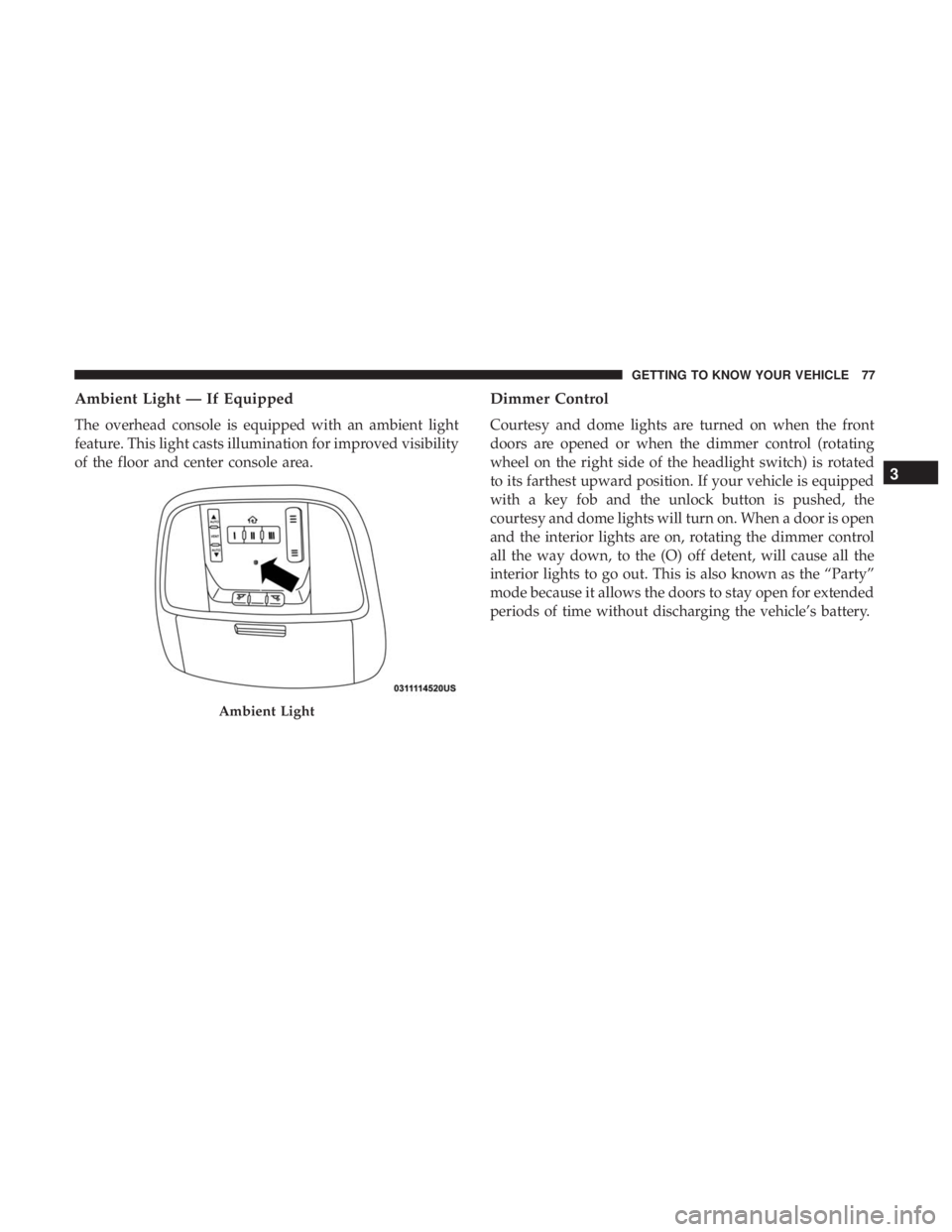
Ambient Light — If Equipped
The overhead console is equipped with an ambient light
feature. This light casts illumination for improved visibility
of the floor and center console area.
Dimmer Control
Courtesy and dome lights are turned on when the front
doors are opened or when the dimmer control (rotating
wheel on the right side of the headlight switch) is rotated
to its farthest upward position. If your vehicle is equipped
with a key fob and the unlock button is pushed, the
courtesy and dome lights will turn on. When a door is open
and the interior lights are on, rotating the dimmer control
all the way down, to the (O) off detent, will cause all the
interior lights to go out. This is also known as the “Party”
mode because it allows the doors to stay open for extended
periods of time without discharging the vehicle’s battery.
Ambient Light
3
GETTING TO KNOW YOUR VEHICLE 77
Page 80 of 572
The brightness of the instrument panel lighting can be
regulated by rotating the dimmer control up (brighter) or
down (dimmer). When the headlights are on you can
supplement the brightness of the odometer, trip odometer,
radio and overhead console by rotating the control to its
farthest position up until you hear a click. This feature is
termed the “Parade” mode and is useful when headlights
are required during the day.WINDSHIELD WIPERS AND WASHERS
The windshield wiper/washer controls are located on the
multifunction lever on the left side of the steering column.
The front wipers are operated by rotating a switch, located
on the end of the lever. For information on the rear
wiper/washer, refer to “Rear Window Wiper/Washer” in
this section.
Dimmer ControlMultifunction Lever
78 GETTING TO KNOW YOUR VEHICLE
Page 89 of 572

IconDescription
Panel Mode
Panel Mode
Air comes from the outlets in the instrument panel. Each of these outlets can be individually
adjusted to direct the flow of air. The air vanes of the center outlets and outboard outlets can be
moved up and down or side to side to regulate airflow direction. There is a shut off wheel lo-
cated below the air vanes to shut off or adjust the amount of airflow from these outlets.
Bi-Level Mode
Bi-Level Mode
Air comes from the instrument panel outlets and floor outlets. A slight amount of air is directed
through the defrost and side window demister outlets.
NOTE:
Bi-Level mode is designed under comfort conditions to provide cooler air out of the panel out-
lets and warmer air from the floor outlets.
Floor Mode
Floor Mode
Air comes from the floor outlets. A slight amount of air is directed through the defrost and side
window demister outlets.
Mix Mode
Mix Mode
Air is directed through the floor, defrost, and side window demister outlets. This setting works
best in cold or snowy conditions that require extra heat to the windshield. This setting is good
for maintaining comfort while reducing moisture on the windshield.
3
GETTING TO KNOW YOUR VEHICLE 87
Page 101 of 572

To open the window part way, push the switch to the first
detent and release it when you want the window to stop.
Auto-Up Feature With Anti-Pinch Protection —
Driver And Front Passenger Door Only
Lift the window switch fully upward to the second detent,
release, and the window will go up automatically.
To stop the window from going all the way up during the
Auto-Up operation, push down on the switch briefly.
To close the window part way, lift the window switch to
the first detent and release when you want the window to
stop.NOTE:
If the window runs into any obstacle during
Auto-Up, it will reverse direction and then go back down.
Remove the obstacle and use the window switch again to
close the window. Any impact due to rough road condi-
tions may trigger the auto reverse function unexpectedly
during Auto-Up. If this happens, pull the switch lightly to
the first detent and hold it to close the window manually.
WARNING!
There is no auto-reverse protection when the window
is almost closed. Be sure to clear all objects from the
window before closing.
Reset Auto-Up
Should the Auto-Up feature stop working, the window
may need to be reset. To reset Auto-Up:
1. Make sure the door is fully closed.
2. Pull the window switch up to close the window com- pletely and continue to hold the switch up for an
additional two seconds after the window is closed.Auto-Down Window Switches
3
GETTING TO KNOW YOUR VEHICLE 99
Page 102 of 572

3. Push the window switch down firmly to the seconddetent to open the window completely and continue to
hold the switch down for an additional two seconds
after the window is fully open.
Window Lockout Switch
The window lockout switch on the driver’s door trim panel
allows you to disable the window controls on the rear
passenger doors. To disable the window controls, push and
release the window lockout button (the indicator light on
the button with turn on). To enable the window controls,
push and release the window lockout button again (the
indicator light on the button will turn back off).
Wind Buffeting
Wind buffeting can be described as the perception of
pressure on the ears or a helicopter-type sound in the ears.
Your vehicle may exhibit wind buffeting with the windows
down, or the sunroof (if equipped) in certain open or
partially open positions. This is a normal occurrence and
can be minimized. If the buffeting occurs with the rear
windows open, open the front and rear windows together
to minimize the buffeting. If the buffeting occurs with the
sunroof open, adjust the sunroof opening to minimize the
buffeting or open any window.
Window Lockout Switch
100 GETTING TO KNOW YOUR VEHICLE
Page 108 of 572

WARNING!
During power operation, personal injury or cargo
damage may occur. Ensure the liftgate travel path is
clear. Make sure the liftgate is closed and latched
before driving away.
NOTE:
• The power liftgate buttons will not operate if the vehicle
is in gear or the vehicle speed is above 0 MPH (0 km/h).
• The power liftgate will not operate in temperatures
below 22° F (30° C) or temperatures above 150° F
(65° C). Be sure to remove any buildup of snow or ice
from the liftgate before pushing any of the power liftgate
switches.
• If anything obstructs the power liftgate while it is
closing or opening, the liftgate will automatically re-
verse to the closed or open position, provided it meets
sufficient resistance.
• There are also pinch sensors attached to the side of the
liftgate. Light pressure anywhere along these strips will
cause the liftgate to return to the open position.
• If the liftgate is not fully open, push the liftgate button
on the key fob twice to operate the liftgate. •
If the electronic liftgate release is pushed while the
power liftgate is closing, the liftgate will reverse to the
full open position.
• If the electronic liftgate release is pushed while the
power liftgate is opening, the liftgate motor will disen-
gage to allow manual operation.
• If the power liftgate encounters multiple obstructions
within the same cycle, the system will automatically
stop and the liftgate must be opened or closed manually.
WARNING!
• Driving with the liftgate open can allow poisonous
exhaust gases into your vehicle. You and your pas-
sengers could be injured by these fumes. Keep the
liftgate closed when you are operating the vehicle.
• If you are required to drive with the liftgate open,
make sure that all windows are closed, and the
climate control blower switch is set at high speed. Do
not use the recirculation mode.
106 GETTING TO KNOW YOUR VEHICLE