Page 516 of 572
audio device connected to the iPod/USB/MP3 control sys-
tem may charge it to the required level.
Using This Feature
By using an iPod cable, or an external USB device to
connect to the USB port:
•The audio device can be played on the vehicle’s sound
system, providing metadata (artist, track title, album,
etc.) information on the radio display.
• The audio device can be controlled using the radio
buttons to Play, Browse, and List the iPod contents.
• The audio device battery charges when plugged into the
USB/AUX connector (if supported by the specific audio
device).
NOTE: For further information, refer to the Uconnect
Owner ’s Manual Supplement.
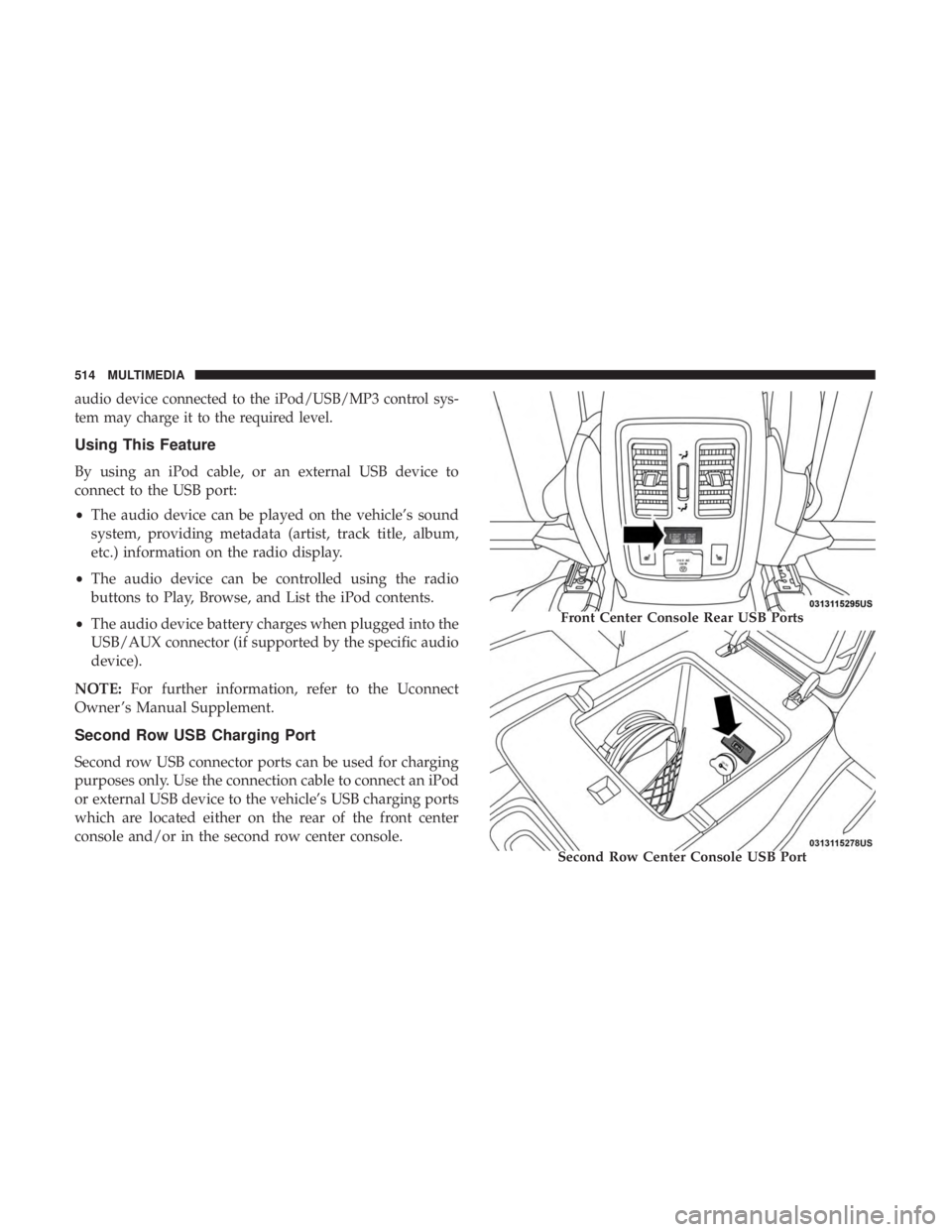
Second Row USB Charging Port
Second row USB connector ports can be used for charging
purposes only. Use the connection cable to connect an iPod
or external USB device to the vehicle’s USB charging ports
which are located either on the rear of the front center
console and/or in the second row center console.
Front Center Console Rear USB Ports
Second Row Center Console USB Port
514 MULTIMEDIA
Page 517 of 572
UCONNECT REAR SEAT ENTERTAINMENT (RSE)
SYSTEM — IF EQUIPPED
Your Rear Seat Entertainment System is designed to give
your family years of enjoyment. You can play your favorite
CDs, DVDs or Blu-ray Discs, listen to audio over the
wireless headphones, or plug and play a variety of stan-
dard video games or audio devices.
Please review this Owner’s Manual to become familiar
with its features and operation.
Getting Started
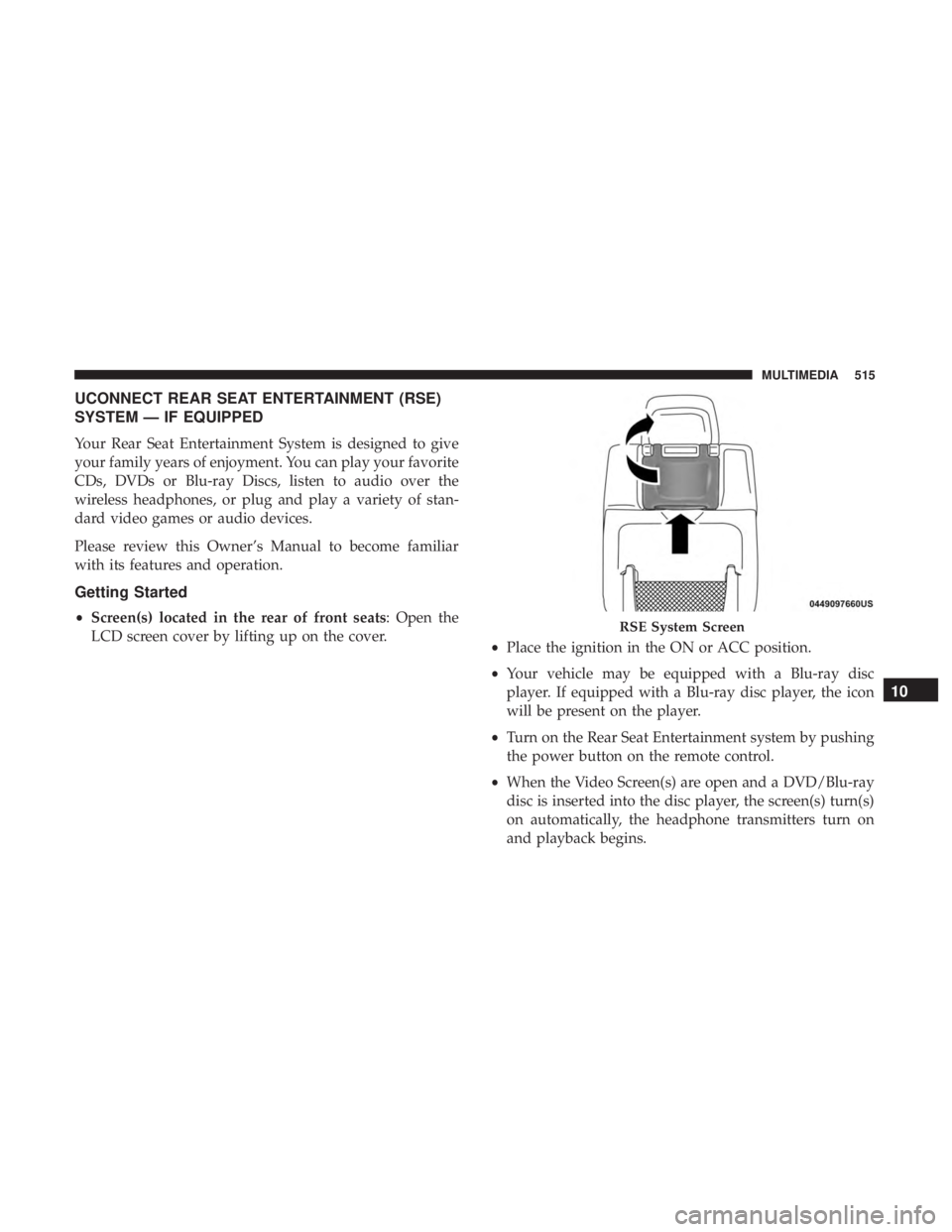
•Screen(s) located in the rear of front seats: Open the
LCD screen cover by lifting up on the cover. •Place the ignition in the ON or ACC position.
• Your vehicle may be equipped with a Blu-ray disc
player. If equipped with a Blu-ray disc player, the icon
will be present on the player.
• Turn on the Rear Seat Entertainment system by pushing
the power button on the remote control.
• When the Video Screen(s) are open and a DVD/Blu-ray
disc is inserted into the disc player, the screen(s) turn(s)
on automatically, the headphone transmitters turn on
and playback begins.RSE System Screen
10
MULTIMEDIA 515
Page 521 of 572

6.Cabin Audio Mode
Select this button to change the cabin audio to the rear
entertainment source currently shown on the rear media
control screen.
7. Radio Full Screen Mode
Select this button to change to Full Screen Mode.
8. RSE Mode
Select this button to change source for the active (high-
lighted) rear Screen/Channel on the rear media control
screen.
• Press the Media button on the touchscreen, and then
press the rear media button on the touchscreen.
• Press the OK button on the touchscreen to begin playing
the Blu-ray disc on the touchscreen radio.
Using The Remote Control
• Select an audio channel (Rear 1 for driver ’s side rear
screen and Rear 2 for passenger ’s side rear screen), and
then press the source key, and using the up and down
arrows, highlight disc from the menu and press the OK
button. •
Press the popup/menu key to navigate the disc menu
and options.
Play Video Games
Connect the video game console to the Audio/Video
RCA/HDMI input jacks located on the side of each seat.
Audio/Video RCA/HDMI Jacks (AUX/HDMI Jacks) on
the side of each seat enable the monitor to display video
directly from a video camera, connect video games for
display on the screen, or play music directly from an MP3
player.
Audio/Video RCA/HDMI Input Jacks
10
MULTIMEDIA 519
Page 522 of 572

When connecting an external source to the AUX/HDMI
input, ensure to follow the standard color coding for the
audio/video jacks:
1. HDMI Input.
2. Right audio in (red).
3. Left audio in (white).
4. Video in (yellow).
NOTE:Certain high-end video games consoles may exceed
the power limit of the vehicle’s Power Inverter.
Play A DVD/Blu-ray Disc Using The Touchscreen
Radio
1. Insert the DVD/Blu-ray Disc with the label facing as indicated on the DVD/Blu-ray Disc player. The radio
automatically selects the appropriate mode after the disc
is recognized and displays the menu screen or starts
playing the first track.
2. To watch a DVD/Blu-ray Disc on Rear 1 (driver ’s side rear passenger), ensure the Remote Control and Head-
phone channel selector switch is on Rear 1. 3. To watch a DVD/Blu-ray Disc on Rear 2 (passenger ’s
side rear passenger), ensure the Remote Control and
Headphone channel selector switch is on Rear 2.
Using The Remote Control
1. Push the SOURCE button on the Remote Control.
2. While looking at Rear 1 or 2, highlight DISC by eitherpushing Up/Down/Left/Right buttons, then push
ENTER/OK.
Select DISC Mode On The Rear Seat Entertainment Screen
520 MULTIMEDIA
Page 523 of 572
Using The Touchscreen Radio Controls
1. Press the Media button on the Uconnect system touch-screen.
2. Press the Rear Media button to display the Rear Media Control screen.
3. Press the 1 or 2 buttons on the touchscreen, and the select source button on the touchscreen. Press the DISC
button on the touchscreen in the MEDIA column. To
exit, press the X at the top right of the screen. NOTE:
Pressing the screen on the radio while a DVD or
Blu-ray Disc is playing, brings up the basic remote control
functions for DVD play such as scene selection, Play, Pause,
FF, RW, and Stop. Pressing the X in the upper corner will
turn OFF the remote control screen functions.
Important Notes For Dual Video Screen System
• The Rear Seat Entertainment System is able to transmit
two channels of stereo audio and video simultaneously.
• The Blu-ray Disc Player can play CDs, DVDs and
Blu-ray Discs.
Rear Media Control Screen
Rear Seat Entertainment Source Screen
10
MULTIMEDIA 521
Page 524 of 572

•Selecting a video source on Rear 1, the video source will
display on Rear 1 and can be heard on Rear 1.
• Selecting a video source on Rear 2, the video source will
display on Rear 2 and can be heard on Rear 2.
• Audio can be heard through the headphones even when
the screen(s) are closed.
Blu-ray Disc Player Remote Control — If Equipped Controls And Indicators
1. Power — Turns the screen and wireless headphone
transmitter for the selected Channel on or off. To hear
audio while the screen is closed, push the Power button
to turn the headphone transmitter on.
2. Channel Selector Indicators — When a button is pushed, the currently affected channel or channel button is
illuminated momentarily.
3. SOURCE — Push to enter Source Selection screen.
4. Channel/Screen Selector Switch — Indicates which channel is being controlled by the remote control. When
the selector switch is in the Rear 1 position, the remote
controls the functionality of headphone Channel 1 (left
screen). When the selector switch is in the Rear 2
position, the remote controls the functionality of head-
phone Channel 2 (right screen).
5. �— Push to navigate menus.
6. SETUP — Push to access the screen settings menu.
7. ��� — Push and hold to fast forward through the
current audio track or video chapter.
8. �/�(Play/Pause) — Begin/resume or pause disc play.
Blu-ray Player Remote Control
522 MULTIMEDIA
Page 525 of 572

9. Four Colored Buttons — Push to access Blu-ray Discfeatures.
10. POPUP/MENU — Push to bring up repeat and shuffle options, the Blu-ray Disc popup menu, the DVD title
menu, or to access disc menus.
11. Keypad — Push to navigate chapters or titles.
12.
(Stop) — Stops disc play.
13. ��� — Push and hold to fast rewind through the
current audio track or video chapter.
14.
— Mutes headphone audio.
15. BACK — Push to exit out of menus or return to source selection screen.
16. �— Push to navigate menus.
17. �— Push to navigate menus.
18. OK— Push to select the highlighted option in a menu.
19. �— Push to navigate menus.
Headphones Operation
The headphones receive two separate channels of audio
using an infrared transmitter from the video screen.
If no audio is heard after increasing the volume control,
verify that the screen is turned on, the channel is not muted
and the headphone channel selector switch is on the
desired channel. If audio is still not heard, check that fully
charged batteries are installed in the headphones.
Rear Seat Entertainment Headphones1 — Power Button
2 — Volume Control
3 — Channel Selection Switch
10
MULTIMEDIA 523
Page 526 of 572

Controls
The headphone power indicator and controls are located
on the right ear cup.
NOTE:The rear video system must be turned on before
sound can be heard from the headphones. To conserve
battery life, the headphones will automatically turn off
approximately three minutes after the rear video system is
turned off.
Changing the Audio Mode for Headphones
1. Ensure the Remote Control channel/screen selector switch is in the same position as the headphone selector
switch.
NOTE: •When both the headphone and the remote control
channel selector switches are on Channel 1, the Re-
mote is controlling Channel 1 and the headphones are
tuned to the audio on Channel 1.
• When both the headphone and the remote control
channel selector switches are on Channel 2, the Re-
mote is controlling Channel 2 and the headphones are
tuned to the audio on Channel 2. 2. Push the SOURCE button on the remote control.
3. Pushing the SOURCE button will advance to the next
mode.
4. When the Mode Selection menu appears on screen, use the cursor buttons on the remote control to navigate to
the available modes and push the OK button to select
the new mode.
5. To cancel out of the Mode Selection menu, push the BACK button on the remote control.
Replacing The Headphone Batteries
Each set of headphones requires two AAA batteries for
operation. To replace the batteries:
1. Locate the battery compartment on the left ear cup ofthe headphones, and then slide the battery cover down-
ward.
2. Replace the batteries, making sure to orient them ac- cording to the polarity diagram shown.
3. Replace the battery compartment cover.
524 MULTIMEDIA
