Page 442 of 496
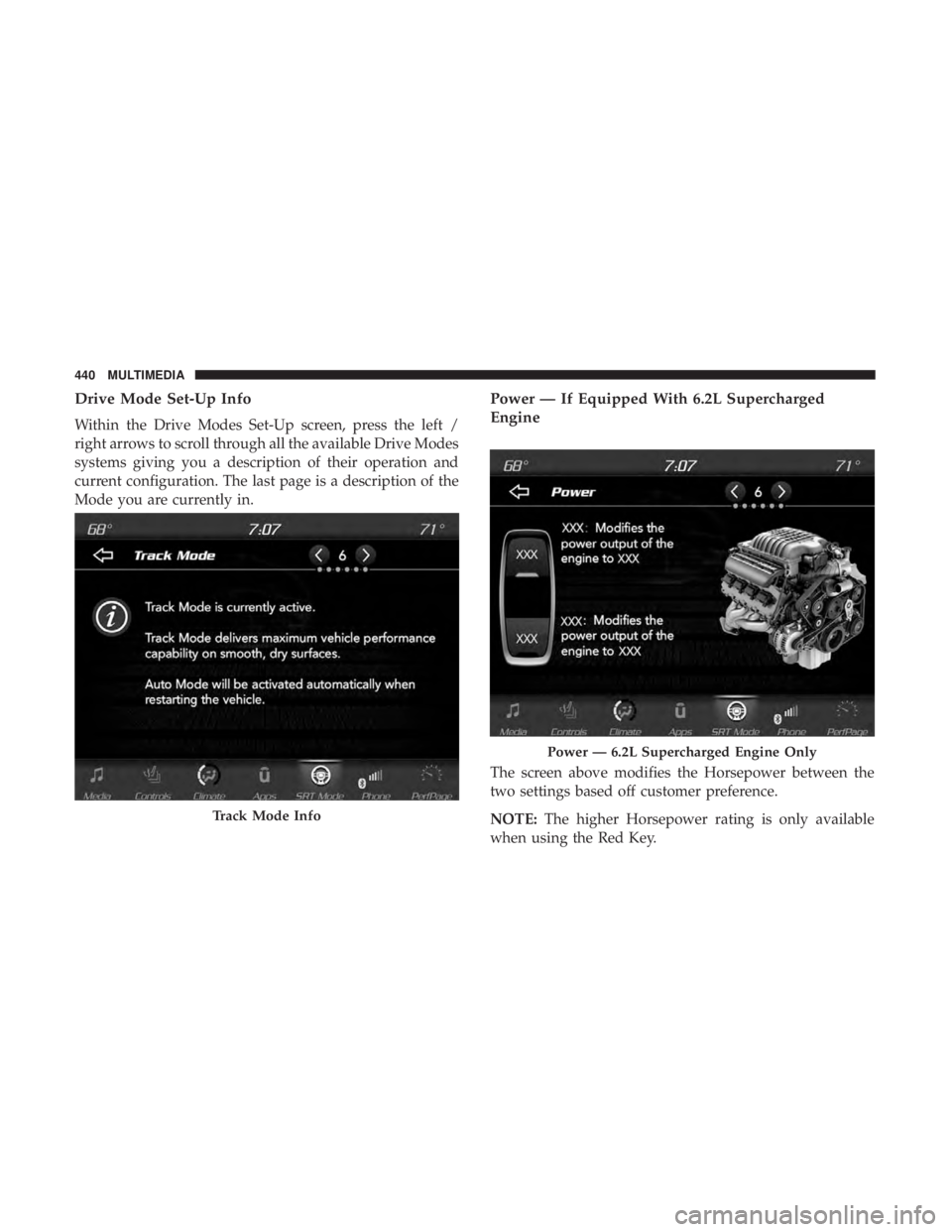
Drive Mode Set-Up Info
Within the Drive Modes Set-Up screen, press the left /
right arrows to scroll through all the available Drive Modes
systems giving you a description of their operation and
current configuration. The last page is a description of the
Mode you are currently in.
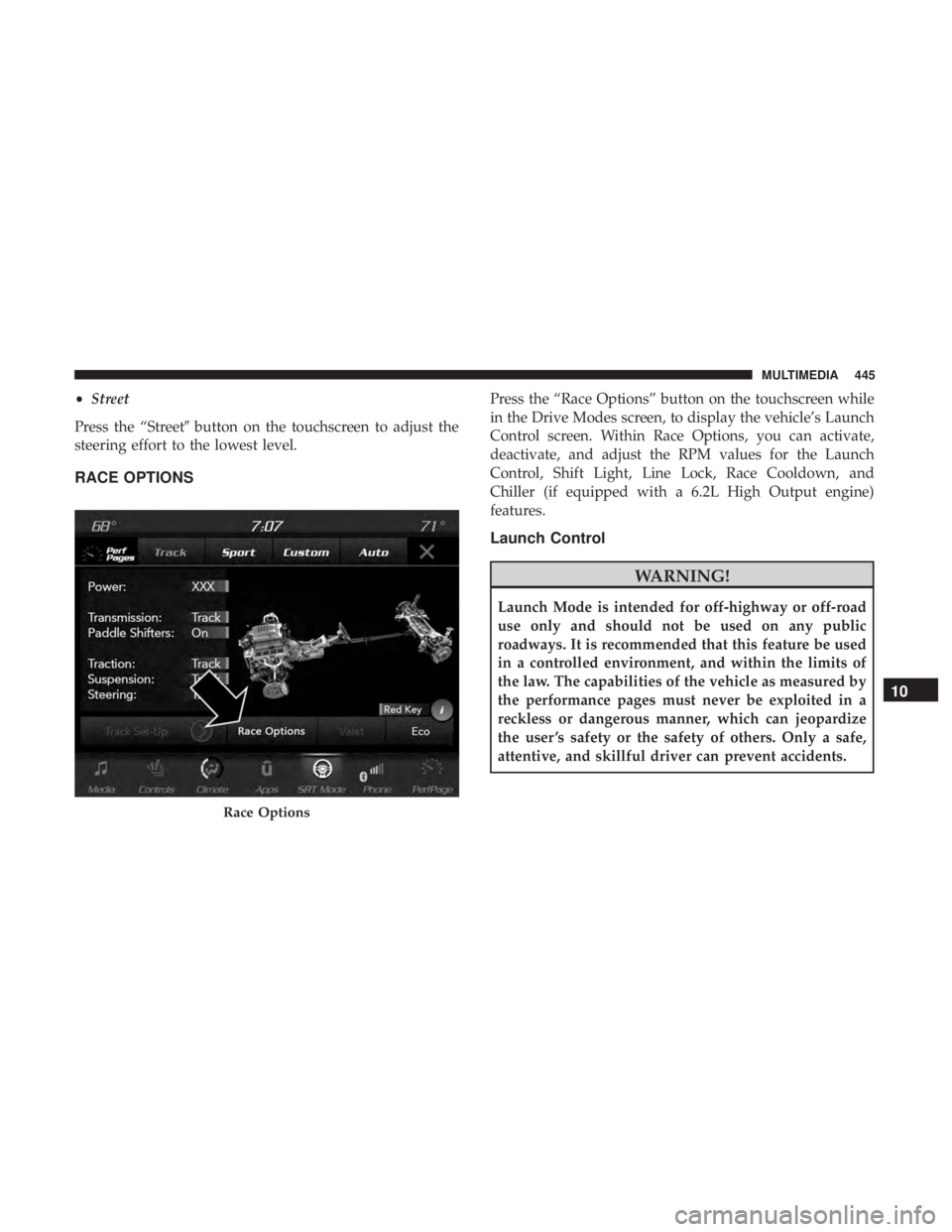
Power — If Equipped With 6.2L Supercharged
Engine
The screen above modifies the Horsepower between the
two settings based off customer preference.
NOTE:The higher Horsepower rating is only available
when using the Red Key.
Track Mode Info
Power — 6.2L Supercharged Engine Only
440 MULTIMEDIA
Page 447 of 496
•Street
Press the “Street� button on the touchscreen to adjust the
steering effort to the lowest level.
RACE OPTIONS
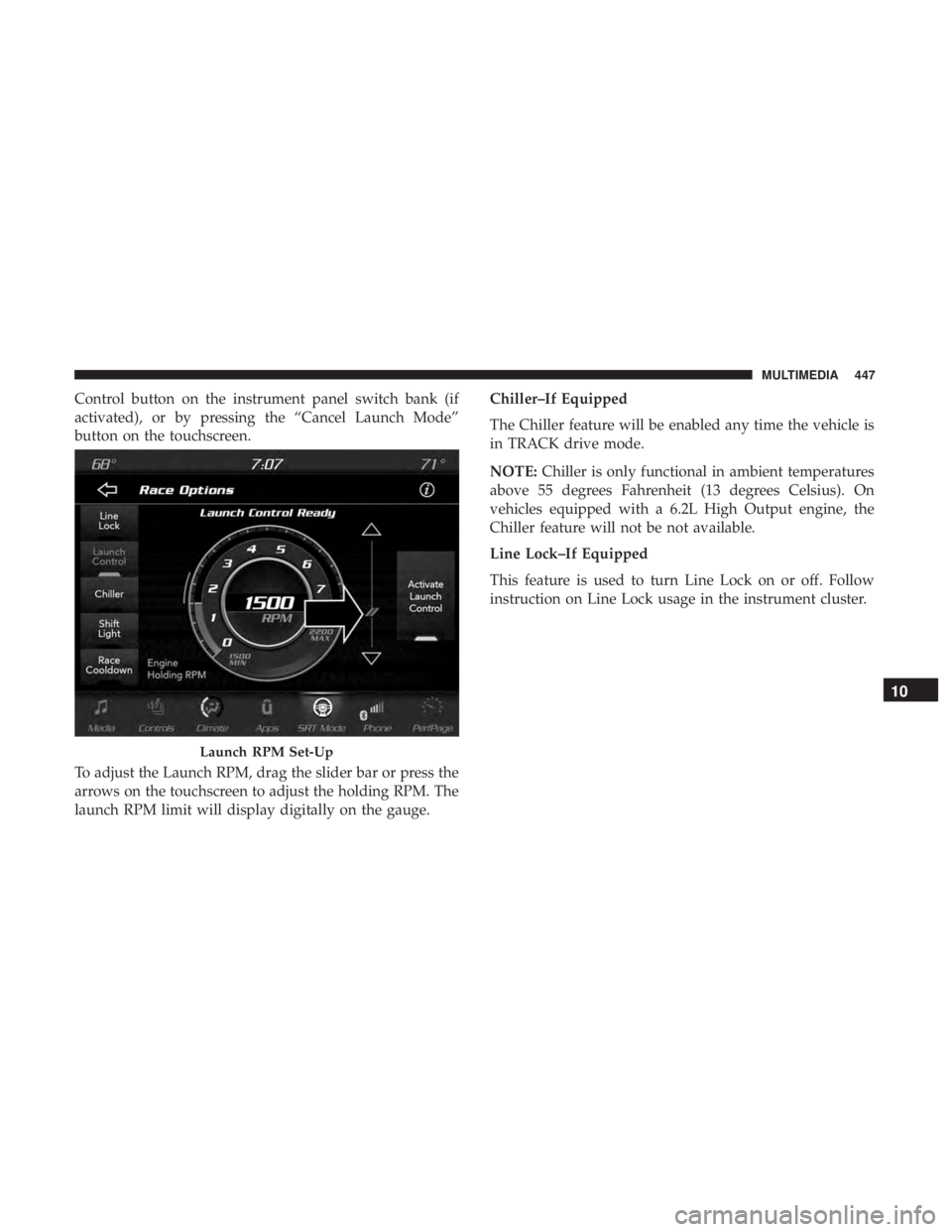
Press the “Race Options” button on the touchscreen while
in the Drive Modes screen, to display the vehicle’s Launch
Control screen. Within Race Options, you can activate,
deactivate, and adjust the RPM values for the Launch
Control, Shift Light, Line Lock, Race Cooldown, and
Chiller (if equipped with a 6.2L High Output engine)
features.
Launch Control
WARNING!
Launch Mode is intended for off-highway or off-road
use only and should not be used on any public
roadways. It is recommended that this feature be used
in a controlled environment, and within the limits of
the law. The capabilities of the vehicle as measured by
the performance pages must never be exploited in a
reckless or dangerous manner, which can jeopardize
the user ’s safety or the safety of others. Only a safe,
attentive, and skillful driver can prevent accidents.
Race Options
10
MULTIMEDIA 445
Page 449 of 496
Control button on the instrument panel switch bank (if
activated), or by pressing the “Cancel Launch Mode”
button on the touchscreen.
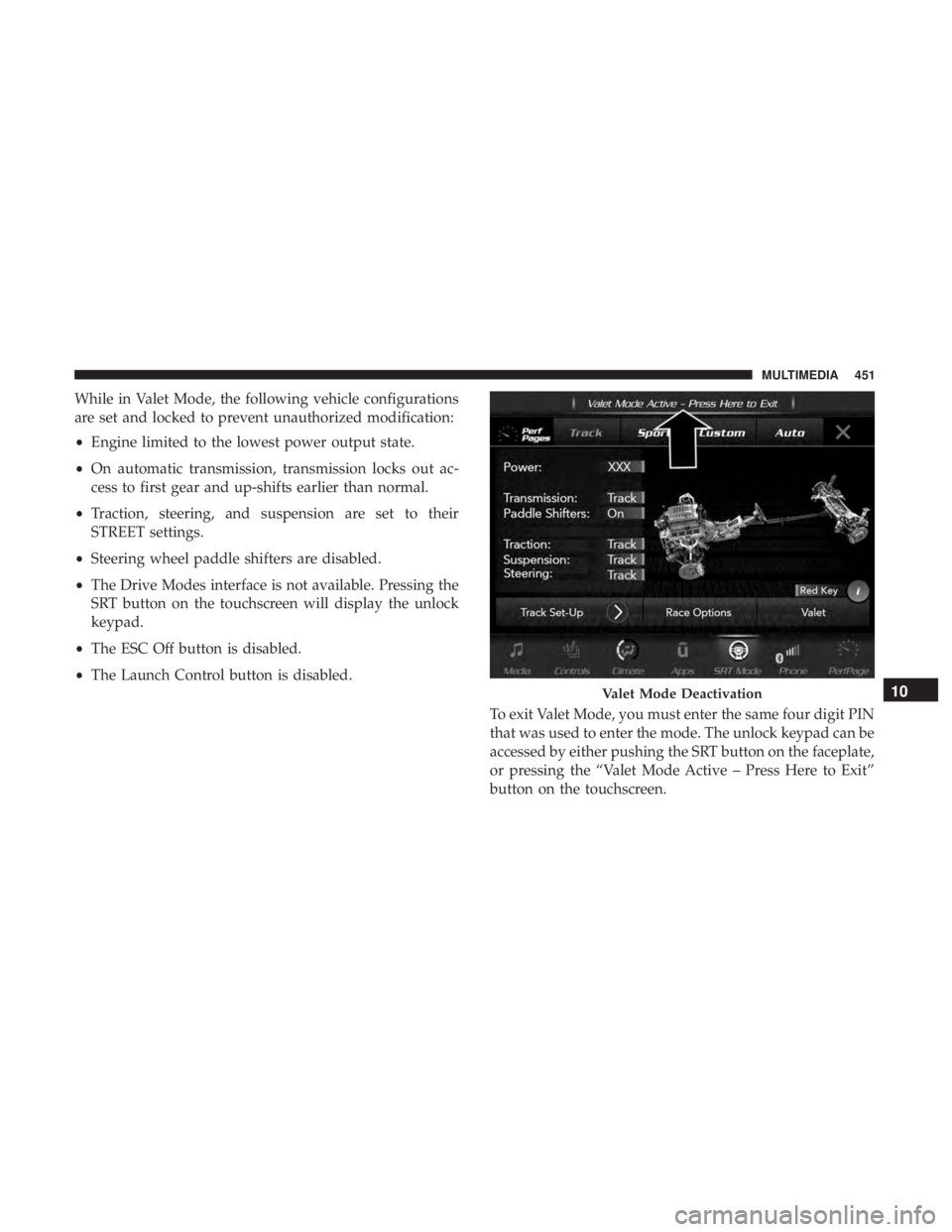
To adjust the Launch RPM, drag the slider bar or press the
arrows on the touchscreen to adjust the holding RPM. The
launch RPM limit will display digitally on the gauge.Chiller–If Equipped
The Chiller feature will be enabled any time the vehicle is
in TRACK drive mode.
NOTE:
Chiller is only functional in ambient temperatures
above 55 degrees Fahrenheit (13 degrees Celsius). On
vehicles equipped with a 6.2L High Output engine, the
Chiller feature will not be not available.
Line Lock–If Equipped
This feature is used to turn Line Lock on or off. Follow
instruction on Line Lock usage in the instrument cluster.
Launch RPM Set-Up
10
MULTIMEDIA 447
Page 451 of 496
change in increments of 250 RPM. Pressing and holding the
arrows will change the RPM values in increments of 500
RPM, ranging from 2000–6000 RPM (6.2L) and 2000–6250
(6.2L High Output). The Shift Light setup screen may only
be accessed if the feature is enabled. Press the “Reset to
Factory Default” button on the touchscreen to change back
to factory settings, or press the “Shift Light Off” button on
the touchscreen to turn the system off completely.
Race Cooldown — If Equipped
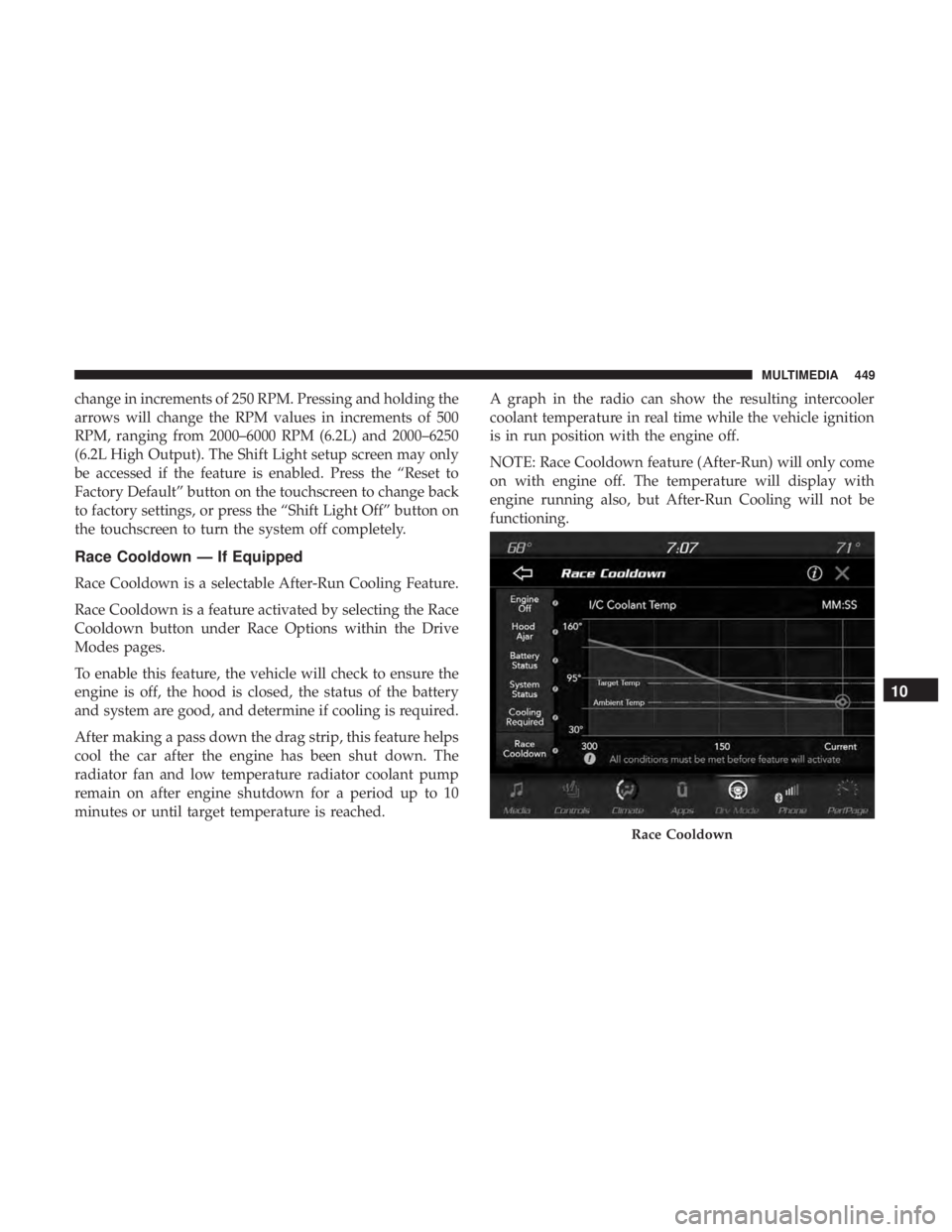
Race Cooldown is a selectable After-Run Cooling Feature.
Race Cooldown is a feature activated by selecting the Race
Cooldown button under Race Options within the Drive
Modes pages.
To enable this feature, the vehicle will check to ensure the
engine is off, the hood is closed, the status of the battery
and system are good, and determine if cooling is required.
After making a pass down the drag strip, this feature helps
cool the car after the engine has been shut down. The
radiator fan and low temperature radiator coolant pump
remain on after engine shutdown for a period up to 10
minutes or until target temperature is reached.A graph in the radio can show the resulting intercooler
coolant temperature in real time while the vehicle ignition
is in run position with the engine off.
NOTE: Race Cooldown feature (After-Run) will only come
on with engine off. The temperature will display with
engine running also, but After-Run Cooling will not be
functioning.
Race Cooldown
10
MULTIMEDIA 449
Page 453 of 496
While in Valet Mode, the following vehicle configurations
are set and locked to prevent unauthorized modification:
•Engine limited to the lowest power output state.
• On automatic transmission, transmission locks out ac-
cess to first gear and up-shifts earlier than normal.
• Traction, steering, and suspension are set to their
STREET settings.
• Steering wheel paddle shifters are disabled.
• The Drive Modes interface is not available. Pressing the
SRT button on the touchscreen will display the unlock
keypad.
• The ESC Off button is disabled.
• The Launch Control button is disabled.
To exit Valet Mode, you must enter the same four digit PIN
that was used to enter the mode. The unlock keypad can be
accessed by either pushing the SRT button on the faceplate,
or pressing the “Valet Mode Active – Press Here to Exit”
button on the touchscreen.
Valet Mode Deactivation10
MULTIMEDIA 451
Page 477 of 496
WARNING!
Engine exhaust (internal combustion engines only),
some of its constituents, and certain vehicle compo-
nents contain, or emit, chemicals known to the State of
California to cause cancer and birth defects, or other
reproductive harm. In addition, certain fluids con-
tained in vehicles and certain products of component
wear contain, or emit, chemicals known to the State of
California to cause cancer and birth defects, or other
reproductive harm.
WARRANTY INFORMATION
See the Warranty Information Booklet for the terms and
provisions of FCA US LLC warranties applicable to this
vehicle and market.
MOPAR PARTS
Mopar fluids, lubricants, parts, and accessories are avail-
able from an authorized dealer. They are recommended for
your vehicle in order to help keep the vehicle operating at
its best.
REPORTING SAFETY DEFECTS
In The 50 United States And Washington, D.C.
If you believe that your vehicle has a defect that could
cause a crash or cause injury or death, you should
immediately inform the National Highway Traffic
Safety Administration (NHTSA) in addition to notifying
FCA US LLC.
If NHTSA receives similar complaints, it may open an
investigation, and if it finds that a safety defect exists in
a group of vehicles, it may order a recall and remedy
campaign. However, NHTSA cannot become involved
in individual problems between you, an authorized
dealer or FCA US LLC.
To contact NHTSA, you may call the Vehicle Safety
Hotline toll free at 1-888-327-4236 (TTY: 1-800-424-9153);
or go to http://www.safercar.gov; or write to: Admin-
istrator, NHTSA, 1200 New Jersey Avenue, SE., West
Building, Washington, D.C. 20590. You can also obtain
other information about motor vehicle safety from
http://www.safercar.gov.11
CUSTOMER ASSISTANCE 475
Page 478 of 496
In Canada
If you believe that your vehicle has a safety defect, you
should contact the Customer Service Department imme-
diately. Canadian customers who wish to report a safety
defect to the Canadian government should contact
Transport Canada, Motor Vehicle Defect Investigations
and Recalls at 1-800-333-0510 or go to http://
www.tc.gc.ca/roadsafety/.
PUBLICATION ORDER FORMS
To order the following manuals, you may use either the
website or the phone numbers listed below.
Service Manuals
These comprehensive Service Manuals provide the infor-
mation that students and professional technicians need in
diagnosing/troubleshooting, problem solving, maintain-
ing, servicing, and repairing FCA US LLC vehicles. A
complete working knowledge of the vehicle, system,
and/or components is written in straightforward language
with illustrations, diagrams, and charts.Diagnostic Procedure Manuals
Diagnostic Procedure Manuals are filled with diagrams,
charts and detailed illustrations. These practical manuals
make it easy for students and technicians to find and fix
problems on computer-controlled vehicle systems and fea-
tures. They show exactly how to find and correct problems
the first time, using step-by-step troubleshooting and driv-
ability procedures, proven diagnostic tests and a complete
list of all tools and equipment.
Owner’s Manuals
These Owner’s Manuals have been prepared with the
assistance of service and engineering specialists to acquaint
you with specific FCA US LLC vehicles. Included are
starting, operating, emergency and maintenance proce-
dures as well as specifications, capabilities and safety tips.
Call toll free at:
•
1-800-890-4038 (U.S.)
• 1-800-387-1143 (Canada)
Or
Visit us on the Worldwide Web at:
• www.techauthority.com (U.S.)
476 CUSTOMER ASSISTANCE
Page 480 of 496
About Your Brakes........................ .386
Adaptive Cruise Control (ACC) (Cruise Control) . . . .239
Adding Engine Coolant (Antifreeze) .............349
Adding Fuel ............................. .273
Adding Washing Fluid ...................... .334
Additives, Fuel ........................... .389
Adjust Forward ................................46
Rearward ...............................46
AirBag ................................ .178
Advance Front Air Bag ....................178
Air Bag Operation ....................... .179
Air Bag Warning Light .....................176
Driver Knee Air Bag ..................... .180
Enhanced Accident Response .............186, 326
Event Data Recorder (EDR) .................326
FrontAirBag .......................... .178
If Deployment Occurs .....................185
Knee Impact Bolsters ..................... .180
Maintaining Your Air Bag System .............187
Maintenance ........................... .187
Redundant Air Bag Warning Light ............177
Side Air Bags .......................... .181
Transporting Pets ....................... .204
Air Bag Light ...................... .122, 176, 205Air Cleaner, Engine (Engine Air Cleaner Filter)
......338
Air Conditioner Maintenance ..................339
Air Conditioner Refrigerant ................339, 340
Air Conditioner System ..................... .339
Air Conditioning ........................ .74, 79
Air Conditioning Filter ....................81, 340
Air Conditioning, Operating Tips ................80
Air Filter ............................... .338
Air Pressure Tires................................. .366
Alarm Arm The System ...................... .35, 36
Panic ..................................22
Rearm The System ........................36
Security
Alarm....................... .35, 126
Alarm System Security Alarm ...........................35
Alterations/Modifications Vehicle .................................5
Android Auto ............................ .467
Antifreeze (Engine Coolant) ................349, 392
Disposal .............................. .351
Anti-Lock Brake System (ABS) .................138
Anti-Lock Warning Light .....................130
Apple CarPlay ........................... .468
478 INDEX