Page 77 of 560
Dome Light Position
Rotate the dimmer control completely upward to the second
detent to turn on the interior lights. The interior lights will
remain on when the dimmer control is in this position.
Interior Light Defeat (Off)
Rotate the instrument panel dimmer control to the extreme
bottom (O) off position. The interior lights will remain off
when the doors are open.
Parade Mode (Daytime Brightness Feature)
Rotate the instrument panel dimmer control upward to the
first detent. This feature brightens all text displays such as
the odometer, instrument cluster display, and radio when
the position lights or headlights are on.
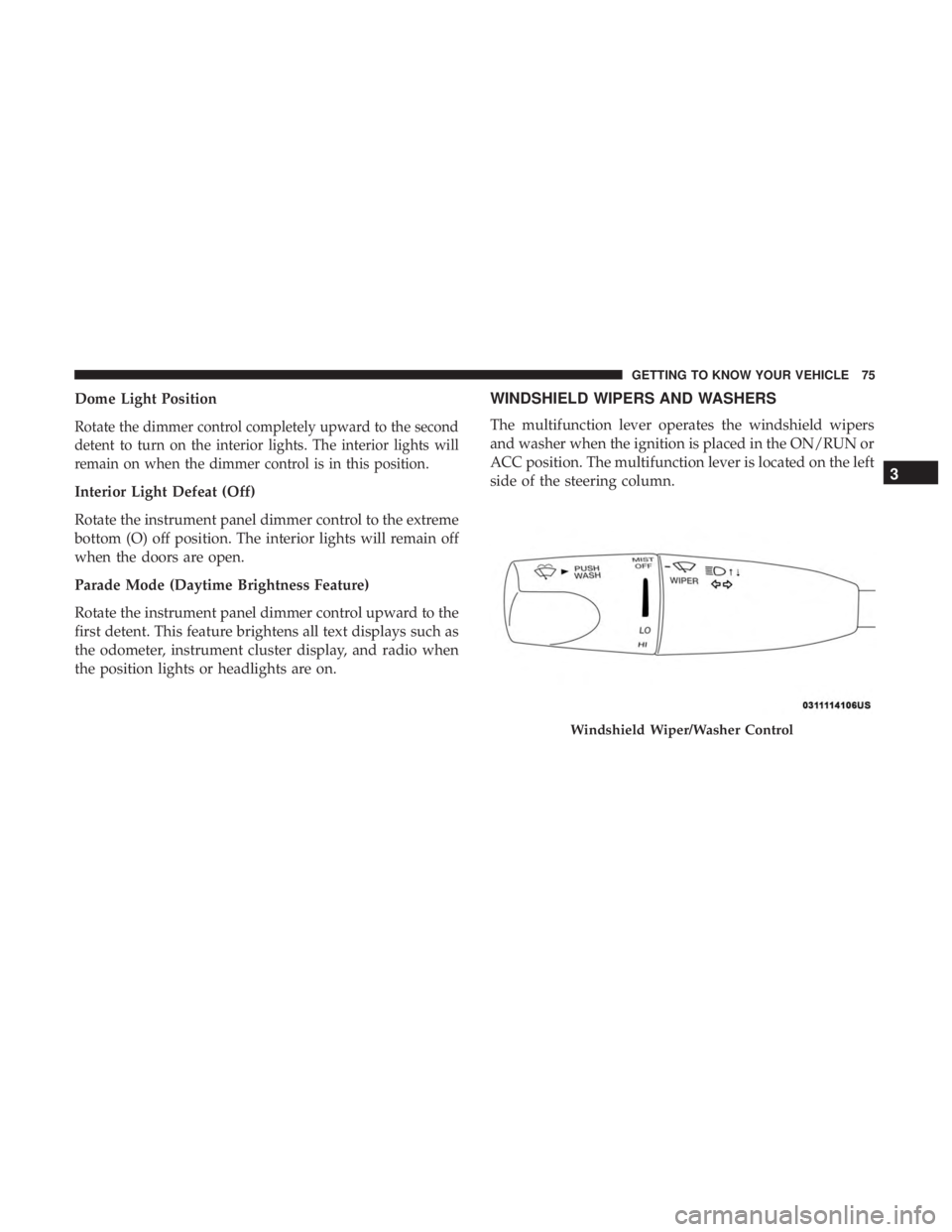
WINDSHIELD WIPERS AND WASHERS
The multifunction lever operates the windshield wipers
and washer when the ignition is placed in the ON/RUN or
ACC position. The multifunction lever is located on the left
side of the steering column.
Windshield Wiper/Washer Control
3
GETTING TO KNOW YOUR VEHICLE 75
Page 80 of 560
The Rain Sensing system has protection features for the
wiper blades and arms, and will not operate under the
following conditions:
•Low Ambient Temperature — When the ignition is first
turned ON, the Rain Sensing system will not operate
until the wiper switch is moved, vehicle speed is greater
than 0 mph (0 km/h), or the outside temperature is
greater than 32°F (0°C).
• Transmission In NEUTRAL Position — When the igni-
tion is ON, and the transmission is in the NEUTRAL
position, the Rain Sensing system will not operate until
the wiper switch is moved, vehicle speed is greater than
3 mph (5 km/h), or the gear selector is moved out of the
NEUTRAL position.
NOTE: Rain Sensing can be turned on and off using the
Uconnect System, refer to “Uconnect Settings” in “Multi-
media” for further information.CLIMATE CONTROLS
The Climate Control System allows you to regulate the
temperature, air flow, and direction of air circulating
throughout the vehicle. The controls are located on the
touchscreen (if equipped) and on the instrument panel
below the radio.
78 GETTING TO KNOW YOUR VEHICLE
Page 96 of 560
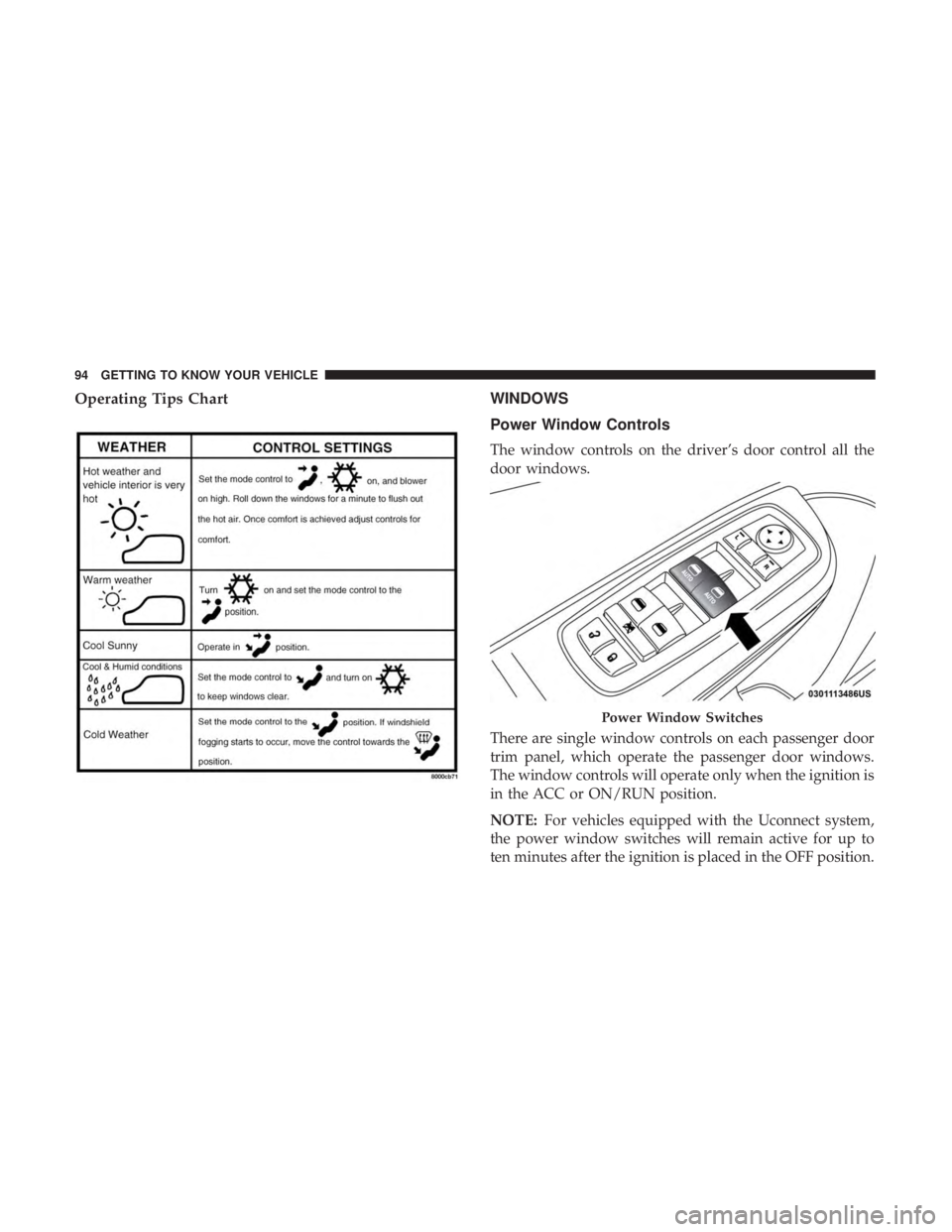
Operating Tips ChartWINDOWS
Power Window Controls
The window controls on the driver’s door control all the
door windows.
There are single window controls on each passenger door
trim panel, which operate the passenger door windows.
The window controls will operate only when the ignition is
in the ACC or ON/RUN position.
NOTE:For vehicles equipped with the Uconnect system,
the power window switches will remain active for up to
ten minutes after the ignition is placed in the OFF position.
Power Window Switches
94 GETTING TO KNOW YOUR VEHICLE
Page 97 of 560
Opening either front door will cancel this feature. The time
is programmable. Refer to “Uconnect Settings” in “Multi-
media” for further information.
WARNING!
Never leave children unattended in a vehicle, and do not
let children play with power windows. Do not leave the
key fob in or near the vehicle, or in a location accessible
to children, and do not leave the ignition of a vehicle
equipped with Keyless Enter-N-Go in the ACC or ON/
RUN mode. Occupants, particularly unattended chil-
dren, can become entrapped by the windows while
operating the power window switches. Such entrapment
may result in serious injury or death.
Auto-Down Feature
The driver and, in some models, passenger power window
switches have an Auto-Down feature. Push the window
switch to the second detent, release, and the window will
go down automatically.
To open the window part way, push the window switch to
the first detent and release it when you want the window
to stop.To stop the window from going all the way down during
the Auto-Down operation, pull up on the switch briefly.
Auto-Up Feature With Anti-Pinch Protection —
If Equipped
Pull window up switch to second detent for at least a half
of a second and the window will go up automatically.
To stop the window during an Auto-Up operation, push or
pull the window switch again.
To close the window part way, pull and hold the window
switch briefly and release it when you want the window to
stop.
NOTE:
•
If the window runs into any obstacle during Auto-
Closure, it will reverse direction and then go back down.
Remove the obstacle and use the window switch again
to close the window.
• Any impact due to rough road conditions may trigger
the Auto-Reverse function unexpectedly during auto-
closure. If this happens, pull and hold the switch to close
the window manually.3
GETTING TO KNOW YOUR VEHICLE 95
Page 99 of 560
Wind Buffeting
Wind buffeting can be described as the perception of
pressure on the ears or a helicopter-type sound in the ears.
Your vehicle may exhibit wind buffeting with the windows
down, or the sunroof (if equipped) in certain open or
partially open positions. This is a normal occurrence and
can be minimized. If the buffeting occurs with the rear
windows open, open the front and rear windows together
to minimize the buffeting. If the buffeting occurs with the
sunroof open, adjust the sunroof opening to minimize the
buffeting or open any window.
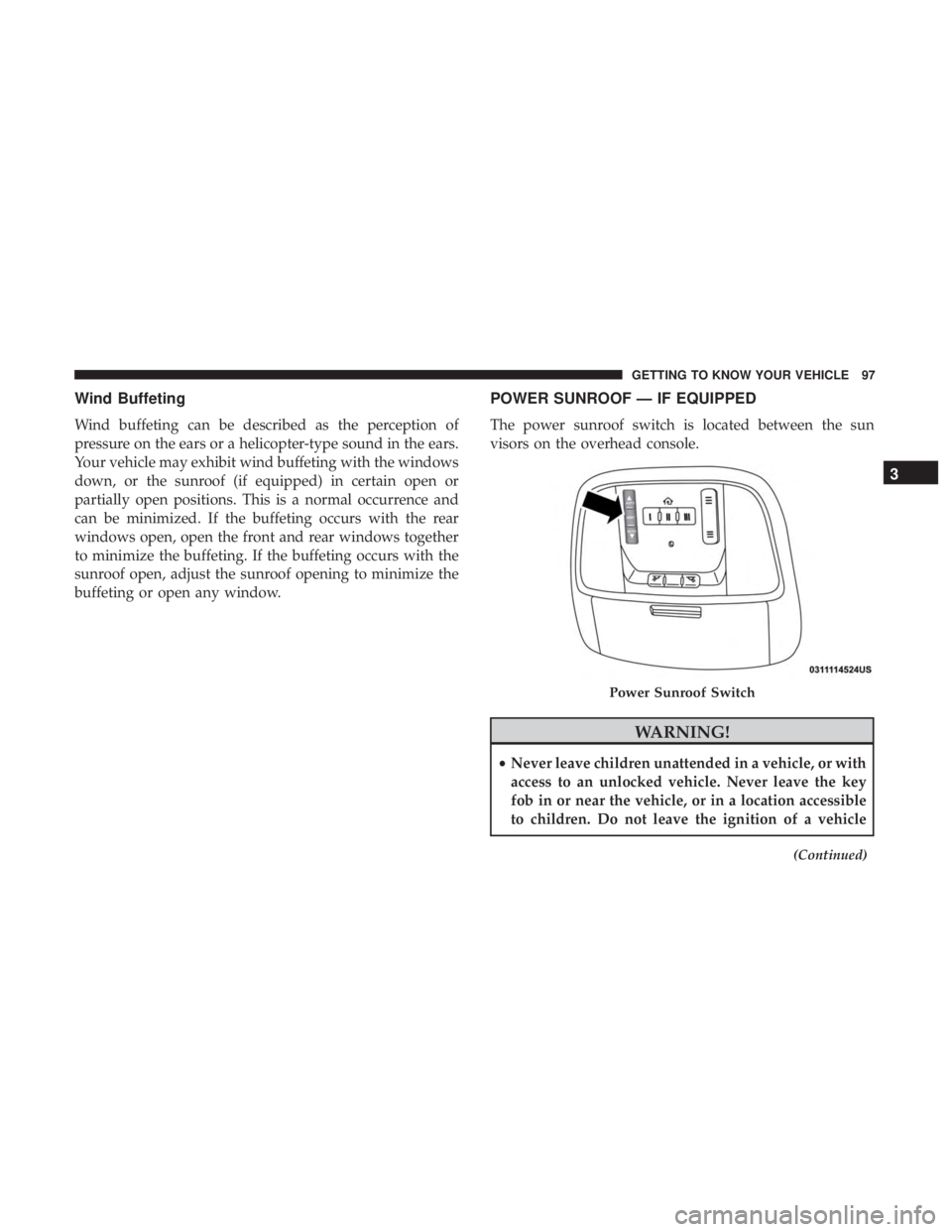
POWER SUNROOF — IF EQUIPPED
The power sunroof switch is located between the sun
visors on the overhead console.
WARNING!
•Never leave children unattended in a vehicle, or with
access to an unlocked vehicle. Never leave the key
fob in or near the vehicle, or in a location accessible
to children. Do not leave the ignition of a vehicle
(Continued)
Power Sunroof Switch
3
GETTING TO KNOW YOUR VEHICLE 97
Page 101 of 560
Manual Close
Push and hold the switch forward and the sunroof will
close from any position and stop at full closed position.
Releasing the switch while the sunroof is in motion will
stop sunroof in a partially open position.
Wind Buffeting
Wind buffeting can be described as the perception of
pressure on the ears or a helicopter-type sound in the ears.
Your vehicle may exhibit wind buffeting with the windows
down, or the sunroof (if equipped) in certain open or
partially open positions. This is a normal occurrence and
can be minimized. If the buffeting occurs with the rear
windows open, then open the front and rear windows
together to minimize the buffeting. If the buffeting occurs
with the sunroof open, adjust the sunroof opening to
minimize the buffeting or open any window.
Sunshade Operation
The sunshade can be opened manually. However, the
sunshade will open automatically as the sunroof opens.
NOTE:The sunshade cannot be closed if the sunroof is
open.
Pinch Protect Feature
This feature will detect an obstruction in the closing of the
sunroof during the Express Close operation. If an obstruction
in the path of the sunroof is detected, the sunroof will
automatically retract. Remove the obstruction if this occurs.
NOTE: If three consecutive sunroof close attempts result in
Pinch Protect reversals, Pinch Protect will disable and the
sunroof must be closed in Manual Mode.
Sunroof Maintenance
Use only a non-abrasive cleaner and a soft cloth to clean the
glass panel.
Ignition Off Operation
NOTE:
• The power sunroof switch can remain active in Acces-
sory Delay for up to approximately 10 minutes after the
vehicle’s ignition is placed to the OFF position. Opening
either front door will cancel this feature.
• This feature is programmable using the Uconnect Sys-
tem. Refer to “Uconnect Settings” in “Multimedia” for
further information.
3
GETTING TO KNOW YOUR VEHICLE 99
Page 102 of 560
Calibration Procedure
If the sunroof “Express Operation” feature is no longer
functioning, or the sunroof is auto-reversing while at-
tempting to “Express Close” but no obstruction is in the
roof opening, the sunroof can be re-calibrated per the
following steps:
1. Set the ignition to ACC or ON/RUN.
2. Close sunroof glass.
3. With sunroof in closed position, push and hold the closeswitch.
4. After 10 seconds of holding switch, the sunroof glass will cycle into the vent position and stop.
5. Release the close switch, then within 5 seconds push and hold the close switch again. The sunroof will cycle open
and back to closed as the switch is held.
6. Once the sunroof has stopped in the full closed position, release the close switch. The sunroof is now reset and
ready to use.
HOOD
To Open The Hood
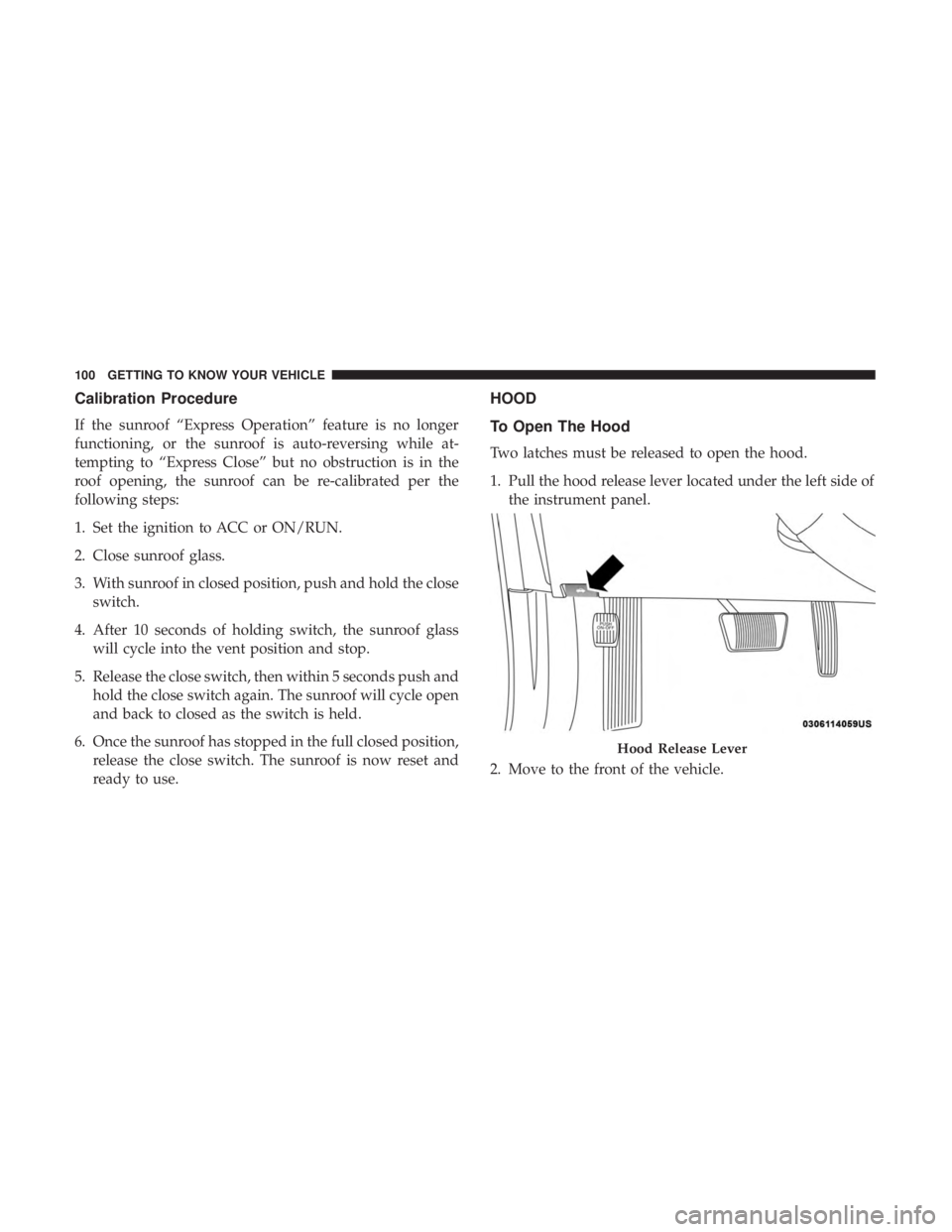
Two latches must be released to open the hood.
1. Pull the hood release lever located under the left side ofthe instrument panel.
2. Move to the front of the vehicle.
Hood Release Lever
100 GETTING TO KNOW YOUR VEHICLE
Page 104 of 560
With the ignition in the ON/RUN position, the trunk open
symbol will display in the instrument cluster indicating
that the trunk is open. The odometer display will reappear
once the trunk is closed.
With the ignition in the OFF position, the trunk open
symbol will display until the trunk is closed.
NOTE:Refer to “Keyless Enter-N-Go — Passive Entry” in
”Doors” in “Getting To Know Your Vehicle” for further
information on trunk operation with the Passive Entry
feature.
Opening From Inside The Vehicle
Interior Power Trunk Release
The trunk can be opened from inside the
vehicle using the power trunk release
button located on the instrument panel
to the left of the steering wheel.
NOTE:The transmission must be in
PARK before the button will operate.
Opening From Outside The Vehicle
To Unlock/Open The Trunk
The trunk may be unlocked/opened using either of the
following methods:
• Key Fob Trunk Release Button
• Passive Entry Button
Key Fob Trunk Release Button Push the power trunk button on the key fob
twice within five seconds to release the trunk.
Passive Entry Button
Push the trunk passive entry button which is located on the
back of the trunk lid. With a valid Passive Entry key fob
within 5 ft (1.5 m) of the trunk, push the passive entry
button to open the trunk.
Power Trunk Release
102 GETTING TO KNOW YOUR VEHICLE