Page 397 of 560
Automatic Transmission
Selection Of Lubricant
It is important to use the proper transmission fluid to
ensure optimum transmission performance and life. Use
only the manufacturer’s specified transmission fluid. Refer
to “Fluids And Lubricants” in “Technical Specifications”
for fluid specifications. It is important to maintain the
transmission fluid at the correct level using the recom-
mended fluid.
NOTE:No chemical flushes should be used in any trans-
mission; only the approved lubricant should be used.
CAUTION!
Using a transmission fluid other than the manufactur-
er ’s recommended fluid may cause deterioration in
transmission shift quality and/or torque converter
shudder. Refer to “Fluids And Lubricants” in “Techni-
cal Specifications” for fluid specifications.
Special Additives
The manufacturer strongly recommends against using
any special additives in the transmission. Automatic Trans-
mission Fluid (ATF) is an engineered product and its performance may be impaired by supplemental additives.
Therefore, do not add any fluid additives to the transmis-
sion. Avoid using transmission sealers as they may ad-
versely affect seals.
CAUTION!
Do not use chemical flushes in your transmission as
the chemicals can damage your transmission compo-
nents. Such damage is not covered by the New Vehicle
Limited Warranty.
Fluid Level Check
The fluid level is preset at the factory and does not require
adjustment under normal operating conditions. Routine
fluid level checks are not required; therefore the transmis-
sion has no dipstick. An authorized dealer can check your
transmission fluid level using special service tools. If you
notice fluid leakage or transmission malfunction, visit an
authorized dealer immediately to have the transmission
fluid level checked. Operating the vehicle with an im-
proper fluid level can cause severe transmission damage.8
SERVICING AND MAINTENANCE 395
Page 442 of 560
Chassis
ComponentFluid, Lubricant, Or Genuine Part
Automatic Transmission — 8-Speed
Transmission Use only Mopar ZF 8&9 Speed ATF Automatic Transmission Fluid, or
equivalent. Failure to use the correct fluid may affect the function or
performance of your transmission.
Brake Master Cylinder We recommend you use Mopar DOT 3 and SAE J1703. If DOT 3 brake fluid is not available, then DOT 4 is acceptable.
Front Axle – AWD (If Equipped) We recommend you use Mopar Synthetic Gear Lubricant SAE 75W90 (API GL-5).
Rear Axle – 3.6/5.7 Engine We recommend you use Mopar OD Synthetic Gear Lubricant SAE 75W85 (API GL-5).
Rear Axle – 6.4L Engine We recommend you use Mopar LSD Synthetic Gear Lubricant SAE 75W85 (API GL-5).
Transfer Case – AWD (If Equipped) We recommend you use Mopar Transfer Case Lubricant for BorgWarner 44–40.
440 TECHNICAL SPECIFICATIONS
Page 478 of 560
Mirrors & Wipers
After pressing the “Mirrors & Wipers” button on the
touchscreen, the following settings will be available:
Setting NameSelectable Options
Rain Sensing Auto Wipers — If Equipped On
Off
NOTE:
When this feature is selected and the wipers are on, the system will automatically activate the windshield wipers if it
senses moisture on the windshield. Tilt Side Mirrors in Reverse — If Equipped On
Off
NOTE:
When the “Tilt Side Mirror In Reverse” feature is selected, the exterior sideview mirrors will tilt downward when the
ignition is in the RUN position and the transmission gear selector is in the REVERSE position. The mirrors will move
back to their previous position when the transmission is shifted out of REVERSE. Headlights with Wipers OnOff
476 MULTIMEDIA
Page 491 of 560
The following describes each feature and its operation:
Home
When Home is selected, a series of widgets (gauges) can be
customized by the user. Follow these steps to change a
widget:
1. Press any of the gauges to change them.
2. Press the gear icon and select the following option fromthe menu:
• Set Widget: Top Left
• Set Widget: Top Right
• Set Widget: Bottom Left
• Set Widget: Bottom Right
3. After selecting a Widget location: select the gauge to display:
• Gauge: Oil Temp
• Gauge: Oil Pressure
• Gauge: Coolant Temp
• Gauge: Battery Voltage
• Gauge: Trans Temp — If Equipped with an Automatic
Transmission
• Gauge: Boost Pressure — If Equipped
• Gauge: Air/Fuel Ratio — If Equipped
Performance Pages — Home
10
MULTIMEDIA 489
Page 495 of 560
Gauges
When selected, this screen displays the following values:
•Oil Temperature
Shows the actual oil temperature.
• Oil Pressure
Shows the actual oil pressure. •
Coolant Temperature
Shows the actual coolant temperature.
• Battery Voltage
Shows the actual battery voltage
• Trans Oil Temp — If Equipped with an Automatic
Transmission
Shows the actual transmission oil temperature.
• Boost Pressure — If Equipped
Shows actual boost pressure.
• Air Fuel Ratio — If Equipped
Shows current air fuel ratio
• I/C Coolant Temp — If Equipped
Shows actual I/C Coolant temperature.
• Intake Air Temperature
Shows the actual intake air temperature.
If a gauge is selected, the Gauge Detail View page will
appear on the screen. This page shows further information
on the selected gauge.
Performance Pages — Gauges
10
MULTIMEDIA 493
Page 498 of 560
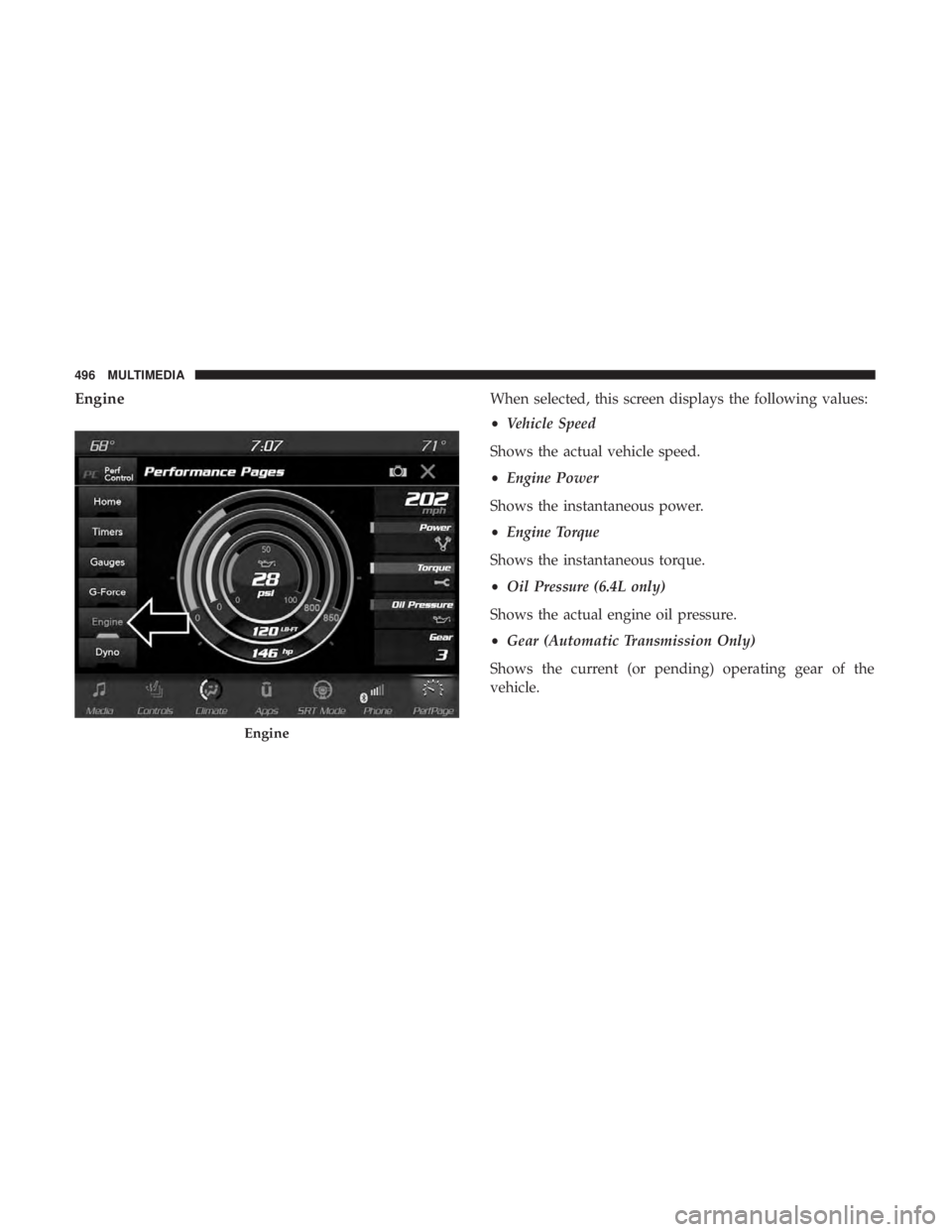
EngineWhen selected, this screen displays the following values:
•Vehicle Speed
Shows the actual vehicle speed.
• Engine Power
Shows the instantaneous power.
• Engine Torque
Shows the instantaneous torque.
• Oil Pressure (6.4L only)
Shows the actual engine oil pressure.
• Gear (Automatic Transmission Only)
Shows the current (or pending) operating gear of the
vehicle.
Engine
496 MULTIMEDIA
Page 499 of 560
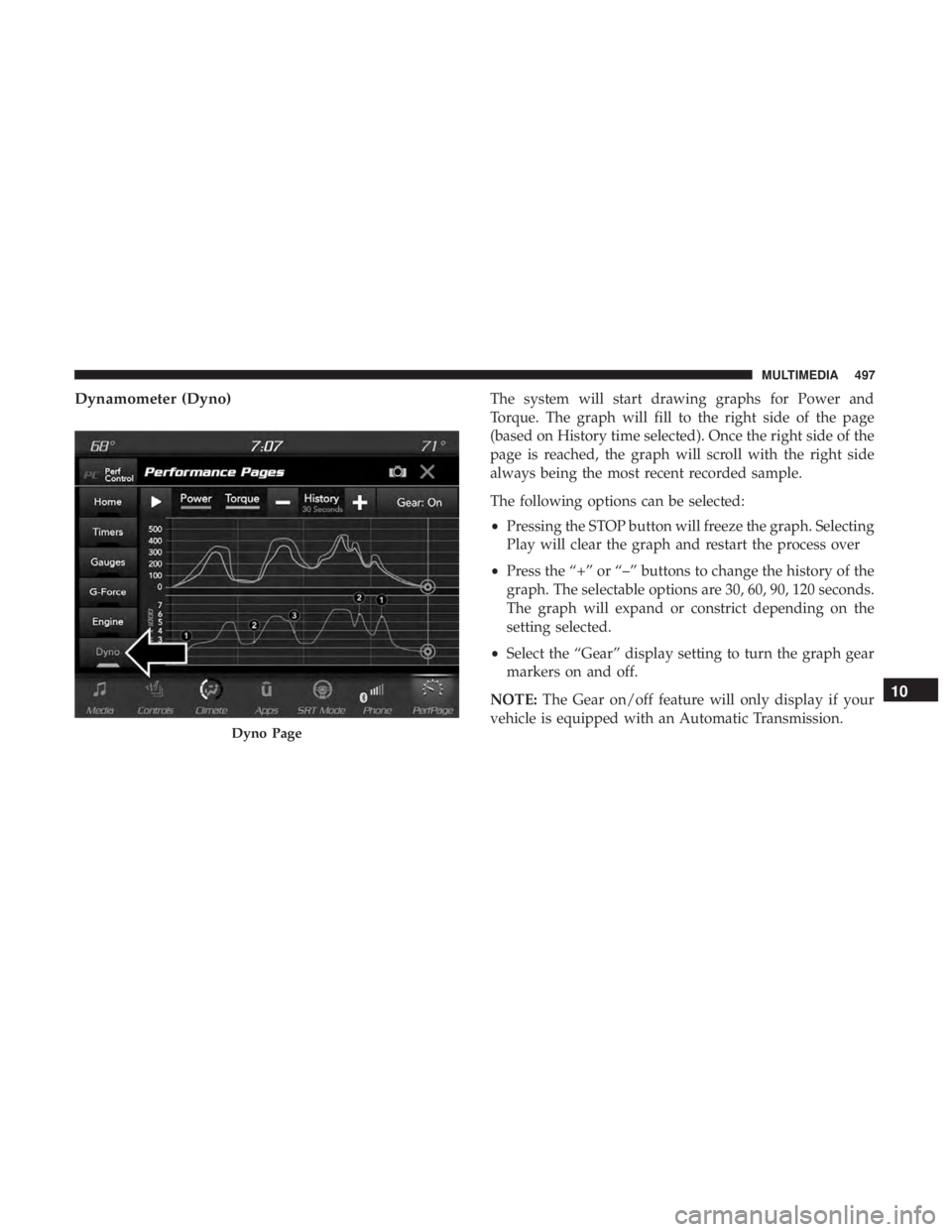
Dynamometer (Dyno)The system will start drawing graphs for Power and
Torque. The graph will fill to the right side of the page
(based on History time selected). Once the right side of the
page is reached, the graph will scroll with the right side
always being the most recent recorded sample.
The following options can be selected:
•Pressing the STOP button will freeze the graph. Selecting
Play will clear the graph and restart the process over
• Press the “+” or “–” buttons to change the history of the
graph. The selectable options are 30, 60, 90, 120 seconds.
The graph will expand or constrict depending on the
setting selected.
• Select the “Gear” display setting to turn the graph gear
markers on and off.
NOTE: The Gear on/off feature will only display if your
vehicle is equipped with an Automatic Transmission.
Dyno Page
10
MULTIMEDIA 497
Page 507 of 560
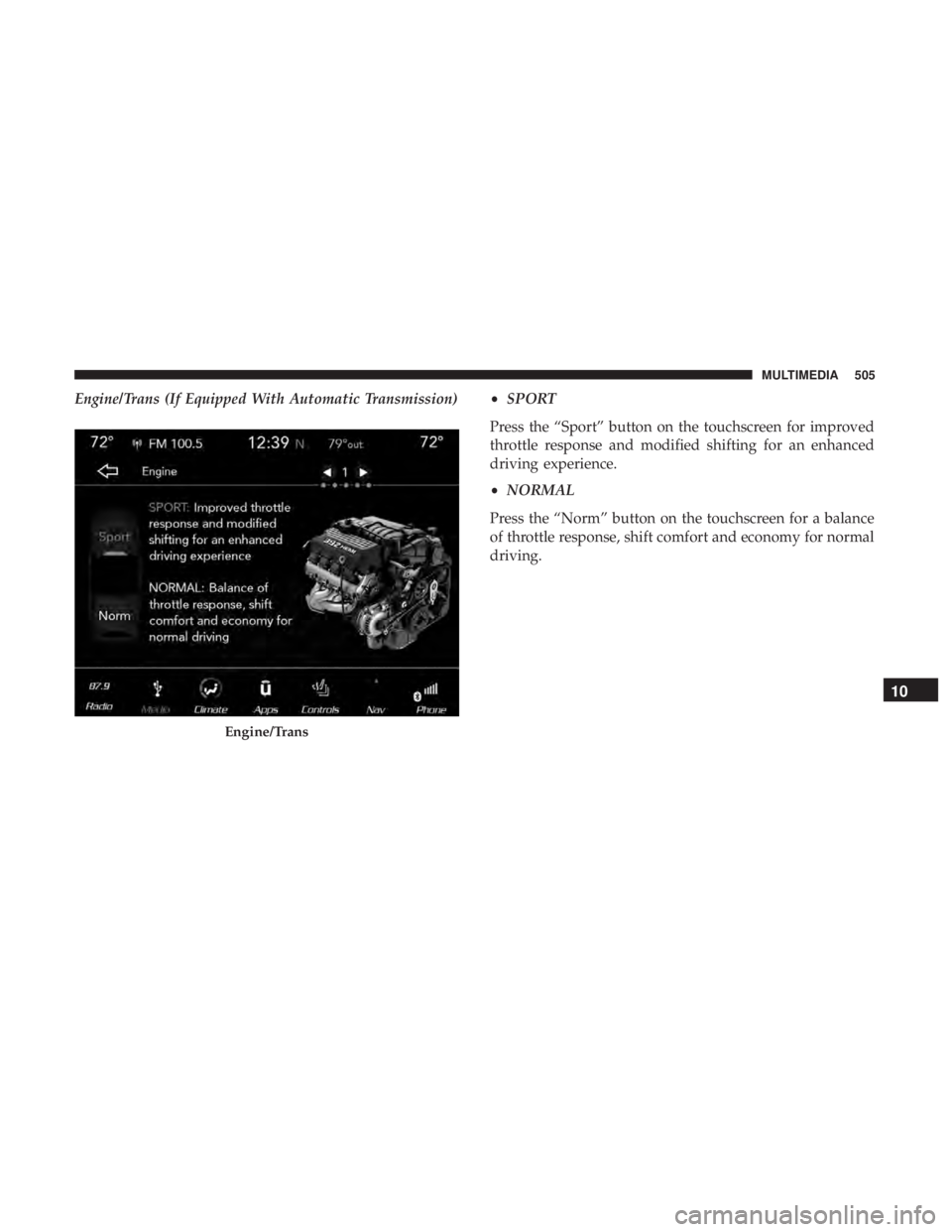
Engine/Trans (If Equipped With Automatic Transmission)•SPORT
Press the “Sport” button on the touchscreen for improved
throttle response and modified shifting for an enhanced
driving experience.
• NORMAL
Press the “Norm” button on the touchscreen for a balance
of throttle response, shift comfort and economy for normal
driving.
Engine/Trans
10
MULTIMEDIA 505