Page 96 of 500
Console Storage
The center console has a storage compartment located
underneath the armrest. The compartment contains a 12
Volt power outlet, and is also equipped with a USB port
featuring active charging, which will continue charging
your device up to 60 minutes after the ignition is turned
off. The USB port also may be equipped with an IPOD/
USB control, or Apple CarPlay and Android Auto. Refer to
“IPOD/USB/MP3 Control – If Equipped” in “Multimedia”
for further information. If equipped with Apple CarPlay
and Android Auto, refer to the Uconnect Owner ’s Manual
Supplement.
WARNING!
Do not operate this vehicle with a console compart-
ment lid in the open position. Driving with the console
compartment lid open may result in injury in a colli-
sion.
Cupholders
The front cupholders are located in the center console and
in the door panels.
Center Console
Front Cupholders
94 GETTING TO KNOW YOUR VEHICLE
Page 118 of 500

NOTE:
•The charging system is independent from load reduc-
tion. The charging system performs a diagnostic on the
charging system continuously.
• If the Battery Charge Warning Light is on it may indicate
a problem with the charging system. Refer to “Battery
Charge Warning Light” in “Getting To Know Your
Instrument Panel” for further information.
The electrical loads that may be switched off (if equipped),
and vehicle functions which can be affected by load
reduction:
• Heated Seat/Vented Seats/Heated Wheel
• Heated/Cooled Cup Holders — If Equipped
• Rear Defroster And Heated Mirrors
• HVAC System
• 115V AC Power Inverter System
• Audio and Telematics System
Loss of the battery charge may indicate one or more of the
following conditions: •
The charging system cannot deliver enough electrical
power to the vehicle system because the electrical loads
are larger than the capability of the charging system. The
charging system is still functioning properly.
• Turning on all possible vehicle electrical loads (e.g.
HVAC to max settings, exterior and interior lights,
overloaded power outlets +12V, 115V AC, USB ports)
during certain driving conditions (city driving, towing,
frequent stopping).
• Installing options like additional lights, upfitter electri-
cal accessories, audio systems, alarms and similar de-
vices.
• Unusual driving cycles (short trips separated by long
parking periods).
• The vehicle was parked for an extended period of time
(weeks, months).
• The battery was recently replaced and was not charged
completely.
• The battery was discharged by an electrical load left on
when the vehicle was parked.
116 GETTING TO KNOW YOUR INSTRUMENT PANEL
Page 119 of 500

•The battery was used for an extended period with the
engine not running to supply radio, lights, chargers,
+12V portable appliances like vacuum cleaners, game
consoles and similar devices.
What to do when an electrical load reduction action
message is present (“Battery Saver On” or “Battery Saver
Mode”)
During a trip:
• Reduce power to unnecessary loads if possible:
– Turn off redundant lights (interior or exterior)
– Check what may be plugged in to power outlets +12V, 115V AC, USB ports
– Check HVAC settings (blower, temperature)
– Check the audio settings (volume)
After a trip:
• Check if any aftermarket equipment was installed (ad-
ditional lights, upfitter electrical accessories, audio sys-
tems, alarms) and review specifications if any (load and
Ignition Off Draw currents).
• Evaluate the latest driving cycles (distance, driving time
and parking time). •
The vehicle should have service performed if the mes-
sage is still present during consecutive trips and the
evaluation of the vehicle and driving pattern did not
help to identify the cause.
WARNING LIGHTS AND MESSAGES
The warning/indicator lights will illuminate in the instru-
ment panel together with a dedicated message and/or
acoustic signal when applicable. These indications are
indicative and precautionary and as such must not be
considered as exhaustive and/or alternative to the infor-
mation contained in the Owner ’s Manual, which you are
advised to read carefully in all cases. Always refer to the
information in this chapter in the event of a failure indica-
tion. All active telltales will display first if applicable. The
system check menu may appear different based upon
equipment options and current vehicle status. Some tell-
tales are optional and may not appear.
Red Warning Lights
— Seat Belt Reminder Warning Light
This warning light indicates when the driver or passenger
seat belt is unbuckled. When the ignition is first placed in
the ON/RUN or ACC/ON/RUN position and if the
driver ’s seat belt is unbuckled, a chime will sound and the
4
GETTING TO KNOW YOUR INSTRUMENT PANEL 117
Page 301 of 500
CavityCartridge Fuse Mini-Fuse Description
12 –20 Amp Yellow Dual USB Center Console
Rear/Cigar Lighter IP – If
Equipped
15 40 Amp Green –HVAC Blower
16 20 Amp Blue –Left Spot Lamp – Police
17 20 Amp Blue –Right Spot Lamp – Police
18 30 Amp Pink –Mod Network Interface –
Police
19 ––Fuse – Spare
20 ––Fuse – Spare
21 30 Amp Pink –Fuel Pump (Non 6.2L SRT HO)
22 –5 Amp Tan Cyber Gateway Mod
23 –10 Amp Red Fuel Door – If Equipped/
Diagnostic Port
24 –10 Amp Red Integrated Center Stack
25 –10 Amp Red Tire Pressure Monitor
26 –15 Amp Blue Cygnus Transmission Module
(Charger/300) / Electronic
Shift Module (Charger/300)
27 –25 Amp Clear Amplifier – If Equipped
31 –25 Amp Breaker Power Seats – If Equipped
7
IN CASE OF EMERGENCY 299
Page 404 of 500

�IPOD/USB/MP3 CONTROL — IF EQUIPPED . . .457
� RADIO OPERATION AND MOBILE PHONES . . .457
▫ Regulatory And Safety Information ..........458
� UCONNECT VOICE RECOGNITION QUICK
TIPS .................................459
▫ Introducing Uconnect ....................459
▫ Get Started .......................... .460
▫ Basic Voice Commands ...................461
▫ Radio ...............................461
▫ Media ...............................462
▫ Phone ...............................463
▫ Voice Text Reply — If Equipped ............463
▫ Climate ............................. .465▫
Navigation (4C NAV) ....................465
▫ SiriusXM Guardian (4C/4C NAV) — If
Equipped ............................466
▫ Register (4C/4C NAV) ...................467
▫ Vehicle Health Report/Alert (4C/4C NAV) .....467
▫ Mobile App (4C/4C NAV) ................468
▫ SiriusXM Travel Link (4C NAV) .............469
▫ Siri Eyes Free — If Equipped ..............469
▫ Do Not Disturb ........................470
▫ Android Auto — If Equipped ..............471
▫ Apple CarPlay — If Equipped ..............472
▫ General Information .....................473
▫ Additional Information ...................473
402 MULTIMEDIA
Page 431 of 500
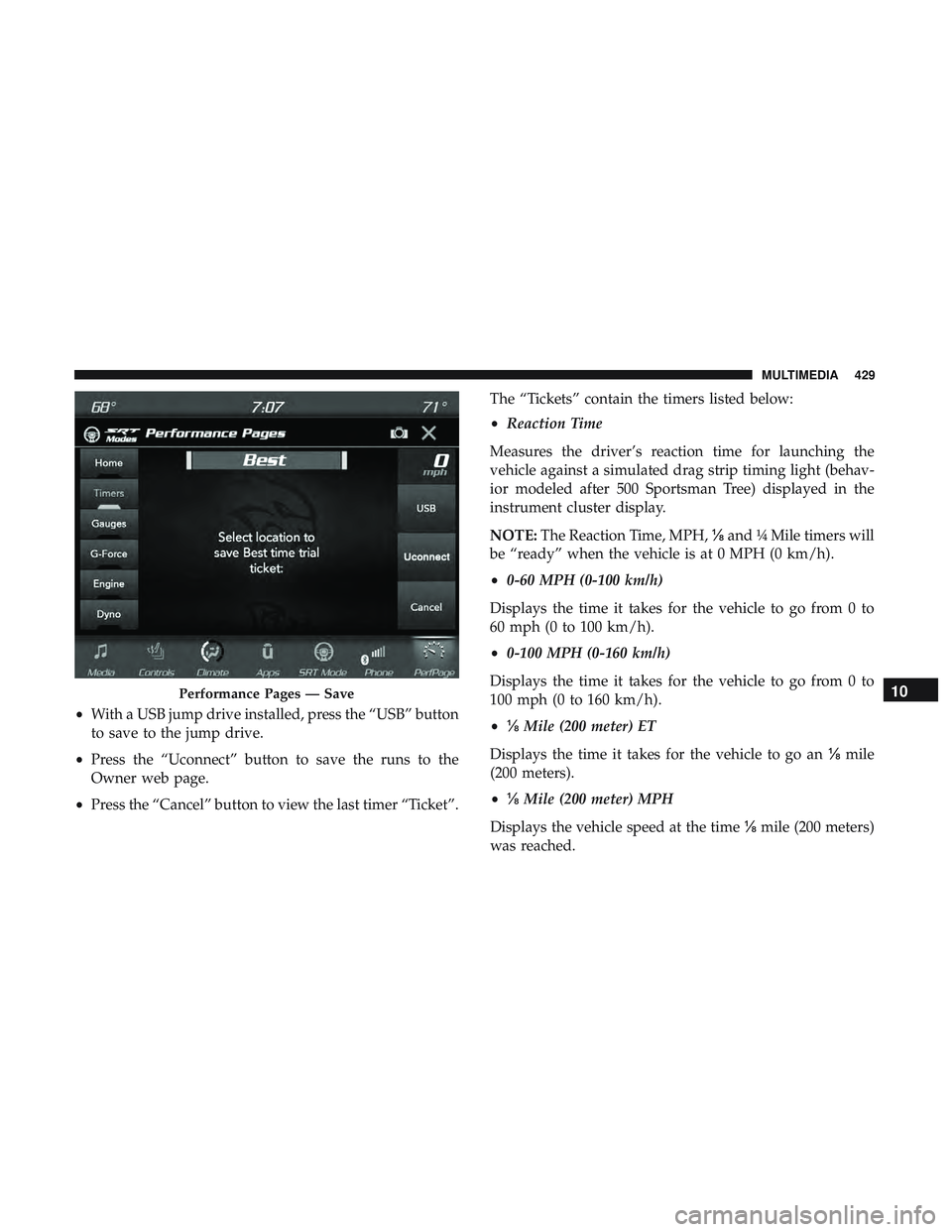
•With a USB jump drive installed, press the “USB” button
to save to the jump drive.
• Press the “Uconnect” button to save the runs to the
Owner web page.
• Press the “Cancel” button to view the last timer “Ticket”. The “Tickets” contain the timers listed below:
•
Reaction Time
Measures the driver’s reaction time for launching the
vehicle against a simulated drag strip timing light (behav-
ior modeled after 500 Sportsman Tree) displayed in the
instrument cluster display.
NOTE: The Reaction Time, MPH, ⅛and ¼ Mile timers will
be “ready” when the vehicle is at 0 MPH (0 km/h).
• 0-60 MPH (0-100 km/h)
Displays the time it takes for the vehicle to go from 0 to
60 mph (0 to 100 km/h).
• 0-100 MPH (0-160 km/h)
Displays the time it takes for the vehicle to go from 0 to
100 mph (0 to 160 km/h).
• ⅛ Mile (200 meter) ET
Displays the time it takes for the vehicle to go an ⅛mile
(200 meters).
• ⅛ Mile (200 meter) MPH
Displays the vehicle speed at the time ⅛mile (200 meters)
was reached.
Performance Pages — Save10
MULTIMEDIA 429
Page 459 of 500
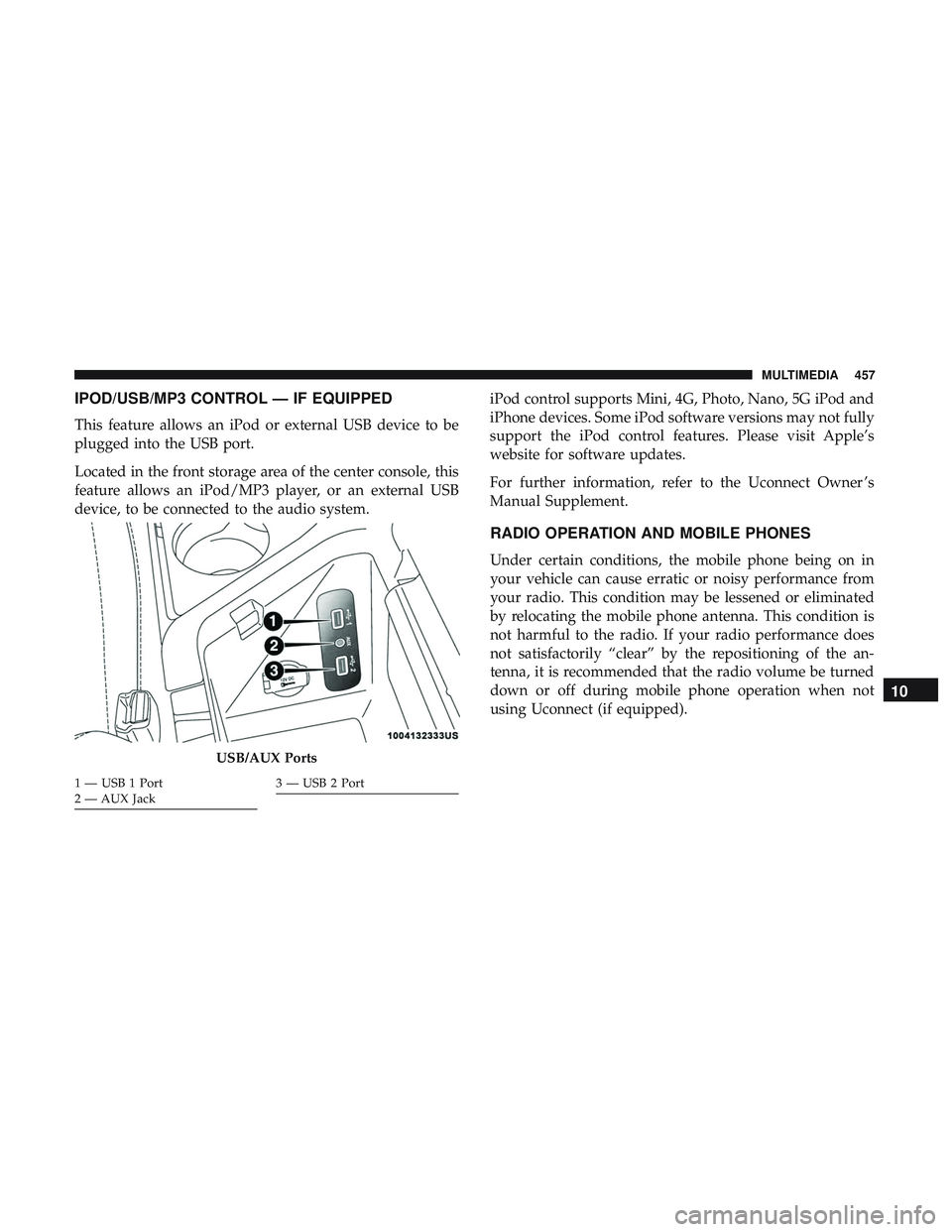
IPOD/USB/MP3 CONTROL — IF EQUIPPED
This feature allows an iPod or external USB device to be
plugged into the USB port.
Located in the front storage area of the center console, this
feature allows an iPod/MP3 player, or an external USB
device, to be connected to the audio system.iPod control supports Mini, 4G, Photo, Nano, 5G iPod and
iPhone devices. Some iPod software versions may not fully
support the iPod control features. Please visit Apple’s
website for software updates.
For further information, refer to the Uconnect Owner ’s
Manual Supplement.
RADIO OPERATION AND MOBILE PHONES
Under certain conditions, the mobile phone being on in
your vehicle can cause erratic or noisy performance from
your radio. This condition may be lessened or eliminated
by relocating the mobile phone antenna. This condition is
not harmful to the radio. If your radio performance does
not satisfactorily “clear” by the repositioning of the an-
tenna, it is recommended that the radio volume be turned
down or off during mobile phone operation when not
using Uconnect (if equipped).
USB/AUX Ports
1 — USB 1 Port
2 — AUX Jack3 — USB 2 Port
10
MULTIMEDIA 457
Page 464 of 500
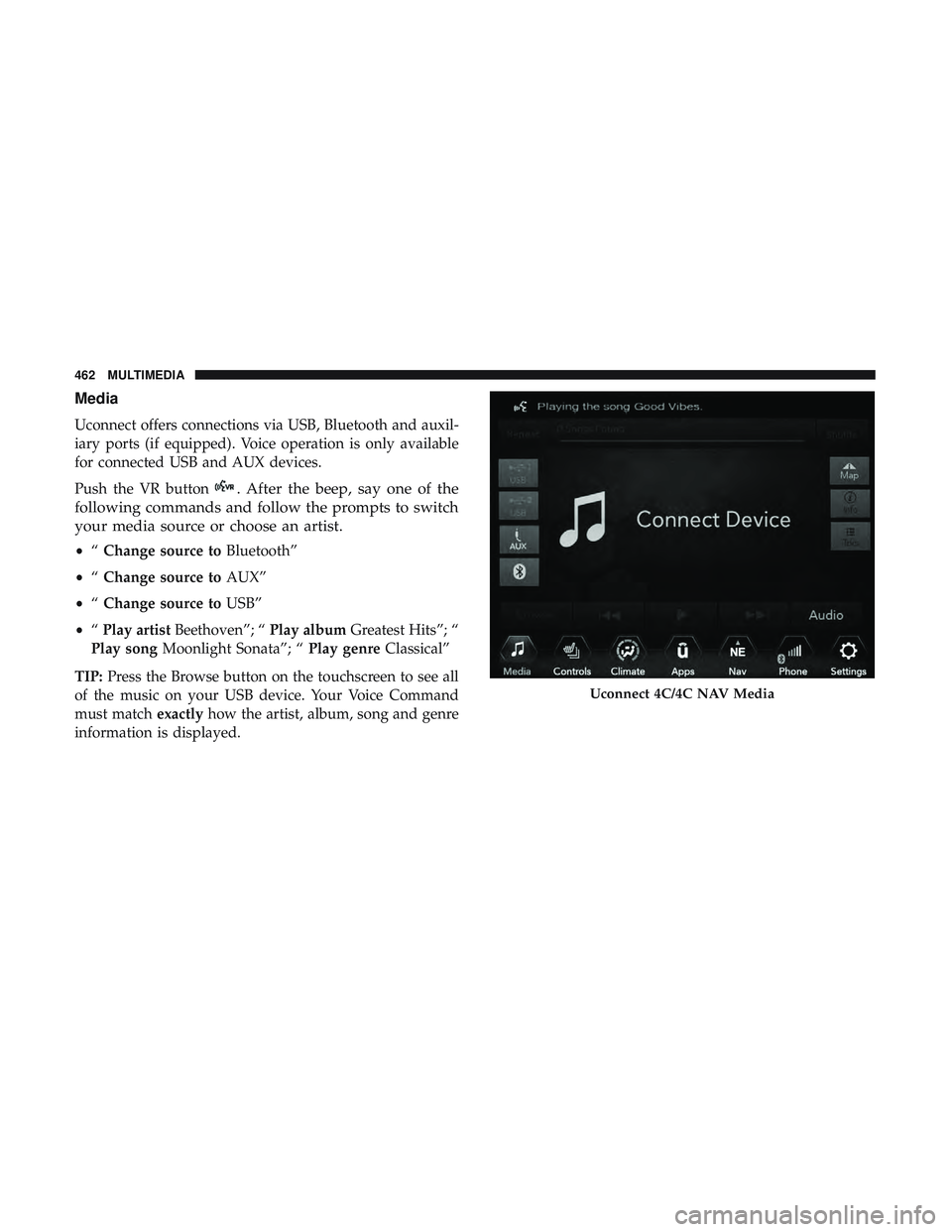
Media
Uconnect offers connections via USB, Bluetooth and auxil-
iary ports (if equipped). Voice operation is only available
for connected USB and AUX devices.
Push the VR button
. After the beep, say one of the
following commands and follow the prompts to switch
your media source or choose an artist.
• “Change source to Bluetooth”
• “Change source to AUX”
• “Change source to USB”
• “Play artist Beethoven”; “ Play albumGreatest Hits”; “
Play song Moonlight Sonata”; “ Play genreClassical”
TIP: Press the Browse button on the touchscreen to see all
of the music on your USB device. Your Voice Command
must match exactlyhow the artist, album, song and genre
information is displayed.
Uconnect 4C/4C NAV Media
462 MULTIMEDIA