Page 435 of 500
•Steering Wheel Angle:
Steering Wheel Angle utilizes the steering angle sensor to
measure the degree of the steering wheel relative to zero.
The zero degree measurement indicates a steering wheel
straight ahead position. When the steering angle value is
negative, this indicates a turn to the left, and when the
steering angle value is positive, a turn to the right.
The friction circle display shows instantaneous G-Force as
a highlight and previous G-Force as dots within the circle.
The system records previous G-Force for three minutes. If
there are multiple samples at a given point, the color of the
dot will darken from blue to red. Vectors more frequent
will show in red; infrequent vectors will show in blue.Engine
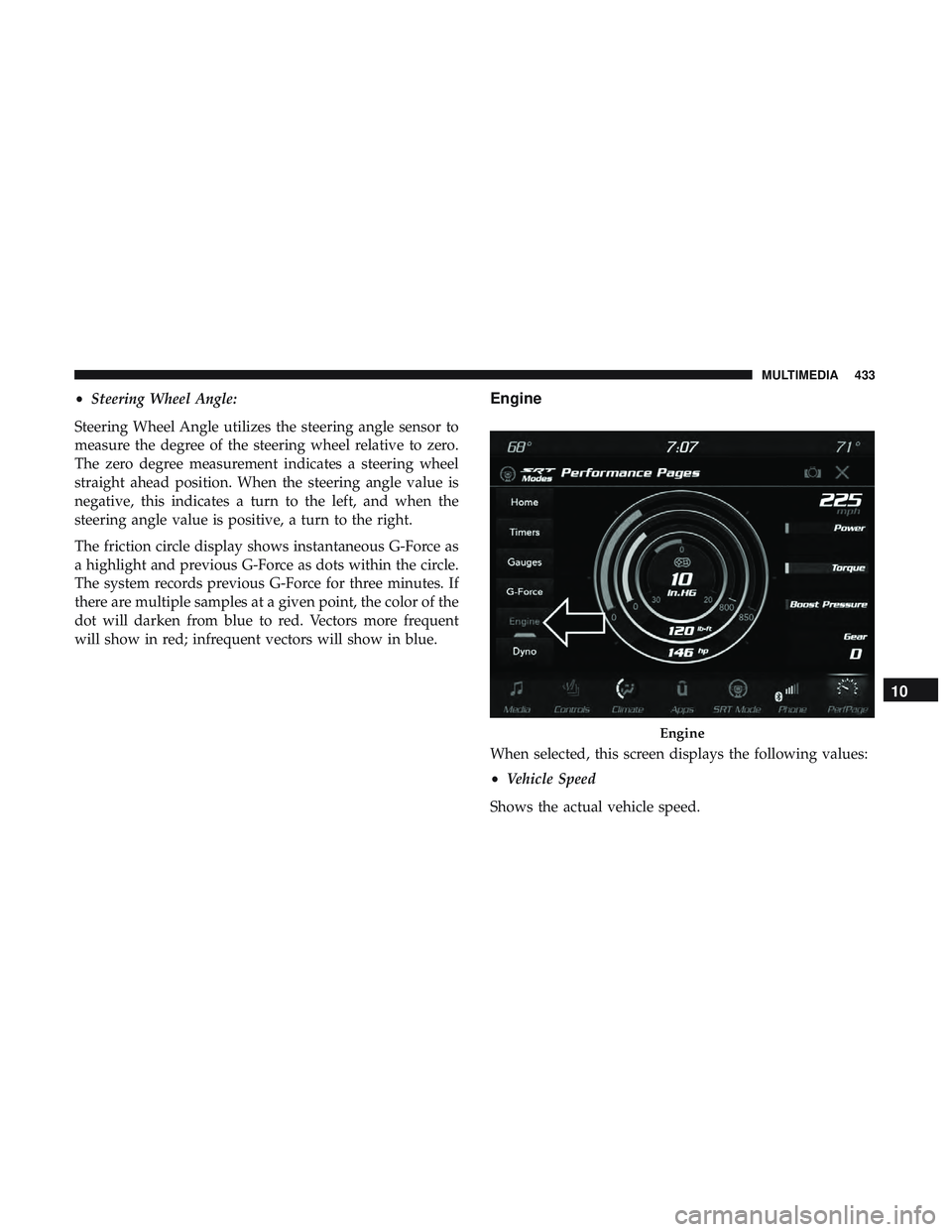
When selected, this screen displays the following values:
• Vehicle Speed
Shows the actual vehicle speed.
Engine
10
MULTIMEDIA 433
Page 440 of 500
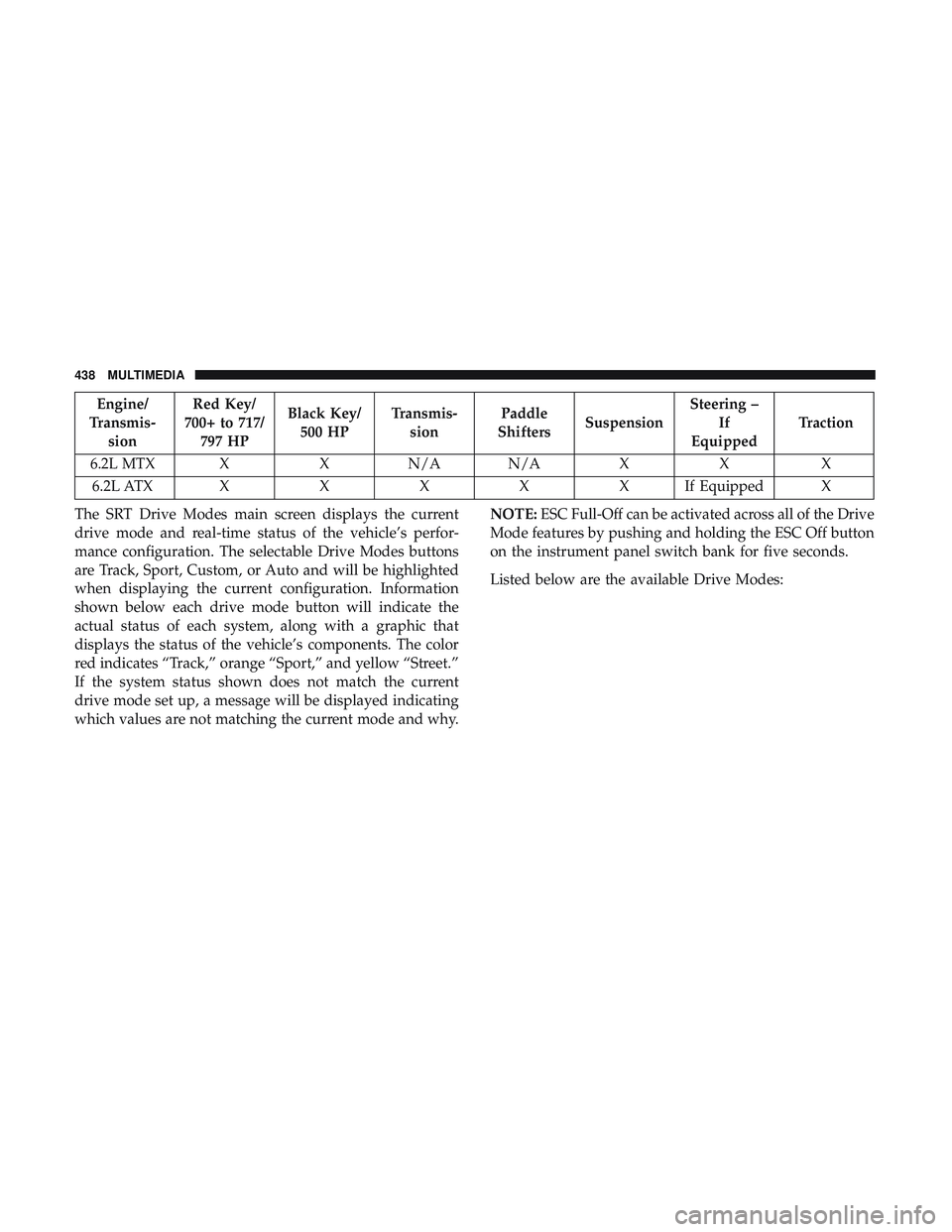
Engine/
Transmis- sion Red Key/
700+ to 717/ 797 HP Black Key/
500 HP Transmis-
sion Paddle
Shifters Suspension Steering –
If
Equipped Traction
6.2L MTX X X N/A N/A X X X 6.2L ATX XXXXXI fEquipped X
The SRT Drive Modes main screen displays the current
drive mode and real-time status of the vehicle’s perfor-
mance configuration. The selectable Drive Modes buttons
are Track, Sport, Custom, or Auto and will be highlighted
when displaying the current configuration. Information
shown below each drive mode button will indicate the
actual status of each system, along with a graphic that
displays the status of the vehicle’s components. The color
red indicates “Track,” orange “Sport,” and yellow “Street.”
If the system status shown does not match the current
drive mode set up, a message will be displayed indicating
which values are not matching the current mode and why. NOTE:
ESC Full-Off can be activated across all of the Drive
Mode features by pushing and holding the ESC Off button
on the instrument panel switch bank for five seconds.
Listed below are the available Drive Modes:
438 MULTIMEDIA
Page 441 of 500
Track Mode
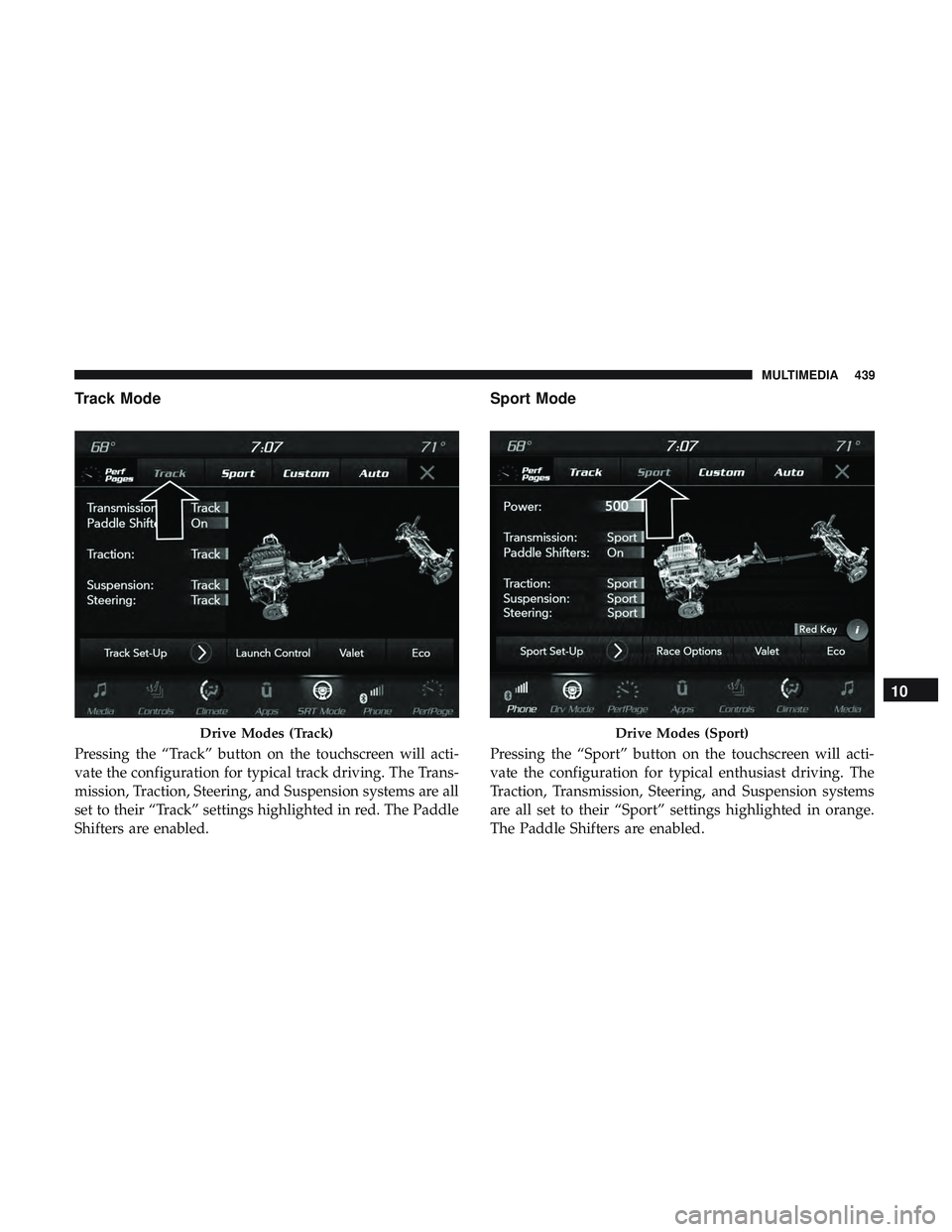
Pressing the “Track” button on the touchscreen will acti-
vate the configuration for typical track driving. The Trans-
mission, Traction, Steering, and Suspension systems are all
set to their “Track” settings highlighted in red. The Paddle
Shifters are enabled.
Sport Mode
Pressing the “Sport” button on the touchscreen will acti-
vate the configuration for typical enthusiast driving. The
Traction, Transmission, Steering, and Suspension systems
are all set to their “Sport” settings highlighted in orange.
The Paddle Shifters are enabled.
Drive Modes (Track)Drive Modes (Sport)
10
MULTIMEDIA 439
Page 450 of 500
RACE OPTIONS
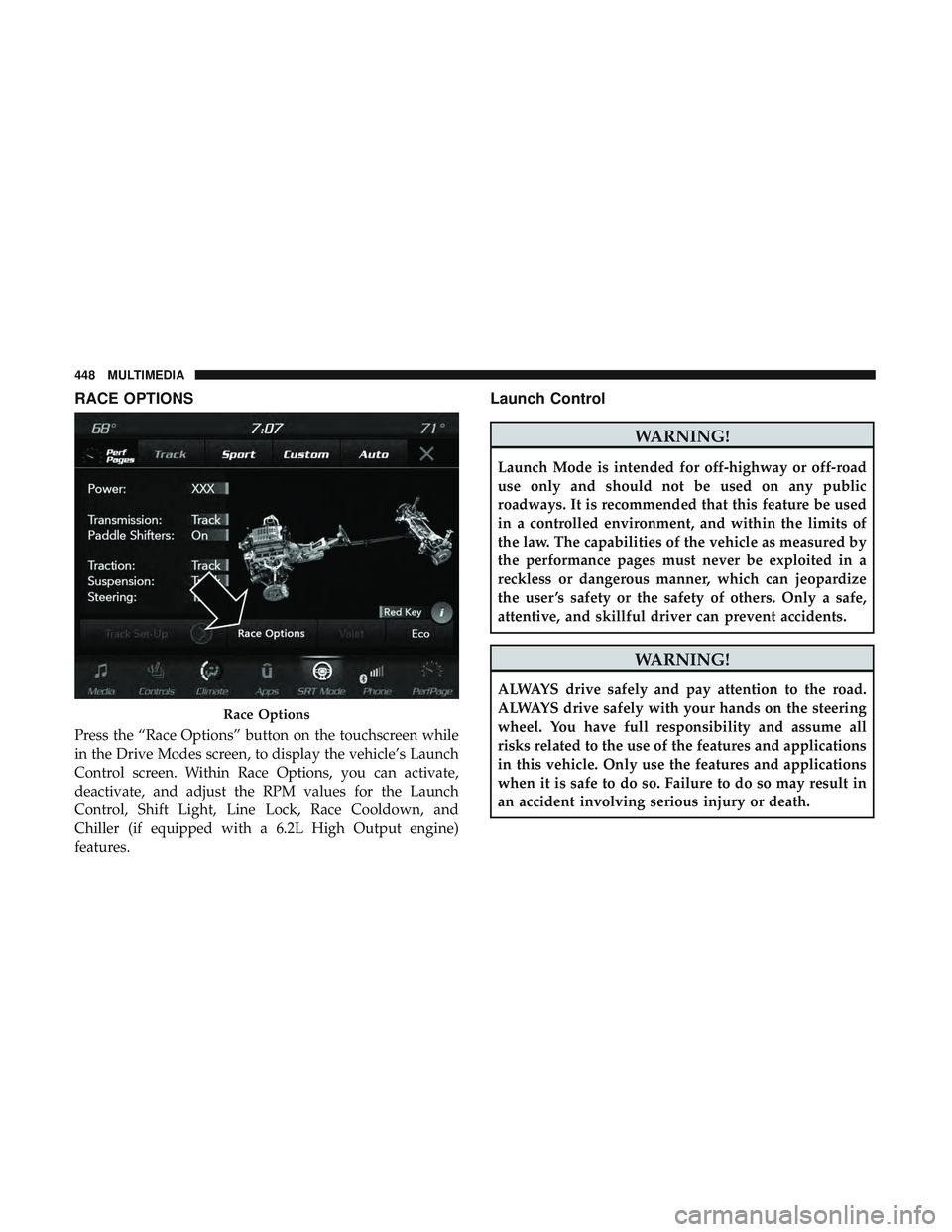
Press the “Race Options” button on the touchscreen while
in the Drive Modes screen, to display the vehicle’s Launch
Control screen. Within Race Options, you can activate,
deactivate, and adjust the RPM values for the Launch
Control, Shift Light, Line Lock, Race Cooldown, and
Chiller (if equipped with a 6.2L High Output engine)
features.
Launch Control
WARNING!
Launch Mode is intended for off-highway or off-road
use only and should not be used on any public
roadways. It is recommended that this feature be used
in a controlled environment, and within the limits of
the law. The capabilities of the vehicle as measured by
the performance pages must never be exploited in a
reckless or dangerous manner, which can jeopardize
the user ’s safety or the safety of others. Only a safe,
attentive, and skillful driver can prevent accidents.
WARNING!
ALWAYS drive safely and pay attention to the road.
ALWAYS drive safely with your hands on the steering
wheel. You have full responsibility and assume all
risks related to the use of the features and applications
in this vehicle. Only use the features and applications
when it is safe to do so. Failure to do so may result in
an accident involving serious injury or death.
Race Options
448 MULTIMEDIA
Page 452 of 500
Chiller–If Equipped
The Chiller feature will be enabled any time the vehicle is
in TRACK drive mode.
NOTE:Chiller is only functional in ambient temperatures
above 55 degrees Fahrenheit (13 degrees Celsius). On
vehicles equipped with a 6.2L High Output engine, the
Chiller feature will not be not available.
Line Lock–If Equipped
This feature is used to turn Line Lock on or off. Follow
instruction on Line Lock usage in the instrument cluster.Shift Light
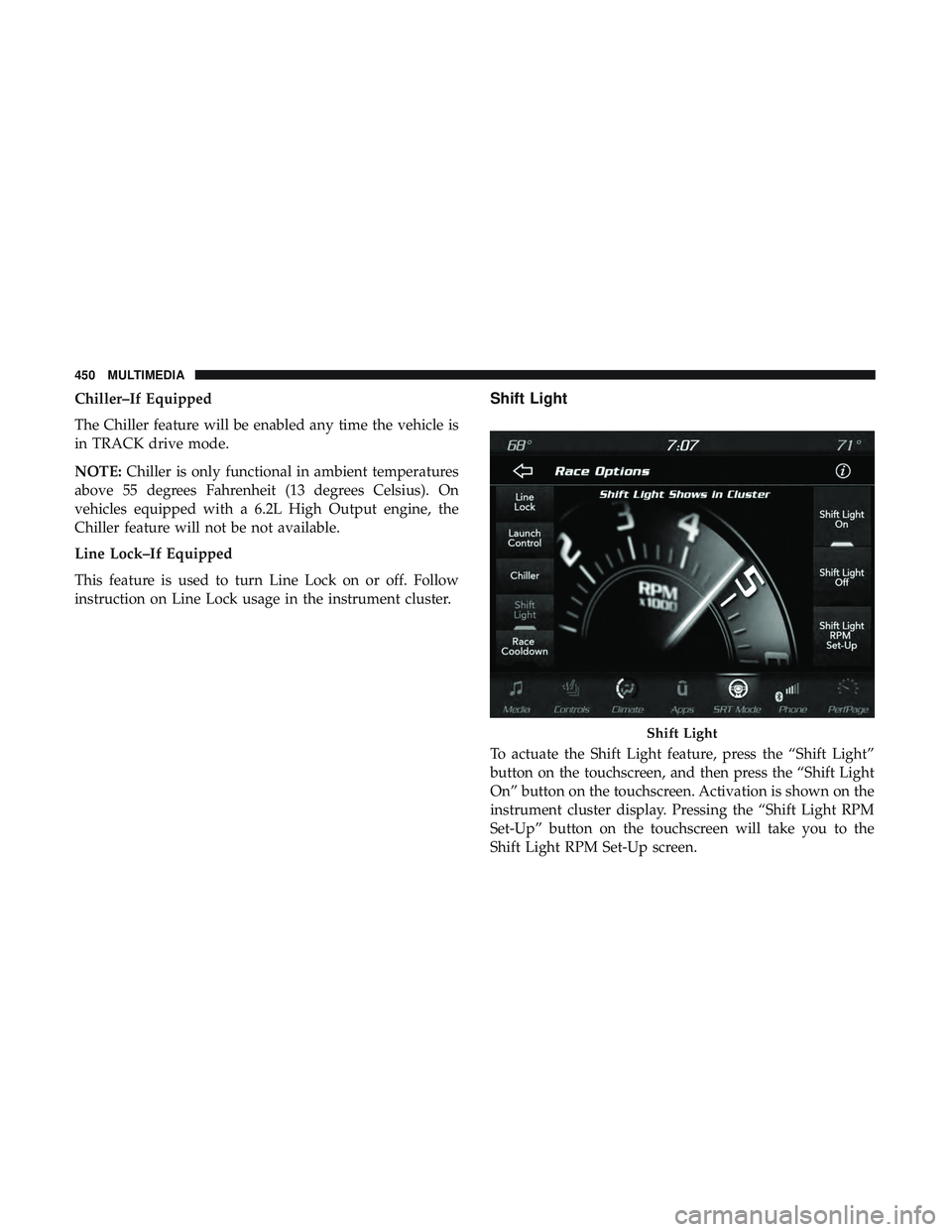
To actuate the Shift Light feature, press the “Shift Light”
button on the touchscreen, and then press the “Shift Light
On” button on the touchscreen. Activation is shown on the
instrument cluster display. Pressing the “Shift Light RPM
Set-Up” button on the touchscreen will take you to the
Shift Light RPM Set-Up screen.
Shift Light
450 MULTIMEDIA
Page 453 of 500
NOTE:The only time the shift light comes on, is when the
shifter is placed into Sport Mode. It will not work with
paddle shifters.
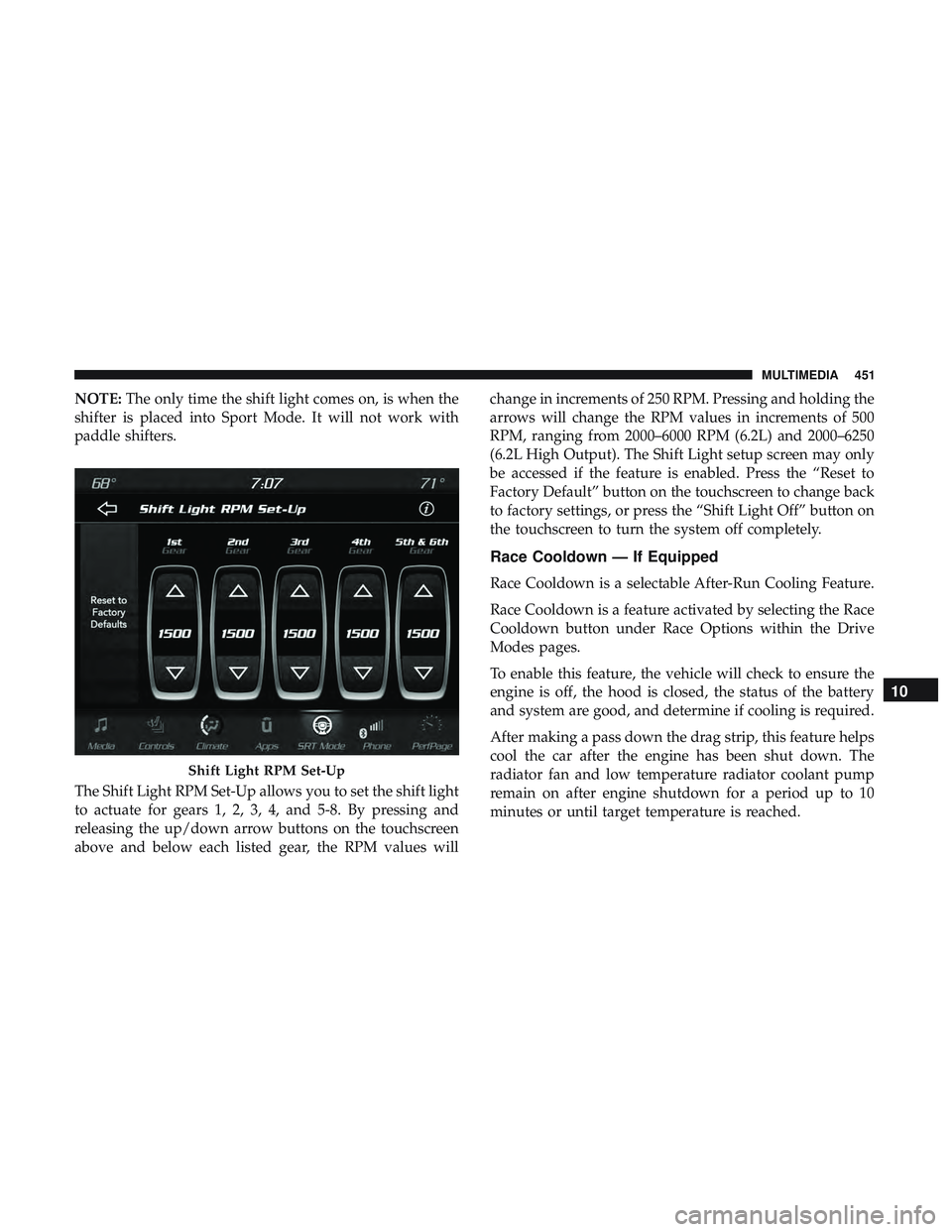
The Shift Light RPM Set-Up allows you to set the shift light
to actuate for gears 1, 2, 3, 4, and 5-8. By pressing and
releasing the up/down arrow buttons on the touchscreen
above and below each listed gear, the RPM values will change in increments of 250 RPM. Pressing and holding the
arrows will change the RPM values in increments of 500
RPM, ranging from 2000–6000 RPM (6.2L) and 2000–6250
(6.2L High Output). The Shift Light setup screen may only
be accessed if the feature is enabled. Press the “Reset to
Factory Default” button on the touchscreen to change back
to factory settings, or press the “Shift Light Off” button on
the touchscreen to turn the system off completely.
Race Cooldown — If Equipped
Race Cooldown is a selectable After-Run Cooling Feature.
Race Cooldown is a feature activated by selecting the Race
Cooldown button under Race Options within the Drive
Modes pages.
To enable this feature, the vehicle will check to ensure the
engine is off, the hood is closed, the status of the battery
and system are good, and determine if cooling is required.
After making a pass down the drag strip, this feature helps
cool the car after the engine has been shut down. The
radiator fan and low temperature radiator coolant pump
remain on after engine shutdown for a period up to 10
minutes or until target temperature is reached.
Shift Light RPM Set-Up
10
MULTIMEDIA 451
Page 464 of 500
Media
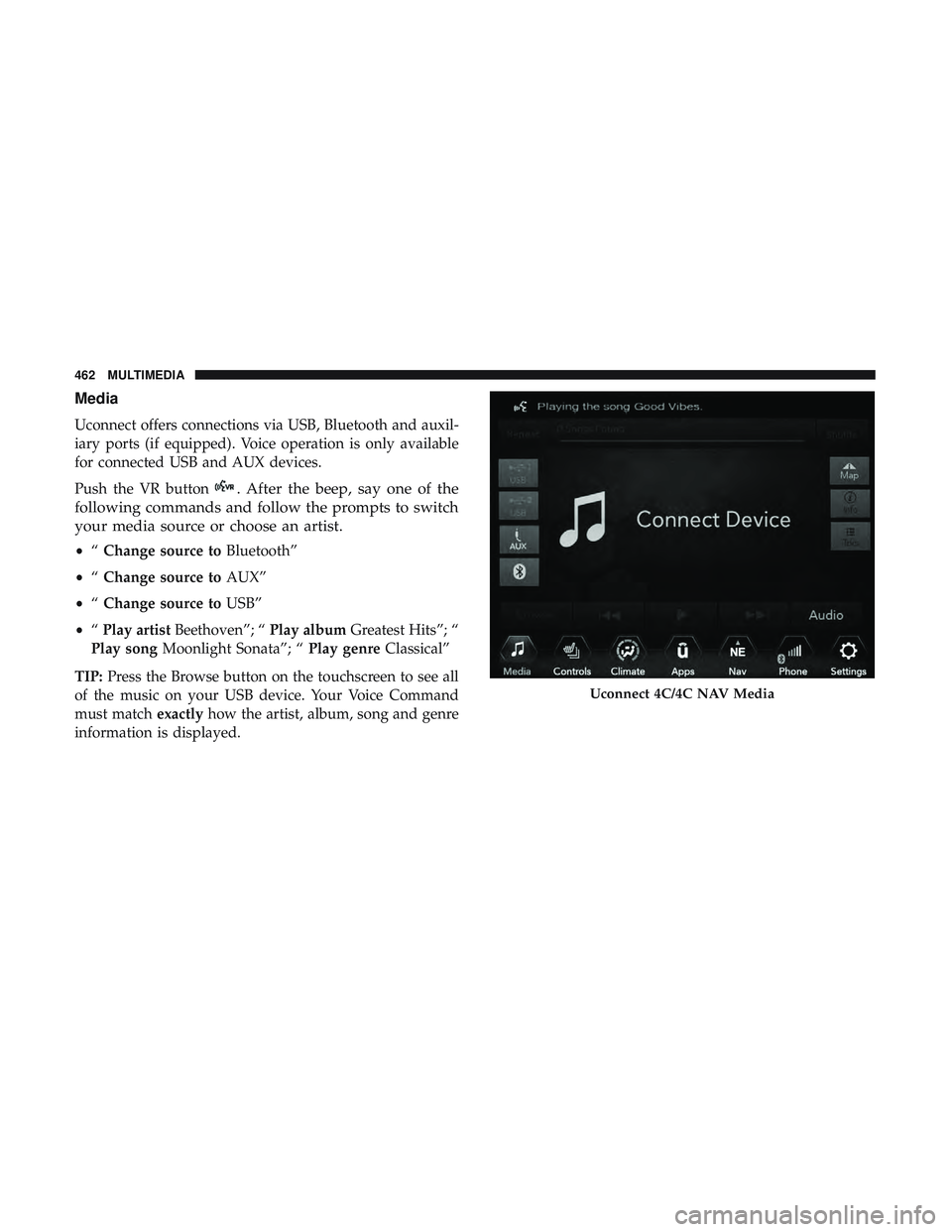
Uconnect offers connections via USB, Bluetooth and auxil-
iary ports (if equipped). Voice operation is only available
for connected USB and AUX devices.
Push the VR button
. After the beep, say one of the
following commands and follow the prompts to switch
your media source or choose an artist.
• “Change source to Bluetooth”
• “Change source to AUX”
• “Change source to USB”
• “Play artist Beethoven”; “ Play albumGreatest Hits”; “
Play song Moonlight Sonata”; “ Play genreClassical”
TIP: Press the Browse button on the touchscreen to see all
of the music on your USB device. Your Voice Command
must match exactlyhow the artist, album, song and genre
information is displayed.
Uconnect 4C/4C NAV Media
462 MULTIMEDIA
Page 469 of 500
SOS
Call
Remote Door Lock/Unlock
Send & Go
Vehicle Finder
Stolen Vehicle Assistance
Remote Vehicle Start**
Remote Horn & Lights
Roadside Assistance CallVehicle Health Reports**
Vehicle Health Alert**
Performance Pages Plus**
**If vehicle is equipped.
Register (4C/4C NAV)
To unlock the full potential of SiriusXM Guardian in your
vehicle, you must activate your SiriusXM Guardian ser-
vices.1. Press the Apps icon on the bottom of your in-vehicle
touchscreen.
2. Select the Activate Services icon from your list of apps.
3. Select “Customer Care” to speak with a SiriusXM Guardian Customer Care agent who will activate ser-
vices in your vehicle, or select “Enter Email” to activate
on the web.
• U.S. residents visit: www.siriusxm.com/guardian.
• Canadian residents visit: www.siriusxm.ca/guardian.
Vehicle Health Report/Alert (4C/4C NAV)
Your vehicle will send you a monthly email report, which
summarizes the performance of your vehicle’s key systems
so you can stay on top of your vehicle’s maintenance needs
if you are registered for SiriusXM Guardian. Your vehicle
will also send you Vehicle Health Alerts when it detects
issues with its key systems that need your attention. For
further information, refer to your Uconnect Owner ’s
Manual Supplement.
10
MULTIMEDIA 467