2019 CITROEN JUMPY diesel
[x] Cancel search: dieselPage 19 of 324

17
Dashboard instruments
1– an alert message indicates the distance
remaining, as well as the period before the next
service is due or how long it is overdue.
Service spannerOn temporarily when the ignition is
switched on.
Between 620 and 1,860 miles (1,000 and 3,000
km) remain before the next service is due.
Fixed, when the ignition is switched on.
The next service is due in less than 620
miles (1,000 km).
Have your vehicle serviced very soon.
Service spanner flashingFlashing then fixed, when the
ignition is switched on.
(With
BlueHDi Diesel engines, associated with
the Service warning lamp.)
The servicing interval has been exceeded.
Have your vehicle serviced as soon as possible.
Resetting the service indicator
The service indicator must be reset after each
service.
►
Switch the ignition off.
► Press and hold this button.
► Switch on the ignition; the distance recorder
display begins a countdown.
►
Release the button when =0
is displayed; the
spanner disappears.
If you have to disconnect the battery
following this operation, lock the vehicle
and wait at least 5 minutes for the reset to be
registered.
Retrieving the service information
The service information can be accessed at any
time.
►
Press this button.
The service information is displayed for a few
seconds, then disappears.
The distance indicated (in miles or kilometres) is calculated according to the
distance covered and the time elapsed since
the last service.
The alert may be triggered close to a due
date.
Coolant temperature
indicator (Diesel)
With the engine running:
– In zone A, the temperature is correct.
–
In zone
B, the temperature is too high.
The associated warning lamp and the
STOP
warning lamp light up in red on the
instrument panel, accompanied by the display of
a message and an audible signal.
You must stop the vehicle as soon as it is
safe to do so.
Wait a few minutes before switching off the
engine.
After switching off the ignition, carefully open the bonnet and check the coolant
level.
For more information on Checking
levels, refer to the corresponding
section.
Page 20 of 324

18
Dashboard instruments
Checking
After driving for a few minutes, the temperature
and pressure in the cooling system increase.
To top up the level:
►
wait at least one hour for the engine to cool,
►
unscrew the cap by two turns to allow the
pressure to drop,
►
when the pressure has dropped, remove the
cap,
►
top up the level to the "MAX" mark.
For more information on Checking levels
, refer
to the corresponding section.
Be aware of the risk of scalding when
topping up the coolant. Do not fill above
the maximum level (indicated on the
reservoir).
Engine oil level indicator
(Depending on version)
On versions fitted with an electric gauge, the
engine oil level status is displayed on the
instrument panel for a few seconds when the
ignition is switched on, at the same time as the
servicing information.
The level read will only be correct if the vehicle is on level ground and the engine
has been off for more than 30 minutes.
Oil level correct
This is indicated by a message on the instrument
panel.
Low oil level
This is indicated by a message on the instrument
panel.
If a low oil level is confirmed by a check using
the dipstick, the level must be topped up to avoid
damage to the engine.
For more information on Checking levels, refer
to the corresponding section.
Oil gauge malfunction
This is indicated by the display of a message on
the instrument panel.
Contact a CITROËN dealer or a qualified
workshop.
In the event of a malfunction of the
electric gauge, the oil level is no longer
monitored.
If the system is faulty, you must check the
engine oil level using the manual dipstick
located in the engine compartment.
For more information on Checking levels,
refer to the corresponding section.
AdBlue® range indicators
(BlueHDi)
The Diesel BlueHDi engines are equipped with
a system that associates the SCR (Selective
Catalytic Reduction) emissions control system
and the Diesel particle filter (DPF) for the
treatment of exhaust gases. They cannot
function without AdBlue
® fluid.
When the level of AdBlue® falls below the
reserve level (between 1,500 and 0 miles (2,400
and 0
km)), a warning lamp lights up when
the ignition is switched on and an estimate
of the distance that can be travelled before
engine starting is prevented is displayed in the
instrument panel.
The engine starting prevention system required by regulations is activated
automatically once the AdBlue
® tank is empty.
It is then no longer possible to start the
engine until the minimum level of AdBlue
® has
been topped up.
Page 24 of 324

22
Dashboard instruments
Total distance recorder
This measures the total distance travelled by the
vehicle since its initial registration.
Trip distance recorder (Diesel)
This measures the distance travelled since it was
last reset by the driver.
Resetting the trip recorder
► With the ignition on, press the button until
zeros appear .
Lighting dimmer
This system allows the brightness of the
instruments and controls to be adjusted manually
to suit the ambient light level.
With buttons
With the lamps on, press button A to increase
the brightness of the lighting, or button B to
decrease it.
Release the button when the desired brightness
is reached.
With touch screen
► In the Settings menu, select "Brightness"
or "OPTIONS ", "Screen configuration " then
"Brightness".
►
Adjust the brightness by pressing the arrows
or moving the slider
.
The brightness can be set differently for day mode and night mode.
Trip computer
Displays information related to the current trip
(range, fuel consumption, average speed, etc.).
Information display
To display the various trip computer tabs in turn:
Page 25 of 324

23
Dashboard instruments
1
► Press the button located on the end of the
wiper control stalk .
With steering-mounted controls
► Press the knob on the steering wheel.
On the instrument panel
► Press this button.
The following current information is shown in
turn:
–
Driving range (Diesel). –
Current consumption.
–
Stop & Start time counter (Diesel).
–
T
rip "1" followed by (depending on version)
trip "2" including average speed, average
consumption and distance travelled for each trip.
Trips "1" and "2" are independent but their use
is identical.
For example, trip "1" can be used for daily
figures and trip " 2" for monthly figures.
Trip reset
The reset is performed when the trip counter is
displayed.
► Press the button on the end of the wiper
control stalk for more than two seconds.
► Press the knob on the steering wheel for
more than two seconds.
► Press this button for more than 2 seconds.
Definitions
Range
(miles or km)
(Traction battery charge level percentage)
(Electric)
Distance that can still be travelled with the
fuel remaining in the tank (based on the
average fuel consumption over the last few miles
(kilometres) travelled).
This value may vary following a change in driving
style or terrain, leading to a significant change in
current fuel consumption.
When the range falls below 19 miles (30
km),
dashes are displayed.
After filling with at least 5 litres of fuel, the range
is recalculated and is displayed if it exceeds 62
miles (100
km).
Dashes appearing permanently in place of
numbers while driving indicates a malfunction.
Page 26 of 324
24
Dashboard instruments
Contact a CITROËN dealer or a qualified
workshop.
Current consumption
(mpg or l/100 km or km/l)
(miles/kWh or kWh/100 km or km/kWh) (Electric)
/Calculated during the last few
seconds.
This function is only displayed at speeds above
19 mph (30
km/h) (Diesel).
Average consumption
(mpg or l/100 km or km/l)
(miles/kWh or kWh/100 km or km/kWh) (Electric)
/Calculated since the last trip
computer reset.
Average speed
(mph or km/h)Calculated since the last trip computer
reset.
Distance travelled
(miles or km)Calculated since the last trip computer
reset.
Stop & Start time counter
(minutes/seconds or hours/minutes)
If your vehicle is fitted with the Stop & Start
function, a time counter calculates the time spent
in STOP mode during a journey.
The time counter is reset each time the ignition is
switched on.
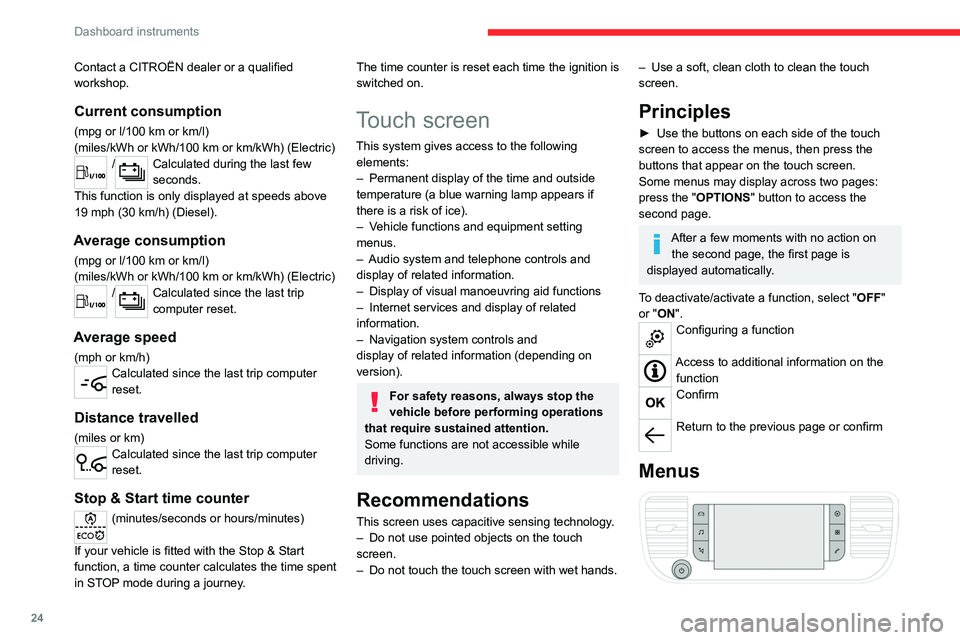
Touch screen
This system gives access to the following elements:
–
Permanent display of the time and outside
temperature (a blue warning lamp appears if
there is a risk of ice).
–
V
ehicle functions and equipment setting
menus.
–
Audio system and telephone controls and
display of related information.
–
Display of visual manoeuvring aid functions
–
Internet services and display of
related
information.
–
Navigation system controls and
display
of related information (depending on
version).
For safety reasons, always stop the
vehicle before performing operations
that require sustained attention.
Some functions are not accessible while
driving.
Recommendations
This screen uses capacitive sensing technology.
– Do not use pointed objects on the touch
screen.
–
Do not touch the touch screen with wet hands.
– Use a soft, clean cloth to clean the touch
screen.
Principles
► Use the buttons on each side of the touch
screen to access the menus, then press the
buttons that appear on the touch screen.
Some menus may display across two pages:
press the "
OPTIONS" button to access the
second page.
After a few moments with no action on the second page, the first page is
displayed automatically.
To deactivate/activate a function, select " OFF"
or "ON".
Configuring a function
Access to additional information on the function
Confirm
Return to the previous page or confirm
Menus
Page 85 of 324

83
Ease of use and comfort
3Additional heating/ventilation system
Only available for Diesel vehicles.
Heating
This is an additional and separate system which
heats the passenger compartment and improves
defrosting performance.
This indicator lamp is lit while the system is programmed or set in operation
remotely via the remote control.
It flashes during the whole duration of the
heating and goes off at the end of the heating
cycle or when stopped using the remote control.
Ventilation
This system allows ventilation of the passenger
compartment with exterior air to improve the
temperature experienced on entering the vehicle
in summer.
Programming
With a MyCitroën Drive, use the remote control
to start/stop the additional heating.
With a Bluetooth
® audio system or a MyCitroën
Play, use the remote control to start/stop the
additional heating and/or adjust the pre-heating
times.
With Bluetooth® audio system
► Press the MENU button to access the
main menu.
►
Select "
Pre-heat. / Pre-ventil.".
►
Select "
Activation" and, if necessary, for
programming, “Parameters".
►
Select "
Heating" to heat the engine and
passenger compartment or " Ventilation" to
ventilate the passenger compartment.
► Select:
• the first clock to set/save the time at which
the pre-heating temperature will be reached,
•
the second clock to set/save a second time
at which the pre-heating temperature will be
reached,
Using these two clocks and depending
on the season you can, for example,
select one or the other start time.
A message on the screen confirms your
choice.
With MyCitroën Play
Press Connect-App to display the main
page.
Then press "Programmable heating/ ventilation ".
►
Select the "
Status" tab to activate/deactivate
the system.
►
Select the "
Other settings" tab to choose
the "Heating" mode, to heat the engine and
passenger compartment, or " Ventilation" to
ventilate the passenger compartment.
►
Then set/save the time at which the
preheating temperature will be reached for each
selection.
Press this button to save.
With MyCitroën Drive
In the Applications > Car Apps menu:
► Select Temperature conditioning .
►
Press the
Status tab to activate/deactivate
the system.
►
Press the
Settings tab to select Heating
mode to heat the engine and passenger
Page 87 of 324

85
Ease of use and comfort
3The additional heating must always be
switched off while refuelling to avoid any risk
of fire or explosion.
To avoid the risk of poisoning or asphyxia, the programmable heating
must not be used, even for short periods, in a
closed environment such as a garage or
workshop which is not equipped with an
exhaust gas extraction system.
Do not park the vehicle on a flammable
surface (dry grass, dead leaves, paper, etc.)
- Risk of fire!
Glazed surfaces such as the rear screen
or windscreen can become very hot in
places.
Never put objects on these surfaces; never
touch these surfaces - Risk of burns!
Independent additional
heating
Depending on the country of sale, this is an
additional and independent system which heats
the hot water circuit of the Diesel engine to
improve comfort and to raise the temperature
of the cold engine. It improves demisting and
defrosting performance. With the engine idling
or the vehicle stationary, it is normal to notice a
high-pitched whistling and some emissions of
smoke or odour.
The temperature near the heating system must
not exceed 120°C. A higher temperature (e.g. in
a paint oven) could damage the components of
electronic circuits.
The additional heating is supplied by the
vehicle's fuel tank. Make sure that the low fuel
warning lamp is not on.
To avoid the risks of poisoning or suffocation, the additional heating must
not be used, even for short periods, in a
closed environment such as a garage or
workshop which is not equipped with an
exhaust gas extraction system.
Do not park the vehicle on a flammable
surface (for example: dry grass, fallen
leaves, paper, etc.) - risk of fire!
Have the additional heating checked at
least once a year, at the beginning of
winter.
For maintenance and repairs, you must only
contact a CITROËN dealer or a qualified
workshop.
Temperature pre- conditioning (Electric)
This function allows you to programme the
temperature in the passenger compartment to
reach a pre-defined, non-modifiable temperature
(approx. 21°C) before you enter the vehicle, on
the days and at the times of your choice.
This function is available when the vehicle is
connected or not connected.
Programming
With Bluetooth® audio system
Temperature pre-conditioning is not available
with the Bluetooth® audio system.
With the MyCitroën Play or MyCitroën
Drive system
Programming can be carried out from a
smartphone using the MyCitroën App
application.
For more information on Remote functions,
refer to the corresponding section.
With MyCitroën Drive system
In the Applications menu:
Press " Car Apps" to display the applications
home page.
Select Temperature conditioning .
►
Press
+ to add a programme.
Page 139 of 324

137
Driving
6starts. As soon as the engine starts, release the
key so it returns to position 2.
The warning lamp does not come on if the engine is already warm. In some
climatic conditions, the following
recommendations should be followed:
–
In mild conditions, do not leave the engine
at idle to warm up but move off straight away
and drive at moderate speed.
–
In wintry conditions, the pre-heater warning
lamp will stay on for a longer period after
switching on the ignition; wait until it goes off
before starting.
–
In very severe wintry
conditions
(temperature below -23 °C), to
ensure correct operation and durability of your
vehicle’s mechanical components (engine
and gearbox), leave the engine running for
4 minutes before moving off.
Never leave the engine running in an
enclosed area without adequate ventilation:
internal combustion engines emit toxic
exhaust gases, such as carbon monoxide.
Danger of poisoning and death!
If the engine does not start straight away,
switch off the ignition.
Wait a few seconds before operating the
starter motor again. If the engine does not
start after several attempts, do not keep
trying: you risk damaging the starter motor
and the engine.
With the Keyless Entry and Start
► Place the remote control inside the vehicle, in
the recognition zone.
► Press the " START/STOP" button.
The steering column unlocks and the engine
starts more or less instantly.
The warning lamp does not come on if the engine is already warm. In some
climatic conditions, it is advised to follow the
recommendations below:
–
In mild conditions, do not leave the engine
to warm up while stationary
, but move off
straight away and drive at moderate speed.
–
In wintry conditions, when the ignition is
switched on, the duration of lighting of the
preheating indicator lamp is extended. W
ait
until it goes off before starting the engine.
–
In very severe wintry
conditions
(temperature below -23°C),
to ensure correct operation and preserve
the lifespan of the vehicle's mechanical
components, engine and gearbox, leave the
engine running for 4 minutes before moving
off.
Never leave the engine running in an
enclosed area without adequate ventilation:
internal combustion engines emit toxic
exhaust gases, such as carbon monoxide.
Danger of poisoning and death!
For Diesel vehicles, when the
temperature is below zero,
starting will only occur once the pre-heating
warning lamp goes off.
If this warning lamp comes on after pressing
the "START/STOP" button, keep the brake
or clutch pedal depressed until the warning
lamp goes off, without pressing the "START/
STOP" button again, until the engine starts
and is running.
The "Keyless Entry and Start" system remote control must be within the
recognition zone.
Never leave the vehicle with the engine
running and with the remote control on your
person.
If the remote control leaves the recognition
zone, a message is displayed.
Move the remote control into the zone in
order to be able to start the engine.
If one of the starting conditions is not
met, a message is displayed on the
instrument panel. In some circumstances, you
must turn the steering wheel while pressing