2019 CHRYSLER PACIFICA Egr
[x] Cancel search: EgrPage 331 of 718

You can engage the park brake in two ways;
•Manually, by applying the park brake switch.
• Automatically, by enabling the Auto Park Brake feature
in the customer programmable features section of the
Uconnect Settings.
The park brake switch is located in the integrated center
stack.
To apply the park brake manually, push the switch mo-
mentarily. You may hear a slight whirring sound from the
back of the vehicle while the park brake engages. Once the
park brake is fully engaged, the BRAKE warning lamp in the instrument cluster and an indicator on the switch will
illuminate. If your foot is on the brake pedal while you
apply the park brake, you may notice a small amount of
brake pedal movement. The park brake can be applied
even when the ignition switch is OFF, however, it can only
be released when the ignition switch in the ACC or
ON/RUN position.
NOTE:
The EPB fault lamp will illuminate if the EPB
switch is held for longer than 180 seconds. The light will
extinguish upon releasing the switch.
If the Auto Park Brake feature is enabled, the parking brake
will automatically engage whenever the transmission is
placed into PARK. Once the park brake is engaged, the
BRAKE warning lamp in the instrument cluster and the
LED indicator on the switch will illuminate. If your foot is
on the brake pedal, you may notice a small amount of
brake pedal movement while the parking brake is engag-
ing.
The park brake will release automatically when the igni-
tion is cycled to the ON/RUN position, the transmission is
in DRIVE or REVERSE, and the driver seat belt is buckled
and an attempt is made to drive the vehicle away by
pressing the accelerator pedal.
Electric Park Brake Switch
6
STARTING AND OPERATING 329
Page 363 of 718

When the condition that deactivated the system is no
longer present, the system will return to the “Adaptive
Cruise Control Off” state and will resume function by
simply reactivating it.
NOTE:If the “ACC/FCW Unavailable Wipe Front Radar
Sensor” message occurs frequently (e.g. more than once on
every trip) without any snow, rain, mud, or other obstruc-
tion, have the radar sensor realigned at your authorized
dealer.
“Clean Front Windshield” Warning
The “ACC/FCW Limited Functionality Clean Front Wind-
shield” warning will display and also a chime will indicate
when conditions temporarily limit system performance.
This most often occurs at times of poor visibility, such as in
snow or heavy rain and fog. The ACC system may also
become temporarily blinded due to obstructions, such as
mud, dirt, or ice on windshield, driving directly into the
sun and fog on the inside of glass. In these cases, the
instrument cluster display will show “ACC/FCW Limited
Functionality Clean Front Windshield” and the system will
have degraded performance.
The “ACC/FCW Limited Functionality Clean Front Wind-
shield” message can sometimes be displayed while driving
in adverse weather conditions. The ACC/FCW system will recover after the vehicle has left these areas. Under rare
conditions, when the camera is not tracking any vehicles or
objects in its path this warning may temporarily occur.
If weather conditions are not a factor, the driver should
examine the windshield and the camera located on the
back side of the inside rear view mirror. They may require
cleaning or removal of an obstruction.
When the condition that created limited functionality is no
longer present, the system will return to full functionality.
NOTE:
If the “ACC/FCW Limited Functionality Clean
Front Windshield” message occurs frequently (e.g. more
than once on every trip) without any snow, rain, mud, or
other obstruction, have the windshield and forward facing
camera inspected at your authorized dealer.
Service ACC/FCW Warning
If the system turns off, and the instrument cluster displays
“ACC/FCW Unavailable Service Required” or “Cruise/
FCW Unavailable Service Required”, there may be an
internal system fault or a temporary malfunction that
limits ACC functionality. Although the vehicle is still
6
STARTING AND OPERATING 361
Page 422 of 718

The following table shows the approximate distances for
each zone:
ZoneDistance To The Rear Of The Vehicle
Red 0 - 1 ft (0 - 30 cm)
Yellow 1 ft - 6.5 ft (30 cm - 2 m)
Green 6.5 ft or greater (2 m or greater)
Modes Of Operation
“Manual” activation of the Surround View camera is
selected by pressing the Surround View Camera soft key
located in the “Controls” screen within the Uconnect
system.
Top View
The Top view will show in the Uconnect System with Rear
View and Front View in a split view display. There is
integrated ParkSense arcs in the image at the front and rear
of the vehicle. The arcs will change color from yellow to red
corresponding the distance zones to the oncoming object.
ParkSense Arcs
420 STARTING AND OPERATING
Page 500 of 718

4. Connect the opposite end of the negative(-)jumper
cable to the negative post near the windshield cowl
(exposed metal part of the discharged vehicle’s engine).
WARNING!
Do not connect the jumper cable to the negative (-) post
of the discharged battery. The resulting electrical spark
could cause the battery to explode and could result in
personal injury. Only use the specific ground point, do
not use any other exposed metal parts.
5. Start the engine in the vehicle that has the booster battery, let the engine idle a few minutes, and then start
the engine in the vehicle with the discharged battery.
6. Once the engine is started, remove the jumper cables in the reverse sequence:
Disconnecting The Jumper Cables
1. Disconnect the negative (-)end of the jumper cable from
the engine ground of the vehicle with the discharged
battery.
2. Disconnect the opposite end of the negative (-)jumper
cable from the negative (-)post of the booster battery. 3. Disconnect the positive
(+)end of the jumper cable from
the positive (+)post of the booster battery.
4. Disconnect the opposite end of the positive (+)jumper
cable from the positive (+)post of the vehicle with the
discharged battery.
If frequent jump starting is required to start your vehicle
you should have the battery and charging system in-
spected at an authorized dealer.
CAUTION!
Accessories plugged into the vehicle power outlets
draw power from the vehicle’s battery, even when not
in use (i.e., cellular devices, etc.). Eventually, if plugged
in long enough without engine operation, the vehicle’s
battery will discharge sufficiently to degrade battery
life and/or prevent the engine from starting.
498 IN CASE OF EMERGENCY
Page 598 of 718

Camera
After pressing the “Camera” button on the touchscreen, the
following settings will be available:
Setting NameSelectable Options
Surround View Camera Delay — If Equipped On
Off
NOTE:
The “Surround View Camera Delay” setting determines whether or not the screen will display the 360 degree view
image with guidelines for up to ten seconds after the vehicle is shifted out of REVERSE. This delay will be canceled if
the vehicle’s speed exceeds 8 mph (13 km/h), the transmission is shifted into PARK, or the ignition is switched to the
OFF position. Surround View Camera Guidelines — If Equipped On
Off
NOTE:
The “Surround View Rear Back Up Camera Active Guidelines” feature allows you to see active guidelines over the
Surround View camera display whenever the gear selector is put into REVERSE or the Surround View button on the
touchscreen is pressed. The image will be displayed on the radio touchscreen display.
596 MULTIMEDIA
Page 610 of 718

Compass Settings — If Equipped
After pressing the “Compass Settings” button on the
touchscreen, the following settings will be available:NOTE:
Before compass calibration is performed, the com-
pass variance zone should be set for best results.
Setting Name Selectable Options
Compass Variance 1 2 3 4 5 6 7 8 9 10 11 12 13 14 15
NOTE:
When the “Compass Variance” feature is selected, it allows the compass variance to be set to any number from 1 to
15 per the compass variance zone map figure.
Compass Variance is the difference between Magnetic North and Geographic North. To compensate for the differ-
ences the variance should be set for the zone where the vehicle is being driven, illustrated in the zone map. Once
properly set, the compass will automatically compensate for the differences when calibrated, and provide the most
accurate compass headings. Compass
Calibration Ye s
NOTE:
Press “Compass Calibration” on the touchscreen to enter calibration. To start calibration of the compass, press the
“Yes” button on the touchscreen and complete one or more 360-degree turns (in an area free from large metal or me-
tallic objects). A message will appear on the touchscreen when the compass has been successfully calibrated.
Keep magnetic materials away from the rear view mirror, such as Mobile Phones, Laptops and Radar Detectors. This
is where the compass module is located, and it can cause interference with the compass sensor, and it may give false
readings.
608 MULTIMEDIA
Page 623 of 718
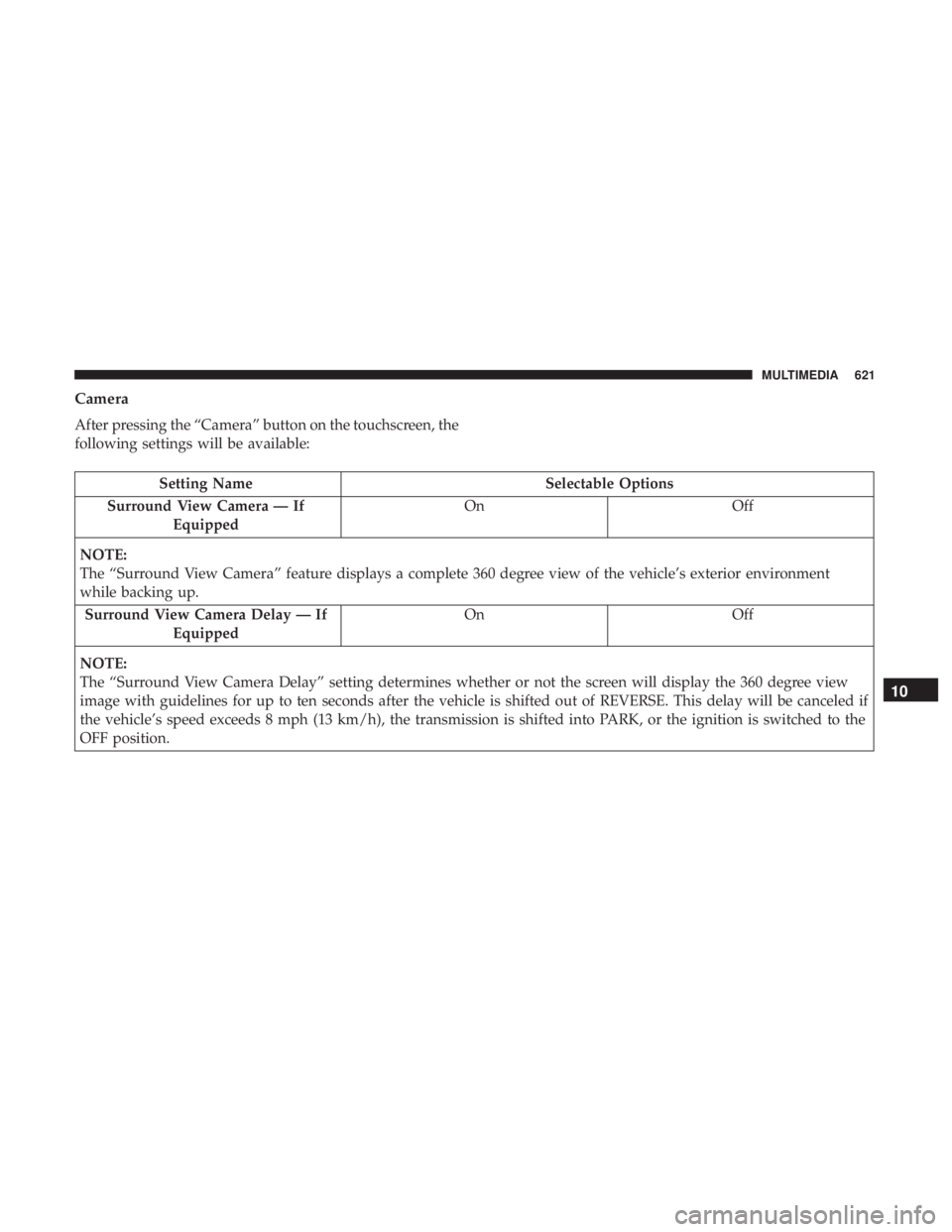
Camera
After pressing the “Camera” button on the touchscreen, the
following settings will be available:
Setting NameSelectable Options
Surround View Camera — If Equipped On
Off
NOTE:
The “Surround View Camera” feature displays a complete 360 degree view of the vehicle’s exterior environment
while backing up. Surround View Camera Delay — If Equipped On
Off
NOTE:
The “Surround View Camera Delay” setting determines whether or not the screen will display the 360 degree view
image with guidelines for up to ten seconds after the vehicle is shifted out of REVERSE. This delay will be canceled if
the vehicle’s speed exceeds 8 mph (13 km/h), the transmission is shifted into PARK, or the ignition is switched to the
OFF position.
10
MULTIMEDIA 621
Page 684 of 718
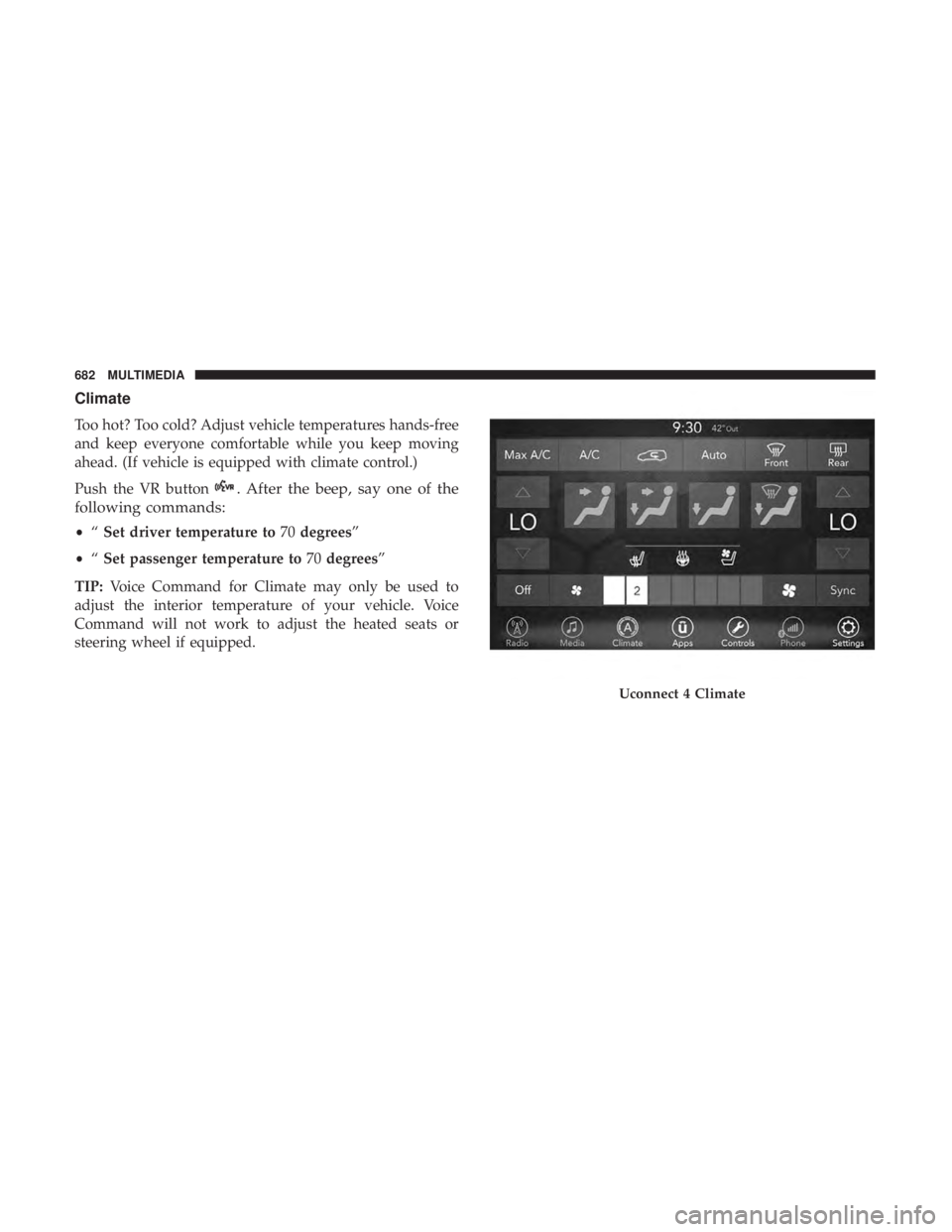
Climate
Too hot? Too cold? Adjust vehicle temperatures hands-free
and keep everyone comfortable while you keep moving
ahead. (If vehicle is equipped with climate control.)
Push the VR button
. After the beep, say one of the
following commands:
• “Set driver temperature to 70degrees”
• “Set passenger temperature to 70degrees”
TIP: Voice Command for Climate may only be used to
adjust the interior temperature of your vehicle. Voice
Command will not work to adjust the heated seats or
steering wheel if equipped.
Uconnect 4 Climate
682 MULTIMEDIA