2019 CHRYSLER PACIFICA HYBRID mirror
[x] Cancel search: mirrorPage 533 of 620

Setting NameSelectable Options
Rear ParkSense Braking Assist On
Off
NOTE:
When the “Rear ParkSense Braking Assist” feature is selected, the park assist system will detect objects located be-
hind the vehicle and utilize autonomous braking to stop the vehicle. Blind Spot Alert — If Equipped Off
LightsLights and Chime
NOTE:
When the “Blind Spot Alert” feature is selected, the Blind Spot Monitor (BSM) system is activated and will show a
visual alert in the outside mirrors, or it will show a visual alert in the outside mirrors as well as play an audible alert
when the turn signal is on. When “Off” is selected, the Blind Spot Monitor (BSM) system is deactivated.
If your vehicle has experienced any damage in the area where the sensor is located, even if the fascia is not damaged,
the sensor may have become misaligned. Take your vehicle to an authorized dealer to verify sensor alignment. A sen-
sor that is misaligned will result in the BSM not operating to specification. Hill Start Assist — If Equipped On
Off
Key Sense:
Sliding Door Alert On Off
NOTE:
When the “Sliding Door Alert” feature is selected, a chime plays when the sliding door reverses or an obstacle is
sensed.
10
MULTIMEDIA 531
Page 534 of 620

Mirrors & Wipers
After pressing the “Mirror and Wipers” button on the
touchscreen, the following settings will be available:
Setting NameSelectable Options
Rain Sensing Auto Wipers OnOff
Headlights with Wipers OnOff
Brakes
After pressing the “Brakes” button on the touchscreen, the
following settings will be available:
Setting Name Selectable Options
Auto Park Brake OnOff
Brake Service Ye sN o
NOTE:
Selecting the “Brake Service” feature will display a pop-up asking whether or you would like to retract the park
brakes to all break system service.
532 MULTIMEDIA
Page 538 of 620

Setting NameSelectable Options
Personal Settings Linked to Key Fob — If Equipped On
Off
NOTE:
The “Personal Settings Linked to Key Fob” feature provides automatic recall of all settings stored to a memory loca-
tion (driver ’s seat, exterior mirrors, steering column position and radio station pre-sets) to enhance driver mobility
when entering and exiting the vehicle.
The seat returns to the memorized seat location, if the settings is set to “On,” when the key fob is used to unlock the
door.
Auto-On Comfort — If Equipped
After pressing the “Auto-On Comfort” button on the
touchscreen, the following settings will be available:
Setting Name Selectable Options
Auto-On Driver Heated/
Ventilated Seat & Steering Wheel With Vehicle Start — If Equipped Off
Remote Start All Starts
NOTE:
When this feature is selected, the driver ’s heated seat and heated steering wheel will automatically turn on when
temperatures are below 40° F (4.4° C). When temperatures are above 80° F (26.7° C) the driver vented seat will turn
on.
536 MULTIMEDIA
Page 571 of 620

The first row passengers can also access wireless streaming
by choosing the source in the Uconnect Theater menu on
the front Uconnect touchscreen.
NOTE:For system compatibility, consult your device’s
Owner’s Manual or www.uconnectphone.com to see if
your device supports wireless streaming technology com-
patibility. Apple devices do not support this feature.
To link your device to the rear Uconnect Theater touch-
screens:
1. Enable your device’s Wi-Fi. 2. Select the Wireless Streaming feature on your device.
The name of this feature is device dependent and could
include: mirror, cast or smart view.
NOTE: Refer to your device’s Owners Manual or www.u-
connectphone.com for further information.
3. Select “Pacifica Wireless Network” from the list of available networks on your device.
4. When prompted by an Authentication Screen, press “Accept” on the touchscreen to begin wireless streaming
on your device. If prompted, verify that the code on the
rear touchscreen and the device match.
Streaming Source On Front Uconnect Touchscreen
Streaming Device Source Card
10
MULTIMEDIA 569
Page 581 of 620

NOTE:If you see the NAV icon on the bottom bar, or in the
Apps menus, of your touchscreen, you have the Uconnect
4C NAV system. If not, you have a Uconnect 4C system.
Get Started
All you need to control your Uconnect system with your
voice are the buttons on your steering wheel.
Helpful hints for using Voice Recognition:
• Visit UconnectPhone.com to check mobile device and
feature compatibility and to find phone pairing instruc-
tions.
• Reduce background noise. Wind and passenger conver-
sations are examples of noise that may impact recogni-
tion.
• Speak clearly at a normal pace and volume while facing
straight ahead. The microphone is positioned on the
rearview mirror and aimed at the driver.
• Each time you give a Voice Command, you must first
push either the Voice Recognition (VR) or Phone button,
wait until afterthe beep, then say your Voice Command.
Uconnect 4C NAV10
MULTIMEDIA 579
Page 604 of 620

About Your Brakes........................ .502
Adaptive Cruise Control (ACC) (Cruise Control) . . . .309
Additives, Fuel ........................... .505
Adjust Down .................................81
Forward ................................81
Rearward ...............................81
Up....................................81
AirBag ................................ .238
Air Bag Operation ....................... .239
Air Bag Warning Light .................236, 240
Driver Knee Air Bag ..................... .247
Enhanced Accident Response .............253, 440
Event Data Recorder (EDR) .................440
FrontAirBag .......................... .240
If Deployment Occurs .................... .252
Knee Impact Bolsters ..................... .247
Maintaining Your Air Bag System .............254
Maintenance ........................... .254
Redundant Air Bag Warning Light ............237
Side Air Bags .......................... .248
Transporting Pets ....................... .277
Air Bag Light ...................... .178, 236, 279
Air Cleaner, Engine (Engine Air Cleaner Filter) ......452
Air Conditioning ...........................114 Air Conditioning Filter
.................. .123, 454
Air Conditioning, Operating Tips ...............122
Air Conditioning System .....................115
Air Filter ............................... .452
Air Pressure Tires................................. .482
Alarm Arm The System ..........................54
Disarm The System ........................55
Security Alarm ......................... .182
Alterations/Modifications Vehicle .................................5
Android Auto ............................ .591
Antifreeze (Engine Coolant) ................465, 508
Disposal .............................. .467
Anti-Lock Brake System (ABS) .................194
Anti-Lock Warning Light .................... .183
Apple
CarPlay ........................... .592
Ashtray ................................ .153
Assist, Hill Start .......................... .200
Audio Jack .............................. .544
Audio Systems (Radio) ...................... .515
Automatic Dimming Mirror ....................95
Automatic Headlights ...................... .101
Automatic Temperature Control (ATC) ............115
602 INDEX
Page 607 of 620
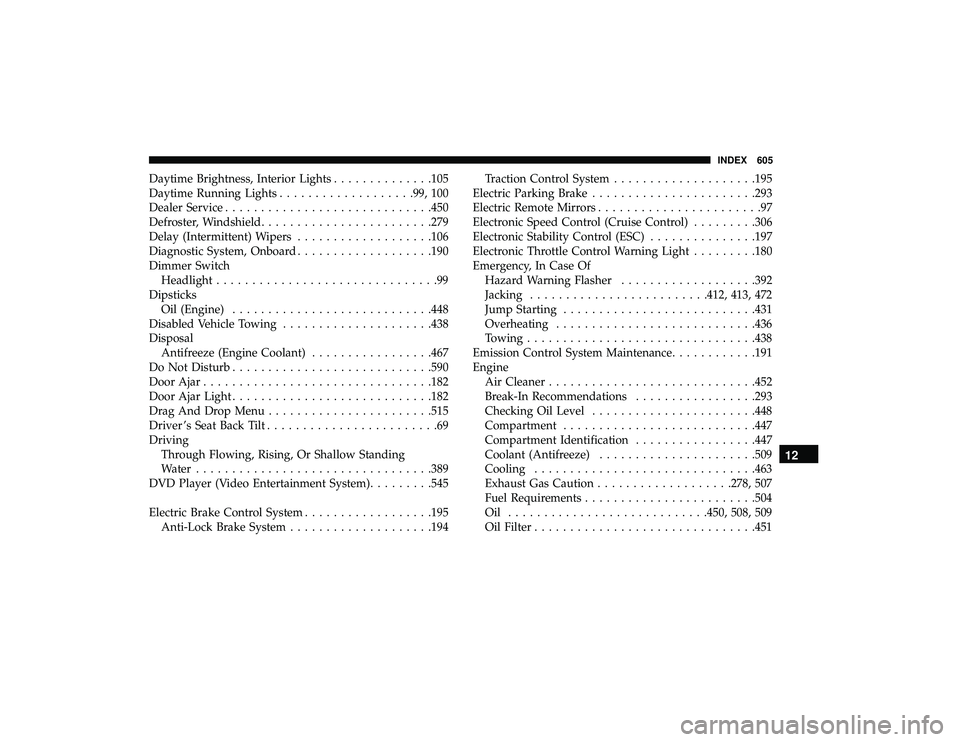
Daytime Brightness, Interior Lights..............105
Daytime Running Lights .................. .99, 100
Dealer Service ............................ .450
Defroster, Windshield ....................... .279
Delay (Intermittent) Wipers ...................106
Diagnostic System, Onboard ...................190
Dimmer Switch Headlight ...............................99
Dipsticks Oil (Engine) ........................... .448
Disabled Vehicle Towing .................... .438
Disposal Antifreeze (Engine Coolant) .................467
Do Not Disturb ........................... .590
Door Ajar ............................... .182
Door Ajar Light ........................... .182
Drag And Drop Menu ...................... .515
Driver ’s Seat Back Tilt ........................69
Driving Through Flowing, Rising, Or Shallow Standing
Water ................................ .389
DVD Player (Video Entertainment System) .........545
Electric Brake Control System ..................195
Anti-Lock Brake System ................... .194Traction Control System
................... .195
Electric Parking Brake ...................... .293
Electric Remote Mirrors .......................97
Electronic Speed Control (Cruise Control) .........306
Electronic Stability Control (ESC) ...............197
Electronic Throttle Control Warning Light .........180
Emergency, In Case Of Hazard Warning Flasher ...................392
Jacking ........................ .412, 413, 472
Jump Starting .......................... .431
Overheating ........................... .436
Towing ............................... .438
Emission Control System Maintenance ............191
Engine Air Cleaner ............................ .452
Break-In Recommendations .................293
Checking
Oil Level ...................... .448
Compartment .......................... .447
Compartment Identification .................447
Coolant (Antifreeze) ..................... .509
Cooling .............................. .463
Exhaust Gas Caution .................. .278, 507
Fuel Requirements ....................... .504
Oil ........................... .450, 508, 509
Oil Filter .............................. .451
12
INDEX 605
Page 609 of 620

Gasoline, Clean Air........................ .505
Gasoline, (Fuel) ........................... .504
Gasoline, Reformulated ..................... .505
Glass Cleaning ........................... .500
GVWR ................................. .384
Hazard Driving Through Flowing, Rising, Or Shallow
Standing Water ......................... .389
Hazard Warning Flashers .................... .392
Headlights ................................99
Bulb Replacement ....................... .398
Cleaning .............................. .496
High Beam/Low Beam Select Switch ...........99
Lights On Reminder ................... .99, 102
Passing ............................ .99, 101
Replacing ............................. .398
Switch .................................99
Time Delay ..............................99
Washers .............................. .101
Head Restraints ............................88
Heated Mirrors ......................... .95, 97
High Voltage Battery .........................17
Hill Start Assist ........................... .200
HomeLink (Garage Door Opener) ...............139Hood Prop
.............................. .131
Hood Release ............................ .131
Hook, Coat .............................. .149
Inside Rearview Mirror ................... .95, 392
Instrument Cluster ......................... .165
Descriptions ........................... .188
Display .............................. .166
Instrument Panel Lens Cleaning ................499
Interior And Instrument Lights .................103
Interior Appearance Care .................... .498
Interior Lights ............................ .103
Intermittent Wipers (Delay Wipers) ..............106
Introduction ................................4
Inverter Power ............................... .152
Jack
Operation ........................ .412, 472
Jump Starting ............................ .431
KeyFob..................................38 Arm The Alarm ..........................54
Disarm The Alarm ........................55
Programming Additional Key Fobs ..........43, 53
Key Fob Battery Service (Remote Keyless Entry) .....41
12
INDEX 607