2019 CHEVROLET VOLT Battery
[x] Cancel search: BatteryPage 177 of 373

Chevrolet VOLT Owner Manual (GMNA-Localizing-U.S./Canada/Mexico-
12163007) - 2019 - CRC - 11/5/18
176 Driving and Operating
Press MODE again to return to
Normal Mode and it becomes active
after three seconds.
Each time the vehicle is started, it
will return to Normal Mode.
Mountain Mode
Mountain Mode should be selected
at the beginning of a trip before
climbing steep, uphill grades and
when expecting to drive in very hilly
or mountainous terrain. This mode
maintains a reserve electrical
charge of the high voltage battery to
provide better grade climbingperformance. While driving in
Mountain Mode, the vehicle will
have less responsive acceleration.
Mountain Mode will not change
normal vehicle braking performance
for steep downhill grades.
See
Hill and Mountain Roads 0162
and Electric Drive Unit 0181.
Press MODE to select Mountain
Mode. If steep hill driving is
expected, it is recommended to
select Mountain Mode at least
20 minutes before driving on steep
grades. This will allow the vehicle
time to build a sufficient battery
charge reserve.
If Mountain Mode is not selected for
these conditions, propulsion power
may be reduced and the engine
speed may increase. See
Propulsion Power Messages 0136.
The engine may run when Mountain
Mode is selected, depending on the
high voltage battery charge, to build
reserve battery charge for uphill
climbs. If Mountain Mode is entered
with a sufficient battery charge
reserve, the battery charge reserve will appear grayed out and any
battery charge reserve still unused
upon exiting Mountain Mode will
return to normal appearance.
Press MODE again to return to
Normal Mode and it becomes active
after three seconds.
Each time the vehicle is started, it
will return to Normal Mode to
maintain a smaller battery charge
reserve for normal driving.
Hold Mode
Use Hold Mode on a trip where it is
expected that all of the electric
charge will be depleted. Use Hold
Page 178 of 373

Chevrolet VOLT Owner Manual (GMNA-Localizing-U.S./Canada/Mexico-
12163007) - 2019 - CRC - 11/5/18
Driving and Operating 177
Mode mainly during highway or high
speed driving to maximize both EV
miles and fuel efficiency.
Hold Mode is only available when
the vehicle is in Electric Mode. This
mode places the remaining battery
charge into a reserve for the driver
to use as desired. Selecting this
mode transitions the vehicle to
Extended Range Mode to maintain
the battery charge reserve.
Upon exiting Hold Mode, the
reserved battery charge becomes
available again and the vehicle
returns to Electric Mode. If the
transition is from Hold Mode directly
to Mountain Mode, the electric
range displayed adjusts for the
Mountain Mode charge reserve.
Hold Mode will not change normal
vehicle acceleration or braking
performance.
Press MODE to select Hold Mode.
Press MODE again to return to
Normal Mode and it becomes active
after three seconds.Each time the vehicle is started, it
will return to Normal Mode.
Out of Fuel/Engine
Unavailable
If the vehicle runs out of fuel, or the
engine will not start due to a
malfunction, the vehicle can
continue to be driven in Electric
Mode until the current charge is
depleted. The vehicle will have less
responsive acceleration. Driver
Information Center (DIC) messages
indicate reduced propulsion power,
that the engine is not available, and
the need for fuel or service.
Once the vehicle is refueled, or the
malfunction is corrected, the engine
will start the next time the vehicle is
turned on to perform a self test, and
DIC messages will not be displayed.
Once the engine starts successfully,
normal operation will continue in
either Electric or Extended Range
Mode. The engine may stop running
after the self test is completed,
based on the current mode of
operation.
Maintenance Modes
Engine Maintenance Mode (EMM)
EMM runs the engine to keep it in
good working condition after
approximately six weeks of no or
very limited engine operation. EMM
will force the engine to run, even if
there is a charge to power the
vehicle.
When EMM is needed, the EMM
notification will display.
If Start is selected, EMM will begin.
The engine will not start until after a
short delay once shifted into
D (Drive). The engine will run for a
set amount of time without turning
Page 184 of 373

Chevrolet VOLT Owner Manual (GMNA-Localizing-U.S./Canada/Mexico-
12163007) - 2019 - CRC - 11/5/18
Driving and Operating 183
If driving safely on a wet road and it
becomes necessary to slam on the
brakes and continue braking to
avoid a sudden obstacle, a
computer senses that the wheels
are slowing down. If one of the
wheels is about to stop rolling, the
computer will separately work the
brakes at each wheel.
ABS can change the brake pressure
to each wheel, as required, faster
than any driver could. This can help
the driver steer around the obstacle
while braking hard.
As the brakes are applied, the
computer keeps receiving updates
on wheel speed and controls
braking pressure accordingly.
Remember: ABS does not change
the time needed to get a foot up to
the brake pedal or always decrease
stopping distance. If you get too
close to the vehicle in front of you,
there will not be enough time to
apply the brakes if that vehicle
suddenly slows or stops. Always
leave enough room up ahead to
stop, even with ABS.Using ABS
Do not pump the brakes. Just hold
the brake pedal down firmly and let
ABS work. You might hear the ABS
pump or motor operating and feel
the brake pedal pulsate, but this is
normal.
Braking in Emergencies
ABS allows the driver to steer and
brake at the same time. In many
emergencies, steering can help
more than even the very best
braking.
Electric Parking Brake
The vehicle has an Electric Parking
Brake (EPB). The EPB can always
be activated, even if the ignition is
off. To prevent draining the battery,
avoid repeated cycles of the EPB
system when the engine is not
running.
The system has a
Yor PARK
Electric Parking Brake light, and
a
8Service Parking Brake light.
See Electric Parking Brake Light
0 117 and Service Electric Parking
Brake Light 0117.
Before leaving the vehicle, check for
the
Yor PARK light to ensure that
the parking brake is applied.
EPB Apply
To apply the EPB:
1. Be sure the vehicle is at a complete stop.
2. Pull the EPB switch momentarily.
The
Yor PARK light will flash and
then stay on once the EPB is fully
applied. If the
Yor PARK light
Page 186 of 373

Chevrolet VOLT Owner Manual (GMNA-Localizing-U.S./Canada/Mexico-
12163007) - 2019 - CRC - 11/5/18
Driving and Operating 185
pressure to hold the vehicle
stationary. If HSA is holding the
vehicle, a DIC message displays.
HSA will not activate in a forward
drive gear when facing downhill,
or in R (Reverse) when facing uphill.
Extended Hill Start
Assist (EHSA)
To change the duration of the HSA
feature, see“Extended Hill Start
Assist" under “Comfort and
Convenience” inVehicle
Personalization 0137. When
Standard Hold is selected, the
vehicle is held stationary for up to
two seconds after the brake pedal is
released. When Extended Hold is
selected, the vehicle is held
stationary for up to five minutes
after the brake pedal is released. In
either case, override the hold
feature by pressing the accelerator
pedal and attempting to drive away.
If Hill Start Assist is selected in the
Settings menu, it will hold the
vehicle for two seconds unless the
driver door is opened or the driver
seat belt is unbuckled after releasing the brake pedal.
If Extended Hill Start Assist is
selected, it will hold the vehicle for
five minutes unless the driver door
is opened and the driver seat belt is
unbuckled prior to releasing the
brake pedal. When EHSA is
deactivated after five minutes, or if it
is deactivated when the driver seat
belt is unlatched or the driver door is
opened, the Electric Parking Brake
will engage to prevent vehicle
movement.
Regenerative Braking
Some braking energy from the
moving vehicle is turned back into
electrical energy. This energy is
then stored back into the high
voltage battery system, increasing
energy efficiency.
The hydraulic disc brakes work with
the regenerative braking to ensure
effective braking, such as when a
high braking demand is requested.
The controller interprets the braking
request and uses regenerative
braking, conventional hydraulic
braking, or a combination of both as
necessary.
The brake controller applies the
hydraulic brakes using a pump. The
pump may be heard during some
braking, such as rapid applies. This
is normal.
See
Warning Lights, Gauges, and
Indicators 0107 andDriver
Information Center (DIC) 0133.
If there is a controller problem, the
brake pedal may be harder to push
and the stopping distance may be
longer.
Page 215 of 373

Chevrolet VOLT Owner Manual (GMNA-Localizing-U.S./Canada/Mexico-
12163007) - 2019 - CRC - 11/5/18
214 Driving and Operating
If the LKA system is not functioning
properly when lane markings are
clearly visible, cleaning the
windshield may help.
A system unavailable message may
display if the camera is blocked.
The LKA system does not need
service.
LKA assistance and/or LDW alerts
may occur due to tar marks,
shadows, cracks in the road,
temporary or construction lane
markings, or other road
imperfections. This is normal system
operation; the vehicle does not need
service. Turn LKA off if these
conditions continue.Charging
Plug-In Charging
This section explains the charging
of the vehicle's high voltage battery.
Do not allow the vehicle to remain in
extreme temperatures for long
periods without being driven or
plugged in. Plug the vehicle in when
temperatures are below 0 °C (32 °F)
and above 32 °C (90 °F) to
maximize the life of the high voltage
battery.
When using a 120-volt AC electrical
outlet, it will take approximately
13 hours to charge the vehicle with
the 12 amp AC current setting or
19 hours using the default 8 amp
AC current setting.
When using a 240-volt charging
station, if the vehicle is equipped
with a 7.2kw on-board charge
module, it will take approximately2.3 hours to charge the vehicle.
When using a 240-volt charging
station, if the vehicle is equipped
with a 3.6kw on-board charge
module, it will take approximately
4.5 hours to charge the vehicle.
Charge times will vary with outside
temperature. There are three ways
to program how the vehicle is
charged. See
Programmable
Charging 0123.
The charging system may run fans
and pumps that result in sounds
from the vehicle while it is turned
off. Additional unexpected clicking
sounds may be caused by the
electrical devices used while
charging.
While the charge cord is plugged
into the vehicle, the vehicle cannot
be driven.
Page 216 of 373

Chevrolet VOLT Owner Manual (GMNA-Localizing-U.S./Canada/Mexico-
12163007) - 2019 - CRC - 11/5/18
Driving and Operating 215
Charging
Start Charge1. Place the vehicle in P (Park). Select the appropriate charge
level using the Portable Cord
Limit Preference screen on the
center stack. See “Charge
Limit Selection” under
Programmable Charging 0123.
Turn the vehicle off.
2. Push the rearward edge of the charge port door in and release
to open the door.
In cold weather conditions, ice
may form around the charge
port door. Remove ice from the
area before attempting to open
or close the charge port door.
3. Open the rear hatch. Open the
left storage compartment door
and remove the charge cord.
4. Plug the charge cord into the electrical outlet. See Electrical
Requirements for Battery
Charging 0228. Verify the
charge cord status. See
Charge Cord 0221.5. Plug in the vehicle plug of the
charge cord into the charge
port on the vehicle. Verify that
the charging status indicator
illuminates on top of the
instrument panel and an
audible beep occurs. See
Charging Status Feedback
0216.
6. To arm the charge cord theft alert, lock the vehicle with the
RKE transmitter. To disable this
feature, see “Charge Cord
Theft Alert” inVehicle
Personalization 0137.
Page 217 of 373
Chevrolet VOLT Owner Manual (GMNA-Localizing-U.S./Canada/Mexico-
12163007) - 2019 - CRC - 11/5/18
216 Driving and Operating
End Charge1. Unlock the vehicle with the RKE transmitter to disarm the
charge cord theft alert.
2. Unplug the vehicle plug of thecharge cord from the vehicle.
3. Close the charge port door by pressing firmly on the rearward
edge of the door surface.
4. Unplug the charge cord from the electrical outlet.
5. Place the charge cord into the storage compartment.
Delayed Charging
Override
To temporarily override a delayed
charge event, unplug the charge
cord from the charge port and then
plug it back in within five seconds.
A single audible beep will sound
and charging will begin immediately.
To cancel a temporary override,
unplug the charge cord, wait for
10 seconds, and then plug the
charge cord back in. A double
audible beep will sound and
charging will be delayed.
See Programmable Charging 0123
for advanced charge scheduling
options.
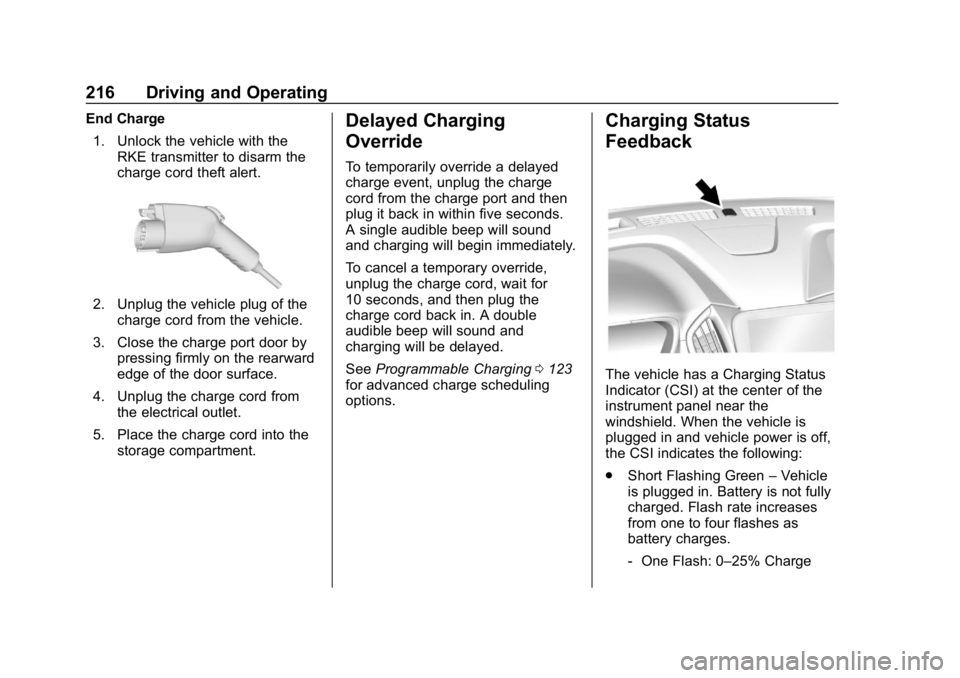
Charging Status
Feedback
The vehicle has a Charging Status
Indicator (CSI) at the center of the
instrument panel near the
windshield. When the vehicle is
plugged in and vehicle power is off,
the CSI indicates the following:
. Short Flashing Green –Vehicle
is plugged in. Battery is not fully
charged. Flash rate increases
from one to four flashes as
battery charges.
‐ One Flash: 0–25% Charge
Page 218 of 373

Chevrolet VOLT Owner Manual (GMNA-Localizing-U.S./Canada/Mexico-
12163007) - 2019 - CRC - 11/5/18
Driving and Operating 217
‐Two Flashes: 25–50% Charge
‐ Three Flashes: 50–75%
Charge
‐ Four Flashes: 75–100%
Charge
. Long Flashing Green –Vehicle
is plugged in. Battery is not fully
charged. Battery charging is
delayed.
. Solid Green –Vehicle is plugged
in. Battery is fully charged.
. Solid Yellow –Vehicle is plugged
in. It is normal for the CSI to turn
yellow for a few seconds after
plugging in a compatible charge
cord. The CSI may stay solid
yellow longer depending on the
vehicle and if there is a total
utility interruption. See Utility
Interruption of Charging 0227. This may also indicate that the
charging system has detected a
fault and will not charge the
battery. See
“Charge Cord
Status Indicators” inCharge
Cord 0221.
If the vehicle is plugged in and
vehicle power is on, the CSI will
flash or will be solid green,
depending on the charge level. This
also happens during a remote start
if the vehicle is plugged in.
If the vehicle is plugged in and the
CSI is off, a total utility interruption
or a charging fault has been
detected. See Utility Interruption of
Charging 0227 or“Charge Cord
Status Indicators” inCharge Cord
0 221.
If equipped, the charge port bezel
light acts as an additional CSI when
the vehicle is plugged in and
charging. It will flash along with the
CSI on the instrument panel. When
the charge port door is open and the
vehicle is not plugged in, the bezel
light stays on solid to light the
charging receptacle.
A message displays if the vehicle is
not able to charge.
Following is the vehicle feedback
when the charge cord is plugged in.