2019 CHEVROLET BOLT EV battery
[x] Cancel search: batteryPage 37 of 371

Chevrolet BOLT EV Owner Manual (GMNA-Localizing-U.S./Canada/Mexico-
12163003) - 2019 - crc - 5/18/18
36 Keys, Doors, and Windows
Passive Locking
The Keyless Access system will
lock the vehicle several seconds
after all doors are closed, if the
vehicle is off and at least one RKE
transmitter has been removed from
the interior or none remain in the
interior.
If other electronic devices interfere
with the RKE transmitter signal, the
vehicle may not detect the RKE
transmitter inside the vehicle.
If passive locking is enabled, the
doors may lock with the RKE
transmitter inside the vehicle. Do
not leave the RKE transmitter in an
unattended vehicle.
To customize doors to automatically
lock when exiting the vehicle, see
Vehicle Personalization0146.
Temporary Disable of Passive
Locking
Temporarily disable passive locking
by pressing and holding
Kon the
interior door switch with a door open
for at least four seconds, or until
three chimes are heard. Passive locking will then remain disabled
until
Qon the interior door is
pressed, or until the vehicle is
started.
Remote Left In Vehicle Alert
When the vehicle is turned off and
an RKE transmitter is left in the
vehicle, the horn will chirp three
times after all doors are closed.
To turn on or off see Vehicle
Personalization 0146.
Remote No Longer In Vehicle Alert
If the vehicle is on with a door open,
and then all doors are closed, the
vehicle will check for RKE
transmitters inside. If an RKE
transmitter is not detected, the
Driver Information Center (DIC) will
display NO REMOTE DETECTED
and the horn will chirp three times.
This occurs only once each time the
vehicle is driven.
See Vehicle Personalization 0146. Keyless Liftgate Opening
Press the touch pad on the
underside of the liftgate glass and
lift up to open if the RKE transmitter
is within 1 m (3 ft) and the doors are
locked. If the doors are unlocked,
the transmitter is not required to
open the liftgate. See
Liftgate047.
Key Access
To access a vehicle with a weak
transmitter battery, see Door Locks
0 41.
Programming Transmitters to
the Vehicle
Only RKE transmitters programmed
to the vehicle will work. If a
transmitter is lost or stolen, a
replacement can be purchased and
programmed through your dealer.
The vehicle can be reprogrammed
so that lost or stolen transmitters no
longer work. Any remaining
transmitters will need to be
reprogrammed. Each vehicle can
have up to eight transmitters
matched to it.
Page 39 of 371

Chevrolet BOLT EV Owner Manual (GMNA-Localizing-U.S./Canada/Mexico-
12163003) - 2019 - crc - 5/18/18
38 Keys, Doors, and Windows
handle and turn the key to the
unlock position five times within
10 seconds.
The DIC displays REMOTE
LEARN PENDING,
PLEASE WAIT.
2. Wait for 10 minutes until the DIC displays PRESS ENGINE
START BUTTON TO LEARN
and then press POWER
O.
The DIC will again show
REMOTE LEARN PENDING,
PLEASE WAIT.
3. Repeat Step 2 two additional times. After the third time, all
previously known transmitters
will no longer work with the
vehicle. Remaining transmitters
can be relearned during the
next steps.
The DIC should now show
READY FOR REMOTE # 1.
4. Open the center console andtake out the small tray,
if equipped. Place the
transmitter in the backup
location with the buttons
facing down.
5. Press POWER
Oto start the
vehicle. When the transmitter is
learned, the DIC will show that
it is ready to program the next
transmitter.
6. Remove the transmitter from the backup location and press
KorQ.
To program additional
transmitters, repeat Steps 4–6. When all additional transmitters
are programmed, press and
hold POWER
Ofor 12 seconds
to exit programming mode.
7. Put the key back into the RKE transmitter.
8. Replace the key lock cylinder cap. See Door Locks 041.
Starting the Vehicle with a Low
Transmitter Battery
While trying to start the vehicle,
if the transmitter battery is weak or if
there is interference with the signal,
the DIC may display NO REMOTE
DETECTED or USE
TRANSMITTER POCKET TO
START. The DIC may also display
REPLACE BATTERY IN
REMOTE KEY.
To start the vehicle:
Page 40 of 371

Chevrolet BOLT EV Owner Manual (GMNA-Localizing-U.S./Canada/Mexico-
12163003) - 2019 - crc - 5/18/18
Keys, Doors, and Windows 39
1. Open the center console andtake out the small tray,
if equipped. Place the
transmitter in the backup
location with the buttons
facing down.
2. With the vehicle in P (Park) or N (Neutral), press the brake
pedal and press POWER
O.
Replace the transmitter battery
as soon as possible.
Battery Replacement
Replace the battery if the DIC
displays REPLACE BATTERY IN
REMOTE KEY.
Caution
When replacing the battery, do
not touch any of the circuitry on
the transmitter. Static from your
body could damage the
transmitter.
The battery is not rechargeable. To
replace the battery:
1. Press the button on the side of the transmitter near the bottom
and pull the key out. Never pull
the key out without pressing
the button.
2. Separate the two halves of thetransmitter using a flat tool
inserted into the area near the
key slot.
Page 41 of 371

Chevrolet BOLT EV Owner Manual (GMNA-Localizing-U.S./Canada/Mexico-
12163003) - 2019 - crc - 5/18/18
40 Keys, Doors, and Windows
3. Remove the battery by pushingon the battery and sliding it
toward the bottom of the
transmitter.
4. Insert the new battery, positive side facing the back cover.
Push the battery down until it is
held in place. Replace with a
CR2032 or equivalent battery.
5. Snap the battery cover back on to the transmitter.
Remote Start
This feature starts the heating or air
conditioning systems and the rear
window defogger from outside the
vehicle.
Use remote start to heat or cool the
interior when the vehicle is plugged
in to maximize electric range by
utilizing electricity from the electrical
outlet. Normal operation of the
system will return after the vehicle
has been turned on.
/:This button is on the RKE
transmitter. The climate control system will use
the previous settings during a
remote start. The rear defog may
come on during remote start based
on cold ambient conditions. The
rear defog indicator light does not
come on during a remote start.
Laws in some local communities
may restrict the use of remote
starters. For example, some laws
require a person using remote start
to have the vehicle in view. Check
local regulations for any
requirements.
If the vehicle is low on energy, do
not use the remote start feature.
The vehicle may run out of energy.
The RKE transmitter range may be
less while the vehicle is running.
Other conditions can affect the
performance of the transmitter. See
Remote Keyless Entry (RKE)
System
033.
Remote Starting the Vehicle
To remote start the vehicle: 1. Press and release
Qon the
RKE transmitter.
2. Immediately press and hold
/
for at least four seconds or until
the turn signal lamps flash.
3. After entering the vehicle during a remote start, press
POWER
Owith the brake
pedal applied to start the
vehicle and operate as normal.
Remote start will automatically shut
off after 20 minutes unless a time
extension is done.
When the vehicle starts, the parking
lamps will turn on. Remote start run
time can be extended.
Extending Vehicle Run Time
The vehicle run time can also be
extended by another 20 minutes,
if after 30 seconds and during the
first 20 minutes Steps 1 and 2 are
repeated while the vehicle is
running. This provides a total of
40 minutes.
The remote start can only be
extended once.
Page 43 of 371

Chevrolet BOLT EV Owner Manual (GMNA-Localizing-U.S./Canada/Mexico-
12163003) - 2019 - crc - 5/18/18
42 Keys, Doors, and Windows
To lock or unlock the doors from
outside the vehicle:
.Use the key in the driver door to
lock and unlock the door without
the Remote Keyless Entry (RKE)
transmitter. The key cylinder is
covered with a cap. See “Driver
Door Key Lock Cylinder Access
(In Case of Dead Battery)” later
in this section.
. Press
QorKon the RKE
transmitter to lock and unlock
the doors.
To lock or unlock the doors from
inside the vehicle:
. Press
QorKon the power door
lock switch.
. Pull the door handle. Pulling an
interior door handle will unlock
the door. Pulling the door handle
again unlatches it.
Keyless Access
The RKE transmitter must be within
1 m (3 ft) of the liftgate or door being
opened. Press the button on the
door handle to open. See “Keyless
Access Operation” inRemote
Keyless Entry (RKE) System
Operation 033.
Driver Door Key Lock Cylinder
Access (In Case of Dead
Battery)
To access the driver door key lock
cylinder:
1. Insert the key into the slot on the bottom of the cap.
2. Lift the key upward to remove the cap.
3. Insert the key into the cylinder and turn to unlock.
Page 46 of 371

Chevrolet BOLT EV Owner Manual (GMNA-Localizing-U.S./Canada/Mexico-
12163003) - 2019 - crc - 5/18/18
Keys, Doors, and Windows 45
Safety Locks
If equipped, the safety lock is on the
inside edge of the rear doors. To
use the safety lock:1. Move the lever forward to the lock position.
2. Close the door.
3. Do the same for the other rear door.
To open a rear door when the safety
lock is on: 1. Unlock the door by using the
inside handle, the power door
lock switch, or the Remote
Keyless Entry (RKE)
transmitter.
2. Open the door from the outside.
When the safety lock is enabled,
adults and older children will not be
able to open the rear door from the
inside. Cancel the safety locks to
enable the doors to open from the
inside.
To cancel the safety lock: 1. Unlock the door and open it from the outside.
2. Move the lever rearward to unlock. Do the same for the
other door.
KeyPass
If equipped, this feature allows a
smartphone to be connected to the
vehicle and remote vehicle functions
to be requested. Features vary
depending on availability.
Features include: .
Remote commands –Use to
lock/unlock the vehicle, remote
start for the cabin climate,
or sound or cancel the horn and
flash the lights.
. Vehicle status –View the
vehicle’s range and battery level,
charging status, and tire
pressure.
. Welcome lighting –Request light
when approaching the vehicle.
. Location services –Save the
parked location or start
navigation at the vehicle’s GPS
coordinates.
Setup Function
. KeyPass Setup
‐Managing Priority Setting
‐ Modifying Priority Setting
. Revocation
Active Remote Function
. Door Lock/Unlock
. Remote Start/Stop
. Panic Alarm Activation/
Termination
Page 47 of 371

Chevrolet BOLT EV Owner Manual (GMNA-Localizing-U.S./Canada/Mexico-
12163003) - 2019 - crc - 5/18/18
46 Keys, Doors, and Windows
.Remote Charge Termination
. High Voltage Charge Functions
‐Temporary Charging Override
Update
‐ Change the Charging Mode
Permanently
‐ Update Departure Time
Schedule
‐ High Voltage Priority Charging
Activate and De-activate
‐ Select Charge Level/Limit
Preference Screen
. Vehicle Locator
. Routing w/Available Mileage
Passive Function
Approach Detection/Welcome
Lighting
Visual Display for Vehicle
Information
. Low Battery Indication
. Tire Pressure
. Remote Start Status
. Odometer Reading .
Rear Closure Ajar Switch Status
. Electric Parking Brake Status
. Hood Status
. High Voltage Battery State of
Charge Status
. GPS Signal for End of Trip
. Charge Mode Status
‐Available Mileage
‐ Charge Start and End Times
Status
‐ Full Week of Time Based
Delayed Charging Status
‐ Disable Rate Based and
Delayed Charging Status
‐ High Voltage Charging System
Fault (Unable to Charge)
‐ High Voltage Charger Power
Level
‐ High Voltage Battery Charge
Cord Connected Indication
‐ Charge Complete
‐ Usable State of Charge
‐ High Voltage Depletion Mode
Range ‐
High Voltage Battery State of
Charge Status
Pairing
A smartphone must be paired to the
KeyPass Module and then it must
be connected to the vehicle before it
can be used.
Setup Information
. Up to three smartphones can be
set up and connected to the
vehicle.
. Setup is disabled when the
vehicle is moving.
. Pairing only needs to be
completed once per smartphone,
unless the pairing information on
the smartphone changes or the
smartphone is deleted.
Setup Process 1. Enable the KeyPass function through vehicle
personalization. See Vehicle
Personalization 0146.
2. Download the myChevrolet app to the smartphone from the
appropriate app store.
Page 50 of 371
Chevrolet BOLT EV Owner Manual (GMNA-Localizing-U.S./Canada/Mexico-
12163003) - 2019 - crc - 5/18/18
Keys, Doors, and Windows 49
Immobilizer Operation
This vehicle has a passive
theft-deterrent system.
The system does not have to be
manually armed or disarmed.
The vehicle is automatically
immobilized when the transmitter
leaves the vehicle.
The immobilization system is
disarmed when POWER
Ois
pressed and a valid transmitter is
found in the vehicle.
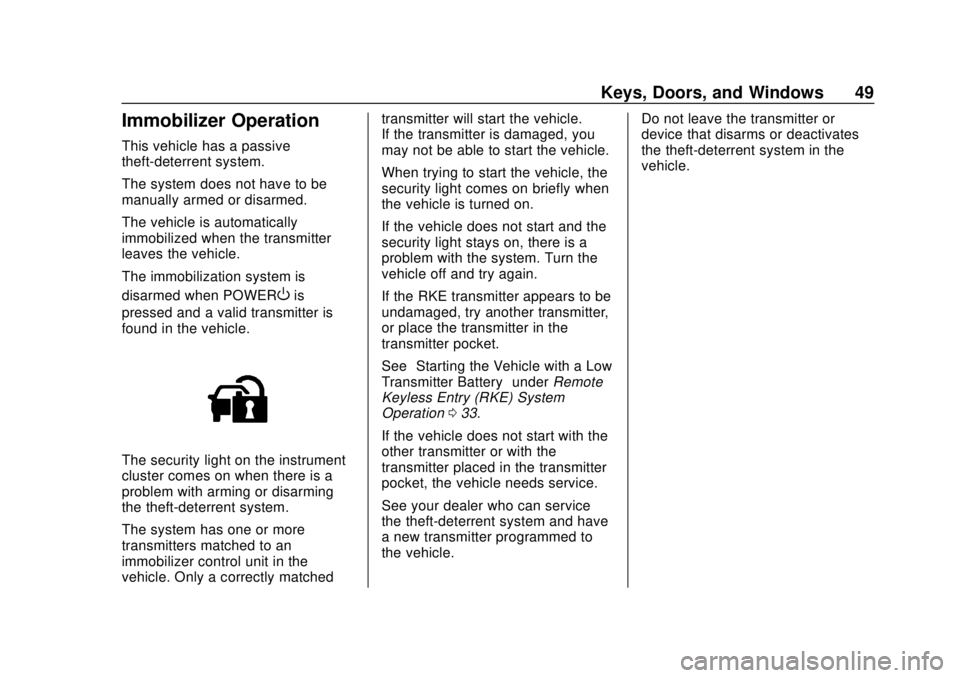
The security light on the instrument
cluster comes on when there is a
problem with arming or disarming
the theft-deterrent system.
The system has one or more
transmitters matched to an
immobilizer control unit in the
vehicle. Only a correctly matched transmitter will start the vehicle.
If the transmitter is damaged, you
may not be able to start the vehicle.
When trying to start the vehicle, the
security light comes on briefly when
the vehicle is turned on.
If the vehicle does not start and the
security light stays on, there is a
problem with the system. Turn the
vehicle off and try again.
If the RKE transmitter appears to be
undamaged, try another transmitter,
or place the transmitter in the
transmitter pocket.
See
“Starting the Vehicle with a Low
Transmitter Battery” underRemote
Keyless Entry (RKE) System
Operation 033.
If the vehicle does not start with the
other transmitter or with the
transmitter placed in the transmitter
pocket, the vehicle needs service.
See your dealer who can service
the theft-deterrent system and have
a new transmitter programmed to
the vehicle. Do not leave the transmitter or
device that disarms or deactivates
the theft-deterrent system in the
vehicle.