2019 CADILLAC ESCALADE phone
[x] Cancel search: phonePage 386 of 415

Cadillac Escalade Owner Manual (GMNA-Localizing-U.S./Canada/Mexico-
12460268) - 2019 - crc - 9/14/18
CUSTOMER INFORMATION 385
Repair Facility
GM also recommends that you choose
a collision repair facility that meets
your needs before you ever need
collision repairs. Your dealer may have
a collision repair center with
GM-trained technicians and
state-of-the-art equipment, or be able
to recommend a collision repair center
that has GM-trained technicians and
comparable equipment.
Insuring the Vehicle
Protect your investment in the GM
vehicle with comprehensive and
collision insurance coverage. There are
significant differences in the quality of
coverage afforded by various
insurance policy terms. Many
insurance policies provide reduced
protection to the GM vehicle by
limiting compensation for damage
repairs by using aftermarket collision
parts. Some insurance companies will
not specify aftermarket collision parts.
When purchasing insurance, we
recommend that you ensure that the
vehicle will be repaired with GM
original equipment collision parts.If such insurance coverage is not
available from your current insurance
carrier, consider switching to another
insurance carrier.
If the vehicle is leased, the leasing
company may require you to have
insurance that ensures repairs with
Genuine GM Original Equipment
Manufacturer (OEM) parts or Genuine
Manufacturer replacement parts. Read
the lease carefully, as you may be
charged at the end of the lease for
poor quality repairs.If a Crash Occurs
If there has been an injury, call
emergency services for help. Do not
leave the scene of a crash until all
matters have been taken care of. Move
the vehicle only if its position puts
you in danger, or you are instructed to
move it by a police officer.
Give only the necessary information
to police and other parties involved in
the crash.
For emergency towing see
Roadside
Service 0381. Gather the following information:
.
Driver name, address, and
telephone number
. Driver license number
. Owner name, address, and
telephone number
. Vehicle license plate number
. Vehicle make, model, and
model year
. Vehicle Identification
Number (VIN)
. Insurance company and policy
number
. General description of the damage
to the other vehicle
Choose a reputable repair facility that
uses quality replacement parts. See
“Collision Parts ”earlier in this section.
If the airbag has inflated, see What
Will You See after an Airbag Inf lates?
0 92.
Page 391 of 415

Cadillac Escalade Owner Manual (GMNA-Localizing-U.S./Canada/Mexico-
12460268) - 2019 - crc - 9/14/18
390 CUSTOMER INFORMATION
Infotainment System
Using the navigation system may
result in the storage of destinations,
addresses, telephone numbers, and
other trip information. See the
infotainment manual for information
on stored data and for deletion
instructions.
Page 394 of 415

Cadillac Escalade Owner Manual (GMNA-Localizing-U.S./Canada/Mexico-
12460268) - 2019 - crc - 9/14/18
ONSTAR 393
Security
If equipped, OnStar provides these
services:
.With Stolen Vehicle Assistance,
OnStar Advisors can use GPS to
pinpoint the vehicle and help
authorities quickly recover it.
. With Remote Ignition Block,
if equipped, OnStar can block the
engine from being restarted.
. With Stolen Vehicle Slowdown,
if equipped, OnStar can work with
law enforcement to gradually slow
the vehicle down.
Theft Alarm Notification
If equipped, if the doors are locked
and the vehicle alarm sounds, a
notification by text, e-mail, or phone
call will be sent. If the vehicle is
stolen, an OnStar Advisor can work
with authorities to recover the vehicle.
OnStar Additional
Information
In-Vehicle Audio Messages
Audio messages may play important
information at the following times:
.Prior to vehicle purchase. Press
Q
to set up an account.
. After change in ownership and at
90 days.
Transferring Service
PressQto request account transfer
eligibility information. The Advisor
can cancel or change account
information.
Selling/Transferring the Vehicle
Call 1-888-4ONSTAR (1-888-466-7827)
immediately to terminate your OnStar
or connected services if the vehicle is
disposed of, sold, transferred, or if the
lease ends.
Reactivation for Subsequent
Owners
PressQand follow the prompts to
speak to an Advisor as soon as
possible. The Advisor will update
vehicle records and explain OnStar or
connected service options.
How OnStar Service Works
Automatic Crash Response,
Emergency Services, Crisis Assist,
Stolen Vehicle Assistance, Remote
Services, Roadside Assistance, and
Hands-Free Calling are available on
most vehicles. Not all OnStar services
are available everywhere or on all
vehicles. For more information, a full
description of OnStar services, system
limitations, and OnStar User Terms,
Privacy Statement, and Software
Terms:
. Call 1-888-4ONSTAR
(1-888-466-7827).
. See www.onstar.com (U.S.).
. See www.onstar.ca (Canada).
. Call TTY 1-877-248-2080.
. Press
Qto speak with an Advisor.
Page 395 of 415

Cadillac Escalade Owner Manual (GMNA-Localizing-U.S./Canada/Mexico-
12460268) - 2019 - crc - 9/14/18
394 ONSTAR
OnStar or connected services cannot
work unless the vehicle is in a place
where OnStar has an agreement with
a wireless service provider for service
in that area. The wireless service
provider must also have coverage,
network capacity, reception, and
technology compatible with OnStar or
connected services. Service involving
location information about the vehicle
cannot work unless GPS signals are
available, unobstructed, and
compatible with the OnStar hardware.
OnStar or connected services may not
work if the OnStar equipment is not
properly installed or it has not been
properly maintained. If equipment or
software is added, connected,
or modified, OnStar or connected
services may not work. Other
problems beyond the control of
OnStar—such as hills, tall buildings,
tunnels, weather, electrical system
design and architecture of the vehicle,
damage to the vehicle in a crash,
or wireless phone network congestion
or jamming —may prevent service.
See Radio Frequency Statement 0387.Services for People with
Disabilities
Advisors provide services to help with
physical disabilities and medical
conditions.
Press
Qto help:
. Locate a gas station with an
attendant to pump gas.
. Find a hotel, restaurant, etc., that
meets accessibility needs.
. Provide directions to the closest
hospital or pharmacy in urgent
situations.
TTY Users
OnStar has the ability to communicate
to deaf, hard-of-hearing,
or speech-impaired customers while in
the vehicle. The available
dealer-installed TTY system can
provide in-vehicle access to all OnStar
services, except Virtual Advisor and
OnStar Turn-by-Turn Navigation.
If equipped, TTY mode can be turned
on or off by touching Settings, then
Apps, and then Phone. When TTY mode is on, phone calls can be made
or received with OnStar using the
infotainment display.
OnStar Personal Identification
Number (PIN)
A PIN is needed to access some
OnStar services. The PIN will need to
be changed the first time when
speaking with an Advisor. To change
the OnStar PIN, contact an OnStar
Advisor by pressing
Qor calling
1-888-4ONSTAR.
Warranty
OnStar equipment may be warranted
as part of the vehicle warranty.
Languages
The vehicle can be programmed to
respond in multiple languages. Press
Qand ask for an Advisor. Advisors
are available in English, Spanish, and
French. Available languages may vary
by country.
Page 402 of 415

Cadillac Escalade Owner Manual (GMNA-Localizing-U.S./Canada/Mexico-
12460268) - 2019 - crc - 9/14/18
CONNECTED SERVICES 401
On some vehicles, Wi-Fi can also be
managed from the Wi-Fi
Hotspot menu.
MyCadillac Mobile App (If Available)
Download the myCadillac mobile app
to compatible Apple and Android
smartphones. Cadillac users can
access the following services from a
smartphone:
.Remotely start/stop the vehicle,
if factory-equipped.
. Lock/unlock doors, if equipped
with automatic locks.
. Activate the horn and lamps.
. Check the vehicle’s fuel level, oil
life, or tire pressure,
if factory-equipped with the Tire
Pressure Monitor System.
. Send destinations to the vehicle.
. Locate the vehicle on a map (U.S.
market only).
. Turn the vehicle's Wi-Fi hotspot
on/off, manage settings, and
monitor data consumption,
if equipped. .
Locate a dealer and schedule
service.
. Request roadside assistance.
. Set a parking reminder with pin
drop, take a photo, make a note,
and set a timer.
. Connect with Cadillac on social
media.
Features are subject to change. For
myCadillac mobile app information
and compatibility, see my.cadillac.com.
An active OnStar or connected service
plan may be required. A compatible
device, factory-installed remote start,
and power locks are required. Data
rates apply. See www.onstar.com for
details and system limitations.
Remote Services
Contact an OnStar Advisor to unlock
the doors or sound the horn and flash
the lamps.
Marketplace
OnStar Advisors can provide offers
from restaurants and retailers on your
route, help locate hotels, or book a
room. These services vary by market.
OnStar Hands-Free Calling
Make and receive calls with the
built-in wireless calling service, which
requires available minutes.
Functionality of the Voice Command
button may vary by vehicle and
region. For some vehicles, press
=to
open the OnStar app on the
infotainment display, then select
Hands-Free calling. For other vehicles
press
=as follows.
Make a Call
1. Press
=. System responds:
“OnStar ready.”
2. Say “Call.”System responds: “Call.
Please say the name or number
to call.”
3. Say the entire number without pausing, including a “1”and the
area code. System responds: “OK,
calling.”
Calling 911 Emergency
1. Press=. System responds:
“OnStar ready.”
Page 406 of 415
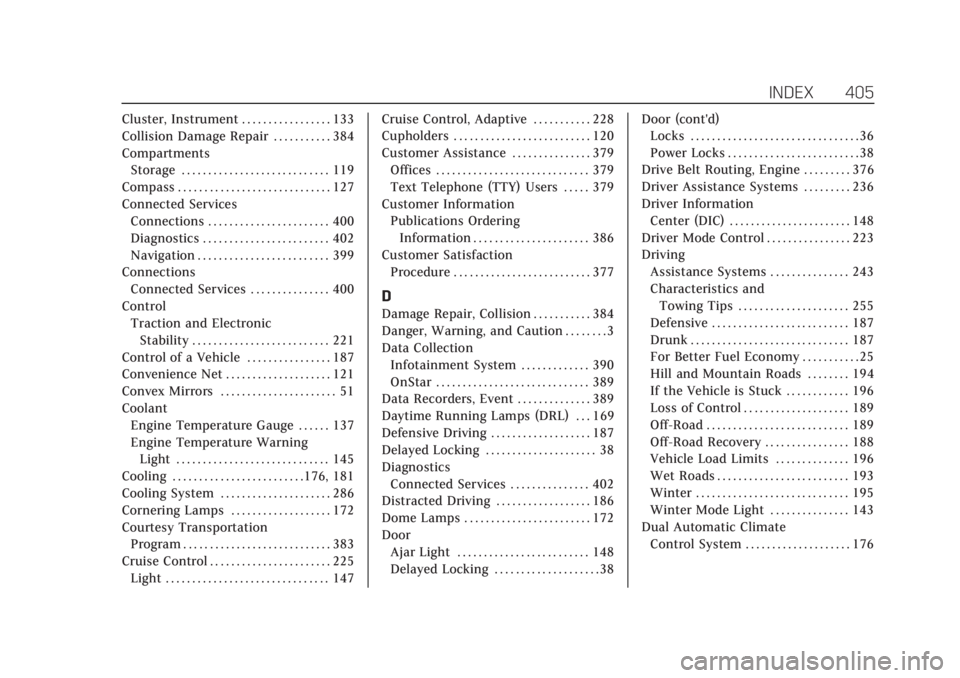
Cadillac Escalade Owner Manual (GMNA-Localizing-U.S./Canada/Mexico-
12460268) - 2019 - crc - 9/19/18
INDEX 405
Cluster, Instrument . . . . . . . . . . . . . . . . . 133
Collision Damage Repair . . . . . . . . . . . 384
CompartmentsStorage . . . . . . . . . . . . . . . . . . . . . . . . . . . . 119
Compass . . . . . . . . . . . . . . . . . . . . . . . . . . . . . 127
Connected Services Connections . . . . . . . . . . . . . . . . . . . . . . . 400
Diagnostics . . . . . . . . . . . . . . . . . . . . . . . . 402
Navigation . . . . . . . . . . . . . . . . . . . . . . . . . 399
Connections Connected Services . . . . . . . . . . . . . . . 400
Control Traction and ElectronicStability . . . . . . . . . . . . . . . . . . . . . . . . . . 221
Control of a Vehicle . . . . . . . . . . . . . . . . 187
Convenience Net . . . . . . . . . . . . . . . . . . . . 121
Convex Mirrors . . . . . . . . . . . . . . . . . . . . . . 51
Coolant Engine Temperature Gauge . . . . . . 137
Engine Temperature WarningLight . . . . . . . . . . . . . . . . . . . . . . . . . . . . . 145
Cooling . . . . . . . . . . . . . . . . . . . . . . . . .176, 181
Cooling System . . . . . . . . . . . . . . . . . . . . . 286
Cornering Lamps . . . . . . . . . . . . . . . . . . . 172
Courtesy Transportation Program . . . . . . . . . . . . . . . . . . . . . . . . . . . . 383
Cruise Control . . . . . . . . . . . . . . . . . . . . . . . 225 Light . . . . . . . . . . . . . . . . . . . . . . . . . . . . . . . 147 Cruise Control, Adaptive . . . . . . . . . . . 228
Cupholders . . . . . . . . . . . . . . . . . . . . . . . . . . 120
Customer Assistance . . . . . . . . . . . . . . . 379
Offices . . . . . . . . . . . . . . . . . . . . . . . . . . . . . 379
Text Telephone (TTY) Users . . . . . 379
Customer Information Publications Ordering
Information . . . . . . . . . . . . . . . . . . . . . . 386
Customer Satisfaction Procedure . . . . . . . . . . . . . . . . . . . . . . . . . . 377
D
Damage Repair, Collision . . . . . . . . . . . 384
Danger, Warning, and Caution . . . . . . . . 3
Data CollectionInfotainment System . . . . . . . . . . . . . 390
OnStar . . . . . . . . . . . . . . . . . . . . . . . . . . . . . 389
Data Recorders, Event . . . . . . . . . . . . . . 389
Daytime Running Lamps (DRL) . . . 169
Defensive Driving . . . . . . . . . . . . . . . . . . . 187
Delayed Locking . . . . . . . . . . . . . . . . . . . . . 38
Diagnostics Connected Services . . . . . . . . . . . . . . . 402
Distracted Driving . . . . . . . . . . . . . . . . . . 186
Dome Lamps . . . . . . . . . . . . . . . . . . . . . . . . 172
Door Ajar Light . . . . . . . . . . . . . . . . . . . . . . . . . 148
Delayed Locking . . . . . . . . . . . . . . . . . . . . 38 Door (cont'd)
Locks . . . . . . . . . . . . . . . . . . . . . . . . . . . . . . . . 36
Power Locks . . . . . . . . . . . . . . . . . . . . . . . . . 38
Drive Belt Routing, Engine . . . . . . . . . 376
Driver Assistance Systems . . . . . . . . . 236
Driver Information
Center (DIC) . . . . . . . . . . . . . . . . . . . . . . . 148
Driver Mode Control . . . . . . . . . . . . . . . . 223
Driving Assistance Systems . . . . . . . . . . . . . . . 243
Characteristics andTowing Tips . . . . . . . . . . . . . . . . . . . . . 255
Defensive . . . . . . . . . . . . . . . . . . . . . . . . . . 187
Drunk . . . . . . . . . . . . . . . . . . . . . . . . . . . . . . 187
For Better Fuel Economy . . . . . . . . . . . 25
Hill and Mountain Roads . . . . . . . . 194
If the Vehicle is Stuck . . . . . . . . . . . . 196
Loss of Control . . . . . . . . . . . . . . . . . . . . 189
Off-Road . . . . . . . . . . . . . . . . . . . . . . . . . . . 189
Off-Road Recovery . . . . . . . . . . . . . . . . 188
Vehicle Load Limits . . . . . . . . . . . . . . 196
Wet Roads . . . . . . . . . . . . . . . . . . . . . . . . . 193
Winter . . . . . . . . . . . . . . . . . . . . . . . . . . . . . 195
Winter Mode Light . . . . . . . . . . . . . . . 143
Dual Automatic Climate Control System . . . . . . . . . . . . . . . . . . . . 176
Page 413 of 415

Cadillac Escalade Owner Manual (GMNA-Localizing-U.S./Canada/Mexico-
12460268) - 2019 - crc - 9/19/18
412 INDEX
Storage Areas (cont'd)Instrument Panel . . . . . . . . . . . . . . . . . 119
Roof Rack System . . . . . . . . . . . . . . . . 122
Sunglasses . . . . . . . . . . . . . . . . . . . . . . . . . 120
Storage Compartments . . . . . . . . . . . . . 119
Struts Gas . . . . . . . . . . . . . . . . . . . . . . . . . . . . . . . . . 298
Stuck Vehicle . . . . . . . . . . . . . . . . . . . . . . . 196
Sun Visors . . . . . . . . . . . . . . . . . . . . . . . . . . . . 58
Sunglass Storage . . . . . . . . . . . . . . . . . . . . 120
Sunroof . . . . . . . . . . . . . . . . . . . . . . . . . . . . . . . 58
Symbols . . . . . . . . . . . . . . . . . . . . . . . . . . . . . . . . 3
System Forward Collision Alert (FCA) . . . . 243
Infotainment . . . . . . . . . . . . . . . . . 175, 390
Roof Rack . . . . . . . . . . . . . . . . . . . . . . . . . 122
Systems Driver Assistance . . . . . . . . . . . . . . . . . 236
T
Tachometer . . . . . . . . . . . . . . . . . . . . . . . . . 136
Text Telephone (TTY) Users . . . . . . . 379
Theft-Deterrent Systems . . . . . . . . . . . . 50Immobilizer . . . . . . . . . . . . . . . . . . . . . . . . . 50
Third-Row Seats . . . . . . . . . . . . . . . . . . . . . 75
Throttle, Adjustable . . . . . . . . . . . . . . . . 201
Time . . . . . . . . . . . . . . . . . . . . . . . . . . . . . . . . . 127
Tires . . . . . . . . . . . . . . . . . . . . . . . . . . . . . . . . . 311 Tires (cont'd)
All-Season . . . . . . . . . . . . . . . . . . . . . . . . . 312
All-Terrain . . . . . . . . . . . . . . . . . . . . . . . . . 313
Buying New Tires . . . . . . . . . . . . . . . . . 326
Chains . . . . . . . . . . . . . . . . . . . . . . . . . . . . . 330
Changing . . . . . . . . . . . . . . . . . . . . . . . . . . 332
Designations . . . . . . . . . . . . . . . . . . . . . . 314
Different Size . . . . . . . . . . . . . . . . . . . . . . 327
Full-Size Spare . . . . . . . . . . . . . . . . . . . . 341
If a Tire Goes Flat . . . . . . . . . . . . . . . . 331
Inspection . . . . . . . . . . . . . . . . . . . . . . . . . 324
Low Profile . . . . . . . . . . . . . . . . . . . . . . . . 313
Pressure . . . . . . . . . . . . . . . . . . . . . . 317, 319
Pressure Light . . . . . . . . . . . . . . . . . . . . . 145
Pressure Monitor Operation . . . . . . 320
Pressure Monitor System . . . . . . . . 319
Rotation . . . . . . . . . . . . . . . . . . . . . . . . . . . 324
Sidewall Labeling . . . . . . . . . . . . . . . . . 313
Terminology and Definitions . . . . 315
Uniform Tire Quality Grading . . . . 328
Wheel Alignment and Tire
Balance . . . . . . . . . . . . . . . . . . . . . . . . . . 329
Wheel Replacement . . . . . . . . . . . . . . 329
When It Is Time for New
Tires . . . . . . . . . . . . . . . . . . . . . . . . . . . . . 325
Winter . . . . . . . . . . . . . . . . . . . . . . . . . . . . . 312
Top Tier Fuel . . . . . . . . . . . . . . . . . . . . . . . . 252
Tow/Haul Mode . . . . . . . . . . . . . . . . . . . . . 213 Tow/Haul Mode Light . . . . . . . . . . . . . . 143
Towing
Driving Characteristics . . . . . . . . . . . 255
Equipment . . . . . . . . . . . . . . . . . . . . . . . . 265
General Information . . . . . . . . . . . . . . 255
Recreational Vehicle . . . . . . . . . . . . . . 346
Trailer . . . . . . . . . . . . . . . . . . . . . . . . . . . . . 260
Trailer Sway Control (TSC) . . . . . . . 273
Vehicle . . . . . . . . . . . . . . . . . . . . . . . . . . . . . 345
Traction Control System
(TCS)/StabiliTrak Light . . . . . . . . . 145
Off Light . . . . . . . . . . . . . . . . . . . . . . . . . . . 144
Traction Control/Electronic Stability Control . . . . . . . . . . . . . . . . . . . 221
Trailer
Sway Control (TSC) . . . . . . . . . . . . . . . 273
Towing . . . . . . . . . . . . . . . . . . . . . . . . . . . . 260
Transfer Case . . . . . . . . . . . . . . . . . . . . . . . 214
Transmission Automatic . . . . . . . . . . . . . . . . . . . . . . . . . 209
Fluid, Automatic . . . . . . . . . . . . . . . . . . 284
Transportation Program, Courtesy . . . . . . . . . . . . . . . . . . . . . . . . . . . 383
Trip Odometer . . . . . . . . . . . . . . . . . . . . . . 136
Turn and Lane-Change Signals . . . . 171